Before you can send a WhatsApp message, Meta needs a place to keep your business — that place is your Meta Business Portfolio. It sits above your WhatsApp Business Account and holds your business ID, your verification status and (in India) your GST details.
What a Meta Business Portfolio is
A Meta Business Portfolio is the central container that holds all of your organisation’s Meta business assets — and most importantly for the WhatsApp Business Platform, your WhatsApp Business Accounts (WABAs). You must have one to use the platform; it isn’t optional.
Think of it as the top box that everything else sits inside: your WhatsApp account, your phone numbers, your verification and your business ID all live within it.
What you can do with it
A single portfolio gives you room to grow:
- Hold multiple WABAs. One portfolio can contain more than one WhatsApp Business Account.
- Register up to 20 phone numbers. That’s the limit of numbers a single portfolio can hold.
- Run more than one portfolio if you truly need to. Most organisations are fine with just one — only split into several if you have a clear reason to keep things separate.
Before you create one
Check these points before you set up a portfolio, so you don’t end up with a duplicate or a blocked account:
- You can reach Meta Business Suite using a Facebook profile or a managed Meta account.
- If you’re on a managed account, you have permission to manage your organisation.
- There’s no existing portfolio already created for your organisation — duplicates cause confusion.
- You understand that a brand-new portfolio may have limited advertising features at first until it builds trust.
How to create a Meta Business Portfolio
- Go to business.facebook.com and log in.
- Open the dropdown menu just below “Home” in the top-left corner.
- Choose Create a business portfolio.
- Enter your organisation’s public business name — use no special characters.
- If you logged in with a Facebook profile, add the personal details Meta asks for.
- Finish creating the portfolio, then confirm it through the verification email Meta sends you.
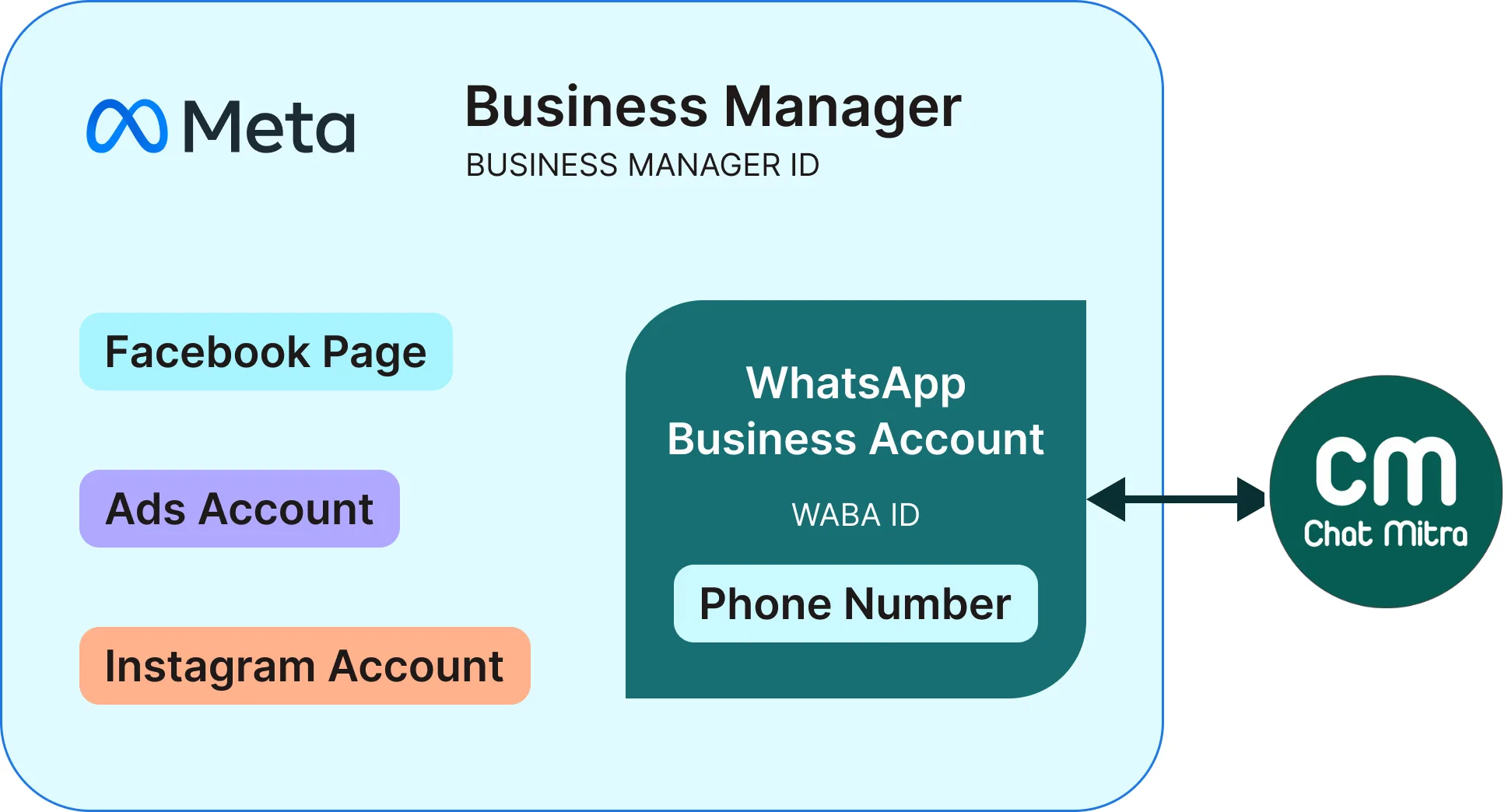
Creating a portfolio takes only a few fields — your business name plus a confirmation email.
Good to know after setup
- Business ID. Every portfolio gets its own unique Business ID. You’ll quote this number for support, API setup and verification.
- Verification status. You can verify a portfolio to unlock extra power — higher messaging throughput and the Official Business Account badge.
- Two-portfolio limit per person. An individual user can create up to two portfolios on their own.
Read these in order
- What is a Meta Business ID? — the unique number that identifies your business to Meta, and where to find it.
- GST registration number — why Meta asks for it (India) and where it’s used.
