Phone Numbers

Updated June 2026 3 min read

The number is what customers actually see. This section covers everything that sits on it — your display name, the green tick, quality rating, 2FA, profiles, links and coexistence.

All guides

Every WhatsApp Business API number carries a display name, a quality rating, two-factor authentication, a business profile and (sometimes) the green Official Business Account tick. This section explains each of these, plus message links, coexistence, and the test numbers Meta provides.

Your phone number is the part of the WhatsApp Business API your customers actually see and trust. A lot rides on it — the name shown in chat, whether you earn a green tick, how many messages you may send, and how safe the number is.

Registering phone numbers

Before a number can send or receive on the WhatsApp Business Platform, it has to be registered. A few ground rules:

  • The number can still be used for everyday things — regular calls and SMS — even when it’s not on WhatsApp.
  • A number that’s active in the personal WhatsApp Messenger app can’t be registered until you delete it from that app first.
  • With ChatMitra, business numbers can only be registered through Embedded Signup — Meta’s guided sign-up flow.
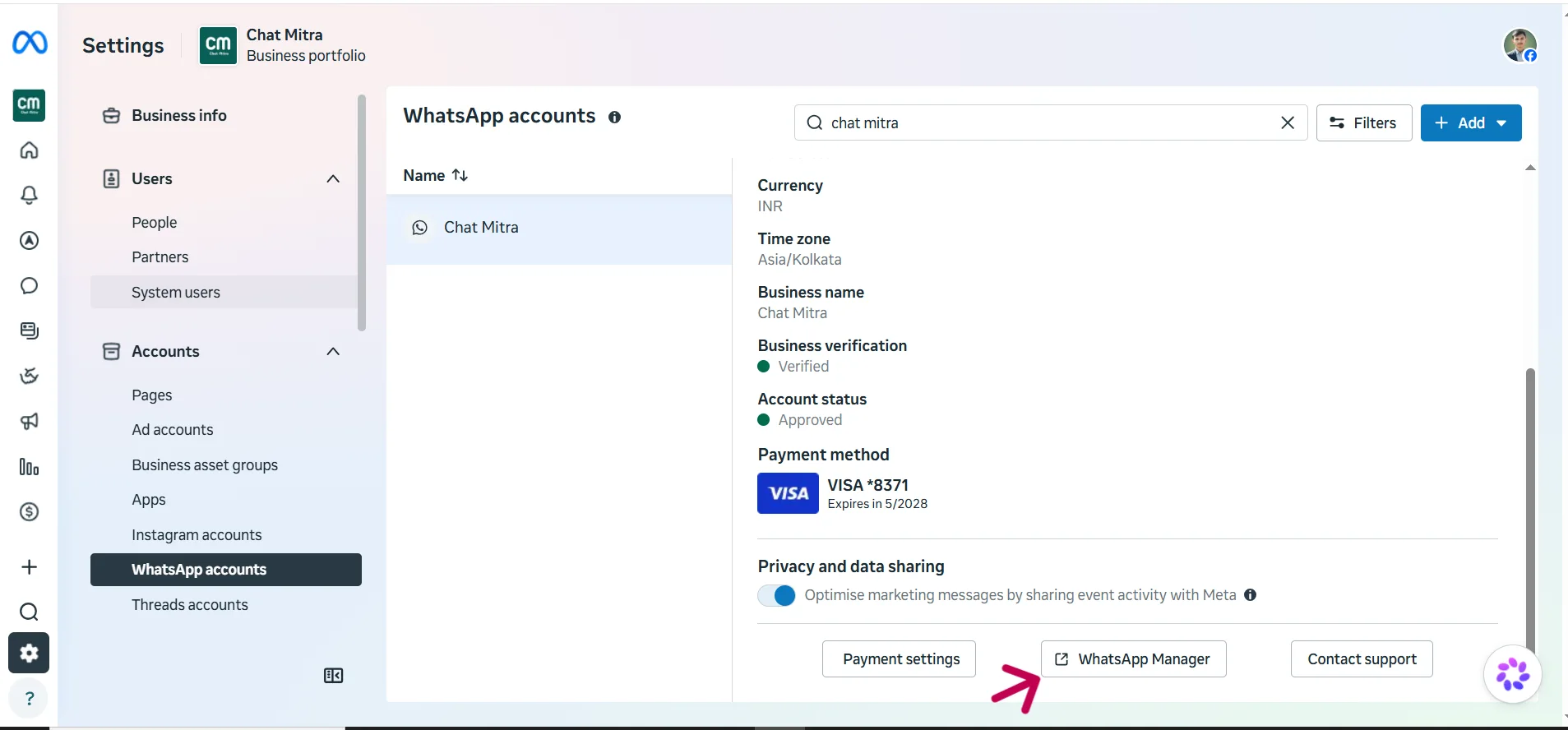
The Embedded Signup flow used to register a WhatsApp business phone number

If you don’t have a number ready yet, you can register a Meta-provided +1 555 number instead and add your own number later.

Eligibility requirements

For a number to qualify, it needs to:

  • Belong to your business — you own and control it.
  • Have a valid country and area code (short codes aren’t supported).
  • Be able to receive a voice call or an SMS, so Meta can send the verification code.
Entering and verifying a phone number during registration

How many numbers you can register

New accounts start with a cap, which grows as you build trust:

  • A new portfolio is capped at 2 numbers.
  • That limit can expand up to 20 numbers.
  • The increase happens either by Meta’s automatic evaluation of your account, or by completing Business Verification.
The phone number limit shown for a portfolio in WhatsApp Manager

When your limit changes, Meta fires a business_capability_update webhook event so your system knows the new cap.

View your phone numbers in WhatsApp Manager

You can see all your registered numbers in one place:

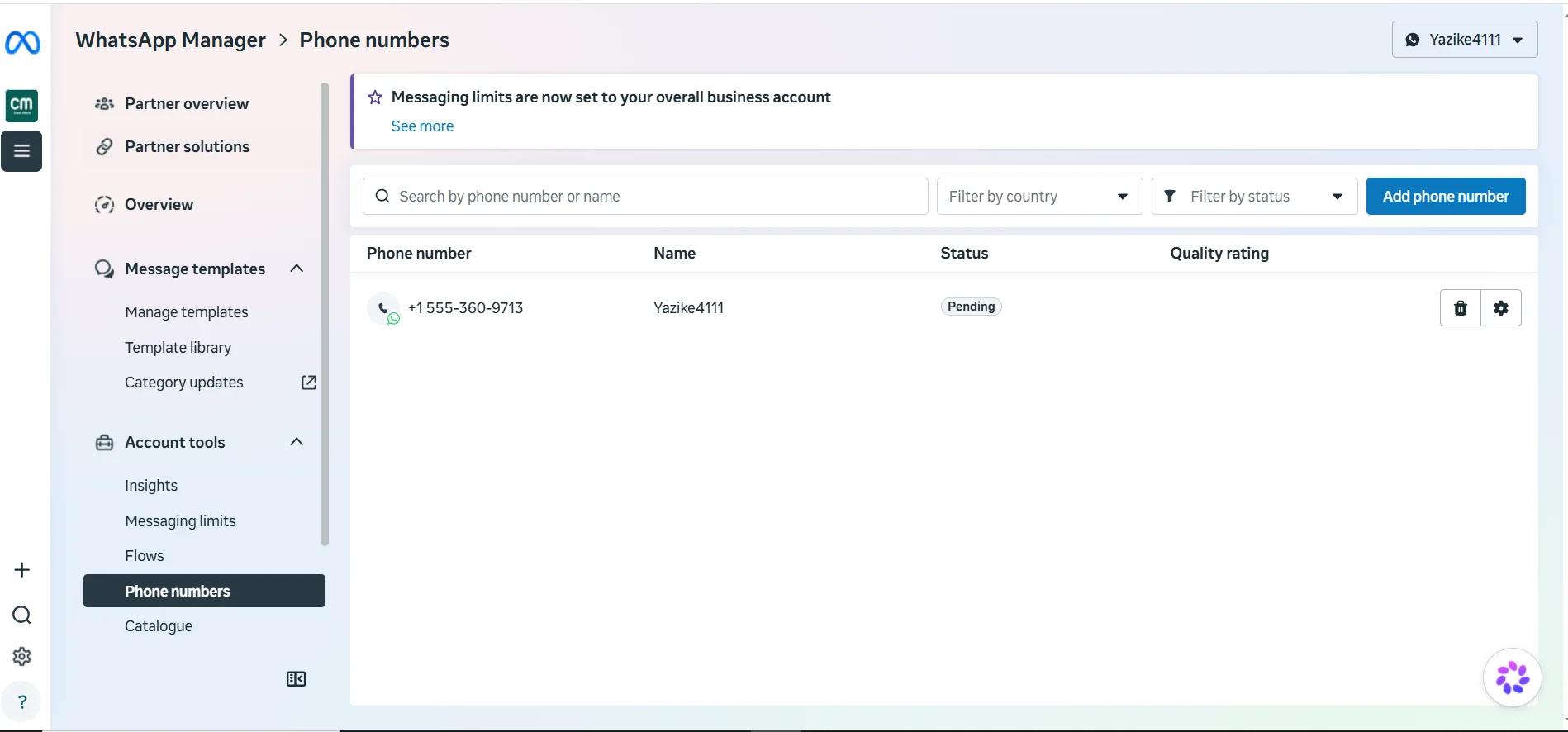
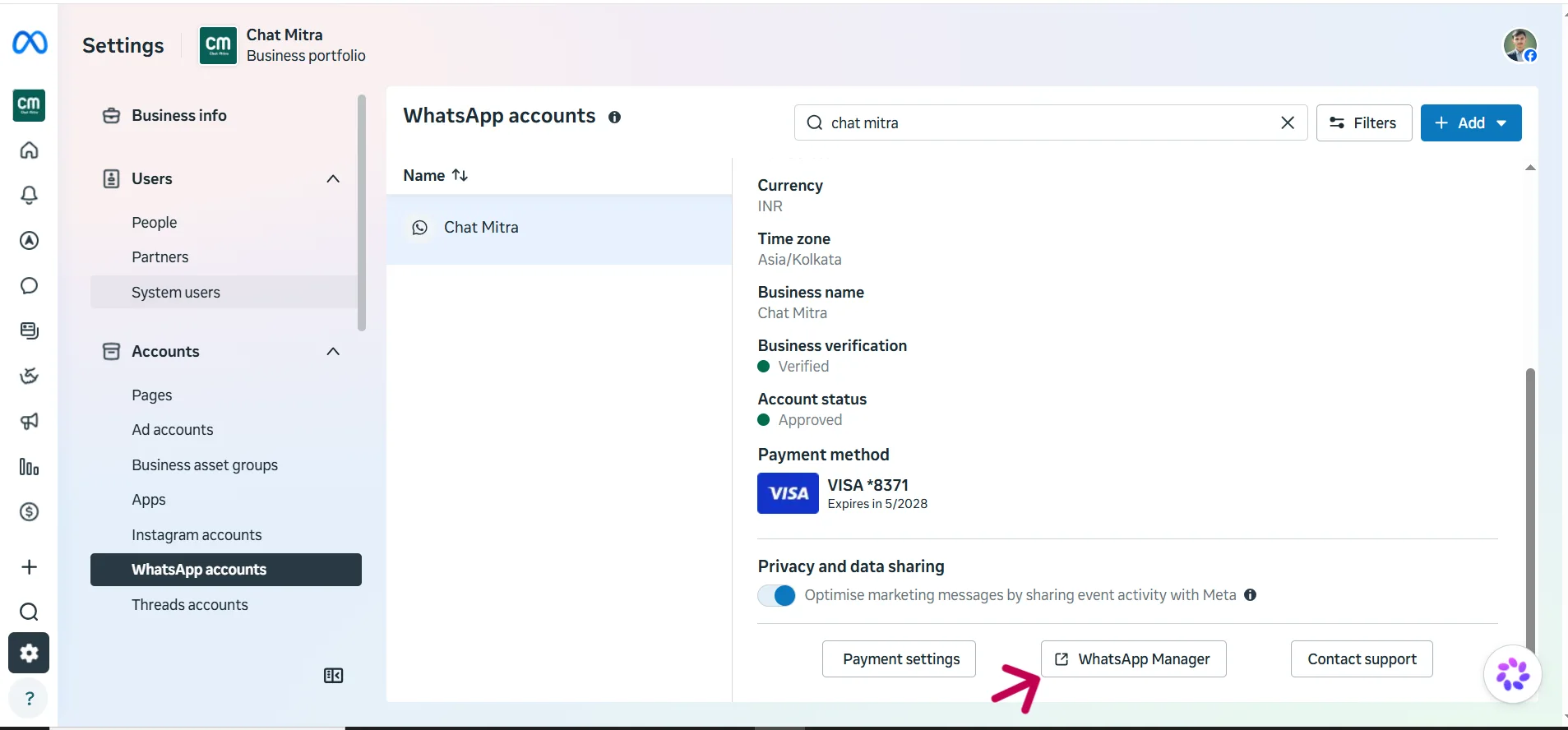
  1. Open Meta Business Manager > WhatsApp Manager.
  2. Click Phone numbers in the side panel to see the full list, each with its status, display name, and quality rating.
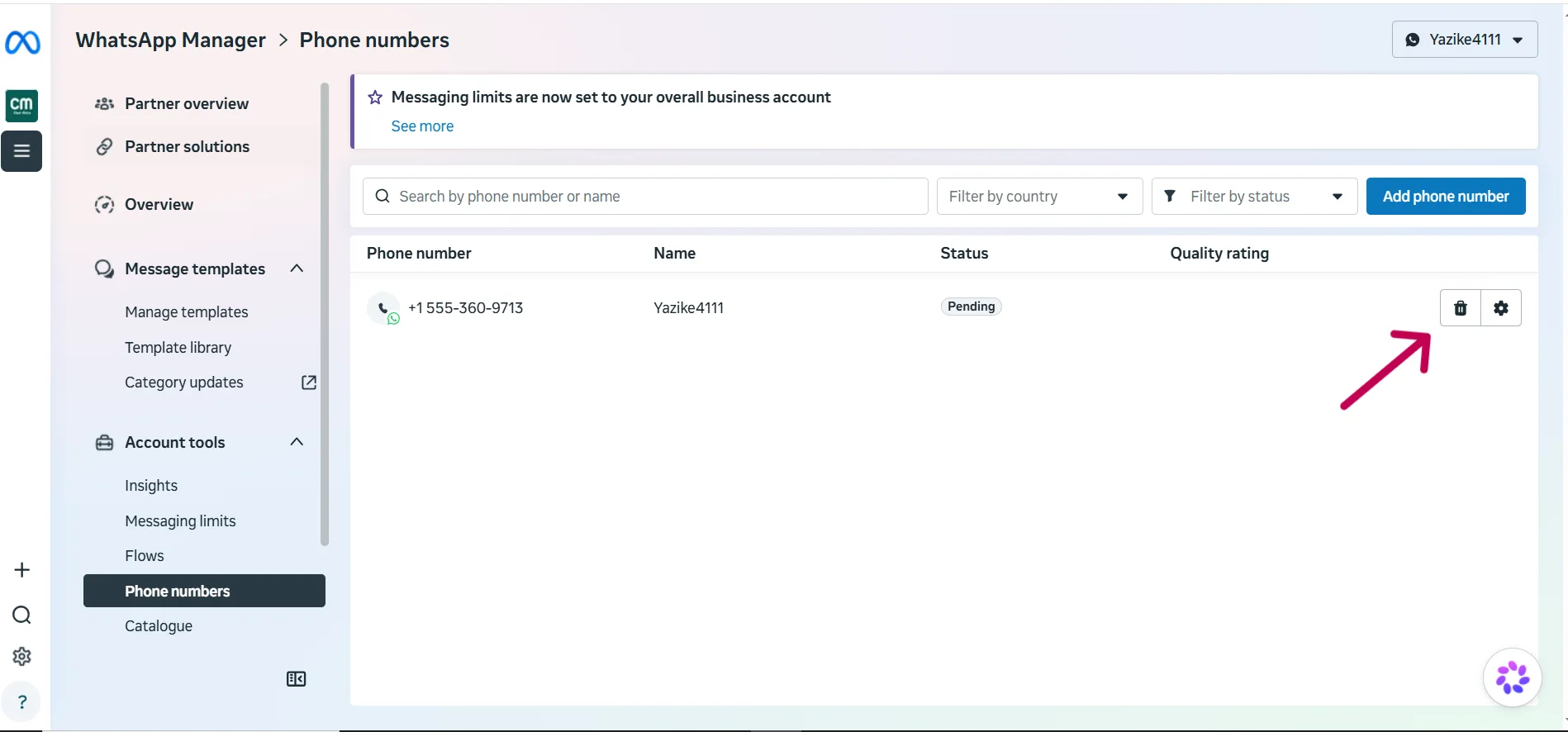
The Phone numbers list in WhatsApp Manager showing each number's status

A selected phone number's details inside WhatsApp Manager

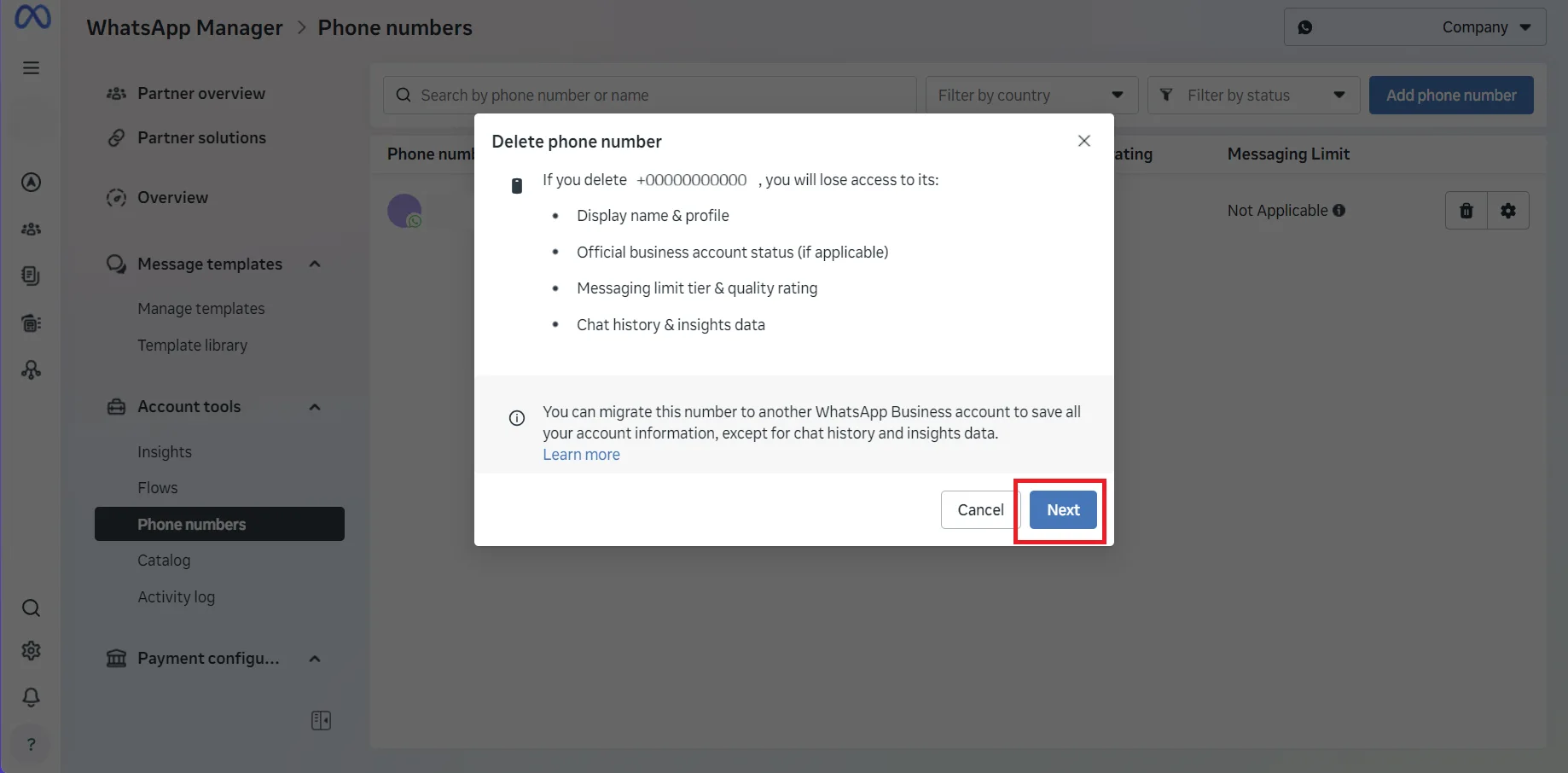
Removing (downgrading) a phone number

If you need to take a number off WhatsApp:

  • You can’t delete a number that has sent paid messages in the last 30 days — you’ll have to wait out that window.
  • Deletion is done only through Meta Business Manager; there’s no API endpoint for it.
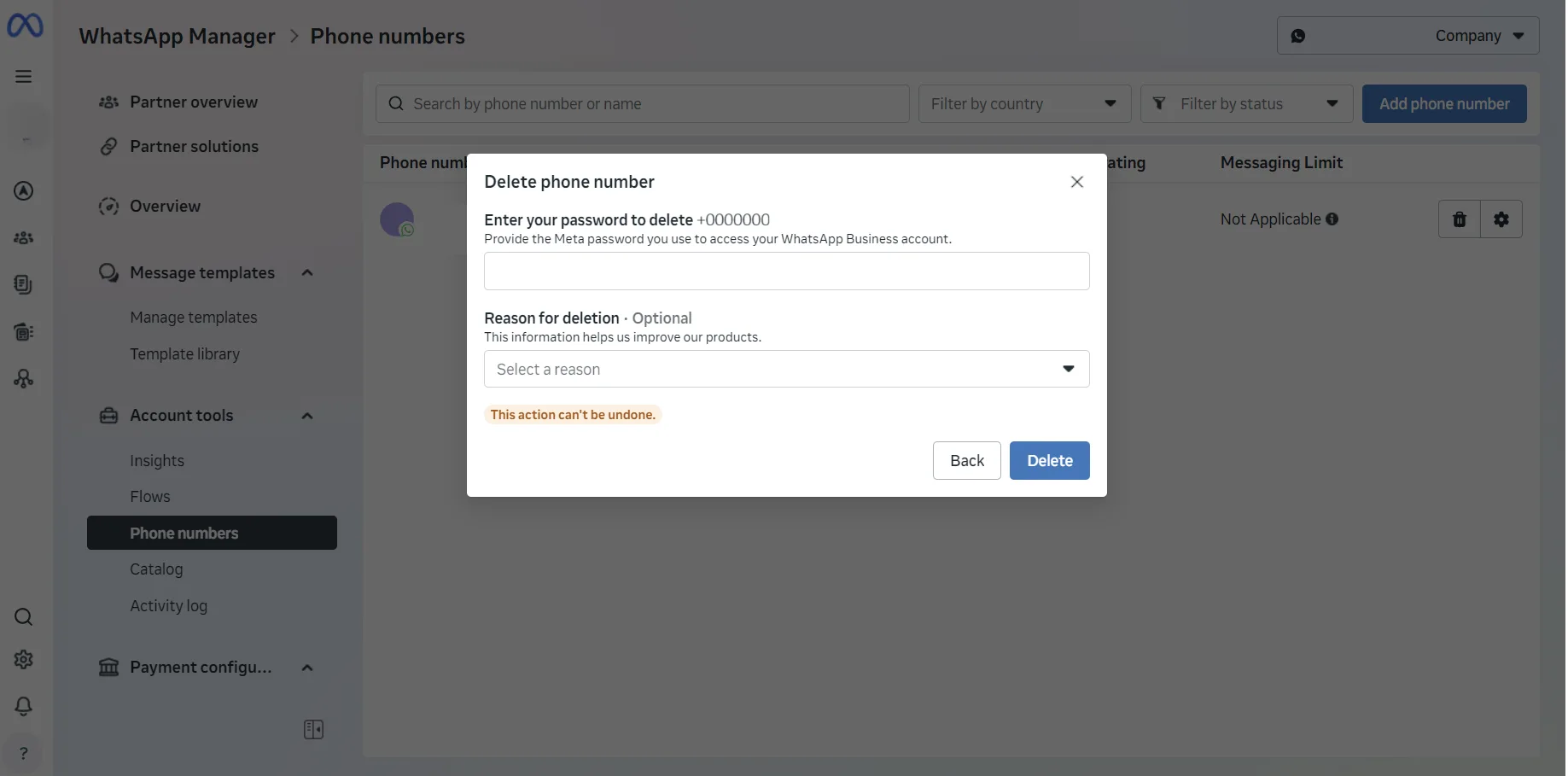
Removing a phone number from WhatsApp Manager

Guides in this section

  • Phone numbers for the WhatsApp Business API — which numbers work, and the basic rules.
  • Quality rating — the health score that decides your sending limits.
  • Display names — Meta’s naming and approval rules.
  • Official Business Account (the green tick) — what it is and how it’s granted.
  • Two-factor authentication (2FA) — the PIN that protects your number.
  • Business profiles — the about, address and links shown on your number.
  • Coexistence — using the WhatsApp app and the API on the same number.
  • Message links — click-to-chat / wa.me links.
  • Meta-provided 555 phone numbers — real numbers Meta hands out when you don’t have one yet.

WhatsApp Display Names

Your WhatsApp display name is the business name customers see in chat. Here's Meta's naming rules, how approval works, and how to change it — in plain English.

Explore 5 min

The Green Tick (OBA)

The WhatsApp green tick marks an Official Business Account. Here's what it signals, how Meta grants it, why it can't be bought, and the grey check.

Explore 5 min

WABA health & quality rating

What your WhatsApp quality rating is, what raises or lowers it, and how a healthy WABA unlocks higher messaging limits — explained for non-technical owners.

Explore 5 min

Two-Step Verification (2FA)

WhatsApp API numbers need a 6-digit two-step verification PIN. Here's why it's required, where it's set, how to recover it, and why you must never share it.

Explore 4 min

WhatsApp Business Profiles

Your WhatsApp business profile is the public info on your number — about, address, email, website, category, and logo. Here's what customers see and why it matters.

Explore 4 min

WhatsApp Coexistence

Coexistence lets you use the WhatsApp Business app and the API on one number at the same time. Here's what works, the limits, and who it's really for.

Explore 5 min

WhatsApp Message Links

WhatsApp message links open a chat with one tap. Learn the wa.me and api.whatsapp.com formats, how to pre-fill a message, make QR codes, and where to use them.

Explore 5 min

Meta-Provided (555) Phone Numbers

A 555 number is a real WhatsApp number you register via Meta Embedded Signup when you don't have a phone number yet. Here's how it works and its limits.

Explore 4 min
Published: June 2026 Last reviewed: June 2026 Reviewed by: ChatMitra WhatsApp API Team

Put WhatsApp to work for your business

Start free on the Starter plan — pay just ₹0.20 per conversation, no subscription. Upgrade to Pro (₹999/month) when you need automation, or Enterprise for zero platform fees at scale.