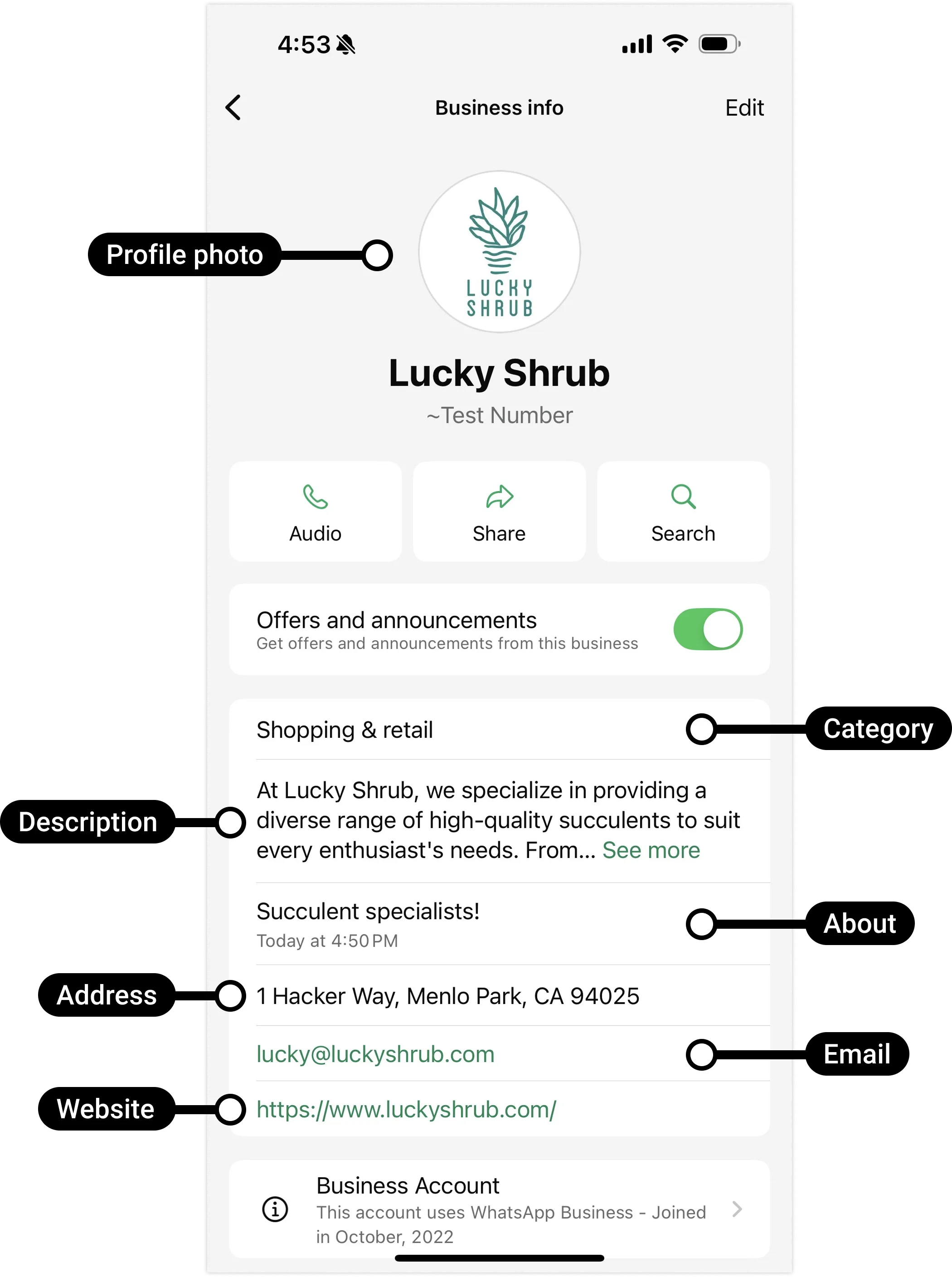
When a customer taps your business name in WhatsApp, they don’t just see a chat — they see a little profile card. Here’s what’s on it.
What’s in a profile
Your business profile is the set of public details attached to your number. The main fields:
- About — a short line describing your business.
- Address — where you’re located (useful for shops and clinics).
- Email — a contact address.
- Website — a link to your site or store.
- Category — the type of business (for example, “Retail” or “Restaurant”).
- Logo / profile photo — your brand image.
Example: a dental clinic fills in “Family dentist since 2010”, its street address, a booking website, and its logo — so a new patient gets everything they need at a glance.
What customers see
When a customer opens or taps your business name, WhatsApp shows them this profile. It sits alongside your display name (the approved business name) and your green tick or grey check if you have one.
A complete profile makes you look real and active. An empty one — no logo, no website, blank about — can make customers wonder if the account is genuine, and they may not reply.
Example: two stores message the same customer. The one with a logo, address, and working website gets a reply; the blank profile gets ignored as possible spam.
Managing your business profile
You can edit your profile in two ways: through Meta’s WhatsApp Manager, or programmatically using the API. Most people use WhatsApp Manager — it’s the simple, click-through option.
In WhatsApp Manager
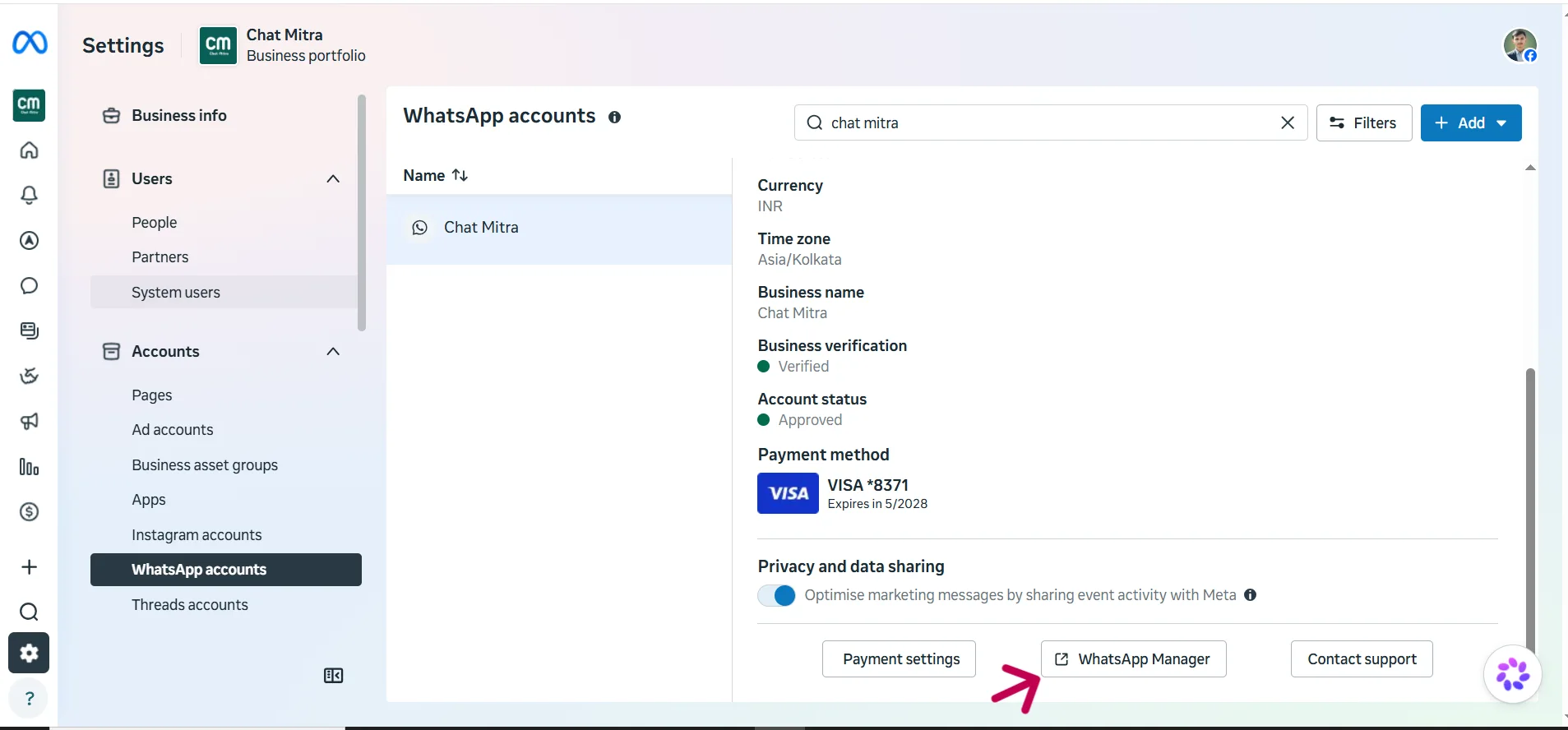
Go to your WhatsApp Accounts page, where all your WhatsApp Business Accounts (WABAs) are listed.
Pick your WABA and click the WhatsApp Manager button (bottom-right) to open it.
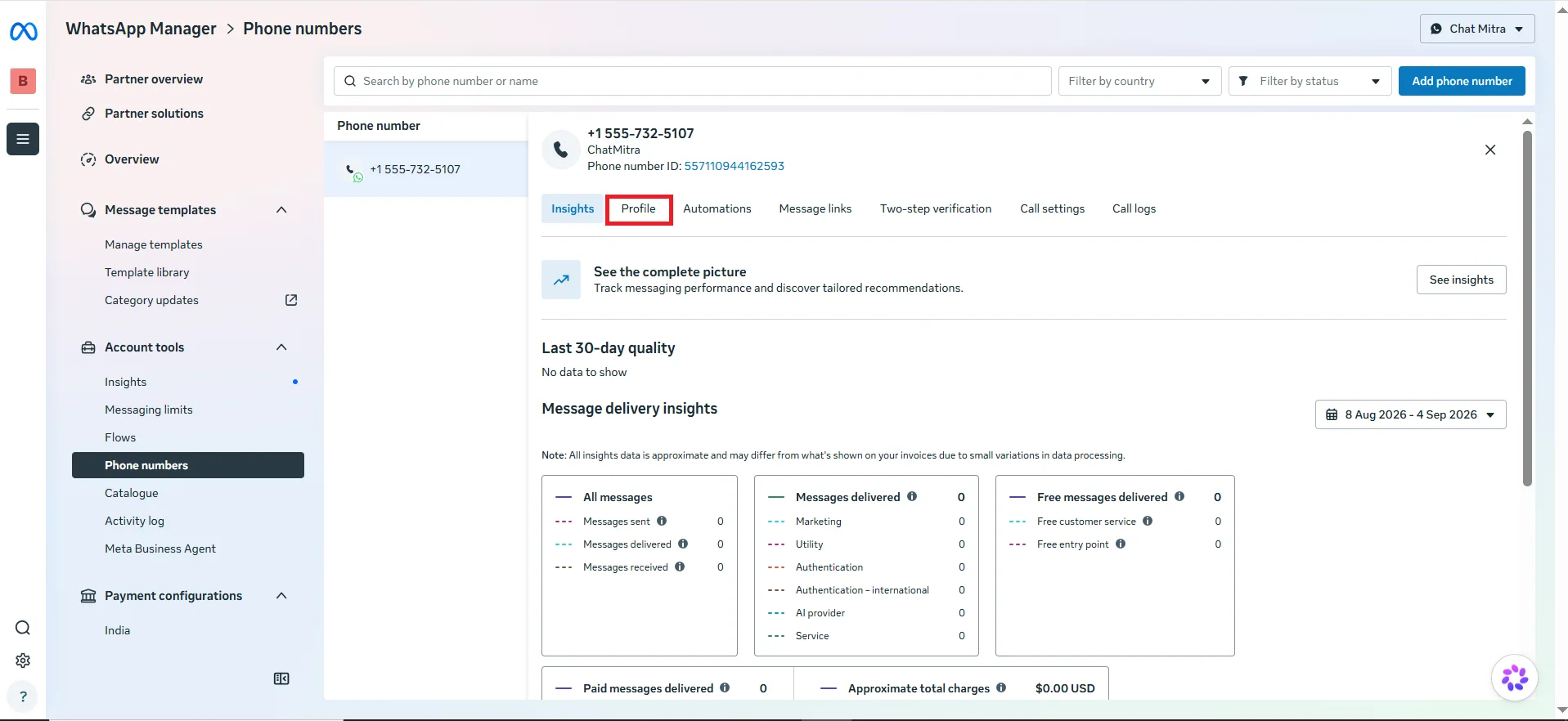
In the side panel, click Phone numbers, then select the number you want to edit.
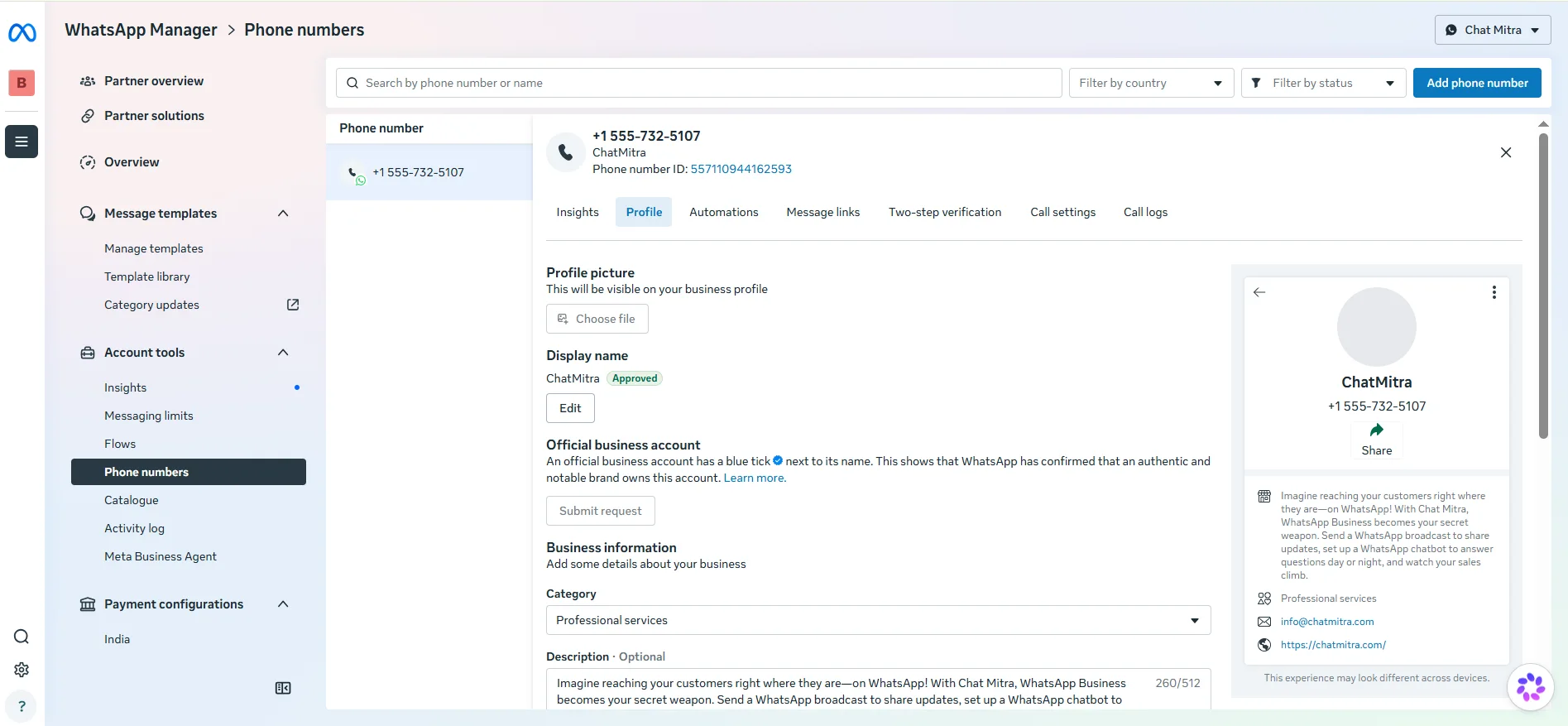
Go to the Profile tab. Here you can edit your profile picture, display name, category, description, address, email, and website — and, if you qualify, submit your Official Business Account (OBA) request.
Using the API
If you’d rather automate it, you can read and update the profile through the API. This is handy when you manage many numbers or want changes to happen as part of a workflow.
Retrieve business profile information. Call the profile endpoint to read back the current about, address, email, websites, vertical (category), and description for a number.
Update business profile information. Send the fields you want to change. The common ones:
| Field | What it sets |
|---|---|
vertical | Your business category |
websites | One or more website links |
email | Public contact email |
description | A longer description of your business |
address | Your business address |
about | The short “about” line shown at the top |
Uploading a profile picture (Resumable Upload)
A new logo goes up in two stages: first you start an upload session, then you send the file itself. After the upload, you get a profile_picture_handle that you attach to the profile.
1. Create a session. Start an upload session, telling Meta how big the file is and what type it is:
| Parameter | What it means |
|---|---|
file_length | Size of the image in bytes |
file_type | The image’s MIME type (for example, image/jpeg) |
2. Initiate the upload. Using the session you just created, send the actual image file with the required upload headers. When it finishes, you receive a profile_picture_handle — pass that handle into the profile update so the new logo goes live.
Keeping it accurate
A profile is only useful if it’s current. Out-of-date details quietly hurt you:
- A dead website link sends customers nowhere.
- An old address sends them to the wrong place.
- A wrong category makes you harder to understand.
Review your profile after any big change — a move, a rebrand, a new website — and check it every few months otherwise. It takes a minute and protects every conversation you have.
