Don’t have a phone number ready, but want to get going on WhatsApp? Meta can hand you one. These numbers usually begin with +1 555, and they’re real WhatsApp Business numbers — not just a sandbox. You register one through Meta Embedded Signup by choosing to use a display name only. Testing is one good use for them, but it’s far from the only one.
555 number characteristics
A Meta-provided (555) number is a genuine WhatsApp Business phone number that Meta provisions for you. The key things to know:
- It’s a real, working number — once your display name is approved, it can send and receive messages like any other.
- You get it without owning a phone number first, which is what makes it so useful.
- It typically starts with +1 555.
- The display name still needs Meta’s approval before you can message customers.
Example: a new brand wants to start WhatsApp before its phone line is sorted, so it registers a 555 number with its brand name as the display name and starts building flows right away.
555 number limitations
A 555 number is real, but it comes with a few firm rules:
- Non-portable. You can’t move a 555 number to another provider.
- Non-transferable. It can’t be handed off to a different account or business.
- History doesn’t move. If you later switch to your own number, the message history from the 555 number won’t come along.
- Approval still required. No messaging until the display name is approved by Meta.
Keep these in mind before you build anything important on top of a 555 number.
Register a 555 business phone number
You set this up during Meta Embedded Signup. Here’s the flow:
During Embedded Signup, eligible businesses see an option to use a display name only (instead of entering a phone number).
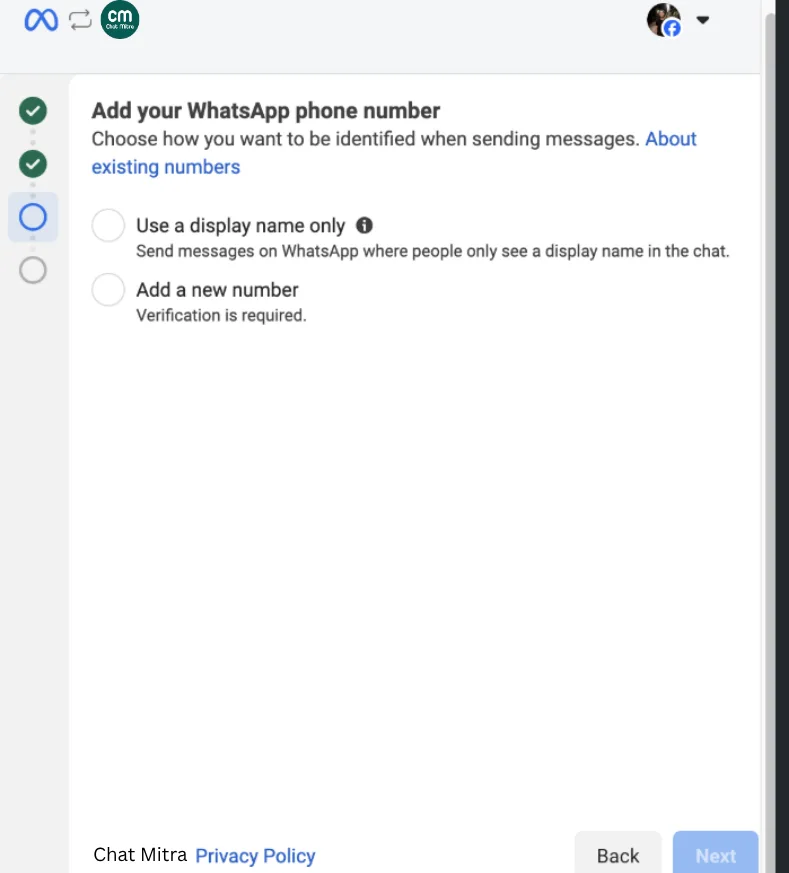
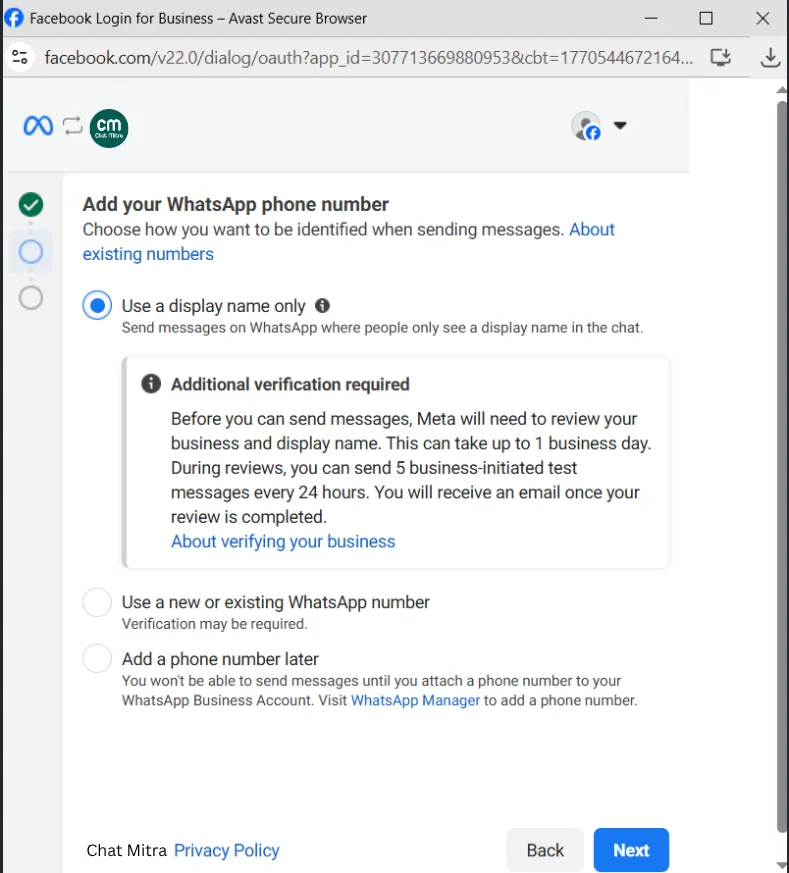
Choose Use a display name only. A message appears saying Additional verification required. Click Next.
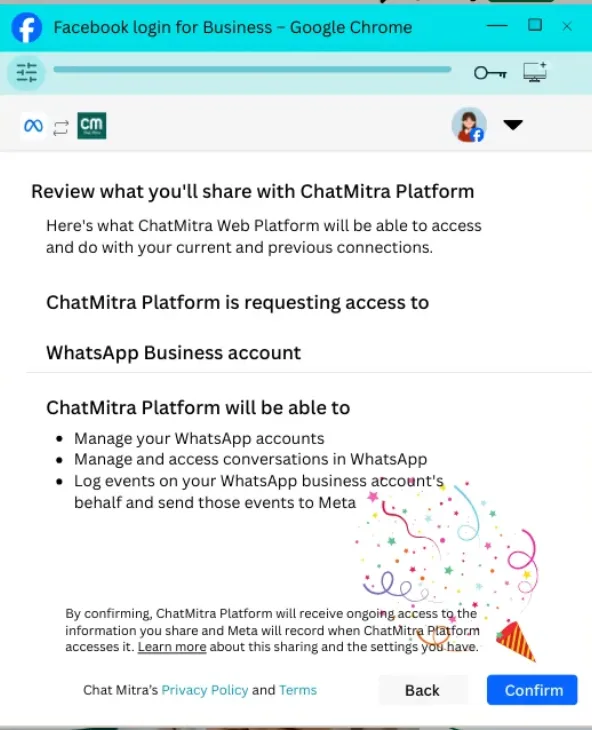
Click Next again and Confirm the sharing with ChatMitra.
Meta finishes provisioning your number.
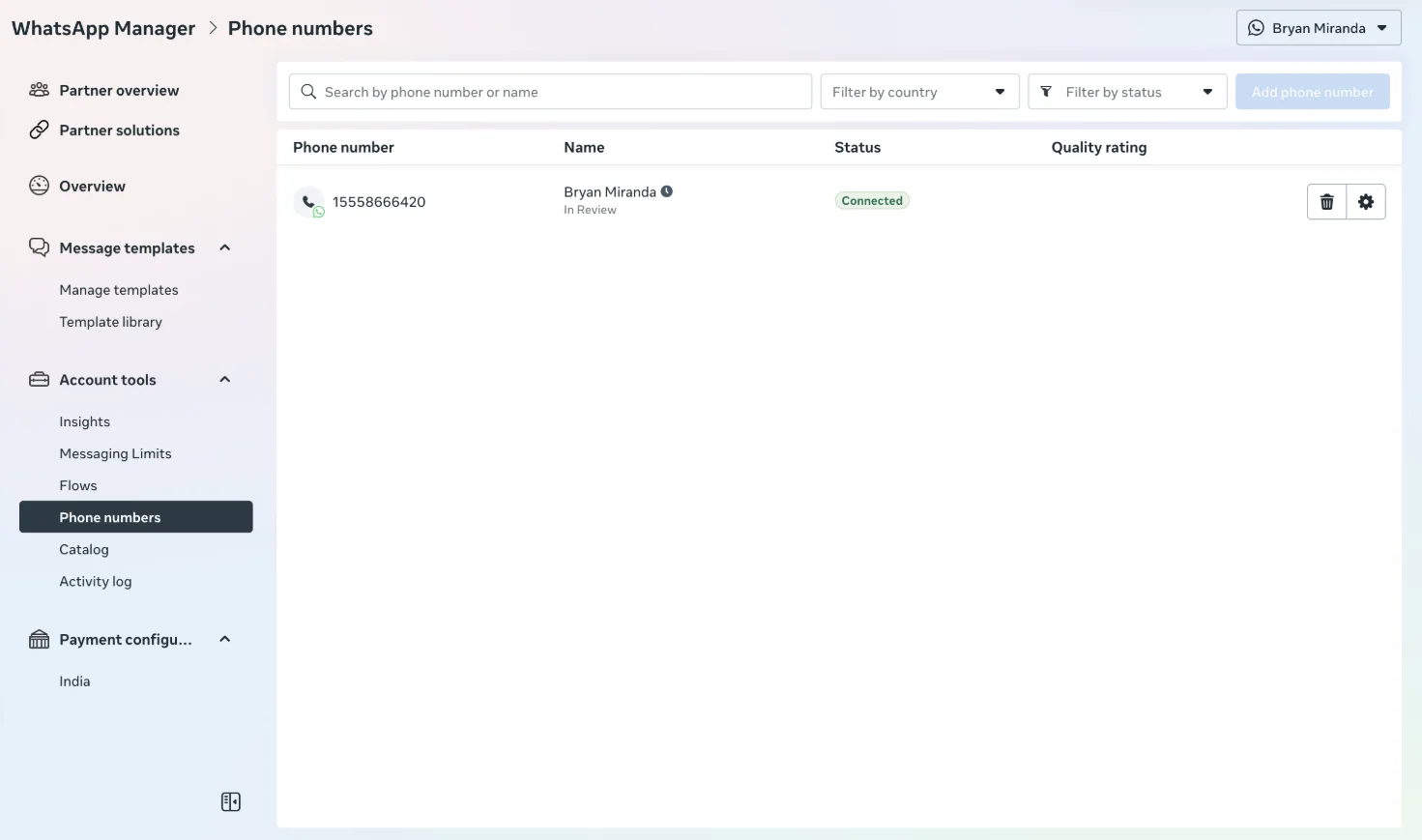
Complete the registration. You’ll then see your +1 555 number with a Connected status under WhatsApp Manager > Phone numbers.
Recommended use cases
A 555 number fits several situations:
- No phone number yet. Start on WhatsApp while you sort out your real line.
- Testing and QA. Try your integration, templates, and flows safely before going fully live.
- Quick proof of concept. Show stakeholders a working WhatsApp setup without committing a real number.
- Bridging a gap. Keep building during the time it takes to get a dedicated number ready.
Switching from a 555 number to a regular phone number
When you’re ready to use your own number, you register that regular phone number on the API in the normal way — verification, display name, 2FA PIN, and all.
Remember the limits above: the 555 number is non-portable and non-transferable, and message history won’t transfer to your new number. Plan the switch for a quiet moment so nothing important is lost in the gap.
Billing and refunds
A 555 number is billed like any other registered number on your plan — normal per-message charges apply. For India, that’s ₹0.86 per marketing message, ₹0.11 per utility message, and ₹0.11 per authentication message.
One important note: no refunds are issued for mistaken registrations. If you register a 555 number by accident, you can’t get the cost back, so register deliberately.
Best practice
- Decide up front whether the 555 number is temporary (testing/bridging) or something you’ll lean on for a while.
- Get your display name approved before you promise anyone you’re “live”.
- Don’t build long-term, history-dependent processes on a number you plan to swap out.
- When you move to a regular number, plan around the non-transferable history so you don’t lose context.
