You’ve probably seen a green tick next to a big brand’s name on WhatsApp. Here’s what it actually means.
What an Official Business Account is
The green tick marks an Official Business Account (OBA). It tells customers that Meta has confirmed this is a notable, authentic brand — not an impersonator.
It appears right next to the business display name in the chat list and chat header. It’s a trust signal, nothing more: it doesn’t unlock special messaging features.
The blue/green badge sits just to the right of the display name.
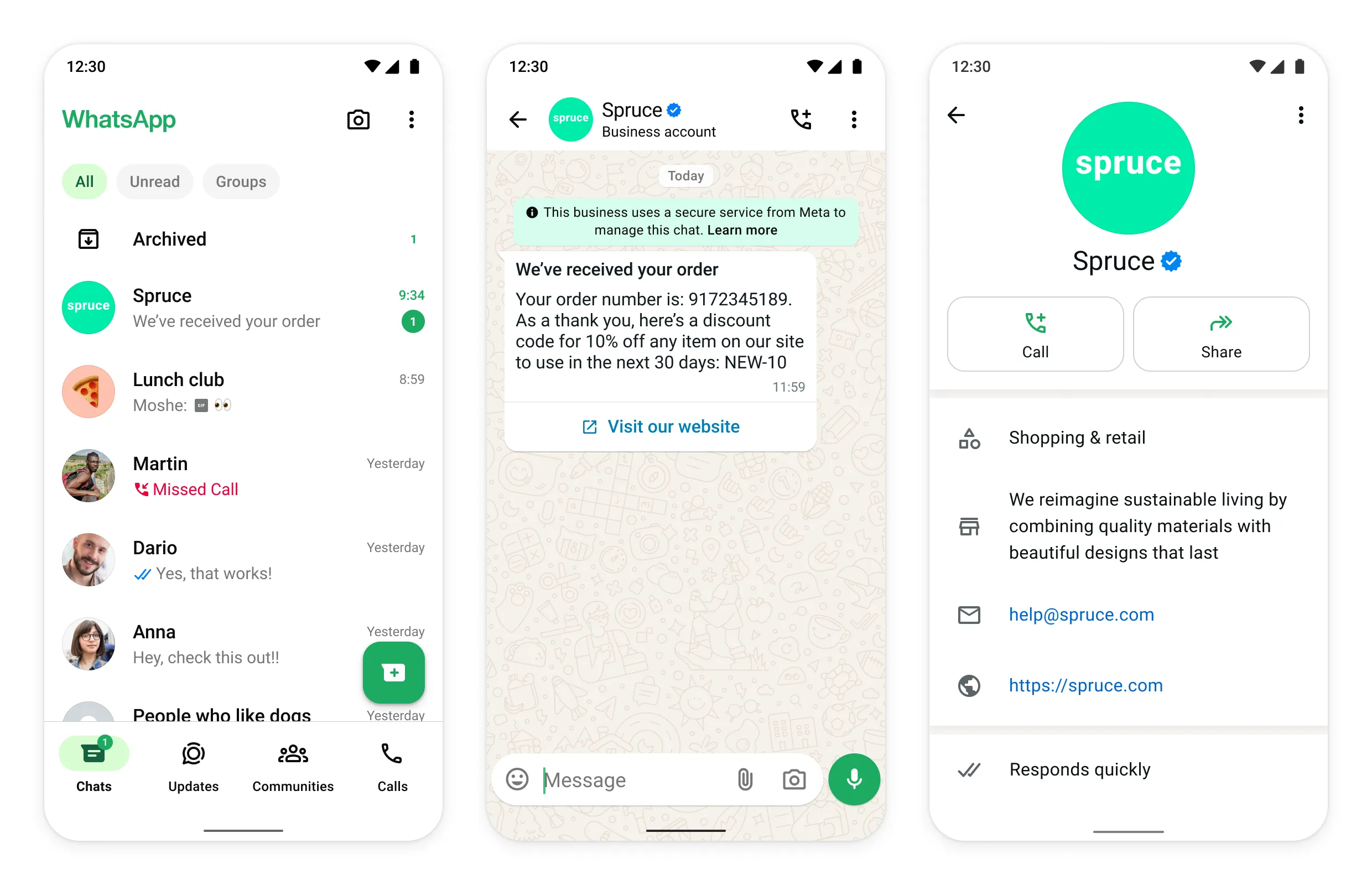
Example: when a customer messages a major airline and sees the green tick, they know it’s the real airline, not a fake account using the same logo.
Criteria
You can’t buy the green tick — Meta grants it, and it looks at a few things before it does:
- Your Meta Business account is verified (you’ve already passed Business Verification).
- Your business follows Meta’s commerce and business policies.
- Your brand meets Meta’s notability bar (more on that below).
Notability
Notability is the big one, and it’s the part most people get wrong. Meta wants proof that your brand is genuinely well-known — not just that it exists.
It looks mainly at independent, third-party coverage: news articles, press mentions, and media you did not pay for. The signals usually include:
- Whether your brand is widely recognised in its market.
- Earned media coverage from reputable outlets.
- A clean, fully verified Meta Business presence.
Any service that “guarantees” a green tick for a fee is misleading you. The most a good provider can do is help you apply and keep your account in good standing.
Guidelines to strengthen your OBA application
Before you apply, stack the odds in your favour:
- Make sure your business is verified with Meta first.
- Build up independent press coverage — links to news articles about your brand help a lot.
- Keep your display name, website, and branding perfectly consistent.
- Have an active, healthy WhatsApp number with real messaging history.
Denied requests
If Meta denies your request, it’s almost always because your brand didn’t clear the notability bar yet. A denial isn’t permanent — you can keep building real brand recognition and apply again later. Nothing about a denial stops you from sending messages or running your account normally.
No guarantee
There is no guaranteed path to the green tick. Meta makes the final call, every time, based on notability. No provider — including ChatMitra — can promise it. Be cautious of anyone who says otherwise.
Changing your OBA display name
If you already have the green tick and you change your display name, the OBA status carries over to the approved new name once Meta reviews it. The badge stays with the brand, not the exact text — but the new name still has to pass display-name review.
How to request an OBA
When your account is verified and your brand has earned some notability, here’s how to apply:
Open WhatsApp Manager > Account Tools > Phone Numbers, and select your phone number.
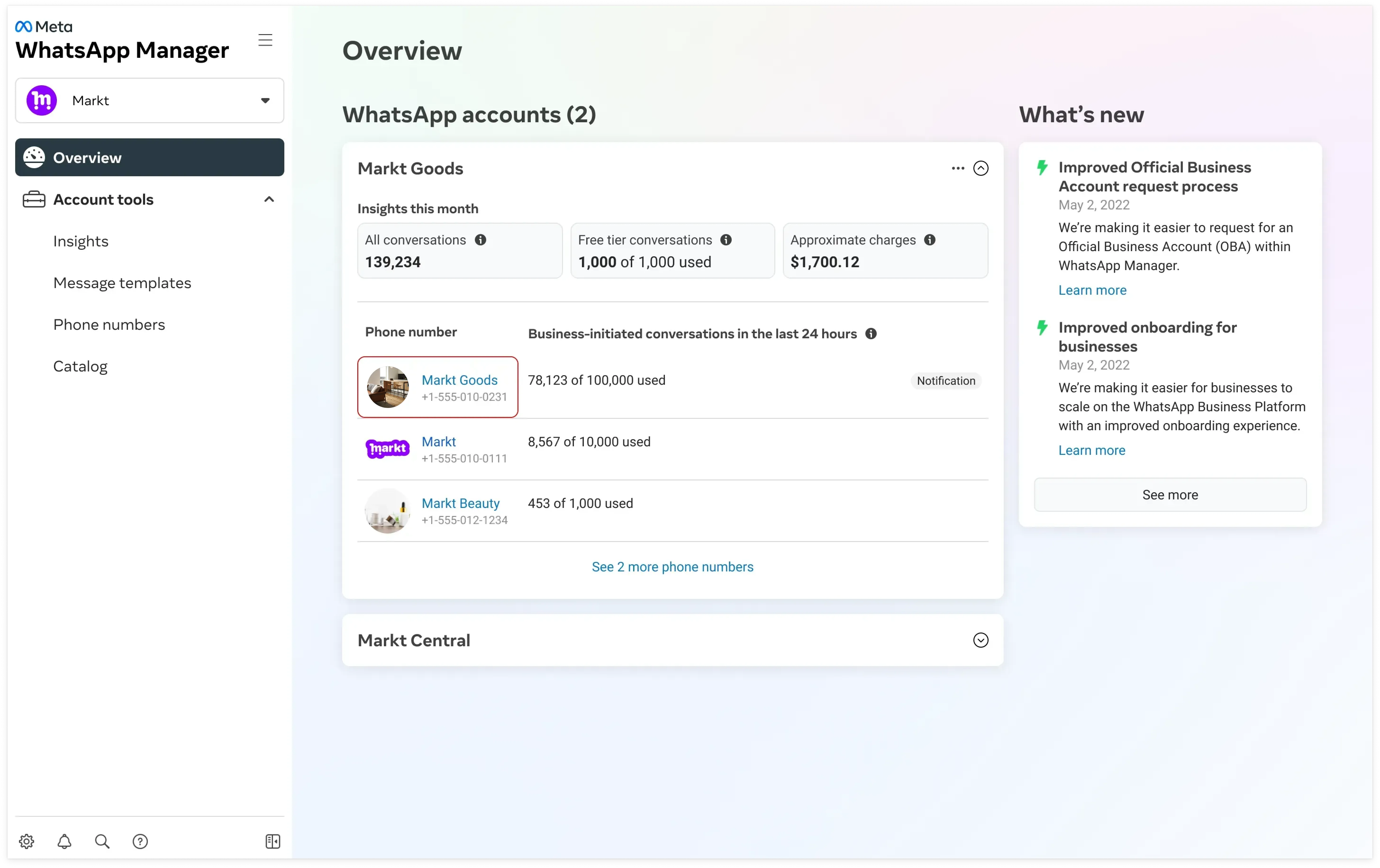
Click the Profile tab and look for a Submit Request button under Official business account.
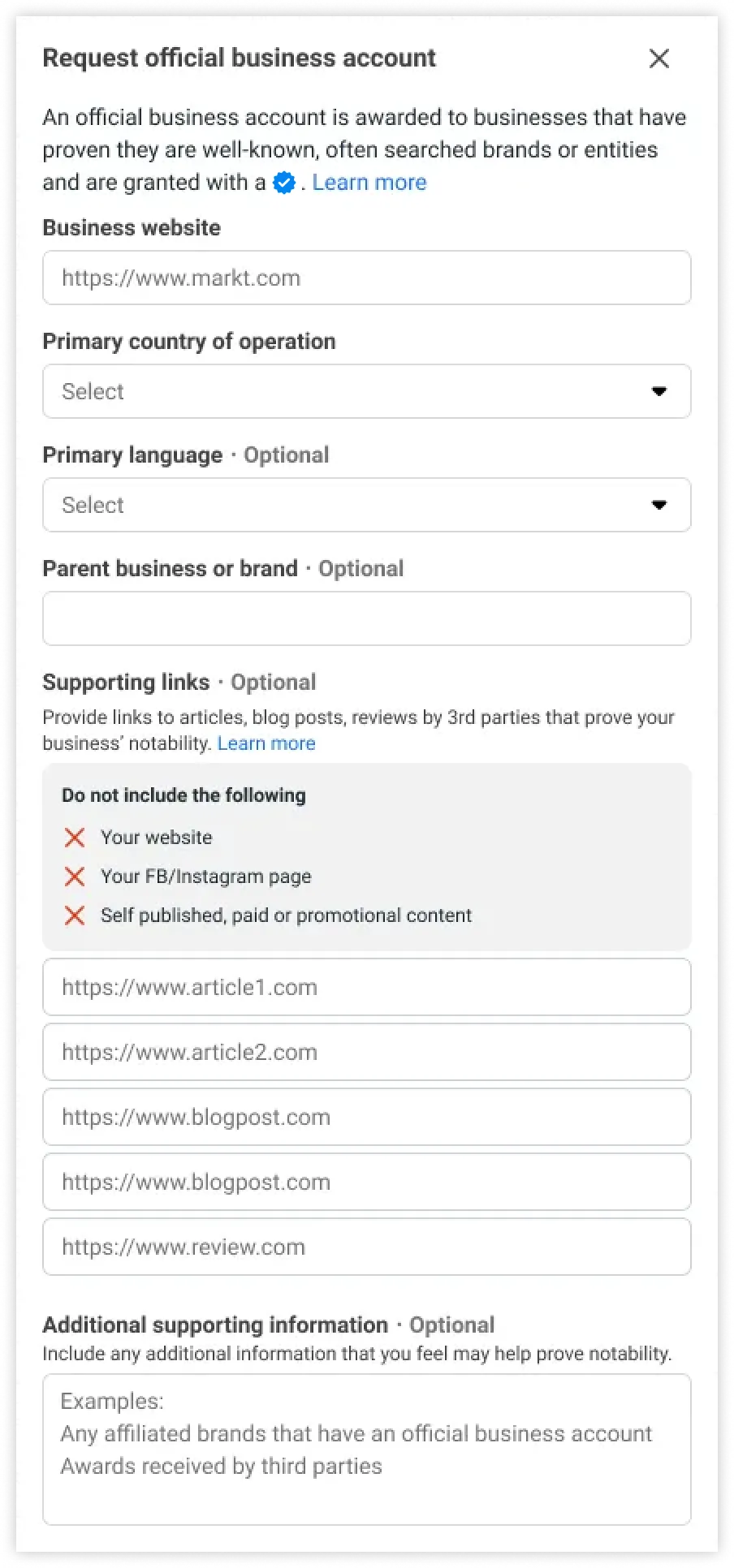
Click Submit Request and fill out the form Meta shows you.
Coexistence accounts can’t get an OBA. If you’re on a coexistence (COEX) setup, the Official Business Account isn’t supported. Apply for Meta Verified instead.
How to get verified on WhatsApp
“Getting verified on WhatsApp” means three different things, and people asking the question usually want the first one rather than this page’s green tick. Here’s what each is and which one you actually want.
| What you want | What it is | How you get it |
|---|---|---|
| Business verification (grey check) | Meta confirms your business identity | Submit documents — you control this |
| Meta Verified | A paid subscription badge with added support | Subscribe, if eligible |
| Green tick (OBA) | Official Business Account status | Meta grants it on notability — can’t be bought |
Start with business verification. It’s the one nearly every business should complete, it’s the only one whose outcome you genuinely control, and it’s a prerequisite for the rest — Meta expects a verified Business portfolio before it will seriously consider an OBA request. It’s document-based: submit proof the business exists and proof of address, with the name matching exactly across your documents, your website and your Meta profile. Mismatched names are the single most common reason it fails. See classic business verification and Meta business verification for the full process.
Meta Verified is a separate, paid programme — a subscription badge rather than a notability judgement. If a verified badge matters to you commercially and the green tick is out of reach, that’s the realistic route. It’s covered in full in Meta Verified for business, including what it does and doesn’t get you.
The green tick is the rest of this page. It isn’t something you can work towards directly — no form, fee or provider makes it happen. You become eligible by becoming a brand people write about.
So the honest sequence is: verify your business, keep your account healthy, and treat the green tick as a by-product of brand recognition rather than a task on a checklist.
Green tick vs grey check
These two badges are often confused.
| Badge | What it means |
|---|---|
| Grey check | Your business is verified on Meta — identity confirmed |
| Green tick | Your business is an Official Business Account — verified and notable |
So the grey check is the baseline (“we confirmed who you are”), and the green tick is the higher tier (“you’re a notable brand”). Many perfectly legitimate businesses have the grey check and never receive the green tick — and that’s completely fine.
Benefits of an OBA
The green tick is about trust, and trust has real effects:
- Higher reply rates — customers feel safe responding to a clearly genuine brand.
- Protection from impersonators — copycats without the tick look obviously fake.
- Stronger brand presence in a crowded chat list.
Example: a bank with the green tick sees fewer customers ignoring its messages as suspected scams, because the badge signals the account is the real one.
