You can’t message a customer first on WhatsApp with plain free text. To open a conversation, you use a template — a message format Meta has checked and approved in advance. Templates range from a simple text reminder to a swipeable product carousel.
When a template is needed
A business can only send a template when there’s no open conversation — that is, when the customer hasn’t messaged you in the last 24 hours. Once they reply, a 24-hour window opens and you can answer with free text instead. Outside that window, you’re back to templates.
How many templates you can have
Each WhatsApp Business Account (WABA) can hold up to 250 template names. That count covers all language translations together — an English and a Hindi version of the same template share one name, not two.
How approval works
Every template you create goes to Meta for review before you can send it. Two things happen:
- Category check. Meta looks at the template the moment you submit it and decides whether your chosen category fits. If it agrees, the template moves on; if it disagrees, it’s rejected straight away.
- Content review. Meta then reviews the actual content. This can take up to 24 hours (sometimes up to 48). The result is either Approved or Rejected.
Keep your translations consistent. If the English and Hindi versions of a template have different structures, customers can hit a “structure unavailable” error.
The three categories
Every template belongs to one category, and the category sets the price. ChatMitra’s India per-message rates are:
| Category | What it’s for | Price per message |
|---|---|---|
Marketing (MARKETING) | Promotions, offers, announcements | ₹0.86 |
Utility (UTILITY) | Order updates, reminders, follow-ups | ₹0.11 |
Authentication (AUTHENTICATION) | One-time passcodes and login codes | ₹0.11 |
Common reasons templates get rejected
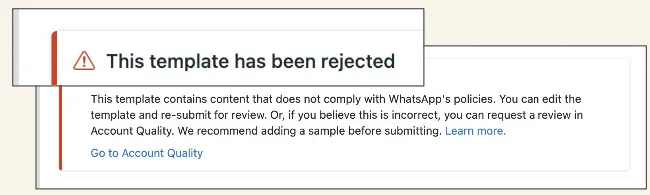
When a template comes back Rejected, it’s usually one of these:
- Variable formatting — a dangling
{{1}}with no example, gaps in the numbering, or special characters where they don’t belong. - Policy issues — content that breaks Meta’s commerce or business rules.
- Length — header, body or footer over the character limit.
- Duplicates — a template too similar to one you already have.
After a rejection you have three choices: fix the error and resubmit, ask Meta to review again through Account Quality, or simply create a fresh template.
What happens to low-quality templates
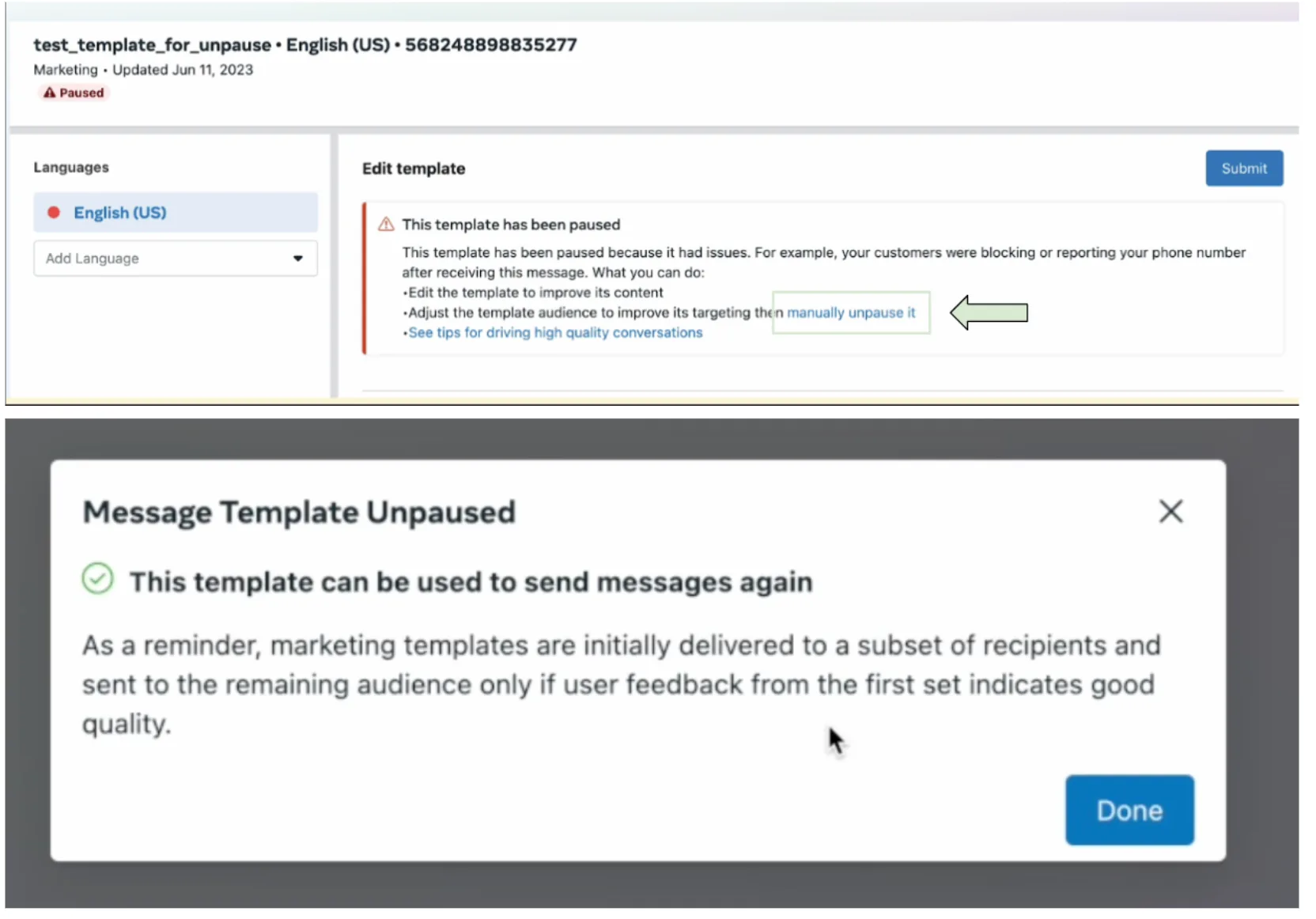
If a template’s quality drops too low, Meta pauses it automatically so it can’t be sent for a while. The pauses get longer each time:
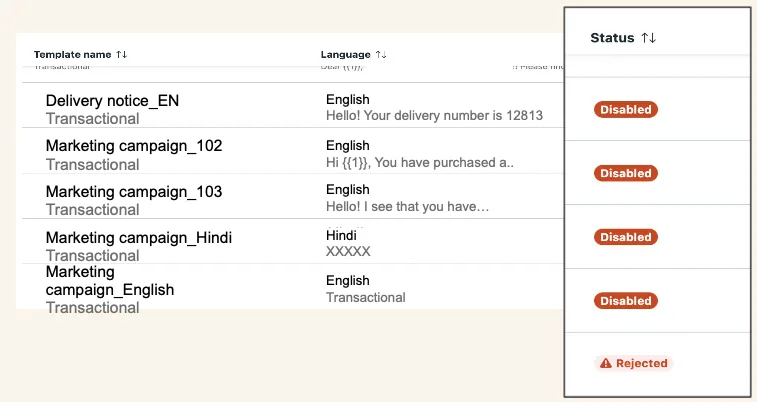
- First time — paused for 3 hours.
- Second time — paused for 6 hours.
- Third time — disabled permanently.
A paused template can’t go out until the timer ends. You can also unpause it yourself in WhatsApp Manager once you’ve fixed whatever caused the dip.
Read rates affect quality
Since 1 April 2024, read rates count toward the quality score of your Marketing templates. You can track them in the WhatsApp Manager insights dashboard.
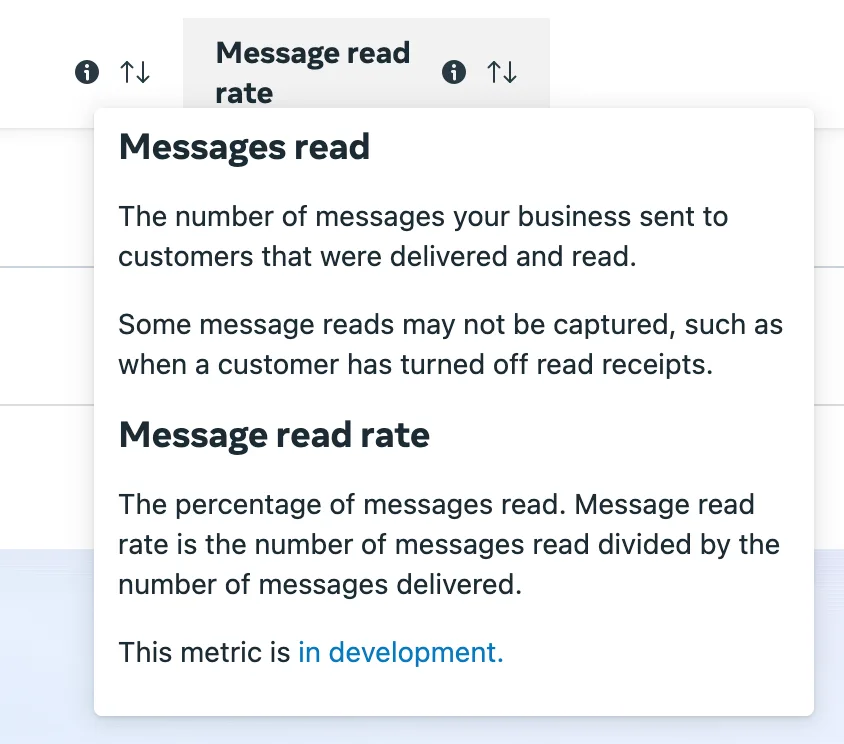
To keep read rates healthy: send to the right audience, pick good times, don’t over-message, and make the first 60–65 characters count — that’s the part the customer sees in their notification.
Appealing a rejection
If you think Meta got a rejection wrong, you can appeal through WhatsApp Manager. Meta reviews appeals within 24–48 hours, and the outcome is either Unchanged (the rejection stands) or Reversed (your template is approved).
Guides in this section
- Template elements — header, body, footer and buttons.
- Sending template messages — how a template goes out with variables filled in.
- Template analytics — sent, delivered, read and click metrics.
- Catalog templates — show your whole product catalog.
- Single-product message templates — feature one product.
- Multi-product templates — show several products at once.
- Product card carousel templates — swipeable product cards.
- Coupon code templates — a copyable discount code.
- Limited-time offer templates — offers with a countdown.
