Sometimes a customer doesn’t want to browse — they want that product. A single-product template puts one item front and centre, with everything they need to buy it.
What it shows
A single-product message (SPM) template features exactly one product pulled from your catalog. Inside the chat, the customer sees the product image, title and price, plus your own custom text and an interactive View button.
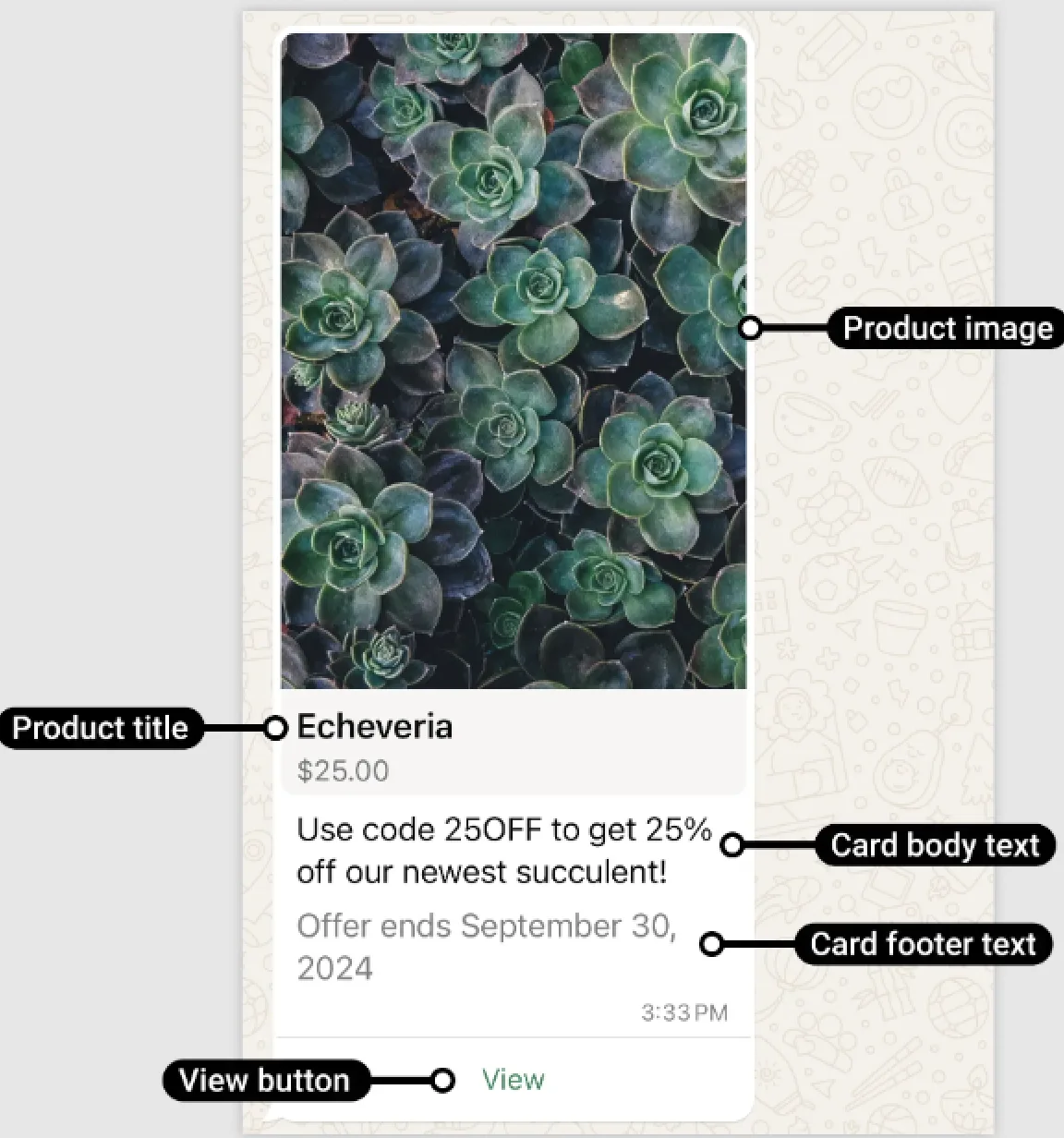
All of this comes from your catalog in Meta Commerce Manager, so the details stay accurate as long as you keep the catalog current. You’ll need an ecommerce catalog, with inventory, connected to your WhatsApp Business Account.
Example: a customer asks “How much is the leather wallet?” and you reply with a single-product card showing the wallet photo, ₹1,299, and a “View” button.
How it works
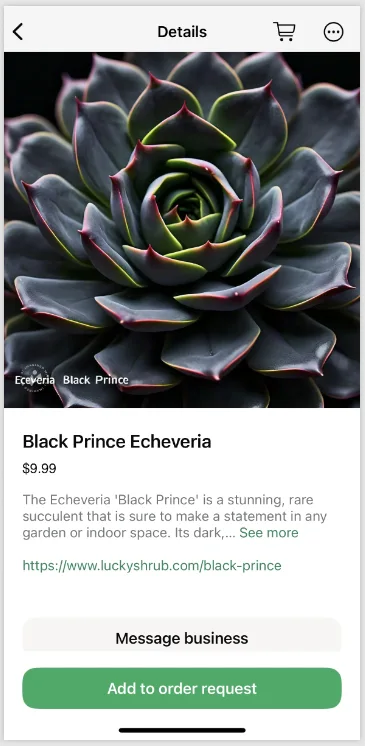
When the customer taps View, they open the product details and can add the item to their cart — all without leaving WhatsApp.
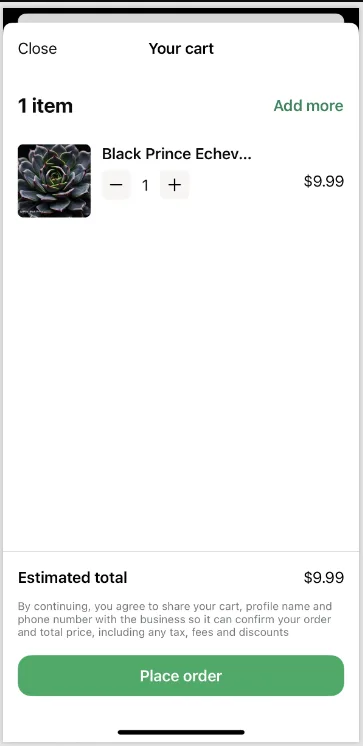
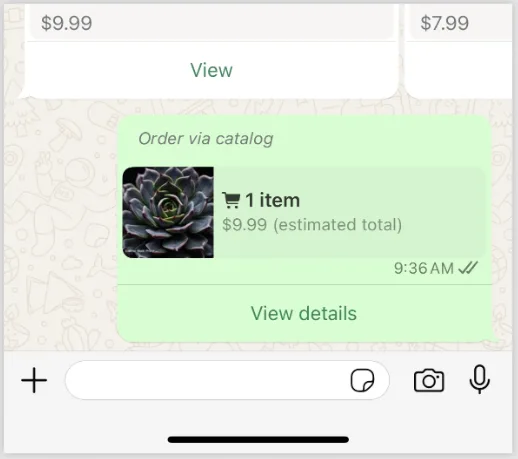
When they submit an order, you receive a webhook and the customer sees an order confirmation.
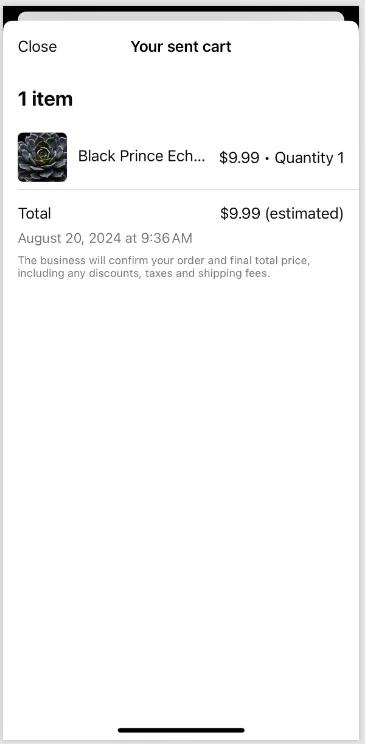
One limitation to know: message forwarding is disabled for SPM templates, so a customer can’t pass the card on to a friend.
When to use it
Reach for a single-product template when the customer’s intent is clear:
- They asked about one item by name.
- You’re running a one-product promotion (a hero product of the week).
- You’re following up on a product they viewed earlier.
Example: a shoe store messages last week’s window-shoppers with the exact sneaker they looked at, price and all — far more effective than re-sending the whole catalog.
Creating an SPM template
You create the template with a POST request. It uses a product header, your body text (max 160 characters, variables allowed), an optional footer, and an spm button:
POST https://backend.chatmitra.com/developer/api/configs/templates{
"name": "abandoned_cart_offer",
"language": "en_US",
"category": "marketing",
"components": [
{ "type": "header", "format": "product" },
{
"type": "body",
"text": "Use code {{1}} to get {{2}} off our newest succulent!",
"example": {
"body_text": [["25OFF", "25%"]]
}
},
{ "type": "footer", "text": "Offer ends October 31, 2024" },
{
"type": "buttons",
"buttons": [{ "type": "spm", "text": "View" }]
}
]
}The name can be up to 512 characters. The single product you feature is chosen at send time by its catalog product ID.
SPM templates are Marketing templates, so in India each one costs ₹0.86 to send.
Single vs catalog vs multi
These three template types all use your catalog, but they suit different moments:
| Template | Shows | Best when |
|---|---|---|
| Single-product | One item | The customer wants one specific thing |
| Multi-product | A few items in sections | You want to suggest a small set |
| Catalog | Everything | The customer is just browsing |
Note: single-product, multi-product and catalog templates are Meta platform commerce features. Their availability depends on your WhatsApp setup and whether commerce is enabled for your account. When in doubt, match the template to how sure the customer is: the surer they are, the fewer products you should show.
