What is a Meta Business Portfolio?

Updated June 2026 4 min read

It's the top-level home for all your Meta business assets — Facebook Pages, ad accounts, and your WhatsApp Business Account. Think of it as the folder that holds everything.

All guides
On this page

Quick facts

Formerly called
Business Manager
Holds
Pages, ad accounts, WABA
Needed for API?
Yes
Cost
Free to create

A Meta Business Portfolio (formerly Business Manager) is the top-level container for your business on Meta. It holds your assets — Facebook Pages, ad accounts, and your WhatsApp Business Account (WABA). You need one to use the WhatsApp Business API, and ChatMitra helps you connect or create it during signup.

In simple language: Think of it as a filing cabinet for your business on Meta — your WhatsApp account is one of the folders inside it.

Who should read this?

  • Owners setting up the WhatsApp API for the first time
  • Anyone unsure how Meta's accounts nest together
  • Businesses that already run Facebook/Instagram ads

When you set up the WhatsApp API, Meta asks about your “Business Portfolio.” It sounds corporate, but it’s just an organising layer. Here’s the plain version.

What the portfolio holds

A Meta Business Portfolio (Meta’s newer name for “Business Manager”) is the top-level home for everything your business has on Meta:

  • Facebook Pages
  • Instagram accounts
  • Ad accounts
  • Your WhatsApp Business Account (WABA)

Example: a travel agency keeps its Facebook Page, Instagram ads, and WhatsApp account all under one portfolio called “WanderWays Travels”.
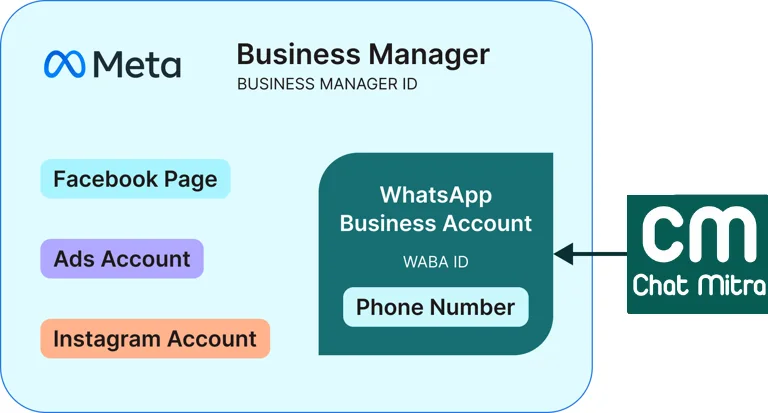
How a Meta Business Portfolio contains your WhatsApp Business Account Illustrative (Meta interface): how the Business Portfolio sits above your WABA.

Why you need one for WhatsApp

The WhatsApp API doesn’t sit on its own — your WABA must live inside a portfolio. So creating or connecting a portfolio is a required step. The good news: it’s free, and ChatMitra guides you through connecting an existing one (or making a new one) during signup.

Portfolio vs WABA vs number

These three nest like folders inside folders:

Meta Business Portfolio   ← the filing cabinet
   └── WABA               ← your WhatsApp Business Account
          └── Phone number ← the number customers message
LevelWhat it is
PortfolioAll your Meta business assets
WABAYour WhatsApp account
NumberOne WhatsApp number inside the WABA

Get this mental model and the rest of setup makes sense.
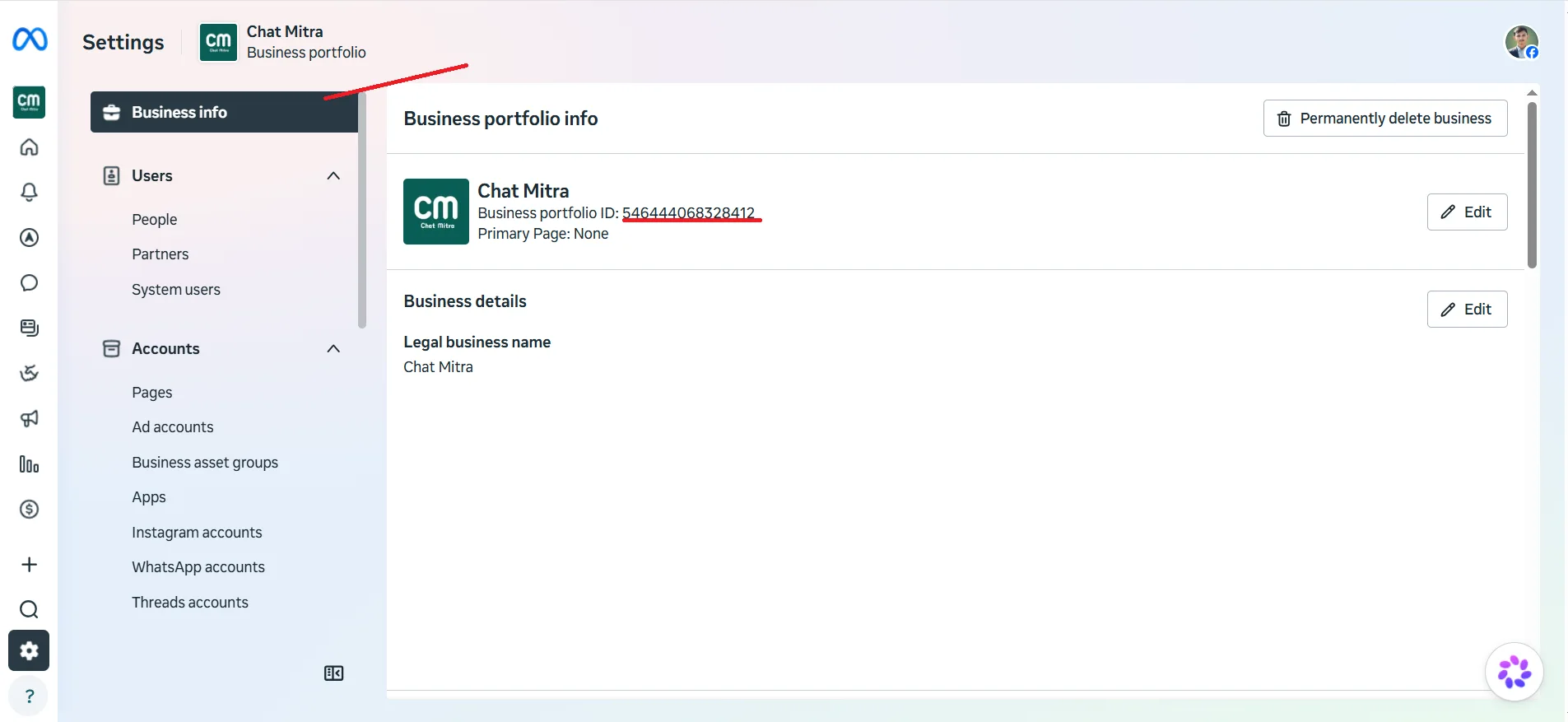
Business Portfolio ID in Meta Business Suite settings Illustrative (Meta interface): your Business Portfolio ID in Meta Business Suite settings.
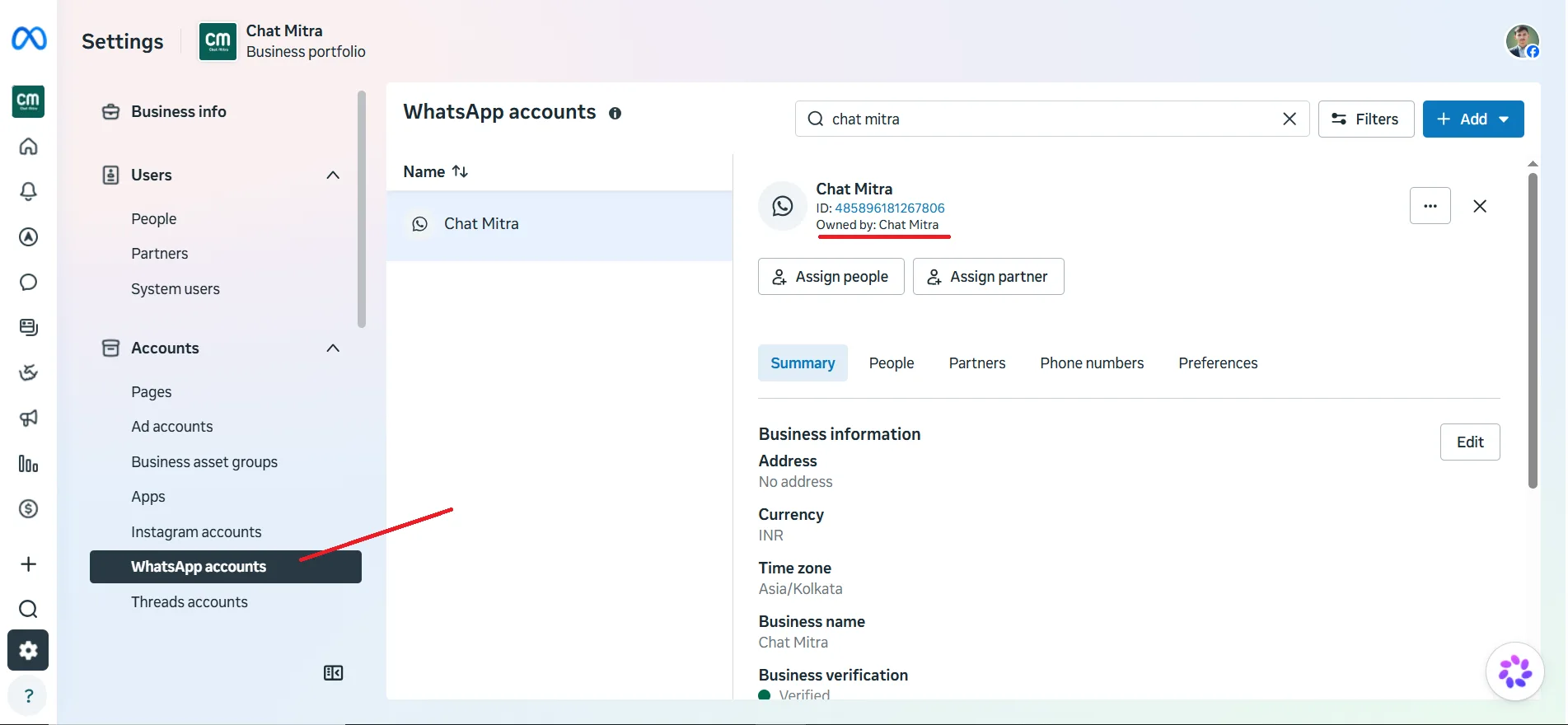
WhatsApp Manager showing the portfolio name and WABA ID Illustrative (Meta interface): the portfolio and WABA shown together in WhatsApp Manager.

Keep reading

Related questions people ask

Is a Meta Business Portfolio the same as Business Manager?

Yes. 'Business Portfolio' is Meta's newer name for what used to be called Business Manager — the top-level container for your business assets.

Do I need a Meta Business Portfolio for the WhatsApp API?

Yes. Your WhatsApp Business Account lives inside a portfolio, so you need one. ChatMitra helps you connect an existing portfolio or create one during signup.

Does it cost anything?

No. Creating a Meta Business Portfolio is free. You only pay for WhatsApp conversations and any ChatMitra plan.

Key takeaways

  • A Meta Business Portfolio is the top-level container for your Meta assets.
  • Your WhatsApp Business Account (WABA) lives inside it.
  • It's free, and you need one to use the WhatsApp API.
  • If you already run Meta ads, reuse that portfolio.
Published: June 2026 Last reviewed: June 2026 Reviewed by: ChatMitra WhatsApp API Team

Sources: Meta Business Help — Business Portfolio

Put WhatsApp to work for your business

Start free on the Starter plan — pay just ₹0.20 per conversation, no subscription. Upgrade to Pro (₹999/month) when you need automation, or Enterprise for zero platform fees at scale.