You’ll see “WABA” everywhere in WhatsApp API setup. It sounds technical, but the idea is simple.
What a WABA holds
A WABA (WhatsApp Business Account) is the official account Meta keeps for your business. Inside it live:
- Your phone number(s) — the WhatsApp number(s) customers message.
- Your approved templates — the pre-written messages you can send.
- Your display name — the business name shown in chat.
- Your quality rating — Meta’s measure of how well your messaging is received.
Example: a clothing brand’s WABA holds their main support number, their verified name “StyleKart”, and the dozen templates they’ve had approved.
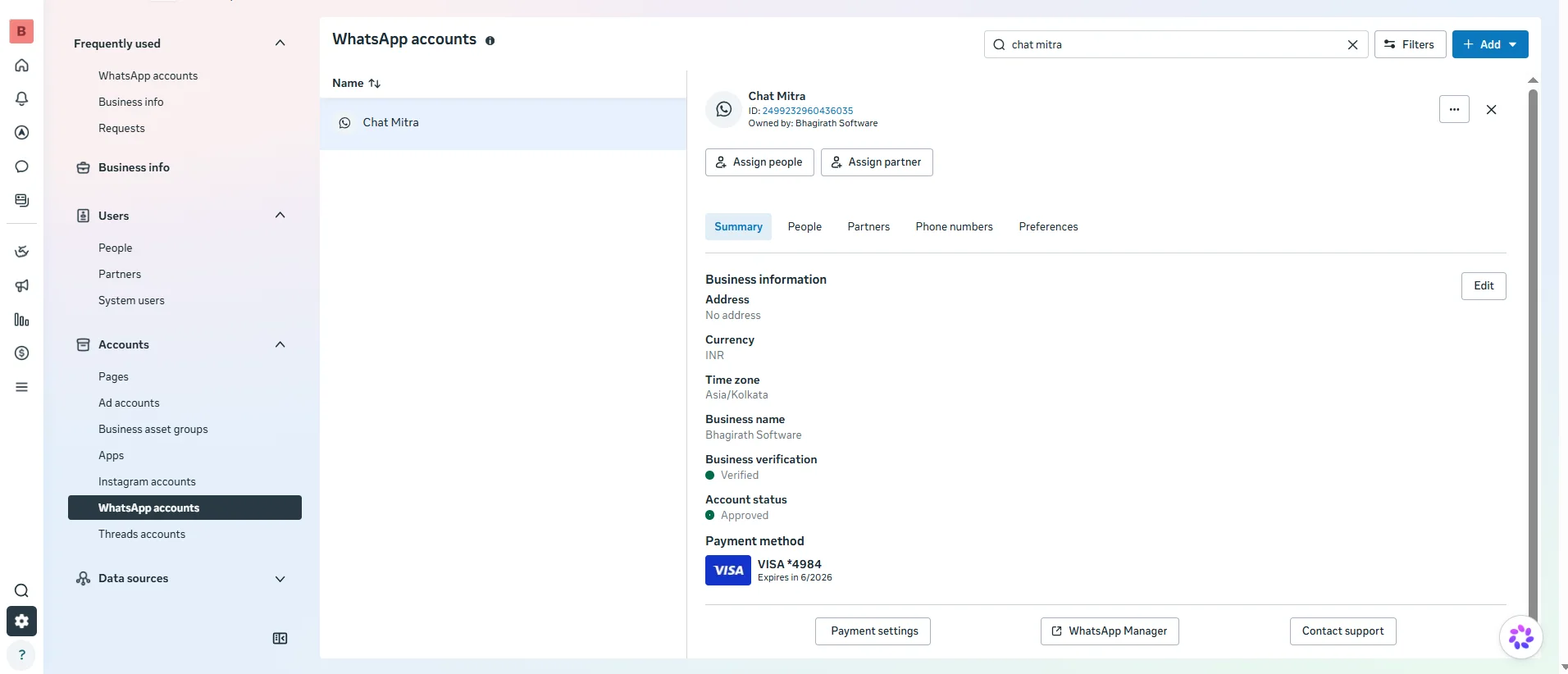 Illustrative (Meta interface): a WhatsApp Business Account in WhatsApp Manager.
WABA vs phone number
This trips everyone up, so let’s be clear:
| Thing | What it is |
|---|---|
| WABA | The account (the container) |
| Phone number | One item registered inside the WABA |
One WABA can hold up to 20 numbers. So a retailer could keep one WABA with a separate number for each branch — all under one brand name and shared templates.
Where the WABA fits in the bigger picture
Meta Business Portfolio
        └── WABA (your WhatsApp Business Account)
                 ├── Phone number(s)
                 ├── Templates
                 └── Display name + quality rating
The WABA sits inside your Meta Business Portfolio (your overall business identity on Meta), and your numbers sit inside the WABA.
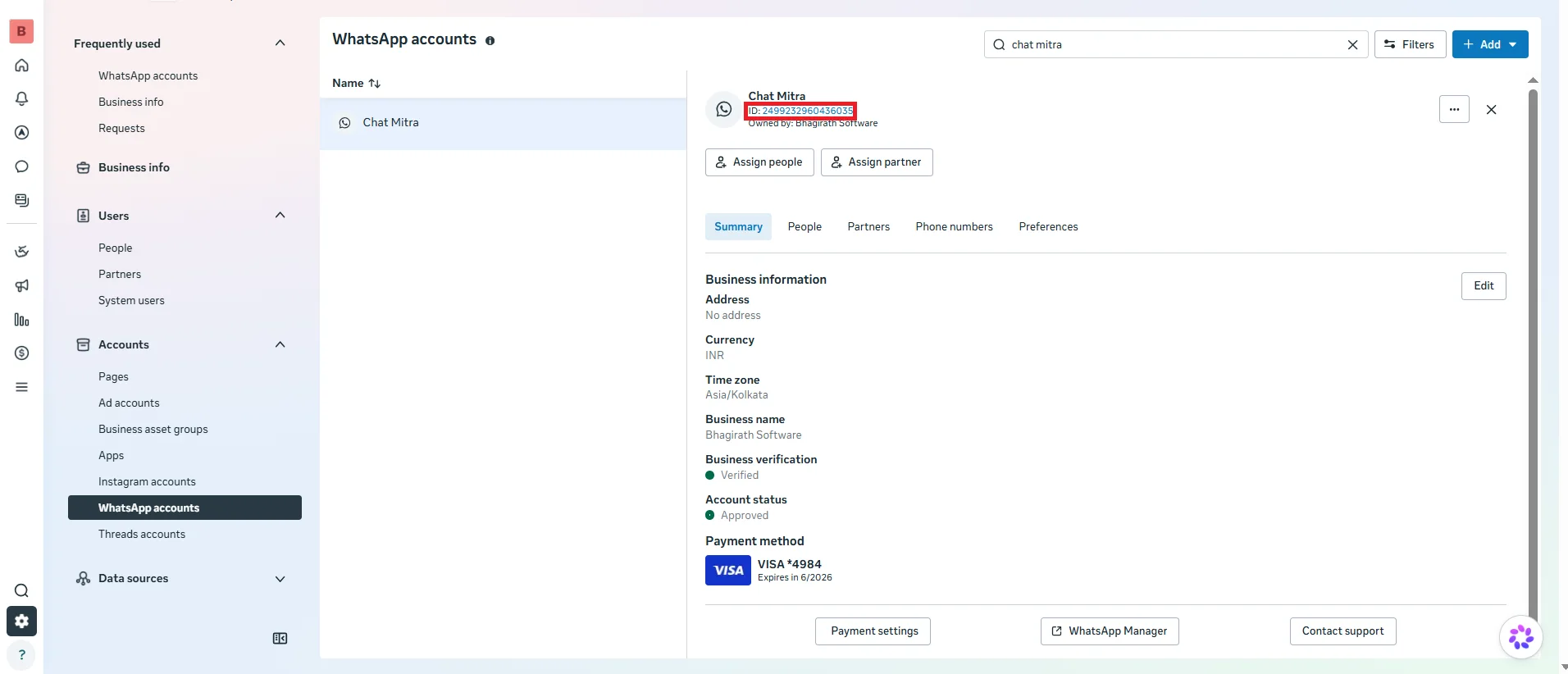 Illustrative (Meta interface): where to find your WABA ID.
What you should know about your WABA
- You don’t create it by hand. ChatMitra sets up your WABA during the guided signup.
- It has a reputation. The quality rating rises and falls based on customer reactions — protect it by sending useful, opted-in messages.
- It scales. As trust grows, Meta raises how many people you can message per day.
