When an AI Model Is Retired: Keep Your Workflows Running Through OpenAI, Claude and Gemini Deprecations

Quick Summary
AI model deprecation is when a provider such as OpenAI, Anthropic, Google or Groq announces that a model will be switched off on a set date. After that date, every request that names the model fails, usually with a not-found error, so any automation that names it stops working. Notice periods differ: OpenAI promises at least six months for generally available models but may give about two weeks for preview models, Anthropic at least 60 days, Google lists earliest possible shutdown dates, and Groq gave about two months in its latest notice. Some changes are silent instead: an alias that starts pointing at a newer model, or a tool default that moves. To stay ahead, keep a list of every model your workflows use, watch the providers' deprecation pages, pick and test a replacement on real inputs, then switch and watch the first runs. In WorkflowMitra, powered by ChatMitra, the model is saved on each AI step, a retired name fails the step with the provider's message, and failure alerts and error branches tell you straight away.
Your lead-scoring workflow ran fine for months. One morning every AI step fails with a short message naming a model you set up long ago. Nothing in your workflow changed. The provider switched the model off.
AI providers retire models all the time. New models arrive every few months, and the old ones are given a shutdown date. Developers usually hear about it in an email and a line on a documentation page. Automation builders often hear about it when their workflows start failing. This guide explains how retirement works at OpenAI, Anthropic, Google and Groq, which models are scheduled to go in the coming months, and a five-step playbook for switching without breaking anything. It also covers exactly what happens in WorkflowMitra, powered by ChatMitra, when a model your workflow uses is retired.
The provider details below come from their deprecation pages, read on 20 October 2026.
Quick answer: AI model deprecation is when a provider announces that a model will be switched off on a set date. After that date, every request that names it fails, usually with a not-found error, so automations that name it stop. Notice varies: OpenAI gives at least 6 months for generally available models (as little as about 2 weeks for previews), Anthropic at least 60 days, Google lists earliest possible dates, and Groq gave about 2 months last time. To stay ahead: list every model your workflows use, watch the deprecation pages, test a replacement on real inputs, then switch and watch the first runs.
What “deprecated” and “retired” mean
Providers use slightly different words for the same two stages:
- Deprecated: the provider has announced the end. The model still works, a shutdown date is set, and a replacement is usually recommended.
- Retired (or “shut down”, or “sunset”): the date has passed. The model is gone, and requests to it fail.
Some providers add a stage before deprecation. OpenAI and Anthropic both use legacy for models that no longer get updates and will probably be deprecated later. Anthropic also warns that deprecated models are likely to be less reliable than active ones, so “it still works” isn’t a reason to wait until the last week.
How much warning you get depends on the provider, and on the kind of model:
| Provider | Stated notice | How you're told |
|---|---|---|
| OpenAI | At least 6 months for generally available models; at least 3 months for specialised variants (chat, Codex, deep research); preview models can go with much shorter notice, such as 2 weeks | Email to customers actively using the model, the deprecations page, and blog posts for larger changes |
| Anthropic | At least 60 days for publicly released models | Email to customers with active deployments, and the model deprecations page |
| Google (Gemini API) | Shutdown dates on its page are the earliest possible; exact dates are communicated in advance | Release notes and the deprecations page |
| Groq | No fixed period stated; the August 2026 retirements were emailed on 17 June, about 2 months ahead | Email to users and the deprecations page |
Two details are easy to miss. First, preview models are the riskiest choice for a workflow you depend on: OpenAI says so directly, and Google’s preview models (anything with “preview” in the name) carry the shortest lives on its page. Second, the email goes to the people on the account that owns the API key. With bring-your-own-key tools, that’s you, not the automation platform, so make sure that inbox is one somebody reads.
Two ways a retirement breaks a workflow
The loud way. The shutdown date passes, the provider rejects every request that names the model, and the AI step fails. You get an error, usually a not-found (HTTP 404) whose message names the model, sometimes a 400. Retrying won’t help, because the model no longer exists. This is the easier case: it’s obvious, and the fix is clear.
The quiet way. Nothing fails, but the model behind your step changes. It happens in three ways:
- Aliases move. Some model names point to a version the provider can change. Google’s deprecations page, for example, says requests to
gemini-3.5-flashare now routed automatically togemini-3.6-flash, andgemini-3.7-flashtogemini-3.8-flash. Your workflow keeps running on a model you didn’t choose. - Defaults move. If you never picked a model, your tool used its default, and tools update their defaults when providers retire models.
- The replacement behaves differently. Even a planned switch can change answer length, tone, JSON formatting or how strictly the model follows your instructions. A workflow that parses the reply, routes on a category or writes into fixed sheet columns can break without a single error.
The quiet failures cost more, because nobody notices them for a while. The playbook below deals with both.
Is it a retirement, or something else?
When an AI step suddenly fails, check the error before you change the model. Several other problems look similar at first glance. In WorkflowMitra the run shows the provider’s name followed by a short reason, so the wording tells you which case you’re in:
| What the run says | HTTP status | What it usually means | What to do |
|---|---|---|---|
| The provider's own message, naming the model (for example "not found" or "does not exist") | 404, sometimes 400 | The model is retired, misspelt, or not available to this key | Check the provider's models and deprecations pages, then change the model |
| "the API key was rejected" | 401 or 403 | The key was deleted, revoked or lacks permission | Create a new key and update the credential |
| "the provider is rate-limiting this key" | 429 | Too many requests or tokens for your account tier, or spend limit reached | Slow the workflow down or raise the limit; the model is fine |
| "the provider is having trouble" | 500 and above | An outage or overload at the provider | Wait, then replay; consider a fallback provider |
The first row is the only one that a new model name fixes. If the message names your model and the provider’s deprecations page lists it with a date that has passed, you’ve found a retirement. If the model isn’t on the page at all, check its spelling against the provider’s models page: a missing hyphen or a made-up version number gives the same error.
The retirement calendar for the next six months
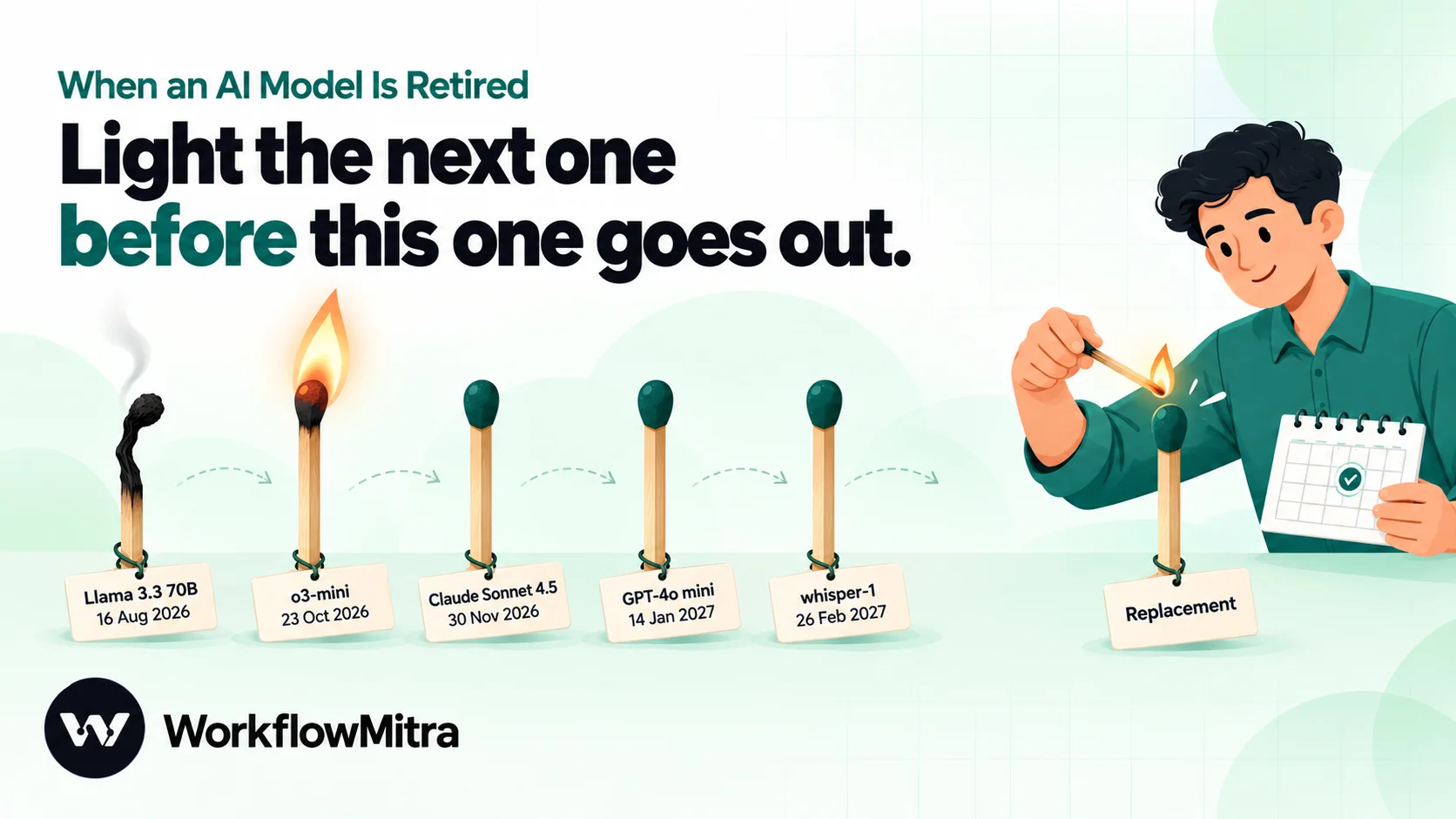
Here are the announced shutdowns from 20 October 2026 to April 2027, as listed on the providers’ own pages that day. Dates can move, and new notices arrive every month, so treat this as a snapshot and check the source pages.
| Shutdown date | Provider | Models | Provider's suggested replacement |
|---|---|---|---|
| 22 Oct 2026 | veo-3.1-generate-preview, veo-3.1-fast-generate-preview, veo-3.1-lite-generate-preview | gemini-omni-1.1-flash | |
| 23 Oct 2026 | OpenAI | o3-mini, o4-mini, o1, gpt-4-turbo, gpt-4, gpt-3.5-turbo, gpt-4.1-nano, gpt-image-1 and other legacy snapshots | GPT-5.6 models; GPT Image 2.5 models |
| 17 Nov 2026 | gemini-2.5-flash-preview-tts, gemini-2.5-pro-preview-tts, gemini-3.1-flash-tts-preview, some Live API previews | gemini-3.8-flash-tts or gemini-3.8-flash-lite-tts | |
| 30 Nov 2026 | Anthropic | claude-sonnet-4-5-20250929 (Claude Sonnet 4.5) | claude-sonnet-5-5 |
| 1 Dec 2026 | OpenAI | gpt-image-1-mini, gpt-image-1.5, chatgpt-image-latest | GPT Image 2.5 models |
| 11 Dec 2026 | OpenAI | Original GPT-5, GPT-5 mini, GPT-5 nano, o3 and o3-pro snapshots | GPT-5.6 models |
| 6 Jan 2027 | OpenAI | tts-1, tts-1-hd, gpt-4o-mini-tts snapshots | gpt-realtime-2.1-mini |
| 14 Jan 2027 | OpenAI | GPT-4o, GPT-4o mini, GPT-4.1, GPT-4.1 mini | gpt-6-luna |
| 26 Feb 2027 | OpenAI | whisper-1, gpt-4o-transcribe, gpt-4o-mini-transcribe | gpt-transcribe or gpt-live-transcribe |
| 15 Mar 2027 | gemini-2.5-flash-image | gemini-3.1-flash-lite-image | |
| 1 Apr 2027 | OpenAI | gpt-5.1, gpt-5.4-nano, gpt-5.3-codex | gpt-6-sol or gpt-6-luna |
Already gone in the last few months: Groq’s llama-3.3-70b-versatile and llama-3.1-8b-instant (16 August 2026; Groq’s notice applies to free and developer-tier usage), Anthropic’s Claude Opus 4.1 (5 August 2026) and Google’s Gemini 2.0 Flash (1 June 2026). If a workflow still names one of these, it’s already failing.
The biggest date for most small businesses is 14 January 2027. GPT-4o mini and GPT-4.1 mini have been the default cheap models in a great many automations, tutorials and templates. Anything built on them needs a new model before then.
Google adds one more wrinkle: it is limiting access to its Gemini 2.5 models to users who have used them before. They aren’t deprecated, but a new Google account or project may not be able to call them, so a workflow moved to a new key can fail even though the model is still listed.
A five-step playbook for model retirements
1. List every model your workflows use
You can’t plan for a shutdown if you don’t know you’re affected. Keep a simple sheet with one row per AI step:
- Workflow name and step name
- Provider and the exact model name
- Which API key (and whose account) it uses
- What the step does, and what reads its output (a router, a sheet, a customer message)
- Shutdown date, if one has been announced, and the planned replacement
Don’t forget the less obvious places: AI agents and their attached model settings, image, speech and transcription steps, and any step where the model field was left at the tool’s default. Anthropic’s Console can help here: its Usage page exports a CSV broken down by API key and model, so you can confirm which models are actually being called.
2. Watch the announcements
Set a monthly reminder to read the four deprecation pages linked at the end of this guide, and compare them with your sheet. Make sure provider emails reach someone. If you’d like an automatic check, OpenAI’s List models endpoint (GET /v1/models) now includes a shutdown_date field for each model: a date once a shutdown is announced, and null before that. There’s a recipe for a weekly check further down.
3. Choose the replacement deliberately
Start with the provider’s recommended replacement, then check the things your workflow depends on:
- Features you use. JSON output, temperature, a large output budget, search grounding or image input. Some newer models reject settings older ones accepted, such as a temperature value, so a step that sets one may need changing.
- Output limits. A model with a smaller output ceiling can cut long replies short. Our guide to max tokens in AI workflows covers what happens then.
- Price and rate limits. A larger model costs more per call and may have tighter limits on your account tier.
- Status. Prefer a model marked active, not preview, for anything customers depend on.
4. Test the replacement on real inputs
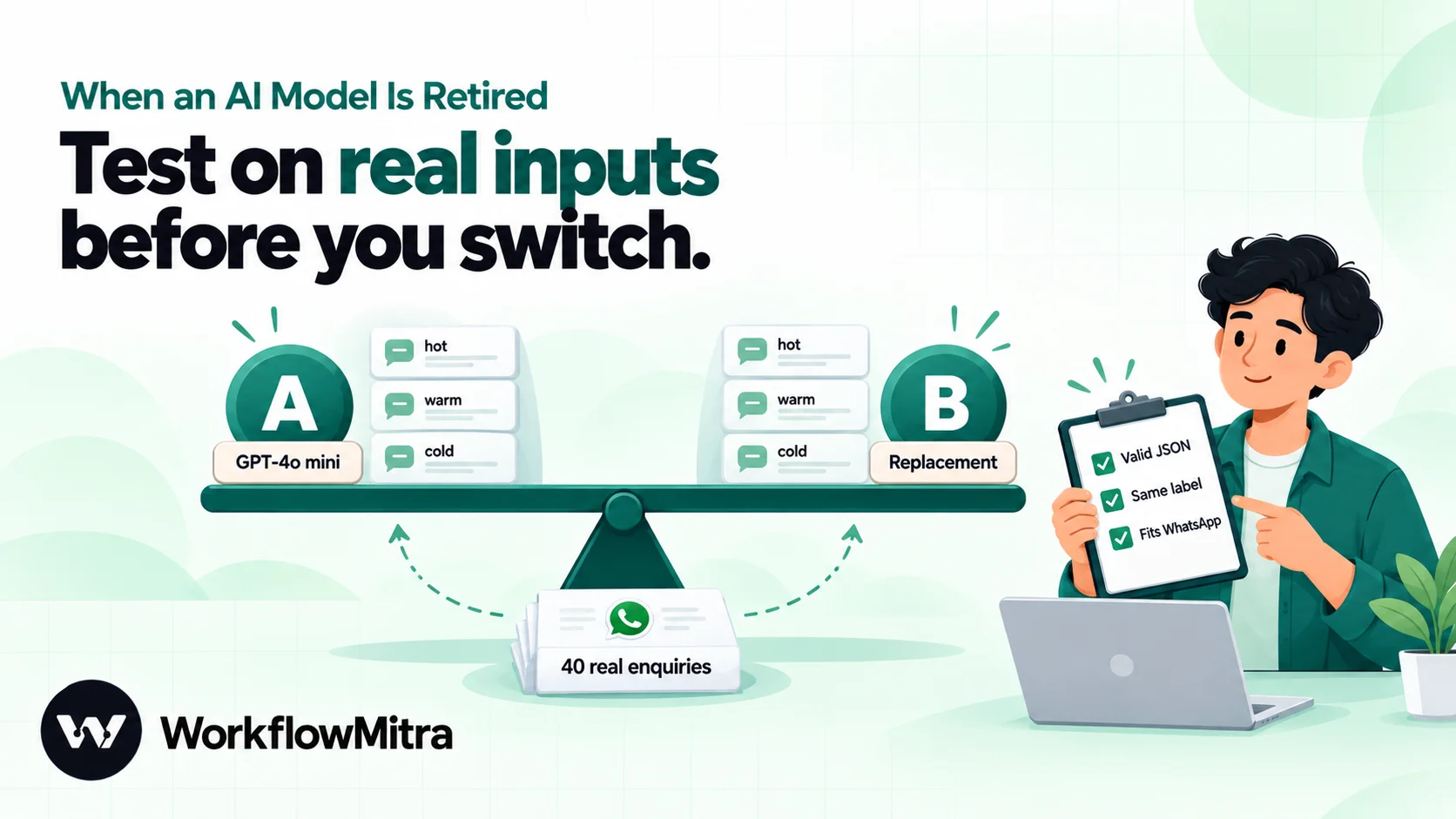
This is the step people skip, and it’s the one that catches the quiet failures. Collect 20 to 50 real inputs from your run history, the awkward ones included: long emails, mixed Hindi and English, empty fields. Run each through the old model and the new one, side by side, and compare what your workflow actually uses:
- Does the reply still parse as JSON with the same field names?
- Does the category match, or does the router send it somewhere else?
- Is the length similar, and does it still fit where it’s going (a WhatsApp message, a sheet cell)?
- Does it still follow the rules in your instructions?
If you need the old model’s answers for comparison and it’s still running, collect them before the shutdown date. Our guide to deterministic AI in workflows has a fuller method for building a test sheet.
5. Switch, watch, and keep a way back
Change the model, then watch the first day of runs closely: failures, the replies themselves, and anything downstream such as routing and sheet rows. Keep a note of the old model name and the date you switched. If the provider gave you a safety margin, switch well before the shutdown date, so that if the new model misbehaves you can move back while the old one still exists.
For extra protection, add a fallback. An error branch on the AI step that calls a second provider keeps answers flowing if a model disappears without your noticing. Our guide to LLM fallback shows how to set one up.
A worked example: moving off GPT-4o mini
Here’s how the playbook looks for a common case. A coaching institute uses a workflow that reads each website enquiry, asks GPT-4o mini to label it “hot”, “warm” or “cold” with a one-line reason in JSON, and routes hot leads to a counsellor on WhatsApp. OpenAI has set 14 January 2027 as the shutdown date for GPT-4o mini, with gpt-6-luna as its recommended replacement.
- Inventory. The team’s sheet shows two workflows use GPT-4o mini: the lead classifier and a weekly summary email. Both use the same key.
- Test set. They copy 40 recent enquiries from the run history into a sheet, including blank messages, one-word messages and a few in Hinglish.
- Side-by-side run. They build a small test workflow: a Google Sheets step reads the 40 rows, a Loop sends each one to an AI step with the classifier’s exact prompt, and another Sheets step writes the label and reason back. They run it once with GPT-4o mini and once with the replacement, into two columns. It uses a few WorkflowMitra credits per row plus their OpenAI tokens.
- Compare. The checks that matter are the ones the workflow depends on: does every reply still parse as JSON, is the label always one of the three exact words the router expects, and how many labels changed? Any reply in a different shape, such as “Hot” with a capital letter or the label wrapped in extra text, would send that lead down the wrong branch.
- Fix and switch. Differences like these are usually fixed in the prompt (“Reply with exactly one of: hot, warm, cold”) or with a lowercase step before the router. Once the copy’s labels match on the test set, they change the model in the live workflow in early December, leaving five weeks to go back if something unexpected turns up.
The whole job takes an afternoon. Doing it on 13 January, with every lead failing, would take the same afternoon plus a day of lost enquiries.
How WorkflowMitra handles a retired model
WorkflowMitra, powered by ChatMitra, is a no-code workflow automation platform. Its AI steps use your own API key (bring your own key) for OpenAI, Claude, Google Gemini, Groq or Ollama, so model retirements reach you exactly as the provider announces them. We checked the behaviour below in the product’s code on 20 October 2026.
- The model is saved on each step. In an AI step’s Chat action, the Model field lists recommended models for the provider, plus Other (type a name) for any model name the provider accepts. Whatever you choose is saved and sent exactly as written. WorkflowMitra never swaps it for you.
- Leave it unchanged and you get the default. If you never change the Model field, the step uses WorkflowMitra’s default for that provider at the time it runs. Defaults are updated over time, which is convenient but means the model can change without you choosing it. For workflows that matter, pick a model explicitly.
- Groq loads its live list. For Groq, the Model dropdown loads the current model list from your Groq account, so a model Groq has removed doesn’t appear there.
- A retired model fails the step with the provider’s own message. WorkflowMitra shows the provider’s name and its error in the run, and marks 400 and 404 errors as not worth retrying, since the model won’t come back.
- You hear about it. If you’ve set up failure alerts (email or a Slack webhook in workspace settings), the first failed run sends one, at most once per workflow every 15 minutes. Add an error handler to the AI step if you want a fallback provider or a custom alert instead. Our guide to workflow error handling covers both.
- Each run records the model that answered. The AI step’s output includes a
modelfield next to the replytext. Map{{ model }}into a Google Sheets step placed right after it (or use{{ $node["Your AI step"].model }}further down) and you have a record of exactly which model handled each run, which also catches the quiet changes. - Agents have their own model setting. An AI Agent’s attached Model node has its own provider and model, so include agents in your inventory.
- Media actions use WorkflowMitra’s choice. Image, speech, transcription and video actions don’t have a Model field: WorkflowMitra picks the model, and the step’s output shows which one ran. When a provider retires a model behind one of these actions, the fix comes from a WorkflowMitra update rather than from your workflow.
To test a replacement, Clone the workflow from the workflows list. The copy starts switched off, so you can change the model and run it on test inputs without touching the live version. AI steps call the provider for real in test runs, so testing uses your API tokens as well as WorkflowMitra credits.
Where it’s still growing
WorkflowMitra doesn’t flag deprecated models in its Model dropdown, and it doesn’t search your workflows for a model name. For now, your inventory sheet and the providers’ pages are the source of truth. The recipe below automates part of the watching.
Recipe: a weekly OpenAI shutdown check
This WorkflowMitra workflow asks OpenAI every Monday which models have a shutdown date, and messages you if any of yours are on the list.
- Schedule trigger: every week, Monday at 9:00, time zone
Asia/Kolkata. - HTTP Request:
GET https://api.openai.com/v1/modelswith anAuthorization: Bearerheader. The key sits in the step, so anyone who can view the workflow can see it; use a separate key, restricted to reading models if your OpenAI project allows it. - Code step: keep only the models that have a
shutdown_dateand appear in your list (paste your model names into the code, or read them from your inventory sheet with a Google Sheets step first). Return the matches, each with its name and date. - IF the list is empty, stop. IF steps are free, so a quiet week costs only the schedule, the HTTP Request and the Code step.
- Slack, Email or a WhatsApp step through ChatMitra: send “OpenAI has set shutdown dates for: …” with each model and its date.
Anthropic, Google and Groq don’t publish a shutdown date in their model lists, so for them a monthly look at the deprecations page is still the most reliable check. Our guide to AI API keys for automation covers creating separate keys for jobs like this.
How other tools handle it
Automation platforms handle retirements differently, so check how yours does. Make, for example, published a notice before OpenAI retired two chat models in August 2026: it marked them “(deprecated)” in its OpenAI app, stopped new modules from selecting them, and said scenarios still using them would stop running after the shutdown date. Whatever the tool, a model name saved in an automation is a dependency on someone else’s calendar.
Common mistakes
- Waiting for the shutdown date. Switching on the last day leaves no room to go back if the replacement misbehaves.
- Testing with three easy examples. Use real, messy inputs from your run history.
- Building on preview models. They can be retired with a couple of weeks’ notice.
- Forgetting media and agent steps. Transcription, speech, image and agent models retire too.
- Assuming no error means no change. Aliases and defaults move silently. Log the
modelfield. - Letting provider emails go to an old inbox. With your own key, you’re the one who gets told.
- Trusting a tutorial’s model name. Older guides are full of models that have since retired. Check the provider’s models page before you copy a name.
Plan for the next one
Model retirements aren’t emergencies if you see them coming. Keep a list of the models your workflows use, look at the providers’ deprecation pages once a month, test replacements on real inputs and switch early. With those habits, a shutdown date becomes a calendar item rather than an outage.
WorkflowMitra, powered by ChatMitra, lets you choose the exact model on every AI step, alerts you when a step fails and records which model answered each run. Try it with a 14-day trial and no card, and compare plans on WorkflowMitra pricing. If you use Gemini, our Gemini automation guide covers its models in more detail.
Provider details read on 20 October 2026 from OpenAI's deprecations page, Anthropic's model deprecations page, Gemini API deprecations (last updated 20 October 2026) and Groq's deprecations page; Make's notice OpenAI: Deprecation of select GPT models by August 10, 2026. WorkflowMitra behaviour was checked in the product's code on the same day. Providers change their schedules often; check their pages before you rely on a date.
Frequently Asked Questions
Short answers to common questions about AI model retirements.
The provider announces a shutdown date and usually a recommended replacement. Until that date the model keeps working, though providers say deprecated models may be less reliable. On the shutdown date the model is switched off, and every request that names it fails. Workflows, scripts and integrations that name the model stop working until someone changes the model name.
Automate the work between your apps
Build workflows with triggers, conditions and actions, then test them before they go live. Try WorkflowMitra free for 14 days, no card required.
