API Rate Limits in Automation: How to Run Bulk Jobs Without 429 Errors

Quick Summary
An API rate limit caps how many requests you can send in a time window, such as 60 a minute or 5 a second. Go over it and the API answers 429 Too Many Requests, often with a Retry-After header saying how long to wait. Bulk automations hit limits for four reasons: a loop that calls an API for every row, a burst of runs starting at once, several workflows sharing one API key, and retries that fire straight away. The fix has four parts. Find the limit and what it counts (per key, per user, per base). Count requests per item, because one step can make two calls. Pace the loop so you stay at about 75% of the limit. Send fewer requests by reading once and writing in bulk. Then handle the 429 that still gets through: wait, retry once, and park anything left for the next run. In WorkflowMitra, powered by ChatMitra, the Loop step's Batch size and Delay between batches settings do the pacing, and an HTTP Request step records a 429 as output with its headers, so an IF step can route it.
A workflow that works perfectly for ten rows can fail on the three hundredth. The first 59 calls go through, and then the API starts answering 429 Too Many Requests. Nothing is wrong with your data or your connection. You asked the API to do too much, too fast, and it told you to slow down.
Every serious API has a rate limit, and bulk automations are where people meet them: a nightly sync, a price update across a catalogue, a message to every customer on a list, a CSV import that fires hundreds of webhooks at once. This guide explains how rate limits work, how to read one, how to turn it into loop settings, how to send fewer requests in the first place, and what to do when a 429 still gets through. The examples use WorkflowMitra, powered by ChatMitra, but the arithmetic works in any automation tool.
Quick answer: Find the limit and what it counts (per key, per user, per base, per endpoint). Count requests per item, because one step can make two calls. Pace the loop to about 75% of the limit with a batch size and a pause between batches. Send fewer requests: read once, filter before the loop, write in bulk. Handle the 429 that still happens: wait for Retry-After, retry once, and leave anything that still fails for the next run. If runs start in bursts, queue the work and drain it on a schedule, because pacing inside one run can't slow down a hundred runs.
What an API rate limit is
An API rate limit is a cap on how many requests a client may send in a time window. “60 requests per minute” and “5 requests per second” are typical. When you exceed it, the API rejects the extra requests until there’s capacity again.
The standard rejection is HTTP status 429 Too Many Requests. MDN defines it as the client having sent too many requests in a given amount of time, and notes that the response may include a Retry-After header saying how long to wait. That header holds either a number of seconds (Retry-After: 2) or a date.
Four details decide whether a limit will hurt you:
- The window. Per second, per minute, per day. A per-second limit punishes bursts; a per-day limit punishes volume.
- What is counted. A limit can apply per API key, per user, per account, per app installation, per base or per IP address. Two workflows using the same key share one limit.
- How it refills. Some limits reset at the end of each window. Others work like a bucket that drains at a steady rate, which allows a short burst and then a steady trickle.
- Which endpoints. Many APIs give search, bulk or write endpoints tighter limits than simple reads.
A quota is related but different. A rate limit controls speed and resets in seconds or minutes. A quota controls volume (10,000 requests a day, 1,000 messages a month) and resets slowly. Pacing fixes rate limits. Quotas need fewer requests, a bigger plan or more days.
Why bulk automations hit rate limits
Almost every 429 in a business workflow comes from one of four patterns.
1. One call per row. A Loop over 500 sheet rows with an API call inside makes 500 calls as fast as the API answers. If each call takes 200 ms, that’s about 300 calls a minute, five times a 60-per-minute limit.
2. A burst of runs. You import 400 contacts into a form tool or CRM, and it fires 400 webhooks in a minute. Each one starts its own run, and each run calls the same API. No single run is fast; together they are.
3. A shared key. The nightly sync, the hourly report and the order alert all use the same API key and all run at 9:00. Each is well behaved alone. At 9:00 they share one budget.
4. Retries that don’t wait. A failed call is retried immediately, fails again, and is retried again. Each retry spends more of the budget that’s already empty, and some APIs extend the block for clients that keep pushing.
The fixes differ. Pattern 1 needs pacing and bulk operations. Pattern 2 needs a queue. Pattern 3 needs staggered schedules. Pattern 4 needs a wait before every retry.
Step 1: find the real limit
Start with the API’s own documentation, usually a page called “rate limits”, “usage limits” or “throttling”. Note the number, the window, what’s counted, and any headers the API sends. Here are a few limits small businesses meet often, checked on the providers’ pages on 19 October 2026:
| API | Published limit | Counted per | What you get when over |
|---|---|---|---|
| Google Sheets API | 60 reads and 60 writes a minute; 300 a minute per project | User per project; project | 429; Google says wait a minute and back off |
| Airtable Web API | 5 requests a second | Base (and 50 a second per user token) | 429; wait 30 seconds |
| Shopify REST Admin API | Bucket of 40, refilling at 2 a second (Plus: 400 and 20) | App per store | 429 with Retry-After |
| Telegram Bot API | About 1 message a second per chat, 20 a minute per group, about 30 a second overall | Bot, chat and group | 429 |
| WorkflowMitra webhook trigger | 120 requests a minute | Webhook URL | 429 |
The last row matters when you send data into WorkflowMitra. A script or another tool that posts rows to a WorkflowMitra webhook URL should stay under 120 a minute for that URL. Each webhook has its own budget, so a busy one doesn’t block the others.
If the documentation gives no number, check the response headers of a real call. Many APIs report their limit and remaining budget in headers such as X-RateLimit-Limit and X-RateLimit-Remaining. Shopify sends X-Shopify-Shop-Api-Call-Limit: 32/40, meaning 32 of 40 slots used. An IETF working group is standardising RateLimit header fields (draft), but today names vary by provider, so check yours.
If there’s no number and no header, assume something conservative, such as one request a second, and raise it only after a test run stays clean.
Step 2: count requests per item, not steps
A limit counts API requests, and a workflow step can make more than one. Before you size anything, work out how many requests each item really costs.
In WorkflowMitra’s Google Sheets step, for example:
- Find row reads the sheet: one request.
- Update row finds the row and then writes it: two requests, one read and one write.
- Add row(s) in Single Row mode reads the header row to match your columns, then appends: usually two requests.
- Add row(s) in Multiple Rows (Bulk Array) mode reads the header once and appends rows in chunks of up to 500 per request. A 300-row list is about two requests in total.
So a loop that does “Update row” for every item makes two Sheets requests per item. At Google’s 60-per-minute write and read limits, that’s a ceiling of roughly 30 items a minute, and lower if other workflows use the same Google account.
Do the same count for every API in the loop body. A body that calls a CRM to find a contact, then calls it again to update the contact, makes two CRM requests per item. The budget you need to respect is the number of requests per item times the items per minute.
Step 3: turn the limit into loop settings
In WorkflowMitra, the Loop step has the pacing controls. Our loops guide explains the step itself; here’s what matters for rate limits:
- Batch size (1–100) groups items.
- Execution mode is Sequential or Parallel.
- Max concurrency (1–10, Parallel only) sets how many batches run at the same time.
- Delay between batches (ms) pauses after each batch in Sequential mode, or after each wave of batches in Parallel mode. The maximum is 60,000 ms.
To be sure how these combine, we ran a 12-item loop against a simulated API that took 200 ms to answer, and timed when each call started:
| Settings | What happened | Total time |
|---|---|---|
| Sequential, batch size 1, no delay | One call at a time, back to back | 2.6 s |
| Sequential, batch size 5, delay 1,000 ms | Five calls, a one-second pause, five calls, a pause, two calls | 4.4 s |
| Parallel, batch size 2, concurrency 3, delay 2,000 ms | Three calls at once; six items per wave; a two-second pause between waves | 2.8 s |
| Parallel, batch size 1, concurrency 4, delay 1,000 ms | Four calls at once, a one-second pause, four more | 2.6 s |
| Parallel, concurrency set to 50 | Treated as 10: never more than ten calls in flight | 0.4 s |
Two things follow. In Sequential mode, only one request is ever in flight, and the pause sets the ceiling. In Parallel mode, Max concurrency is the number of requests in flight at once, which is exactly what per-second limits punish.
The arithmetic
For Sequential mode, the fastest a loop can go is one batch per pause:
Maximum requests per minute ≈ (batch size × requests per item) × 60,000 ÷ delay in ms
That’s an upper bound, because each call also takes time. Aim for about 75% of the published limit. The margin covers other workflows on the same key, retries, and the API counting slightly differently from you.
Rearranged, the delay you need is:
Delay (ms) = batch size × requests per item × 60,000 ÷ (limit per minute × 0.75)
Worked out for the APIs above:
| Job | Requests per item | Target | Settings (Sequential) | Ceiling |
|---|---|---|---|---|
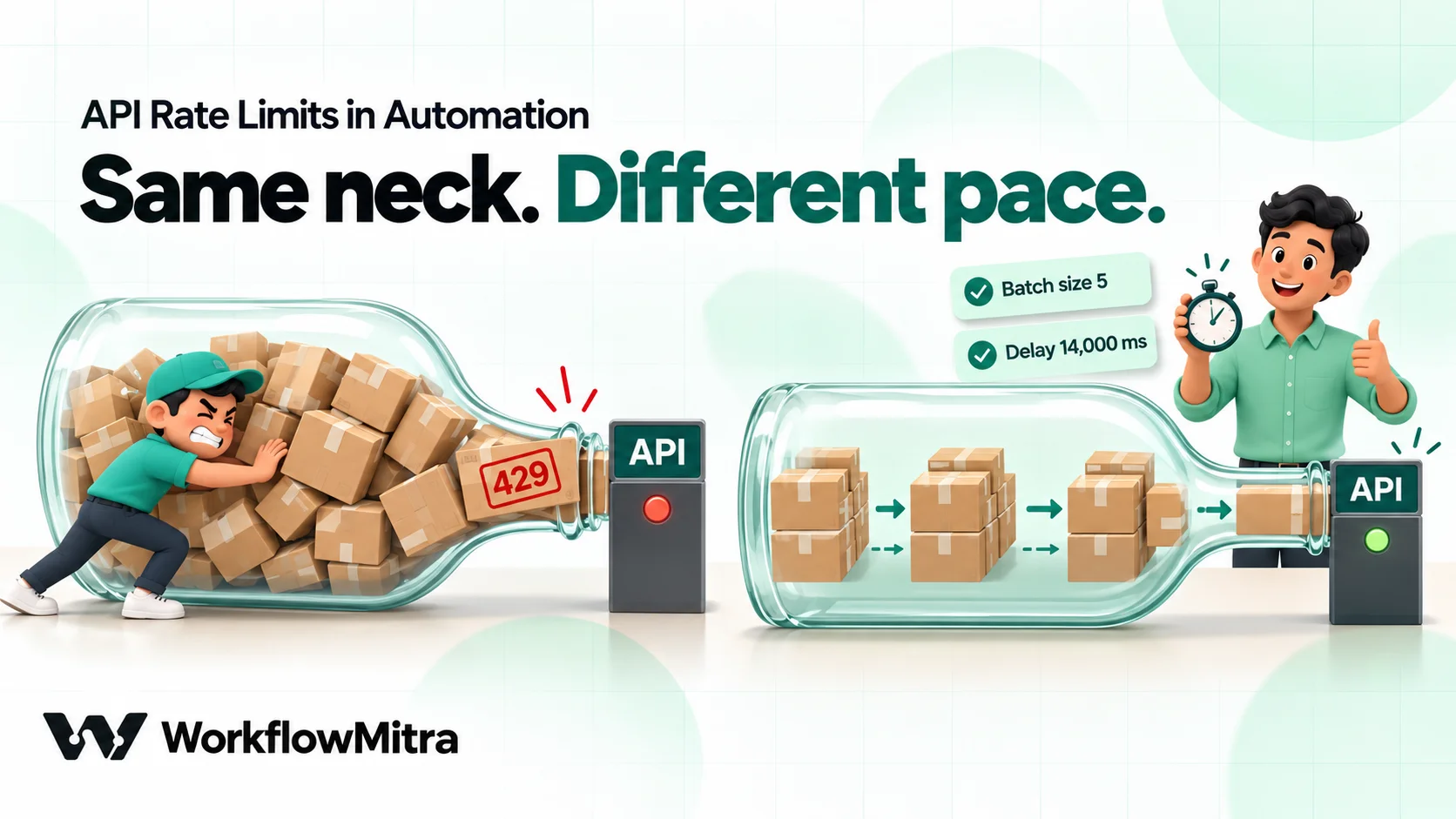
| Update a Google Sheet row per item | 2 | 45 requests/min | Batch 5, delay 14,000 ms | About 21 items/min (43 requests) |
| Create an Airtable record per item | 1 | 4 requests/s | Batch 4, delay 1,000 ms | 4 items/s |
| Update a Shopify product per item (REST) | 1 | 1.5 requests/s | Batch 3, delay 2,000 ms | 1.5 items/s |
| Post to one Telegram group per item | 1 | 15 messages/min | Batch 1, delay 4,000 ms | 15 items/min |
| Message different Telegram users | 1 | Well under 30/s | Batch 10, delay 1,000 ms | 10 items/s |
Smaller batches with shorter pauses give a smoother flow than big batches with long pauses. Batch 5 with a 14-second pause sends five quick requests and then nothing; batch 1 with a 2,800 ms pause sends one every 2.8 seconds. Both average the same, but a per-second limit only tolerates the smooth one. When the limit is per second, prefer small batches.
Shopify’s bucket is the one place where bursts are fine: a full bucket of 40 absorbs a burst, then refills at 2 a second. Pacing at 1.5 a second means the bucket never empties. Shopify’s rate-limit page also notes that the REST Admin API has been legacy since October 2024; its GraphQL API uses a cost-based limit, so the pacing logic is the same but the unit is query cost, not requests.
When parallel makes sense
Use Parallel mode when each call is slow (a few seconds, such as an AI or document API), the API documents a concurrency allowance, and the items don’t depend on each other. Set Max concurrency to the allowance or below, and keep a delay between waves so the per-minute total stays under the limit. For everything else, Sequential is easier to reason about and rarely much slower in practice.
Step 4: send fewer requests
Pacing makes a job slower. Sending fewer requests makes it faster and safer. Before tuning delays, check whether the job needs all those calls.
Read once, then loop over the data. If each item needs a lookup from the same sheet (a price, an owner, a region), read the sheet once before the loop with Read rows and look values up in the data you already have. A Find row step inside a 300-item loop is 300 reads; one Read rows step is one. Our guide to Google Sheets lookups shows the patterns.
Write in bulk. If the loop’s job is to produce rows, let the loop collect them and write them once afterwards. The Loop’s done branch receives every item’s result as a list in the original order. Point an Add row(s) step in Multiple Rows (Bulk Array) mode at that list, and 300 rows become about two requests instead of six hundred. Many other APIs have bulk endpoints too, such as “create up to N records in one request”. Check yours before looping.
Filter before you loop. Remove rows that don’t need action (already processed, missing an email, below a threshold) before the Loop step, not inside it. Every item that never enters the loop is a request you never send. An IF or Switch step costs no credits, so filtering is free.
Ask for changes, not everything. Many APIs accept an “updated since” filter. A sync that asks for records changed since the last run fetches a handful instead of the whole table, and needs far fewer follow-up calls.
Don’t call an API to learn something you already know. If a webhook payload already contains the customer’s email and order total, don’t fetch the order again to read them.
The credit bill falls along with the request count. In WorkflowMitra a credit is one executed step, and a Loop charges one credit per item plus the steps inside it. For 300 items, “HTTP Request then Update row” inside the loop is about 900 credits. “HTTP Request” inside the loop and one bulk Add row(s) after it is about 601, and the Sheets side drops from 600 requests to about two.
Step 5: handle the 429 that still happens
Good pacing makes 429s rare, not impossible. Another workflow might be using the key, or the provider might lower a limit during an incident. Plan for the occasional one.
In WorkflowMitra, an HTTP Request step records a 429 the same way as any other response: the step succeeds, and its output holds status: 429, ok: false, the headers and the body. The run carries on. We confirmed this with a simulated API that answered 429 with Retry-After: 2. The output contained exactly those fields, and the header names arrive in lower case, so you read the header as headers["retry-after"].
That design lets you build a measured retry with ordinary steps:
- HTTP Request (“Call API”): the call.
- IF: is
{{ $node["Call API"].status }}equal to429? - True branch, Delay: seconds set to
{{ $node["Call API"].headers["retry-after"] }}, or a fixed number such as 5 if the API sends no header. - True branch, HTTP Request (“Call API again”): the same request.
- False branch: carry on as normal.
We ran this pattern against the simulated API. The first call got a 429, the Delay waited the two seconds from the header, and the second call succeeded about 2.2 seconds after the first. Retry once, or twice at most. If the second attempt also gets a 429, your pacing is too fast, and more retries only spend more of an empty budget.
Three cautions apply:
- Inside a Loop, keep the wait at 25 seconds or less. Delays up to 25 seconds run inside the step. Longer ones pause the whole run, which isn’t supported inside a loop: our test with a 30-second Delay in a loop body failed at once with “Durable delays inside a Loop are not supported yet.” If
Retry-Afteris longer than 25 seconds, don’t wait: mark the row as not done and let the next scheduled run pick it up. - A date in Retry-After isn’t a number of seconds. Some APIs send a date instead. A date in the Delay’s seconds field doesn’t produce the wait you want, so use a fixed wait for those APIs.
- Make the retried request safe to repeat. A 429 means the request was rejected, so repeating it is normally safe. A timeout is different, because the server may have done the work. Our guide to HTTP status codes in automation covers which errors are safe to retry and how to route each one.
Two more settings matter here. The App Request step (for apps such as HubSpot, Shopify, Zoho and Freshdesk) has Treat error responses as a failure under Advanced. Leave it at the default (“No — carry on and let me check the status”) if you want to handle 429s with IF steps as above. Set it to “Yes” only when a failed call should stop the run or go to an error handler. And the editor has no automatic retry setting for steps: each step gets one attempt. A retry is the extra step you add, which also makes it visible in the run history.
When a loop item fails
If a step inside a Loop fails for one item, the whole Loop step fails with a message such as “Loop item 1 failed: Request failed with status 429.”, and the items after it don’t run. Items before it have already done their work.
For bulk jobs, that’s often the wrong behaviour. Two changes make a loop forgiving: route 429s with IF steps as above instead of letting the step fail, and add an error handler (right-click a step and choose Add error handler) to the risky step so one bad item ends that item’s body, not the loop. Our error handling guide covers handlers in detail.
Slow down early: read the rate-limit headers
Waiting for a 429 is reactive. If the API reports its remaining budget in headers, you can slow down before you hit zero.
Suppose an API returns x-ratelimit-remaining on every response. Inside the loop body, after the call:
- IF: is
{{ $node["Call API"].headers["x-ratelimit-remaining"] }}less than5? - True branch, Delay: 10 seconds (anything up to 25 inside a loop).
- Both branches continue to the next step.
The loop now runs at full speed while there’s plenty of budget and eases off as it runs low. Check the header name on a real response first. If the API doesn’t send it, the value is blank, and in our test a blank value counted as “less than 5”, so every item waited 10 seconds. That’s slow but harmless; a misspelt header name has the same effect. This works best for APIs with per-minute buckets and clear headers. For APIs that only send Retry-After on a 429, the retry pattern above is the tool.
Bursts: when many runs start at once
Loop pacing works inside one run. It can’t slow down a hundred separate runs that start in the same minute, and that’s how a bulk import, a big campaign or a backlog of webhooks behaves. Each run thinks it’s alone.

The reliable shape is queue, then drain:
- The intake workflow does no slow work. Its webhook trigger receives each event and adds one row to a “Queue” sheet (or a database table) with a status of
pending. This is cheap and quick, so bursts don’t matter. One bulk add per batch of events is even better if your source can send batches. - The worker workflow runs on a schedule, every five minutes for example. It reads up to N rows where status is
pending, loops over them with paced settings, does the API calls, and marks each rowdone(orfailedwith the reason). - N is your budget. If the API allows 60 requests a minute and each item needs two, a worker that runs every five minutes can safely take about 100 items per run at the paced rate.
This shape has side benefits. The queue sheet shows exactly what’s waiting. A failed item stays visible with its reason. And if the API has an outage, items simply wait for the next run instead of disappearing into failed runs.
Two related habits help:
- Stagger schedules. If three workflows use the same API key, don’t schedule them all at 9:00. Run them at 9:00, 9:07 and 9:14. Our guide to scheduling automations covers schedule settings.
- Watch shared keys. A connection used by several workflows shares one limit. For a heavy job, a separate key or user (where the API allows it) gives the job its own budget.
Long jobs and daily quotas
A WorkflowMitra Loop takes up to 1,000 items per run; more fails the step with a message saying so rather than silently dropping items. Very long paced loops also keep a run open for a long time. For big lists, process a slice per run instead:
- Read rows where status is not
done, take the first 200, process them, mark them done. - Run the workflow on a schedule until nothing is left.
The same pattern handles daily quotas. If an API allows 1,000 requests a day and the job needs 3,000, a worker that takes 900 a day finishes in four days and never breaks the quota. A loop that tries to do 3,000 in one go fails on day one and leaves you guessing which items went through.
What pacing costs
Pacing settings themselves are free. In WorkflowMitra:
| Piece | Credits |
|---|---|
| Loop | 1 per item |
| Delay between batches, Batch size, Max concurrency | 0 (they're Loop settings) |
| Delay step | 0 |
| IF and Switch | 0 |
| HTTP Request | 1 per call, whatever status comes back |
| Google Sheets step | 1, including a bulk add of many rows |
So a retry costs one more HTTP Request credit, and the IF and Delay around it cost nothing. A rejected call is still a call, which is one more reason pacing beats retrying: every 429 is a credit and a request spent for nothing.
Troubleshooting
| Symptom | Likely cause | Fix |
|---|---|---|
| 429 after a fixed number of items, every run | Loop runs faster than the limit | Add a delay between batches using the formula; reduce batch size |
| 429 only some days | Another workflow on the same key runs at the same time | Stagger schedules; give the heavy job its own key if possible |
| 429 during imports or campaigns | Burst of separate runs | Queue rows on intake; drain them on a schedule |
| "Google rate limit reached" from a Sheets step | Per-row reads or writes inside a loop | Read once before the loop; write once with Bulk Array mode |
| Loop fails with "Loop item N failed" | One item's step failed and stopped the loop | Route 429s with IF; add an error handler to the risky step |
| Loop fails with "Durable delays inside a Loop are not supported yet." | A Delay longer than 25 seconds in the loop body | Keep in-loop delays ≤ 25 s; use Delay between batches or a scheduled worker |
| Run looks successful but the data didn't change | HTTP step got a 429 and nothing checked ok | Add an IF on status or ok after every API call |
| Retries keep failing | Retrying without waiting, or too many retries | Wait for Retry-After; retry once; park the rest |
Common mistakes
- Pacing by steps instead of requests. Two requests per item halves your real ceiling.
- Going parallel to “speed things up”. Parallel multiplies requests per second, which is exactly what most limits count.
- Sizing for the average day. Size for the busiest minute, when the import, the campaign and the nightly sync overlap.
- Retrying instantly. An immediate retry of a 429 almost always earns another 429.
- Letting one 429 kill a 500-item job. Route it, park it, and let the next run finish the job.
- Ignoring the success that isn’t. An HTTP step that returned 429 still shows a green step unless you check
status. - Using the full published limit. Leave a quarter of it for everything else that uses the key.
A steady job beats a fast one
Rate limits aren’t an obstacle to work around. They’re the API telling you how fast it can serve you. A bulk job that knows the limit, counts its requests, paces itself at three-quarters speed, writes in bulk and parks what fails will finish every time, which a fast job that dies at row 301 never does.
WorkflowMitra, powered by ChatMitra, puts the pieces in one visual editor: Loop batching and pauses, IF and Delay steps for measured retries, HTTP and App Request steps that keep the status and headers, bulk Google Sheets writes, and schedules for queue workers. It suits teams moving business data between apps and APIs. If your bulk work is mainly sending WhatsApp messages to a list, a messaging platform such as ChatMitra handles that sending and its limits for you.
Try it on a WorkflowMitra trial: 14 days, 10,000 credits, no card needed. Start with a template, and to learn the HTTP step itself, read our guide to connecting an API without code.
Sources: MDN, 429 Too Many Requests; Google, Google Sheets API usage limits (updated 3 September 2026); Airtable, Web API rate limits; Shopify, REST Admin API rate limits; Telegram, Bots FAQ (broadcast limits); IETF HTTPAPI working group, RateLimit header fields for HTTP (draft). Provider limits checked on 19 October 2026. WorkflowMitra behaviour checked in the product code and executed against a simulated API on the same date.
Frequently Asked Questions
Short answers to common questions about API rate limits, 429 errors and pacing bulk automations.
A cap on how many requests a client may send to an API in a time window, for example 60 requests per minute per user or 5 requests per second per base. The API counts requests against a key, a user, an account, an IP address or a specific endpoint. When you go over the cap, it rejects further requests, usually with HTTP status 429 Too Many Requests, until the window resets or enough capacity frees up.
Automate the work between your apps
Build workflows with triggers, conditions and actions, then test them before they go live. Try WorkflowMitra free for 14 days, no card required.
