Getting Your Team to Adopt Automation: A Change-Management Playbook for Small Teams

Quick Summary
Automation change management is the work of getting people to actually use a new automated process instead of working around it. In a small team the main risks are a quiet parallel manual process, fear about jobs or mistakes, and an automation nobody owns. A practical rollout picks a workflow the team wants gone, runs it in shadow mode next to the old process for a week, adds a human approval step before anything reaches customers, goes live with a written fallback, and retires the old method after a review. Adoption is measured by fewer manual workarounds and failed runs, not by how many workflows exist.
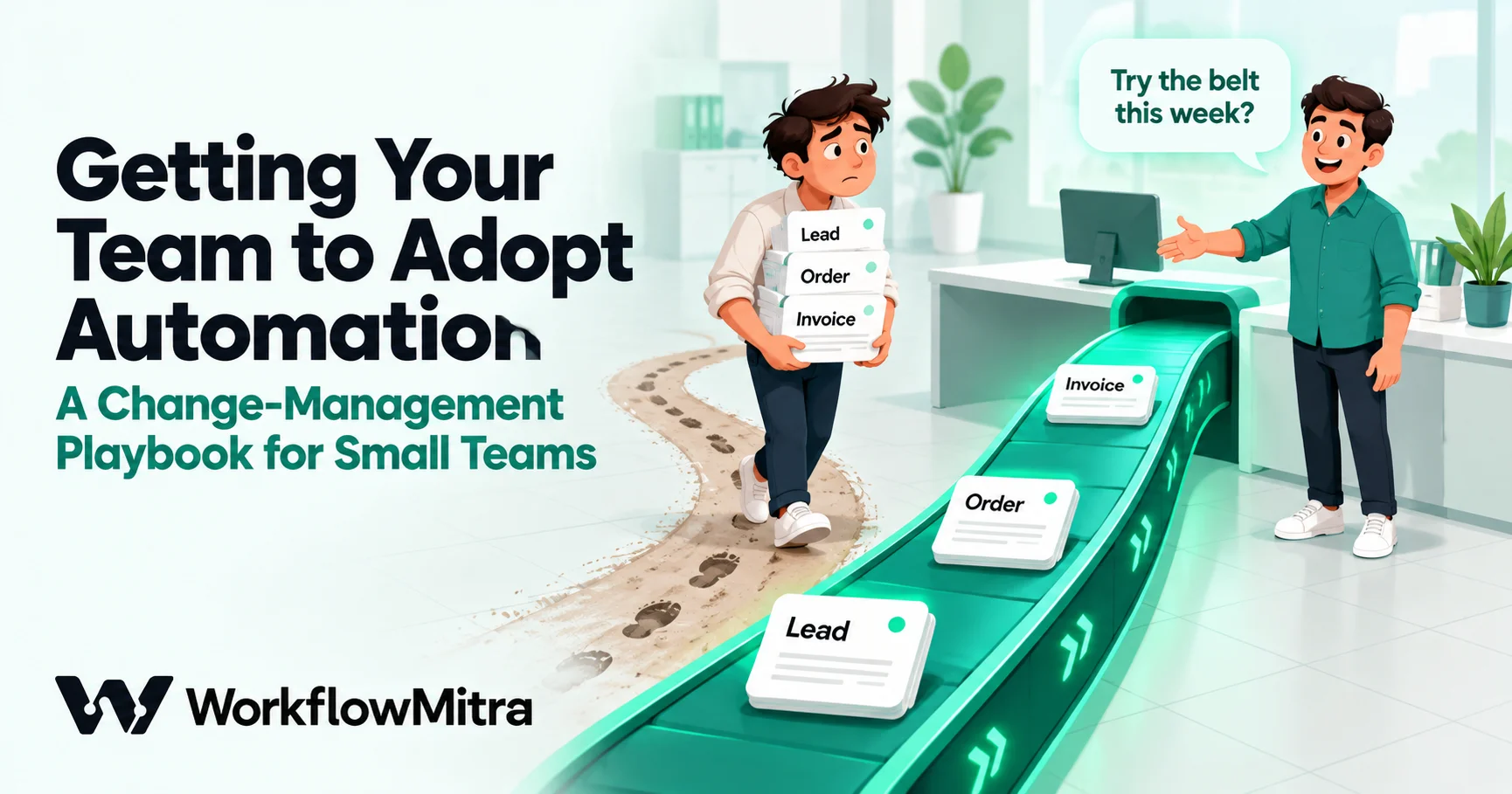
You built the workflow. New leads land in the sheet on their own, the right salesperson gets them, and the customer gets a reply in under a minute. Three weeks later you notice Priya still copies every lead into her notebook, Arjun forwards enquiries from his inbox “just in case”, and nobody looks at the sheet the workflow fills. The automation works. The team just hasn’t moved to it.
That gap between a working automation and a team that relies on it is what change management is about. Large companies have whole departments for it. A ten-person business has the owner, a team lead and a busy month. This playbook is written for that situation: practical steps that fit a small team, using the controls a workflow tool actually gives you, with no consultants required.
Quick answer: pick a first workflow the team wants gone, and design it with the people who do that work. Run it in shadow mode for a week, next to the old process, so people can compare. For anything that reaches customers, add a human approval step for the first weeks. Go live with one named owner, a written fallback and alerts on failures, then retire the old method on a set date. Measure adoption by how much work is still done by hand, not by how many workflows exist.
What automation change management means for a small team
Automation change management is the work of getting people to use a new automated process instead of working around it. It includes deciding what to automate with them, explaining what changes and why, building confidence that the automation is reliable, and retiring the old way of working.
In a small team, three things go wrong far more often than anything else:
- The shadow process. The old method never stops. The automation runs, but people keep a manual copy “to be safe”, so you pay for both and trust neither.
- Quiet fear. People worry about their role, or about being blamed when the automation sends something wrong. They rarely say so in a meeting.
- No owner. The person who built the workflow moves on, a step starts failing, nobody notices, and the team concludes that automation doesn’t work here.
Each of these is fixable, and none of them needs a big programme. They need a plan, an owner and a few weeks of attention.
Why people resist automation (and when they’re right)
“People don’t like change” explains nothing and leads nowhere. When someone in a small team avoids a new workflow, there’s almost always a specific reason:
- “What happens to my job?” If someone spends half their day on the work you just automated, the question is reasonable, and silence makes it worse.
- “I’ll get the blame when it goes wrong.” The person whose name is on the customer relationship carries the risk of a wrong message, even if a workflow sent it.
- “It’s more work, not less.” For the first weeks it often is: learning, checking, fixing, and keeping the old process going alongside.
- “Last time didn’t work.” A CRM nobody used, or a tool that broke silently, leaves people wary of the next one.
- “It doesn’t do what we actually do.” The workflow was designed from how the owner thinks the process works, not from the exceptions the team handles every day.
The last one matters most, because it isn’t resistance at all. People who push back are often the ones who know where a process breaks: the customer who always pays in two parts, the supplier who sends invoices as photos, the lead source that sends duplicates. Before treating a complaint as a people problem, check whether it’s a design problem. If it is, fix the workflow and say thank you publicly. Nothing builds adoption faster than seeing your objection turn into a change.
A simple model: five things each person needs
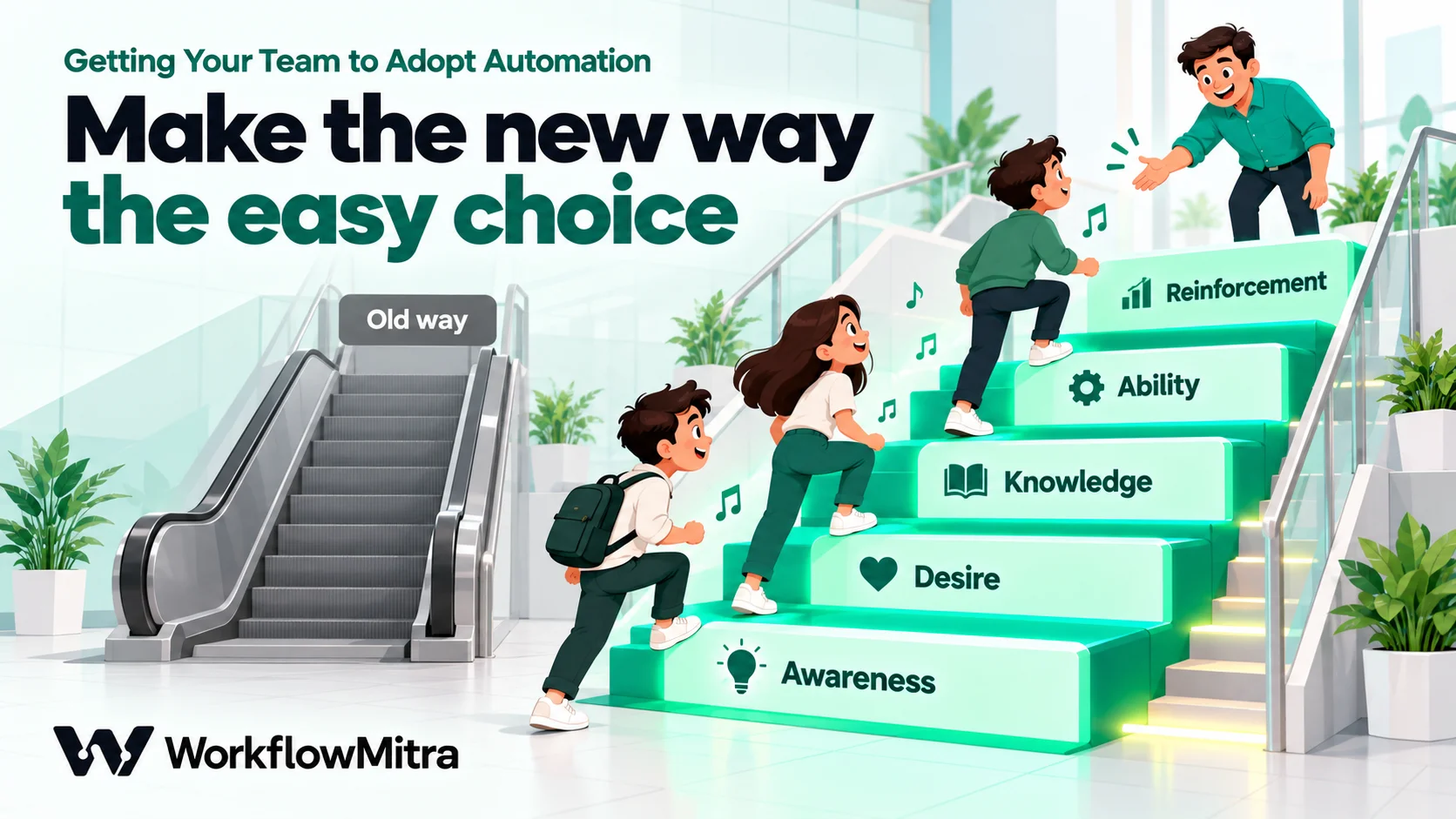
Prosci’s ADKAR model is a well-known way to think about change, and it suits small teams because, as Prosci describes it, it’s “a model for individual change”: it looks at what each person needs, not at the organisation chart. The five elements are Awareness, Desire, Knowledge, Ability and Reinforcement. Here is what each means for one workflow in a small team:
| Element | The question in each person's head | What you do in a small team |
|---|---|---|
| Awareness | Why are we changing this? | Name the problem in their terms: "Weekend enquiries wait until Monday for a reply" beats "efficiency". |
| Desire | What's in it for me? | Start with work people dislike, and say what they'll do with the time. |
| Knowledge | How does it work, and what do I do now? | A 15-minute walkthrough of the real workflow, and a one-page "what changes for you". |
| Ability | Can I actually do it, including when it goes wrong? | Shadow week, a fallback procedure, and the owner sitting with people for the first few exceptions. |
| Reinforcement | Is this sticking, or will we drift back? | Weekly numbers, fixing reported problems quickly, and retiring the old method on a date. |
You don’t need to use the vocabulary with your team. Use it as a checklist: when someone isn’t adopting, ask which of the five is missing for them. A person who understands the workflow but doesn’t trust it has an Ability gap, not an Awareness gap, and another explanation won’t help.
Before you build: choose the first workflow with the team
Most adoption problems are decided before anyone opens the workflow editor.
Ask the team what they’re tired of doing. A short conversation with each person, or a shared list, usually produces the same handful of answers: copying enquiries from email into a sheet, sending payment reminders, chasing documents, telling the team about a new order. A first workflow that removes a chore people volunteered is adopted almost by default.
Choose something small, frequent and visible. It should run often enough that people see it working every day, and be small enough to build and test in a week. Our guide to when not to automate helps rule out processes that aren’t ready yet.
Map it with the person who does it. Sit with them and write down every step, including the exceptions they handle without thinking. The process mapping guide has a one-page template. This is where design problems surface before they become “resistance”.
Name one owner. One person is responsible for the workflow: they answer questions, watch failures and decide changes. In a small team it’s often the person who requested it, not the person who built it. Our guide to workflow governance covers ownership, naming and access in more depth.
The 30-day rollout plan
This plan assumes one workflow, a team of roughly five to fifteen people and one owner. Larger changes stretch each stage; a tiny internal alert can compress it. The stages matter more than the exact days.
| Week | Stage | What happens | Done when |
|---|---|---|---|
| 0 | Prepare | Pick and map the workflow with the team; name the owner; announce what changes and why | Everyone affected knows the date and who to ask |
| 1 | Shadow | The workflow runs on real data into a test sheet or an internal inbox; people keep working the old way and compare | A week with no unexplained differences |
| 2 | Assisted | Live, but with a human approval before anything reaches a customer | Approvals are routine and rarely changed |
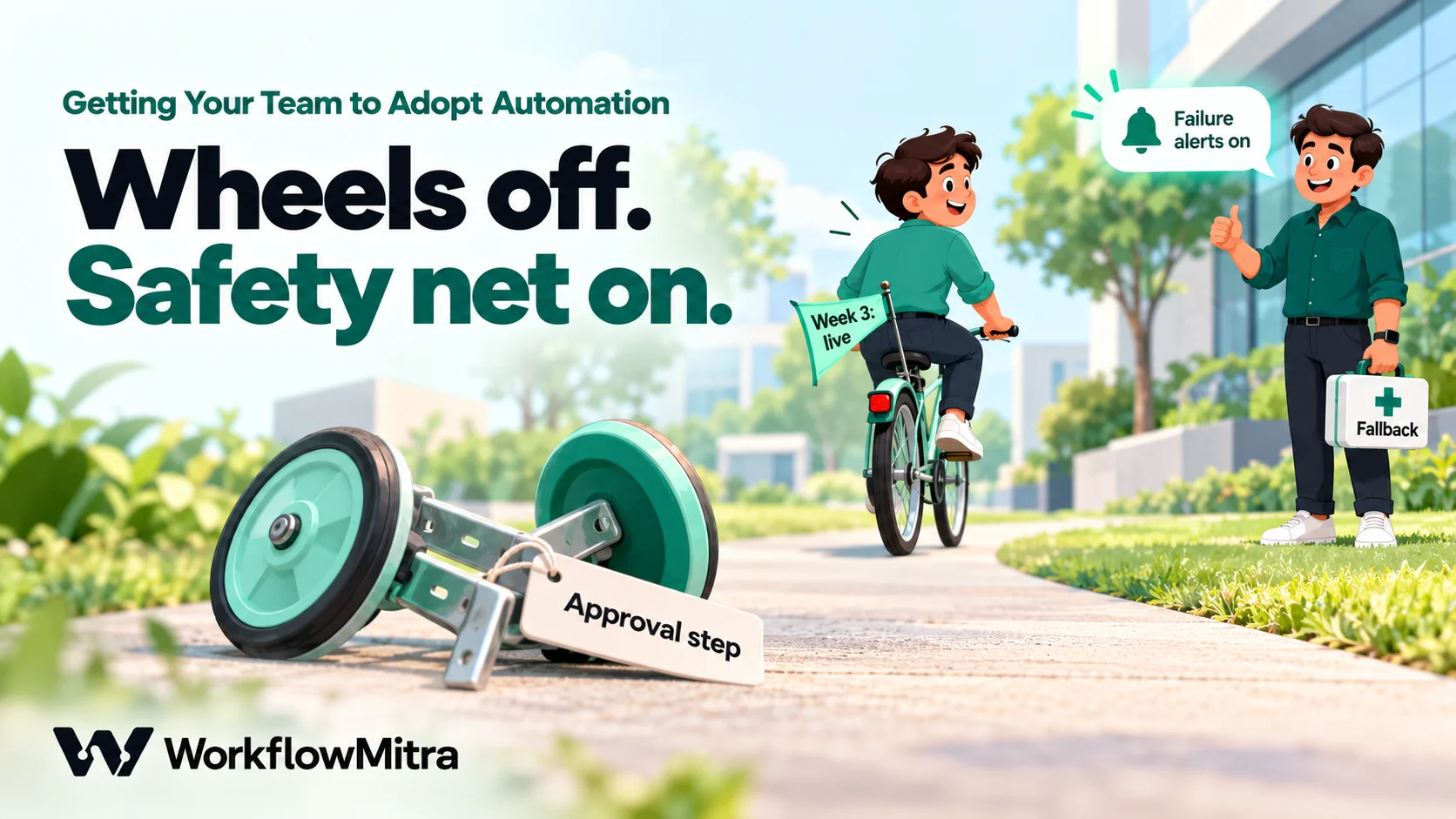
| 3 | Live | Approval removed for routine cases; failure alerts on; written fallback in place | Failures are caught and fixed the same day |
| 4 | Retire | Review the numbers with the team; switch off the old method; keep the owner | Nobody keeps a manual copy |
Week 0: prepare and announce
Tell people what is changing, why, when, and what it means for them specifically. A short message works better than a long one:
From 1 November, new website enquiries will go into the Leads sheet automatically, and each one will be assigned to a salesperson in turn. You won’t need to copy them from email any more. For the first week we’ll run it next to the current process to check it. Meena owns it: tell her if anything looks wrong.
Also say plainly what is not changing. “You still own your customers and decide what to quote” removes a fear nobody voiced.
Week 1: shadow run
Build the workflow so that its output goes somewhere safe: a copy of the sheet, the owner’s inbox, or a team channel instead of the customer. Leave the old process exactly as it is. At the end of each day, the owner and the person who does the work compare the two.
This week does two jobs. It catches design mistakes while they cost nothing, and it lets sceptics watch the workflow handle their own real cases. If you use WorkflowMitra, give those people the Viewer role, so they can open every run and see what each step received and produced without being able to change anything.
Plan the test target carefully. WorkflowMitra’s Safe Test Mode (available when you test a webhook trigger with a sample delivery) simulates messaging steps such as WhatsApp and email, but steps such as Google Sheets still write for real, and the editor’s normal Run button sends real messages. The guide to testing a workflow before it goes live explains how to set up a safe copy.
Week 2: live, with a human check
Point the workflow at real customers, but put a person in the loop for anything they will see. In WorkflowMitra, a Wait for approval step pauses the run until a team member approves or rejects it, with a deadline you choose (from one hour up to seven days) and a default outcome if nobody answers. Pending approvals appear on the Approvals page, and the workspace’s alert email or Slack channel gets a link to them.
This stage builds the trust the shadow week can’t: people see the automation’s actual outgoing messages and stop each wrong one before it leaves. Track how often an approver changes or rejects something. When that number falls to almost nothing, the human check has done its job. Our guide to approval workflow automation covers deadlines and defaults.
Week 3: live, with a safety net
Remove the approval step for routine cases (keep it for unusual ones, such as large amounts or VIP customers, if that makes sense). Three things must be in place before you do:
- Failure alerts. In WorkflowMitra, Workspace settings › Alerts sends an email or Slack message when a run fails (at most one per workflow every 15 minutes), so the owner hears about a problem before a customer does. The guide to workflow monitoring covers alerts and run history.
- Error handling. Decide what each step should do when a service is down, and make sure a handled error still alerts someone. See workflow error handling.
- A written fallback. Three lines in the team’s shared notes: how to tell it’s broken, what to do by hand meanwhile, who to tell. Knowing there’s a plan B is often what lets people stop keeping their own.
Week 4: review and retire the old way
Sit down with the team for twenty minutes. Look at the numbers (see “Measuring adoption” below), ask what’s still annoying, and fix one or two things they raise. Then switch off the old method on a date everyone hears in advance: archive the old sheet, remove the email forwarding rule, take the notebook step out of the checklist.
This is the step most teams skip, and it’s the one that decides whether the automation sticks. While the old way still works, some people will keep using it, and every manual copy is a place where the two versions disagree.
Who gets which role
Access is part of adoption. Too little, and people can’t see what the automation did; too much, and someone “fixes” a workflow at 11 pm and breaks it. WorkflowMitra has four fixed roles, and this is how they usually map to a small team:
| Role | What it can do (WorkflowMitra) | Typical person |
|---|---|---|
| Owner | Everything, including billing; at least one Owner must remain | The business owner |
| Admin | Manage team, invitations, credentials, workspace alerts and billing, plus everything a Member does | Operations lead or office manager |
| Member | Create, edit, run and delete workflows; decide approvals; replay deliveries | Workflow owners, and anyone who approves |
| Viewer | See workflows and every run, read-only | Team members who rely on a workflow and want to check it |
Two practical notes. First, every person invited uses a seat, whatever their role, and pending invitations count too. Plans include 2 seats on Starter, 5 on Pro and 10 or more on the Scale tiers (WorkflowMitra’s plan list, 18 October 2026), so check before inviting the whole team as Viewers. Second, anyone who can open a workflow, Viewers included, can see what’s typed into its steps. Saved credentials used by app steps stay masked, but an API key typed into an HTTP Request step’s authentication does not, so give Viewer access only to people you’d trust with those keys.
Talking honestly about jobs
The fear is real even in teams where nobody’s job is at risk, so address it directly rather than hoping nobody wonders.
- Name the tasks, not the people. “Copying enquiries from email into the sheet will stop” is concrete. “We’re automating sales admin” sounds like a role.
- Say what the time is for. If the hour a day goes to calling leads back faster, or to the supplier follow-ups that never get done, say so, and then actually protect that time.
- Don’t promise what you can’t. “Nothing will change for anyone” is rarely true and people know it. “Your job is safe; the copying part of it goes away, and here’s what we’d like you to take on” is believable.
- If a role will change a lot, talk to that person first, privately, before the announcement. Finding out from a team message or, worse, from a workflow, destroys trust in every later change.
Automation in a small business usually takes over tasks, not whole roles. The people who did those tasks know the process best, which makes them the natural owners of the workflow that replaced them. Offering them that ownership is one of the most effective adoption moves there is.
Answering the objections you’ll hear
| What you hear | What's usually behind it | What to do |
|---|---|---|
| "I'll just keep my own copy, to be safe." | No trust yet; no visible fallback | Shadow week, Viewer access, a written fallback, and a date when the copy stops |
| "It sent the wrong thing to a customer." | A real design gap, or a bad input | Find the run in the history, fix the cause, tell the team what changed |
| "It's quicker to do it myself." | True during learning, or the workflow adds steps | Time both for a week; remove manual steps the workflow left behind |
| "What if it breaks while I'm with a customer?" | Fear of being stuck | Failure alerts to the owner, and the three-line fallback |
| "Nobody asked us." | Designed without them | Re-map the process with them; adopt at least one of their changes visibly |
| "Is this going to replace me?" | Job worry | A private, specific conversation about which tasks go and what replaces them |
| "I don't trust the AI part." | AI output can be wrong, and the person is accountable | Keep an approval step on AI-written customer messages until the error rate is visibly low |
Measuring adoption
“We built ten workflows” says nothing about adoption. A handful of weekly numbers say a lot:
- Manual workarounds. How many items did someone still handle by hand that the workflow should have handled? Ask the team; this is the most honest adoption number there is, and the goal is zero.
- Failed runs and time to fix. In WorkflowMitra the execution history filters runs by workflow, status and date, so you can count failures for the week and check how long each took to resolve.
- Exceptions that needed a person. Some cases should go to a human. If the number grows, the workflow may be handling cases it shouldn’t, or missing a branch.
- Approval changes. During the assisted stage, how often did an approver edit or reject something?
- Time back, in the team’s own words. Ask “what did you do with the time?” rather than estimating hours. The answers tell you whether the change is landing as relief or as surveillance.
Execution history is kept for a limited window (7 days on Starter, longer on higher plans), so if you want a trend over months, have the workflow write one row per run to a log sheet, or note the weekly counts in the review. Share the numbers with the team, including the bad weeks. A failure that was spotted and fixed in an hour is a better trust signal than a dashboard that only ever shows green.
Common mistakes
- Automating everything at once. Five new workflows in one week means five things to learn and nothing anyone trusts. Roll out one at a time.
- Skipping the shadow week. It feels slow, but a mistake found in shadow costs nothing; the same mistake found by a customer costs the team’s trust.
- Leaving the old method running “for now”. “For now” becomes permanent. Set a date.
- Building from the owner’s idea of the process. Map it with the person who does it, including the exceptions.
- No owner after launch. The builder isn’t always the right owner. Pick the person who will notice when it’s wrong.
- Hiding failures. If people discover a failure before you announce it, they’ll assume there are others.
- Measuring workflows instead of work. Count what’s still done by hand, not what’s automated.
Where WorkflowMitra fits
WorkflowMitra, powered by ChatMitra, gives a small team the controls this playbook depends on: Viewer access so people can watch runs without changing them, a Wait for approval step for the assisted stage, execution history with filters, failure and credit alerts by email or Slack, step notes for documenting a workflow inside the editor, and WhatsApp sending through ChatMitra or Meta’s Cloud API when the workflow talks to customers. It doesn’t replace the conversations: no tool can tell your team why the change matters to them. That part is yours.
If you’re choosing what to automate first, our guide to workflow automation for small business lists good starting workflows, and workflow automation best practices covers how to design them so they’re easy to trust. For the basics, start with what is workflow automation.
Start with one workflow and one owner
Adoption is decided by small things: whether the people doing the work helped design it, whether they saw it work before they depended on it, whether someone owned it when it failed, and whether the old way was finally switched off. Pick one workflow your team wants gone, give it an owner, and run the 30-day plan. The second workflow is always easier than the first.
You can run the whole rollout, including shadow runs and approvals, on a WorkflowMitra trial: 14 days, 10,000 credits, no card needed. Plans and seat counts are on the pricing page.
The ADKAR elements and the description "a model for individual change" are from Prosci's ADKAR page, read on 18 October 2026. WorkflowMitra details (roles and their permissions, seats, the Wait for approval step, Safe Test Mode, execution history filters, workspace alerts and history retention) were checked against the product's source code and its live plan list on that date. The 30-day plan, the example announcement and the objection table are our recommendations, not measured results.
Frequently Asked Questions
Questions owners and team leads ask when an automation is built but not used.
Usually for specific, reasonable reasons: they worry about their job or role, they don't trust the automation not to make mistakes they will be blamed for, the change adds work before it saves any, or a past tool let them down. Sometimes the automation simply doesn't fit how the work is really done. Ask what the concern is before treating it as resistance, because it often contains the fix.
Automate the work between your apps
Build workflows with triggers, conditions and actions, then test them before they go live. Try WorkflowMitra free for 14 days, no card required.
