Automation for Logistics Companies: 6 Workflows for Trips, Fleet Papers and Freight Payments

Quick Summary
For a small transport or logistics company, automation means the office work around each truck runs on its own: a daily list of fleet papers about to expire, a check that stops a trip when a permit or fitness certificate runs out before the truck is back, drivers logging diesel, tolls and advances from a Telegram bot, service alerts by kilometres, a two-hourly watch on e-way bills in transit, and a trip settlement plus freight-payment follow-ups once the POD arrives. This guide builds all six on one Google Sheet with WorkflowMitra, without GPS hardware or a transport ERP.
A transporter in Indore runs 15 trucks. On a Tuesday night one of them is stopped on the highway because its permit authorisation lapsed two days earlier; nobody in the office noticed, because the date was in a file in the owner’s drawer. The same week, a driver comes back from a Pune trip and the office spends an hour matching his diesel slips against the ₹15,000 advance he took. And a ₹48,000 freight bill raised in August is still unpaid, because no one sent the second reminder.
None of these are tracking problems. Every truck could have GPS and all three would still happen. They’re office problems: dates nobody watches, expenses written on paper, follow-ups that depend on someone remembering.
This guide shows how to automate that office with WorkflowMitra, powered by ChatMitra. Six workflows run on one Google Sheet: fleet paper alerts, a pre-trip papers check, a driver bot for expenses, service by kilometres, an e-way bill watch, and POD-to-payment follow-ups. The Code snippets below were run in WorkflowMitra’s Code step sandbox, and the product behaviour was checked in its source code, on 20 October 2026.
What is automation for a logistics company?
Automation for a logistics company means the routine office work around each truck and trip runs without someone remembering to do it: expiry dates are watched, trips are checked before dispatch, drivers log expenses from their phones, and bills and payments are followed up on schedule. For a small transporter, a shared Google Sheet plus a no-code workflow tool covers most of it; a GPS system or transport ERP is a separate purchase that solves different problems.
The six workflows in this guide, and what each replaces:
| Workflow | Replaces | Runs |
|---|---|---|
| 1. Fleet paper alerts | A file of photocopies and the owner's memory | Every morning |
| 2. Pre-trip papers check | "I think the permit is fine" | When a trip is added |
| 3. Driver expense bot | Diesel slips in a plastic bag | Each driver message |
| 4. Service by kilometres | A sticker on the dashboard | Every morning |
| 5. E-way bill watch | Calls from the checkpost | Every two hours, day and evening |
| 6. POD, settlement and freight follow-ups | End-of-month reconciliation | On POD, then daily |
Where a transport office loses time
Talk to anyone who runs a fleet of five to fifty trucks and the same jobs come up:
- Paper dates. Each goods vehicle carries several documents with their own renewal cycles: insurance, fitness certificate, permit, pollution (PUC) certificate and road tax, plus the driver’s licence. Multiply by the fleet and you have dozens of dates a year, any one of which can take a truck off the road.
- Driver money. Drivers take an advance and spend it on diesel, tolls, loading and the odd police or parking charge. Settling that at the end of each trip, from slips and memory, is slow and causes arguments.
- Maintenance by kilometres. Services fall due by odometer reading, but the reading lives in the truck, not in the office.
- Time-limited paperwork in transit. E-way bills carry a validity tied to distance, and a delayed truck can outrun its bill.
- Getting paid. Freight is billed after delivery, often against a proof of delivery (POD), and parties pay late unless someone follows up.
Most of India’s road freight runs on offices like this. NITI Aayog’s freight report found that around 75 percent of the trucking market is run by small owner-operators with up to five trucks, and only about 10 percent by fleets of more than 20. Each of these jobs is a date, a number or a message moving between people. That’s exactly what a workflow tool handles well.
GPS, a transport ERP or workflows?
These three are often confused, and the honest answer is that a growing fleet may want all of them eventually.
- GPS and telematics tell you where a vehicle is, how fast it’s going and when it stopped. They don’t know that the permit authorisation expires next week.
- A transport ERP or TMS runs the business end to end: trip planning, lorry receipts, freight billing, driver ledgers, accounting and often its own document reminders. It’s the right tool when you have a large fleet, several branches and staff who will use it daily.
- Workflows connect what you already use: a Google Sheet, Telegram, email, WhatsApp, your accounts software. They’re quick to set up, cheap to run and easy to change.
If you’re still running the office on registers and spreadsheets, workflows are the step that fits. They also keep working if you later buy an ERP, because they can watch the ERP’s exports or call its API instead of the sheet.
The foundation: one fleet workbook
Everything below runs on one Google Sheet with five tabs. Keep the column names exactly as shown, because the snippets read them by name.
| Tab | One row per | Columns |
|---|---|---|
Vehicles | Truck | Vehicle, Status, Insurance until, Fitness until, Permit until, PUC until, Tax until, Last odometer, Next service km |
Drivers | Driver | Driver, Phone, Telegram ID, Licence until |
Trips | Trip | Trip ID, Date, Vehicle, Driver, From, To, Party, Freight, Return by, Status, EWB no, EWB valid until, POD, Delivered on |
Expenses | Driver entry | Date, Trip ID, Type, Amount, Litres, Odometer, Note, By |
Bills | Freight bill | Bill no, Trip ID, Party, Party email, Party phone, Amount, Bill date, Due date, Paid on, Last reminder |
A few rules make the sheet work with automation:
- One vehicle, one row, one spelling. Write registration numbers the same way everywhere, for example
MH12AB4521without spaces. The trip check looks vehicles up by exact text. - Dates as dates. Type expiry dates as
25/10/2026or2026-10-25. The snippets read both, plus Google Sheets’ own date numbers, and they list any date they can’t read instead of skipping it silently. - E-way bill time with the date. Copy the “valid until” date and time from the e-way bill as
25/10/2026 23:59. - Status words. Use
In transitandDeliveredin Trips, andSoldin Vehicles for trucks you no longer run.
If you’re new to treating a sheet this way, our guide to using Google Sheets as a database covers locking header rows, validation and access.
Connect the sheet to WorkflowMitra once, in the Google Sheets step’s credential, and every workflow below can read and write it. You’ll also need a Telegram bot for the office alerts and the driver bot; BotFather creates one in a minute, and our Telegram bot to Google Sheets guide walks through it.
Workflow 1: fleet paper alerts every morning
This is the one to build first. Every morning at 8:00, the office group on Telegram gets a list of every document that has expired or will expire in the next 30 days, soonest first.
Which papers to track depends on your vehicles and routes. For a typical goods carriage in India, the Vehicles tab covers:
| Column | Document | Why the date matters |
|---|---|---|
| Insurance until | Motor insurance policy | Third-party cover is compulsory on a public road |
| Fitness until | Fitness certificate | A transport vehicle needs a valid one to be on the road at all |
| Permit until | National or state permit, or its authorisation | Carrying goods for hire needs a valid permit |
| PUC until | Pollution under control certificate | Valid PUC is required, and its period is short |
| Tax until | Motor vehicle tax | Many states collect it quarterly or yearly for goods vehicles |
Validity periods differ by vehicle age, state and permit type, so take each date from the document itself rather than calculating it. A few rules worth knowing: third-party insurance is compulsory under section 146 of the Motor Vehicles Act; a transport vehicle’s fitness test is due every two years until the vehicle is eight years old and every year after that, and the test is moving to automated testing stations; and a permit is issued for five years, while a national permit’s authorisation carries an annual fee. Documents shown in DigiLocker or mParivahan are accepted at par with the originals under a 2018 transport ministry advisory, which helps drivers, but the office still needs the dates.
Build it
- Schedule trigger: every day at 08:00, time zone Asia/Kolkata.
- Google Sheets, operation Read rows, tab
Vehicles. Name the stepRead vehicles. - Code, named
Fleet papers, with the snippet below. - IF:
{{ count }}is greater than0. - Telegram on the true route: bot token, your office group’s chat ID, and text
{{ message }}.
// Straight after "Read vehicles" (Read rows on the Vehicles tab)
const TZ = 'Asia/Kolkata';
const DAY = 86400000;
const DOCS = ['Insurance until', 'Fitness until', 'Permit until', 'PUC until', 'Tax until'];
const WARN = 30;                     // start listing a document 30 days out

function localDay(d) {
  const p = new Intl.DateTimeFormat('en-GB', {
    timeZone: TZ, year: 'numeric', month: '2-digit', day: '2-digit',
  }).formatToParts(d);
  const get = (t) => Number(p.find((x) => x.type === t).value);
  return Date.UTC(get('year'), get('month') - 1, get('day')) / DAY;
}
// A Sheets date serial, 2026-10-25 or 25/10/2026 → a day number
function dayOf(v) {
  if (typeof v === 'number') return v - 25569;
  const s = String(v ?? '').trim();
  let y, mo, d, m = s.match(/^(\d{4})-(\d{2})-(\d{2})$/);
  if (m) [y, mo, d] = [+m[1], +m[2], +m[3]];
  else if ((m = s.match(/^(\d{1,2})\/(\d{1,2})\/(\d{4})$/))) [y, mo, d] = [+m[3], +m[2], +m[1]];
  else return null;
  const t = new Date(Date.UTC(y, mo - 1, d));
  return t.getUTCMonth() === mo - 1 && t.getUTCDate() === d ? t.getTime() / DAY : null;
}
const show = (day) => new Date(day * DAY).toLocaleDateString('en-IN', {
  timeZone: 'UTC', day: 'numeric', month: 'short', year: 'numeric',
});

const today = localDay(new Date());
const expired = [], soon = [], unreadable = [];
for (const row of input.rows || []) {
  if (String(row['Status'] ?? '').trim().toLowerCase() === 'sold') continue;
  for (const col of DOCS) {
    const name = `${row['Vehicle']} ${col.replace(' until', '')}`;
    const until = dayOf(row[col]);
    if (until === null) { unreadable.push(`${name}: "${row[col] ?? ''}"`); continue; }
    const left = until - today;
    if (left < 0) expired.push({ left, line: `${name} expired ${show(until)}` });
    else if (left <= WARN) soon.push({ left, line: `${name} · ${show(until)} (${left} days)` });
  }
}
expired.sort((a, b) => a.left - b.left);
soon.sort((a, b) => a.left - b.left);
const blocks = [];
if (expired.length) blocks.push('EXPIRED, keep off the road:\n' + expired.map((x) => x.line).join('\n'));
if (soon.length) blocks.push(`Due in the next ${WARN} days:\n` + soon.map((x) => x.line).join('\n'));
if (unreadable.length) blocks.push('Dates to fix in the sheet:\n' + unreadable.join('\n'));
return { count: expired.length + soon.length + unreadable.length, message: blocks.join('\n\n') };
A morning message looks like this:
EXPIRED, keep off the road:
MH14CD1180 Permit expired 5 Oct 2026
MH12AB4521 Fitness expired 16 Oct 2026

Due in the next 30 days:
MH14CD1180 PUC · 20 Oct 2026 (0 days)
MH12AB4521 Insurance · 1 Nov 2026 (12 days)

Dates to fix in the sheet:
MH14CD1180 Fitness: "31/02/2027"
When a document is renewed, type the new date over the old one. Tomorrow’s message drops it on its own, because the list is rebuilt from the sheet every morning. That’s the advantage of a daily digest over one-off reminders: nothing needs to be marked as “reminded”, and a missed day is repaired the next morning.
If you’d rather send a separate reminder to each document’s owner at 60, 30, 7 and 0 days, with escalation to a manager, our document expiry tracking guide builds that version. The digest suits a transport office better: one person renews most papers, and one message they read with their tea beats fifteen emails.
Workflow 2: stop a trip when papers run out mid-route
Workflow 1 catches papers that are already due. This one catches the case that hurts most: a truck that is legal today and leaves on a six-day trip with a fitness certificate that expires on day three.
When the office adds a row to the Trips tab, the workflow looks up the truck and the driver, compares every date with the trip’s Return by date, and puts the trip on hold if anything runs out first.
- Google Sheets trigger on the
Tripstab, event Row added. It checks the sheet every 5 minutes by default; you can shorten that. - Google Sheets, Find row, tab
Vehicles, whereVehicleequals{{ $trigger.Vehicle }}. Name itFind vehicle. - Google Sheets, Find row, tab
Drivers, whereDriverequals{{ $trigger.Driver }}. Name itFind driver. - Code, named
Check papers, with the snippet below. - IF:
{{ ok }}is false. - On the true route: Google Sheets, Update row on
TripswhereTrip IDequals{{ $trigger["Trip ID"] }}, settingStatustoHold: papers; then Telegram to the office group with{{ $node["Check papers"].message }}.
// Paste localDay, dayOf and show from Workflow 1 here, then:
const DOCS = ['Insurance until', 'Fitness until', 'Permit until', 'PUC until', 'Tax until'];
const trip = {{ $trigger }};
const vehicle = {{ $node["Find vehicle"] }};
const driver = input;   // the Find driver step, straight before this one

const today = localDay(new Date());
const back = dayOf(trip['Return by']) ?? today + 3;
const problems = [];

if (!vehicle.found) problems.push(`vehicle ${trip['Vehicle']} isn't in the Vehicles tab`);
else for (const col of DOCS) {
  const until = dayOf(vehicle.row[col]);
  const name = col.replace(' until', '');
  if (until === null) problems.push(`${name}: no date in the sheet`);
  else if (until < today) problems.push(`${name} expired on ${show(until)}`);
  else if (until < back) problems.push(`${name} runs out on ${show(until)}, before the truck is back`);
}
if (!driver.found) problems.push(`driver ${trip['Driver']} isn't in the Drivers tab`);
else {
  const dl = dayOf(driver.row['Licence until']);
  if (dl === null) problems.push('driving licence: no date in the sheet');
  else if (dl < back) problems.push(`${trip['Driver']}'s licence runs out on ${show(dl)}`);
}

return {
  ok: problems.length === 0,
  trip: trip['Trip ID'],
  message: problems.length
    ? `HOLD ${trip['Trip ID']} · ${trip['Vehicle']} · ${trip['From']} → ${trip['To']}\n- ` + problems.join('\n- ')
    : '',
};
Two details matter. First, {{ $trigger }} and {{ $node["Find vehicle"] }} are written without quotes: WorkflowMitra fills them in as JSON objects before the code runs, so the snippet gets the whole trip row and the whole lookup result, including found: false when a registration number is mistyped. Second, a missing Return by date is treated as three days out, so the check never passes just because a field was left blank.
The alert reads like this:
HOLD T-1042 · MH12AB4521 · Pune → Indore
- Fitness runs out on 23 Oct, before the truck is back
- PUC expired on 18 Oct
- Tax: no date in the sheet
The workflow doesn’t physically stop anyone; it puts a clear flag on the trip and tells the people who dispatch. Make “no dispatch while Status says Hold” an office rule, and let whoever fixes the paper clear the status.
Workflow 3: a Telegram bot for driver expenses
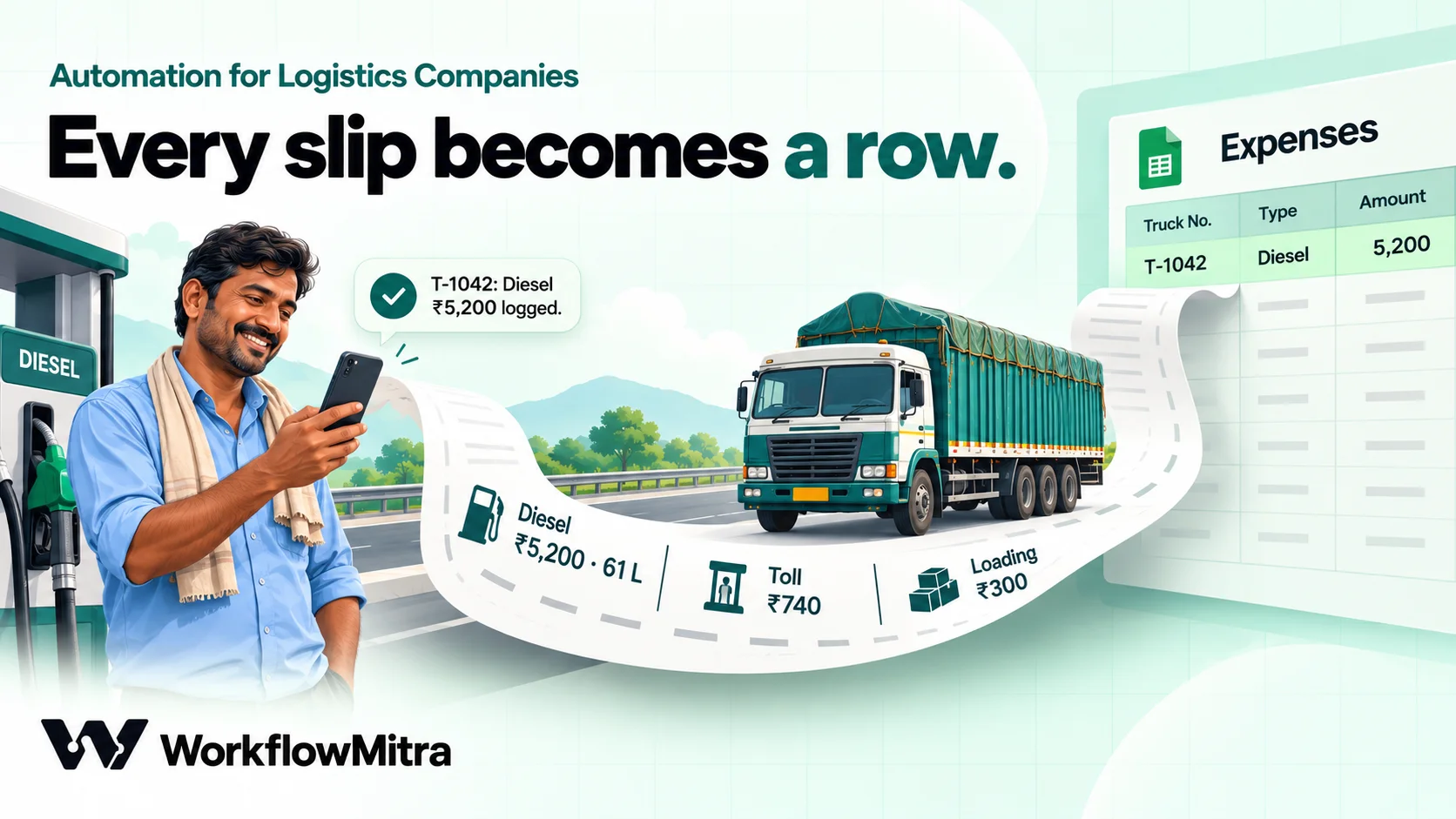
Drivers already carry a phone. A Telegram bot turns it into an expense book that writes straight into the Expenses tab.
The commands are short enough to type at a fuel pump:
| Driver sends | Logged as |
|---|---|
/diesel T-1042 5200 61 184230 | Diesel ₹5,200, 61 litres, odometer 1,84,230 |
/toll T-1042 740 | Toll ₹740 |
/exp T-1042 300 loading | Other expense ₹300, note "loading" |
/adv T-1042 5000 | Advance top-up ₹5,000 (approval needed, see below) |
Photo with caption /pod T-1042 | POD received (Workflow 6) |
Build it
- Chat message trigger, platform Telegram, with your bot’s token.
- IF:
{{ $trigger.message.from.id }}is one of your drivers’ Telegram IDs (keep them in the IF rule, or check against the Drivers tab with Find row). Messages from anyone else stop here. - Code, named
Read command, with the snippet below. - IF:
{{ ok }}is true. The false route sends a Telegram reply with{{ $node["Read command"].reply }}to chat{{ $trigger.message.chat.id }}, so a typo gets a helpful answer instead of silence. - Switch on
{{ $node["Read command"].kind }}with routesdiesel,toll,exp,advandpod. - On the
diesel,tollandexproutes: Google Sheets, Add row(s) toExpenseswith Date, Trip ID, Type, Amount, Litres, Odometer, Note and By from the Code step’s output, in the tab’s column order; then a Telegram reply with{{ $node["Read command"].reply }}.
// Commands: /diesel T-1042 5200 61 184230   (amount, litres, odometer)
//           /toll T-1042 740   /exp T-1042 300 loading   /adv T-1042 5000
//           /pod T-1042   (as the caption of the POD photo)
const msg = input.message || {};
const text = String(msg.text || msg.caption || '').trim();
const m = text.match(/^\/(diesel|toll|exp|adv|pod)(?:@\w+)?\s+(T-\d+)\s*(.*)$/i);
const help = 'Try: /diesel T-1042 5200 61 184230, /toll T-1042 740, ' +
  '/exp T-1042 300 loading, /adv T-1042 5000 or a POD photo captioned /pod T-1042';
if (!m) return { ok: false, reply: help };

const kind = m[1].toLowerCase();
const trip = m[2].toUpperCase();
const rest = m[3].trim();
const num = (s) => {
  const n = Number(String(s ?? '').replace(/[₹,]/g, ''));
  return Number.isFinite(n) && n > 0 ? n : null;
};
const parts = rest.split(/\s+/);
const out = {
  ok: true, kind, trip, amount: '', litres: '', odometer: '', note: '', photo: '',
  by: msg.from ? msg.from.first_name : '',
};

if (kind === 'pod') {
  const sizes = msg.photo || [];
  if (!sizes.length) return { ok: false, reply: 'Send the POD as a photo with the caption /pod ' + trip };
  out.photo = sizes[sizes.length - 1].file_id;
  out.reply = `POD for ${trip} received. Office has been told.`;
  return out;
}

out.amount = num(parts[0]);
if (!out.amount) return { ok: false, reply: `Amount missing. ${help}` };
if (kind === 'diesel') {
  out.litres = num(parts[1]);
  out.odometer = num(parts[2]);
  if (!out.litres || !out.odometer) {
    return { ok: false, reply: 'Diesel needs amount, litres and odometer: /diesel ' + trip + ' 5200 61 184230' };
  }
} else {
  out.note = parts.slice(1).join(' ');
}
const label = { diesel: 'Diesel', toll: 'Toll', exp: 'Expense', adv: 'Advance' }[kind];
out.reply = `${trip}: ${label} ₹${out.amount.toLocaleString('en-IN')} logged.`;
return out;
The snippet accepts ₹5,200 as well as 5200, lower-case trip IDs, and commands addressed to the bot in a group (/toll@YourFleetBot). It rejects a diesel entry without litres and odometer, because those two numbers feed Workflow 4 and the mileage check in Workflow 6.
Advances above a limit. On the adv route, put an IF first: if {{ $node["Read command"].amount }} is greater than 3000, send it through a Wait for approval step before logging. Set the question to Advance ₹{{ $node["Read command"].amount }} for {{ $node["Read command"].trip }} by {{ $node["Read command"].by }}?, a timeout of 2 hours and reject on timeout. The owner gets an email or Slack alert and approves on WorkflowMitra’s Approvals page; an IF on approved then either logs the row and tells the driver, or replies “Not approved, call the office”. Smaller top-ups log straight away.
Photos of slips. A photo sent with a caption arrives with the text in the caption, which the snippet reads, so a driver can send the slip and the command together. The picture itself stays in the Telegram chat; Telegram passes the workflow a file ID, not the image, so don’t expect the slip to appear in the sheet.
Drivers should use the bot in a private chat. In a group, Telegram’s privacy mode hides ordinary messages from bots, which is good for credits, but photos with captions and plain locations don’t count as commands there.
Workflow 4: service due by kilometres
Most truck services are due every so many kilometres, and the driver bot is already collecting odometer readings with every diesel fill. Two small additions turn that into service alerts.
Keep the last reading on the Vehicles tab. On the bot’s diesel route, after the Add row(s) step, add Update row on Vehicles where Vehicle equals the trip’s vehicle, setting Last odometer to {{ $node["Read command"].odometer }}. The vehicle comes from a Find row on Trips by Trip ID just before it. When the workshop finishes a service, it types the next due reading into Next service km.
Check every morning. Add these steps to Workflow 1’s schedule, or build a separate workflow if the workshop gets its own alerts:
- Code after
Read vehicles, with the snippet below. - IF:
{{ count }}is greater than0. - Telegram or Email to the workshop supervisor with
{{ message }}.
// Straight after "Read vehicles". Last odometer is written by the
// diesel route of the driver bot; Next service km by the workshop.
const SOON = 1000;                   // km
const due = [];
for (const row of input.rows || []) {
  const odo = Number(String(row['Last odometer'] ?? '').replace(/,/g, ''));
  const next = Number(String(row['Next service km'] ?? '').replace(/,/g, ''));
  if (!odo || !next) continue;
  const left = next - odo;
  if (left <= SOON) {
    due.push({ left, line: left < 0
      ? `${row['Vehicle']}: service overdue by ${(-left).toLocaleString('en-IN')} km (at ${odo.toLocaleString('en-IN')})`
      : `${row['Vehicle']}: service due in ${left.toLocaleString('en-IN')} km (at ${next.toLocaleString('en-IN')})` });
  }
}
due.sort((a, b) => a.left - b.left);
return { count: due.length, message: due.length ? 'Service due:\n' + due.map((d) => d.line).join('\n') : '' };
Set SOON to the distance a truck covers in two or three days, so the workshop can book the service between trips rather than mid-route. For tyres, batteries and anything due by date as well as distance, our preventive maintenance guide adds work orders, a completion form and a monthly compliance report.
Workflow 5: an e-way bill watch for trucks in transit
Goods moving by road usually travel with an e-way bill, and its validity depends on distance. Under rule 138(10) of the CGST Rules, a bill for normal cargo is valid for one day for up to 200 km, plus one more day for every further 200 km or part of it; over-dimensional cargo gets a day per 20 km. A “day” runs until midnight of the day after the bill was generated, and the e-way bill portal’s FAQ says the validity starts when the vehicle details (Part-B) are first entered.
When goods can’t reach in time, the transporter can extend the bill. The rule speaks of extending it within eight hours of expiry, and the portal offers the option from eight hours before expiry to eight hours after. Since January 2025 the portal also caps extensions at 360 days from the bill’s generation.
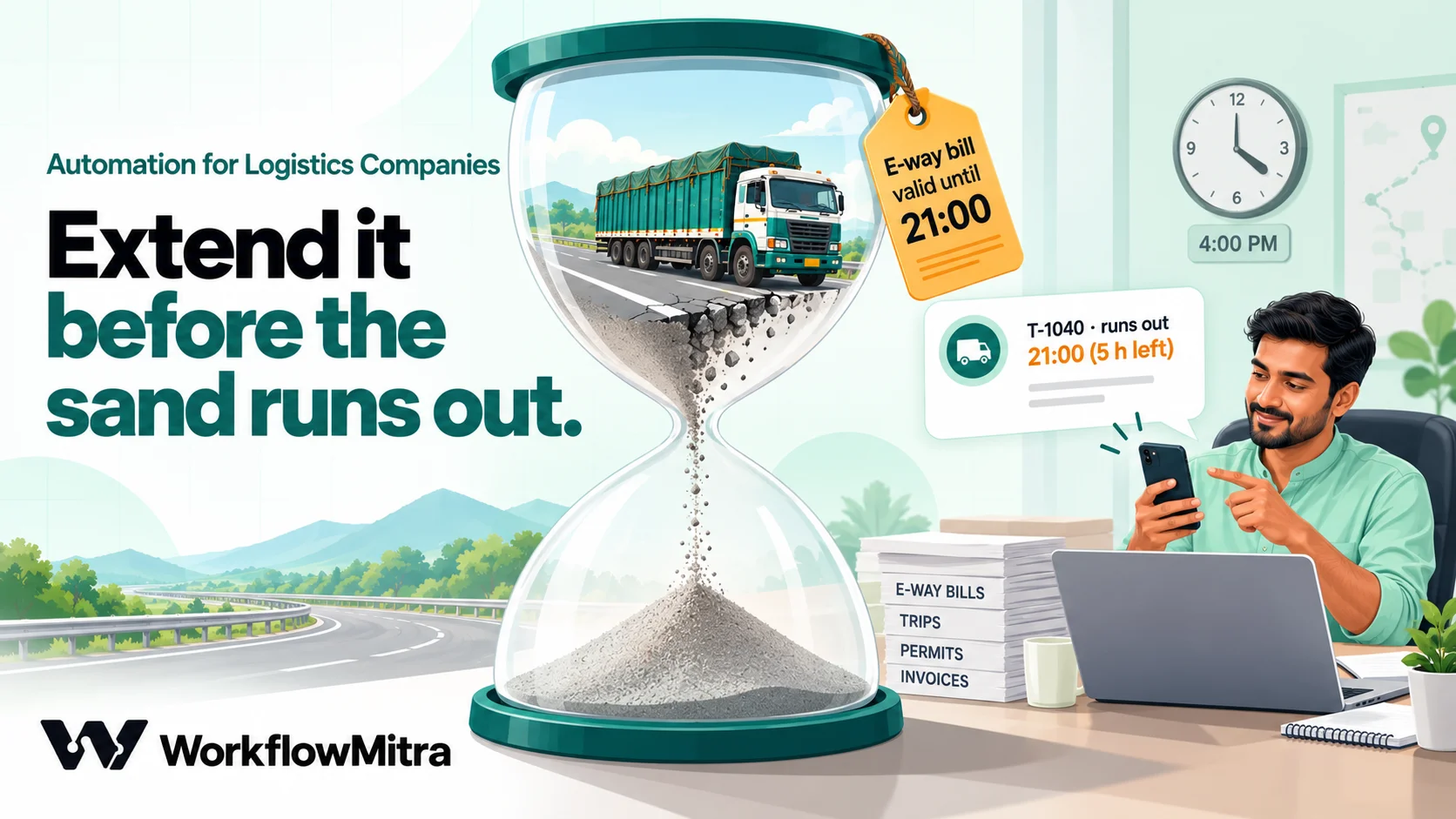
The risk for a transporter is a delay: a breakdown, a closed road or a long wait at loading pushes the truck past the bill’s validity. The portal allows an extension inside a short window around expiry, so the job is to notice in time. That’s what this workflow does.
- Schedule trigger with cron
0 6-22/2 * * *, time zone Asia/Kolkata: every two hours from 6 am to 10 pm. - Google Sheets, Read rows, tab
Trips. - Code, named
E-way bills, with the snippet below. - IF:
{{ count }}is greater than0. - Telegram to the office group with
{{ message }}.
// Runs every two hours. Lists in-transit trips whose e-way bill
// runs out within the next 8 hours, or ran out less than 8 hours ago.
const TZ_OFFSET = 330;              // IST, minutes ahead of UTC
const WINDOW = 8 * 3600000;

// "25/10/2026 23:59" or "2026-10-25 23:59" (IST) → milliseconds
function parseIST(v) {
  const s = String(v ?? '').trim();
  let m = s.match(/^(\d{1,2})\/(\d{1,2})\/(\d{4})\s+(\d{1,2}):(\d{2})/);
  if (m) return Date.UTC(+m[3], +m[2] - 1, +m[1], +m[4], +m[5]) - TZ_OFFSET * 60000;
  m = s.match(/^(\d{4})-(\d{2})-(\d{2})[ T](\d{1,2}):(\d{2})/);
  if (m) return Date.UTC(+m[1], +m[2] - 1, +m[3], +m[4], +m[5]) - TZ_OFFSET * 60000;
  return null;
}
const fmt = (ms) => new Date(ms).toLocaleString('en-IN', {
  timeZone: 'Asia/Kolkata', day: 'numeric', month: 'short', hour: '2-digit', minute: '2-digit',
});

const now = Date.now();
const lines = [];
for (const row of input.rows || []) {
  if (String(row['Status'] ?? '').trim().toLowerCase() !== 'in transit') continue;
  const ewb = String(row['EWB no'] ?? '').trim();
  if (!ewb) continue;
  const until = parseIST(row['EWB valid until']);
  if (until === null) { lines.push(`${row['Trip ID']}: EWB valid-until "${row['EWB valid until']}" can't be read`); continue; }
  const left = until - now;
  if (left > WINDOW || left < -WINDOW) continue;
  const h = Math.round(Math.abs(left) / 3600000 * 10) / 10;
  lines.push(left >= 0
    ? `${row['Trip ID']} · ${row['Vehicle']} · EWB ${ewb} runs out ${fmt(until)} (${h} h left)`
    : `${row['Trip ID']} · ${row['Vehicle']} · EWB ${ewb} ran out ${fmt(until)}, ${h} h ago. Extend now`);
}
return { count: lines.length, message: lines.length ? 'E-way bills to extend:\n' + lines.join('\n') : '' };
The alert repeats every two hours while a bill sits inside the window. That’s deliberate: once someone extends it on the portal and types the new valid-until time into the sheet, or the trip is marked Delivered, the line disappears by itself. If the truck is delayed overnight, the 6 am run still lands inside the window for a bill that ran out at midnight. And if goods are moved to another truck, Part-B has to be updated before they move (rule 138(5)); change the Vehicle in the Trips row at the same time, so the alerts and the paper checks follow the right truck.
Two limits to be clear about. WorkflowMitra doesn’t connect to the e-way bill portal, so it can’t generate or extend a bill; it reminds the person who does. And it can only watch the bills you record, so make copying the bill number and validity into the Trips row part of dispatch.
Workflow 6: from POD to settlement to getting paid
The trip isn’t over when the truck unloads. Three things should follow: the office learns the POD is in, the driver’s account for the trip is settled, and the freight bill is followed up until it’s paid.
The POD and the trip settlement
On the driver bot’s pod route:
- Google Sheets, Update row on
TripswhereTrip IDequals{{ $node["Read command"].trip }}:Status=Delivered,Delivered on= today,POD={{ $node["Read command"].photo }}. - Google Sheets, Read rows, tab
Expenses, namedRead expenses. - Code, named
Settle trip, with the snippet below. - Telegram to the office group with
{{ message }}, and a Telegram reply to the driver with{{ $node["Read command"].reply }}.
// Straight after "Read expenses" (Read rows on the Expenses tab)
const pod = {{ $node["Read command"] }};
let diesel = 0, toll = 0, other = 0, advance = 0;
const fills = [];
for (const r of input.rows || []) {
  if (String(r['Trip ID']).trim().toUpperCase() !== pod.trip) continue;
  const amt = Number(String(r['Amount'] ?? '').replace(/[₹,]/g, '')) || 0;
  const kind = String(r['Type']).toLowerCase();
  if (kind === 'diesel') {
    diesel += amt;
    const odo = Number(r['Odometer']);
    if (odo) fills.push({ odo, litres: Number(r['Litres']) || 0 });
  } else if (kind === 'toll') toll += amt;
  else if (kind === 'adv') advance += amt;
  else other += amt;
}
const spent = diesel + toll + other;
const balance = advance - spent;
const inr = (n) => '₹' + Math.round(n).toLocaleString('en-IN');
// Mileage between the first and last fill: the diesel bought after the
// first fill is what the truck burned over those kilometres
fills.sort((a, b) => a.odo - b.odo);
const km = fills.length > 1 ? fills[fills.length - 1].odo - fills[0].odo : 0;
const burned = fills.slice(1).reduce((t, f) => t + f.litres, 0);
const kmpl = km > 0 && burned > 0 ? (km / burned).toFixed(1) : null;
return {
  trip: pod.trip, diesel, toll, other, advance, spent, balance,
  message: `${pod.trip} delivered. Settlement:\n` +
    `Advance ${inr(advance)} · Diesel ${inr(diesel)} · Toll ${inr(toll)} · Other ${inr(other)}\n` +
    (balance >= 0 ? `Driver returns ${inr(balance)}` : `Pay driver ${inr(-balance)}`) +
    (kmpl ? `\nMileage between fills: ${kmpl} km/l over ${km} km` : ''),
};
For a Pune–Indore run, the office sees:
T-1042 delivered. Settlement:
Advance ₹15,000 · Diesel ₹10,000 · Toll ₹1,860 · Other ₹300
Driver returns ₹2,840
Mileage between fills: 11.8 km/l over 660 km
Log the trip’s opening advance as an adv row when the driver leaves, so it counts. The mileage line uses only the diesel bought after the first fill, which is the fuel actually burned over those kilometres; a figure well below that truck’s usual mileage is worth a conversation, whether the cause is a leak, a tyre or a missing litre.
Freight bill follow-ups
Once the bill is raised, in your accounts software or straight in the Bills tab, a daily workflow follows it up:
- Schedule, every day at 10:00, Asia/Kolkata.
- Read rows on
Bills, then a Code step that picks unpaid bills (emptyPaid on) at their reminder points, for example 3 days before the due date, on it, and 7, 15 and 30 days after, skipping any bill whoseLast reminderalready records that point. - Loop over the picked bills, sending an Email to the party, or a WhatsApp template through ChatMitra, and an Update row that writes the point into
Last reminder. - On Mondays, a second Code step totals outstanding freight by party for the owner.
Our payment reminder guide has the full snippet, the reminder wording and the step that stops reminders the moment a payment is recorded; it works unchanged on the Bills tab.
If you message parties on WhatsApp, each reminder must be a Meta-approved template, the party must have agreed to hear from you there, and a reminder about their own bill with no promotion fits Meta’s utility category. ChatMitra’s guide to utility templates explains the category, and its pricing page lists Meta’s rates and ChatMitra’s ₹0.20 per conversation fee.
If your business is registered on Udyam as a micro or small service enterprise, the law helps too. Under the MSMED Act, a buyer must pay within the period agreed in writing, which can’t exceed 45 days from acceptance, or within 15 days if nothing was agreed, and a late payer owes compound interest at three times the RBI bank rate. Unpaid bills can go to a facilitation council through the MSME Samadhaan portal, which accepts manufacturing and service units but not traders. A dated reminder trail from this workflow is useful evidence if it comes to that.
A day with the workflows running
- 8:00 The office group gets the fleet paper digest: one PUC due today, one insurance due in 12 days. The office manager books the PUC test on the way in.
- 9:40 A trip for
MH14CD1180is added. Within five minutes it’s markedHold: papersbecause the permit authorisation expired; the office swaps in another truck. - 11:15 A driver on the Nagpur route sends
/diesel T-1047 6100 71 92840. The row lands in Expenses, the Vehicles tab updates the odometer, and the driver sees “Diesel ₹6,100 logged.” - 14:00 The e-way bill watch lists one bill running out at 21:00 on a truck stuck behind a landslide diversion. The office extends it on the portal and updates the row.
- 17:30 A POD photo arrives for
T-1042. The trip turnsDelivered, and the settlement shows the driver owes ₹2,840 back. - Next morning The workshop’s list shows
MH12AB4521is 610 km from its service.
Nobody opened a register, and nobody had to remember.
What it costs to run
WorkflowMitra charges credits for each executed step: 1 for a trigger, 1 for each Google Sheets, Telegram, email, WhatsApp or approval step, 1 per Loop item, nothing for IF and Switch, and a fraction of a credit for a short Code step. Here’s a 15-truck fleet with about 60 trips a month:
| Workflow | Volume | Credits a month |
|---|---|---|
| 1 and 4. Morning paper and service checks | 30 runs, an alert most days | about 120 |
| 2. Pre-trip check | 60 trips, about 3 credits each, a few holds | about 200 |
| 3. Driver bot | about 1,000 entries: diesel 5 credits (log, reply, odometer update), toll and other 3 | about 3,700 |
| 5. E-way bill watch | 9 runs a day at 2 credits, plus alerts | about 600 |
| 6. POD, settlement and follow-ups | 60 PODs at 5 credits, about 150 reminders at 3 | about 800 |
| Total | about 5,400 |
That fits the Starter plan: 10,000 credits for ₹999 a month, or ₹849 a month billed yearly, with a 14-day trial and no card needed to start. The driver bot is most of the bill, so a larger fleet should look at the next plan up on the pricing page. Telegram bots cost nothing; WhatsApp templates carry Meta’s per-message charge plus ChatMitra’s fee.
Limits to know before you rely on it
- No GPS or live location. Nothing here knows where a truck is unless a driver shares it. Keep your tracking system for that.
- No e-way bill, VAHAN or FASTag connection. The workflows remind; people still renew papers, extend bills and recharge tags on the official portals.
- Polling, not instant. The Sheets trigger in Workflow 2 checks every 5 minutes by default, so a hold appears a few minutes after the trip is typed in.
- Telegram replies are plain text. No buttons or images from the bot, and POD photos stay in the chat rather than in the sheet.
- Find row needs exact text.
MH12 AB 4521andMH12AB4521are different vehicles to the sheet; a mismatch shows up as “isn’t in the Vehicles tab”. - One sheet has limits. A few thousand rows a year is comfortable. If the Expenses tab grows past tens of thousands of rows, archive old trips to a second sheet each year.
Common mistakes
- Calculating expiry dates instead of copying them. Validity rules change and differ by state and vehicle. Type the date printed on the document.
- Letting the office edit the trip’s vehicle after the check. Workflow 2 runs when the row is added. If you change the truck later, delete the row and add it again, or re-run the check by hand.
- Giving drivers the sheet. They need the bot, not edit access to your freight bills.
- Skipping the opening advance. Without it, every settlement says “Pay driver”.
- Recording e-way bills without the time. A date alone makes the watch guess; copy the full valid-until time.
- Turning off group privacy mode to “make the bot see everything”. Every chat message then starts a run and costs a credit.
Roll it out in four weeks
- Week 1: Build the workbook, fill the Vehicles and Drivers tabs from your files, and switch on Workflow 1. Fix every date it lists under “Dates to fix”.
- Week 2: Add Workflow 2 and make the hold rule part of dispatch.
- Week 3: Start the driver bot with two drivers you trust, then roll it out. Add Workflow 4 once odometer readings are flowing.
- Week 4: Add the e-way bill watch and the POD settlement, then the freight follow-ups.
Start with the papers: it’s one sheet, one schedule and one message, and it’s the workflow most likely to save you a fine or a stranded truck this month. Start a free 14-day WorkflowMitra trial and build it this afternoon.
Sources, read on 20 October 2026: CGST Rules rule 138(10) as notified in Notification 12/2018 and amended by 31/2019 and 94/2020; the e-way bill portal's FAQ and 2025 advisory; the Motor Vehicles Act, 1988; PIB releases on fitness testing, automated testing stations and DigiLocker and mParivahan documents; Parivahan on permits; the MSMED Act, 2006 and the MSME Samadhaan FAQ; NITI Aayog, Fast Tracking Freight in India (2021). WorkflowMitra behaviour was checked in its source code and the Code snippets were run in its Code step sandbox. Vehicle numbers, names, routes and amounts are illustrative. This guide is general information, not legal advice; check the current rules for your vehicles and routes.
Frequently Asked Questions
Questions transporters and fleet owners ask before automating their office work.
Start with fleet document expiry alerts. They need only a sheet with one row per vehicle and the expiry date of each paper, they run once a day, and a single lapsed permit, fitness certificate or insurance policy can cost more than a year of automation. Driver expense logging and freight-payment follow-ups usually come next.
Automate the work between your apps
Build workflows with triggers, conditions and actions, then test them before they go live. Try WorkflowMitra free for 14 days, no card required.
