Automation for Small Manufacturers and Distributors: Enquiries, Quotes and Dispatch

Quick Summary
For a small manufacturer or distributor, the quickest wins from automation are in the office, not on the shop floor: catching every enquiry from IndiaMART and the website in one sheet and routing it to the right salesperson, checking discounts before a quote goes out, checking a buyer's credit before an order is accepted, and telling buyers when goods are dispatched without waiting for them to call. A shared order book in Google Sheets and a few workflows cover these steps; production planning, invoicing and e-way bills stay in the software you already use.
Walk into a small manufacturing unit in Rajkot, Ludhiana or Coimbatore and the shop floor usually looks organised: machines scheduled, operators trained, output counted. Walk into the office next door and you’ll often find the opposite. Enquiries arrive on IndiaMART, the website, phone calls and WhatsApp. Quotes go out from three different people at three different discounts. An order is accepted from a buyer who already owes ₹4 lakh. And half the afternoon goes on answering “has my material been dispatched?”
None of this is a production problem. It’s office work around production, and it’s where a small manufacturer or distributor gets the fastest return from automation. This guide sets up a simple order book in Google Sheets and builds five workflows on it: enquiry capture and routing, quotes with a discount check, order acknowledgement with a credit check, dispatch updates, and a morning operations summary.
What is automation for a small manufacturing business?
Automation for a small manufacturing business, in the sense this guide uses, means letting software rules run the office processes around production: collecting enquiries, assigning them to salespeople, checking quotes and orders against your limits, acknowledging orders, telling buyers about dispatches and reporting what's pending. It isn't factory automation, which controls machines, and it doesn't replace your accounting or ERP software. It connects the places where office work already happens and makes sure no step depends on someone remembering.
The same applies to distributors and stockists. The products differ, but the chain is the same: an enquiry becomes a quote, a quote becomes an order, the order is dispatched and paid for.
Where the office time goes
Map your own week against this chain and you’ll see where the leaks are. They’re remarkably consistent across small manufacturers:
| Stage | Typical leak | Workflow fix |
|---|---|---|
| Enquiry | Leads sit in one person's IndiaMART app or inbox; some are never called | Every enquiry lands in one sheet, is assigned and alerted within a minute |
| Quote | Prices and discounts vary by who quotes; nobody tracks which quotes are open | Quotes are logged; discounts above your limit wait for approval |
| Order | Orders accepted from buyers already over their credit limit | A credit check before the order is confirmed |
| Dispatch | Buyers call to ask about their material; LR numbers are shared by hand | Dispatch details go to the buyer as soon as the row is marked |
| Payment | Follow-up starts only when someone notices | Scheduled reminders, stopped when payment is recorded |
| Visibility | The owner asks five people what's pending | One summary every morning |
Factory automation, ERP or workflows?
Three kinds of software get called “automation” in manufacturing, and it helps to keep them apart:
- Industrial automation runs machines: PLCs, sensors, robots, SCADA. It improves output and consistency on the line. It’s capital equipment, usually justified product by product.
- ERP and accounting software, such as Tally, Zoho Books or a manufacturing ERP, keeps the books: stock, invoices, GST returns, and in larger systems production planning. It’s the system of record.
- Workflow automation moves information between people and tools: from IndiaMART into a sheet, from a sheet to a salesperson’s inbox, from a dispatch entry to the buyer. It fills the gaps between systems and between people.
A small business doesn’t have to choose one. Most start with accounting software and spreadsheets, add workflows to remove the manual hand-offs, and move to an ERP when production planning and inventory outgrow spreadsheets. Workflows keep their value after an ERP arrives, because there are always gaps between it and your other tools. Our guide to workflow automation for small businesses covers how to choose what to automate first in any business.
The foundation: one order book in Google Sheets
The workflows in this guide read and write one Google Sheet. A spreadsheet isn’t the most sophisticated order book, but everyone in a small office can open it, and that matters more than features. Set up five tabs:
Enquiries: date, source (IndiaMART, website, phone), buyer name, company, mobile, email, city, product, message, owner, status.Quotes: quote number, enquiry reference, customer, product, quantity, list price, discount %, quoted value, sent date, status (Draft, Approved, Sent, Won, Lost).Customers: customer name, GSTIN, credit limit, outstanding balance and aHeadroomformula column (credit limit minus outstanding).Orders: order number, customer, PO number, items, order value, expected dispatch date, status.Dispatch: order number, customer email and mobile, transporter,LRNumber,Vehicle,EwayBill, invoice value,Status, andDispatchedOnText.
Three habits make the sheet work well with workflows:
- Plain numbers for money. Type
125000, not₹1,25,000. Formatting is fine as a display format, but steps that compare numbers should read raw values. In the Google Sheets step, set Read values to Raw values (numbers stay numbers) for any number you compare. - Text copies of dates. WorkflowMitra’s Google Sheets trigger reads raw cell values, so a date arrives as a serial number such as 46315. Add a helper column like
=TEXT(H2,"d mmm yyyy")and use it in messages. - Column headers without spaces.
LRNumberis easier to reference in a workflow than “LR No.”.
Keep outstanding balances current by pasting an export from your accounting software into Customers each morning, or whenever you run the credit check. The workflows don’t connect to Tally directly.
Workflow 1: capture every enquiry in one place
The first workflow is the one with the biggest effect, because an enquiry nobody answers is lost for good.
Bring IndiaMART enquiries in automatically
IndiaMART’s Push API sends each new enquiry to a URL you give it, as soon as it arrives. In WorkflowMitra, that URL is an On webhook call trigger. Three settings matter, all covered step by step in our IndiaMART CRM integration guide:
- Clear the webhook secret. New WorkflowMitra webhooks require a secret header, and IndiaMART can’t send one, so every lead would be rejected.
- Turn on Respond synchronously. IndiaMART counts a push as delivered only when it gets HTTP 200; WorkflowMitra’s default quick acknowledgement is 202.
- Set the idempotency key path to
RESPONSE.UNIQUE_QUERY_ID, so a retried push doesn’t become a second row.
The enquiry arrives inside a RESPONSE object with fields such as SENDER_NAME, SENDER_MOBILE, SENDER_COMPANY, SENDER_CITY, QUERY_PRODUCT_NAME, QUERY_MESSAGE and QUERY_MCAT_NAME (IndiaMART’s product category). IndiaMART only guarantees some of them on every lead, so never assume an email or a city is present.
Website enquiry forms work the same way: a second webhook trigger, or the same pattern in a second workflow, with the Website form source. JustDial leads can follow the pattern in our JustDial lead integration guide, and leads collected at exhibitions are covered in trade show lead capture.
Record, route and alert
After the trigger:
- Google Sheets, Add row(s) to
Enquiries, with the source, date and the buyer’s details. Store mobile numbers in one consistent format; our guide to formatting phone numbers shows how. - Switch on the product category,
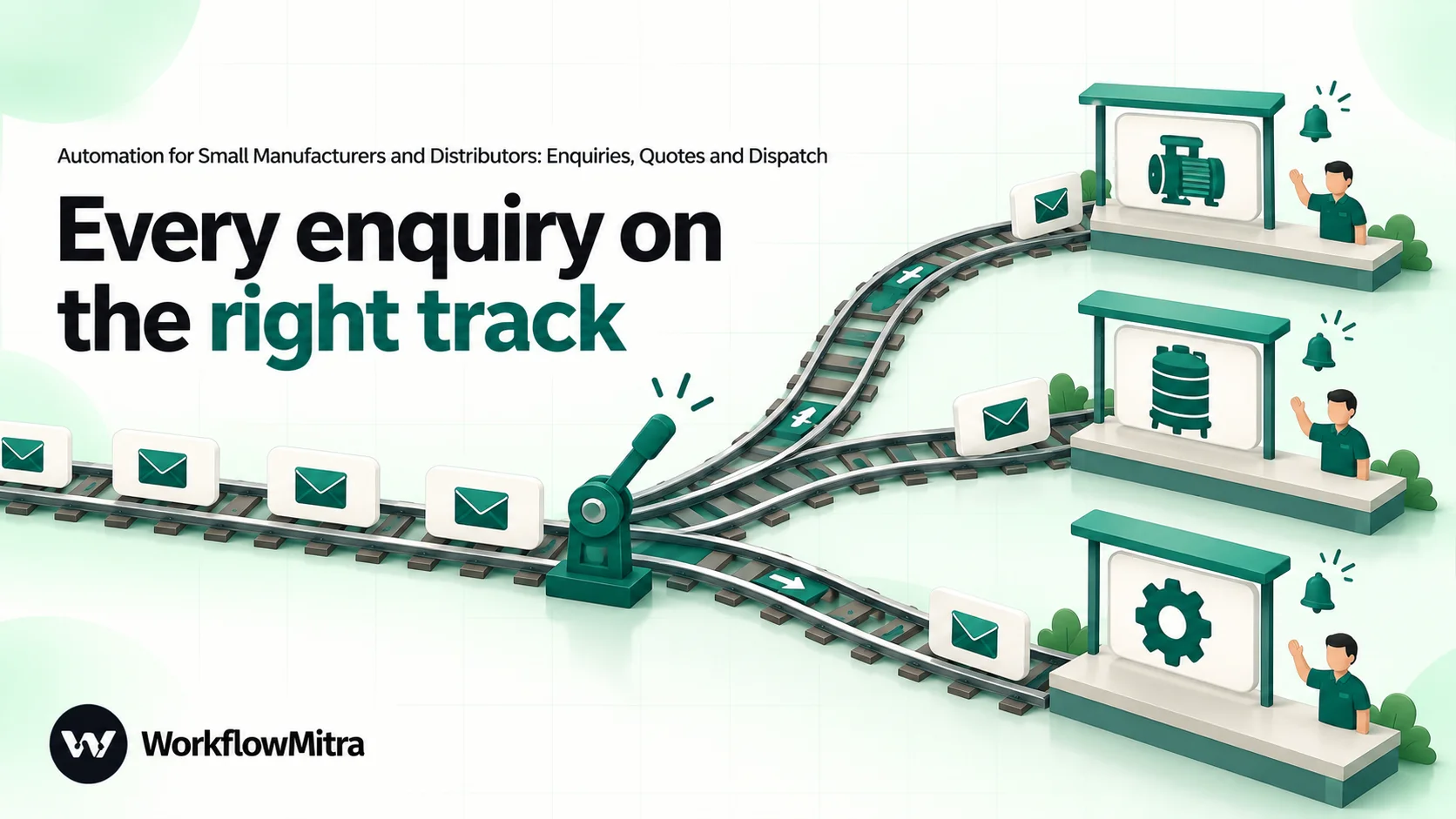
{{ $trigger.RESPONSE.QUERY_MCAT_NAME }}, or on the buyer’s state if you sell by territory. One route per product line or region, plus an Else route for everything else. - Assign to the next person on each route, listing that team’s salespeople. It rotates enquiries in turn, and listing a senior person twice gives them a bigger share. It adds
assignedToandassignedNameto the data. - Email or Slack alert to the assigned person with the buyer’s name, company, city, product and message, and a line asking them to call within the hour.
- Google Sheets, Update row to write the owner into the enquiry row.
If you want buyers to get an instant acknowledgement on WhatsApp, add a WhatsApp step that sends an approved template through ChatMitra. It works best when it promises something specific: “Thank you for your enquiry about {{1}}. {{2}} from our sales team will call you today.” Keep it to enquiries where the buyer shared a mobile number and can expect a message from you. Our guide to routing leads round robin covers weighting, leave and checking whether leads were called.
Workflow 2: quotes with a discount check
Quotes are where a small manufacturer’s margin is set, and often where it leaks. The problem isn’t usually the list price; it’s the discount each salesperson decides to give on the phone.
The fix is to send every quote through one place before it goes out. Ask salespeople to submit each quote through a short form (customer, enquiry reference, product, quantity, list price, discount %, delivery terms and a link to the quote PDF made in your billing or accounting software). The form posts to a webhook, and the workflow does the rest:
- Google Sheets, Add row(s) to
Quoteswith status “Draft”. - IF the discount is less than or equal to your limit, say 8%. Use Is between 0 and 8 rather than Less than, because a blank value counts as zero for Less than and would slip through.
- Within the limit: an Email step sends the quote to the buyer from the shared sales mailbox, with the PDF attached from its link, and the row is updated to “Sent”.
- Above the limit: Wait for approval pauses the quote. The question reads
Approve {{ $trigger.discount }}% discount for {{ $trigger.customer }}?, and the details shown include the quantity, list price, quoted value and the salesperson’s reason. Set a deadline of a few hours and treat no answer as “no”, so the salesperson knows to follow up rather than wait. - After approval: an IF on
{{ approved }}sends the quote as in step 3 and records{{ decidedBy }}in the row. On rejection, the salesperson gets an email asking them to revise.
The approval request appears on WorkflowMitra’s Approvals page, and an alert goes to the workspace’s alert email or Slack channel. Anyone with Member access can decide, so keep the people who request discounts out of the approver group if separation matters to you. Our approval workflow guide explains deadlines, timeouts and audit records.
Open quotes are the next leak. Because every quote is now a row with a sent date and a status, a daily scheduled workflow can remind the salesperson about quotes still at “Sent” after three and seven days. The pattern is the same as the reminder sweep in our payment reminder guide: a filtered tab lists what’s due today, and the workflow reads it and sends the reminders.
Workflow 3: order acknowledgement with a credit check
Purchase orders arrive as PDFs by email, as photos on WhatsApp and occasionally as a phone call. WorkflowMitra’s email trigger sees who an email is from and its subject, not the PDF’s contents, so don’t try to read POs automatically. Instead, ask the sales coordinator to enter each confirmed order through an order form. It takes a minute, and everything after it is automatic:
- Trigger: the order form posts customer, PO number, items, order value and expected dispatch date to a webhook.
- Google Sheets, Find row in
Customers, matching the customer name exactly as it appears in the sheet (a dropdown in the form keeps names consistent), with Read values set to raw values. Name the stepCustomer. - IF the order value is Greater than
{{ $node["Customer"].row.Headroom }}. If the order fits within the remaining credit, continue. If it doesn’t, Wait for approval asks accounts: “Order of ₹{{ $trigger.order_value }} from {{ $trigger.customer }} exceeds available credit. Accept?” Show the credit limit, outstanding balance and the oldest unpaid invoice date. - Google Sheets, Add row(s) to
Orderswith status “Confirmed”. - Email to the buyer acknowledging the order: your order number, their PO number, the items and the expected dispatch date. A written acknowledgement settles many disputes before they start.
- Slack or Email to production and stores with the order and the date it’s needed.
If Find row finds no customer, it returns found as false; send those orders to accounts to set up the customer first. A new buyer without a credit limit should be a deliberate decision, not an accident.
For the WhatsApp version of the acknowledgement, ChatMitra’s guide to WhatsApp order confirmation messages has wording you can adapt into a template.
Workflow 4: dispatch updates the buyer doesn’t have to ask for
“Where’s my material?” is the most common phone call in many manufacturing offices. Every one of those calls is a sign the buyer didn’t hear from you first.
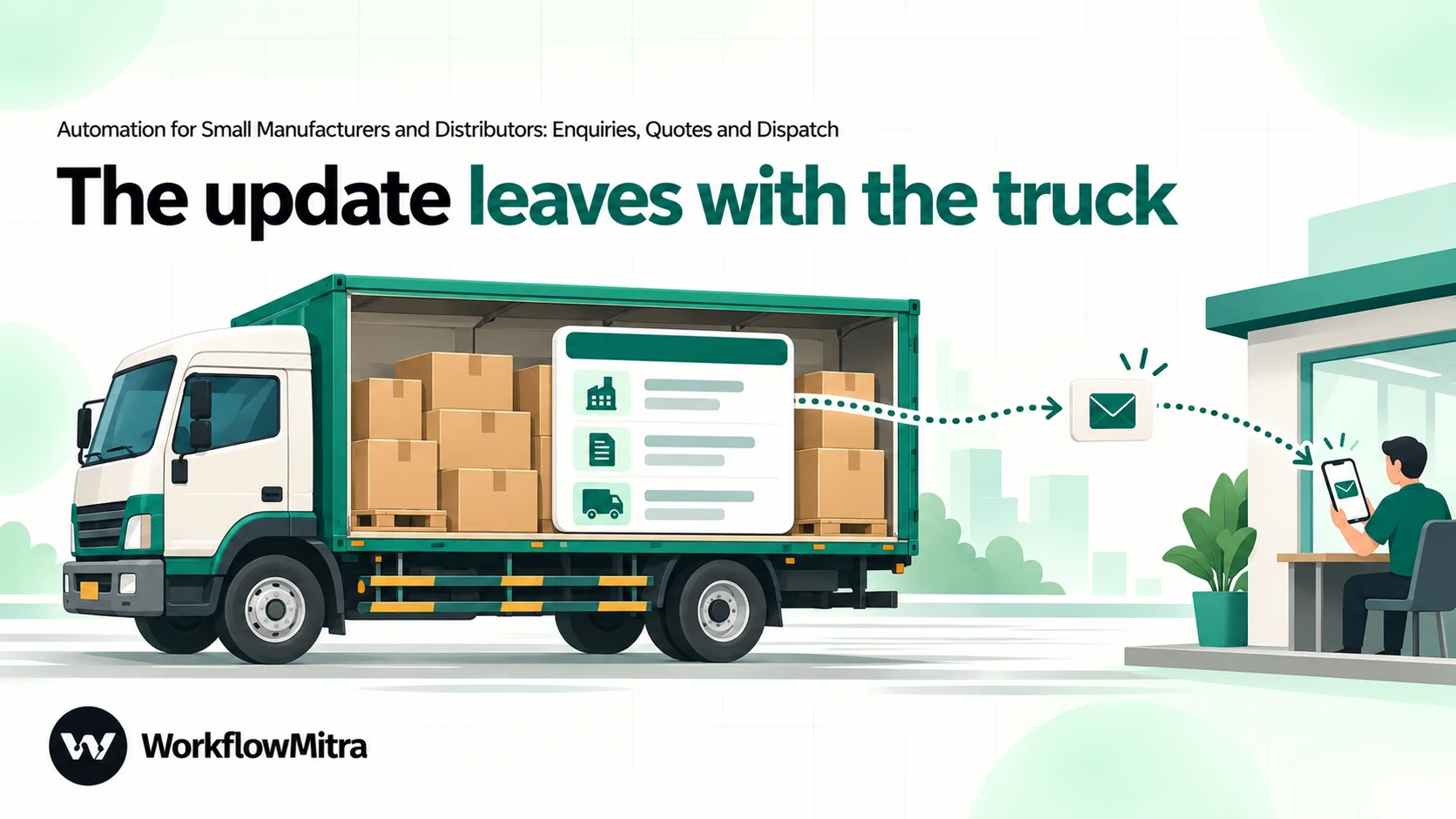
The dispatch desk already writes down the transporter, LR number and vehicle number. Put them in the Dispatch tab, and let the workflow tell the buyer:
- Google Sheets trigger on
Dispatch, set to One column changes, watchingStatus, with the order number as the ID column. Watching one column means edits to other columns, including any the workflow writes, don’t start runs. - IF
{{ Status }}is Equal to, ignore caseDispatched. Other status changes, such as “Packed”, stop here. - IF
{{ $trigger.EwayBill }}is empty and the invoice value is above ₹50,000: alert the dispatch desk instead of messaging the buyer. Under rule 138 of the CGST Rules, most movements of goods with a consignment value above ₹50,000 need an e-way bill, and some states set a different limit for movement within the state, so match the rule to where you ship. The workflow doesn’t generate e-way bills; it only checks that the number was recorded. - Email to the buyer: order number, transporter, LR number, vehicle number, e-way bill number and
{{ $trigger.DispatchedOnText }}. - WhatsApp step, for buyers who have agreed to receive WhatsApp messages: an approved utility template with the same details, sent through ChatMitra. Dispatch updates are the kind of transactional message utility templates exist for.
- Email to accounts that the order has gone, if invoicing follows dispatch in your business.
The Google Sheets trigger checks the sheet on a schedule, every five minutes by default, so the update reaches the buyer a few minutes after the row is marked. That’s well within what buyers expect.
Workflow 5: the morning operations summary
The owner of a small manufacturing business usually asks the same five questions every morning. A scheduled workflow can answer them before anyone arrives:
- Schedule trigger, every working day at 8:30 in your time zone.
- Google Sheets read steps on filtered tabs that list: enquiries more than a day old with no owner action, quotes waiting for approval, orders due for dispatch in the next three days, and orders confirmed but not yet dispatched past their expected date.
- Email or Slack with the counts and the top items from each list.
Keep the summary short enough to read on a phone. The automated daily reports guide shows how to format the lists, and KPI alerts shows how to send a message only when a number crosses a threshold.
Getting paid: the last link in the chain
Collections follow the same pattern as quote reminders: a daily workflow reads invoices that are due or overdue and sends reminders, stopping when payment is recorded. The payment reminder guide builds it in full.
If your business is a registered micro or small enterprise, there’s one more thing worth knowing. Under section 15 of the MSMED Act, 2006, buyers must pay micro and small suppliers within the period agreed in writing, which can’t exceed 45 days, and the government’s MSME Samadhaan portal handles complaints about delayed payments. Mention your Udyam registration on quotes and invoices so buyers know which terms apply. If you’re on the other side, buying from small suppliers, our guide to vendor onboarding automation covers recording their MSME status.
For distributors: dealer orders and stock checks
Distributors and stockists run the same chain with one extra step: checking stock before confirming. If you keep stock levels in a Stock tab, updated from your billing software, the order workflow can check it:
- After the order form arrives, a Google Sheets, Find row on
Stockby item code, with raw values. - IF the available quantity is Greater than or equal to the ordered quantity: confirm as in Workflow 3.
- Else: confirm what’s available and alert purchasing about the shortfall, or ask the dealer whether to wait.
Most distributor orders have several lines. For more than one item per order, either have the form send one submission per line, or use a Loop over the items, which costs one credit per item. Keep the stock tab as a snapshot rather than trying to update it from the workflow; your billing software stays the record of stock.
A day with the workflows running
To see how the pieces fit, follow one enquiry for a stainless steel tank manufacturer:
- 11:05. A buyer in Surat enquires on IndiaMART about five 1,000-litre tanks. Within seconds the enquiry is in the sheet, assigned to the salesperson for water tanks, and she has an email alert.
- 11:20. She calls the buyer and agrees a 10% discount for the quantity. She submits the quote form; because 10% is above the 8% limit, the quote waits for approval.
- 11:45. The sales manager approves from the Approvals page. The quote goes to the buyer with the PDF attached, and the row shows who approved it.
- Two days later. The buyer sends a PO. The coordinator enters the order; the buyer’s credit headroom covers it, so the acknowledgement goes out and production gets a Slack message.
- The following week, 4:40 pm. Dispatch marks the order dispatched with the LR, vehicle and e-way bill numbers. By 4:45, the buyer has an email and a WhatsApp message with the details. Nobody calls to ask.
What it costs
WorkflowMitra charges credits for each step a workflow runs: most steps cost 1 credit, a Loop costs 1 credit per item, and logic steps such as IF and Switch are free. Quiet checks of a sheet that find nothing new cost nothing. For a business with about 300 enquiries, 120 quotes and 60 orders a month:
| Workflow | Typical runs | Credits a month (approx.) |
|---|---|---|
| 1. Enquiries | 300 enquiries | About 1,200 (trigger, add row, assign, alert); add about 300 for WhatsApp acknowledgements |
| 2. Quotes | 120 quotes, a third needing approval | About 400 |
| 3. Orders | 60 orders | About 330 |
| 4. Dispatch | 60 dispatches, plus other status changes that stop at the IF | About 360 |
| 5. Morning summary | Every working day | About 180 |
That’s roughly 2,500 credits a month, or about 2,800 with WhatsApp acknowledgements. The entry plan costs ₹999 a month for 10,000 credits (₹849 a month billed yearly) and includes 10 active workflows and 2 team seats. Approvers need a seat in the workspace, so a business with more than two decision-makers would move to the next plan, which costs ₹1,499 a month for 20,000 credits and 5 seats. Salespeople who only receive alerts by email or Slack don’t need seats. Prices were checked on WorkflowMitra pricing on 18 October 2026, and there’s a 14-day trial with no card needed. WhatsApp messages sent through ChatMitra are billed separately under ChatMitra’s and Meta’s pricing.
Limits to know before you rely on it
- No Tally connection. Bring balances and stock into the sheet from exports. Invoices, GST returns and e-way bills stay in your billing software.
- No document generation. Quotes and invoices are made in your accounting or billing software; workflows send them as attachments from a link.
- Email triggers don’t read attachments. The email trigger sees the sender and subject, not the PO inside, which is why orders come in through a form.
- Sheets are checked on a schedule. The Google Sheets trigger polls every five minutes by default, so dispatch messages follow a few minutes after the row changes.
- Approvals can’t be assigned to one named person. Any member with edit access can decide, and the Approvals page has approve and reject buttons only, with no comment box.
- IndiaMART’s push can’t be signed. The webhook URL itself is the protection, so keep it private and rotate it if it leaks.
- WhatsApp templates need Meta’s approval, and buyers should have agreed to receive WhatsApp messages from you.
Common mistakes
- Automating before the sheet is agreed. If sales, accounts and dispatch each keep their own copy, the workflows automate the confusion. Agree the tabs and columns first.
- Formatted numbers in compared columns.
₹1,25,000as text fails every numeric comparison. Keep the raw number in the cell and read raw values. - Watching the whole row. A trigger on any change to a dispatch row sends a message every time someone fixes a typo. Watch the
Statuscolumn only. - Skipping the Else route. Enquiries for product categories you didn’t list in the Switch need an owner too.
- Letting approvals expire unseen. Set up the workspace alert email or Slack channel, or requests wait silently.
- Messaging buyers who haven’t agreed. Get consent for WhatsApp updates, for example on your quote or order acknowledgement.
Roll it out one workflow at a time
Start with Workflow 1 this week. Connect IndiaMART and your website form, run it for two weeks, and check one number: how many enquiries were called within an hour. Add the quote check next, then dispatch updates, which buyers notice immediately. Order checks and the morning summary come last, once the sheet is the place everyone looks.
WorkflowMitra, powered by ChatMitra, provides the pieces used in this guide: webhook triggers for IndiaMART and forms, Google Sheets triggers and steps, Switch, Assign to the next person, Wait for approval, email, Slack, and WhatsApp through ChatMitra. You can build it on the WorkflowMitra 14-day trial, no card needed. If you’ve never built a workflow, start with build your first workflow.
Sources: IndiaMART Push API behaviour as documented in our IndiaMART CRM integration guide (help.indiamart.com); MSMED Act, 2006, section 15, and the MSME Samadhaan portal (samadhaan.msme.gov.in); rule 138 of the CGST Rules, 2017 and the e-way bill system (ewaybillgst.gov.in). WorkflowMitra step behaviour was checked in the product code, and prices on the pricing page, on 18 October 2026.
Frequently Asked Questions
Short answers to common questions about automating the office work of a small manufacturing or distribution business.
Start with enquiry capture: send every enquiry from IndiaMART, your website and other sources into one sheet and route it to the right salesperson with an alert. It's the step where missed follow-ups cost the most, and it needs no change to production or accounts. Quote approvals, order checks and dispatch updates come next.
Automate the work between your apps
Build workflows with triggers, conditions and actions, then test them before they go live. Try WorkflowMitra free for 14 days, no card required.
