Automation for Startups: The First 10 Workflows a Lean Team Should Build


Quick Summary
Automation for startups means connecting the systems a young company already runs on, such as its product database, payment gateway, mailbox and team chat, so that events like a new signup, a failed renewal or a cancellation reach the right person or trigger the right email without anyone watching for them. The best first workflows protect revenue and founder attention: failed-payment alerts, a revenue log and cancellation follow-ups come before polished onboarding sequences. Ten workflows covering signups, activation, payments, churn, lead routing, support, metrics, investor updates and a silent-funnel alarm fit in about 3,200 WorkflowMitra credits a month at early-stage volumes. Anything you haven't yet done by hand ten times, or that still changes every month, should stay manual.
A seed-stage startup with six people runs on a strange mix of tools. The product database knows who signed up. Razorpay or Stripe knows who paid and whose card failed. A shared mailbox holds support requests, a sheet holds the sales pipeline, and the founders hold everything else in their heads.
That works until the week the founders are fundraising and nobody notices that eight renewals failed, or that the signup form has been broken since Saturday. Automation for startups isn’t about building a machine that runs the company. It’s about making sure the few events that matter reach a person the moment they happen.
This guide lists the ten workflows a lean team should build first, in the order that protects revenue and founder attention, with the steps and the monthly credit cost of each. It’s written for venture-style startups, such as SaaS products, apps and subscription businesses. If you run an owner-led shop or service business, our guide to workflow automation for small business is the better fit.
Product behaviour described here was checked in WorkflowMitra’s source code, and payment events in Razorpay’s and Stripe’s documentation, on 19 October 2026.
What is automation for startups?
Automation for startups means connecting the systems a young company already runs on, such as its product database, payment gateway, mailbox and team chat, so that events like a new signup, a failed renewal or a cancellation reach the right person or trigger the right message without anyone watching for them. The first workflows should protect revenue and founder time. Polished onboarding sequences and dashboards come later, once the process has stopped changing.
Three things make a startup’s automation different from a typical small business’s:
- The product produces the events. Signups, activations and usage happen inside your own app, so many workflows start from your database or a webhook your backend sends, not from a form or an inbox.
- Revenue is recurring. A failed renewal or a quiet cancellation costs you that customer’s revenue every month, not once. Payment events deserve the fastest attention.
- The process is still changing. Your onboarding, pricing and sales motion may look different in three months. Automating a process that is still moving locks in today’s guess.
When should a startup automate something?
Paul Graham’s essay Do Things That Don’t Scale makes the case that “the most common unscalable thing founders have to do at the start is to recruit users manually”, and that founders can then “gradually automate the bottlenecks”. The useful word is gradually. Before you automate a task, it should pass four checks:
- You have done it by hand about ten times. You know what normally happens and what the odd cases look like.
- The steps are the same each time. If you still improvise, write the process down first.
- A miss costs something visible. A lost renewal, a lead who waited two days, a customer who left without anyone asking why.
- It will look the same in three months. If you are about to change your pricing or your sales motion, wait.
A task that fails the first two checks isn’t ready. A task that fails the third isn’t worth it yet. Most early-stage teams find that their best candidates are the “noticing” jobs: someone has to see an event and tell the right person. Those are tedious for people and trivial for a workflow.
The order: what to automate at each stage
Ten workflows sounds like a lot. You won’t build them all at once, and you shouldn’t. The order below follows a simple rule: automate where money and customers leak quietly before you automate what is merely tedious.
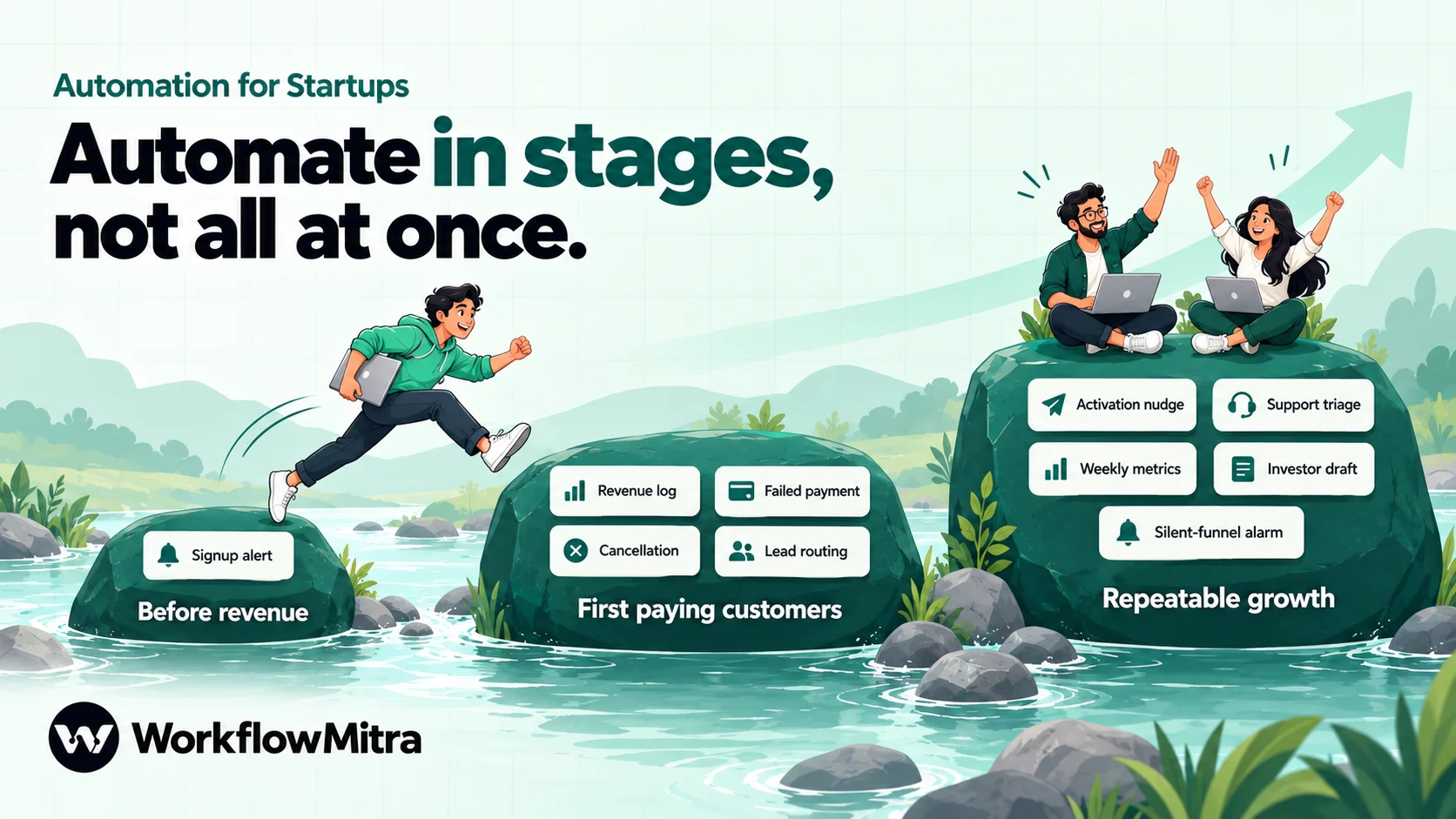
| Stage | Build | Why now |
|---|---|---|
| Before revenue | 1. Signup alert | You want to see every signup and talk to as many as possible. Nothing else is stable enough yet. |
| First paying customers | 2. Revenue log · 3. Failed-payment alert · 4. Cancellation follow-up · 5. Lead routing | Money starts moving. A failed renewal or an unanswered sales lead is now a real loss. |
| Repeatable growth | 6. Activation nudge · 7. Support triage · 8. Weekly metrics digest · 9. Investor update draft · 10. Silent-funnel alarm | Volumes outgrow the founders’ attention, and the process has settled enough to encode. |
The numbering in the rest of this guide follows that order, so you can stop at any point and still have the most valuable workflows running.
Before you build: three foundations
Every workflow below gets simpler if three things are in place first.
Your app sends events. Ask a developer to add one HTTP call to your backend: when a user signs up (and later, when they activate), POST a small JSON body to a webhook URL. In WorkflowMitra, an On webhook call trigger with the default source gives you that URL and checks a shared secret sent in the x-webhook-secret header, which your own backend can easily include. The request is answered with HTTP 202 straight away, so it never slows the signup down.
A read-only database user. Workflows 6, 8, 9 and 10 read numbers from your product database with the PostgreSQL or MySQL step. Create a user that can only SELECT from the tables it needs, ideally on a read replica. One honest limit: WorkflowMitra connects to your database over the internet, has no SSH tunnel option and publishes no fixed outgoing IP addresses to allowlist. If your database is reachable only inside a private network, have your backend send those numbers to a webhook instead.
One channel per kind of signal. Create a small set of Slack channels, for example #signups, #revenue and #support, and give each one an incoming webhook URL. The Slack step posts through that URL. Separate channels let people mute what isn’t theirs without missing what is.
1. Signup alert: see every new user
What it does. Posts each new signup to #signups and records it in a sheet or CRM, skipping your own team’s test accounts.
Why it matters early. In the first months, every signup is a chance to learn. A founder who sees “Priya from Acme Tools just signed up” within seconds can email her personally that afternoon. That conversation is worth more than any automated welcome sequence you could write today.
The steps:
- On webhook call (default source, shared secret). Your backend posts
email,name,company,planandsourceon signup. - IF: filter out internal signups. Compare
{{ lower(email) }}with Ends with@yourstartup.in, and add an OR rule with Contains+test. Text rules are case-sensitive, which is why the email is lowercased first. Connect only the “No” path onwards. - Google Sheets → Add row(s) to a Signups tab, or a CRM step if you already use one.
- Slack to
#signups:New signup: {{ $trigger.name }} ({{ $trigger.company }}) on {{ $trigger.plan }}, via {{ $trigger.source }}.
Use $trigger in the Slack message because a plain {{ name }} reads only the previous step’s output, which here is the sheet step’s result, not the signup.
Cost. Three credits per signup (trigger, sheet, Slack; the IF is free). At 400 signups a month, about 1,200 credits.
2. Revenue log: every charge, in one sheet
What it does. Adds a row to a Revenue sheet every time a subscription is charged, and posts each charge to #revenue.
Why it matters. Your payment gateway’s dashboard is the source of truth, but founders need revenue next to everything else: which plan, which customer, which month. A sheet that fills itself is the start of your MRR tracking, and the team sees each new customer arrive.
The steps (Razorpay):
On webhook call with the Razorpay source. Paste Razorpay’s webhook secret; WorkflowMitra checks the
X-Razorpay-Signatureheader on every delivery.In Razorpay’s dashboard, point a webhook at this URL with only the
subscription.chargedevent. Razorpay sends it “every time a successful charge is made on the subscription”, with the subscription and that cycle’s payment.Google Sheets → Add row(s) with the subscription ID
{{ payload.subscription.entity.id }}, plan{{ payload.subscription.entity.plan_id }}, payment ID{{ payload.payment.entity.id }}and amount{{ divide(payload.payment.entity.amount, 100) }}. Razorpay sends amounts in paise, so ₹2,499 arrives as249900.Optional: Slack to
#revenuewith the amount formatted in rupees, which prints₹2,499.00:{{ formatCurrency(divide($trigger.payload.payment.entity.amount, 100)) }}
One event per URL. The Razorpay source skips repeats using the payment ID. That is exactly right for subscription.charged, but if one URL also received refunds or payment-link events for the same payment, the second event would be treated as a duplicate and dropped. Give each Razorpay event its own webhook and workflow; our guide to Razorpay webhooks explains the trap in detail.
Stripe instead? Use the Stripe source (it verifies the Stripe-Signature header and rejects deliveries signed more than five minutes earlier) with the invoice.paid event.
Cost. Two to three credits per charge. At 60 paying customers, under 200 credits a month.
3. Failed-payment alert: catch revenue before it leaves
What it does. When a renewal fails for good, it emails the customer a short, friendly note with a link to update their payment method, and tells a founder in Slack.
Why it matters. Failed renewals are the quietest way a startup loses revenue. The customer often doesn’t know their card expired, and nobody at your end looks at the gateway dashboard until month-end. This is usually the single most valuable workflow on this list.
Know which event to use. Razorpay sends subscription.pending when a charge fails and the subscription moves to pending; it retries the card and sends the webhook again if the retry fails too. When the retries run out, it sends subscription.halted, and the customer has to retry the charge or change their card to become active again. A sensible split:
subscription.pending→ a Slack message to#revenueonly. Razorpay is still retrying, so don’t email the customer yet.subscription.halted→ the customer email and a founder alert.
The steps (halted):
- On webhook call with the Razorpay source, on its own URL with only
subscription.halted. - PostgreSQL → Run SQL Query (advanced) to find the account:
SELECT email, first_name FROM accounts WHERE razorpay_subscription_id = {{ payload.subscription.entity.id }}. You need this lookup because Razorpay’s halted event carries only the subscription, not a payment or an email address. Don’t put quotes around the placeholder: WorkflowMitra passes the value safely as a parameter, and quoting it breaks the query. - IF
{{ rowCount }}Greater than0, so an unknown subscription doesn’t send an empty email. - Email → Send an email to
{{ rows[0].email }}from a founder’s mailbox: “Hi {{ rows[0].first_name }}, your last payment for [product] didn’t go through, so your account is paused. You can update your card here: [billing page link]. Reply if anything’s wrong and I’ll sort it out.” - Slack to
#revenue: who, which plan, and that the customer has been emailed.
Set the duplicate key. Halted events contain no payment, so the Razorpay source’s default duplicate key finds nothing and only exact repeats within about a minute are skipped. In the trigger’s advanced settings, set Idempotency key path to payload.subscription.entity.id, so a retried delivery doesn’t email the customer twice.
On Stripe, use invoice.payment_failed. Its invoice includes customer_email ({{ data.object.customer_email }}), so you can skip the database lookup. Stripe also suggests turning on Smart Retries; let Stripe retry, and keep your email for the moment the customer needs to act.
Want to reach customers on WhatsApp? A payment notice is a transactional message that WhatsApp treats as a utility template. ChatMitra’s guide to WhatsApp utility templates covers the wording, and the workflow’s WhatsApp step can send it through ChatMitra.
Cost. Four credits per halted subscription, two per pending alert. Small numbers, high value.
4. Cancellation follow-up: ask why, while it’s fresh
What it does. When a subscription is cancelled, it sends one plain-text question from a founder, logs the cancellation and tells the team.
Why it matters. Early churn is your best product research. The customer who leaves in month two knows exactly what was missing. Ask within the hour and many will tell you; ask in a quarterly survey and few will remember.
The steps:
- On webhook call, Razorpay source,
subscription.cancelledonly (or Stripe’scustomer.subscription.deleted). Set the Idempotency key path topayload.subscription.entity.id, as in workflow 3. - PostgreSQL → Run SQL Query (advanced) for the email and name, as in workflow 3.
- Email → Send an email from the founder, with Reply-To set to the founder: “Hi Priya, I saw you cancelled. Could you tell me in one line what we should have done better? I read every reply myself.”
- Google Sheets → Add row(s) to a Churn tab: date, account, plan, months active.
- Slack to
#revenue.
Keep the email to one question, and don’t attach a discount. The answers are only useful if the founder reads them, so the workflow’s real job is to get the reply into a founder’s inbox.
Note: cancellations you make yourself, for example after a halt, fire the same event. Add an IF that skips accounts you’ve already marked in the database if those emails would be awkward.
Cost. About five credits per cancellation.
5. Lead routing: self-serve or sales call?
What it does. Sends each inbound lead down the right path based on company size: small teams get a self-serve signup link, larger ones get a person.
Why it matters for startups. Many startups sell two ways at once: product-led for small teams, founder-led sales for bigger accounts. Without routing, a 200-person company waits in the same queue as a freelancer, or a freelancer gets a “Let’s set up a call” email they never wanted.
The steps:
- On webhook call with the Website form source, fed by your “Contact sales” or “Get started” form, including a team size field.
- Switch on
{{ team_size }}with three routes: Less than11, Less than51, and an else route. - Route 1 (1–10 people): Email → Send an email with a short note with the self-serve signup link.
- Route 2 (11–50): Assign to the next person across your account executives, then email the lead, naming the assigned person and setting Reply-To to their address.
- Route 3 (51+): Assign to the founders, plus a Slack alert, because these deals deserve attention the same day.
Watch the blanks: a team size left empty counts as 0 for Less than and goes to the self-serve route. That’s usually the right default, but make the field required if it isn’t. For the full journey from request to booked call, see our guide to demo request follow-up automation.
Cost. Two to three credits per lead (the Switch is free). At 80 leads a month, about 240 credits.
6. Activation nudge: rescue stuck signups
What it does. Once a day, finds people who signed up three days ago but haven’t done the one thing that makes your product useful (created a project, connected an account, invited a teammate) and sends them a short personal email.
Why it matters. Most signups that never activate weren’t lost to a competitor. They got stuck on step two and moved on. A plain email from a founder asking “Did you get stuck connecting your account?” rescues more of them than a designed newsletter.
The steps:
- On a schedule, every day at 10:00, time zone Asia/Kolkata.
- PostgreSQL → Run SQL Query (advanced):
SELECT email, first_name FROM users WHERE created_at >= current_date - 3 AND created_at < current_date - 2 AND activated_at IS NULL. The query picks one exact day each time, so nobody is emailed twice and you don’t need to write anything back. Check which time zone your database uses forcurrent_date. - Loop with List field set to
rows. - Inside the loop, Email → Send an email to
{{ $trigger.email }}. Inside a loop body,$triggeris the current row.
Write the email as the founder, in plain text, asking one specific question about the step most people miss. Our guide to customer onboarding automation covers longer sequences once you know what works.
Cost. Two credits per day plus two per person (loop item and email). At five stuck users a day, about 360 credits a month.
7. Support triage: the right request to the right person
What it does. Sorts each support request into bug, billing, how-to or feature request with an AI step, posts it to the right Slack channel and logs it.
Why it matters for a small team. At a six-person startup, “support” is whoever sees the message first. Bugs reach engineers late, billing questions reach the person who can’t issue refunds, and nobody notices the same feature being requested ten times.
The steps:
- On webhook call from your in-app help form (or see below for a mailbox).
- AI step, named Classify, with your own Claude, OpenAI, Gemini or Groq key. In System prompt: “Classify the support request as exactly one of: bug, billing, how-to, feature. Reply with JSON only, in the form {“category”: “bug”, “summary”: “one line”}.” In the prompt itself, insert the request:
{{ message }}. Choose the model rather than leaving it blank. - Switch on
{{ json.category }}with four routes and an else route. - Each route: Slack to the matching channel, with
{{ $trigger.email }}, the one-line{{ json.summary }}and the original{{ $trigger.message }}. The Switch passes the AI step’s output through, sojsonis still readable there. - Google Sheets → Add row(s) to a Support tab, so you can count feature requests later. After the Slack step, read the category with
{{ $node["Classify"].json.category }}.
The else route matters. If the model wraps its reply in a code fence or adds a sentence, the json output stays empty and the request lands in the else route; send that to a general channel rather than dropping it. Keep personal data out of the prompt beyond what classification needs. If your support arrives in a shared mailbox instead, our guide to AI email classification builds the same idea from an inbox.
Cost. Four credits per request, plus your AI provider’s own charge for the tokens, billed to your key. At 150 requests a month, 600 credits.
8. Weekly metrics digest: one message, every Monday
What it does. Every Monday morning, posts last week’s core numbers to Slack: signups, activations, paying customers and MRR.
Why it matters. A shared number keeps a small team pointed the same way. When the digest arrives on its own, nobody has to remember to pull it, and nobody argues about which dashboard is right.
The steps:
- On a schedule, Mondays at 09:00, Asia/Kolkata.
- PostgreSQL → Run SQL Query (advanced) that returns one row with all the numbers, for example
signups_7d,activated_7d,paying_customersandmrr. Doing the maths in SQL keeps the workflow to three steps. - Slack to
#general:Last 7 days: {{ rows[0].signups_7d }} signups, {{ rows[0].activated_7d }} activated. Paying customers: {{ rows[0].paying_customers }}. MRR: {{ formatCurrency(rows[0].mrr) }}.
Pick four or five numbers and keep them for a quarter. If someone wants a number checked daily or alerted when it crosses a line, that’s a different workflow: see automated daily reports and KPI alerts.
Cost. Three credits a week, about 13 a month.
9. Investor update first draft
What it does. On the first working day of each month, pulls last month’s numbers, asks an AI model to draft an update in your usual format and saves it as an unsent draft in the founder’s mailbox.
Why it matters. Regular investor updates build trust before you need the next round, and they’re the first thing founders skip in a busy month. A draft waiting in your inbox, with the numbers already filled in, turns a two-hour task into twenty minutes.
The steps:
- On a schedule, on the 1st of each month.
- PostgreSQL → Run SQL Query (advanced) for last month’s numbers and the month before, so the draft can show the change.
- AI step: “Draft a monthly investor update from these numbers: {{ rows }}. Use these sections: Highlights, Metrics, Lowlights, Asks. Write Lowlights and Asks as placeholders for the founder to fill in. Plain text, under 250 words.” An object inserted into a prompt arrives as JSON text, which models read well.
- Email → Create a draft in the founder’s mailbox, addressed to your investor list, with
{{ text }}as the body. The draft lands in the mailbox’s Drafts folder and nothing is sent; the founder opens it in their usual mail app, finishes it and presses send.
Never let this workflow send. The numbers are the easy part of an update; the lowlights, the context and the asks are why investors read it, and only the founder can write those.
Cost. Three credits a month, plus the AI provider’s charge.
10. Silent-funnel alarm: notice when signups stop
What it does. Every two hours during the working day, checks whether anyone has signed up recently and alerts the team if the answer is no.
Why it matters. The most expensive bug at an early startup is the one that silently breaks signups: a form that stopped submitting, an expired API key, a broken redirect after a deploy. Uptime monitors check that the site responds; they don’t check that people can actually sign up.
The steps:
- On a schedule, with the custom schedule
0 8-22/2 * * *(every two hours from 08:00 to 22:00) and time zone Asia/Kolkata. - PostgreSQL → Run SQL Query (advanced):
SELECT count(*) AS recent FROM users WHERE created_at > now() - interval '6 hours'. - IF
{{ rows[0].recent }}Equal to0. - Slack to
#engineering: “No signups in the last 6 hours. Check the signup form and the latest deploy.”
Choose the window from your real traffic. If you usually get three signups an hour, a two-hour silence is suspicious; if you get ten a day, six hours may be normal at night. For checking that an API or website responds at all, see API health check monitoring, but note the cost: a check every five minutes runs 288 times a day, so a dedicated uptime service is often the better tool for minute-level checks.
Cost. About 16 credits a day (eight checks at two credits; the alert itself only on bad days), roughly 500 a month.
What does it cost to run all ten?
Every executed step costs one credit in WorkflowMitra; IF, Switch and Delay steps are free, and a Loop costs one credit per item. Here is a month at illustrative early-stage volumes: about 400 signups, 60 paying customers, 80 sales leads and 150 support requests.
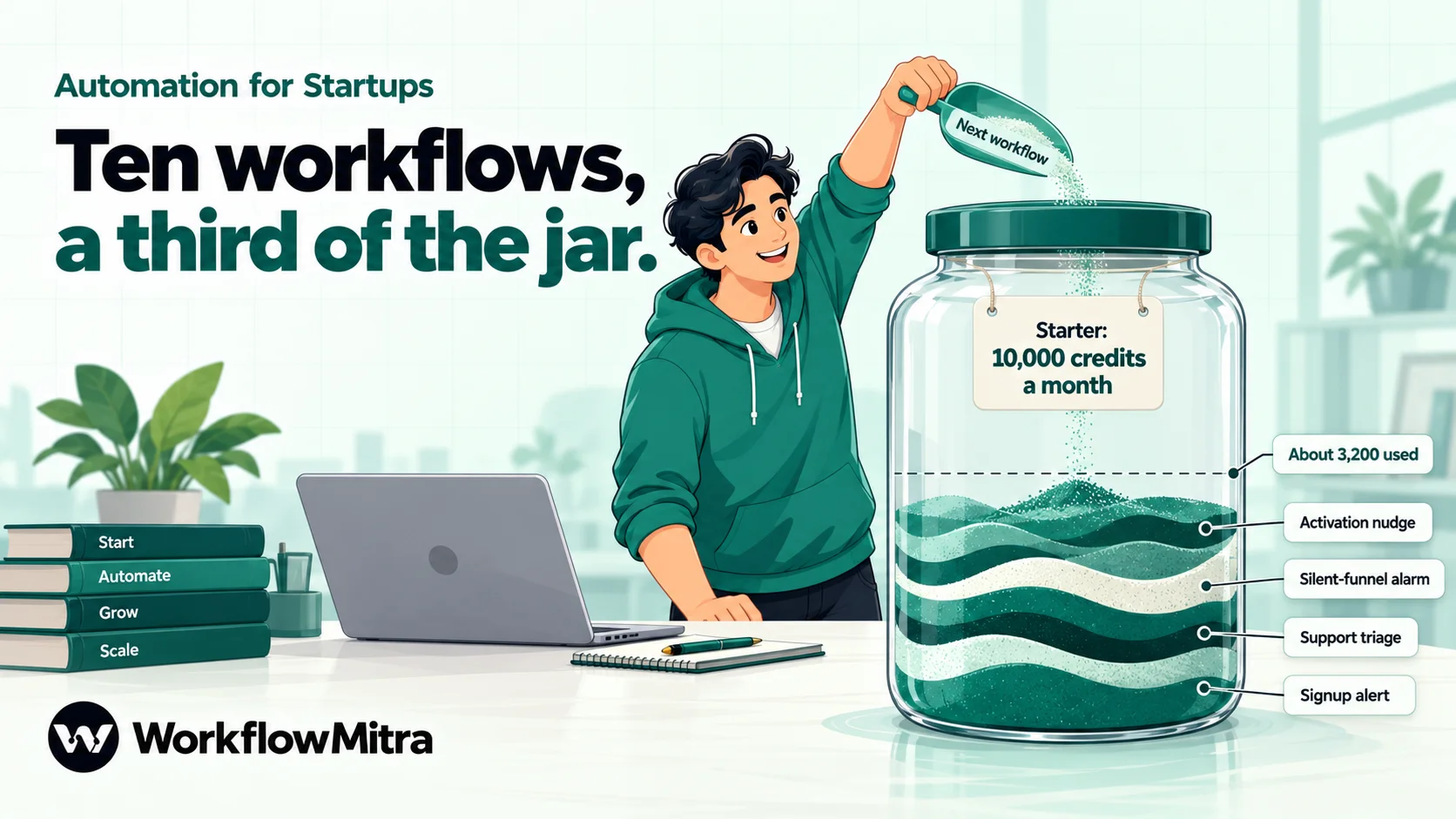
| # | Workflow | Credits per run | Runs a month | Credits a month |
|---|---|---|---|---|
| 1 | Signup alert | 3 | 400 | 1,200 |
| 2 | Revenue log | 2–3 | 60 | ~170 |
| 3 | Failed-payment alert | 2 (pending) / 4 (halted) | ~15 / ~6 | ~55 |
| 4 | Cancellation follow-up | 5 | ~4 | ~20 |
| 5 | Lead routing | 2–3 | 80 | ~240 |
| 6 | Activation nudge | 2 + 2 per person | 30 days, ~5 people a day | ~360 |
| 7 | Support triage | 4 | 150 | 600 |
| 8 | Weekly metrics digest | 3 | ~4 | ~13 |
| 9 | Investor update draft | 3 | 1 | 3 |
| 10 | Silent-funnel alarm | 2 (3 on an alert) | ~240 | ~500 |
| Total | ~3,200 |
That fits comfortably within WorkflowMitra’s Starter plan: 10,000 credits a month for ₹999, or ₹849 a month billed yearly (prices checked on 19 October 2026). The plan allowance resets each billing period, so leftover credits don’t carry over. New accounts start with a 14-day trial with no card required. AI steps use your own provider key, so model usage is billed by Claude, OpenAI, Gemini or Groq directly; a classification prompt on a small model usually costs a fraction of a rupee per request.
The biggest line is the signup alert, because it runs on every signup. If credits get tight as you grow, drop the sheet step and keep only the Slack message, or replace the alert with a daily summary.
What a startup should not automate
Automation is good at noticing events and moving data. It’s bad at judgement. Keep these manual, at least until you are well past product-market fit:
- Customer discovery and early onboarding calls. These conversations are how you learn what to build. Automate the reminder to have them, never the conversations.
- Replies to unhappy or churning customers. Workflow 4 sends the question; a founder answers the reply.
- Investor and board communication. Workflow 9 drafts; a founder sends.
- Pricing, refunds and exceptions. Alert a person and let them decide. A refund workflow that runs without a human is a fraud target.
- Anything you haven’t done by hand. If you can’t describe the steps, the workflow will encode your guess.
Who should own a startup’s automations?
Early on, one founder owns them. Once you hire your first operations or growth person, hand them over with a short list: each workflow’s name, what starts it, who receives its output and what to do when it fails. A few habits keep a small set of workflows trustworthy:
- Name workflows by outcome, such as “Failed payment → customer email + #revenue”, so anyone can tell what a workflow does from the list.
- Turn on failure alerts. In workspace settings, send failed-run alerts to email or a Slack channel someone watches. A workflow that fails silently is worse than no workflow, because people assume it’s working.
- Set a credit alert at, say, 80% of your monthly allowance, so a runaway loop or a spam wave doesn’t surprise you.
- Keep secrets in credentials. Database passwords, mailbox app passwords and AI keys belong in WorkflowMitra’s encrypted credential store, which only workspace admins can reveal.
- Review once a quarter. Delete what nobody reads. A Slack channel full of alerts nobody acts on trains the team to ignore all of them.
Common mistakes
- Automating onboarding before you’ve onboarded anyone. A five-email sequence written before your tenth customer will be wrong. Send the first emails by hand.
- Counting your own team as users. Without the filter in workflow 1, test accounts inflate every number in workflows 8 and 9.
- Emailing customers on the first failed charge. Razorpay and Stripe both retry. Alert yourself first; email the customer when they actually need to act.
- One webhook URL for every payment event. Duplicate keys clash and real events get dropped. One event, one URL, one workflow.
- Quoting database placeholders. Write
= {{ id }}, not= '{{ id }}'; the quoted form breaks the query. - Letting AI send messages to customers or investors. Use AI to classify and draft, and keep a person between the draft and the send.
- Building all ten at once. Build one, watch it for a week in the run history, then build the next.
Why use WorkflowMitra for startup automation?
WorkflowMitra, powered by ChatMitra, is a no-code workflow automation platform built for teams like an Indian startup’s: it reads your database, receives signed Razorpay and Stripe webhooks, sorts and routes with IF and Switch, calls AI models with your own key, and posts to Slack, email, Google Sheets or WhatsApp through ChatMitra. Pricing is in rupees and counts executed steps, so logic is free and a quiet month costs little.
It’s not the right tool for everything. It doesn’t replace your billing system, your product analytics or a dedicated uptime monitor, and it has a far smaller app catalogue than Zapier: check that the apps you depend on are supported before you commit. For the payment, database and messaging workflows a young SaaS company needs first, it covers the ground without a developer maintaining glue code.
Start with the money
If you build only one workflow this month, build workflow 3. A failed renewal that reaches a founder and a friendly email that reaches the customer will recover revenue that would otherwise disappear unnoticed. Add the revenue log and the cancellation question next, then the rest as your volumes and team grow.
You can build all ten on a 14-day WorkflowMitra trial with no card required, using the Google Sheets, Slack and HTTP Request integrations.
The quotations on doing things that don't scale come from Paul Graham's essay of that name (July 2013). Razorpay subscription events (when subscription.charged, pending, halted and cancelled fire, and which entities each payload carries) come from Razorpay's subscription webhooks documentation, and Stripe's invoice.paid, invoice.payment_failed, customer.subscription.deleted and Smart Retries guidance from Stripe's subscription webhooks documentation, both read on 19 October 2026. WorkflowMitra behaviour (the webhook sources and their signature and duplicate checks, the PostgreSQL step's bound parameters and lack of SSH tunnels or fixed IPs, Loop and $trigger behaviour, the AI step's json output, Slack and Email steps, IF and Switch operators including how blanks are treated, and per-step credit rates) was checked in the product's source code, and the expressions shown were run through its expression engine, on 19 October 2026; plan prices come from WorkflowMitra's live plans the same day. Names, companies and volumes in the examples are illustrations, not customer data. Sources: Paul Graham, Do Things That Don't Scale; Razorpay, subscription webhooks; Stripe, using webhooks with subscriptions; Stripe, Smart Retries.
Frequently Asked Questions
Questions founders and first operations hires ask about automation for startups.
Start where money or customers leak quietly: failed subscription payments, cancellations and a log of every charge. Next, automate the signals founders need to see, such as new signups and sales leads, and only then reporting and onboarding sequences. A good rule is to automate a task only after you have done it by hand about ten times and the steps no longer change.
Automate the work between your apps
Build workflows with triggers, conditions and actions, then test them before they go live. Try WorkflowMitra free for 14 days, no card required.
