Conditional Logic in Automation: If/Else, Else-If and Multi-Path Routing

Quick Summary
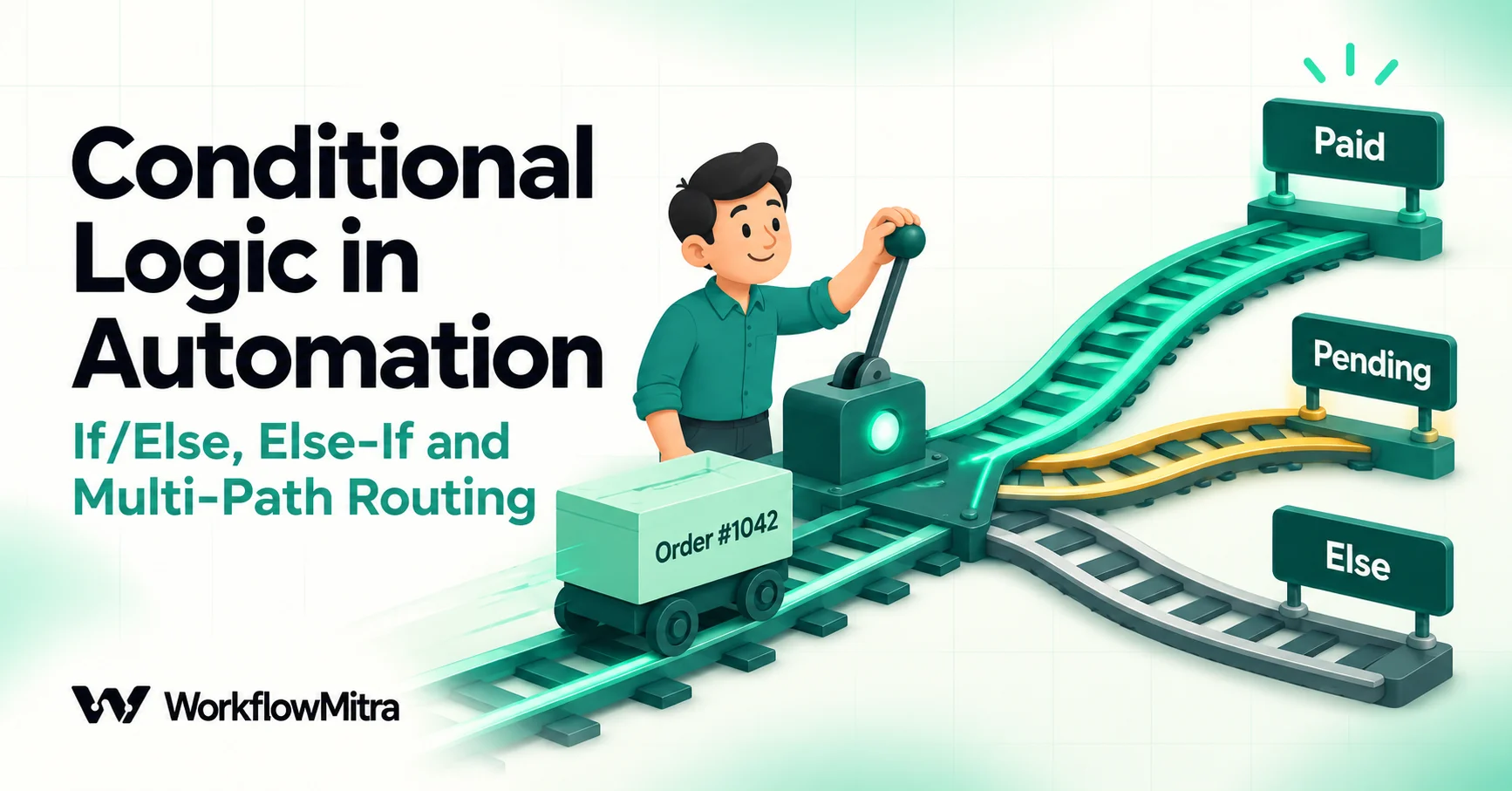
Conditional logic is how a workflow decides which steps to run. There are four shapes: a filter (continue or stop), if/else (two paths), an else-if ladder (several paths, the first match wins) and multi-path fan-out (several independent checks that can all run). In WorkflowMitra, IF and Switch share one editor with up to 20 ordered routes plus Else, so an else-if chain is simply more routes on one step. Order routes from most to least specific, write each threshold once, connect Else to a person whenever unknown data matters, and remember that a step where two live paths meet receives both inputs as a list.
Most workflows start as a straight line: something happens, then a few actions follow. Within a week, someone asks for an exception. Big orders should alert the owner. Leads from Pune should go to Meera. Cancelled orders shouldn’t get a thank-you message. Each exception is a condition, and the way you add them decides whether the workflow stays readable or turns into a tangle nobody wants to touch.
This guide shows how to build conditional logic that holds up: simple if/else, else-if ladders, routing to many paths, running several branches at once, and joining paths back together. Every behaviour described here was run through WorkflowMitra’s own workflow engine on 18 October 2026, including the cases that go wrong, so the examples show what really happens rather than what the editor suggests.
Quick answer: conditional logic decides which steps run for each record. Use a filter to carry on or stop, if/else for two paths, an else-if ladder when one record must go down exactly one of several paths, and fan-out to several IF steps when several independent actions may all apply. Order routes from the most specific to the most general, because the first match wins. Write each threshold once, connect Else to a person when unknown data matters, and after branches rejoin, read values from $trigger or a named step.
What conditional logic means in a workflow
A condition compares one value with another: order total · greater than or equal to · 50000. Conditional logic is what the workflow does with the answer. If you’re new to the idea of conditions alongside triggers and actions, triggers, actions and conditions explains the basics, including how AND and OR rules combine. This guide picks up from there and focuses on structure: how many paths a decision needs, how to keep them from overlapping, and what happens after them.
Almost every business decision in a workflow fits one of four shapes.
| Shape | What it does | Example | How to build it in WorkflowMitra |
|---|---|---|---|
| Filter | Carry on, or stop quietly | Only continue for paid orders | IF with one route; leave Else unconnected |
| If/else | Two paths, exactly one runs | Paid: send confirmation. Otherwise: send payment link | IF with one route, plus a step on Else |
| Else-if ladder | Several paths, exactly one runs | Gold, Silver or Standard customer tier | One IF or Switch with several routes, in order, plus Else |
| Fan-out | Several independent checks; any number can run | VIP alert and high-value review and city routing, all for the same order | Connect one step to several IF steps, each acting as a filter |
The first three shapes pick one path. The fourth can run several. Mixing these up is the root of most branching bugs: people build a ladder when they meant fan-out and wonder why the second rule never fires, or they build fan-out when they meant a ladder and send two messages to the same customer.
If/else: two paths, one decision
The simplest branch has one route and an Else. In WorkflowMitra, add an IF step, give the first route a name (it shows on the canvas), and fill in Runs when with your rule. The canvas then shows two outputs: your route and Else.
Take a coaching institute collecting fees through a payment form. When a submission arrives:
- Route “Paid”: payment_status · Text: Equal to, ignore case ·
paid→ add the student to the batch sheet and send a confirmation. - Else: send a payment link and add a reminder row.
Two habits make if/else reliable.
Name the route after the decision, not the rule. “Paid” reads better on the canvas than “payment_status equals paid”, and it’s what the run log shows when you’re checking why a student got the wrong message. A route you never name appears as “Route 1”, which tells you nothing six weeks later.
Decide what Else really means. Else doesn’t mean “not paid”. It means “anything that didn’t match”: unpaid, failed, pending, blank, or a status your payment provider added last month. If those cases need different handling, you don’t have an if/else at all. You have a ladder, covered next.
When Else should stay empty
Leave Else unconnected only when the IF is a true filter, where data that fails the rule genuinely needs nothing. The run then ends after the IF, and every step on the unconnected path is shown in the run log as skipped.
Two consequences are worth knowing. First, a filtered run still finishes with the status Success, so a filter that’s wrongly rejecting everything won’t show up as failures. Check the IF’s chosen route in a few recent runs after any change. Second, the trigger has already run, so the run still costs the trigger’s credit. The IF itself costs nothing.
Else-if: building a ladder of routes
An else-if ladder asks a series of questions and stops at the first “yes”. In code it looks like this:
if total >= 50000       → Gold
else if total >= 10000  → Silver
else                    → Standard
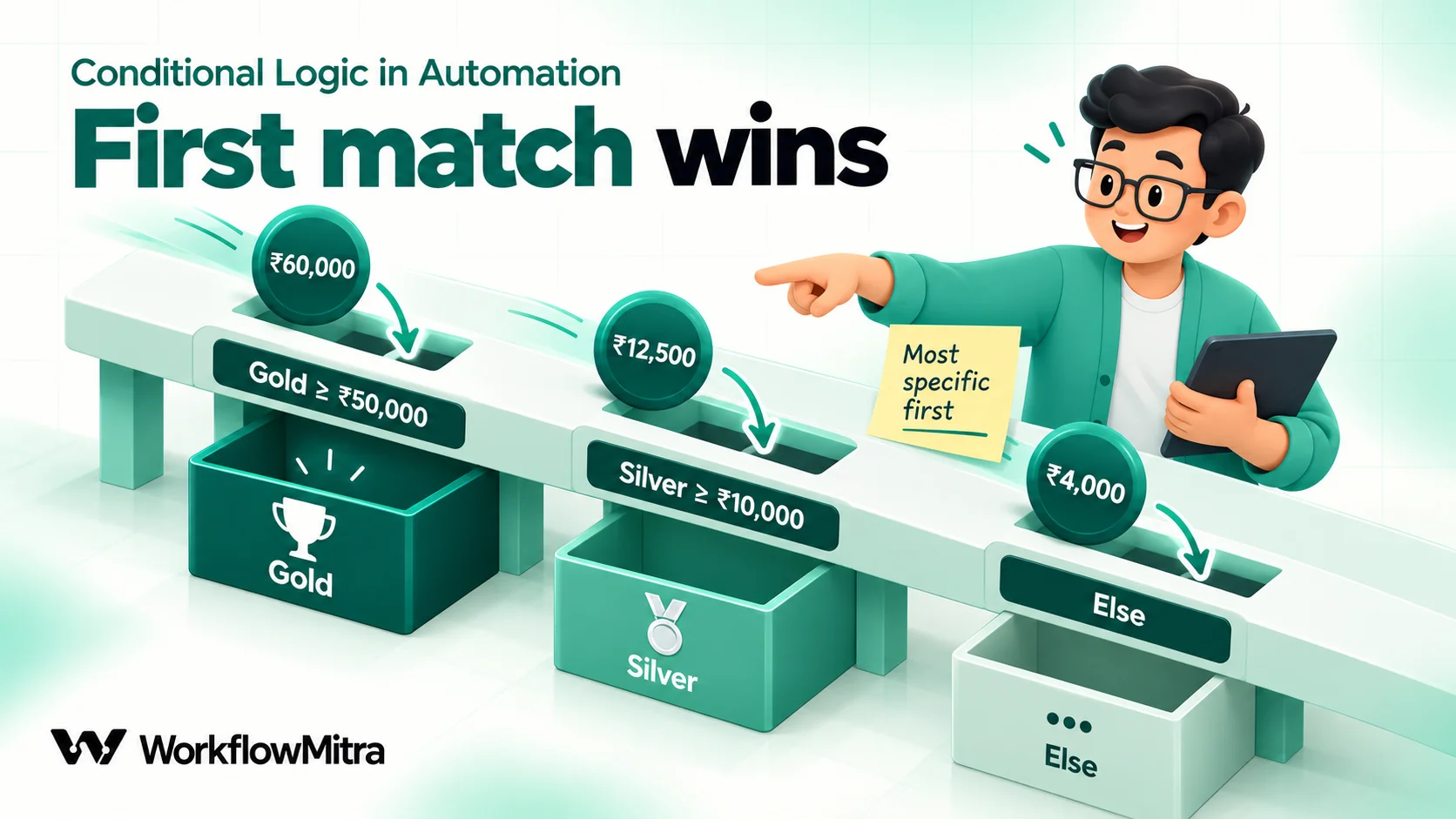
Many automation tools have no else-if, so people chain IF steps together, each one hanging off the previous IF’s false output. That works, but three chained IF steps are hard to read and harder to reorder. In WorkflowMitra you don’t need the chain. One IF step holds up to 20 routes, checked from the top down, and the first route that matches wins. Add a route for each “else if”, and Else catches the rest.
For the tiers above, the IF has two routes:
- Gold: total · Number: Greater than or equal ·
50000 - Silver: total · Number: Greater than or equal ·
10000 - Else: Standard
We ran this exact IF in the workflow engine with eight order totals. Here’s where each one went:
| Order total that arrived | Route taken | Why |
|---|---|---|
60000 | Gold | Passes the first route; Silver is never checked |
50000 | Gold | "Greater than or equal" includes the boundary |
49999 | Silver | Fails Gold, passes Silver |
10000 | Silver | Boundary included again |
9999 | Else | Fails both routes |
"" (blank) | Else | A blank amount fails both "greater than or equal" rules |
| Missing field | Else | Nothing to compare, so every rule is false |
"12,000" | Else | The comma makes it text, so the Number rule is false |
The last three rows are the reason Else matters. A blank, a missing field and a formatted amount all land in “Standard”, alongside genuine small orders. If a missing amount should be treated as a data problem rather than a small order, add a route at the top: Missing amount: total · Is empty, and send it to someone who can fix it.
Order routes from specific to general
Because the first match wins, a broad route placed above a narrow one swallows it. If Silver (≥ 10,000) sat above Gold (≥ 50,000), every Gold order would pass Silver first and Gold would never run. Nothing errors; the Gold path simply stays empty forever.
The rule of thumb: the route with the fewest matches goes on top. The Routes · in order rail on the left of the editor shows the order; select a route and use the ↑ and ↓ buttons beside its name to move it. Moving a route keeps its connections, because each route keeps the same internal ID wherever it sits.
The same applies to text routing. A support router with “refund status” and “refund” must check “refund status” first. A lead router with “Pune, budget over ₹50 lakh” and “Pune” must check the combined rule first.
Write each threshold once
Ladders get gaps and overlaps when each route states both ends of its range. Compare two ways of writing the same tiers:
| Approach | Routes | What goes wrong |
|---|---|---|
| Ranges on every route | Silver: Is between 10000 and 49999 · Gold: Is between 50000 and 9999999 | An order of ₹49,999.50 matches neither range and lands in Else. And someone will one day type 50000 as Silver's upper limit, so both routes contain 50,000. |
| One threshold per route, descending | Gold: ≥ 50000 · Silver: ≥ 10000 · Else | No gaps, no overlaps. Changing a threshold means editing one number. |
“Is between” includes both ends: we confirmed that 5,000 and 10,000 both pass Is between 5000 and 10000. Two adjacent “between” routes that share an endpoint therefore overlap at that endpoint, and the first route quietly wins. Descending “greater than or equal” ladders avoid the problem entirely. Keep “Is between” for genuine windows, such as “the amount must be between ₹500 and ₹2,000 to qualify for this offer”.
Decide once whether each boundary belongs to the tier above or below, and write it in the route name: “Gold (₹50,000 and above)”. Customers and colleagues will ask, and the canvas should answer.
IF or Switch: which step to use
In most automation tools, IF has two outputs and Switch has many, so the choice is forced by the number of paths. In WorkflowMitra the two steps share the same condition editor and the same 29 operators, and both hold up to 20 routes plus Else. Each route can hold up to 10 OR groups, with up to 20 AND rules in each. So the choice is about how the workflow reads to the next person:
- Use IF for a question with a yes/no feel, even if it grows a second route: “Is this a paid order?”, “Is this lead complete?”, “Is the amount above the approval limit?”
- Use Switch for sorting by one field into several named paths: category, language, city, lead source, ticket type. “Switch on category” tells a reader at a glance that every route compares the same thing.
The only practical difference you’ll see is in the run log, where a Switch that matched nothing says “Default — no route matched” and an IF says “Else — no condition matched”. On the canvas, both call the fallback output Else.
Nested IFs or one flat set of routes?
Sooner or later a decision depends on two questions. Should the second question be a second IF inside one path (nested), or should both questions go into the rules of one set of routes (flat)?
Nest when the second question only exists on one path. If a paid order needs a further check for cash-on-delivery confirmation but an unpaid order doesn’t, put a second IF on the “Paid” path only. The canvas shows the dependency: you can’t reach the COD check without passing payment first.
Flatten when both questions describe the same record and the answer is one of several outcomes. A support ticket routed by priority and customer plan is a single decision with several outcomes, not a chain of decisions. Nesting it produces four IF steps and eight paths, most of which do the same thing.
Start with a decision table
For any decision with more than two inputs, write a decision table before you open the editor. Each row is one outcome; each column is one input. Here’s a support router for a software company:
| Route (in order) | Priority | Plan | Goes to |
|---|---|---|---|
| 1. Urgent, paying | urgent | pro or scale | On-call engineer + Slack alert |
| 2. Urgent, trial | urgent | trial | Support lead |
| 3. Billing | any | any, and the subject contains "invoice" or "refund" | Accounts |
| Else | anything else | anything else | Shared support queue |
Each row becomes one route. Row 1 is one group with two rules: priority · Equal to, ignore case · urgent AND plan · Equal to, ignore case · pro, plus a second OR group for scale. Row 3 is two OR groups, one for “invoice” and one for “refund”, because either word is enough.
Decision tables aren’t a no-code invention. The DMN standard published by the Object Management Group uses them to describe business rules, and names the way a table picks between matching rows its “hit policy”. A WorkflowMitra IF or Switch uses what DMN calls a first hit policy: when several rows could match, the one highest in the order wins. That’s exactly why row order matters in the table and in the editor.
The table also exposes the questions nobody asked. What about an urgent ticket from a customer whose plan field is blank? In the table above it falls to Else, the shared queue. Is that acceptable for an urgent ticket? Better to decide that on paper than discover it from an angry customer.
Getting “not” right
Exclusions are where careful builders still slip. “Skip test orders and cancelled orders” sounds like an OR, but the condition you need is an AND:
- Continue if: status · Not equal to, ignore case ·
cancelledAND tag · Does not contain ·test
Writing it as “not cancelled OR not test” passes almost everything, because a cancelled order is still “not test”. The underlying rule, known as De Morgan’s law, says that “not (A or B)” is the same as “not A and not B”. If you only remember one thing: when you exclude several things, join the “not” rules with AND, in one group.
Exclusion rules have a second trap. We confirmed that Not equal to and Does not contain both pass a blank value. A blank status is “not equal to cancelled”, so an order whose status failed to arrive slips through every exclusion. When the field matters, add Is not empty to the same group, so a blank fails the route instead of passing it.
Operator behaviours that change which branch runs
Branching is only as accurate as the comparison inside it. Data validation automation covers how to clean values before they reach a decision; here are the behaviours that most often send a record down the wrong path. Each line was run through WorkflowMitra’s condition code.
| Value | Rule | Result | What to do |
|---|---|---|---|
"" | Number: Less than 5000 | Passes | Add Is not empty, or use Is between, which never matches a blank |
"" | Text: Not equal to cancelled | Passes | Add Is not empty to exclusions |
"Cancelled" | Text: Not equal to cancelled | Passes | Text rules are case-sensitive; use Not equal to, ignore case |
"Mumbai " (trailing space) | Text: Equal to Mumbai | Fails | Trim values with {{ trim(city) }} before comparing |
"5" | Text: Equal to 5.0 | Fails | Use Number: Equal to, which compares 5 and 5.0 as equal |
"TRUE" | Yes / No: Is yes | Passes | Is yes reads true/false, 1/0 and the words "true"/"false" |
"Yes" | Yes / No: Is yes | Fails | Compare form answers with Equal to, ignore case yes |
" " (spaces) | Any value: Is not empty | Passes | Spaces count as content; trim first |
"" | Any value: Exists | Passes | Exists only checks the field is present; use Is not empty for "has a value" |
One more limit shapes how you design routes: there’s no pattern-matching (regular expression) operator. When a decision depends on a pattern, such as order IDs that start with letters followed by digits, or a valid PIN code, work it out in a Code step that returns a simple field like valid: true, and let the IF route on that.
When a rule can’t be written as a comparison
Some decisions depend on meaning, not values. Is this email a complaint or a sales enquiry? Does this review mention delivery? A keyword rule catches “refund” and misses “I want my money back”.
The reliable pattern splits the job. An AI step reads the text and answers with one word from a fixed list, then a Switch routes on that word with ordinary rules. The AI makes the judgement, and the branching stays visible and testable. AI routing walks through the prompt, the routing table and the review queue. In WorkflowMitra the AI step uses your own API key for a supported provider such as OpenAI, Claude or Gemini, and that provider bills the model usage.
Two rules carry over from everything above: compare the AI’s answer with Equal to, ignore case, and always connect Else to a person, because sooner or later the model will reply with a word that isn’t on your list.
Multi-path: when more than one branch should run
An IF or Switch runs one route per record, however many would match. That’s right for tiers and routing, and wrong for independent actions. Picture a new order where three separate things might apply:
- the customer is a VIP, so the account manager should hear about it;
- the total is above ₹1,00,000, so a person should review it before dispatch;
- the delivery city is Pune, so the Pune warehouse should be told.
A single Switch with those three routes would handle only the first one that matched. A VIP ordering ₹1,50,000 for Pune would trigger the VIP alert and nothing else.
The fix is fan-out. Connect the trigger to three IF steps, one per check, each with one route and Else left unconnected. Every step that isn’t a branch passes its output down every connection, so all three IF steps receive the order, and each one that passes starts its own path. We confirmed this in the engine: a step connected to two IF filters ran both, and when one IF’s route was connected to two different steps, both of those ran as well.
Use fan-out when the checks are independent: none of them depends on another’s answer, and it’s acceptable for all of them to fire. Use a ladder when they’re exclusive: one record, one outcome. If you catch yourself adding “and not VIP” to a fan-out check so two paths don’t both run, you wanted a ladder.
Cost doesn’t push you either way. IF and Switch cost 0 credits at default rates, so three filters cost nothing; you pay for the actions that actually run.
Bringing paths back together
Branches often end in the same place: whatever happened on the “Paid” or “Unpaid” path, update the CRM and log the result. In WorkflowMitra you connect both paths to that final step, and the engine handles the join.
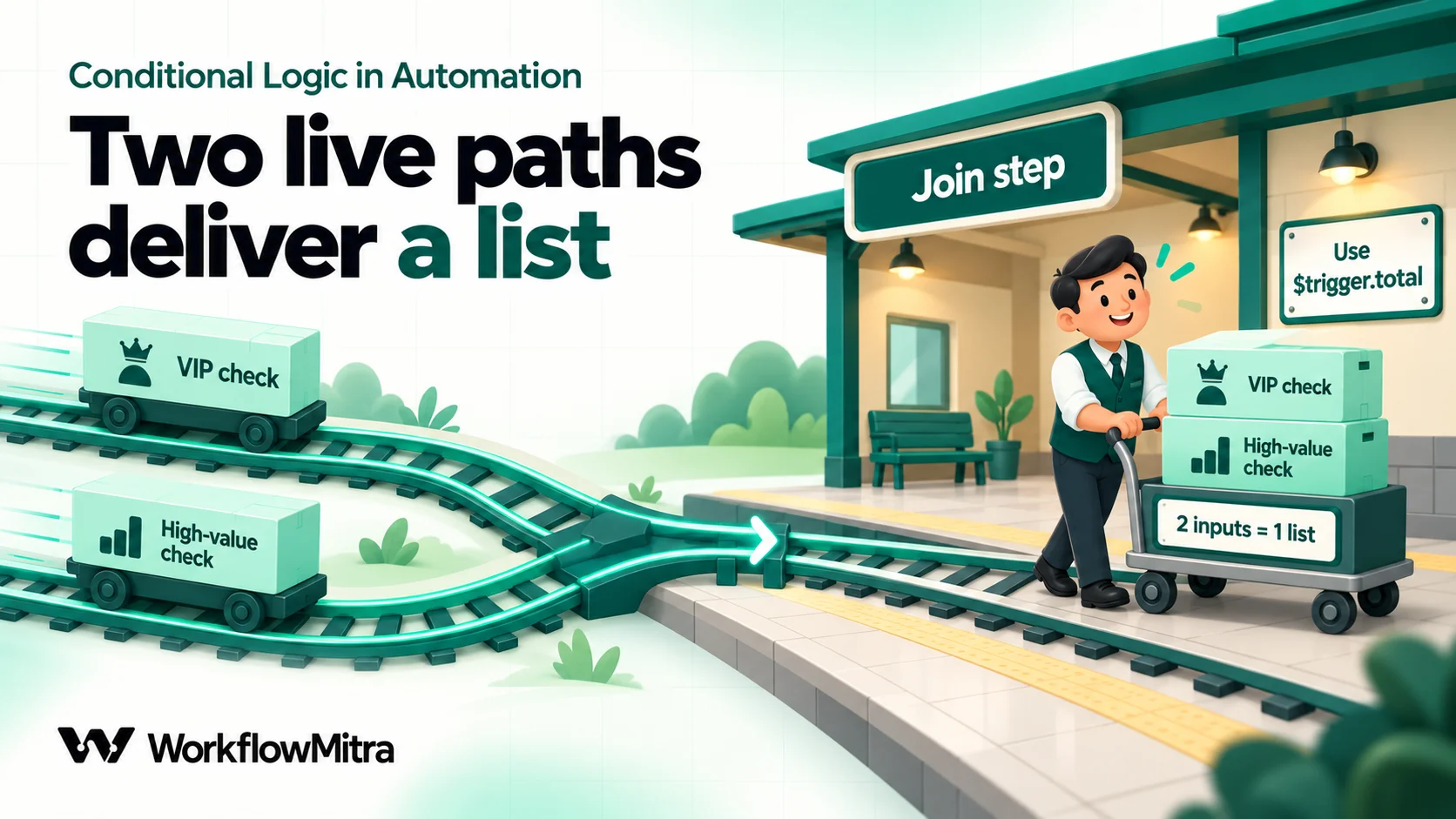
The rule is simple. A step with several incoming connections waits until every incoming path has either delivered data or been skipped, and then runs once if at least one path delivered. If every path into it was skipped, it’s skipped too. That’s why an if/else can rejoin without the workflow hanging on the path that didn’t run.
The join trap: two live paths deliver a list
After an if/else, only one path is live, so the joining step receives that path’s data and everything works as you’d expect. Fan-out is different. When two paths are live and both reach the same step, that step still runs once, but its input is a list containing both inputs.
We tested it. An order reached a join through two IF filters that both passed. Inside the joining step:
{{ total }}resolved to nothing, because a list has no field calledtotal;{{ $trigger.total }}resolved to 500, the value from the trigger.
So after any join, don’t rely on plain field names. Read original data with {{ $trigger.field }}, and data a particular step produced with {{ $node["Step name"].field }}. Passing data between steps explains both references, and why a plain {{ field }} only ever reads the step immediately before.
If the step after a fan-out join sends a message or writes a row, also ask whether it should run once per order or once per path. It runs once per run, which is usually what you want for “log this order”, and wrong if you expected one log line per check that passed. In that case, put the logging step on each path instead of after the join.
Joins and error paths
Error handling adds its own join case. When a step fails and its error path is connected, its normal outgoing connections are treated as not taken, and a step downstream that also has another incoming path still runs. A “send confirmation” step after a join can therefore run even though the invoice step on one branch failed. When a join follows a step with an error path, add an IF on that step’s result before anything customer-facing. Workflow error handling covers the pattern.
How to test every branch
A branch that’s never been exercised is a branch that doesn’t work yet. Build a small test table before you switch the workflow on: one row per route, one row per boundary, and one row for every kind of bad data you can imagine.
| Test record | Expected route |
|---|---|
| Total exactly 50,000 | Gold |
| Total 49,999 | Silver |
| Total 10,000 | Silver |
| Total 9,999 | Else (Standard) |
| Total blank | Missing amount (if you added that route) |
| Total "12,000" with a comma | Fixed upstream, or flagged |
| Status "Cancelled" with a capital C | Excluded |
| Status missing entirely | Excluded or flagged, not passed |
Then run each record and open it in the execution history. For an IF or Switch step, the run log shows which route was taken by its name, and lists the rules that were checked with the value each one actually read. When a record falls to Else, that list answers the real question: was the value wrong, or did the field path resolve to nothing? Steps on paths that weren’t taken appear as skipped, so you can see the whole route at a glance.
Be careful how you run tests. The editor’s Run button starts a live run: messages are sent and rows are written. Safe Test Mode, which simulates WhatsApp, email, Slack, Discord and Telegram sends, is available from a webhook trigger’s test panel, and even there Google Sheets steps write real rows. Point tests at a copy of your sheet. How to test an automated workflow has a fuller checklist.
Common mistakes with conditional logic
- A broad route above a narrow one. The narrow route never runs, and nothing reports it. Put the route with the fewest matches first.
- Ranges on every tier. Gaps catch decimals; shared endpoints overlap. Use one descending threshold per route.
- Treating Else as “the opposite”. Else is “everything else”, including blanks, typos and new values. Connect it to a person when that matters.
- Exclusions joined with OR. “Not A or not B” passes nearly everything. Join exclusions with AND.
- Forgetting that blanks pass “Not equal to” and “Less than”. Add Is not empty to any rule where a missing value would mislead.
- Using a ladder when the checks are independent. Only one route runs. Fan out to several IF filters instead.
- Reading plain fields after a join. Two live paths deliver a list. Use
$triggeror$node["Step name"]. - Nesting what should be one decision. Four IF steps for a two-input routing table is a decision table waiting to be flattened.
- Unnamed routes. “Route 3” in the run log helps nobody. Name every route after the outcome.
Design branches on paper first
Good conditional logic is mostly decided before you click anything. Pick the shape (filter, if/else, ladder or fan-out), write the decision table, put the most specific outcome first, write each threshold once, and decide what happens to data that fits nowhere. The editor then becomes the easy part.
WorkflowMitra, powered by ChatMitra, gives you IF and Switch steps with up to 20 ordered routes, AND/OR rule groups across 29 operators, and a run log that shows which route ran and why, at no credit cost for the branching itself. When a branch ends in a customer message on WhatsApp, the message can go out through ChatMitra or Meta’s Cloud API. If your branching needs are a single yes/no inside one app’s own automation settings, that app’s built-in rules may be all you need; this approach fits decisions that span several apps and several outcomes.
You can build every example here on a WorkflowMitra trial: 14 days, 10,000 credits, no card needed, with plans on the pricing page. For the concepts underneath, read triggers, actions and conditions; to see how branches fit with loops, waits and approvals, read types of workflows. For WhatsApp-led flows such as lead qualification, ChatMitra’s guide to WhatsApp automation covers the channel side.
WorkflowMitra behaviour was verified against the product's source code on 18 October 2026 (IF and Switch steps, route matching, condition operators and the workflow engine's join handling). The tier ladder, fan-out, filter and join examples were executed in the workflow engine, and every operator result in the tables was run through the product's condition code on that date. The decision-table and hit-policy terms come from the Object Management Group's DMN specification; De Morgan's law is standard logic. Order values, cities and routing rules are examples.
Frequently Asked Questions
Questions builders ask when their branches send data down the wrong path.
Conditional logic is the part of a workflow that decides which steps run for a given record. A condition compares a value, such as an order total or a lead's city, with something else, and the workflow follows a different path depending on the answer. The common shapes are a filter (carry on or stop), if/else (two paths), an else-if ladder (several paths where the first match wins) and fan-out, where several independent checks can each start their own actions.
Automate the work between your apps
Build workflows with triggers, conditions and actions, then test them before they go live. Try WorkflowMitra free for 14 days, no card required.
