Contract Renewal Reminders: Automate 90, 60 and 30-Day Alerts for AMCs and Service Contracts

Quick Summary
Contract renewal reminder automation reads your list of customer contracts every morning, works out how many days each has left, and sends the right message at each stage: a heads-up to the account owner at 90 days, a renewal quote for approval at 60, customer reminders at 30, 7 and 0 days, and an alert if a contract lapses. In WorkflowMitra, powered by ChatMitra, that's one daily workflow over a Google Sheet plus a second that waits for a manager to approve each quote before it goes out, at about three credits per reminder sent.
A refrigeration and air-conditioning service company in Pune has 340 annual maintenance contracts with clinics, restaurants and offices. Each one renews on a different date. For years, the renewal list lived in the owner’s head and a desk calendar. Then a senior technician who knew every customer left, and over the next quarter a dozen AMCs quietly lapsed: the customers weren’t unhappy, nobody had asked them to renew. (The company is illustrative; the pattern is common.)
Renewals slip because they look like admin and behave like sales. They need the right person to act at the right time, months before the end date, and calendar reminders don’t survive staff changes. This guide shows how to keep every customer contract in one Google Sheet and let two small workflows run the renewal cycle: one that checks every contract each morning and sends the reminder each stage calls for, and one that holds each renewal quote until a manager approves it.
What is contract renewal reminder automation?
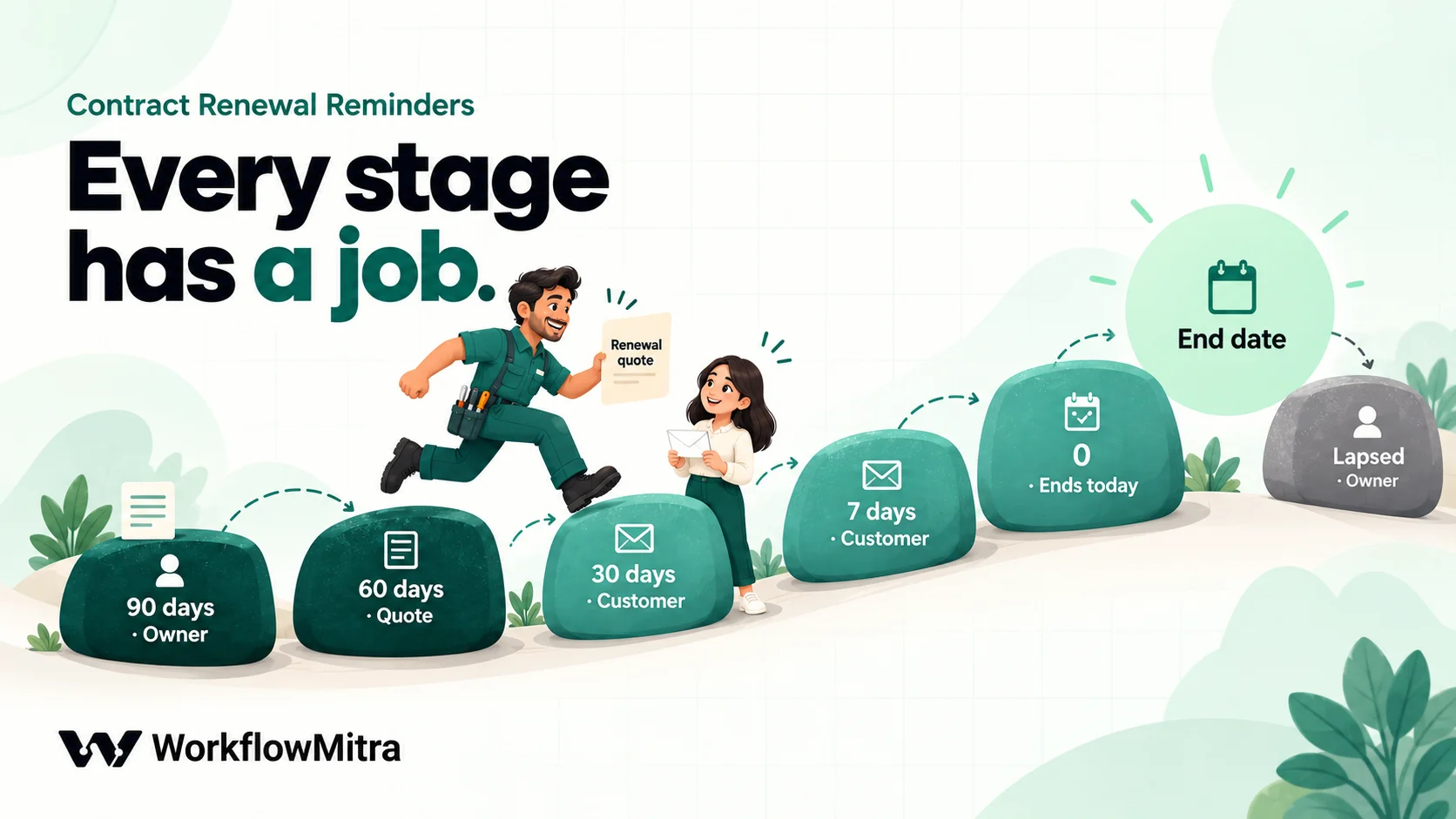
Contract renewal reminder automation is a scheduled check of your contract list that works out how many days each contract has left and sends the message its stage calls for, without anyone remembering to look. A typical cadence is an internal heads-up at 90 days, a renewal quote at 60, customer reminders at 30, 7 and 0 days, and an escalation if the contract lapses. Each message is sent once, and the contract's row records which stage went out.
Three things make it work:
- One list. Every customer contract, with its end date and owner, in one place the team can see.
- A daily check. Something reads the list every morning and does the date maths, so nothing depends on memory.
- A memory of what was sent. The row records the last stage, so reminders are never repeated or skipped.
WorkflowMitra, powered by ChatMitra, is the automation tool used in this guide. The cadence and sheet design work the same with any tool, or by hand.
Customer renewals, not your own contracts
This guide is about contracts you sell: AMCs, service contracts, support plans and other annual agreements your customers renew with you. Renewing them is revenue, and the reminders go to your account owners and your customers.
Contracts you buy are a different job. Your office lease, software subscriptions and insurance need reminders to your own team, often before a notice deadline. Document expiry tracking covers that register. The two can share a spreadsheet, but keep them on separate tabs with separate workflows, because the messages and the people are different.
Recurring service visits inside a contract (filter changes, quarterly inspections) are also separate: they are a maintenance schedule, not a renewal.
Why renewals slip
The usual reasons are organisational, not technical.
- Reminders belong to a person, not the account. A calendar alert set by one account manager leaves with them. A shared list doesn’t.
- The first useful moment is early. By the time the end date is close, the customer may already have a quote from a competitor, or a budget cycle may have closed.
- Renewal needs a decision first. Somebody has to check the service history, decide whether the price changes and send a quote. Without a nudge at that stage, the customer-facing reminder arrives with nothing to say.
- Nobody notices a lapse. A contract that ends quietly doesn’t produce an error. The first sign is a breakdown call from a customer who thinks they’re still covered.
A good cadence answers each of these: an early internal prompt, a quote with an approval step, customer reminders that get more direct, and an alert when something slips through.
The reminder cadence
This is the cadence the workflow uses. Change the days to suit your contracts; the logic stays the same.
| Stage | When | Goes to | Purpose |
|---|---|---|---|
| 90 | 90 days before | Account owner | Check service history, open complaints and price; decide whether to renew on the same terms |
| 60 | 60 days before | Account owner, then customer | Renewal quote prepared and queued for approval; sent to the customer once approved |
| 30 | 30 days before | Customer, owner copied | First customer reminder: the end date and how to renew |
| 7 | 7 days before | Customer, owner copied | Final reminder before cover ends |
| 0 | On the end date | Customer, owner copied | Cover ends today; visits after today aren't covered |
| Lapsed | 7 days after | Account owner | Still not renewed: call the customer, then record the outcome |
If a contract has a notice period, for example a B2B support agreement that renews automatically unless either side gives 30 days’ written notice, or one where you must announce a price change in advance, count every stage back from the notice deadline, not the end date. The sheet has a Notice days column for this; for a plain AMC it stays at 0.
Design the contract sheet
One row per contract, with these headers. The workflow finds columns by name, so their order doesn’t matter, but the names must match the script’s settings.
| Header | Example | Notes |
|---|---|---|
| Contract ID | AMC-2026-114 | Unique. The update step finds the row by it |
| Customer | Sharma Clinic | As it should appear in the email greeting |
| [email protected] | The person who signs renewals, not a generic inbox if you can avoid it | |
| Covers | AC maintenance | Short and readable: it appears in the subject line |
| End date | 18/12/2026 | A real date cell (Format → Number → Date), not text |
| Annual value | 18000 | A plain number, no ₹ sign |
| Notice days | 0 | Days of written notice needed before the end date |
| Owner email | [email protected] | Who handles this renewal; copied on customer emails |
| Status | Active | Active, Quote pending, Quote sent, Renewed, Not renewing |
| Last reminder | 30 | Written by the workflow: 90, 60, 30, 7, 0 or lapsed |
| Last reminder on | 18 Nov 2026 | Written by the workflow |
| Notes | Wants 2 visits a year | For people |
The Status column is what keeps the cycle honest. The workflow reminds only contracts that are Active, Quote pending or Quote sent. When a customer renews, someone sets Renewed; when they decline, Not renewing. Both stop all further reminders for that row.
Keep the end date a real date. Read with Raw values, a date cell arrives as a Sheets date number, which the script reads exactly. A date typed as text such as “18/12/2026” is ambiguous (December or a typo?), so the script refuses it and lists the contract under problems instead of guessing. The date calculations guide explains why date text causes so much trouble in automation.
Add a second tab called Quote queue with these headers in row 1, in this order: quote_id, contract_id, customer, email, covers, ends, current_value, renewal_price, owner, decision. The daily workflow adds a row here for each quote that needs approval.
Workflow 1: the daily renewal check
This workflow reads the contract list each morning, sends every reminder that’s due, and queues quotes for approval.
Step 1: schedule it
Add a Schedule trigger: Every day at a set time, 9:00, Timezone Asia/Kolkata. Emails sent at the start of the working day get read; the same email at 2 a.m. gets buried.
Step 2: read the contracts
Add a Google Sheets step: Read rows, tab Contracts, Read values set to Raw values (numbers stay numbers). Read rows returns up to 5,000 rows by default, which covers most contract books; raise Limit if you have more.
Step 3: work out what’s due
Add a Code step named Find due renewals and paste this script. Change the Settings block (your company name, the stages, the statuses) and nothing below it:
// ---- Settings ----
const COL = {
  id: 'Contract ID', customer: 'Customer', email: 'Email', covers: 'Covers', end: 'End date',
  value: 'Annual value', notice: 'Notice days', owner: 'Owner email', status: 'Status', last: 'Last reminder'
};
// Stages run from the earliest to the latest. "days" = days before the deadline.
const STAGES = [
  { key: '90', days: 90, to: 'owner' },     // prepare: service history, price
  { key: '60', days: 60, to: 'owner' },     // quote goes to the approval queue
  { key: '30', days: 30, to: 'customer' },
  { key: '7', days: 7, to: 'customer' },
  { key: '0', days: 0, to: 'customer' },    // ends today
  { key: 'lapsed', days: -7, to: 'owner' }  // a week after: still not renewed
];
const QUOTE_STAGE = '60';
const OPEN = ['active', 'quote pending', 'quote sent'];   // statuses that still need reminders
const COMPANY = 'Your Company';                            // used in customer emails
const MAX_PER_RUN = 200;                                   // the rest wait for tomorrow's run
const UPLIFT_PERCENT = 0;                                  // proposed price change; edit per quote in the sheet

// ---- Dates: whole days in India time ----
const text = (v) => String(v == null ? '' : v).trim();
const todaySerial = Math.floor((Date.now() + 330 * 60000) / 86400000) + 25569;
const toSerial = (v) => {
  if (typeof v === 'number') return Math.floor(v);                 // a date cell read as Raw values
  const m = text(v).match(/^(\d{4})-(\d{2})-(\d{2})/);             // 2027-01-15
  return m ? Date.UTC(+m[1], +m[2] - 1, +m[3]) / 86400000 + 25569 : NaN;
};
const show = (s) => new Date((s - 25569) * 86400000).toLocaleDateString('en-GB', { day: 'numeric', month: 'short', year: 'numeric', timeZone: 'UTC' });
const rupees = (n) => (Number(n) ? '₹' + Number(n).toLocaleString('en-IN') : '');

// ---- Find what is due today ----
const rows = (input && input.rows) || [];
const due = [], quotes = [], problems = [];
for (const r of rows) {
  const c = {
    id: text(r[COL.id]), customer: text(r[COL.customer]), email: text(r[COL.email]),
    covers: text(r[COL.covers]), end: toSerial(r[COL.end]), value: r[COL.value],
    notice: Number(r[COL.notice]) || 0, owner: text(r[COL.owner]),
    status: text(r[COL.status]).toLowerCase(), last: text(r[COL.last])
  };
  if (!c.id || !OPEN.includes(c.status)) continue;
  if (!Number.isFinite(c.end)) { problems.push(c.id + ': End date is not a date'); continue; }

  const deadline = c.end - c.notice;
  const daysLeft = deadline - todaySerial;
  // The latest stage whose day has arrived
  let stage = null;
  for (const s of STAGES) if (daysLeft <= s.days) stage = s;
  if (!stage) continue;                                            // more than 90 days away
  const lastIndex = STAGES.findIndex((s) => s.key === c.last);
  const stageIndex = STAGES.indexOf(stage);
  if (stageIndex <= lastIndex) continue;                           // already sent this one (or a later one)

  const ends = show(c.end), by = show(deadline);
  const noticeLine = c.notice ? ' Notice is due by ' + by + ' (' + c.notice + ' days before the end date).' : '';
  let subject, body, to = c.owner, cc = '';
  if (stage.to === 'customer') {
    to = c.email; cc = c.owner;
    subject = daysLeft > 0
      ? 'Your ' + c.covers + ' contract ends on ' + ends
      : 'Your ' + c.covers + ' contract ends today';
    body = 'Dear ' + c.customer + ',\n\nYour ' + c.covers + ' contract (' + c.id + ') ' +
      (daysLeft > 0 ? 'ends on ' + ends + ', in ' + daysLeft + ' days.' : 'ends today.') +
      ' Visits and repairs after that date are not covered.\n\nReply to this email to renew or to ask for a renewal quote.\n\nRegards,\n' + COMPANY;
  } else if (stage.key === 'lapsed') {
    subject = 'Lapsed: ' + c.customer + ' (' + c.id + ') ended on ' + ends;
    body = c.customer + "'s " + c.covers + ' contract ended ' + (-daysLeft) + ' days ago and is not marked Renewed. Call them, then set Status to Renewed or Not renewing.';
  } else {
    subject = (c.notice ? 'Notice due in ' : 'Renewal in ') + daysLeft + ' days: ' + c.customer + ' (' + c.id + ')';
    body = c.customer + "'s " + c.covers + ' contract ends on ' + ends + ' (' + rupees(c.value) + ').' + noticeLine +
      (stage.key === QUOTE_STAGE ? ' The renewal quote is waiting for your approval in WorkflowMitra under Approvals.' : ' Check the service history and decide the renewal price before the quote goes out.');
  }

  if (due.length >= MAX_PER_RUN) { problems.push('More than ' + MAX_PER_RUN + ' reminders due; the rest go tomorrow'); break; }
  // The quote is queued once, at the quote stage or later if it was missed
  const needsQuote = c.status === 'active' && stageIndex >= STAGES.findIndex((s) => s.key === QUOTE_STAGE) && daysLeft > 0;
  if (needsQuote) quotes.push({ quote_id: c.id + '-' + show(c.end).slice(-4), contract_id: c.id, customer: c.customer,
    email: c.email, covers: c.covers, ends: ends, current_value: Number(c.value) || '',
    renewal_price: Number(c.value) ? Math.round(Number(c.value) * (1 + UPLIFT_PERCENT / 100)) : '', owner: c.owner });

  due.push({ contract_id: c.id, stage: stage.key, days_left: daysLeft, to, cc, reply_to: c.owner,
    subject, body, status: needsQuote ? 'Quote pending' : r[COL.status], sent_on: show(todaySerial) });
}

return { checked: rows.length, dueCount: due.length, due, quoteCount: quotes.length, quotes, problems };
What it does, in order:
- Skips closed contracts. Renewed and Not renewing rows are ignored.
- Counts days in India time. It compares whole calendar days in IST, so a contract ending tomorrow shows 1 day left at 9 a.m. and at 11 p.m. alike.
- Picks the latest stage that has arrived. If the workflow was off for a while and a contract went from 95 days left to 25, it sends the 30-day reminder once, not the 90, 60 and 30 together.
- Never repeats a stage. It compares the stage with the Last reminder column and sends only a later one.
- Queues the quote once. A contract still marked Active at the quote stage or later gets a Quote queue row and moves to Quote pending.
- Caps a run at 200 reminders. The Loop in the next step handles up to 1,000 items per run; the cap keeps a first run on a big contract book well inside that, and the rest go out the next morning.
- Reports problems such as a text end date, instead of guessing.
We ran this script in WorkflowMitra’s Code sandbox on 19 October 2026 with 14 test contracts covering every case: one 120 days out (nothing sent), each stage from 90 to lapsed, a contract that had missed two stages (got only the latest), one already reminded at its current stage (nothing sent), a renewed one (skipped), one with a 30-day notice period, one with an ISO text date and one with a “15/01/2027” text date (reported as a problem). All behaved as described, in 12 milliseconds. A 5,000-contract sheet took 22 milliseconds, far inside the Code step’s 1-second limit. More on what the step can do is in the Code step guide.
Step 4: send each reminder with a Loop
Add a Loop step after the Code step and set its list to due. Inside the loop, each due reminder becomes $trigger for the steps in the loop body. If nothing is due, the Loop goes straight to its done route and nothing is sent. Loops in workflow automation covers the step in detail.
In the loop body, add two steps:
- Email, sending from your connected mailbox: To
{{ $trigger.to }}, Cc{{ $trigger.cc }}, Reply-To{{ $trigger.reply_to }}, Subject{{ $trigger.subject }}, and Message{{ $trigger.body }}with Plain text selected. Owner stages have an empty Cc, so they go to the owner alone; customer stages go to the customer with the owner copied, and replies come back to the owner. If you haven’t connected a mailbox yet, SMTP email automation walks through it. - Google Sheets › Update row on the Contracts tab. Key column
Contract ID, Key value{{ $trigger.contract_id }}. Map Last reminder to{{ $trigger.stage }}, Last reminder on to{{ $trigger.sent_on }}and Status to{{ $trigger.status }}, and leave every other column Untouched so nobody’s notes are overwritten.
The order matters: email first, then the update. If an email fails, the row isn’t marked, and tomorrow’s run tries that stage again.
Step 5: queue the quotes
From the same Code step, add a second branch: an IF step with {{ quoteCount }}, Number, Greater than 0. On its Yes route, add Google Sheets › Add row(s), tab Quote queue, Multiple Rows (Bulk Array), Upstream Array Source {{ $node["Find due renewals"].quotes }}, mapping columns A to I to {{ quote_id }}, {{ contract_id }}, {{ customer }}, {{ email }}, {{ covers }}, {{ ends }}, {{ current_value }}, {{ renewal_price }} and {{ owner }}.
The IF guard matters because a bulk write with an empty list fails. On most days there’s no quote to queue, and the branch simply stops.
renewal_price starts as the current value changed by UPLIFT_PERCENT in the settings (0 means the same price). It’s a proposal: the owner can change it in the Quote queue tab before approving.
Workflow 2: approve and send the renewal quote
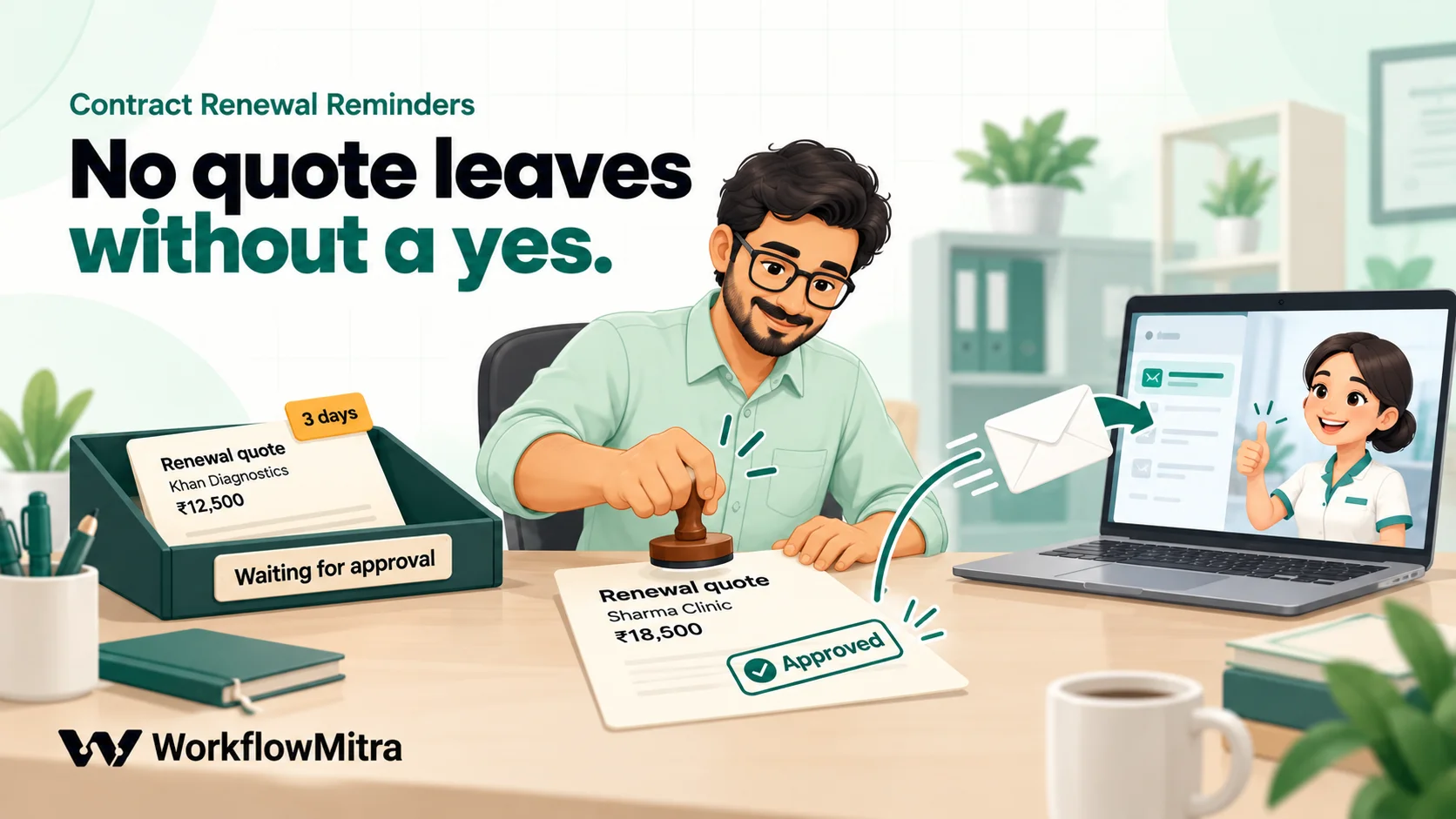
A quote is a commitment, so it waits for a person. WorkflowMitra’s Wait for approval step pauses a run until someone approves or rejects, but a paused step can’t sit inside a Loop. So the quotes get their own workflow, which starts once per new row in the Quote queue.
Step 1: start on each new quote row
Add a Google Sheets trigger on the Quote queue tab, event A row is added, ID column quote_id, and Check for changes every 15 minutes. Each new row starts its own run, with the row as $trigger.
Switch this workflow on before Workflow 1 adds its first row. The trigger treats rows already on the tab at its first check as existing, not new, so quotes queued before it was switched on won’t start runs.
Step 2: wait for approval
Add Wait for approval:
- What are they approving?
Send the renewal quote to {{ $trigger.customer }}? - Show them:
{{ $trigger.covers }} contract {{ $trigger.contract_id }} ends {{ $trigger.ends }}. Current value ₹{{ $trigger.current_value }}, proposed renewal ₹{{ $trigger.renewal_price }}. To change the price, edit renewal_price in the Quote queue tab, then approve. - If nobody answers within: 3 days, then Treat it as “no” (recommended).
The request appears on the Approvals page in WorkflowMitra. If your workspace has an alert email or Slack webhook set, it also sends a link there, so the manager doesn’t have to remember to look. The approval workflow guide covers the step’s behaviour and its limits.
Step 3: branch on the decision
Add an IF step right after it: {{ approved }}, Is yes. Read approved in the step immediately after the approval, as here, rather than from a later step.
Step 4 (Yes): send the quote
On the Yes route:
- Google Sheets › Find row named
Read quote, tab Quote queue, keyquote_id={{ $trigger.quote_id }}. This re-reads the row, so a price the manager edited before approving is the one that goes out. - Email to
{{ $trigger.email }}, Cc and Reply-To{{ $trigger.owner }}, subjectRenewal quote for your {{ $trigger.covers }} contract, with a body such as: “Your contract {{ $trigger.contract_id }} ends on {{ $trigger.ends }}. The renewal for the next year is ₹{{ $node[“Read quote”].row.renewal_price }}. Reply to this email to confirm, and we’ll send the invoice.” - Google Sheets › Update row on Contracts: key
Contract ID={{ $trigger.contract_id }}, Status =Quote sent. - Google Sheets › Update row on Quote queue: key
quote_id={{ $trigger.quote_id }}, decision =Sent.
Step 5 (No): record it
On the Else route, one Update row on Quote queue setting decision to Not sent. The contract stays Quote pending, so the customer reminders at 30, 7 and 0 days still go out, asking them to reply to renew or to ask for a quote. The owner sees the “Not sent” row and decides what to do.
When a customer renews
Renewal closes one cycle and opens the next. When the customer confirms and pays:
- Set End date to the new end date.
- Clear Last reminder and Last reminder on.
- Set Status back to Active, and update Annual value if the price changed.
That’s all the workflow needs: next year’s 90-day reminder will arrive on its own. If you’d rather keep history, add a new row with a new Contract ID and set the old row to Renewed.
When a customer declines, set Not renewing and note why in Notes. A short monthly look at those notes is the cheapest churn analysis you’ll ever do.
Reminders on WhatsApp
Many customers in India answer WhatsApp faster than email. To send the 30, 7 and 0-day reminders there as well, add a WhatsApp step in the loop body after the Email step, sending through ChatMitra, which is WorkflowMitra’s WhatsApp sending layer. You’ll need a Phone column with the country code.
Two rules apply. First, these messages need approved templates. Second, Meta’s template guidelines say utility messages must not “attempt to secure renewals” and that renewal messages are marketing “even if requested by users”, so a renewal reminder is a marketing template and should go only to customers who agreed to receive offers. A neutral service notice is different; ChatMitra’s guide to WhatsApp after-sales service shows how to keep the two apart.
Write reminders customers act on
The script’s emails are deliberately plain. Edit the wording in the script’s subject and body lines if you like, but keep what makes a reminder work:
- The date, in words. “18 Dec 2026” can’t be misread; “18/12” can.
- What stops on that date. “Visits and repairs after that date are not covered” is concrete. “Your contract is expiring” isn’t.
- One way to renew. A reply to the email, which reaches the account owner because of the Reply-To. Don’t make the customer find a phone number.
- A named person. Customers renew with people. The owner’s copy on every customer email means they can follow up the same day.
- No pressure in the first reminder. Save “cover ends today” for the day it does. A 30-day reminder that sounds like a final notice trains customers to ignore the next one.
If your AMCs come in tiers (basic, comprehensive, priority), add a Plan column and mention it in the subject. A customer deciding between renewing and switching wants to see what they currently have.
A renewals view in the same sheet
Once the Status column is kept honest, the sheet answers the questions owners actually ask, with ordinary formulas on a Summary tab:
- Renewals due this month:
=COUNTIFS(Contracts!E:E, ">="&EOMONTH(TODAY(),-1)+1, Contracts!E:E, "<="&EOMONTH(TODAY(),0)), with column E as End date. - Value at stake this month: the same condition in a
SUMIFSover Annual value. - Renewal rate: contracts marked Renewed divided by Renewed plus Not renewing, for contracts that ended in the period.
- Who’s behind: a pivot of open contracts with less than 30 days left, by Owner email.
To get that summary by email each Monday, a scheduled workflow can read the Summary tab and send it; automated daily reports shows the pattern.
The first run
On its first morning, the workflow sees every open contract for the first time, and each one inside the 90-day window gets the reminder for its current stage. That’s correct, but it can surprise people. Before switching it on:
- Fill Last reminder by hand for contracts you’ve already chased this cycle, with the stage they’re at, so they don’t get a duplicate.
- Test on a copy. Duplicate the spreadsheet, put your own email in every Email and Owner email cell, point both workflows at the copy and click Run. Check the emails, the Last reminder column and the Quote queue, then run it again: the second run should send nothing.
- Turn on failure alerts for both workflows. A renewal check that fails silently looks exactly like a quiet day. Workflow monitoring lists the options.
Then point both workflows back at the real sheet and switch them on, Workflow 2 first.
What it costs to run
WorkflowMitra charges credits per step that actually runs.
| Part | Credits |
|---|---|
| Daily check (schedule + Read rows; the Code step costs a fraction of a credit) | 2 a day |
| Each reminder (Loop item + Email + Update row) | 3 |
| Queuing quotes (bulk Add row(s), on days with any) | 1 |
| Each quote (Sheets trigger + Wait for approval + Find row + Email + two Update rows) | 6 |
For a business with 300 annual contracts: each contract passes through six stages a year, about 150 reminders a month, or 450 credits; the daily check adds about 60; and 25 quotes a month add 150. That’s roughly 660 credits a month. The Starter plan includes 10,000 credits a month for ₹999 (₹849 a month billed yearly), per WorkflowMitra’s live plans list on 19 October 2026, and new workspaces get a 14-day trial with no card. IF steps are free.
Limits and honest caveats
- Approvals can’t wait inside a Loop. That’s why quotes run in their own workflow, one run per quote.
- The approval window. The editor offers 1 hour to 7 days. After that, the request is treated as the answer you chose, “no” by default.
- The sheet is the source of truth. If your contracts live in a CRM or accounting tool, export or sync them to the sheet first; the workflow doesn’t read them directly.
- One email per stage, per contract. It doesn’t track opens, and replies land in the owner’s inbox, not back in the sheet.
- No documents. The quote is an email with a price. If customers expect a PDF quotation, attach it by hand or send it from your billing tool.
- Text dates are refused, by design. Fix them in the sheet.
If you manage hundreds of contracts with clauses, e-signatures and legal review, a dedicated contract lifecycle management tool or AMC software will do more. If your contracts fit in a spreadsheet and your problem is that renewals get forgotten, this is enough.
Common mistakes
- Starting customer reminders at 30 days with no quote ready. The reminder then invites a question nobody is ready to answer. Put the internal stages first.
- Reminding renewed customers. Forgetting to set Status to Renewed is the most common cause of an embarrassing email. Make it part of the payment routine.
- Not resetting Last reminder after a renewal, so next year’s reminders never start.
- Typing dates as text. Format the column as a date before filling it.
- One owner for every contract. Reminders work when they go to the person who knows the customer.
- Sending renewal offers on WhatsApp as utility templates. Meta classifies them as marketing.
- Switching on Workflow 1 before Workflow 2, so the first quotes are on the tab before the trigger starts watching.
Why build this in WorkflowMitra?
WorkflowMitra, powered by ChatMitra, suits this job because renewals are a small, steady routine that touches a spreadsheet, a mailbox and a person’s decision:
- Google Sheets reads, updates and bulk writes, with a trigger that starts one run per new row.
- A Wait for approval step with an Approvals page and alerts, defaulting to “no” when nobody answers.
- A sandboxed Code step for the date logic, billed by the millisecond.
- Schedules in Indian time and an Email step with Cc and Reply-To.
- WhatsApp through ChatMitra when customers prefer it.
- Rupee pricing and a 14-day trial.
It isn’t a contract management system: no clause library, e-signature or document storage. It’s the reminder engine that makes sure the renewal conversation starts on time.
Start with next quarter’s renewals
Before building anything, list every contract that ends in the next 90 days, with its owner and end date. That list alone usually finds a renewal or two nobody was planning to chase. Then build Workflow 2, switch it on, build Workflow 1, test both on a copy, and let them run.
You can build both on a 14-day WorkflowMitra trial. For overdue invoices once a renewal is billed, see payment reminder automation, and for the licences and leases your own business renews, document expiry tracking.
WorkflowMitra behaviour in this guide (Wait for approval options and its exclusion from Loops, the Loop's item handling and 1,000-item cap, Read rows options, Update row and Find row, the Email step's Cc and Reply-To, the Google Sheets trigger's events and first-check behaviour, credit rates) was checked in the product's source code, and the renewal script was run in its Code sandbox, on 19 October 2026; prices come from the live plans API the same day. The WhatsApp category rule comes from Meta's template category guidelines, read on 19 October 2026.
Frequently Asked Questions
Questions service businesses ask before they automate AMC and contract renewal reminders.
For annual service contracts and AMCs, a common cadence is an internal heads-up at 90 days, the renewal quote at 60, customer reminders at 30 and 7 days, and a final notice on the end date. If the contract needs written notice before it renews or changes price, count the stages back from the notice deadline instead of the end date.
Automate the work between your apps
Build workflows with triggers, conditions and actions, then test them before they go live. Try WorkflowMitra free for 14 days, no card required.
