Data Enrichment Automation: Fill City, State and Bank Details from Free APIs

Quick Summary
Data enrichment automation fills in missing details on a record from a reliable source the moment the record arrives, so nobody types them by hand. For Indian businesses, three free lookups cover most of the gaps in lead, customer and vendor sheets: a 6-digit PIN code gives the district and state, an 11-character IFSC gives the bank, branch and payment rails, and a 15-character GSTIN gives the GST state and the PAN without calling any API. Build each as a short workflow: watch the sheet for new rows, check that the code is the right shape, call the lookup, check the answer, and write the result back with a status column. Free APIs need extra care: the PIN code API answers HTTP 200 even when a code doesn't exist, some PIN codes span two districts, and several state names in its data predate 2019 and 2020 changes. In WorkflowMitra, powered by ChatMitra, the checks cost no credits, so a new row costs about 3 credits to enrich.
A lead fills in your website form and types only a PIN code. A distributor sends a vendor sheet with IFSC codes but no bank names. A customer list has GSTINs but nobody recorded which state each customer is in. Someone on your team then spends an afternoon copying codes into search boxes and pasting the answers back.
That afternoon is avoidable. A PIN code, an IFSC and a GSTIN each carry more information than they show, and free public sources will tell you what it is. This guide builds three small workflows that fill in district and state, bank and branch, and GST state and PAN automatically, the moment a row arrives. It also covers the part most tutorials skip: what these free sources get wrong, and how to stop their mistakes from landing in your records. Examples use WorkflowMitra, powered by ChatMitra, but the checks apply to any automation tool with an HTTP step.
Quick answer: Data enrichment automation fills in missing details from a trusted source as soon as a record arrives. For Indian business data, three free lookups cover most gaps: PIN code → district and state (Postal PIN Code API), IFSC → bank, branch and payment rails (Razorpay's open IFSC API), and GSTIN → GST state and PAN (no API needed). Build each as: watch the sheet → check the code's shape → look it up → check the answer → write it back with a status. Check the reply's own status field, flag PIN codes that cover several districts, and correct state names that changed in 2019 and 2020.
What data enrichment means here
Data enrichment is adding details to a record that it didn’t have when it arrived. The term covers very different things, and it helps to separate them before you build anything.
| Kind of enrichment | Example | Source | Is the answer certain? |
|---|---|---|---|
| Code lookup | PIN 380015 → Ahmedabad, Gujarat | Public directory or API | Yes, if the directory is current |
| Derived from the value itself | GSTIN 24… → Gujarat; characters 3–12 → PAN | A fixed rule, no network call | Yes |
| Commercial B2B data | Work email → company size, job title | Paid enrichment providers | Often, but depends on the provider's database |
| Guessing with AI | "Which city is PIN 396230 in?" | A language model's memory | No |
This guide covers the first two: deterministic lookups, where the same code always gets the same answer and you can point to where it came from. They’re free, they suit Indian operations data (leads, customers, vendors, delivery addresses), and they’re the kind of enrichment you can put into a record without a person checking every row.
It deliberately leaves out AI guessing. A model asked for the district of a PIN code answers from what it remembers, and it answers in the same confident tone whether it’s right or wrong. For a lead’s location that might be a minor nuisance; for a vendor’s GST state it’s a compliance problem. Use AI where its strengths are, such as cleaning messy free text, and use lookups for facts that live in a directory.
Three free lookups worth automating
| You have | Lookup | You get | Not found looks like |
|---|---|---|---|
| 6-digit PIN code | GET https://api.postalpincode.in/pincode/<PIN> | Post offices, district, state, postal circle | HTTP 200 with "Status": "Error" |
| 11-character IFSC | GET https://ifsc.razorpay.com/<IFSC> | Bank, branch, address, city, district, state, MICR, NEFT/RTGS/IMPS/UPI support | HTTP 404, body "Not Found" |
| 15-character GSTIN | None: read the characters | GST state, PAN, a check-character test | The check fails or the state code is unknown |
We called both APIs on 19 October 2026 to confirm the formats below. Neither needs an API key or sign-up.
The Postal PIN Code API is run by an independent developer who states that the data is collected from India Post and asks users to confirm it before relying on it. It publishes no rate limit or uptime commitment.
Razorpay’s IFSC API is the hosted side of an open-source project under the MIT licence. Its dataset is built from the RBI’s NEFT and RTGS branch lists and NPCI member lists, and new versions are released regularly (v2.0.62 came out on 1 September 2026).
GSTINs need no API at all for the state and PAN, which makes them the cheapest enrichment in this guide.
Set up the sheet first
Every workflow below writes back into the row it read from, so the sheet layout matters more than any single step. Use one tab per kind of record, with:
- An ID column with a unique value per row, such as
L-1042. The workflow finds the row to update by this value. Row numbers change when someone sorts the sheet; IDs don’t. - The input columns:
Pincode,IFSCorGSTIN. - The output columns the workflow fills: for leads,
DistrictandState; for vendors,Bank,Branch,Bank city,UPI; for customers,GST stateandPAN. - An
Enrich statuscolumn that the workflow always fills:OK,Check: several districts,PIN not found,Lookup failed - retryand so on.
The status column is what makes this safe to automate. A blank District could mean “not processed yet”, “the lookup failed” or “the PIN doesn’t exist”; a status tells you which, and lets you filter for the rows a person should look at. Data validation covers the wider idea of checking inputs before they go anywhere.
Workflow 1: PIN code to district and state
This is the one most teams need first, because PIN codes arrive from website forms, lead ads and order exports with nothing else attached.
Step 1: trigger on new rows and corrected PIN codes
Add a Google Sheets trigger on your Leads tab. Under Run when…, tick A row is added, and also tick One column changes with the column set to Pincode. The first catches new leads. The second re-runs the enrichment when someone corrects a mistyped PIN code, which is exactly the row you most want refreshed.
Two things to know about this trigger. It checks the sheet on a schedule (every 5 minutes by default, down to 1 minute), and checks that find nothing new cost no credits. And it doesn’t fire for the workflow’s own writes to other columns: because you’re watching only Pincode for changes, writing District and State back won’t start another run.
If rows reach the sheet from an import or another tool, tick the trigger’s option for rows arriving from another tool, so a row is held until two checks agree it has finished arriving.
Step 2: check the PIN code’s shape
Add an IF step. Set one rule: Number › Is between, value {{ $trigger.Pincode }}, from 100000 to 999999. Indian PIN codes are six digits and never start with 0.
In our test of WorkflowMitra’s IF step, this rule rejected a blank cell, 38001 (five digits), 3800150 (seven), 012345 and 38O015 with a letter O instead of a zero, and accepted 380015 with or without surrounding spaces. A decimal such as 380015.5 slips through, but the lookup then finds nothing, and Step 4 catches it.
Connect the IF’s Else branch to a Google Sheets › Update row step that sets Enrich status to Invalid PIN. This costs 1 credit but saves you from calling an API with a value that can’t succeed, and tells someone exactly what to fix.
Step 3: look up the PIN code
On the IF’s matching route, add an HTTP Request step named Look up PIN:
- Method: GET
- URL:
https://api.postalpincode.in/pincode/{{ $trigger.Pincode }} - Advanced › Timeout (ms):
10000 - Advanced › On failure: Continue
“Continue” matters. Without it, a timeout or network error stops the whole run with an error. With it, the step finishes with ok set to false and an error message, and the next step can record “Lookup failed - retry” in the sheet instead.
Step 4: check what came back
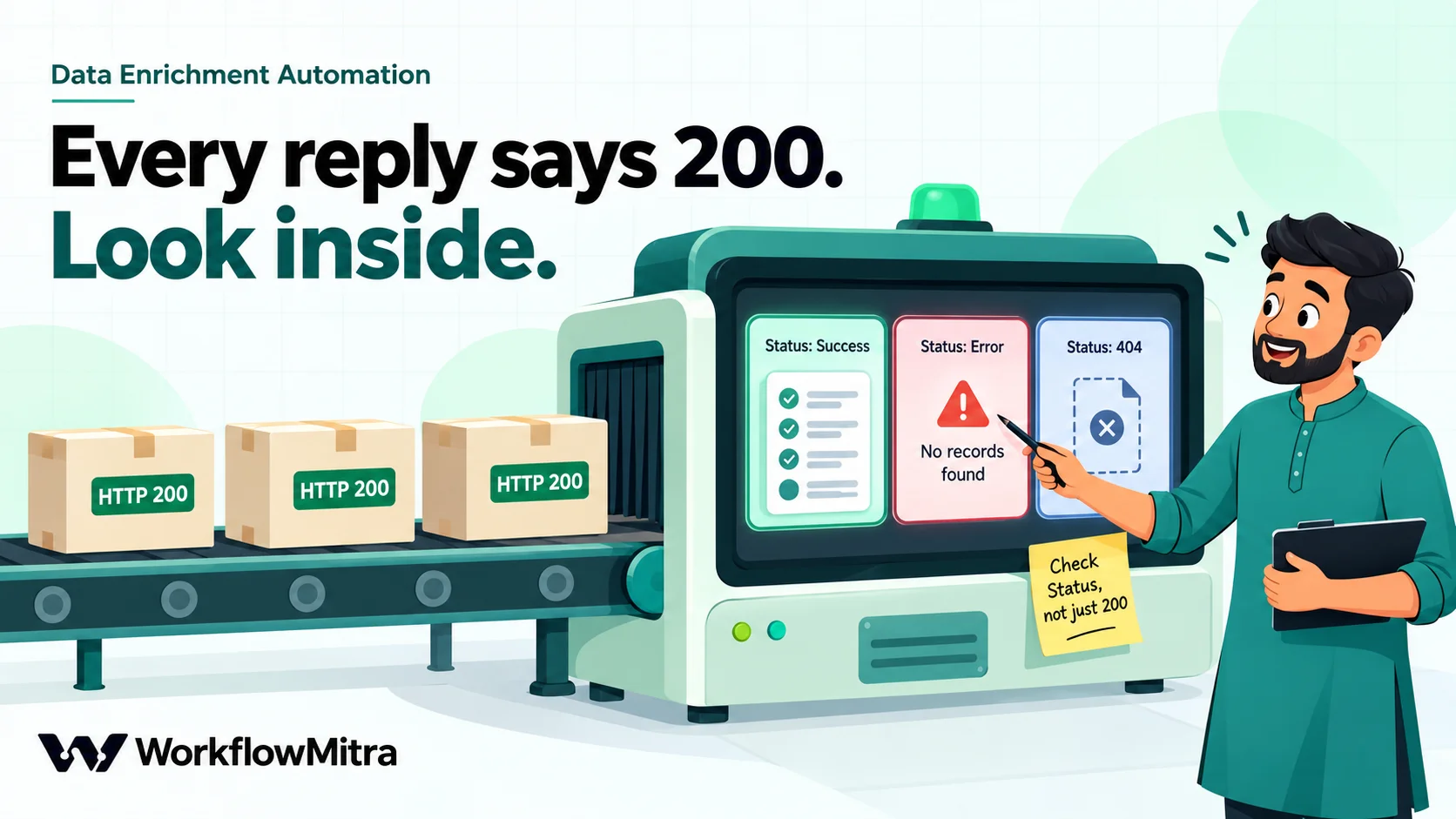
Here’s the detail that catches people out. We sent three requests and got HTTP status 200 for all of them:
| Request | HTTP status | Reply (shortened) |
|---|---|---|
/pincode/380015 | 200 | [{"Message": "Number of pincode(s) found:6", "Status": "Success", "PostOffice": [ … ]}] |
/pincode/999999 | 200 | [{"Message": "No records found", "Status": "Error", "PostOffice": null}] |
/pincode/abc | 200 | [{"Status": "404", "Message": "The requested resource is not found", …}] |
The API reports the result inside the reply, not in the HTTP status. WorkflowMitra’s HTTP Request step sets ok from the HTTP status, so ok is true in all three cases. A workflow that only checks ok would happily write blanks for a PIN that doesn’t exist.
Notice too that the reply is a list with one item, so the paths start with body[0]. Add a second IF step with two rules joined by AND:
- Yes / No › Is yes:
{{ $node["Look up PIN"].ok }} - Text › Equal to:
{{ $node["Look up PIN"].body[0].Status }}equalsSuccess
Step 5: write district and state back
On the matching route, add Google Sheets › Update row on the same tab. Set Key column to ID and Key value to {{ $trigger.ID }}, then map only the columns you want filled. Columns you leave unmapped keep their current values.
- District:
{{ $node["Look up PIN"].body[0].PostOffice[0].District }} - State: the state expression from the next section
- Enrich status:
OK
On the IF’s Else branch, add another Update row that sets only Enrich status, using:
{{ if($node["Look up PIN"].ok, "PIN not found", "Lookup failed - retry") }}If the call itself failed (a timeout, say), ok is false and the row says to retry. If the call worked but the PIN wasn’t found, the row says so. We ran this expression against the reply for an unknown PIN and against a simulated timeout: it returned “PIN not found” and “Lookup failed - retry” respectively.
That’s the whole workflow: trigger, two IF steps, one HTTP Request and two Update row steps on different branches. A new row costs 3 credits whichever way it goes, because only one Update row runs.
Two things the PIN code data gets wrong
The lookup tells you what the directory says. Two patterns in the directory are worth handling before the answers reach your CRM or your courier labels.
Some PIN codes cover more than one district
A PIN code belongs to a delivery area, not to a district, and some areas straddle a boundary. In our lookups, 110001 returned post offices in both Central Delhi and New Delhi, 201301 in both Gautam Buddha Nagar and Ghaziabad, and 396230 in Dadra and Nagar Haveli and Valsad district of Gujarat, so even the state differs within one PIN code.
Taking the first post office’s district, as the steps above do, gives one of the right answers. Whether that’s good enough depends on what you use the district for. Assigning a sales territory by district? Flag these rows for a person. To detect them, set Enrich status with:
{{ if(count(distinct(map($node["Look up PIN"].body[0].PostOffice, District))) = 1, "OK", "Check: several districts") }}To show all the districts in one cell instead, for example Central Delhi / New Delhi, use:
{{ join(distinct(map($node["Look up PIN"].body[0].PostOffice, District)), " / ") }}We ran both against the replies above. The PIN with six post offices in one district (380015) returned OK; 110001 returned the flag.
Some state names are out of date
Ladakh became a separate Union Territory on 31 October 2019, and Dadra and Nagar Haveli merged with Daman and Diu on 26 January 2020 under the Merger of Union Territories Act, 2019. The API’s data hasn’t caught up: on 19 October 2026 it returned these values.
| PIN code | District returned | State returned | Current name |
|---|---|---|---|
| 194101 | Leh | Jammu & Kashmir | Ladakh |
| 194103 | Kargil | Jammu & Kashmir | Ladakh |
| 396210 | Daman | Daman & Diu | Dadra and Nagar Haveli and Daman and Diu |
| 492001 | Raipur | Chattisgarh | Chhattisgarh |
| 605001 | Pondicherry | Pondicherry | Puducherry |
| 122001 | Gurgaon | Haryana | Haryana (district now called Gurugram) |
State names matter more than they look: they drive GST place-of-supply decisions, regional reports and courier zones. Map the known exceptions in the State column of the Update row step:
{{ switch($node["Look up PIN"].body[0].PostOffice[0].District, "Leh", "Ladakh", "Kargil", "Ladakh", switch($node["Look up PIN"].body[0].PostOffice[0].State, "Chattisgarh", "Chhattisgarh", "Daman & Diu", "Dadra and Nagar Haveli and Daman and Diu", "Dadra & Nagar Haveli", "Dadra and Nagar Haveli and Daman and Diu", "Pondicherry", "Puducherry", "Andaman & Nicobar", "Andaman and Nicobar Islands", "Jammu & Kashmir", "Jammu and Kashmir", $node["Look up PIN"].body[0].PostOffice[0].State)) }}The outer switch checks the district first, because Leh and Kargil are filed under Jammu & Kashmir; the inner one fixes state names; anything not listed passes through unchanged. Separate the arguments with commas, not semicolons. We ran it against eight districts: Leh and Kargil became Ladakh, Srinagar stayed in Jammu and Kashmir, Raipur’s state became Chhattisgarh, Daman’s became the merged Union Territory, and Ahmedabad’s stayed Gujarat.
District renames (Gurgaon to Gurugram, Khorda to Khordha) are more numerous and change more often. If your reports group by district, keep a small District names tab with old and new names and look the district up there with a Find row step, rather than growing the expression.
Workflow 2: IFSC to bank, branch and payment rails
Vendor and payout sheets usually hold an IFSC and an account number. Filling in the bank and branch lets whoever approves a payment see “HDFC Bank, Tulsiani Chambers, Nariman Point” instead of an 11-character code, and spot a branch in a city the vendor has never mentioned.
The steps mirror Workflow 1, on a Vendors tab:
- Trigger: Google Sheets, A row is added plus One column changes on
IFSC. - Shape check (IF): Number › Equal to,
{{ length(upper(trim($trigger.IFSC))) }}equals11. An IFSC is four letters for the bank, a zero, and six characters for the branch. For a stricter check of every character, use a Code step as in our vendor onboarding guide. - HTTP Request named
Look up IFSC: GEThttps://ifsc.razorpay.com/{{ upper(trim($trigger.IFSC)) }}, Timeout10000, On failure Continue. - IF: Yes / No › Is yes on
{{ $node["Look up IFSC"].ok }}. - Update row (Key column
ID, Key value{{ $trigger.ID }}):- Bank:
{{ $node["Look up IFSC"].body.BANK }} - Branch:
{{ $node["Look up IFSC"].body.BRANCH }} - Bank city:
{{ $node["Look up IFSC"].body.CITY }} - UPI:
{{ if($node["Look up IFSC"].body.UPI, "Yes", "No") }} - Enrich status:
OK
- Bank:
- Else branch, Update row:
Enrich status={{ if($node["Look up IFSC"].status = 404, "IFSC not found", "Lookup failed - retry") }}
Unlike the PIN code API, this one uses HTTP status codes properly: an unknown IFSC returns 404, so ok is false and the Else branch runs. We also found that a lower-case code works, but upper-casing it first keeps the value in your sheet consistent.
The reply has more than the fields above. It includes ADDRESS, DISTRICT, STATE, MICR, CONTACT and true/false flags for NEFT, RTGS and IMPS. The rails are useful if you pay vendors in different ways: a branch that doesn’t support RTGS can’t receive a large RTGS transfer.
One caution belongs in every vendor workflow: an IFSC lookup proves the branch exists, not that the account belongs to the vendor. It doesn’t check the account number at all. Confirming the account holder needs a penny-drop or bank verification service, or the cancelled cheque you already collect.
Workflow 3: GSTIN to state and PAN, without an API
A GSTIN carries its own enrichment. The GST state code list on the government e-invoice portal maps the first two digits to a state, characters 3 to 12 are the holder’s PAN, and the last character is a check character computed from the first fourteen.
You can read the state code and PAN with plain expressions: {{ substring($trigger.GSTIN, 0, 2) }} and {{ substring($trigger.GSTIN, 2, 12) }}. Turning the code into a state name and testing the check character needs a few more lines, so this workflow uses a Code step placed straight after the trigger. In a Code step, input is the previous step’s output, which here is the new row:
const raw = String(input.GSTIN || '').toUpperCase().replace(/\s/g, '');
const states = {
  '01': 'Jammu and Kashmir', '02': 'Himachal Pradesh', '03': 'Punjab', '04': 'Chandigarh',
  '05': 'Uttarakhand', '06': 'Haryana', '07': 'Delhi', '08': 'Rajasthan', '09': 'Uttar Pradesh',
  '10': 'Bihar', '11': 'Sikkim', '12': 'Arunachal Pradesh', '13': 'Nagaland', '14': 'Manipur',
  '15': 'Mizoram', '16': 'Tripura', '17': 'Meghalaya', '18': 'Assam', '19': 'West Bengal',
  '20': 'Jharkhand', '21': 'Odisha', '22': 'Chhattisgarh', '23': 'Madhya Pradesh', '24': 'Gujarat',
  '25': 'Daman and Diu', '26': 'Dadra and Nagar Haveli', '27': 'Maharashtra', '29': 'Karnataka',
  '30': 'Goa', '31': 'Lakshadweep', '32': 'Kerala', '33': 'Tamil Nadu', '34': 'Puducherry',
  '35': 'Andaman and Nicobar', '36': 'Telangana', '37': 'Andhra Pradesh', '38': 'Ladakh',
  '97': 'Other Territory'
};
const chars = '0123456789ABCDEFGHIJKLMNOPQRSTUVWXYZ';
if (!/^[0-9]{2}[A-Z]{5}[0-9]{4}[A-Z][1-9A-Z]Z[0-9A-Z]$/.test(raw)) {
  return { id: input.ID, gstin: raw, gstinCheck: 'Wrong format' };
}
let sum = 0;
for (let i = 0; i < 14; i++) {
  const p = chars.indexOf(raw[i]) * (i % 2 === 0 ? 1 : 2);
  sum += Math.floor(p / 36) + (p % 36);
}
const expected = chars[(36 - (sum % 36)) % 36];
const state = states[raw.slice(0, 2)];
return {
  id: input.ID,
  gstin: raw,
  gstinCheck: raw[14] !== expected ? 'Check digit wrong' : !state ? 'Unknown state code' : 'Format OK',
  gstState: state || '',
  pan: raw.slice(2, 12)
};
The state names follow the portal’s list as published on 19 October 2026, which still shows codes 25 and 26 separately; rename them if your reports use the merged Union Territory. Change input.GSTIN and input.ID if your columns have different names.
Follow it with Update row (Key value {{ id }}) writing GST state = {{ gstState }}, PAN = {{ pan }} and Enrich status = {{ gstinCheck }}. Because the Code step runs straight after the trigger, plain {{ … }} names read its output.
We ran this script in WorkflowMitra’s Code step against 14 real GSTINs published for one bank’s state registrations. All 14 returned Format OK with the right state. Changing one character of a valid GSTIN returned Check digit wrong, and a 14-character value returned Wrong format. Each run took about a millisecond; at the Code step’s rate of 2 credits per second of running time, that’s around 0.002 credits.
What this can’t tell you is whether the registration is active, or the legal name behind it. A perfectly formed GSTIN can belong to a cancelled registration or to a different business. Check those on the GST portal’s Search Taxpayer page, or through a licensed GST verification API called from an HTTP Request step. Don’t scrape the portal.
Enriching rows already in your sheet
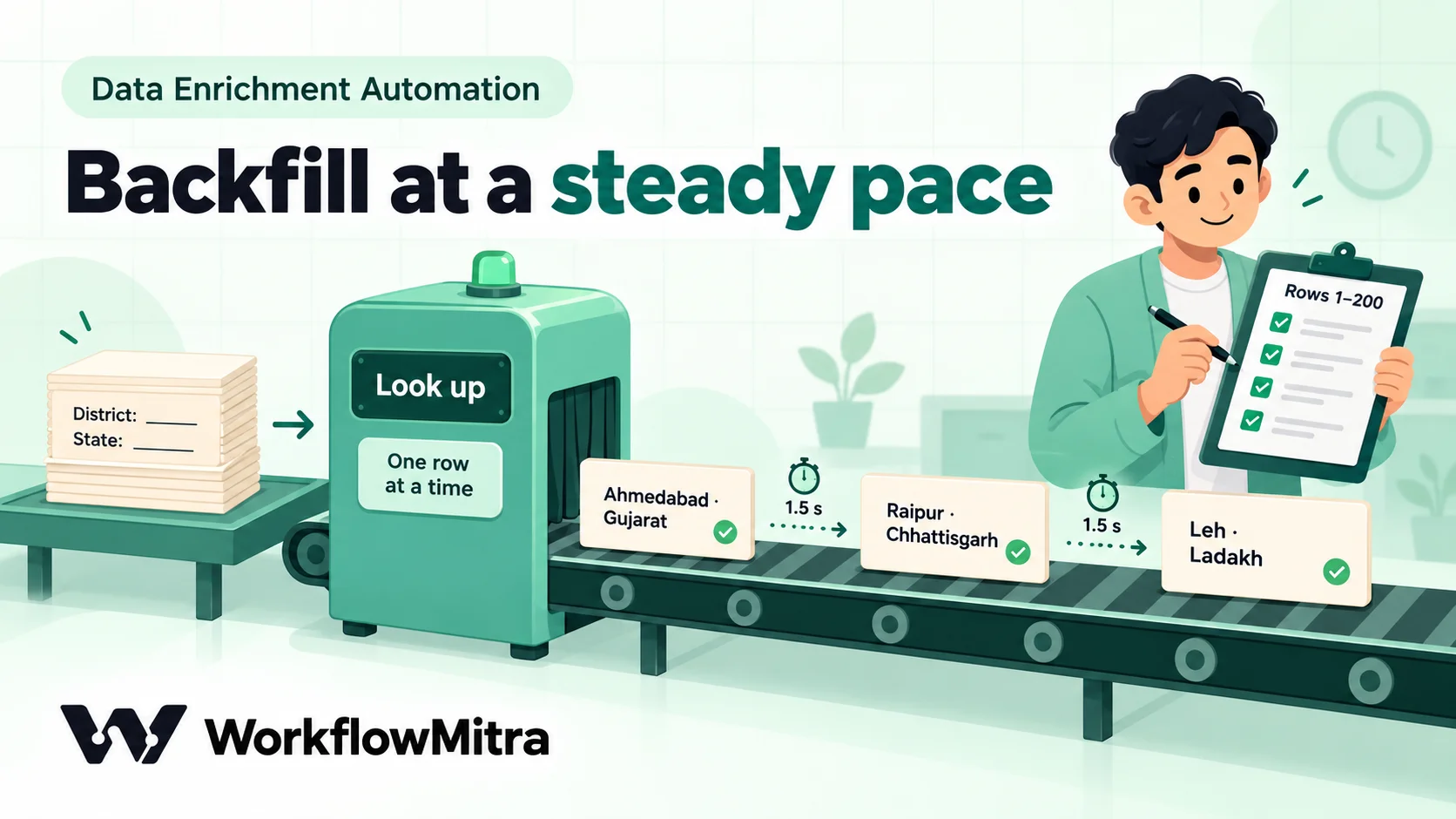
The triggers above handle new rows. For the hundreds of rows already sitting in a sheet, run a one-off backfill:
- Manual trigger, so it runs only when you click Run.
- Google Sheets › Read rows with Limit
200and Skip0. Choose Raw values so PIN codes arrive as numbers, not formatted text. - Loop over the rows: List field
rows, Execution mode Sequential, Batch size1, Delay between batches (ms)1500. - Inside the Loop body, an IF with Any value › Is empty on
{{ $trigger["Enrich status"] }}, so rows already processed are skipped, then the same lookup, check and Update row steps as Workflow 1. Column names with spaces need the square-bracket form shown here, typed with straight quotes.
Inside a Loop body, $trigger is the current row, so the expressions from Workflow 1 work unchanged.
Three details keep the backfill from failing halfway:
- One failed item fails the whole Loop. That’s why the HTTP Request uses On failure: Continue, and why every Update row matches on an ID that certainly exists. A lookup that can’t be completed should write a status, not throw an error.
- Google Sheets has a speed limit. Google allows 60 read and 60 write requests per minute per user, and returns an error above that. Each Update row reads the sheet to find the row and then writes, so it uses one of each. A 1.5-second delay keeps a single backfill well below the limit, even with the new-row workflow running alongside.
- Run it in chunks. At that pace, 200 rows take about six to eight minutes. When a chunk finishes, change Skip to
200, then400, and run again. Rows already markedOKare skipped, so re-running a chunk is harmless.
The delay also keeps you polite to a free service run by one person. If you have tens of thousands of rows, use the offline option in the next section instead of hammering the API.
What it costs
WorkflowMitra charges credits per executed step. IF steps are free, and the HTTP Request, Google Sheets steps and triggers cost 1 credit each.
| Scenario | Steps that cost credits | Credits |
|---|---|---|
| New lead, PIN found | Sheets trigger, HTTP Request, Update row | 3 |
| New lead, invalid PIN | Sheets trigger, Update row (no lookup) | 2 |
| New vendor, IFSC lookup | Sheets trigger, HTTP Request, Update row | 3 |
| New customer, GSTIN | Sheets trigger, Code (≈0.002), Update row | ≈2 |
| Backfill of 200 rows | Manual trigger, Read rows, then per row: Loop item, HTTP Request, Update row | 2 + 200 × 3 = 602 |
| Checks that find no new rows | None | 0 |
So 1,000 new leads a month cost about 3,000 credits to enrich with district and state. The APIs themselves are free.
Keeping free lookups reliable
Free public APIs come with no service promise, and you should plan for that rather than discover it.
Expect outages and slowdowns. With On failure: Continue and a “Lookup failed - retry” status, an outage leaves a clear trail instead of a stopped workflow. Once a week, filter the sheet for that status and correct the PIN or IFSC cell, or set it again unchanged; the One column changes trigger then repeats the lookup.
Have an offline fallback for PIN codes. The government’s open data portal publishes the All India Pincode Directory, updated monthly under the Government Open Data License – India. Load it into a Pincodes tab and replace the HTTP Request with a Find row on that tab. You lose nothing in credits (both steps cost 1), you depend on no outside service, and you control when the data is refreshed. The trade-off is that you must refresh it yourself, and a large tab is slower to search.
Do the same for IFSC codes if you need to. Razorpay publishes the whole IFSC dataset as downloadable releases, which you can filter to the banks you use.
Send only the code. These lookups need a PIN code, an IFSC or a GSTIN, nothing else. Don’t put names, phone numbers or account numbers into the request URL. Keeping personal data out of third-party requests is simple here, so there’s no reason not to.
Don’t call the API from somewhere it doesn’t belong. Enrich a record once, when it arrives or when its code changes, and store the answer. Calling a free API every time someone opens a report or a page multiplies the load for no benefit.
Common mistakes
- Checking only whether the request worked. The PIN code API answers 200 for PINs that don’t exist. Read
Status. - Writing blanks without a status. A blank district tells nobody whether the row was processed. Always fill
Enrich status. - Trusting the first district for every PIN. Flag PINs that span several districts if you route or report by district.
- Copying state names straight into GST or reporting fields. Map Ladakh, the merged Union Territory and spelling differences first.
- Watching the whole row for changes. If the trigger fires on any change, the workflow’s own write-back starts another run. Watch only the input column.
- Updating rows by row number. Sorting the sheet moves rows. Match on an ID column.
- Running a backfill flat out. Without a delay, Google Sheets’ per-minute limit stops the Loop partway through.
- Treating a found IFSC or a valid GSTIN as verification. They prove a branch exists and a number is well formed, not who owns the account or whether the registration is active.
- Asking an AI model for the district. A guess isn’t a lookup.
Enrich once, at the door
Data enrichment works best as a habit of the sheet itself: every row that arrives gets its district, state, bank or GST state filled in within minutes, with a status that says whether to trust it. The lookups are free; the care goes into checking the replies, flagging the awkward cases and keeping a fallback.
WorkflowMitra, powered by ChatMitra, gives you the pieces in one visual editor: Google Sheets triggers that watch a single column, an HTTP Request step that can continue on failure, free IF steps for the checks, a Code step for the GSTIN rules, and a Loop with a delay for backfills. If all you need is one-off cleaning of a single file, a spreadsheet formula or add-on may be enough. A workflow is worth building when records keep arriving and you want every one of them handled the same way.
Try it on a WorkflowMitra trial: 14 days, 10,000 credits, no card needed. For more on lookups inside Google Sheets, read Google Sheets lookup automation, and to check form data before it reaches the sheet, see data validation automation.
Sources: Postal PIN Code, API documentation and disclaimer; Razorpay, IFSC dataset and API (MIT licence; v2.0.62, 1 September 2026); GST e-invoice portal, Master Codes: State Codes; GST portal, Search Taxpayer; Open Government Data Platform India, All India Pincode Directory; PRS Legislative Research, Dadra and Nagar Haveli and Daman and Diu (Merger of Union territories) Act, 2019; Google, Sheets API usage limits. API replies checked on 19 October 2026.
Frequently Asked Questions
Short answers to common questions about filling in city, state, bank and GST details automatically.
It's a workflow that adds missing details to a record from a trusted source as soon as the record arrives. For example, when a lead with only a PIN code lands in a Google Sheet, the workflow looks up the district and state and writes them into the same row. The enrichment runs the same way every time, so nobody has to look anything up by hand.
Automate the work between your apps
Build workflows with triggers, conditions and actions, then test them before they go live. Try WorkflowMitra free for 14 days, no card required.
