Deterministic AI in Workflows: How to Get the Same Answer Every Run

Quick Summary
Deterministic AI, in a workflow, means the same input always leads to the same decision, even though the language model inside the workflow is probabilistic. A model picks each word by sampling, so the same prompt can return different answers, and even temperature 0 isn't a guarantee: providers run requests in batches, and tiny numeric differences can change a close choice. You make the workflow deterministic around the model. Use plain rules for anything with a clear right answer, such as amounts, dates, thresholds and known keywords. Give the AI step a closed list of labels and ask for one label or a small JSON object. Normalise the reply and send anything outside the list to a review route. Store each decision on the record so a re-run doesn't ask again. Name the model, keep temperature low where the provider allows it, and re-test a fixed set of inputs whenever you change the prompt or model. In WorkflowMitra, powered by ChatMitra, IF, Switch and Set Variable steps cost no credits, so these controls add almost nothing to the cost of a run.
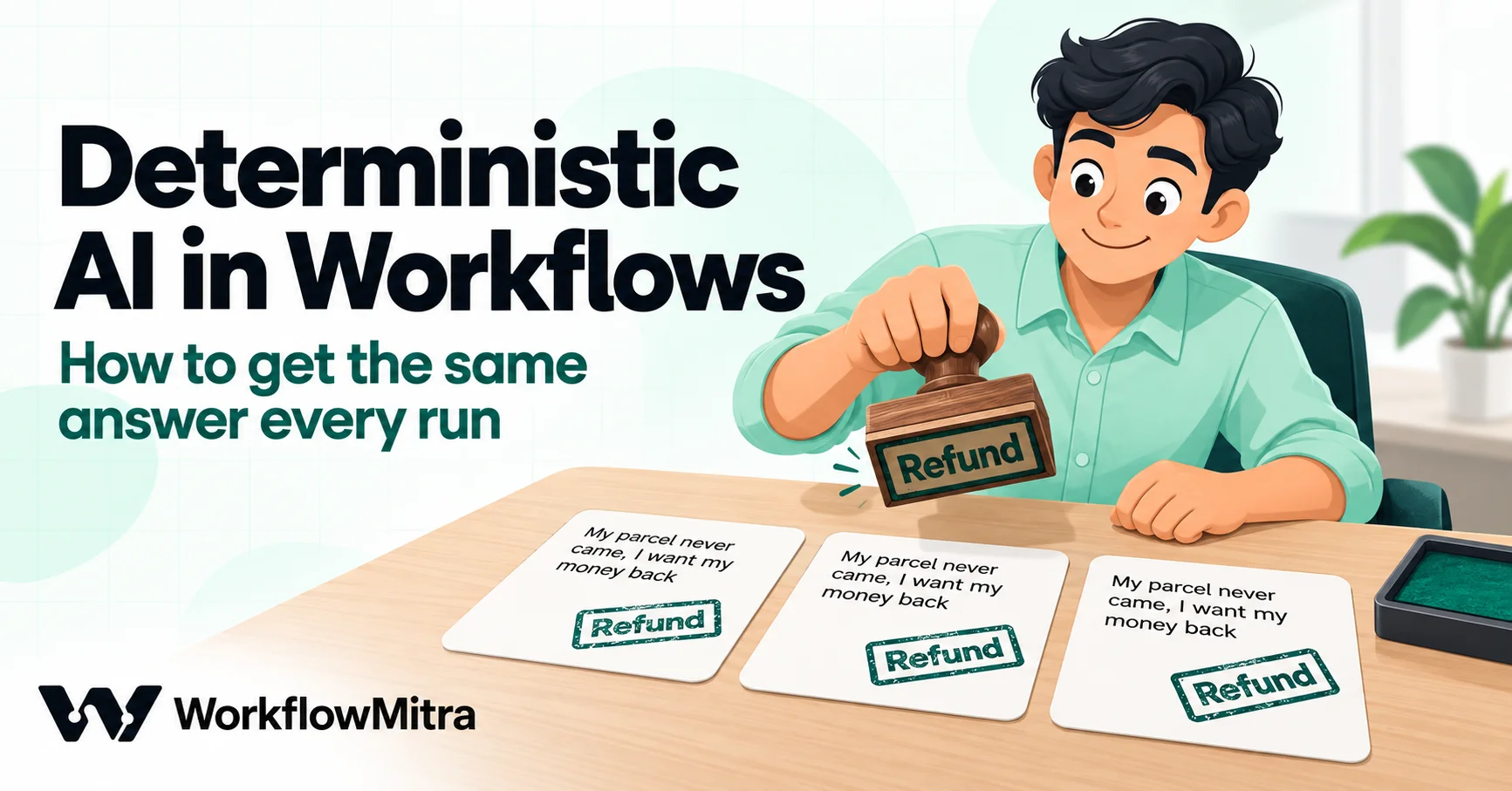
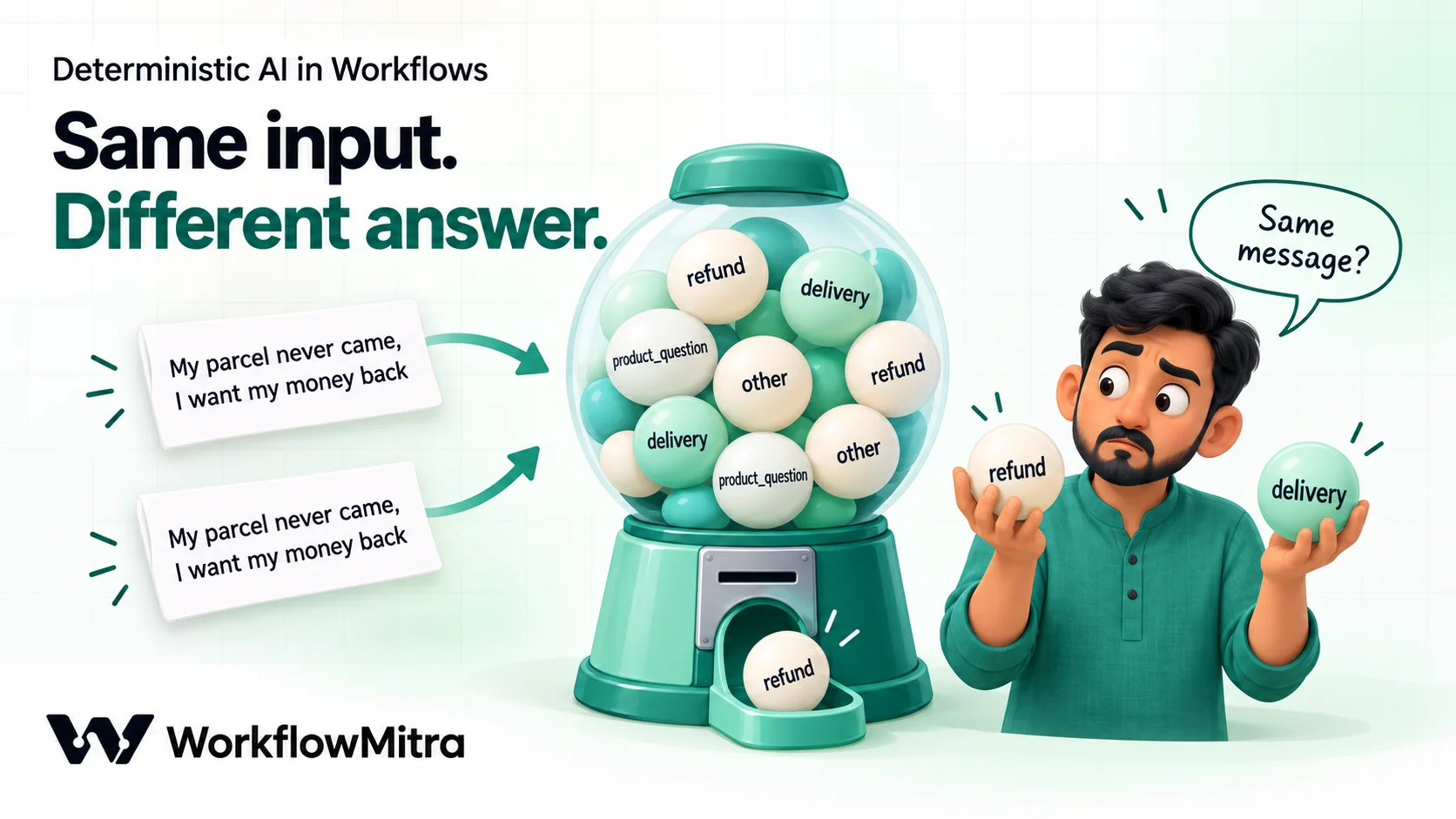
Run the same customer email through an AI step twice and you may get two different answers. On Monday, “My parcel never came, I want my money back” is labelled refund. When someone re-runs the workflow on Tuesday, the same email comes back as delivery, and now two teams have it, or neither does. Nothing is broken. A language model chooses its words by probability, and probability sometimes picks the other word.
Business workflows can’t run on “sometimes”. An approval, a routing decision or a CRM update has to come out the same way every time the same input goes in. This guide explains why AI steps vary, which parts of a workflow must never vary, and the settings, rules and tests that make the decisions steady even when the model isn’t. Examples use WorkflowMitra, powered by ChatMitra, but the approach works in any automation tool with an AI step and basic conditions.
Quick answer: You can't make a language model fully deterministic, so make the workflow deterministic around it. Use plain rules for anything with a clear right answer (amounts, dates, thresholds, known keywords). Give the AI a closed list of labels and ask for one label or a small JSON object. Normalise the reply and send anything outside the list to a review route. Store each decision on the record so a re-run doesn't ask again. Keep temperature low where the provider allows it, name the model, and re-test a fixed set of inputs whenever the prompt or model changes.
What “deterministic AI” means in a workflow
A deterministic system gives the same output for the same input, every time. A formula in a spreadsheet is deterministic: =B2*0.18 never surprises you. A large language model is probabilistic: for each word it calculates the likelihood of many possible next words and picks one.
In automation, “deterministic AI” usually describes a combination of the two. The AI step does the one thing rules can’t: reading free text and judging what it means. Everything around it is fixed: the list of answers it may give, the check on that answer, and the rule that decides what happens next.
The goal is narrower than many people expect. You don’t need the model to produce the same words every run. A drafted reply can vary in phrasing and still be fine. You need the same decision: the same label, the same route, the same yes or no. Most of this guide is about protecting decisions.
Why the same prompt gives different answers
Four separate things make an AI step vary. They need different fixes, so it helps to tell them apart.
1. Sampling. By default, models don’t always take the single most likely word. A setting called temperature controls how adventurous the choice is: higher values spread the choice across more candidate words, lower values concentrate it on the top one. At a typical default, “refund” and “delivery” can both win for an email that mentions both.
2. Variation even at temperature 0. Setting temperature to 0 tells the model to take its top choice every time, which removes most variation but not all. Providers process many requests together in batches, and the batch size changes with server load. In September 2025, Thinking Machines Lab showed that this changes the arithmetic slightly from request to request. In their test, 1,000 identical requests at temperature 0 produced 80 different completions. Every run matched for the first 102 tokens (the word pieces a model writes one at a time); at token 103, a few runs chose differently, and everything after that diverged. For a one-word label, a near-tie between two labels is exactly where this bites.
3. The prompt isn’t really the same. A prompt built from live data changes when the data does. A date inserted into the system prompt, a customer name, a blank field that silently becomes empty text, a forwarded email that drags in a long signature: any of these makes Tuesday’s prompt different from Monday’s, even when the customer’s question is identical. In WorkflowMitra, a variable that doesn’t exist in the data resolves to empty text without an error, so a renamed form field can quietly change every prompt.
4. The model changed. If you leave the model name blank, the provider’s or the platform’s default is used, and defaults move to newer models over time. A newer model can label borderline cases differently, even if both are “good”.
Which parts of a workflow must never vary
Start by sorting each decision in your workflow into one of three kinds. The table is a quick test: if you can write the rule down, it should not be an AI decision.
| Decision | Example | Who should decide | Why |
|---|---|---|---|
| Arithmetic or a threshold | Order total above ₹25,000 needs approval | Rule (IF) | There is one right answer; a model can misread or round a number |
| Dates and deadlines | Invoice overdue by more than 7 days | Rule (IF, date operators) | Date maths is exact; the AI step doesn't know today's date unless you tell it |
| Lookups | Is this email address an existing customer? | Rule (Find row, database step) | The answer lives in your data, not in the model |
| Known keywords or codes | Subject line contains "Invoice #" | Rule (IF "Contains") | Cheaper, faster and never inconsistent |
| Meaning of free text | Is this email about a refund, a delivery or a product question? | AI, with a closed label list and checks | Rules can't read intent reliably across thousands of phrasings |
| Writing text | Draft a reply in the customer's language | AI, with guardrails | Variation in wording is acceptable; the content still needs checking |
| Anything with money, legal or safety consequences | Approve a refund | A rule or a person, never the AI alone | AI can recommend; a fixed rule or an approver decides |
Most teams find that a large share of what they planned to give to the AI is actually rule work. Every decision you move out of the AI step is one that can never flip.
Rules first, AI second
The most effective pattern is also the simplest: let rules handle the clear cases before the AI sees anything.
Say an online store receives order-support messages through a website form. Some are obvious: the message contains an order number and the word “cancel”, or it comes from the courier’s domain. An IF step can catch those and route them directly. Only the messages that no rule recognises go to the AI step.
This has three benefits. Clear cases are handled identically forever. The AI step sees fewer messages, so it costs less. And the AI is left with the genuinely ambiguous ones, where a person would also have to think, which makes it easier to judge whether its answers are good.
After the AI answers, rules come back in: they check that the answer is allowed, and they decide what to do with it. The AI sits in the middle of the workflow, never at either end.
Settings that reduce variation (and their limits)
Each AI provider exposes different controls, and WorkflowMitra’s AI step shows only the fields the selected provider and model accept. Here is what you can set, as of October 2026.
| Provider in the AI step | Temperature field | Seed | JSON object format | What to do for consistency |
|---|---|---|---|---|
| Claude | Not shown; the step sends none | No | No | Rely on a closed label list, a short reply format and the checks below |
| OpenAI | Not shown; the provider's default applies | No | No | Same as Claude |
| Groq | Yes, default 0 | Yes, "Seed (optional)" | Yes, "Response format: JSON object" | Keep temperature 0, choose JSON object for structured answers, add a seed if you want to reproduce runs |
| Gemini | Yes, default 0 | No | No | For Gemini 3 models, type 1 (Google's recommendation) and get consistency from structure |
| Ollama / Ollama Cloud | Yes, default 0 | No | No | Keep temperature 0; structure and checks as above |
A few details matter here.
Claude and OpenAI. The step doesn’t send a temperature to either, so the model uses its provider’s default. That isn’t a gap you can work around in the API either: Anthropic’s Sonnet 5.5 migration guide says a non-default temperature, top_p or top_k returns an error on that model. With Claude, consistency has to come from the prompt and the workflow.
Gemini. Lower is not always better. Google’s Gemini 3 developer guide strongly recommends keeping temperature at its default of 1.0 for all Gemini 3 models and warns that lower values may cause looping or degraded performance. WorkflowMitra’s field defaults to 0, so type 1 when you use a Gemini 3 model and lean on the label list and checks for steadiness.
Seed. A seed asks the provider to make the same random choices each time. Groq’s API reference describes it as best effort: repeated requests with the same seed and parameters should return the same result, but determinism is not guaranteed. It’s useful for reproducing a puzzling run while you debug. Don’t design a workflow that breaks if the seed doesn’t hold.
Top-P. Groq models also show “Top-P (optional)”, an alternative way to narrow the word choice. Groq recommends changing temperature or top-p, not both. For consistency work, leave Top-P blank and use temperature.
Name the model. The Model field’s hint tells you what is used when it’s blank. Type the model name instead, so a change of default can’t change your answers without you noticing.
Give the AI a closed list and a tiny answer
The single biggest improvement usually comes from the prompt, not the settings. Open questions produce varied answers; closed questions produce steady ones.
Compare two prompts for the same job. The open version:
What is this customer message about?
The closed version:
Classify the customer message below into exactly one of these labels: refund, delivery, product_question, other.
- refund: the customer wants money back or asks about a refund already requested.
- delivery: the order hasn’t arrived, arrived late or arrived damaged, and the customer doesn’t ask for money back.
- product_question: a question about a product before or after buying.
- other: anything else. If the message fits two labels, choose refund. Reply with the label only, in lower case, with no other words.
Message: {{ $trigger.message }}
The second prompt does four things that cut variation. It lists every allowed answer. It defines the boundary between the two labels most likely to be confused. It breaks ties with a fixed rule (“choose refund”), so a message that mentions both no longer depends on which word the model happens to favour. And it asks for the smallest possible answer, a single label, which leaves the model almost nothing to vary.
Put the instructions and label definitions in the System prompt (optional) field and only the changing data in the Prompt field. The stable part then stays byte-for-byte the same from run to run, and you can see at a glance what changes.
When you need more than one value, ask for a small JSON object with fixed keys, such as {"label": "refund", "order_id": "CM-48213"}. WorkflowMitra fills the step’s json output only when the whole reply parses as JSON, so a reply that starts with “Here is the JSON:” leaves {{ json }} empty. On Groq models, set Response format to JSON object to have the provider enforce valid JSON. For other providers, end the prompt with “Reply with the JSON object only”, and treat an empty json as a failed answer (the next section handles it). Our guide to AI prompts for automation goes further into prompt structure.
Keep the AI’s job small. One AI step that labels, extracts, summarises and drafts all at once has four chances to vary on every run. Split the work into separate steps, each with a narrow job, and check each answer before the next step uses it. Prompt chaining covers how to split a task without losing context.
Normalise the answer, then catch anything unexpected
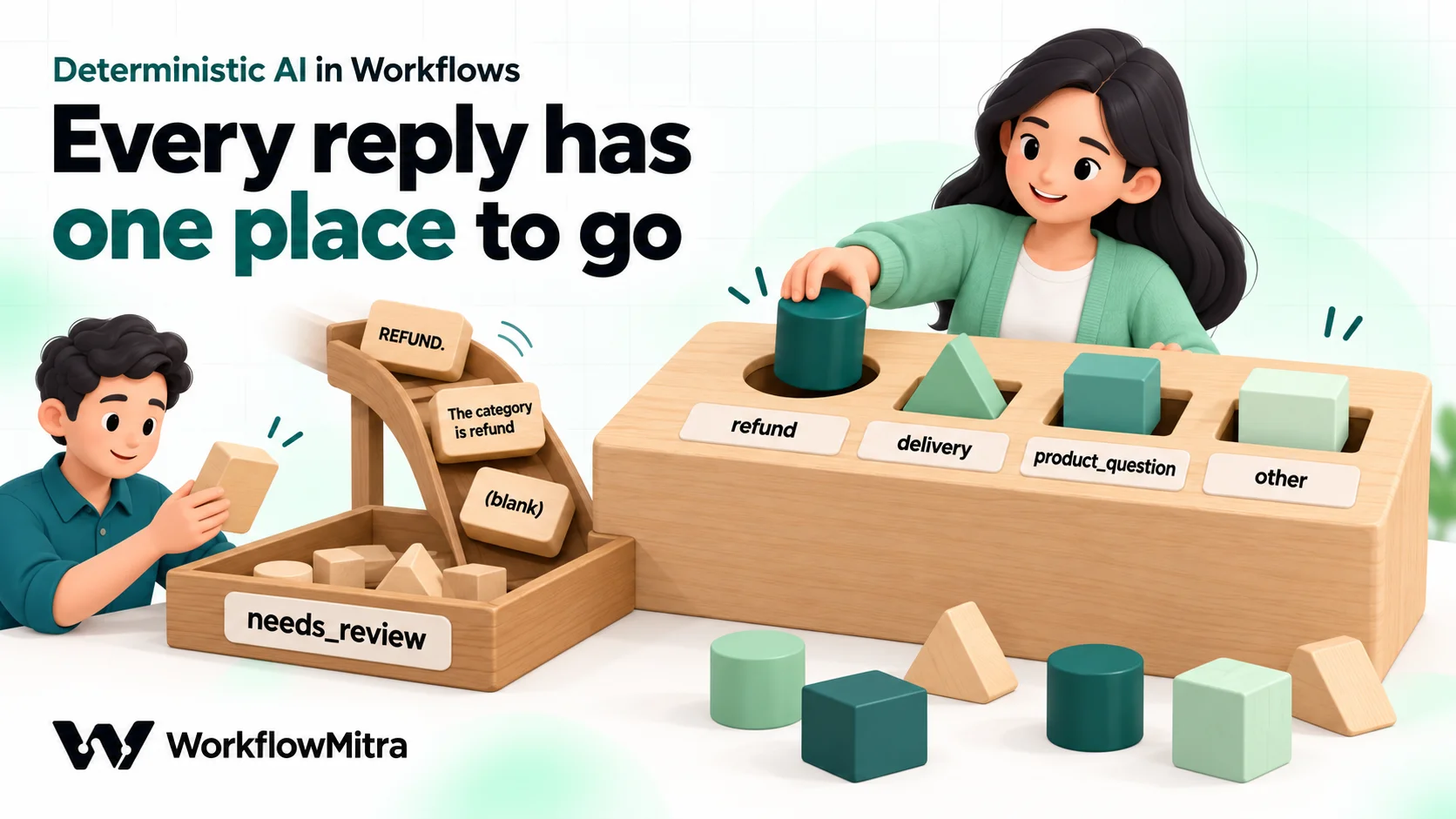
Even with a closed prompt, replies arrive as “Refund”, “refund.” or ” refund” with a stray line break. A routing rule that expects refund exactly will miss all three. So the next step’s job is to turn every acceptable reply into one exact value, and everything else into one fallback value.
In WorkflowMitra, add a Set Variable step after the AI step, name the variable label, and set its value to:
{{ switch(lower(trim(text)), "refund", "refund", "delivery", "delivery", "product_question", "product_question", "other", "other", "needs_review") }}Read it from the inside out. trim(text) removes spaces and line breaks around the AI’s reply. lower(...) turns “Refund” into “refund”. switch(...) compares the result with each allowed label and returns that label; if nothing matches, it returns the last value, needs_review. Separate the arguments with commas: in our test, the same expression written with semicolons returned an empty value, with no error.
We ran this expression through WorkflowMitra’s workflow engine on 19 October 2026 with seven sample replies:
| AI reply | Value of label |
|---|---|
Refund | refund |
refund plus a line break | refund |
Delivery | delivery |
REFUND. (trailing full stop) | needs_review |
The category is refund | needs_review |
cancellation (not in the list) | needs_review |
| Empty reply | needs_review |
The trailing full stop is a common nuisance. If your model tends to add one, wrap the reply in replace(text, ".", "") inside trim(...); in the same test, {{ lower(trim(replace(text, ".", ""))) }} turned ” REFUND.” into refund.
Now add a Switch step that reads {{ label }} and has one route per label: Refund, Delivery, Product question and Other, each using “Equal to”. Anything else, which here means needs_review, goes to the Switch’s default branch. Connect that branch to a review step: a row in a review sheet, an email to the support lead, or an approval. An invented label, a full sentence, a blank reply and a provider hiccup all land in the same safe place.
This is what makes the workflow deterministic. The model can still vary, but every possible reply maps to exactly one route, and the route for “I’m not sure” is a person. Set Variable and Switch steps cost no credits, so this protection is free on every run. For checks on longer AI output, such as drafted replies, see AI guardrails in workflows.
Decide once, then store the decision
The surest way to get the same answer every time is to ask only once. If a message is processed again because of a re-run, a replay or a second workflow that reads the same row, asking the AI again creates a new chance for a different label.
So store the decision where the record lives. If your messages land in a Google Sheet, add a label column and a labelled_at column, and write both with an Update row step right after the Switch. At the start of the workflow, add an IF step: if the row’s label is not empty, skip the AI step and route on the stored label. The stored value becomes the record of what was decided, which also gives you an audit trail.
The same idea works in a CRM: write the AI’s label to a field on the contact or ticket, and check that field before calling the AI. The pattern for finding a row before writing to it is in how to prevent duplicate rows in Google Sheets.
Storing decisions also makes corrections stick. When a person moves a message from “delivery” to “refund”, they edit the stored label, and nothing downstream will ever re-ask the model and undo their fix.
Move exact work out of the AI step
Language models are poor calculators and unreliable date-keepers, and their mistakes vary from run to run. If a decision depends on a number or a date, extract the raw value with the AI if you must, then do the calculation with a rule.
- Amounts. Ask the AI for the amount as written, then compare it in an IF step with “Greater than”. WorkflowMitra’s number operators return false, not an error, when a value isn’t a number, so add an “Is not empty” rule and route blanks to review.
- Dates. The AI step doesn’t know today’s date unless you put it in the prompt, and a prompt that contains today’s date changes every day. Compare dates with IF date operators such as “Is before” instead. Date calculations in workflows has the recipes.
- Lookups. Whether a customer exists, what plan they’re on, or which rep owns them belongs in your data. Use Find row or a database step, never the model’s guess.
- Formatting and clean-up. Phone numbers, case changes and trimming are exact text operations. Use expressions or a Code step, which runs the same JavaScript the same way every time.
A useful habit: whenever an AI step’s answer is a number, a date or a yes/no that depends on facts, ask whether a rule could produce it. Usually one can.
Measure consistency before you trust it
You can’t see consistency in one test run. You have to repeat the same inputs and compare. A simple repeat-run test takes an afternoon and gives you a number to improve.
- Collect real inputs. Take 20 to 50 messages from your actual inbox or form, including the awkward ones: two topics in one message, very short messages, other languages, forwarded threads.
- Write the expected answer for each in a Google Sheet column,
expected. If two people on your team disagree about a message, the label definitions need work before the AI does. - Run each input three times. Build a small test workflow: a manual trigger, Read rows to load the sheet, a Loop over the rows, your AI step and normaliser, and Update row to write the label into
run_1. Run it, change the column torun_2, run it again, thenrun_3. - Count two numbers. Agreement: how many inputs got the same label in all three runs. Accuracy: how many matched
expected. Add a formula column such as=AND(C2=D2, D2=E2)for agreement. - Fix the flips. Inputs whose label changed between runs show exactly where the prompt is ambiguous. Usually the fix is a sharper definition or a tie-break rule, not a different model.
Budget the credits. Each row in each pass costs one credit for the Loop item, one for the AI step and one for the Sheets update, so 30 rows times three passes is roughly 270 credits, plus one credit per pass for Read rows and your AI provider’s own charge for 90 short calls on your API key. Manual runs are charged like any other run.
Keep the test sheet. It becomes your regression test: whenever you change the prompt, the label list or the model, run it again and compare. Our guide to testing an automation workflow covers the wider test plan.
Pin everything that can change
A workflow that was consistent last month can drift without anyone touching it. Make each moving part visible:
- Model: type the model name; never leave the field blank.
- Prompt: keep a version number in the system prompt (for example, “Prompt v3”) and write it next to each stored label, so you can tell which prompt produced which decision.
- Labels: keep the label list in one place. If you add a label, update the prompt, the normaliser and the Switch together, then re-run the test sheet.
- Inputs: strip what doesn’t belong. Cut email signatures and quoted replies before the AI step, and never insert timestamps or run IDs into the prompt unless the decision needs them.
When a provider retires a model, or you switch providers, treat it as a change to the workflow: run the test sheet on the new model before you move the live workflow over.
When variation is fine
Not every AI step needs to be deterministic. Drafting a reply, summarising a long thread or rewriting a product description can vary in wording from run to run, and often should. What must stay fixed is the decision around the text: whether it is sent, who it goes to, and whether a person approves it first.
For generative steps, keep the guardrails (“does it contain a link?”, “is it under 1,000 characters?”, “does it mention a refund?”) as rules, and keep a person in the loop wherever a wrong answer is costly. If a step’s output is only ever read by a person, some variety is harmless.
A complete example: consistent order-support routing
Here is the whole pattern in one workflow for a store’s support form.
- Webhook trigger receives each form submission (name, email, order number, message).
- Find row in the support sheet by submission ID. IF the stored
labelis not empty, jump to step 7 with the stored label. - IF the message contains “cancel” and an order number is present, route straight to the Cancellations team. No AI needed.
- AI step with the closed prompt above: labels refund, delivery, product_question, other; tie-break to refund; reply with the label only. Model named explicitly; temperature 0 where the provider shows the field (1 for Gemini 3).
- Set Variable
labelwith theswitch(lower(trim(text)), …)normaliser. - Update row writes
label,labelled_atand the prompt version. - Switch on
{{ label }}: Refund, Delivery, Product question and Other, each to its team’s alert. The default branch sends the message to a review sheet and emails the support lead.
| Step | Credits per run |
|---|---|
| Webhook trigger | 1 |
| Find row, Update row (Google Sheets) | 1 each |
| IF checks, Set Variable, Switch | 0 |
| AI step | 1, plus your provider's charge on your own API key |
| Team alert (email, Slack or WhatsApp step) | Per step, as listed on the pricing page |
The AI is called once per new message, and every possible reply ends up on exactly one route. If you send alerts or customer updates on WhatsApp, the WhatsApp step can send through ChatMitra, which WorkflowMitra is built on. For the routing side in more depth, see AI routing automation.
Common mistakes
- Asking an open question. “What is this about?” invites a different phrasing every time. List the labels.
- No tie-break. Messages that fit two labels are exactly where runs disagree. Decide the winner in the prompt.
- Routing on the raw reply. “Refund.” and “refund” are different strings. Normalise first.
- No default route. A Switch without a review branch silently drops whatever the model invents.
- Retrying until the answer looks right. Re-asking hides ambiguity and multiplies cost. If a message needs three tries, it needs a person or a better definition.
- Letting the AI do arithmetic. Extract the number; compare it with a rule.
- Putting changing data in the system prompt. Dates and names belong in the Prompt field, so the instructions stay identical.
- Leaving the model blank. A new default can change your labels overnight.
- Turning Gemini 3’s temperature to 0. Google advises against it; use 1 and constrain the answer instead.
Steady decisions from an unsteady model
You can’t make a language model fully deterministic, and you don’t need to. Make the workflow deterministic: rules for everything rules can decide, a closed list and a tiny answer for the AI, a normaliser that maps every reply to one value, a review route for everything else, decisions stored once, and a test sheet you re-run whenever something changes.
WorkflowMitra, powered by ChatMitra, gives you those pieces in one visual editor. The AI step runs on your own API key from Claude, OpenAI, Gemini, Groq or Ollama, and it shows temperature, seed and JSON settings where the model accepts them. IF, Switch and Set Variable steps cost no credits. Google Sheets, CRM and messaging steps store and act on each decision. If your AI use is a single chat assistant with no business rules around it, a dedicated chatbot tool may be simpler. This approach fits teams that want AI inside their own processes, with their own rules deciding what happens.
Build it on a WorkflowMitra trial: 14 days, 10,000 credits, no card needed. For the bigger picture, read the AI workflow automation guide, and to check longer AI output before it reaches customers, see AI guardrails in workflows.
Sources: Thinking Machines Lab, Defeating Nondeterminism in LLM Inference (10 September 2025); Google, Gemini 3 developer guide; Groq, API reference (seed, temperature, top_p, response_format); Anthropic, Claude Sonnet 5.5 migration guide, all read on 19 October 2026. WorkflowMitra behaviour was checked against the product's source code on that date: which AI-step fields appear for each provider and model, the temperature default, when the json output is set, Switch and IF operators, Data and Sheets steps, and credit rates. The normalising expressions were executed in the product's workflow engine; prompts were not run against a live model. The store and messages are examples.
Frequently Asked Questions
Short answers to common questions about consistent, repeatable AI output in automated workflows.
In automation, deterministic AI usually means a system that gives the same output for the same input every time. Language models are not deterministic on their own, because they sample each word. A workflow becomes deterministic by surrounding the AI step with fixed rules: the AI reads or classifies text, its answer must be one of a fixed set of values, and plain rules decide what happens next.
Automate the work between your apps
Build workflows with triggers, conditions and actions, then test them before they go live. Try WorkflowMitra free for 14 days, no card required.
