Personal Data in Automations: What India's DPDP Act Means for Your Workflows

Quick Summary
India's Digital Personal Data Protection Act, 2023 treats any automated operation on digital personal data as processing, so every step in a workflow that touches a name, phone number or email is covered. Most duties in the DPDP Rules, 2025 apply from around 13 May 2027, eighteen months after the Rules were notified on 13 November 2025. For a business running automations, the practical work is four things. First, map where each workflow copies personal data: the trigger, the automation tool's run history, sheets and CRMs, the WhatsApp or email sending layer, AI providers and team alerts. Second, send each step only the fields it needs and keep personal details out of chat alerts and AI prompts. Third, run two retention clocks: erase personal data when its purpose ends or consent is withdrawn, but keep a minimal record of the processing for at least one year, as Rule 8(3) requires. Fourth, build the erasure request, retention clean-up and redaction workflows before you need them. WorkflowMitra, powered by ChatMitra, stores each run's step data for 7 to 180 days depending on the plan; it gives you the steps to build these workflows, but compliance remains the business's responsibility. This article is general information, not legal advice.
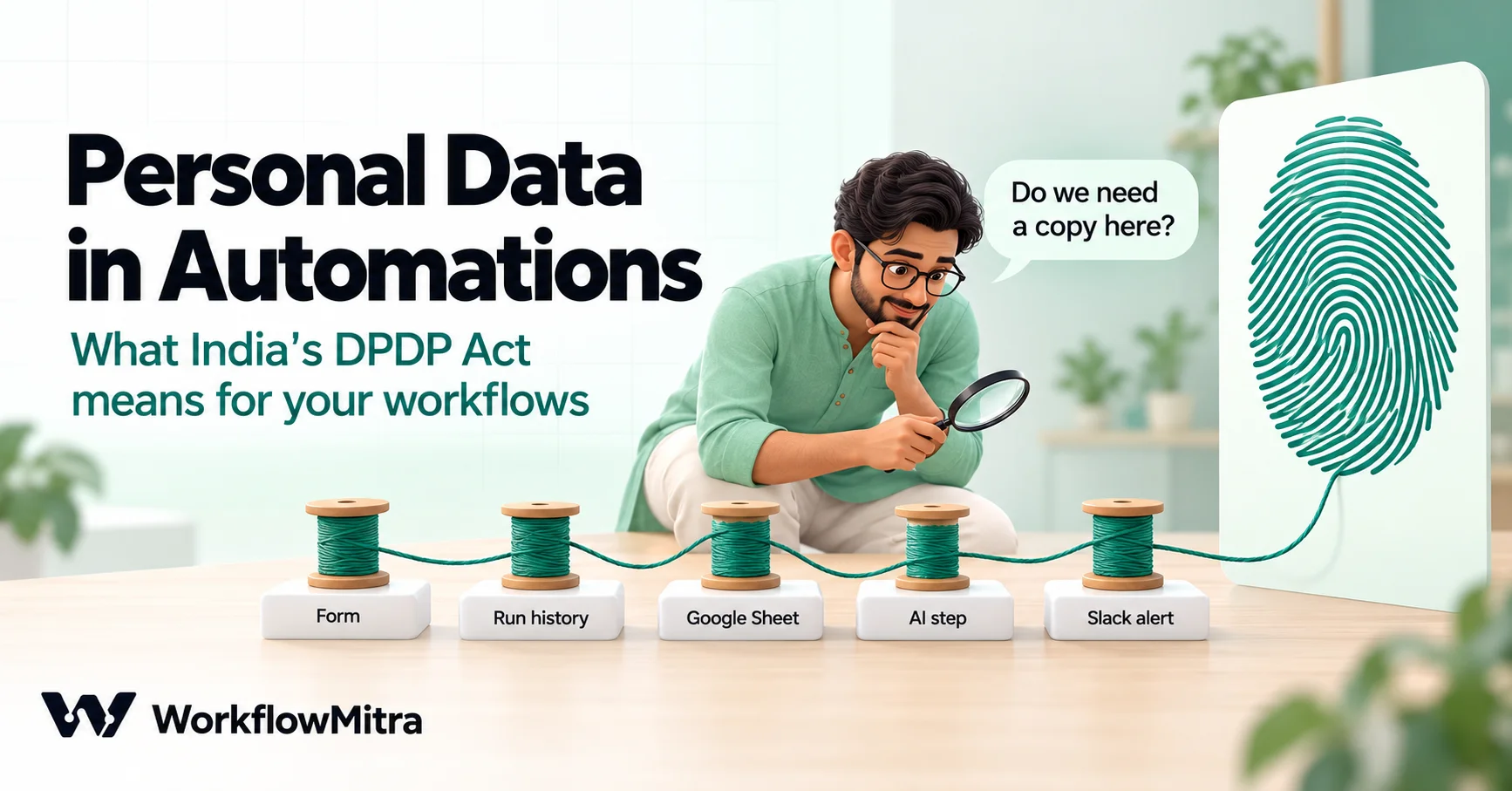
A single lead form can scatter one person’s phone number across eight places before anyone on your team reads it. The form tool keeps it. The automation logs it. A sheet stores it, the WhatsApp confirmation carries it, an AI step reads it, and a Slack alert repeats it to the whole sales channel. None of this is unusual. It’s what automation is for.
India’s Digital Personal Data Protection Act, 2023 changes how you should think about that scatter. This guide explains what the Act and the DPDP Rules, 2025 mean for anyone running automated workflows, where personal data really ends up, how long to keep it, and three workflows worth building before the main obligations apply. Examples use WorkflowMitra, powered by ChatMitra, but the principles apply to any automation tool.
This article is general information, not legal advice. It quotes the DPDP Act, 2023 and the DPDP Rules, 2025 (G.S.R. 846(E)) as published in the Gazette, read on 19 October 2026. For decisions about your business, speak to a qualified lawyer.
Quick answer: The DPDP Act treats any automated operation on digital personal data as processing, so every workflow step that touches a name, phone number or email is covered. Most duties in the DPDP Rules apply from around 13 May 2027. For automations, the work is four things: map where each workflow copies personal data, minimise what each step receives, run two retention clocks (erase data when its purpose ends, but keep a minimal processing log for at least a year), and build erasure, clean-up and redaction workflows in advance.
Why automations are a DPDP question
The Act’s definition of processing is the place to start. Section 2(x) defines it as “a wholly or partly automated operation or set of operations performed on digital personal data”, and lists collection, recording, storage, retrieval, use, sharing, disclosure by transmission, erasure and destruction as examples. That is a fair description of what a workflow does all day.
Personal data is defined just as broadly: “any data about an individual who is identifiable by or in relation to such data”. A lead’s name, mobile number, email address, delivery address, order history and the free text they type into an enquiry form all qualify. So does a support ticket that mentions a customer by name.
Three roles matter:
- Data Principal: the person the data is about, such as your lead, customer or employee.
- Data Fiduciary: whoever decides the purpose and means of processing. For your workflows, that is normally your business.
- Data Processor: anyone who processes data on the fiduciary’s behalf. Your automation platform, spreadsheet provider, CRM, WhatsApp sending platform and AI provider usually sit here.
Section 8(1) is the line every automation owner should read twice. The Data Fiduciary is responsible for complying with the Act “in respect of any processing undertaken by it or on its behalf by a Data Processor”. Delegating a task to a tool doesn’t delegate the responsibility. If a workflow copies a customer’s phone number into a public Slack channel, the business that built the workflow owns that copy.
The Act also lets the government exempt some Data Fiduciaries, including recognised startups, from certain duties by notification (section 17(3)). Don’t assume an exemption applies to you until you have seen the notification that covers you.
What the Act and Rules ask of a business that automates
The DPDP Rules were notified on 13 November 2025 and come into force in stages. Rules 1, 2 and 17 to 21 applied at once. Rule 4, on Consent Managers, applies one year after publication, around 13 November 2026. Rules 3 and 5 to 16, which hold most of the duties that affect day-to-day operations, apply eighteen months after publication, around 13 May 2027. Reports in early 2026 said the government was considering a shorter timeline; we found no notification making that change when we checked on 19 October 2026, so confirm the dates on MeitY’s site before you plan.
Here is how the main duties translate to workflow design:
| Duty | Where it comes from | What it means for your workflows |
|---|---|---|
| Notice and consent before processing | Sections 5 and 6, Rule 3 | Forms that feed workflows must explain what you collect and why. Consent for WhatsApp messages is covered in ChatMitra’s guide to WhatsApp opt-in and the DPDP Act. |
| Accuracy when data drives a decision | Section 8(3) | Validate and normalise data before a workflow uses it to score, route or reject someone. |
| Reasonable security safeguards | Section 8(5), Rule 6 | Encryption, masking or tokens; access control; logs that show who accessed data; backups; contract terms with processors. |
| Breach intimation | Section 8(6), Rule 7 | Tell affected people without delay, and the Data Protection Board without delay, with a detailed report within 72 hours. |
| Erase when the purpose ends or consent is withdrawn | Section 8(7) | Delete the person’s data from every system your workflows wrote it to, and make your processors delete it too. |
| Keep processing logs for at least a year | Rule 8(3) | Keep personal data, traffic data and logs of the processing for a minimum of one year, then erase them. |
| Answer rights requests and grievances | Sections 11 to 13, Rule 14 | Publish how people can ask for access, correction or erasure, and respond to grievances within 90 days at most. |
| Publish a contact for data questions | Section 8(9), Rule 9 | Name a person who can answer questions about how you process personal data. |
The penalties explain why this deserves attention. The Act’s Schedule allows a penalty of up to ₹250 crore for failing to take reasonable security safeguards to prevent a breach, and up to ₹200 crore for failing to notify the Board and affected people of a breach.
Map where personal data lands in one workflow
You can’t erase, protect or minimise data you haven’t found. So before changing anything, trace one real workflow from start to finish and write down every place it leaves a copy.
Take a common example: a website enquiry form sends a webhook to WorkflowMitra. The workflow sends the lead a WhatsApp confirmation through ChatMitra, adds a row to a Google Sheet, asks an AI step to summarise the enquiry, and posts an alert in the sales team’s Slack channel. Count the copies:
| Place | What lands there | How long it stays |
|---|---|---|
| The form tool | Everything the person typed | Until you delete it in the form tool |
| WorkflowMitra webhook delivery log | Request headers (secrets, cookies and authorisation headers redacted) and the first 2,000 characters of the body | 30 days |
| WorkflowMitra run history | The trigger input and every step’s full input and output | 7 to 180 days, depending on your plan |
| WhatsApp, through ChatMitra | The message text, the number and the conversation | Until deleted in the inbox |
| Google Sheet | The columns you mapped | Until you delete the row |
| AI provider | Whatever you put in the prompt | Per the provider’s terms and your account settings |
| Slack channel | Whatever the alert text contains | Per your Slack workspace’s retention settings |
| Team inboxes | Any email notification and its forwards | Until someone deletes it |
The run history row surprises most people. WorkflowMitra stores what flowed into and out of each step so you can debug a failed run, and it doesn’t mask personal data on the way in. Saved credentials are the exception: secrets from the credential vault are added only at run time and never written into step records. Run history is removed by a nightly job once it’s older than your plan’s window, which is 7 days on the 10,000-credit plans, 15 days at 20,000, 30 at 40,000, 90 at 80,000, and 180 days from 150,000 credits upwards.
Two more details belong on the map. Deleting a workflow doesn’t delete its past runs; they leave when the retention window ends. And workspace members can’t delete a single run from the history themselves, so if a run captured data it shouldn’t have, plan on the retention window, or ask WorkflowMitra support. That’s a strong reason to keep personal data out of steps that don’t need it in the first place.
Repeat the exercise for each workflow that touches people’s data. If you already document workflows, add a “personal data” column to that list. Our guide to process mapping for automation covers the wider mapping exercise.
Eight design rules for privacy-aware workflows
Most of the risk in an automation comes from moving more data than the job needs. These rules reduce it without making workflows harder to build.
1. Pass each step only the fields it needs
The quickest habit to fix is mapping the whole trigger into a step because it’s easy. In WorkflowMitra, the pick() and omit() functions copy an object with only the keys you name, or without them. For example, {{ pick($trigger, "message", "city") }} keeps only the enquiry text and the city, and {{ omit($trigger, "phone", "email", "name") }} drops the three identifying fields. Function arguments are separated by commas.
2. Put IDs in alerts, not people
A Slack alert doesn’t need the lead’s phone number to be useful. “New lead #1042 from Pune, budget above ₹50,000, open the sheet” tells the salesperson everything, and the details stay in the one system that holds them. The same applies to email notifications and failure alerts.
3. Pseudonymise values you need to match but not read
Sometimes a workflow needs to recognise a person without reading their details, for example to skip duplicates. {{ sha256(lower(trim($trigger.email))) }} turns an email address into a fixed 64-character fingerprint you can store and compare. Be clear about what this is: a hash of a phone number or email is still personal data if you can match it back to the person, so it’s pseudonymisation, not anonymisation. It does keep the readable value out of places that don’t need it, such as WorkflowMitra’s Data Store, whose records have no expiry date.
4. Mask values people need to recognise
When a human does need a hint, show part of it. For numbers stored in a fixed format such as +919876543210, {{ substring($trigger.phone, 9) }} returns the last four digits, 3210. Fixed formats matter here, which is one more reason to normalise phone numbers when they enter a workflow.
5. Keep secrets in credentials, and keep the workspace small
Rule 6 asks for access control, so treat the workspace as a door. WorkflowMitra’s credential vault encrypts saved secrets with AES-256-GCM and shows them masked; revealing one takes an Admin and is recorded. Two things are easy to miss: an API token typed directly into an HTTP Request step is saved in the workflow itself, where anyone who can open the workflow can read it, and Viewers can open run history, including step inputs and outputs. Invite only people who need access, and see our guide to workflow governance for roles and credential habits.
6. Treat every AI step as a data transfer
An AI step sends its prompt to a third party. WorkflowMitra’s AI steps use your own API key for Claude, OpenAI, Gemini, Groq or Ollama, so the provider’s terms for your account apply. Read them before you send personal data. More on this in the redaction workflow below.
7. Don’t route personal documents through workflows
Files sent to a workflow webhook are stored so later steps can use them, and the nightly run-history clean-up doesn’t remove them. Keep identity documents, medical records and similar files in a system built to store them, and pass a reference instead of the file.
8. Decide where the record of processing lives
Run history is a debugging tool with a short, plan-dependent life. It isn’t a one-year processing log, and the next section explains why you may need one.
The two retention clocks
The DPDP framework sets two retention rules that pull in opposite directions, and workflows touch both.
Clock one: erase when the purpose ends. Section 8(7) says a Data Fiduciary shall erase personal data when the person withdraws consent or “as soon as it is reasonable to assume that the specified purpose is no longer being served”, whichever is earlier, unless a law requires you to keep it. It also says you must make your Data Processor erase what you gave it. The Act’s own illustration is a used-car listing: once the sale concludes, the marketplace should no longer keep the seller’s data. Rule 8(1) and the Third Schedule set fixed periods only for very large e-commerce, online gaming and social media platforms; for most businesses, “purpose no longer served” is a judgement you have to make and write down.
Clock two: keep a record for a year. Rule 8(3) says a Data Fiduciary shall retain “such personal data, associated traffic data and other logs of the processing for a minimum period of one year from the date of such processing”, for purposes listed in the Seventh Schedule, and then erase them unless another law requires longer. Its illustration describes an e-book platform keeping order, payment and delivery logs for at least a year after the transaction, even if the customer deletes the account. Rule 6(1)(e) adds a similar one-year retention of logs and personal data for investigating unauthorised access.
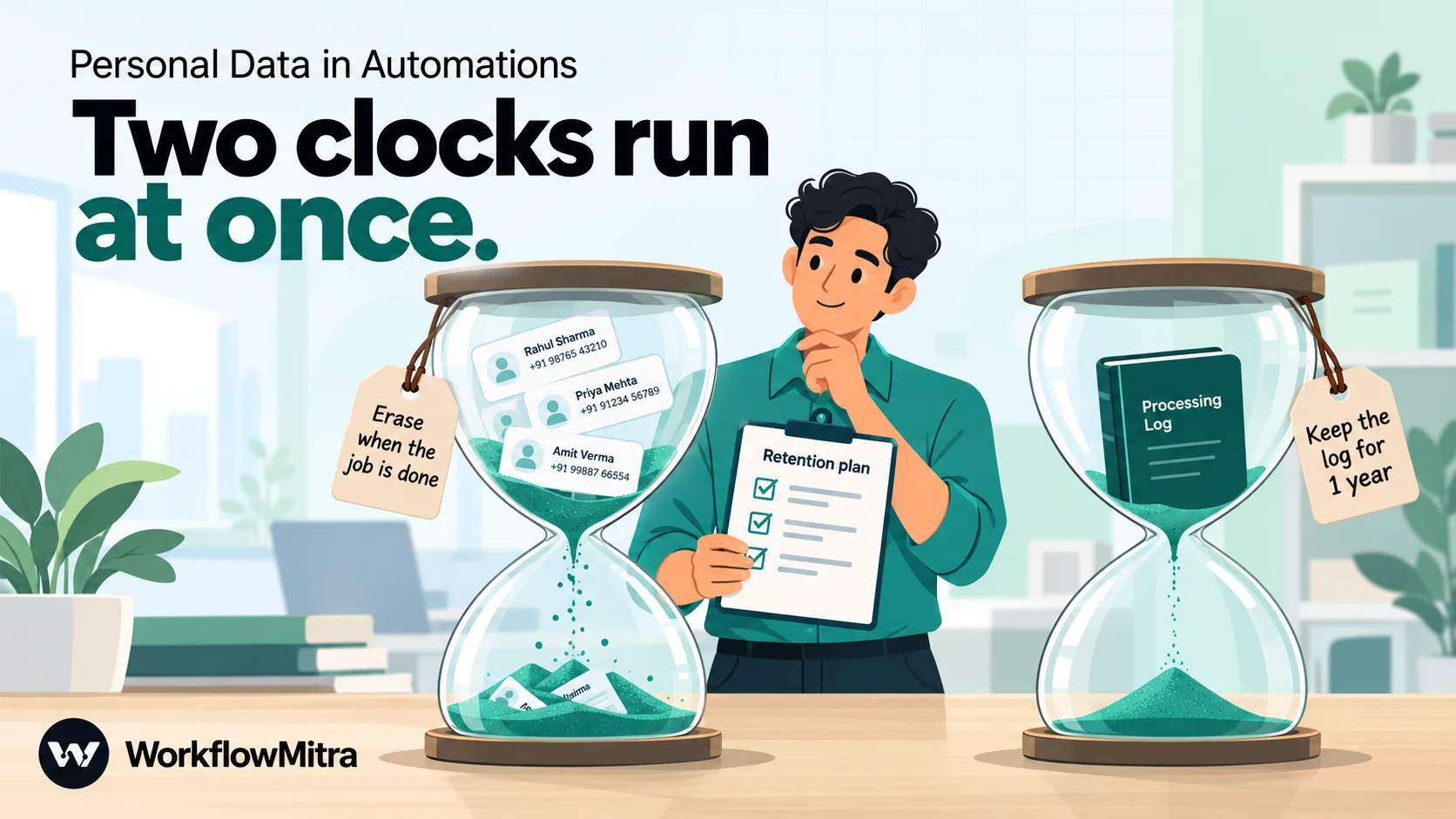
How do you honour both? A practical reading is: stop using the data when its purpose is served, keep a minimal record of what was processed for at least a year, and then erase that record too. Confirm the split for your business with your lawyer, because other laws, such as tax and sector rules, can require longer retention of specific records.
For workflows, that reading suggests a simple pattern:
- Working data (the lead’s details in your sheet or CRM) gets an “erase after” date when it’s created.
- A processing log (one row per run or per action) records what happened with as little personal data as possible: a reference ID, a hash instead of the email, the date, the workflow name and the systems touched.
- Run history in WorkflowMitra expires on its own after your plan’s window. Don’t rely on it as the one-year record, and don’t treat it as the only copy you need to clean up.
Three workflows to build before May 2027
The following workflows use WorkflowMitra steps, but the logic works in any tool that has the same building blocks. Build them on test data first.
Workflow 1: Handle an erasure request
Section 12(3) gives people the right to ask you to erase their data, and Rule 14 says you must publish how they can ask. Build the path once, so a request on a busy Friday doesn’t depend on someone remembering every system.
- Trigger. A webhook from a “delete my data” form on your website, or a dedicated mailbox. Collect the email or phone number the person used with you.
- Normalise. A Set Variable step stores
{{ lower(trim($trigger.email)) }}, so ” [email protected] ” and “[email protected]” match the same records. - Verify and approve. An Approval step asks a named person to confirm the request is genuine before anything is deleted. Identity checks matter: an erasure workflow that deletes on any request is also a way for someone to wipe another person’s records. See our guide to approval workflow automation for deadlines and escalation.
- Find, then delete. For each system, find first and delete only on a match. In Google Sheets, a Find row step returns
found: trueorfalsewithout failing, so an IF onfoundcan skip sheets where the person never appeared. Delete row removes one row; it fails if nothing matches and refuses to guess when several rows match, unless you set “If several rows match” to use the first. Keep one row per person at entry and this stays simple; if duplicates exist, read the rows and loop over the matches. CRMs and databases need their own steps, such as Zoho CRM’s Search Records then Delete Record, or a Postgres or MySQL delete. - Reach the systems without a step. Form tools, inboxes and chat channels often have no delete action. Post a task to the person who owns each one, listing exactly what to remove.
- Log it. Add a row to an erasure log with a request reference,
{{ sha256(lower(trim($trigger.email))) }}rather than the email, the date and the systems cleared. - Confirm. Tell the person the request is done, by email or by a WhatsApp utility message sent through ChatMitra.
One limit to accept: the erasure run itself holds the person’s email in WorkflowMitra’s run history until the retention window passes. That is part of the processing record, and it expires.
Workflow 2: Run a scheduled retention clean-up
Deleting data “when the purpose is served” only works if something checks. A weekly clean-up does that.
- At creation, stamp an erase-after date. In the workflow that adds a lead to your sheet, write a column such as
Erase afterwith{{ formatDate(addDays(now(), 365), "YYYY-MM-DD") }}. The 365 days is an example; use the period you decided for that purpose. - Schedule. A Schedule trigger runs every Monday morning.
- Read. Read rows fetches the sheet. It reads up to 5,000 rows by default and up to 50,000 if you raise the limit.
- Check each row. A Loop goes through the rows (up to 1,000 items per run), and an IF step tests whether
Erase afteris before{{ now() }}. - Delete by ID. On a match, Delete row removes the row by its lead ID, not its row number, because row numbers shift as rows are deleted.
- Report. After the loop, post one summary such as “Retention clean-up: 12 rows erased” to the team. No names in the summary.
Date formats decide whether this workflow is safe. We tested WorkflowMitra’s date comparison on 19 October 2026:
- Text dates in
YYYY-MM-DDcompare correctly. - Blank cells never match, so a row without a date is never erased by accident; a filter view on blanks will show you which rows need fixing.
dd/mm/yyyytext never matches either, so those rows would silently never be erased.- A bare number is read as a timestamp and always counts as “before now”. A date column that comes through as a Google Sheets serial number, such as
46000, would delete every row.
Format the column as plain text, keep the YYYY-MM-DD format, and run the workflow against a copy of the sheet first. If you’re new to loops, read our guide to loops in workflow automation.
Workflow 3: Redact before an AI step
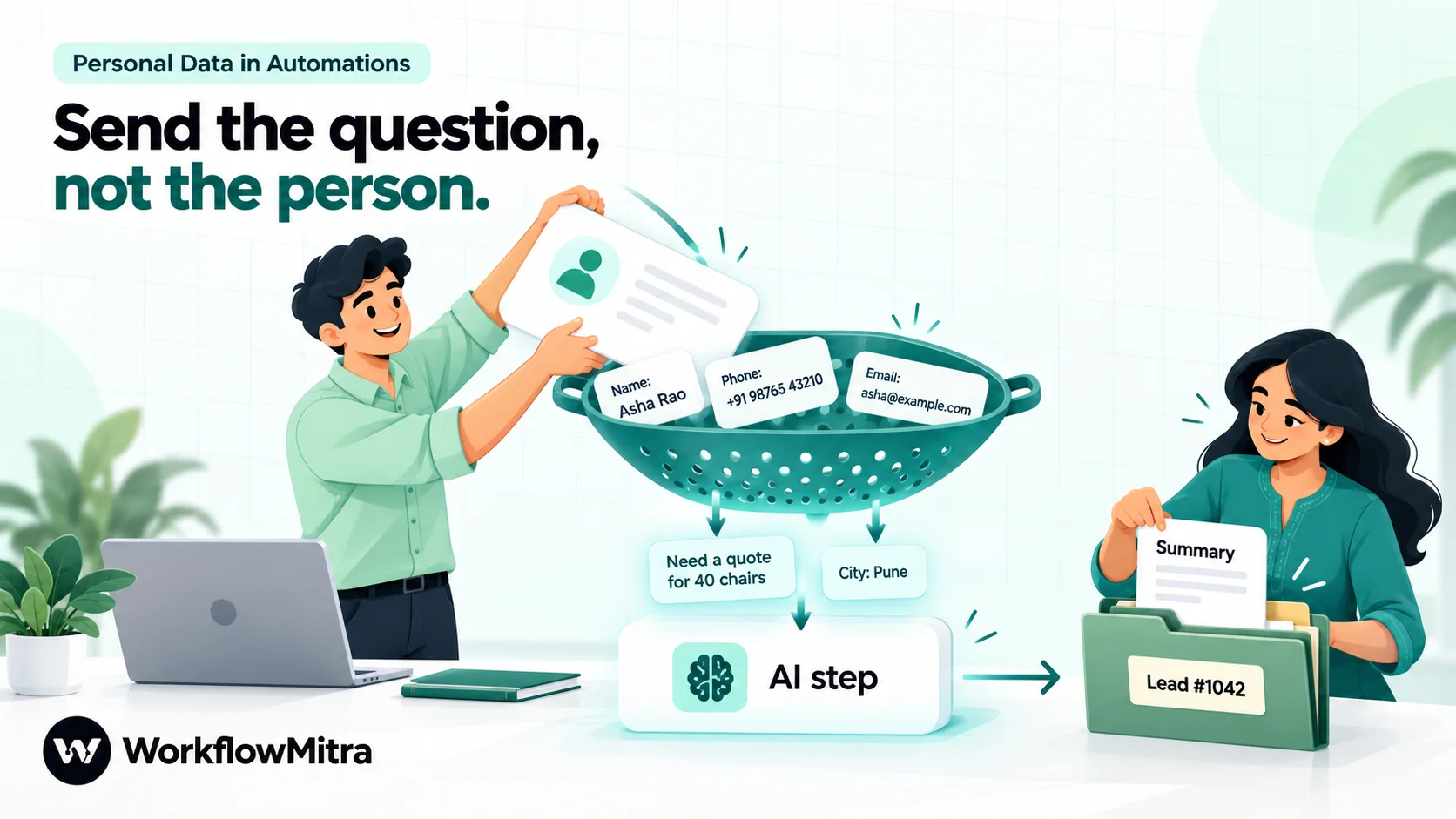
AI steps are where personal data most easily leaves your control, because the prompt goes to another company. Redaction keeps the task working while sending less.
- Reference fields, not the whole record. Write the prompt with only the fields the model needs, such as
{{ $trigger.message }}and{{ $trigger.city }}. Never paste the full trigger into a prompt. - Strip known values from free text. People type their own number into the message box.
{{ replace($trigger.message, $trigger.phone, "[phone]") }}removes the exact number you already hold.replace()matches literal text, not patterns, so it won’t catch the number written another way. - Use a Code step for patterns. If you need to remove any ten-digit number or any email address, a Code step running JavaScript can apply a regular expression before the AI step.
- Re-attach identity after the AI step. Write the AI’s summary to the sheet row by lead ID. The model never needs to know who the lead is.
Then check the provider. On 19 October 2026, OpenAI’s API documentation said data sent to the API is not used to train its models by default and that abuse-monitoring logs are kept for up to 30 days. It also offered India data residency for eligible customers, with storage at rest in India but processing possibly elsewhere. Google’s Gemini API terms said content sent to its unpaid services may be used to improve Google’s products and read by human reviewers, and told users: “Do not submit sensitive, confidential, or personal information to the Unpaid Services.” If you use a free key for testing, test with made-up data. Remember too that the AI step’s response is stored in WorkflowMitra’s run history like any other step output. For checking what comes back before it reaches a customer, see our guide to AI guardrails in workflows.
Be ready for a breach before it happens
Rule 7 gives you very little time. On becoming aware of a personal data breach, you must tell each affected person without delay and tell the Data Protection Board without delay, followed by a detailed report within 72 hours, unless the Board allows longer on a written request. The Act’s definition of a breach includes accidental disclosure, so an alert that posted customer phone numbers to the wrong channel can count.
The data map from earlier is your breach kit. When something goes wrong, it tells you which systems hold the affected data, which processors to contact and which people may be affected. Add three things to it:
- A named owner for each workflow that handles personal data, and a backup.
- Contacts at each processor, so you aren’t searching for a support address during an incident.
- Monitoring that tells you when a workflow behaves unexpectedly. Failure alerts and run reviews won’t detect a breach on their own, but they shorten the time to notice; our guide to workflow monitoring covers what to watch.
Inbound webhooks are another place to tighten. A webhook URL that accepts anything can be used to push junk or probe your workflow; our guide to webhook security explains shared secrets and signature checks.
A data-flow checklist for every workflow that touches people
Run this list when you build a workflow, and again when you change it:
- Which personal data enters, and from which trigger?
- Is there a notice and, where needed, consent behind that data?
- Does each step receive only the fields it needs?
- Do alerts and notifications use IDs instead of names and numbers?
- Is any personal data sent to an AI provider, and under which terms?
- Which systems does the workflow write to, and does each one have a way to delete a person’s data?
- Is there an erase-after date or rule for the data it creates?
- Where is the minimal processing record kept, and for how long?
- Are API tokens saved as credentials rather than typed into steps?
- Who in the workspace can open this workflow and its runs?
- Is the data validated before it drives a decision about someone?
- Who owns this workflow, and who is the backup?
If you keep customer records in a spreadsheet, our guide to Google Sheets as a CRM covers sharing settings and column protection for sheets that hold personal data.
What WorkflowMitra gives you, and what stays your job
WorkflowMitra, powered by ChatMitra, is a no-code workflow automation platform; ChatMitra, the WhatsApp Business API platform, is the layer its workflows can use to send WhatsApp messages. It isn’t a compliance product, and we don’t claim it makes any business DPDP compliant. Here is what it does and doesn’t do, checked against the product’s source code on 19 October 2026.
What you get:
- Run history that expires automatically after 7 to 180 days, depending on the plan, and webhook delivery logs that expire after 30 days, with secret and authorisation headers redacted.
- A credential vault encrypted with AES-256-GCM, masked by default, with Admin-only reveal.
- Four workspace roles: Owner, Admin, Member and Viewer.
- Steps to delete and update data: Google Sheets Find row, Delete row, Update row and Clear range; Postgres and MySQL deletes; MongoDB deletes that refuse an empty filter; Zoho CRM Delete Record; Data Store delete.
- Expression functions for minimising and masking (
pick,omit,substring,replace,sha256), a JavaScript Code step, Approval steps, Loops and Schedule triggers. - AI steps on your own API key, so you choose the provider and the account terms.
What it doesn’t do:
- It doesn’t mask personal data in run history; each step’s input and output is stored in full for the retention window.
- Workspace users can’t delete individual runs, and deleting a workflow doesn’t delete its past runs.
- It has no per-workflow permissions; Viewers can see run data across the workspace.
- It doesn’t remove files sent to webhooks when run history expires.
- It doesn’t handle notice, consent, contracts with your processors, breach notification or request handling for you.
If you want to see the steps above in practice, the 14-day trial includes 10,000 credits and needs no card. For broader AI policy questions, such as which tools your team may use and what they may paste into them, see our article on AI governance for small businesses.
Common mistakes
- Mapping the whole trigger into every step. It’s quick to set up and it copies every field everywhere. Pick the fields each step needs.
- Putting phone numbers in Slack or email alerts. Alerts get forwarded, screenshotted and searched. Use an ID and a link.
- Treating run history as the processing log. It expires on a plan-dependent schedule and holds far more data than a log needs.
- Forgetting the copies you didn’t create. Form tools, inboxes, chat channels and AI providers all keep their own copies.
- Deleting without verifying. An erasure workflow without an identity check is a deletion tool anyone can trigger.
- Testing AI steps with real customer data on a free key. Use made-up records until you have read the provider’s terms.
- Storing dates in whatever format the sheet suggests. Retention clean-ups depend on a date format your tool reads correctly.
- Waiting for May 2027. Mapping every workflow and fixing the leaks takes longer than expected. Start with the workflows that touch the most people.
Start with the map
The DPDP Act doesn’t ask you to stop automating. It asks you to know where personal data goes, use only what you need, keep it only as long as you should and be able to prove what you did. Automations make each of those easier, if you design for them.
So this week, pick your busiest workflow and map every copy it makes. Remove the personal data from its alerts and AI prompts. Then build the erasure request and retention clean-up workflows on a test sheet, so they’re ready long before 13 May 2027.
To build these workflows yourself, start a WorkflowMitra trial: 14 days, 10,000 credits, no card needed. You can also browse ready-made workflow templates as a starting point.
Sources: The Digital Personal Data Protection Act, 2023 (MeitY), sections 2, 8, 12, 17 and the Schedule; Digital Personal Data Protection Rules, 2025, G.S.R. 846(E) (Gazette of India, 13 November 2025), rules 1, 3, 6, 7, 8, 9 and 14 and the Third and Seventh Schedules; OpenAI, Data controls in the OpenAI platform; Google, Gemini API Additional Terms of Service (last updated 28 April 2026); all read on 19 October 2026. WorkflowMitra behaviour was checked against the product's source code on that date: run and step storage, retention windows and the nightly clean-up, webhook delivery logs, the credential vault, roles, Google Sheets, database and CRM delete actions, Data Store, AI providers and expression functions; the expressions and date comparisons shown were executed. The enquiry workflow, lead #1042, the 365-day period and the sample values are examples. This article is general information, not legal advice.
Frequently Asked Questions
Short answers to common questions about the DPDP Act and automated workflows.
Yes. The Act defines processing as a wholly or partly automated operation on digital personal data, including collection, storage, use, sharing and erasure. A workflow that reads a lead's name and phone number, writes it to a sheet and sends a message is processing personal data, so the business that runs it has the duties of a Data Fiduciary.
Automate the work between your apps
Build workflows with triggers, conditions and actions, then test them before they go live. Try WorkflowMitra free for 14 days, no card required.
