Ecommerce Automation for D2C Brands: Order, Payment and Fulfilment Workflows That Run Themselves

Quick Summary
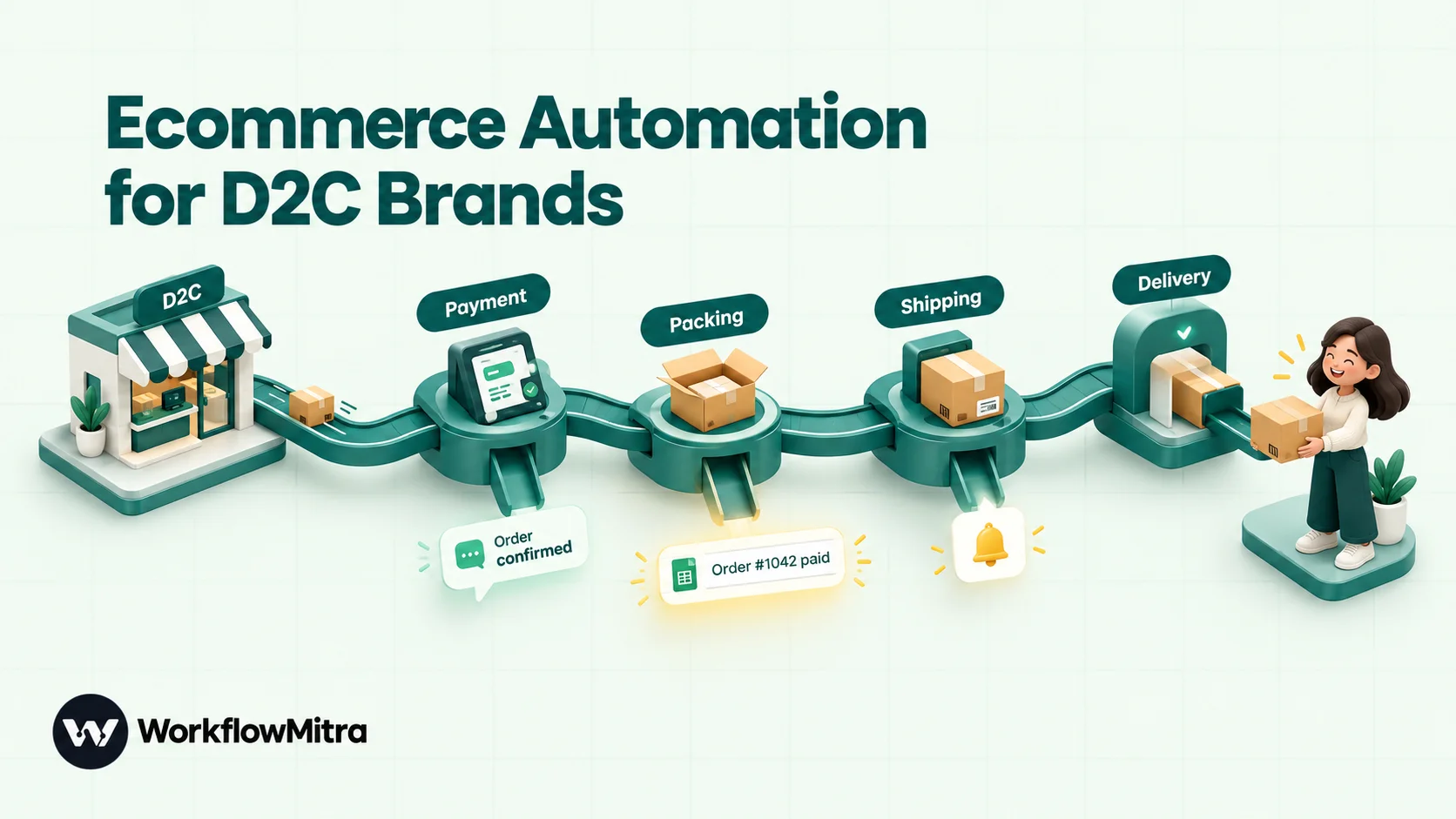
Ecommerce automation means letting software carry out the repeatable steps between a customer's order and a closed, reconciled sale: recording the order, confirming it, chasing or recording payment, creating the shipment, sending delivery updates, handling refunds, raising invoices and watching stock. For a D2C brand on Shopify or WooCommerce with Razorpay, Shiprocket and Zoho Books, the events come from each platform's signed webhooks, and a workflow tool such as WorkflowMitra, powered by ChatMitra, connects them: Google Sheets as the operations log, App Request steps for Shiprocket and Zoho Books, and WhatsApp utility templates sent through ChatMitra or Meta's Cloud API. Reliable setups verify every webhook, keep one event per URL, send each customer message once per order and status, and expect events to arrive out of order.
Most D2C brands don’t run out of customers before they run out of hands. Somewhere between the hundredth and the thousandth order a month, the operations team is copying orders into a sheet, booking couriers one by one, answering “where is my order?” messages and matching payments to invoices on Friday evenings. None of it is hard, but all of it repeats, and repetition is where mistakes and late replies come from.
Ecommerce automation takes those repeated steps off people’s plates. This guide maps the order lifecycle of a typical D2C brand, explains where automation pays back first, and outlines eight workflows that cover orders, payments, shipping, refunds, invoices and stock. It also covers the webhook rules that keep those workflows from double-messaging customers or quietly dropping orders. The examples use WorkflowMitra, powered by ChatMitra, with a Shopify or WooCommerce store, Razorpay, Shiprocket and Zoho Books. That stack is common for Indian D2C brands, and the same patterns work with other tools.
What is ecommerce automation?
Ecommerce automation is using software to carry out the repeatable steps around an online sale without anyone doing them by hand. An event, such as a new order, a captured payment or a shipment status change, starts a workflow that records it, tells the right people and updates the next system in line. The same steps run the same way for the first order of the day and the five-hundredth.
It helps to separate three layers, because they’re often lumped together:
- Storefront automation happens inside your store platform: discount rules, inventory sync between locations, tagging orders. Shopify Flow and WooCommerce extensions live here.
- Marketing automation decides what to say to whom and when: abandoned-cart reminders, win-back campaigns, segments. Email and WhatsApp marketing tools live here.
- Operations automation moves an order through payment, fulfilment, delivery, returns and accounting, across several companies’ software. This is where most D2C teams lose hours, and it’s what this guide covers.
Where a D2C order leaks time
Follow one order from checkout to a closed sale and count the hand-offs.
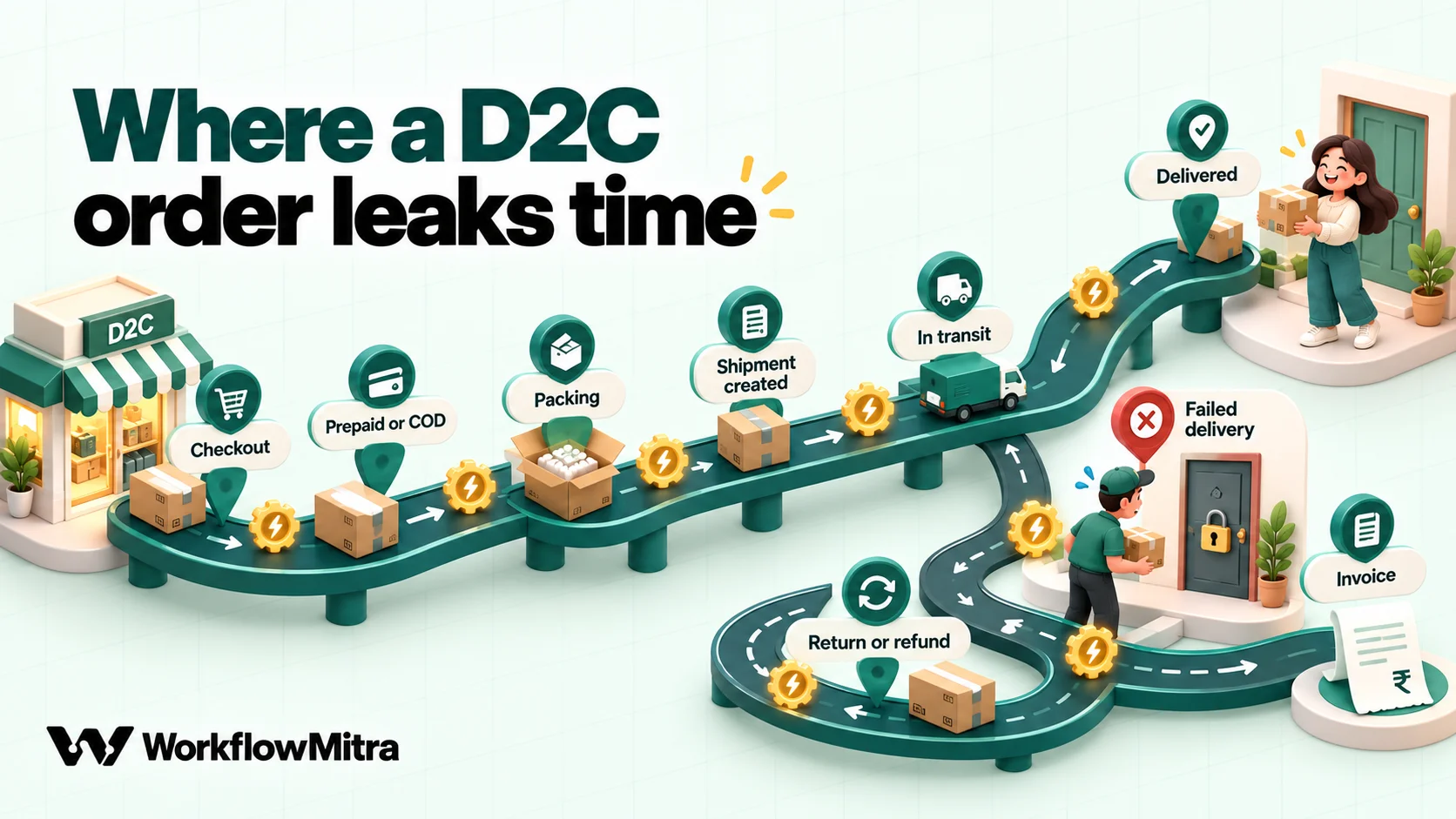
- Order placed. The store has it. The packing team, the founder and the operations sheet don’t, until someone exports or copies it.
- Payment. Prepaid orders come through the payment gateway. Cash-on-delivery orders still need confirming, because an unconfirmed COD order is the most likely to come back unopened.
- Confirmation. The customer wants to know the order went through. A clear confirmation on the channel they read also cuts “did you get my order?” messages.
- Fulfilment. Someone books the shipment in the shipping platform, often by re-typing or importing the address.
- Delivery. Couriers update the shipping platform; customers ask you. Failed deliveries need a fast response before the parcel is sent back.
- Returns and refunds. Money goes back through the gateway, and the customer needs to hear about it.
- Accounting. Each sale becomes an invoice and a payment record, ideally without anyone matching gateway IDs by hand.
- Stock and reporting. Someone needs to know before the bestseller runs out, and how yesterday went.
Each numbered step crosses a system boundary. Those boundaries are where automation saves the most time, because no single platform owns both sides.
Store features, apps or a workflow tool?
You have more than one way to automate each hand-off, and the right choice depends on how many systems a task touches.
| Approach | Good at | Where it stops |
|---|---|---|
| A workflow tool such as WorkflowMitra | Tasks that cross systems: store → sheet → shipping → WhatsApp → accounting in one run, with routing and a delivery log | You design the workflow; for apps without a ready-made step you call their API |
| Store-native automation (for example Shopify Flow) | Rules inside the store: tags, inventory, order holds | Shopify lists Flow on the Basic, Grow, Advanced and Plus plans; its Send HTTP Request action needs Grow or higher, and outside systems mean writing those calls yourself |
| Single-purpose apps and plugins | One job done well, such as WhatsApp order notifications or courier booking | Each app is another subscription, settings page and failure point, and apps rarely talk to each other |
| Your shipping or messaging platform's built-in automations | Their own channel, for example Shiprocket's tracking pages or ChatMitra's WhatsApp automations | Limited to that platform's data |
| Custom code | Exactly what you want | You own hosting, retries, duplicates, monitoring and every API change |
Most brands end up with a mix: store-native rules for store-internal work, the messaging platform for two-way customer conversations, and a workflow tool for the hand-offs in between. ChatMitra’s guide to WhatsApp for ecommerce covers the conversation side; the rest of this guide covers the hand-offs.
The building blocks
Every workflow below is assembled from a small set of pieces. In WorkflowMitra they are:
- Events in. The On webhook call trigger has signed sources for Shopify, WooCommerce and Razorpay. Each checks the platform’s signature header and skips repeat deliveries. Shiprocket’s tracking webhook arrives through the Something else source, with its token checked as a header.
- Records. Google Sheets steps add, find and update rows. Many brands keep an operations sheet as the shared source of truth, with one row per order and one column per stage.
- Other systems. The App Request step makes authenticated API calls to apps including Shiprocket, Zoho Books, Shopify and WooCommerce, using a connection stored encrypted in the workspace. Our guide to connecting an API without code explains how it works.
- Messages. The WhatsApp step sends approved templates through ChatMitra or directly through Meta’s Cloud API. Slack, email and Telegram steps handle internal alerts.
- Logic. IF and Switch route by payment method, status or amount; a Data Store remembers what was already sent; a Schedule trigger runs daily jobs in your timezone.
None of the store, shipping or accounting apps has a native trigger step. Events come in through webhooks, and actions go out through App Request. That keeps the setup honest: you see exactly which event started a run and exactly which API call each step made.
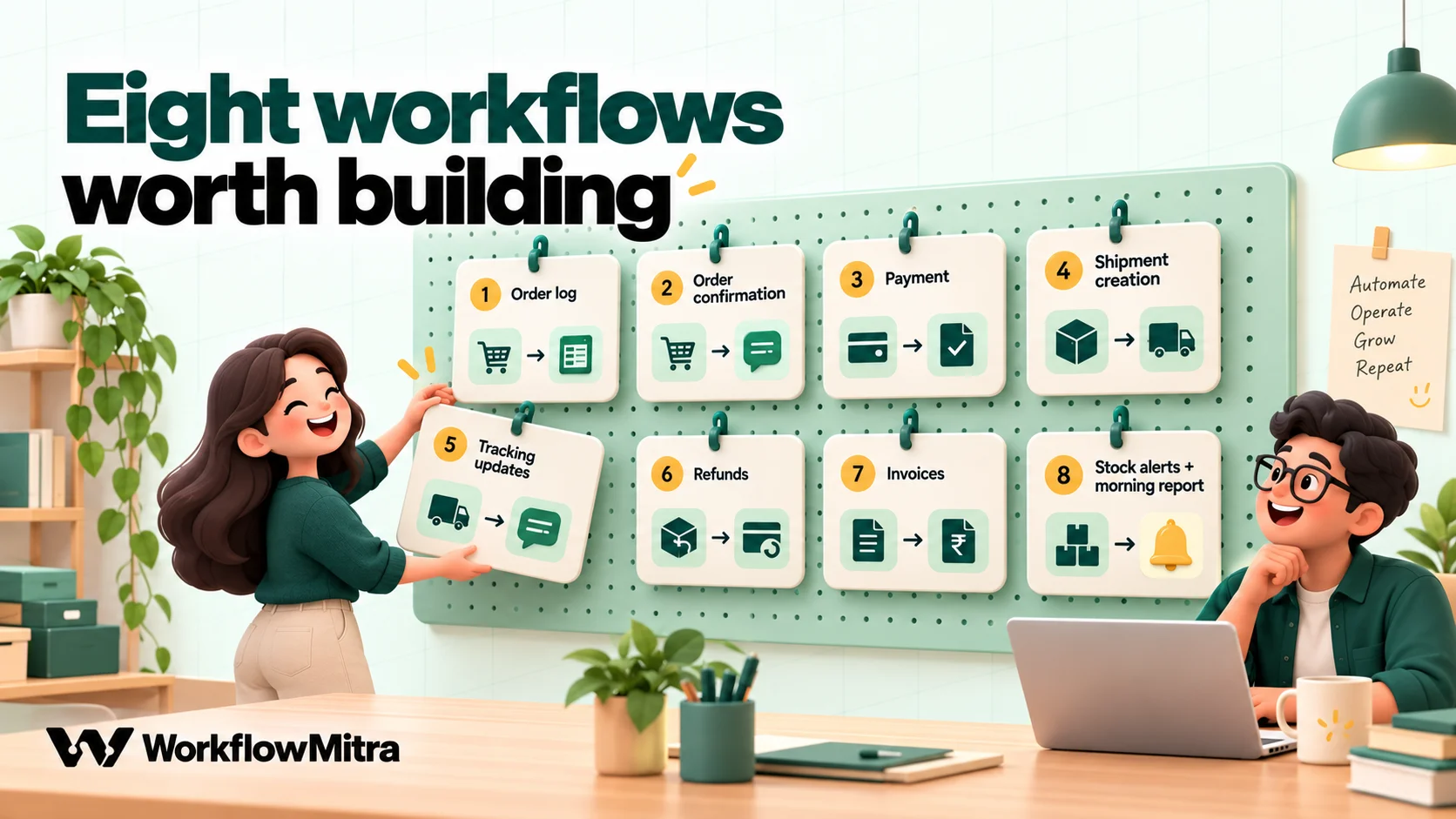
Eight ecommerce workflows worth building
They’re listed in the order most brands get value from them. Each is a separate workflow, which keeps them small and lets you switch one off without touching the others.
1. Every order into an operations sheet
Trigger: Shopify webhook for Order creation (or WooCommerce Order created). Steps: Google Sheets Add row(s), an IF on value or payment method, and a Slack or email alert for orders that need a person.
This is the foundation the other workflows build on. One row per order, with the order number, date, customer, phone, city, PIN code, total, payment method and empty columns for shipment ID, status and invoice. Set the Sheets step to Multiple Rows (Bulk Array) if you want one row per line item instead: it writes every item of the order in one call for one credit, which is cheaper than looping. Shopify orders to Google Sheets has the full build, including the line-item mapping.
Store phone numbers as text. With the Sheets step’s Write values set to Exactly as written, a number like +919812345678 keeps its plus sign instead of turning into a long number.
2. Order confirmation on WhatsApp, with a COD variant
Trigger: the same order-created event, in its own workflow or as a branch of workflow 1. Steps: IF on payment status → WhatsApp template.
Prepaid and COD orders deserve different messages. On Shopify, a cash-on-delivery order usually arrives with the payment status pending, and a prepaid order with paid, so an IF route on {{ $trigger.financial_status }} picks the template. The prepaid message confirms the order and the amount paid. The COD message restates the items, the amount to be paid on delivery and the shipping address, and asks the customer to reply to confirm. The reply opens a 24-hour customer service window and arrives in your ChatMitra inbox, where your team confirms or cancels the order. That one exchange catches wrong addresses and orders nobody meant to place, before a courier is booked.
Read the phone number with a fallback, because stores fill different fields: {{ ifempty($trigger.shipping_address.phone, $trigger.customer.phone) }}. ChatMitra’s order confirmation message guide has wording you can adapt. Only message customers who agreed to hear from you on WhatsApp, which usually means a checkout opt-in; ChatMitra’s WhatsApp opt-in guide covers the rules. On WooCommerce, the same idea runs from an order webhook with a Switch on status; see WooCommerce WhatsApp order notifications.
3. Payment captured and payment failed
Trigger: Razorpay webhook source, one event per URL. Steps: for payment.captured, a Sheets update marking the order paid and an optional WhatsApp receipt; for payment.failed, an alert or a gentle nudge with your checkout link.
Razorpay sends the amount in paise, so convert it before you display it; WorkflowMitra has a paisaToRupees function for exactly that. Keep each Razorpay event on its own webhook URL. Razorpay allows up to 30 webhook URLs for payments, and WorkflowMitra’s Razorpay source recognises repeats by payment ID, so a refund or payment-link event for the same payment on a shared URL would be skipped as a duplicate. The full pattern is in Razorpay to WhatsApp.
4. Create the Shiprocket shipment automatically
Trigger: a prepaid order, or a COD order once it’s confirmed. Steps: App Request (Shiprocket) → Sheets update with the Shiprocket order and shipment IDs.
Create a dedicated API user in Shiprocket under Settings › API, using a different email address from your main login, then add a Shiprocket connection in WorkflowMitra with that API user’s email and password. WorkflowMitra logs in for you and renews the token before it expires; there is nothing to refresh by hand. In the App Request step, choose POST and the create-order path, /v1/external/orders/create/adhoc, and fill Information to send with the order, billing and shipping details, the items, the payment method (COD or Prepaid) and the parcel’s weight and dimensions. Shiprocket’s API documentation lists which fields are mandatory; map from $trigger so the values come from the original order.
Two settings matter. Set Treat error responses as a failure to Yes, so a rejected order (for example a missing pincode) stops the run and raises an alert, rather than counting as a successful step. And write the returned IDs back to the sheet, because workflow 5 needs them.
For COD orders, run this workflow from the moment your team marks the order confirmed, for example when someone types “Confirmed” in the sheet’s status column. A Google Sheets One column changes trigger watches that column. In that version the run starts from the sheet row, not the store’s payload, so make sure workflow 1 logs the full shipping address and the items you’ll need.
5. Shipping updates and failed-delivery alerts
Trigger: Shiprocket’s tracking webhook, through Something else. Steps: Switch on status → Data Store once-only check → Sheets Find row for the customer → WhatsApp template; for failed deliveries, an alert to your team as well.
Shiprocket can post tracking updates to a URL you add under Settings › API › Webhooks, optionally with a security token sent as an x-api-key header. In WorkflowMitra, open the trigger’s API key authentication settings, set Header name to x-api-key and paste the same token as the Secret. Shiprocket’s guide asks for a plain 200 reply, so switch on Respond synchronously and end each route with a Response step returning 200. Leave Shiprocket’s name out of the URL itself, as its guide asks; WorkflowMitra’s URLs are random strings, so that’s already the case.
Each delivery carries the AWB, the current status and your order ID. Copy the exact status text from the first few deliveries in Recent deliveries rather than guessing it, and build the Switch from that, using Equal to, ignore case:
- Shipped / in transit: a utility template with the tracking link.
- Out for delivery: a short heads-up, which helps COD customers keep the cash ready.
- Delivered: a thank-you, without a sales pitch in the same template.
- Failed delivery (NDR): a message asking whether to re-attempt, plus a Slack or email alert so someone acts within Shiprocket’s response window. Unanswered NDRs head back as returns to origin (RTO), the most expensive outcome a COD order can have.
Couriers repeat statuses, so guard each message with a Data Store step: Create or update (upsert) with the key {{ $trigger.awb }}-{{ lower($trigger.current_status) }}, then an IF on {{ wasNew }} Is yes. The first time a parcel reaches a status the message goes out. Every repeat after that is skipped. The phone number isn’t in the tracking payload, so look it up in the operations sheet with Find row on the order ID written by workflow 4.
6. Refund confirmations
Trigger: Shopify Refund create, or Razorpay refund.processed on its own URL. Steps: Sheets update → WhatsApp utility template stating the amount and when to expect it.
A refund message is one of the most valuable automations a brand can add, because the alternative is a customer checking their bank account for a week and then writing to support. Keep it factual: the amount, the original order and the refund method.
7. Invoices and payment records in Zoho Books
Trigger: Razorpay payment.captured (or your store’s paid event). Steps: App Request (Zoho Books) to find or create the customer → create the invoice → record the customer payment.
The Zoho Books connection stores the Organisation ID and your API domain (for example https://www.zohoapis.in for the India data centre), and WorkflowMitra adds the organisation ID to every call automatically. Zoho’s invoice API needs a customer ID and line items, so the first call makes sure the customer exists. When you record the payment, put the Razorpay payment ID in the payment’s reference number; month-end reconciliation then becomes a lookup instead of a hunt. Zoho Books applies daily API limits by plan, which matters if you replay a backlog all at once. For reminders on unpaid B2B invoices, see payment reminder automation.
8. Low-stock alerts and the morning operations report
Low stock: a Shopify Inventory level update webhook (or WooCommerce product updates) → IF on the available quantity Less than your threshold → Slack or WhatsApp alert to the person who reorders. The inventory payload carries IDs and quantities rather than product names, so keep a small lookup sheet that maps inventory item IDs to SKUs and names, and read it with Find row.
Morning report: a Schedule trigger at 9:00 in Asia/Kolkata (or your timezone) reads yesterday’s rows from the operations sheet, counts orders, COD share, shipments created, NDRs and refunds, and sends a five-line summary to the founders’ Slack channel or a WhatsApp group. Automated daily reports shows how to turn rows into figures.
Five rules that keep commerce workflows reliable
Commerce webhooks are noisy. The same event arrives twice, statuses arrive out of order, and a slow reply gets a webhook switched off. These five rules prevent the most common problems.
- Verify every delivery. Shopify signs with
X-Shopify-Hmac-Sha256, WooCommerce withX-WC-Webhook-Signatureand Razorpay withX-Razorpay-Signature. Choosing the matching source in WorkflowMitra turns the check on and blocks anything that fails it. Paste the signing secret before you connect the store, because until it’s saved every request is rejected. - One event type per webhook URL. WorkflowMitra’s Shopify and WooCommerce sources recognise repeats by the order
id, and the Razorpay source by the payment ID. That’s right for retries, but on a shared URL a second, different event for the same order or payment would be skipped as a duplicate. Give “order created”, “order paid”, “refund” and so on their own workflows. If you do need repeated Order updated events on one URL, clear Advanced settings › Idempotency key path and dedupe by order and status in a Data Store instead. - Send each customer message once per order and status. Retries, courier status repeats and store-side edits all re-fire events. A Data Store key such as
orderId-statusmakes the message idempotent no matter how often the event arrives. - Don’t rely on arrival order. Shopify says it doesn’t guarantee ordering within a topic or across topics, and Razorpay says webhooks may arrive out of order. Write status into the sheet with the event’s own timestamp, and don’t let a late “shipped” overwrite “delivered”.
- Reply the way each sender expects. Shopify counts any 2xx reply as success but gives you five seconds, retries a failed delivery up to eight times in four hours and then removes the subscription. WooCommerce disables a webhook after about five consecutive failures. Razorpay retries for 24 hours and then disables it. WorkflowMitra answers these senders with 202 as soon as it accepts a delivery and does the work afterwards, which suits all three. Shiprocket’s tracking webhook is the exception that asks for a plain 200, hence the synchronous Response step in workflow 5.
When a step does fail, you want to hear about it before a customer does. Turn on failure alerts in the workspace settings, add error handlers to the steps that call outside APIs, and replay the delivery once the cause is fixed. Workflow error handling covers each of these.
Getting WhatsApp messages right
Customers read WhatsApp, which is why order updates there tend to get noticed. A few rules from Meta shape what you can send automatically:
- First messages are templates. Outside the 24-hour customer service window that opens when a customer messages you, only pre-approved templates are delivered. Every message in workflows 2 to 6 is a template.
- Keep order updates utility. Meta treats non-promotional messages that follow a customer’s action, like order confirmations and delivery updates, as utility. A template that mixes an order update with a discount code can be reclassified as marketing, which changes its price and how it’s delivered.
- Know how you’re charged. Since 1 July 2025, Meta charges per delivered template message, by category and the customer’s country, and utility templates delivered inside an open customer service window are free. If you send through ChatMitra, its own fee is per conversation, once per customer per 24 hours, never per message.
ChatMitra’s explanation of utility messages goes deeper into the category rules, and its Shopify, WooCommerce and Razorpay integration pages cover the conversational side of each platform.
What does it cost?
WorkflowMitra charges credits per executed step. At default rates, triggers, Sheets, App Request, Data Store and WhatsApp steps cost one credit each, and IF, Switch and Response steps are free. A run that’s rejected or skipped as a duplicate doesn’t start at all.
| Workflow | Billable steps per run | Runs per order (typical) | Credits per order |
|---|---|---|---|
| 1–2. Order log + confirmation | Trigger, Sheets, WhatsApp | 1 | 3 |
| 3. Payment captured | Trigger, Sheets update, WhatsApp receipt | 1 (prepaid orders) | 3 |
| 4. Shiprocket shipment | Trigger, App Request, Sheets update | 1 | 3 |
| 5. Tracking updates | Trigger, Data Store, Find row, WhatsApp (messaged statuses); trigger only for the rest | 3 messaged + ~3 others | ~15 |
| 7. Zoho Books invoice | Trigger, 3 App Requests | 1 (prepaid orders) | 4 |
Not every order runs every workflow. A prepaid order runs all of them, about 28 credits; a COD order skips the payment and invoice workflows but adds the confirmation step from the sheet, about 21. With a mix of the two, plan on roughly 25 credits per order. For 1,500 orders a month that’s about 37,500 credits, which fits the 40,000-credit plan at ₹2,699 a month. A brand at 500 orders a month needs about 12,500 credits, which fits the 20,000-credit plan at ₹1,499. Refunds, stock alerts and the morning report add little. Meta’s template charges, and ChatMitra’s per-conversation fee if you send through ChatMitra, come on top; check ChatMitra’s pricing page and the WorkflowMitra pricing page for current figures before you budget.
A four-week rollout
Trying to automate everything in one go is how brands end up with a tangle nobody trusts. A steadier order:
- Week 1: the operations sheet. Build workflow 1 and let it run alongside your current process. Compare the sheet with the store every evening until they match.
- Week 2: customer messages. Add confirmations (workflow 2) and payment receipts (workflow 3). Get templates approved before the week starts, because approval can take time.
- Week 3: fulfilment. Connect Shiprocket for shipment creation and tracking (workflows 4 and 5). Start with prepaid orders, then add confirmed COD orders.
- Week 4: money and stock. Add refunds, Zoho Books invoicing, low-stock alerts and the morning report.
At each stage, test with your own orders first. WorkflowMitra’s webhook test console simulates WhatsApp, email and Slack sends, but Sheets, Data Store and App Request steps really run, so point them at a copy of the sheet and a Shiprocket test order while you test.
Limits to know
- No native store, shipping or accounting steps. Shopify, WooCommerce and Razorpay come in through signed webhook sources. Shiprocket, Zoho Books, Shopify and WooCommerce actions go out through App Request, where you choose the endpoint and body yourself.
- No abandoned-cart feature. Cart recovery belongs to your store or a WhatsApp marketing tool; this guide focuses on orders that were placed.
- WhatsApp replies come back to ChatMitra, not the workflow. COD confirmations are handled by your team in the ChatMitra inbox. WorkflowMitra doesn’t read the customer’s reply to move the order on by itself.
- Delays are fixed waits of up to 30 days. They can’t wait until a delivery happens. Event-driven workflows like the ones above are the better pattern.
- History is time-limited. Run history is kept for a period set by your plan and delivery logs for 30 days, so the operations sheet is your long-term record.
Why use WorkflowMitra for ecommerce automation?
WorkflowMitra, powered by ChatMitra, suits D2C brands whose operations span several companies’ software:
- Signed sources for the platforms Indian D2C brands use. Shopify, WooCommerce and Razorpay sources check signatures and skip retries out of the box, and the delivery log shows every request as accepted, duplicate, rejected or errored.
- Shiprocket and Zoho Books connections that maintain themselves. WorkflowMitra renews the Shiprocket token and Zoho’s OAuth token for you, and adds Zoho’s organisation ID to every call.
- WhatsApp templates through ChatMitra or Meta’s Cloud API, in the same workflow as the sheet update and the shipment, with Data Store guards against double messages.
- Pricing per executed step in rupees, with free IF, Switch and Response steps, so routing logic doesn’t add to the bill. Every new workspace gets a 14-day trial with no card.
It’s not the answer to everything. If all your automations stay inside Shopify, Flow is already in your admin. If you only need WhatsApp order notifications, a dedicated plugin is quicker to set up. And very large brands with in-house engineers may prefer building on the platforms’ APIs directly. For a team that’s spending hours each week moving orders between the store, the courier, the sheet and the books, though, a workflow tool is usually where the time comes back fastest.
Start with workflow 1. A 14-day WorkflowMitra trial gives you 10,000 credits, enough for a few thousand test and real orders across the first two workflows. Once the operations sheet fills itself, the rest of this map follows naturally. For more ideas across other teams, see workflow automation examples.
WorkflowMitra behaviour described here was checked in the product's code on 7 October 2026, and the expressions were run against its expression engine with sample Shopify and Shiprocket payloads. Platform details come from Shopify's webhook troubleshooting guide and Shopify Flow help, WooCommerce's REST API webhook documentation, Razorpay's webhook best practices, Shiprocket's API user setup article, Zoho Books API documentation and Meta's WhatsApp pricing pages, all read the same day. ChatMitra's fee is from chatmitra.com/pricing.
Frequently Asked Questions
What D2C founders and operations teams ask before they automate their store.
Ecommerce automation is using software to carry out the repeatable tasks around an online sale without someone doing them by hand: logging orders, confirming them with the customer, recording payments, creating shipments, sending delivery updates, processing refund messages, raising invoices and alerting the team about low stock or problems. Each task starts from an event, such as a new order or a captured payment, and runs the same way every time.
Automate the work between your apps
Build workflows with triggers, conditions and actions, then test them before they go live. Try WorkflowMitra free for 14 days, no card required.
