ERPNext Webhooks: Send ERPNext Documents to Google Sheets, Slack or WhatsApp the Moment They Change

Quick Summary
An ERPNext webhook is a Frappe Webhook record that sends an HTTP request when a document event happens, such as a Sales Order being submitted. Frappe queues the request after the transaction commits, sends it as JSON text with up to three attempts, and logs each attempt in Webhook Request Log. Three details decide whether it works: add a Content-Type: application/json header yourself, because Frappe doesn't set one; write the JSON body with Jinja's tojson filter so quotes in names don't break it; and pick the doc event that matches how the change happens, because status changes ERPNext makes itself fire on_change, not on_update. In WorkflowMitra, powered by ChatMitra, one webhook workflow can verify Frappe's X-Frappe-Webhook-Signature, log orders to Google Sheets, alert Slack and send a WhatsApp template when goods are dispatched.
ERPNext already knows the moment an order is confirmed, a delivery leaves the warehouse or an invoice is cancelled. The people who need to act on those moments often don’t live in ERPNext: the sales head watches a Google Sheet, the warehouse team lives in Slack, and the customer only reads WhatsApp.
ERPNext’s webhooks close that gap. Every submitted document can be pushed to another system within seconds. They also fail quietly in a few predictable ways, and most “ERPNext webhook not working” threads come down to one of them. This guide explains how Frappe’s webhooks actually fire, sets one up that survives real data, and connects it to Google Sheets, Slack and WhatsApp with WorkflowMitra, powered by ChatMitra.
What is an ERPNext webhook?
An ERPNext webhook is a Webhook record in the Frappe framework that sends an HTTP request to a URL whenever a chosen event happens to a chosen document type. You pick the DocType (Sales Order, Delivery Note, Customer), the Doc Event (after_insert, on_submit, on_cancel and others), an optional condition, and the body to send. Frappe queues the request after the database transaction commits, sends the body as JSON text, can sign it with an HMAC-SHA256 header, retries up to three times and records every attempt in Webhook Request Log.
ERPNext webhooks are outbound: ERPNext tells another system that something happened. Going the other way, creating records in ERPNext from outside, uses ERPNext’s REST API instead, which is a separate topic.
A webhook or ERPNext’s own Notification?
ERPNext has a built-in Notification doctype that can send email, Slack, system notifications and SMS when a document is created, saved, submitted, cancelled or a value changes. If a templated email or a Slack message is all you need, start there; it needs nothing outside ERPNext.
Reach for a webhook when the event has to land somewhere Notification can’t reach, or do more than one thing:
| You need to… | Notification | Webhook + workflow |
|---|---|---|
| Email the sales head when an order is submitted | Yes | Yes |
| Post to a Slack channel | Yes, through a Slack Webhook URL | Yes, with routing by value |
| Add a row to a Google Sheet | No | Yes |
| Send the customer an approved WhatsApp template | No WhatsApp channel | Yes, through ChatMitra or Meta's Cloud API |
| Update another app's records (CRM, helpdesk, logistics) | No | Yes |
| Do several of these for one event, with conditions | One channel per notification | Yes, in one workflow |
Which document events fire a webhook
Frappe’s Webhook form offers these Doc Event options (v15 has the first seven; v16 adds workflow_transition). They are Frappe’s internal event names, so it helps to know exactly when each one runs.
| Doc Event | Fires when | Good for |
|---|---|---|
| after_insert | A new document is saved for the first time | New Customer, Lead or Issue |
| on_update | A document is saved (including the first save) | Draft documents that change while still editable |
| on_submit | A submittable document is submitted | Confirmed Sales Orders, Delivery Notes, invoices, Payment Entries |
| on_cancel | A submitted document is cancelled | Cancelled orders or invoices |
| on_update_after_submit | An "allow on submit" field changes on a submitted document | Fields edited after submission |
| on_change | Every save after the first, and every field ERPNext sets on its own with db_set | Status changes such as To Bill or Completed |
| on_trash | A document is deleted | Keeping a copy elsewhere in sync |
| workflow_transition | A Workflow state changes (listed in the v16 form) | Approval steps |
The table hides the trap that causes most missing events: a webhook fires only when Frappe runs a document event. Reading Frappe’s source (frappe/integrations/doctype/webhook/__init__.py and model/document.py, v15) shows four consequences:
- Status changes ERPNext makes itself usually fire on_change only. When you submit a Delivery Note, ERPNext updates the Sales Order’s delivered percentage with a direct SQL update and then sets its status with
db_set.db_setruns on_change, not on_update. A webhook on Sales Order with on_update never sees that status move; one on on_change does. - New documents never fire on_change. Frappe leaves on_change out of the event list while a document is being inserted. Use after_insert for new records.
- Data Import, patches, installs and migrations fire nothing. Webhooks are skipped while any of those is running, so a bulk import of 2,000 customers sends no requests.
- Direct database writes fire nothing. Custom code that uses
frappe.db.set_valueor SQL instead of saving the document bypasses every event.
A forum answer on the Frappe community site puts it in one line: “only doc_events are published as webhooks”.
How ERPNext sends a webhook
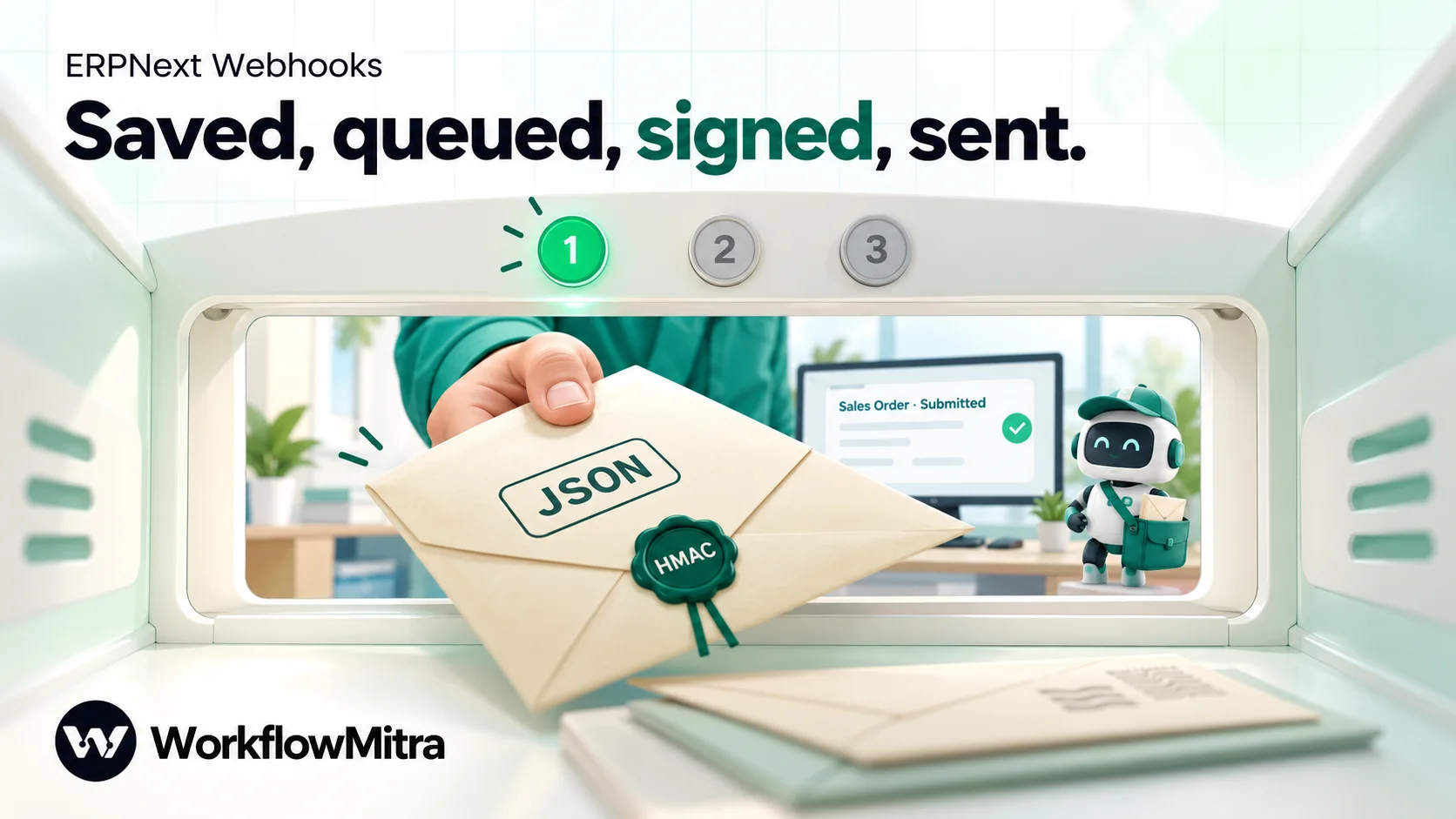
Knowing the mechanics turns most problems into a quick diagnosis. In the released v15 and v16 code:
- Frappe waits for the commit. Matching events are collected during the transaction and only queued after it commits, so a save that fails validation sends nothing.
- One request per document per transaction. If the same document is saved twice in one transaction, only its last version is sent.
- A background worker sends it. The request is a background job on the queue named in the webhook’s Background Jobs Queue field (the default queue if empty). On a self-hosted bench with no worker running, jobs pile up and nothing is sent.
- The body is always JSON text. Frappe serialises the data with
frappe.as_json(keys sorted, one-space indent), whether Request Structure is JSON or Form URL-Encoded, and sends it with no Content-Type header unless you add one. - It can sign the body. With Enable Security ticked, the
X-Frappe-Webhook-Signatureheader carries a base64-encoded HMAC-SHA256 of the payload, keyed with the Webhook Secret. - It tries up to three times. Each attempt waits up to the Request Timeout (5 seconds by default). Anything other than a 2xx response, or a connection error, triggers another attempt after a short pause, and every attempt writes a Webhook Request Log entry with the headers, data, response and any error.
Frappe’s development branch already contains a longer retry schedule, but it isn’t in the v15 or v16 releases as of October 2026 (latest: v15.123 and v16.52). Plan for three quick attempts.
What you’ll build
One WorkflowMitra workflow receives every ERPNext event and routes it:
On webhook call (signed, deduplicated) → Switch on the event name →
- Sales Order submitted: Code “Order row” → Google Sheets: Add row(s) to an Order log → IF big order → Slack alert.
- Delivery Note submitted: Code “Customer number” → IF has a number → WhatsApp dispatch template (Else → Slack “no number”).
Two ERPNext webhooks point at the same URL, one per DocType and event. Each body carries an event field, so the workflow knows which one arrived. Adding a third event later means one more webhook in ERPNext and one more Switch route, not a new workflow.
What you need before you start
- ERPNext with System Manager access, v15 or v16, on Frappe Cloud or self-hosted. Self-hosted benches need background workers running (in production, managed by supervisor).
- A Google Sheet called “Order log” with the headings Order, Customer, Date, Delivery date, Total, Lines, Items, Created by, Link, Logged at.
- A Slack channel with an incoming webhook, connected to WorkflowMitra.
- For WhatsApp: a WhatsApp Business number on ChatMitra (API access needs ChatMitra’s Pro plan) or on Meta’s Cloud API, and an approved utility template for dispatch updates.
- A WorkflowMitra workspace. The 14-day trial includes 10,000 credits and needs no card.
Step 1: Create the receiving workflow in WorkflowMitra
Create a workflow with the On webhook call trigger and set Source to Something else. ERPNext isn’t a listed source, so you’ll set the checks yourself. Open Edit webhook:
- API key authentication: a new webhook already has a random secret and the header name
x-webhook-secret. Keep both and copy the secret. Frappe’s Headers table can send it, so this check works as a second layer. - Signature verification: make up a long random string for Signing secret (you’ll paste the same value into ERPNext), set Signature header to
X-Frappe-Webhook-Signatureand Signature algorithm to HMAC-SHA256. WorkflowMitra checks the HMAC over the raw bytes it received and accepts the base64 form Frappe uses. - Require verification: on, so a request that fails both checks is always rejected.
- Leave Respond synchronously off. Frappe accepts any 2xx reply, and WorkflowMitra answers 202 straight away and runs the workflow afterwards, well inside Frappe’s 5-second timeout.
Under Advanced settings, set Idempotency key path to event_key. You’ll put that field in each body; any delivery whose key was already seen in the last 24 hours is recorded as a duplicate and doesn’t run again.
Save the workflow, switch it to Active and copy the webhook URL. The webhook security guide explains each of these checks in more depth.
Step 2: Create the Sales Order webhook in ERPNext
In ERPNext, search the awesome bar for Webhook and create a new one:
- DocType: Sales Order. Doc Event: on_submit.
- Request URL: the WorkflowMitra webhook URL. Request Method: POST. WorkflowMitra’s webhook address accepts POST (and GET), not PUT or DELETE.
- Request Structure: JSON.
- Condition (optional): a Python expression on
doc, for exampledoc.grand_total > 0ordoc.company == "Shree Ganesh Pipes Pvt Ltd". The webhook fires only when it is true. - Headers: two rows.
Content-Type=application/json, andx-webhook-secret= the secret you copied in step 1. - Enable Security: ticked. Webhook Secret: the same string you entered as the Signing secret.
The header nobody mentions: Content-Type
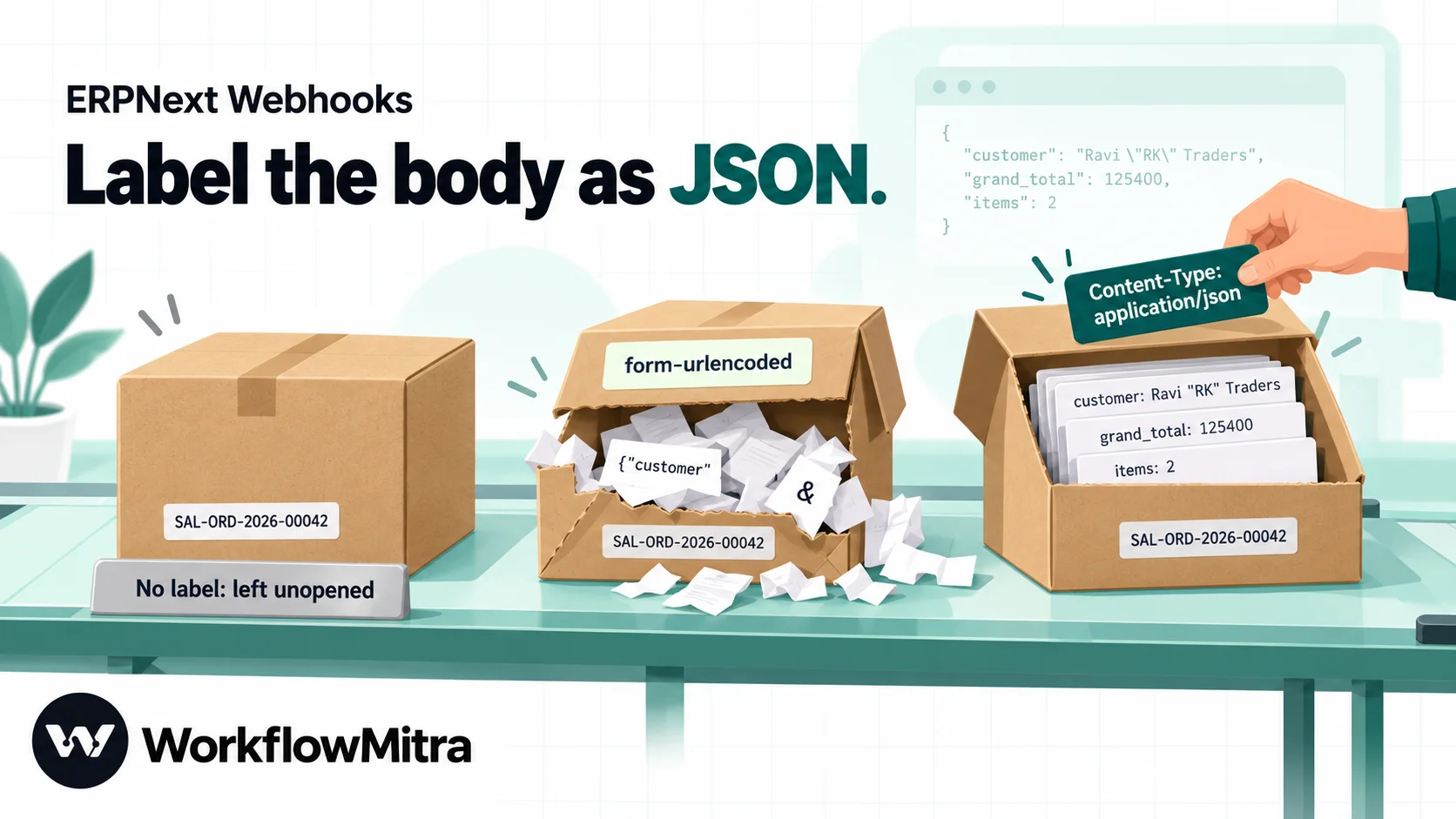
Frappe hands its JSON text to Python’s requests library as plain data, and requests adds no Content-Type for that. Most receivers decide how to read a body from that header. We replayed Frappe’s exact request (the same serialisation and signature code, against WorkflowMitra’s own body parsers, signature check and body builder) three ways:
| Header sent | What the workflow received | Signature check |
|---|---|---|
| None (Frappe's default) | An empty body, no fields | Fails: there is no raw body to check |
application/x-www-form-urlencoded (the example in Frappe's docs) | Garbled keys: the JSON text split at every &, = and + | Passes, which makes the garbage look trustworthy |
application/json | Every field, with numbers as numbers and Hindi text and ₹ intact | Passes |
So add Content-Type: application/json to every ERPNext webhook, even one set to Form URL-Encoded, because Frappe sends JSON text either way. With Require verification on, a webhook without the header is rejected with an invalid-signature error, which at least tells you something is wrong.
Write the body with tojson
Frappe’s documentation shows a JSON body built by wrapping each field in quotes: "customer": "{{ doc.customer }}". That breaks the first time a value contains a quote. A customer called Ravi "RK" Traders renders as invalid JSON, Frappe can’t parse its own template, logs an error and sends nothing. Jinja’s tojson filter quotes and escapes the value for you. Paste this into JSON Request Body:
{
 "event": "Sales Order.on_submit",
 "event_key": {{ (doc.name ~ "|on_submit") | tojson }},
 "name": {{ doc.name | tojson }},
 "customer": {{ doc.customer_name | tojson }},
 "date": {{ doc.transaction_date | tojson }},
 "delivery_date": {{ doc.delivery_date | tojson }},
 "grand_total": {{ doc.grand_total }},
 "owner": {{ doc.owner | tojson }},
 "items": [{% for i in doc["items"] %}{"item_code": {{ i.item_code | tojson }}, "qty": {{ i.qty }}, "amount": {{ i.amount }}}{% if not loop.last %}, {% endif %}{% endfor %}]
}
Three details in it are deliberate:
doc["items"], notdoc.items. Inside a webhook,docis a dictionary, anddoc.itemsis the dictionary’s own items method, not the child table. In our test it made the template fail with a “not JSON serializable” error.- Only the item fields you need.
doc["items"] | tojsonsends every column of every row, and a long order can pass WorkflowMitra’s 100 KB webhook body limit. The loop sends three fields per row. event_key. A submitted document is submitted once, so its name plus the event is unique. That’s the key the trigger uses to skip Frappe’s retries and any repeat.
Before saving, pick a submitted order in the webhook’s preview section (Select Document). Frappe shows whether it meets the condition and the exact request body it would send. If the preview shows an error, fix the template first.
Step 3: Route each event
Back in WorkflowMitra, add a Switch step after the trigger on {{ event }}, with two routes using Equal to: Sales Order.on_submit and Delivery Note.on_submit. Anything else goes to Else, where you can leave nothing or add a Slack note so a misconfigured webhook doesn’t go unnoticed.
Switch is free, and so is IF, so routing costs nothing.
Step 4: Log every Sales Order in Google Sheets
On the Sales Order route, add a Code step named “Order row”:
// Turn the Sales Order into one row for the order log
const items = Array.isArray(input.items) ? input.items : [];
const total = Number(input.grand_total) || 0;
return {
  order: input.name,
  customer: input.customer,
  date: input.date,
  deliveryDate: input.delivery_date || '',
  total,
  lines: items.length,
  summary: items.map(i => i.item_code + ' x ' + i.qty).join('; ').slice(0, 500),
  bigOrder: total >= 100000,
  createdBy: input.owner,
  link: 'https://erp.example.com/app/sales-order/' + encodeURIComponent(input.name),
  loggedAt: new Date(Date.now() + 330 * 60000).toISOString().slice(0, 16).replace('T', ' '), // India time
};
Replace erp.example.com with your ERPNext address, and the 1,00,000 threshold with whatever “big” means for you. loggedAt is worked out in India time inside the script, so it doesn’t depend on the server’s clock zone. Then add Google Sheets → Add row(s) on the Order log tab and map, in column order: {{ order }}, {{ customer }}, {{ date }}, {{ deliveryDate }}, {{ total }}, {{ lines }}, {{ summary }}, {{ createdBy }}, {{ link }} and {{ loggedAt }}.
Add new columns only at the right-hand end. Add row(s) writes values by position, so a column inserted in the middle shifts everything after it. The Google Sheets automation guide covers the other Sheets steps.
Step 5: Alert Slack about big orders
After the sheet step, add an IF on {{ $node["Order row"].bigOrder }} Is yes, and on its yes route a Slack step:
New order over ₹1 lakh:
{{ $node["Order row"].order }}from{{ $node["Order row"].customer }}, ₹{{ $node["Order row"].total }},{{ $node["Order row"].lines }}lines, delivery{{ $node["Order row"].deliveryDate }}.{{ $node["Order row"].link }}
The $node["Order row"] references are needed because the step just before is the sheet write. A plain {{ total }} would look only at that step’s output.
Step 6: Send a WhatsApp update when goods are dispatched
Create a second webhook in ERPNext with DocType Delivery Note, Doc Event on_submit, the same URL, headers, security settings and secret, and this body:
{
 "event": "Delivery Note.on_submit",
 "event_key": {{ (doc.name ~ "|on_submit") | tojson }},
 "name": {{ doc.name | tojson }},
 "customer_name": {{ doc.customer_name | tojson }},
 "posting_date": {{ doc.posting_date | tojson }},
 "contact_mobile": {{ doc.contact_mobile | tojson }},
 "transporter_name": {{ doc.transporter_name | tojson }},
 "lr_no": {{ doc.lr_no | tojson }},
 "vehicle_no": {{ doc.vehicle_no | tojson }}
}
contact_mobile is the Delivery Note’s Mobile No, filled from the customer’s contact, and lr_no is its Transport Receipt No. Empty fields arrive as null, which tojson writes safely.
On the Delivery Note route of the Switch, add a Code step named “Customer number”. ERPNext stores mobile numbers however people typed them, and WorkflowMitra’s WhatsApp step strips non-digits but never adds a country code, so the number needs tidying first:
// Pick a WhatsApp number from the Delivery Note's Mobile No
const first = String(input.contact_mobile || '').split(/[,\/;\n]/)[0];
let digits = first.replace(/\D/g, '');
if (digits.length === 11 && digits.startsWith('0')) digits = digits.slice(1);
if (digits.length === 10) digits = '91' + digits; // an Indian mobile saved without +91
const indian = /^91[6-9]\d{9}$/.test(digits);
const other = !digits.startsWith('91') && digits.length >= 11 && digits.length <= 15;
return {
  ...input,
  phone: indian || other ? digits : '',
  transport: [input.transporter_name, input.lr_no ? 'LR ' + input.lr_no : '']
    .filter(Boolean).join(', ') || 'our delivery team',
};
We ran it against nine Mobile No values: +91 98765 43210, 09876543210 and a bare 9876543210 all became 919876543210; two numbers in one field kept the first; a landline (022 2345 6789), a five-digit typo and an empty field gave an empty phone; a UAE number kept its own country code. The phone number formatting guide explains the rules behind it.
Then add an IF with {{ phone }} Is not empty:
- Yes route: a WhatsApp step. Provider: ChatMitra (with your API key) or Meta Cloud API. Operation: Template message, and pick your approved dispatch template. To:
{{ phone }}. Body variables:{{ customer_name }},{{ name }},{{ posting_date }}and{{ transport }}, for a template such as “Hi {{1}}, your order {{2}} was dispatched on {{3}} with {{4}}. Reply here if you have any questions.” - Else route: a Slack step to the dispatch channel: “Delivery Note
{{ name }}for{{ customer_name }}has no WhatsApp number. Please call the customer.”
A dispatch update is a plain transactional message, which fits Meta’s utility category; Meta decides the final category when it reviews the template. A business-initiated message must be an approved template, because free-form messages are allowed only within 24 hours of the customer’s last message to you. ChatMitra’s guide to WhatsApp utility templates covers what qualifies and how to word one, and its order confirmation messages post has examples for the step before dispatch.
Right-click the WhatsApp step and choose Add error handler, then send failures (a number that isn’t on WhatsApp, a paused template) to the same Slack channel, so a failed send becomes a phone call rather than silence.
Step 7: Test it
- In ERPNext, use the webhook’s preview on a real submitted document to check the body.
- Submit a test Sales Order (a small one for an internal customer is fine), then cancel it afterwards.
- In ERPNext, open Webhook Request Log. A successful attempt shows WorkflowMitra’s reply in Response, including an
executionId. - In WorkflowMitra, open the trigger’s Recent deliveries. It should say Accepted. Open the run in Executions and check the Code step’s output and the new sheet row.
- Submit a Delivery Note for a contact whose mobile number is yours, and check the WhatsApp message arrives.
If the delivery shows a rejection, its label tells you which check failed: the shared secret, the signature, or verification.
One Sales Order, start to finish
| Stage | What happens |
|---|---|
| ERPNext | Meena submits SAL-ORD-2026-00042 for Ravi "RK" Traders, ₹1,25,400, two lines. The transaction commits. |
| Frappe background job | Renders the body (the quotes in the name are escaped by tojson), signs it, POSTs it with the two headers. |
| WorkflowMitra trigger | Shared secret valid, signature valid, event_key "SAL-ORD-2026-00042|on_submit" new. Replies 202. |
| Webhook Request Log | One entry, with the 202 response and an executionId. |
| Switch | Sales Order.on_submit route. |
| Order row | Summary "PVC-PIPE-25 x 200; ELBOW-25 x 600", bigOrder true. |
| Add row(s) | A row in Order log with the link back to the order. |
| Slack | "New order over ₹1 lakh: SAL-ORD-2026-00042 from Ravi "RK" Traders, ₹125400…" |
The same order delivered next week produces a Delivery Note event, a tidy phone number and a dispatch message, without anyone copying anything.
Other ERPNext events worth sending
The same receiving workflow can take more routes. Some that pay off quickly:
| DocType and event | Send it to | Why |
|---|---|---|
| Sales Order, on_cancel | Slack, and an Update row in the Order log | The warehouse stops picking a cancelled order |
| Sales Invoice, on_submit | Google Sheets, WhatsApp with the invoice number | Customers get the invoice reference straight away |
| Payment Entry, on_submit | Sheets and a thank-you message | Receipts confirmed without a phone call |
| Customer, after_insert | CRM or a welcome sequence | New accounts reach sales and support on day one |
| Material Request, on_submit | Purchase team's Slack channel | Shortages raised on the shop floor reach buyers immediately |
| Issue, after_insert | Support channel, with priority routing | Tickets get an owner in minutes |
For status changes ERPNext makes on its own, such as a Sales Order moving to Completed, use on_change with a Condition like doc.status == "Completed". on_change fires on every later save too, so put the status in the event_key (doc.name ~ "|" ~ doc.status) and let the trigger skip repeats.
Troubleshooting: ERPNext webhook not working
Start from Webhook Request Log, because it splits problems in two.
No log entry at all means Frappe never sent anything:
- The webhook isn’t Enabled, or the DocType or Doc Event is wrong (on_update for a status change ERPNext makes itself, on_change for a new document).
- The Condition is false for that document. Check it in the preview.
- The change came from Data Import, a patch or a migration, or from code that writes to the database directly.
- On a self-hosted bench, no background worker is processing the queue.
bench doctorprints “Workers online” for each site.
A log entry with an error means Frappe tried, or failed while preparing the request:
No response and a template error in Error: the JSON Request Body failed to render, for example a quote inside a
"{{ … }}"field,doc.itemsinstead ofdoc["items"], or invalid JSON. Nothing was sent. Usetojsonand check the preview.401 with “Invalid webhook signature”: the Content-Type header is missing (no raw body to check), the secrets differ, or the signature header name is wrong.
401 with “Invalid webhook secret”: the
x-webhook-secretheader value doesn’t match.404: the URL is wrong, the workflow is paused or inactive, or the method is PUT or DELETE.
413: the body is over 100 KB; send fewer item fields.
429: more than 120 requests a minute reached one webhook URL, for example during a bulk submit. Frappe’s three quick attempts may not be enough, so check the log after bulk actions and re-send what failed.
SSL: CERTIFICATE_VERIFY_FAILED: the ERPNext server can’t verify certificates. A Frappe forum thread from 2025 reports this; updating the server’s CA certificates (the Python
certifipackage) is the usual first check.
The run starts but fields are empty or strange: with a Content-Type of form-urlencoded, the keys are fragments of JSON; with none and Require verification off, the input is empty. Set application/json.
The same order arrives twice: the body has no event_key, or the key isn’t unique for the event. Check the Idempotency key path is exactly event_key.
What it costs
WorkflowMitra counts one credit per executed step. Switch and IF steps are free, and a short Code step costs a fraction of a credit.
| Event | Steps that use credits | Credits |
|---|---|---|
| Sales Order logged | Trigger, Add row(s) (+ Code) | about 2 |
| Big Sales Order logged and alerted | Trigger, Add row(s), Slack (+ Code) | about 3 |
| Dispatch WhatsApp sent | Trigger, WhatsApp (+ Code) | about 2 |
| Delivery Note with no number | Trigger, Slack (+ Code) | about 2 |
A distributor with 1,000 orders (100 of them big) and 1,000 dispatches a month uses roughly 4,100 to 4,500 credits, inside the Starter plan of 10,000 credits for ₹999 a month (checked on 20 October 2026). WhatsApp has its own charges: Meta’s India rate for a delivered utility template is ₹0.115 from 1 October 2026, and ChatMitra adds ₹0.20 per conversation if it is your sender (one customer, any 24 hours). Duplicates the trigger skips aren’t run, so they use no step credits.
Limits to know
- Three attempts, then nothing. If WorkflowMitra is unreachable for longer than Frappe’s retries, the event is logged as failed in ERPNext and isn’t sent again. Check Webhook Request Log after outages.
- 120 requests a minute per webhook URL. Spread very large bulk submits, or use a separate webhook URL per DocType.
- 100 KB per body. Map the fields you need instead of sending whole documents.
- POST only on WorkflowMitra’s webhook address.
- Events only. Anything that changes without a document event needs a scheduled check instead, reading ERPNext’s REST API with an HTTP Request step.
- The sheet and messages are copies. ERPNext stays the record; the workflow tells people.
Why use WorkflowMitra for ERPNext webhooks?
WorkflowMitra, powered by ChatMitra, fits when ERPNext events need to reach people and apps outside ERPNext:
- Frappe’s signature, checked properly. The HMAC is verified over the raw bytes ERPNext sent, in the base64 form Frappe uses, with a shared-secret header as a second check and fail-closed enforcement.
- One URL for every event. A Switch on the event name routes Sales Orders, Delivery Notes and anything you add later.
- Duplicates handled at the door with an idempotency key you build in the body.
- WhatsApp included, through ChatMitra or Meta’s Cloud API, alongside Sheets, Slack, email and HTTP calls to other apps.
- Rupee pricing per executed step, with free Switch and IF steps and a 14-day trial without a card.
It isn’t the only option. If you have a Frappe developer, a server script or a small custom app can do the same inside ERPNext with no outside service, at the cost of maintaining the code. If one email or Slack message per event is enough, the built-in Notification doctype does it with no webhook at all. Hosted connectors such as Integrately and Pabbly Connect also list ERPNext; compare what each one does with Frappe’s signature and with retries before choosing.
Start with one event
Pick the event that costs you most when someone misses it, usually a submitted Sales Order or a dispatched Delivery Note. Build the receiving workflow, add the one ERPNext webhook with both headers and a tojson body, preview it, and submit a test document. When the row and the alert appear, add the next event as one more webhook and one more Switch route.
Start a 14-day WorkflowMitra trial and connect your first ERPNext webhook today. For the concepts underneath, see what webhooks are, webhook security, webhook idempotency and how to test a webhook. The Google Sheets and Slack integration pages list what those steps can do.
Sources, read on 20 October 2026: Frappe Framework documentation, Webhooks; Frappe source on GitHub, webhook.py and webhook __init__.py (version-15; version-16 compared), document.py (db_set) and ERPNext status_updater.py; Frappe community forum, Consume webhook in ERPNext and ERPNext webhooks are not working; Frappe releases (v15.123.0 and v16.52.0, 14 October 2026). WorkflowMitra behaviour (webhook trigger checks, body parsing, limits, Code, Sheets, Slack and WhatsApp steps, credit rates) checked against the product on the same date; Meta's India utility rate from WhatsApp pricing (INR rate card effective 1 October 2026) and ChatMitra's fee from chatmitra.com/pricing.
Frequently Asked Questions
Questions people ask when they connect ERPNext webhooks to other apps.
Search for Webhook in the awesome bar and create a new one. Choose the DocType, the Doc Event (for example on_submit), the Request URL and the method POST, set Request Structure to JSON, add a Content-Type: application/json header, write the JSON Request Body with Jinja, and save. Optionally tick Enable Security and enter a Webhook Secret so the request is signed.
Automate the work between your apps
Build workflows with triggers, conditions and actions, then test them before they go live. Try WorkflowMitra free for 14 days, no card required.
