Facebook Custom Audience API: Sync Your Customer List from Google Sheets or a CRM Automatically

Quick Summary
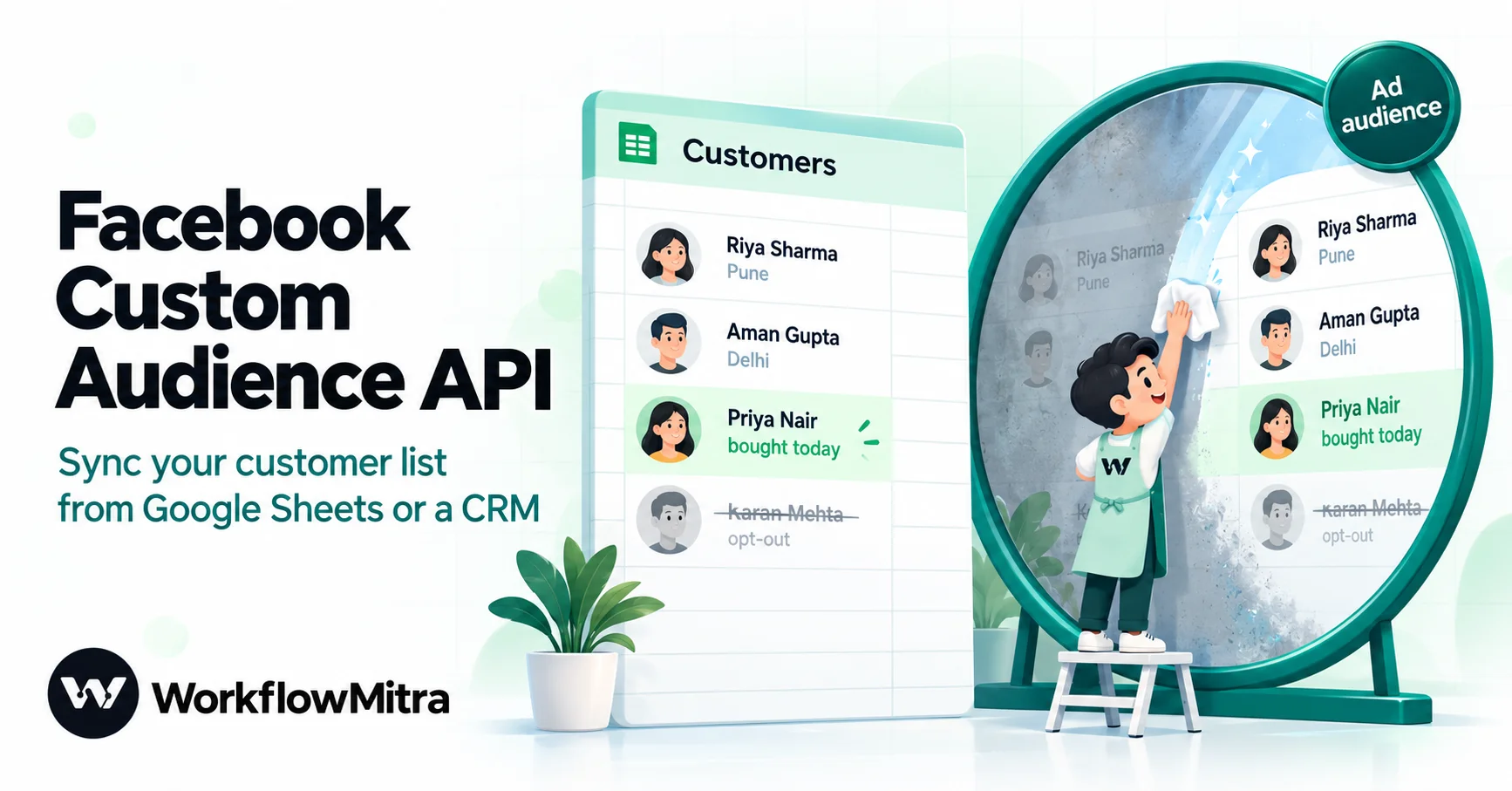
Meta's Marketing API lets you keep a customer list custom audience up to date without uploading CSV files by hand. Create the audience once with POST act_{ad_account_id}/customaudiences (subtype CUSTOM, customer_file_source USER_PROVIDED_ONLY), then send people to /{audience_id}/users to add them or to /{audience_id}/usersreplace to swap the whole list. Each request carries a session object and a payload with a schema such as EMAIL, PHONE, FN, LN, CT, ST, ZIP and COUNTRY, plus up to 10,000 rows of SHA-256 hashes of normalised values, with an empty string for any unknown key. A full replace doesn't reset the learning phase of ad sets using the audience, while adds and removals through /users do. Updates usually take up to 24 hours. In WorkflowMitra, a daily schedule reads the sheet, one Code step normalises, hashes and batches the rows, and a Loop sends each batch with an HTTP Request step for about 5 credits a day.
Most Indian businesses that advertise on Facebook and Instagram already have their best audience sitting in a spreadsheet: the customers who bought, the leads who enquired, the subscribers who lapsed. Meta lets you upload that list as a customer list custom audience and then show ads to those people, exclude them from prospecting campaigns, or use them as the seed for a lookalike audience.
The trouble is that a list uploaded once goes stale the same week. New buyers keep seeing “first order” discounts, and people who asked to be left alone stay in the audience. This guide shows how to keep that audience in step with Google Sheets or your CRM using Meta’s Custom Audience API: which endpoint to call, what each request must contain, how to hash thousands of rows correctly, and how to run the whole sync every night with a workflow in WorkflowMitra, powered by ChatMitra. Meta’s details come from its Marketing API documentation, read on 22 October 2026. Every script below was run in WorkflowMitra’s own Code sandbox and workflow engine.
Quick answer: create a customer list audience once with POST act_{ad_account_id}/ (subtype=CUSTOM, customer_file_source=USER_PROVIDED_ONLY). Then, every day, read your list, normalise each email, phone, name and place, and SHA-256 hash it. Send the hashes to POST /{audience_id}/ in batches of up to 10,000 rows that share one session_id, with batch_seq starting at 1 and last_batch_flag: true on the last batch. A replace drops everyone no longer on your list without resetting the learning phase of ad sets that use the audience. Meta usually applies the change within 24 hours.
Why sync a customer list instead of uploading a CSV?
Uploading a file in Ads Manager works for a one-off campaign. It breaks down when the list matters every day:
- Exclusions go stale. If your acquisition campaigns exclude existing customers, every sale after the last upload is still being shown “new customer” ads.
- Retargeting goes stale. A “leads who haven’t bought” audience keeps people who have since bought, and misses everyone who enquired after the upload.
- Removals get forgotten. When a customer asks not to be targeted, they should leave the audience promptly. Meta’s custom audience reference says that if a person opted out of being targeted, you must remove them from every custom audience they appear in.
- Lookalikes drift. A lookalike built from your best customers is only as good as the seed list behind it.
An automated sync fixes all four at once. Your sheet or CRM stays the single source of truth, and the audience on Meta follows it.
One restriction is worth knowing before you build. Since 2 September 2025, Meta has flagged custom audiences and lookalikes that “may suggest” health conditions or financial status, such as an audience named after a medical condition or “high income”. Flagged audiences can’t be used in new campaigns, and Meta’s customer file audiences guide says the API reports them with operation_status code 471. Name and segment your audiences by relationship (“Customers 2026”, “Lapsed buyers”), not by anything sensitive.
Add or replace: the choice that matters most
Meta gives you three ways to change who is in a customer list audience. Picking the right one decides how your automation behaves:
| Endpoint | What it does | Learning phase of active ad sets | Best for |
|---|---|---|---|
POST /{audience_id}/ | Removes everyone in the audience and fills it with the people you send, in one session | Not reset | A list you rebuild from a sheet or CRM on a schedule |
POST /{audience_id}/ | Adds the people you send | Reset | Audiences not used in active ad sets, or rare additions |
DELETE /{audience_id}/ | Removes the people you send | Reset | Removing a few named people from one audience |
The learning-phase detail is easy to miss and it changes the design. Meta’s guide states that the replace endpoint “does not reset your ad set’s learning phase when an audience is part of active ad sets unlike POST or DELETE API calls to the /users endpoint.” So a tempting real-time design, where every new buyer is added the moment they pay, can keep knocking a live campaign back into learning. A nightly replace avoids that and handles removals for free: anyone deleted from the sheet, or marked as opted out, simply isn’t in the next upload.
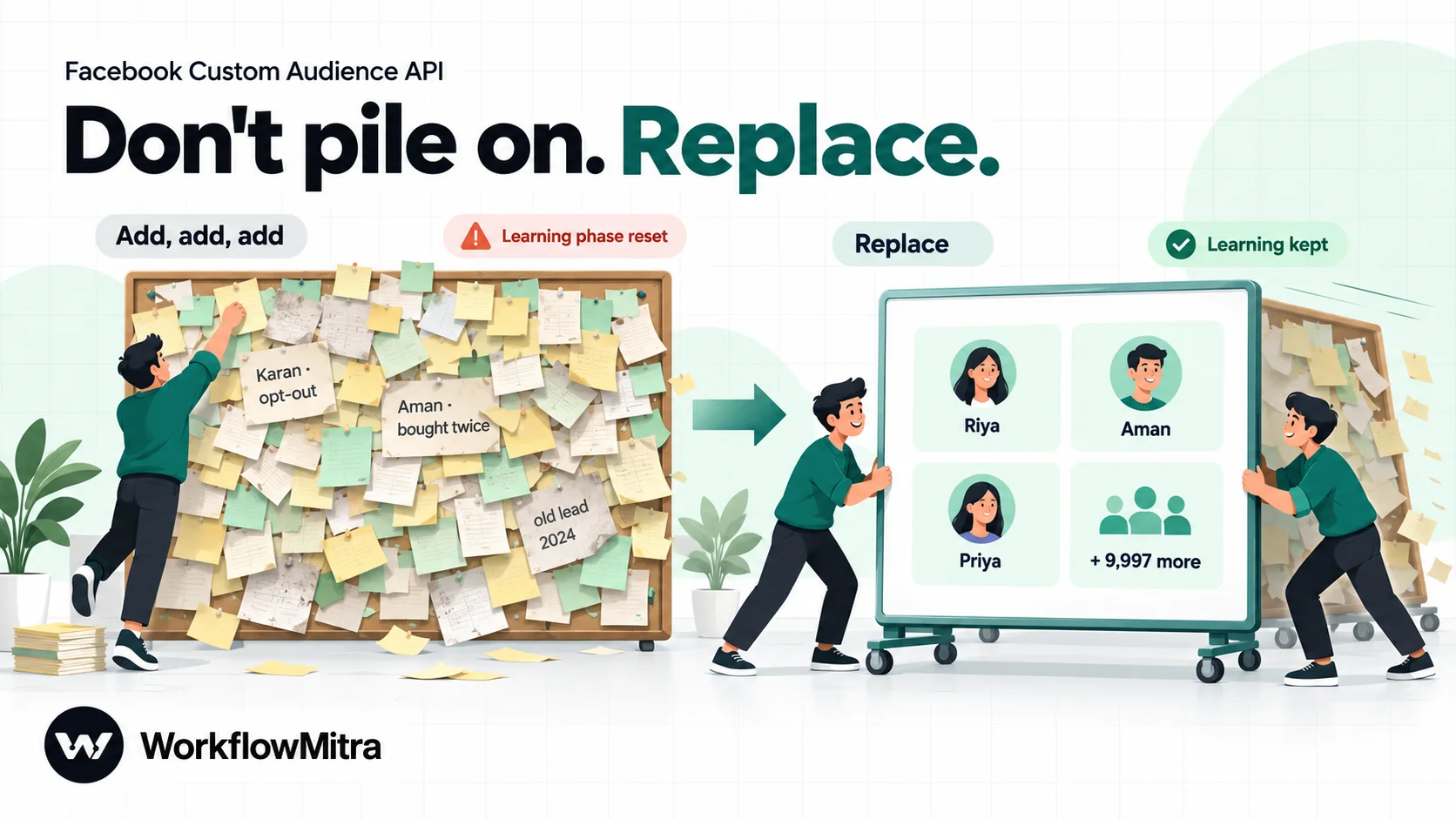
A replace has its own rules, all from Meta’s guide:
- The audience must have
subtypeCUSTOMand fewer than 100 million people. - Its
operation_statusmust be Normal (code 200) before you start. You can’t start a replace while another is running, and you shouldn’t add or remove through/usersduring one. - A replace session lasts at most 90 minutes from its first batch. If time runs out, Meta keeps what you uploaded so far.
batch_seqmust start at 1, because Meta treats batch 1 as the start of the replace. Every batch in the session must use the same schema.- You can’t replace a value-based audience with a normal one, or the other way round.
What Meta needs in each request
Both users and usersreplace take the same two objects:
| Field | What to send |
|---|---|
session.session_id | A positive number you generate, unique within the ad account. A timestamp in milliseconds works |
session.batch_seq | 1 for the first batch, then 2, 3… in order |
session.last_batch_flag | true on the final batch, so Meta stops waiting for more |
session.estimated_num_total | Optional: how many people the whole session will send |
payload.schema | The keys in each row, in order, such as ["EMAIL", "PHONE", "FN", "LN", "CT", "ST", "ZIP", "COUNTRY"] |
payload.data | Up to 10,000 rows, each an array of hashes in the schema's order |
Sending several keys per person is called multi-key matching, and Meta recommends it to raise the match rate. You don’t need every key for every person. Meta’s reference says that when a key is unknown it “should be left blank”, meaning an empty string in that position. That isn’t the same as hashing an empty value. The SHA-256 of an empty string is a fixed fingerprint that matches nobody, so a setup that hashes blank cells sends thousands of identical, useless entries.
A successful reply tells you how the batch went:
{
  "account_id": "1234567890",
  "session_id": "1792653949373",
  "num_received": 20000,
  "num_invalid_entries": 0,
  "invalid_entry_samples": {}
}
num_received is the running total for the session. num_invalid_entries counts entries Meta couldn’t decode, usually because a value wasn’t hashed or was hashed in the wrong format. Meta’s guide asks you to recheck your data whenever it isn’t zero.
Normalise, then hash
Meta and your workflow must hash exactly the same text, or nothing matches. A capital letter, a space or a missing country code changes the hash completely. Meta’s customer file audiences guide sets the rules for each key, and the script below applies them:
| Key | Meta's rule | Raw value | Value that gets hashed |
|---|---|---|---|
EMAIL | Trim spaces, lowercase | [email protected] | [email protected] |
PHONE | Remove symbols, letters and leading zeros; add the country code | 098765 43210 | 919876543210 |
FN, LN | Lowercase, no punctuation; special characters in UTF-8 | D'Souza | dsouza |
CT | Lowercase, no punctuation, no spaces | New Delhi | newdelhi |
ST | Outside the US: lowercase, no punctuation, no spaces | Tamil Nadu | tamilnadu |
ZIP | Lowercase, no spaces | 110 001 | 110001 |
COUNTRY | Two-letter ISO code, lowercase | India | in |
Meta’s guide gives two test values you can use to check any hashing setup: [email protected] must hash to f1904cf1a9d73a55… and 15559876543 to 1ef970831d796330…. The script in this guide produces both exactly.
If you already send offline sales to Meta, these rules will look familiar: they match the Conversions API rules explained in our Meta Conversions API offline conversions guide. The two jobs are different, though. The Conversions API reports what happened so Meta can measure and optimise. A custom audience decides who sees your ads. Many advertisers need both. For phone numbers from several countries, our phone number formatting guide covers the rules in more depth.
Before you start
You need a few things set up on Meta’s side once.
1. Accept the Custom Audience Terms
Meta’s API refuses to create or edit customer list audiences until the business has accepted its Custom Audience Terms. Acceptance is per person, per business, and it has to be done by a real person with a role on the ad account, not a system user. Open this link with your ad account number at the end:
https://
According to Meta’s Custom Audience Terms of Service guide, once a person accepts the terms from an ad account the business owns, system users in that business can work with customer list audiences. You can check with GET act_YOUR_AD_ACCOUNT_ID?fields=tos_accepted. The reply shows "custom_audience_tos": 1 when the terms are signed.
2. Create a Meta app and a system user token
Custom audiences are part of the Marketing API, so the token comes from a Meta app rather than from Events Manager:
- In Meta for Developers, create an app for your business portfolio and add the Marketing API product.
- In Business Settings, under Users, open System users and add one. Give it access to your ad account.
- Click Generate new token, choose your app, and grant the ads_management permission.
- Copy the token immediately. Meta won’t show it again; if you lose it, you generate a new one.
Meta’s system user token documentation recommends tokens that expire after 60 days, and says some businesses are required to use them. If yours expires, put a reminder in your calendar to generate a fresh one and paste it into the workflow before the old one lapses.
Be clear about the rate limits that come with a new app. Meta’s authorization guide says that adding the Marketing API gives your app Limited access by default, which it describes as heavily rate-limited and meant for development. Under its rate limiting rules, a Limited app has a score of 60 per ad account. Each write costs 3 points and the score recovers over 300 seconds, so that’s about 20 uploads in five minutes. A nightly sync of a few batches uses a small fraction of that. Full access requires App Review plus at least 500 successful Marketing API calls in the last 15 days with an error rate under 15%, which a once-a-day sync won’t reach on its own.
3. Create the audience once
You can create the audience with a single HTTP Request step that you run by hand, or in Meta’s Graph API Explorer:
- Method: POST
- URL:
https://graph.facebook.com/ v26.0/ act_YOUR_AD_ACCOUNT_ID/ customaudiences - Body:
name= “Customers (synced)”,subtype=CUSTOM,customer_file_source=USER_PROVIDED_ONLY,description= “Synced daily from the customer sheet”,access_token= your token
USER_PROVIDED_ONLY tells Meta you collected the data directly from your customers. Use PARTNER_PROVIDED_ONLY or BOTH_USER_AND_PARTNER_PROVIDED if partners supplied some of it. The reply contains the audience id; copy it for the sync workflow. v26.0 was the latest Graph API version on the day of writing. Meta lets you keep up to 500 customer list audiences per ad account.
4. Prepare the sheet
Use one row per person, a header row and these column names:
| Column | What goes in it | Notes |
|---|---|---|
email, phone | As the customer gave them | At least one is needed; rows with neither are left out |
first_name, last_name | Optional | Accents and Hindi or other scripts are fine |
city, state, pincode | Optional | Blank cells are fine |
opt_out | "yes" for anyone who must not be targeted | Those rows are never uploaded, so the next replace removes them |
Format the phone column as Plain text (Format › Number › Plain text in Google Sheets) so numbers with a leading + or 0 keep their digits exactly as typed.
How the workflow fits together
The workflow runs once a day and rebuilds the audience from the sheet:
- Schedule trigger: every day at a quiet hour.
- Google Sheets › Read rows: reads the whole customer tab.
- Code (“Hash and batch”): normalises every row, hashes it with SHA-256, removes opted-out and duplicate people, and splits the result into batches of up to 10,000 that share one session.
- Loop: runs once per batch, in order.
- HTTP Request (inside the Loop): sends the batch to
usersreplace. - Code (“Check results”): adds up Meta’s replies when the Loop is done.
- IF: on success, logs the run to a “Sync log” tab; on failure, sends you an alert.
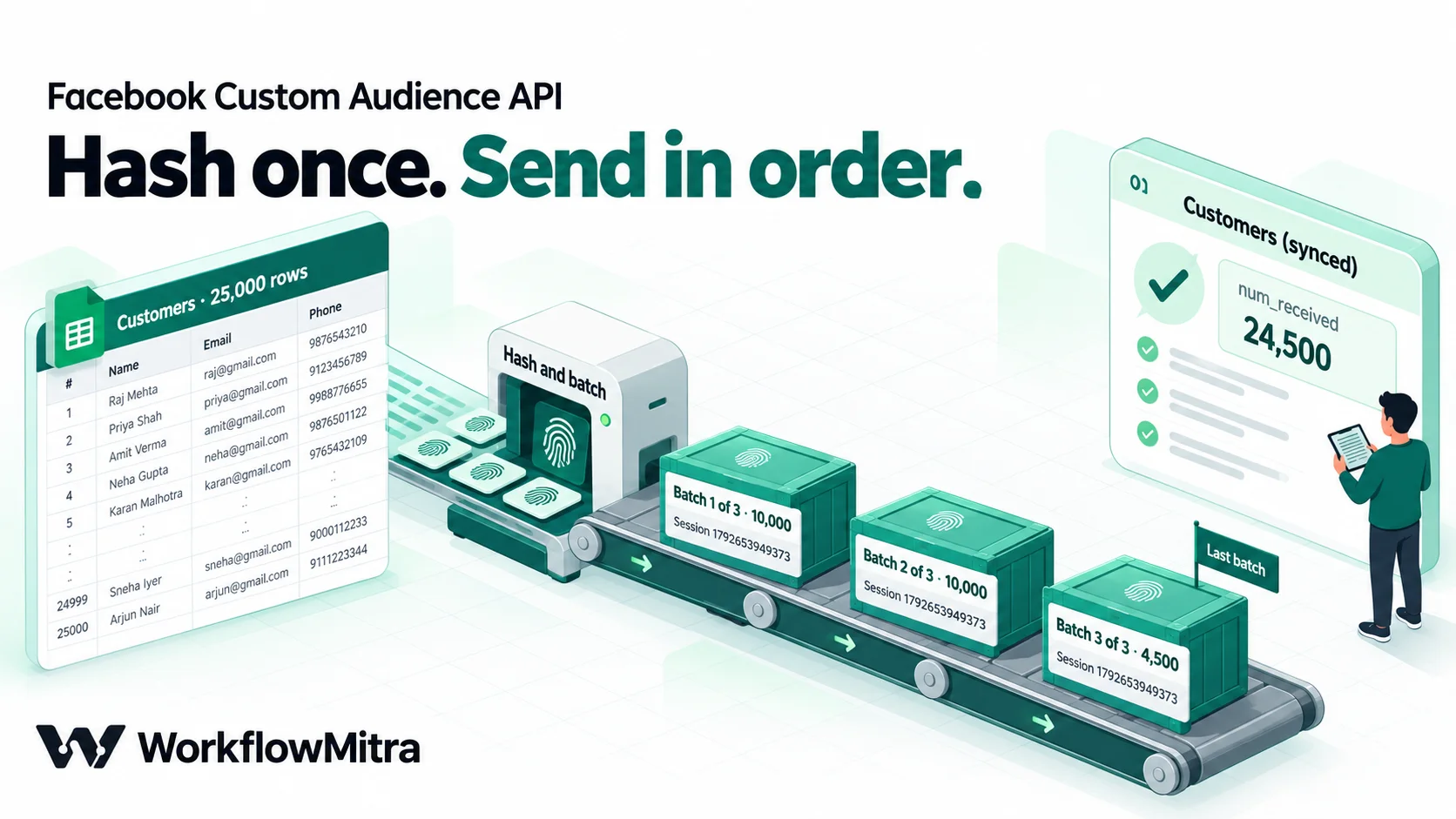
Why hash inside a Code step? WorkflowMitra has a sha256() expression helper, which works well for one row at a time, as in the Conversions API guide. A customer list is thousands of rows, though, and hashing them one by one in a Loop would cost a credit per person. WorkflowMitra’s Code sandbox has no crypto library, so the script carries its own compact SHA-256 function and hashes the whole list in one step. Code steps are billed by running time. In our tests, 10,000 people took 0.16 seconds, or about a third of a credit.
Build it step by step
Test with a new, empty audience that no ad set uses, and a copy of your sheet with a handful of rows (your own team’s contacts are ideal). Custom audiences have no test mode: every request changes a real audience.
1. Run it every night
Create a workflow with the Schedule trigger. Choose Every day at a set time, set At what time? to a quiet hour such as 02:00, and pick your Timezone (Asia/Kolkata for IST). Once a day is plenty: Meta takes up to 24 hours to apply changes anyway. Our guide to scheduling automations explains the other schedule options.
2. Read the list
Add a Google Sheets step (Google Sheets integration), choose Read rows, connect your Google account and pick the spreadsheet and tab. Keep Read values on the default, As displayed, so numbers come through as you see them in the sheet.
Set Limit to cover your whole list. It defaults to 5,000 rows, and the maximum is 50,000. If the tab has more rows than the limit, the step’s output says truncated: true, and the next script passes that on so you can spot it.
3. Normalise, hash and batch (Code step)
Add a Code step named Hash and batch and paste this script. It’s 4,500 characters, inside the Code step’s 10,000-character limit. Change only the settings at the top:
// Settings: change these to match your sheet and business
const CALLING_CODE = '91';    // added to 10-digit local mobile numbers
const NATIONAL_LENGTH = 10;   // digits in a local mobile number
const COUNTRY = 'in';         // two-letter country code, lowercase
const OPT_OUT_COLUMN = 'opt_out'; // rows with yes / y / true here are left out
const BATCH_SIZE = 10000;     // Meta's maximum per request

// SHA-256 (the Code step has no crypto library, so it is written out here)
const K = [], H0 = [];
for (let n = 2, found = 0; found < 64; n++) {
  let prime = true;
  for (let d = 2; d * d <= n; d++) if (n % d === 0) { prime = false; break; }
  if (!prime) continue;
  if (found < 8) H0[found] = (Math.pow(n, 1 / 2) * 4294967296) | 0;
  K[found++] = (Math.pow(n, 1 / 3) * 4294967296) | 0;
}
function sha256(text) {
  const s = unescape(encodeURIComponent(text)); // UTF-8 bytes
  const len = s.length, words = [];
  for (let i = 0; i < len; i++) words[i >> 2] |= s.charCodeAt(i) << (24 - (i % 4) * 8);
  words[len >> 2] |= 0x80 << (24 - (len % 4) * 8);
  const total = ((len + 8) >> 6) * 16 + 16;
  for (let i = words.length; i < total; i++) words[i] = words[i] | 0;
  words[total - 1] = len * 8;
  const h = H0.slice(), w = new Array(64);
  for (let j = 0; j < total; j += 16) {
    let [a, b, c, d, e, f, g, k] = h;
    for (let i = 0; i < 64; i++) {
      if (i < 16) w[i] = words[j + i] | 0;
      else {
        const x = w[i - 15], y = w[i - 2];
        w[i] = (((x >>> 7) | (x << 25)) ^ ((x >>> 18) | (x << 14)) ^ (x >>> 3))
          + w[i - 7] + (((y >>> 17) | (y << 15)) ^ ((y >>> 19) | (y << 13)) ^ (y >>> 10)) + w[i - 16] | 0;
      }
      const t1 = k + (((e >>> 6) | (e << 26)) ^ ((e >>> 11) | (e << 21)) ^ ((e >>> 25) | (e << 7)))
        + ((e & f) ^ (~e & g)) + K[i] + w[i] | 0;
      const t2 = (((a >>> 2) | (a << 30)) ^ ((a >>> 13) | (a << 19)) ^ ((a >>> 22) | (a << 10)))
        + ((a & b) ^ (a & c) ^ (b & c)) | 0;
      k = g; g = f; f = e; e = d + t1 | 0; d = c; c = b; b = a; a = t1 + t2 | 0;
    }
    h[0] = h[0] + a | 0; h[1] = h[1] + b | 0; h[2] = h[2] + c | 0; h[3] = h[3] + d | 0;
    h[4] = h[4] + e | 0; h[5] = h[5] + f | 0; h[6] = h[6] + g | 0; h[7] = h[7] + k | 0;
  }
  return h.map((v) => (v >>> 0).toString(16).padStart(8, '0')).join('');
}

// Normalise one row into Meta's formats
const text = (v) => String(v ?? '').trim();
const lower = (v) => text(v).toLowerCase().normalize('NFC');
function phone(v) {
  let p = text(v).replace(/[^\d+]/g, '');
  if (p.startsWith('00')) p = '+' + p.slice(2);
  let d = p.replace(/\D/g, '');
  if (!p.startsWith('+')) {
    d = d.replace(/^0+/, '');
    if (d.length === NATIONAL_LENGTH) d = CALLING_CODE + d;
    else if (!(d.length === CALLING_CODE.length + NATIONAL_LENGTH && d.startsWith(CALLING_CODE))) d = '';
  }
  return d.length >= 8 && d.length <= 15 ? d : '';
}
const name = (v) => lower(v).replace(/[\p{P}\p{S}]/gu, '').replace(/\s+/g, ' ');
const place = (v) => lower(v).replace(/[^\p{L}\p{N}]/gu, '');

// Never hash a blank: Meta wants an empty string for a missing key
const hash = (v) => (v ? sha256(v) : '');

const SCHEMA = ['EMAIL', 'PHONE', 'FN', 'LN', 'CT', 'ST', 'ZIP', 'COUNTRY'];
const rows = input.rows || [];
const seen = new Set();
const data = [];
let optedOut = 0, noContact = 0, duplicates = 0;

for (const r of rows) {
  if (/^(yes|y|true)$/i.test(text(r[OPT_OUT_COLUMN]))) { optedOut++; continue; }
  const em = lower(r.email), ph = phone(r.phone);
  if (!em.includes('@') && !ph) { noContact++; continue; }
  const key = (em.includes('@') ? em : '') + '|' + ph;
  if (seen.has(key)) { duplicates++; continue; }
  seen.add(key);
  data.push([
    em.includes('@') ? sha256(em) : '', hash(ph),
    hash(name(r.first_name)), hash(name(r.last_name)),
    hash(place(r.city)), hash(place(r.state)),
    hash(lower(r.pincode).replace(/[\s-]/g, '')), sha256(COUNTRY),
  ]);
}

// Split into batches of up to 10,000 that share one session
const sessionId = Date.now();
const batches = [];
for (let i = 0; i < data.length; i += BATCH_SIZE) {
  batches.push({
    session: {
      session_id: sessionId,
      batch_seq: batches.length + 1,
      last_batch_flag: i + BATCH_SIZE >= data.length,
      estimated_num_total: data.length,
    },
    payload: { schema: SCHEMA, data: data.slice(i, i + BATCH_SIZE) },
  });
}

return {
  batches,
  people: data.length,
  batch_count: batches.length,
  left_out: { opted_out: optedOut, no_email_or_phone: noContact, duplicates },
  sheet_truncated: input.truncated === true,
};
What the script does with real-world data:
- Phone numbers. A ten-digit Indian mobile number gets
91in front, a leading0is dropped first, and a number that starts with+or00keeps its own country code. Anything it can’t place, such as a five-digit typo, becomes blank rather than a wrong guess. - Names and places. Names keep their letters in any script (“José”, “अमित”) and lose punctuation, so “D’Souza” becomes “dsouza”. Cities and states also lose spaces, so “New Delhi” becomes “newdelhi”.
- Blanks. A missing key becomes an empty string, never the hash of an empty value.
- Duplicates and opt-outs. The same email-and-phone pair is uploaded once, and rows with
opt_outset to yes are skipped. Theleft_outcounts tell you how many of each. - Batches. Every batch shares the run’s
session_id,batch_seqcounts from 1, and only the last batch carrieslast_batch_flag: true.
We checked the hashing three ways in WorkflowMitra’s Code sandbox: against Meta’s two documented examples, against Node.js’s built-in SHA-256 for 400 random strings (short and long, accented letters, Devanagari and emoji), and with messy sheet rows. All matched exactly. Speed is the other limit, because a Code step must finish within 1 second. In our runs, 10,000 people took 0.16 seconds, 25,000 took 0.40 seconds and 50,000 took 0.81 seconds, which is too close to the limit for comfort.
4. Send each batch in order (Loop)
Add a Loop step after the Code step:
- List field (optional):
batches - Batch size: 1
- Execution mode: Sequential. Batch 1 has to reach Meta first, because it starts the replace.
- Delay between batches (ms): 5000, a gentle pace for a Limited-access app
- Empty list behavior: Skip, so a day with nobody to upload ends quietly
Each batch costs 1 credit as a Loop item. Our loops guide explains Loop settings in more detail.
5. Send the batch to Meta (HTTP Request)
Inside the Loop, add an HTTP Request step (HTTP Request docs):
- Method: POST
- URL:
https://graph.facebook.com/ v26.0/ YOUR_AUDIENCE_ID/ usersreplace - Authentication type: No authentication
- Query parameters:
access_token= your system user token - Body content type: Raw (JSON string)
- Body:
{"session": {{ session }}, "payload": {{ payload }}}Inside a Loop, each batch arrives as the step’s input, so {{ session }} and {{ payload }} point at the current batch. WorkflowMitra’s HTTP Request step recognises a raw JSON body and inserts each object as real JSON, with numbers and true/false kept as they are. We ran this through the workflow engine with a stand-in for Meta’s server. Three batches from a 25,000-row sheet arrived in order as application/json, about one second apart with a 1,000 ms delay, with batch sequences 1, 2 and 3 and the last flag only on batch 3.
Anyone in your workspace who can open the workflow can see the token in this step, so keep membership tight and generate a new token if someone leaves.
6. Check Meta’s replies (Code step)
When every batch has gone, the Loop continues down its done branch with a list of the HTTP Request results, one per batch. Add a second Code step there, named Check results:
// The Loop hands over one HTTP Request result per batch
const results = Array.isArray(input) ? input : [];
const failed = results.filter((r) => !r || r.ok !== true);
const last = results[results.length - 1] || {};
const firstError = failed.length && failed[0].body && failed[0].body.error;

return {
  ok: results.length > 0 && failed.length === 0,
  batches_sent: results.length,
  received_by_meta: last.body ? last.body.num_received : 0,
  invalid_entries: results.reduce((n, r) => n + ((r && r.body && r.body.num_invalid_entries) || 0), 0),
  error: firstError ? `${firstError.code}/${firstError.error_subcode || '-'}: ${firstError.message}` : '',
};
This step matters because WorkflowMitra’s HTTP Request step completes even when Meta answers with an error: a 400 reply is a finished step with ok set to false, not a failed run. In our test, a batch that got Meta’s “Audience Update In Progress” error showed up here as ok: false with 2650/1870145 in error.
7. Log the run, or warn someone
Add an IF step: {{ ok }} Is yes.
- On yes, add a Google Sheets step with Add row(s) on a “Sync log” tab, with values
{{ now() }},{{ batches_sent }},{{ received_by_meta }}and{{ invalid_entries }}in that column order. - On Else, add an Email or Slack step that sends the
{{ error }}text to whoever owns your ads.
A log tab gives you a daily record without opening WorkflowMitra. A climbing invalid_entries count is the first sign that a column’s format has changed.
Test it before you rely on it
- Point the workflow at a copy of your sheet with five to ten rows, and the URL at a new test audience.
- Start the workflow by hand with Run workflow on the trigger (or Run now in the workflow list). The run shows every step’s input and output. The HTTP Request output should show status 200 and
num_receivedequal to your row count. - Check the audience the next day with an HTTP Request step:
GET https://. Agraph.facebook.com/ v26.0/ YOUR_AUDIENCE_ID? fields=name, approximate_count_lower_bound, approximate_count_upper_bound, operation_status, delivery_status delivery_statusof 200 means the audience can be used in ads. Meta’s custom audience reference says 300 means it’s smaller than it should be and can’t be used yet. - Delete one row from the test sheet, set another row’s
opt_outto yes, and run again. The next count should drop. - When it all works, switch to your real sheet and audience and turn the workflow on.
A small test list may never become usable for ads, because Meta needs enough matched people before an audience can deliver. That’s expected; you’re testing the mechanics, not the campaign.
Syncing from a CRM instead of a sheet
The same workflow works with any source that can hand over the full list on a schedule. Replace the Google Sheets step with whatever reads your customers, then change the field names in the script (r.email, r.phone and so on) to match. Two common patterns:
- A CRM with a query step. WorkflowMitra’s Zoho CRM step can run a search or a COQL query on a schedule, for example “all Contacts whose Customer Status is Active”. Point the script at the list it returns. For a CRM without a dedicated step, an HTTP Request to its API does the same job.
- A nightly export. If your billing or CRM tool can write a daily export to Google Sheets, sync from that tab and leave the rest of the workflow unchanged.
What doesn’t fit a replace is a webhook that sends one customer at a time. For that, you’d use POST /{audience_id}/users with one row per request. That’s fine for an audience no active ad set uses, but every add resets the learning phase of live ad sets using the audience, and a Limited-access app can make only about 20 writes in five minutes. For live campaigns, collect new customers in a sheet and let the nightly replace pick them up.
Removing people from every audience at once
A replace keeps one audience clean. If a customer asks to be removed from all your advertising, Meta offers a single call that removes them from every customer list audience in the ad account: DELETE https://, with the same payload of hashed keys as an upload. You can run this from a small separate workflow with an HTTP Request step, triggered when someone fills in your opt-out form. Keep marking them opt_out in the sheet too, so the nightly replace never adds them back.
Errors you may see
| Error (code / subcode) | What it means | Fix |
|---|---|---|
| 200 / 1870090 "Custom Audience Terms Not Accepted" | Nobody has accepted the terms for the business that owns the ad account | A person with an ad account role accepts them at the terms link above |
| 200 / 1870050 "Permissions error" | The ad account isn't linked to your business portfolio, or the system user lacks access | Assign the ad account to the system user in Business Settings |
| 190 | The token is wrong, revoked or expired | Generate a new system user token and paste it in |
| 2650 / 1870145 "Audience Update In Progress" | The audience is still processing an earlier change | Run again later; schedule the sync once a day so runs never overlap |
| 2650 / 1870147 "Invalid Upload Batch for Replace" | Meta never got batch 1 | Keep the Loop sequential, so batch 1 goes first |
| 2650 / 1870158 "Replace Session Timed Out" | Batches kept arriving more than 90 minutes after the first | Meta keeps what arrived; lower the Loop delay |
| 2650 / 1870159 "Replace Session Finished" | A batch arrived after the one marked last | Use the script's batches unchanged; only the final one is flagged |
| 100 / 1713230 "Audience Upload Blocked" | The audience was flagged for integrity reasons (status 471) | Resolve or appeal the flag in Audience Manager, or create a new audience |
| 17 or 613 "User request limit reached" | The app's rate-limit score ran out | Wait five minutes; raise the Loop delay |
High num_invalid_entries | Values were sent unhashed or in the wrong format | Check a few rows' normalised values in the Code step's run output |
Limits and timing to plan around
- Up to 24 hours to apply. Meta says changes usually take up to a day, and longer for large removals or accounts with many custom audiences.
- 10,000 people per request, with no limit on the audience’s total size.
- 500 customer list audiences per ad account.
- Unused audiences expire. A customer list audience that no active ad set has used for over two years is flagged as expiring, and Meta’s audiences overview says expiring audiences that stay unused for 90 days are deleted.
- One Read rows step reads up to 50,000 rows, and a Code step must finish within 1 second. Our tests suggest one run handles about 25,000 people comfortably with all eight keys. For bigger lists, split customers across tabs and audiences, or drop the keys you rarely have.
Privacy: hashing is not anonymising
A hashed email is still personal data: it exists precisely so Meta can match it to a person. Before you upload, make sure your privacy notice says you share customer information with advertising platforms. By using customer list audiences you agree to Meta’s Custom Audience Terms. Indian businesses should also consider their obligations under the Digital Personal Data Protection Act, including honouring withdrawals of consent, which is what the opt_out column is for. Upload only the people and keys you need, and never put sensitive details in audience names or descriptions.
What does it cost?
WorkflowMitra charges credits per executed step, not per workflow run:
| Step | Credits per run |
|---|---|
| Schedule trigger | 1 |
| Google Sheets Read rows | 1 |
| Code "Hash and batch" | Billed by running time: about 0.33 for 10,000 people, 0.8 for 25,000 |
| Loop | 1 per batch |
| HTTP Request | 1 per batch |
| Code "Check results" | A tiny fraction of a credit |
| IF | 0 |
| Google Sheets log row or alert | 1 |
A list of up to 10,000 people costs about 5.3 credits a day, roughly 160 a month. A 25,000-person list in three batches costs about 9.8 a day, roughly 300 a month. Both fit easily within the 10,000-credit Starter plan, ₹999 a month (₹849 a month billed yearly) on 22 October 2026. Plans change, so confirm prices on workflowmitra.com/pricing when you sign up.
What this setup can’t do
- No dedicated Meta step. The sync is a plain HTTP Request to the Graph API, so you update the version in the URL yourself when Meta retires one.
- No match-rate report. Meta doesn’t send a per-upload match rate back through this endpoint. Use the audience’s approximate size and
operation_status(code 411 means a low match rate) to judge how well it matched. - Sized for small and mid-sized lists. One run handles about 25,000 people comfortably. Very large lists need splitting, or a data pipeline built for that scale.
- Limited-access rate limits apply until your app qualifies for Full access, which a once-a-day sync won’t do on its own.
Why use WorkflowMitra for custom audience sync?
WorkflowMitra, powered by ChatMitra, suits this job when your customer list lives in a sheet or a CRM that Meta doesn’t sync with directly, and you want to control exactly what’s uploaded:
- Hashing inside your own workflow. The script hashes in WorkflowMitra’s sandbox, so customer details don’t pass through a separate hashing service.
- Normalisation you can read and change. Indian mobile numbers, Hindi names and PIN codes are handled the way Meta’s rules ask, and blanks are sent as blanks.
- A replace, not an endless append. Removals and opt-outs happen on the next run, and live ad sets keep their learning.
- Credits charged per step that runs, priced in rupees. About 160 credits a month for a 10,000-person list, and you can try it for 14 days without a card.
Other routes can make more sense. If your CRM is one of Meta’s partner integrations, connect it directly. Zapier has a Facebook Custom Audiences app for teams already paying for Zapier, and Google Sheets add-ons can sync an email column on their own. If your list changes only a few times a year, uploading a file in Ads Manager is simpler than any automation.
When your exclusions and retargeting depend on a list that changes every day, open a WorkflowMitra trial account, build the sync against a test audience and a copy of your sheet, and watch the first batch come back with num_received filled in. After that, Meta’s copy of your customer list stays as current as your spreadsheet.
How we checked: on 22 October 2026 we read WorkflowMitra's source code for every product detail above. The hashing script ran in the real Code sandbox and matched Meta's examples and Node.js's SHA-256 exactly, and the full Code, Loop, HTTP Request and Check results chain ran through the workflow engine with a stand-in for Meta's server. No requests were sent to Meta and no live audience was changed. Meta's requirements are from its Marketing API documentation (customer file custom audiences, custom audience users, Custom Audience Terms of Service, authorization and rate limiting), all read on 22 October 2026. WorkflowMitra prices are from its live plan catalogue on the same day.
Frequently Asked Questions
Short answers to common questions about syncing customer lists with Meta's Custom Audience API.
Yes. Create a customer list custom audience with subtype CUSTOM, then POST hashed customer data to /{audience_id}/users to add people or to /{audience_id}/usersreplace to replace everyone in it. You need an access token with the ads_management permission and your business must have accepted Meta's Custom Audience Terms.
Automate the work between your apps
Build workflows with triggers, conditions and actions, then test them before they go live. Try WorkflowMitra free for 14 days, no card required.