Generate Reference Numbers Automatically: Ticket, Order and Enquiry IDs That Never Clash

Quick Summary
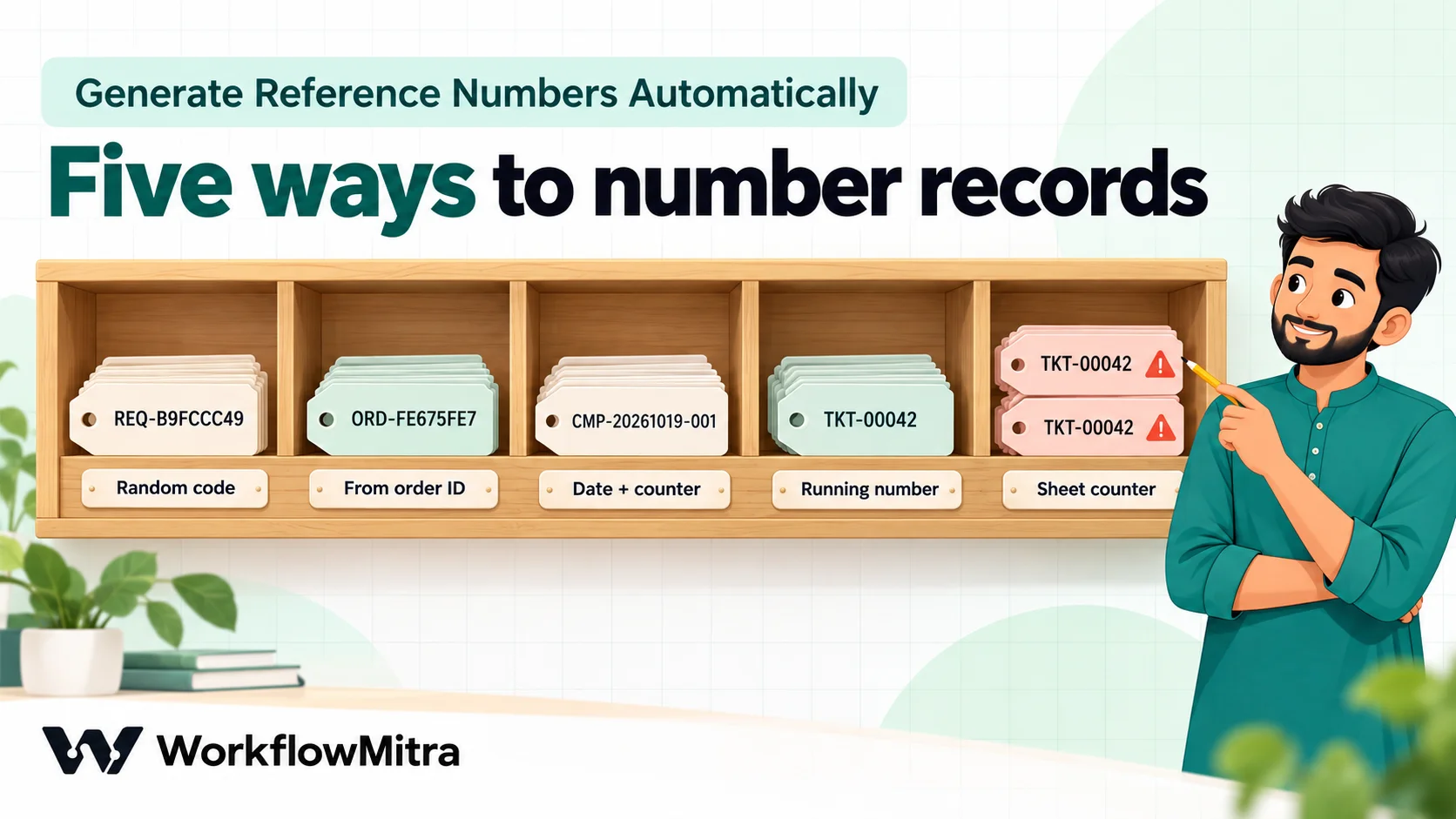
A reference number is a short code that identifies one ticket, order, enquiry or job, so customers and staff can talk about it without confusion. Generate it once, at the moment the record is created, and store it with the record. There are five common ways. A random code, such as the first 8 characters of a UUID, needs no setup and is unique enough for most small businesses. A code derived from an ID you already have, such as a hash of the order ID, gives the same code if the same event arrives twice. A date plus a daily counter, such as CMP-20261019-001, is readable and sortable. A strict running number comes from an atomic counter: a database sequence or a Redis increment. A counter kept in a spreadsheet cell looks simple but hands out duplicates when two runs overlap: in our test, 25 simultaneous runs all received number 1. In WorkflowMitra, powered by ChatMitra, expressions such as uuid(), formatDate() and padStart() build the code, and the Redis, Postgres and MySQL steps provide atomic counters.
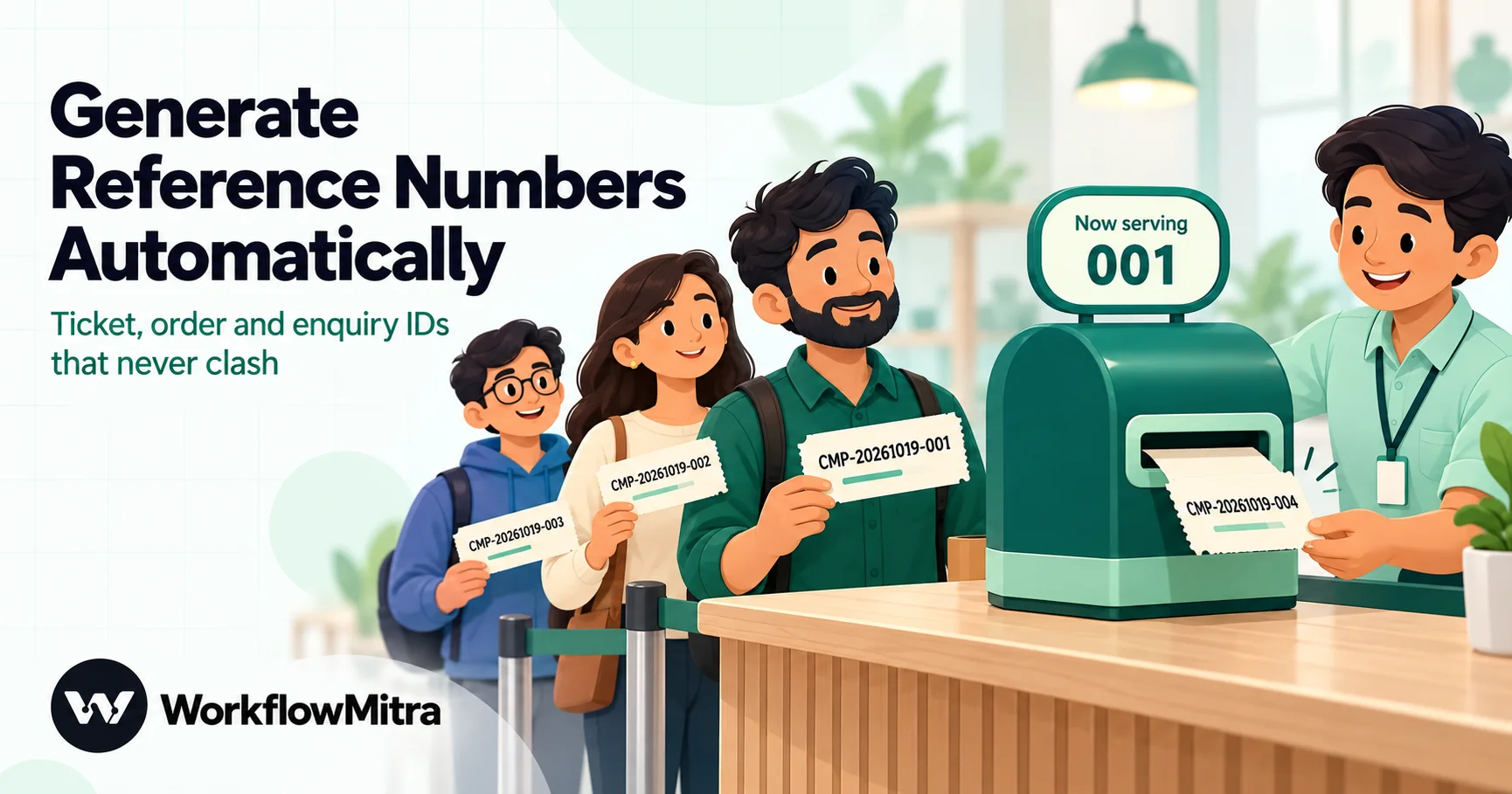
“Please quote your reference number.” It’s a small sentence that saves a lot of time. A customer who can say CMP-20261019-004 doesn’t need to describe their problem again, and a teammate who searches for it finds one record, not three similar ones.
Generating that number by hand breaks down quickly. Someone forgets, two people pick the same next number, or a form submission arrives at 2 am with nobody to number it. This guide shows five ways to generate reference numbers automatically in a workflow, from codes that need no setup at all to strict running numbers, and the one popular method that quietly hands out duplicates. The examples use WorkflowMitra, powered by ChatMitra, and every recipe was run before we wrote it down.
Quick answer: Generate the number once, when the record is created, and store it with the record. For no setup, use a random code such as REQ- plus the first 8 characters of a UUID. To get the same code when the same event arrives twice, derive it from an ID you already have. For readable numbers like CMP-20261019-001, use a date plus a daily counter. For strict running numbers, use an atomic counter: a database sequence or a Redis increment. Avoid a counter cell in a spreadsheet for anything triggered by forms or webhooks: overlapping runs read the same value and get the same number.
What a good reference number does
A reference number is a short code that identifies exactly one record: a support ticket, an order, an enquiry, a job card, a complaint, a return. It’s the handle people use when they talk about that record. A good one does five things:
- It’s unique. Two records never share it, even if they’re created in the same second.
- It’s created once. The number is fixed when the record is born and never changes, however many workflows touch the record later.
- It’s easy to say and type. Short, no confusing characters, and the same whether a customer types it in capitals or not.
- It’s stored. It sits in a column or field where someone can search for it.
- It reveals nothing private. No phone numbers, no names, nothing a stranger shouldn’t learn from a forwarded message.
Most formats combine three parts:
| Part | Example | Purpose |
|---|---|---|
| Prefix | CMP, ORD, ENQ, JOB | Says what kind of record it is, so staff know where to look |
| Date (optional) | 20261019 or 2610 | Makes numbers sortable and lets a counter restart each day or month |
| Unique part | 001, 4F7A9C21 | The part that guarantees uniqueness: a counter or a random code |
The unique part is where the real decisions are. Everything else is formatting.
Five ways to generate the unique part
| Method | Example | Safe when runs overlap? | In sequence? | Setup | Best for |
|---|---|---|---|---|---|
| 1. Random code | REQ-B9FCCC49 | Yes (tiny chance of a repeat) | No | None | Enquiries, requests, most tickets |
| 2. Code from an existing ID | ORD-FE675FE7 | Yes | No | None | Events that may arrive twice, such as webhook orders |
| 3. Date + daily counter | CMP-20261019-001 | Yes, with an atomic counter | Within a day | Redis | Complaints and jobs people read aloud |
| 4. Strict running number | TKT-00042 | Yes | Yes (with occasional gaps) | A database or Redis | Teams that want 1, 2, 3 numbering |
| 5. Counter cell in a sheet | TKT-00042 | No | Yes, until two runs collide | A sheet | Only one-at-a-time numbering |
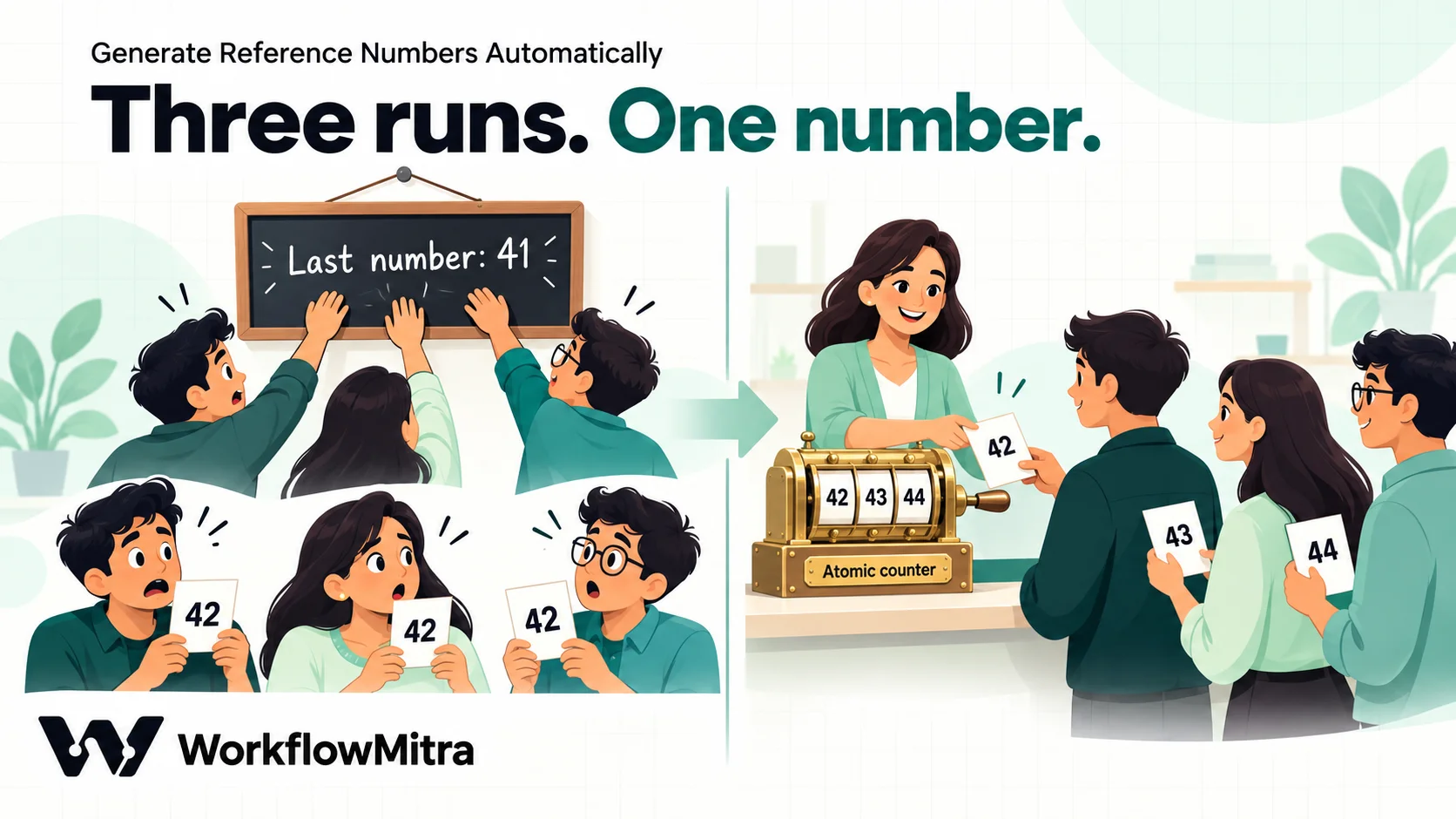
“Safe when runs overlap” matters more than it sounds. A workflow platform runs several workflow runs at the same time. If two customers submit a form within the same few seconds, two runs are working side by side, and any method that reads a number and then writes the next one can give both of them the same number. Methods 1 to 4 avoid that. Method 5 doesn’t.
Method 1: a random code from a UUID
A UUID (universally unique identifier) is a 36-character random value such as b9fccc49-0d3e-4c1a-9f6e-5b2a7d81c0e4. Version 4 UUIDs, which WorkflowMitra’s uuid() function produces, carry 122 random bits, according to RFC 9562. That’s far more than a reference number needs, so take a short slice:
REQ-{{ upper(substring(uuid(), 0, 8)) }}This gives codes like REQ-B9FCCC49. Put it in a Set Variable step straight after the trigger, or directly into the first column of the step that stores the record. Each call to uuid() produces a new value, so build the code once and refer to that stored value afterwards. Calling uuid() again in a later step makes a different code.
Hexadecimal codes have a useful side effect. They use only the digits 0–9 and the letters A–F, so there’s no letter O to confuse with zero and no I or L to confuse with one. With upper(), the code reads the same however a customer types it, as long as your search ignores case.
How long should the slice be? A shorter code is easier to read out, but the chance of two codes matching grows with every code you issue. These are the odds of at least one repeat:
| Characters | Possible codes | After 1,000 codes | After 10,000 codes | After 100,000 codes |
|---|---|---|---|---|
| 6 | 16.8 million | 2.9% | 95% | ~100% |
| 8 | 4.3 billion | 0.01% | 1.2% | 69% |
| 10 | 1.1 trillion | under 0.001% | 0.005% | 0.45% |
The figures come from the standard birthday-problem formula. Two practical rules follow. For a few thousand records a year, 8 characters is plenty. For a busy order flow, use 10: {{ upper(substring(replace(uuid(), "-", ""), 0, 10)) }} removes the dashes first and gives codes like 11FF89517B. Keep the slice to the first 12 characters of the dash-free UUID or fewer, because the 13th is a fixed version digit, not a random one.
A date prefix changes the arithmetic in your favour. With CMP-20261019- in front, two codes can only clash if they share a date, so the odds apply to one day’s records, not all of them. The complaint log in our complaint management guide uses exactly this: a date plus 6 random characters. At 50 complaints a day, the daily chance of a repeat is under 0.01%.
Method 2: a code derived from an ID you already have
Sometimes the same event reaches your workflow twice. A store retries a webhook because your server answered slowly, or a form tool resends a submission. With a random code, the duplicate gets a different reference number, and now one order has two.
If the event already carries an ID, such as the store’s order ID, derive the code from that ID instead:
ORD-{{ upper(substring(sha256($trigger.id), 0, 8)) }}sha256() turns any text into a fixed-looking string of 64 hexadecimal characters, and the same input always gives the same output. Order 1001 always becomes ORD-FE675FE7; we ran it twice and got the same code both times. The duplicate event produces the same reference, so a “find row with this reference” check catches it before anything is created twice. Our guide to webhook idempotency covers that check in detail.
Use the store’s own ID, not something that changes, such as a status or a timestamp. And remember that this code isn’t secret: anyone who knows the order ID and the method can work it out. That’s fine for a label, which is all a reference number should be.
Why not simply use the order ID itself? Often you should: if the store’s number is short and customers already see it, reuse it. Derived codes help when the source ID is long, sequential across all of the store’s customers, or meaningless to your own team.
Method 3: a date plus a daily counter
CMP-20261019-001 tells a person something at a glance: a complaint from 19 October, the first of the day. It sorts correctly, and it’s easy to read out on a call. To build it, you need a counter that restarts each day and never gives the same number twice.
Redis is a good fit. Redis is a small, very fast data store, and its INCR command adds one to a stored number in a single indivisible operation, starting from 0 if the key doesn’t exist yet. The Redis documentation describes this counter pattern, including keys named with the current date. Hosted Redis services offer small databases cheaply or free, and WorkflowMitra’s Redis step connects to them.
The recipe:
- Redis step, named “Next number”. Operation: Increment. Key:
complaint:{{ formatDate(now(), "YYYYMMDD") }}. Leave By (optional) blank to add 1. - Set Variable step. Name
ref, value:
CMP-{{ formatDate(now(), "YYYYMMDD") }}-{{ padStart(toString($node["Next number"].value), 3, "0") }}The Redis step returns the new number as value, and padStart pads it to three digits. On our test run the first complaint of the day came out as CMP-20261019-001. A new key starts each day, so the counter resets at midnight without any clean-up. Old keys hold a single small number each, so leaving them is harmless.
To prove the counter is safe, we started 25 runs of a workflow with just this Increment step at the same moment, against a local Redis server. They received 1 to 25, every number exactly once.
Get the date in the right time zone
WorkflowMitra’s date functions, including formatDate(), use the server’s clock, which may not be on Indian time. Between midnight and 5:30 am IST, a server running on UTC still shows yesterday’s date. If the date in the reference matters, take it from a short Code step instead:
const p = new Intl.DateTimeFormat('en-CA', {
  timeZone: 'Asia/Kolkata', year: 'numeric', month: '2-digit', day: '2-digit',
}).format(new Date());
return { ymd: p.replaceAll('-', '') };
It returns { "ymd": "20261019" }; use {{ $node["IST date"].ymd }} (if you named the step “IST date”) in both the Redis key and the reference. The en-CA locale formats dates as year-month-day, which is why it’s used here. A Code step this small runs in a few milliseconds and costs a small fraction of a credit. Our guide to formatting data in workflows has more date patterns.
Method 4: a strict running number from a database
Some teams want plain running numbers: TKT-00041, TKT-00042, TKT-00043. Databases have done this reliably for decades, because handing out the next number is exactly what they’re built to do safely.
PostgreSQL. Give the table a serial or identity column, for example id serial primary key. Then use a Postgres step with the Insert Row operation to store the record. The step returns the inserted row, including the new id, so the next step can build the reference:
TKT-{{ padStart(toString($node["Save ticket"].row.id), 5, "0") }}We started 25 simultaneous runs that each inserted a row into a local PostgreSQL table, and they received ids 1 to 25, with no repeats. PostgreSQL’s sequence documentation explains why: nextval is atomic, so “even if multiple sessions execute nextval concurrently, each will safely receive a distinct sequence value.”
MySQL. An AUTO_INCREMENT column works the same way. WorkflowMitra’s MySQL step returns the new number as insertId after an Insert Row.
Redis. If you don’t keep a database, a single Redis key with Increment (Method 3 without the date) gives the same strict sequence.
Expect occasional gaps
Running numbers from a database aren’t gap-free. If a number is taken and the transaction is then rolled back, that number is never handed out again. We tested it: an insert that took id 26 and was rolled back was followed by an insert that received 27. PostgreSQL’s documentation is direct about it: sequences “cannot be used to obtain ‘gapless’ sequences”.
In a workflow, gaps also appear when a run takes a number from Redis and then fails at a later step. For tickets, enquiries and jobs, gaps don’t matter: the numbers are labels, not a count. If you need truly gap-free numbering, such as for invoices, let your accounting or billing software issue those numbers, and keep the workflow’s reference for your own process.
Method 5: a counter cell in a spreadsheet, and why it fails
The most common do-it-yourself approach is a cell in a Google Sheet holding the last number used. The workflow reads it with Get cell (A1), adds one, writes the result back with Update cell (A1), and uses the new number. WorkflowMitra’s expressions can do the arithmetic ({{ sum(add(toArray(toNumber(value)), 1)) }} adds one to a value), so it looks complete.
The trouble is timing. Reading and writing are two separate steps. If a second run reads the cell after the first run has read it but before the first run has written it back, both runs see the same number and both write the same next number.
We tested the same read, add one, write back logic with 25 runs started together. Every one of them read 0 and handed out number 1. Twenty-five records, one reference number. Real traffic overlaps less than that test, but it only takes two form submissions in the same few seconds to create a duplicate, and nothing in the run history warns you.
A counter cell is acceptable only when runs genuinely can’t overlap:
- a person creates records one at a time with a manually run workflow, or
- a single scheduled run numbers a queue: rows arrive without numbers, and one run every few minutes reads them and numbers them in order inside a Loop in Sequential mode, finishing well before the next run starts.
Three other shortcuts also cause trouble:
- Sheet row numbers. “Ticket 42 is on row 42” stops being true the moment someone sorts the sheet or deletes a row, and a deleted row can make the next new row reuse a number.
- Timestamps.
{{ timestamp() }}gives milliseconds since 1970, such as1792391773645. Two runs in the same millisecond get the same value, and 13 digits are hard to read out. - Run IDs. WorkflowMitra doesn’t expose a run or execution ID to expressions, so
{{ executionId }}is empty. Use one of the five methods instead.
Where to generate the number, and how to keep it
The method matters less than the place. Generate the number once, at intake: in the first workflow that creates the record, straight after its trigger. Then:
- Store it first. Make it the first column of the log sheet, a field on the CRM record, or a column in the database row.
- Pass it on, don’t regenerate it. Later steps and later workflows read the stored value. A second workflow that “makes a reference” creates a second identity for the same record.
- Send it to the customer. Put it in the confirmation email or message, so the customer has it before they need it. If you confirm on WhatsApp, ChatMitra can send that message.
- Search by it. A Find row on the reference column turns “Where’s my CMP-20261019-004?” into one lookup.
- Guard against repeats. If the trigger can fire twice for one event, use Method 2, or look up the source ID before creating anything. Our guide to preventing duplicate rows in Google Sheets shows the find-before-add pattern.
Branches, record types and switching from manual numbers
Real businesses rarely have just one stream of records. Three situations come up again and again.
Several branches or teams. If each branch wants its own sequence, put the branch in the counter’s key and the reference: an Increment on enquiry:BLR:2610 gives Bengaluru its own count, separate from enquiry:HYD:2610, and the reference becomes ENQ-BLR-2610-0007. Take the branch code from a fixed list (a form dropdown or a lookup), never from free text, or “Blr”, “BLR ” and “Bangalore” become three counters. If branches don’t care about their own count, one shared counter with the branch code as a prefix is simpler and still unique.
Several record types. Use one prefix and one counter per type: CMP for complaints, RET for returns, JOB for service jobs. Separate counters keep each sequence meaningful, and the prefix tells staff which sheet or team owns the record before they search.
Moving from manual numbering. If your team has been writing numbers by hand and reached TKT-01250, the automated counter must start above that, or the first automated ticket collides with an old one. With Redis, use a Set Key step once to store 1250 in the counter’s key; the next Increment returns 1251, because Redis increments a stored whole number in place. With PostgreSQL, set the sequence once with ALTER SEQUENCE tickets_id_seq RESTART WITH 1251 (a database administrator can run it, or a one-off Run SQL Query (advanced) step). Keep the same prefix and width so old and new numbers look alike, and keep old records searchable in the same column.
Change formats rarely. Every format change means two kinds of numbers in circulation, and customers quote the old kind for months. If you must change, change at a natural boundary, such as a new financial year, and keep both searchable.
Test your numbering before it goes live
Numbering bugs hide until two records arrive together, so create that situation on purpose before launch:
- Point the workflow at a test sheet or test table.
- Send 20 test submissions as close together as you can: a short script, a form tool’s bulk test, or several people pressing Submit at once.
- In the test sheet, compare two counts in empty cells:
=COUNTA(A2:A)(how many references) and=COUNTUNIQUE(A2:A)(how many different references). If they differ, two records share a number. - Check the format of a few references: prefix, date, padding, upper case.
- For counters, check the run history for any failed run: each one may have taken a number and left a gap, which is fine, but a failure pattern is worth fixing before launch.
Repeat the test after any change to the trigger, the counter or the format. It takes five minutes and catches the race that would otherwise surface as two angry customers with the same ticket number.
A complete example: enquiry numbers for a website form
A training institute receives course enquiries from its website form and wants readable numbers in sequence each month, such as ENQ-2610-0007, the seventh enquiry of October 2026.
- Webhook trigger receives the form submission.
- Code step “IST date” returns the year and month in Indian time as
ym(2610), using the sameIntl.DateTimeFormatapproach withyear: '2-digit'andmonth: '2-digit'only (it formats as26-10, and removing the dash gives2610; we ran it to check). - Redis step “Next number”: Increment on the key
enquiry:{{ $node["IST date"].ym }}, so the count restarts each month. - Set Variable
ref:ENQ-{{ $node["IST date"].ym }}-{{ padStart(toString($node["Next number"].value), 4, "0") }}. - Google Sheets step: Add row(s) to the “Enquiries” sheet, with
refin column A followed by the form fields. - Email step: a confirmation to the student, “Thanks for your enquiry. Your reference is ENQ-2610-0007.”
- Slack or Telegram step: an alert to the admissions team with the same reference and a link to the sheet.
| Step | Credits |
|---|---|
| Webhook trigger | 1 |
| Code (a few milliseconds) | A small fraction of 1 |
| Redis Increment | 1 |
| Set Variable | 0 |
| Google Sheets Add row(s) | 1 |
| 1 | |
| Slack or Telegram alert | 1 |
About six credits per enquiry, and the reference number itself costs one of them: the Redis step. Without Redis, swap steps 2 to 4 for Method 1 and the workflow drops to about four credits, at the price of codes that aren’t in order.
Common mistakes
- Generating the number in more than one place. One record, one number, created once.
- Calling
uuid()twice. The second call makes a different code. Store the first and reuse it. - A counter cell for form or webhook traffic. Overlapping runs share numbers.
- Codes that are too short. Six random characters start repeating within a few thousand records.
- Personal data in the number. A phone number or name inside a reference leaks with every forwarded message.
- Treating the number as a password. If it unlocks a status page, also ask for the phone or email on file.
- Expecting no gaps. Database and Redis counters skip numbers after failures. That’s normal.
- The server’s date for an Indian business. Early-morning records get yesterday’s date unless you format the date in IST.
Pick the simplest method that’s safe
Most small businesses need nothing more than Method 1: a prefix and 8 random characters, generated once and stored with the record. Use Method 2 when the same event can arrive twice, Method 3 when people read numbers aloud, and Method 4 when the team wants plain 1, 2, 3 numbering. Leave Method 5 for work that truly happens one at a time.
WorkflowMitra, powered by ChatMitra, gives you each piece in one visual editor: uuid(), sha256(), formatDate() and padStart() in expressions, a Code step for local dates, Redis, PostgreSQL and MySQL steps for atomic counters, and Google Sheets, CRM, email and messaging steps to store and share the number. If your team already uses a helpdesk that numbers tickets for you, keep its numbers; this approach fits teams running their process on sheets, forms and workflows.
Try it on a WorkflowMitra trial: 14 days, 10,000 credits, no card needed. Start from a template, and to put the numbers to work, read our complaint management guide.
Sources: IETF, RFC 9562: Universally Unique IDentifiers (UUID version 4 layout); PostgreSQL, Sequence manipulation functions; Redis, INCR (counter pattern). Collision odds calculated with the birthday-problem approximation. WorkflowMitra behaviour checked in the product code and executed on 19 October 2026 against local PostgreSQL and Redis servers.
Frequently Asked Questions
Short answers to common questions about generating ticket, order and enquiry reference numbers automatically.
Create it in the first step after the trigger, when the record is created, and store it with the record. For a no-setup option, use a random code such as REQ- followed by the first 8 characters of a UUID. For numbers in sequence, use an atomic counter: a database sequence, an auto-increment column, or a Redis increment. Then reuse the stored number in every later message and update instead of generating a new one.
Automate the work between your apps
Build workflows with triggers, conditions and actions, then test them before they go live. Try WorkflowMitra free for 14 days, no card required.
