HTTP Status Codes in Automation: Which Errors to Retry and Which to Fix

Quick Summary
An HTTP status code is the three-digit number an API sends back to say what happened to your request. In automation, the code decides your next move. 2xx means it worked, but check the body, because some APIs report failures inside a 200 or a 207. 3xx means the address moved; most tools follow it, but fix the URL. 4xx means the request itself is wrong (bad data, wrong key, missing record), so retrying won't help: fix it or send it to a person. The exceptions are 429 Too Many Requests and 408 Request Timeout, which are worth retrying after a wait, honouring any Retry-After header. 5xx means the server failed, so retry a few times with growing waits, but only if repeating the request can't create a duplicate. No status at all (a timeout or a network error) is the most ambiguous case, because a write may have gone through. In WorkflowMitra, powered by ChatMitra, the HTTP Request step records a 4xx or 5xx as output (status, ok, headers, body) instead of failing, so route on the status with a Switch step.
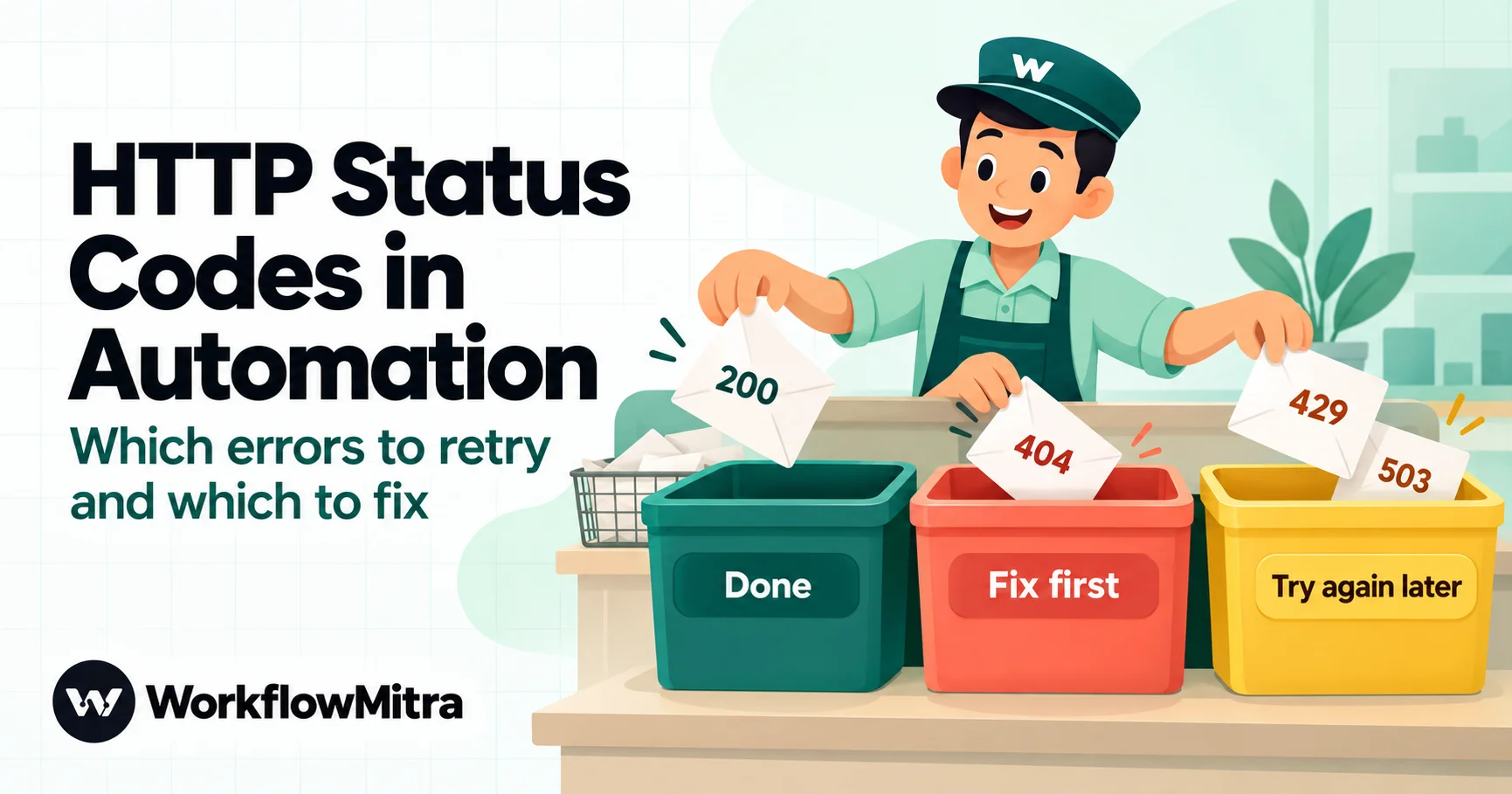
Your workflow calls an API and gets back a number: 201, 404, 429, 503. That number is the API’s one-word verdict on your request, and it should decide what your workflow does next. Some codes mean “done”. Some mean “try again in a minute”. Most of the 4xx range means “this will never work until you change something”, and retrying them only delays the moment someone notices.
This guide is a working reference for people who build automations without writing code. It explains what each family of status codes means, gives a code-by-code table with the action to take, covers the traps (successful codes that hide failures, redirects that change your request, timeouts with no code at all), and shows how to route every response in a no-code workflow. Examples use WorkflowMitra, powered by ChatMitra, but the rules apply to any tool that calls APIs.
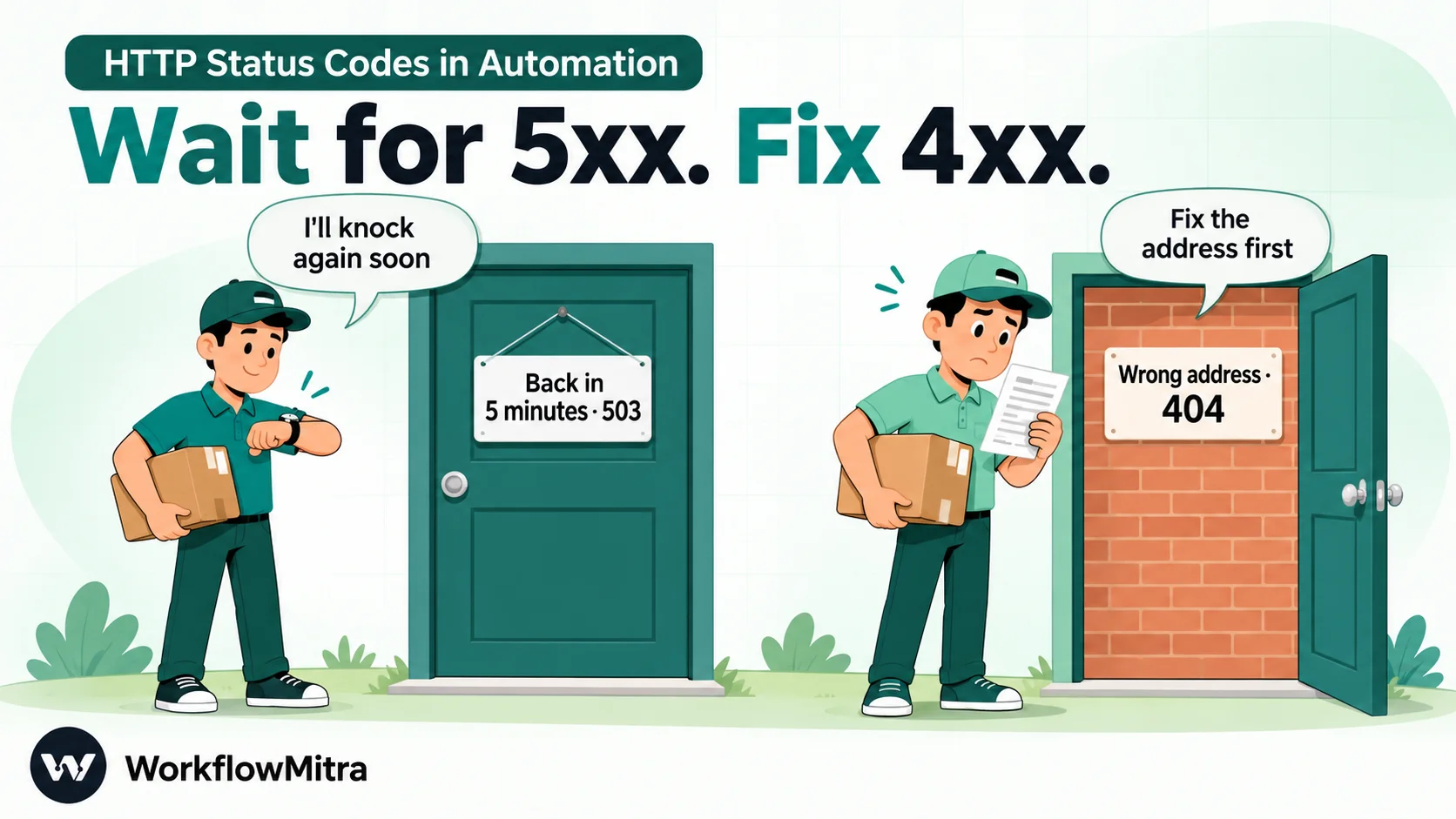
Quick answer: 2xx means it worked, but check the body, because some APIs report failures inside a success code. 3xx means the address moved: update the URL. 4xx means the request is wrong (data, key, permission, missing record): fix it, don't retry. Two exceptions, 429 and 408, are worth retrying after a wait. 5xx means the server failed: retry a few times with growing waits, but only if sending the request twice can't create a duplicate. No status at all (a timeout) is the riskiest case for writes, because the request may have gone through.
What an HTTP status code tells you
Every response from a web API starts with a three-digit status code. The first digit gives the family, defined in the HTTP standard, RFC 9110:
| Family | Meaning | What your workflow should usually do |
|---|---|---|
| 1xx Informational | Interim message; the real answer follows | Nothing. Automation tools handle these for you and you'll rarely see one |
| 2xx Success | The request was received and accepted | Continue, after checking the body for errors the code doesn't show |
| 3xx Redirection | The resource is somewhere else | Usually followed automatically; update the URL so you stop relying on it |
| 4xx Client error | Something about the request is wrong | Fix the request or the data; retry only 408 and 429 |
| 5xx Server error | The server failed to handle a request that may be valid | Wait and retry a limited number of times, if the request is safe to repeat |
| No code | No response arrived: timeout, DNS or connection failure | Treat as unknown; check before repeating a write |
“Client” here means whoever sent the request. When your workflow calls an API, your workflow is the client, so a 4xx is the API telling you that your request needs to change.
The one rule: retry, wait, or fix
Every status code you’ll meet in an automation falls into one of four buckets, and each bucket has a different response:
- Done. 2xx with a body that confirms the result. Carry on.
- Wait, then retry. The problem is temporary: 429, 408, 500, 502, 503, 504, and timeouts on safe requests. Wait (honour
Retry-Afterif present), retry two or three times with longer waits, then alert a person. - Fix first. The request itself is wrong: 400, 401, 403, 404, 405, 409, 410, 413, 415, 422. Repeating it gives the same answer. Stop, log what was sent, and alert someone who can fix the data, the credentials or the configuration.
- Unknown. No response, or a timeout on a request that writes something. The write may or may not have happened. Check before you repeat it.
The second bucket has a condition attached: only retry what’s safe to send twice. That’s covered in its own section below, because it’s where most duplicate orders, double messages and double charges come from.
HTTP status code reference for automation
This table covers the codes you’re most likely to see when a workflow calls an API. Meanings follow RFC 9110 and the MDN status code reference; the “usual cause” column is what the code most often means in a no-code workflow.
| Code | Name | Usual cause in a workflow | Retry? | What to do |
|---|---|---|---|---|
| 200 | OK | Request handled | — | Continue; check the body for an error field |
| 201 | Created | A record was created | — | Continue; save the new ID from the body |
| 202 | Accepted | Queued for later processing | — | Continue; the outcome isn't known yet |
| 204 | No Content | Done, nothing to return (common for updates and deletes) | — | Continue; don't map fields from an empty body |
| 207 | Multi-Status | Batch request where some items failed | — | Check each item's status in the body |
| 301, 308 | Moved Permanently / Permanent Redirect | The endpoint moved for good | — | Update the URL in the step |
| 302, 303, 307 | Found / See Other / Temporary Redirect | Temporary redirect, often http → https or a login page | — | Use the final URL; a redirect to a login page means an auth problem |
| 400 | Bad Request | Malformed JSON, wrong field type, missing required field | No | Compare the request with the API docs; fix the mapping |
| 401 | Unauthorized | Missing, wrong or expired key or token | No (one token refresh is fine) | Reconnect or refresh the credential |
| 403 | Forbidden | Key lacks a scope or permission; plan or IP restriction | No | Grant the permission or use a key that has it |
| 404 | Not Found | Wrong path, wrong record ID, record deleted | No | Check the URL and the ID you mapped; handle "not found" as a real outcome |
| 405 | Method Not Allowed | POST where the API wants PUT or PATCH, or the reverse | No | Change the method |
| 408 | Request Timeout | The server gave up waiting for your request | Yes, after a wait | Retry; if it repeats, send less data per call |
| 409 | Conflict | Duplicate (record already exists) or a version clash | Rarely | Look up the existing record and update it instead |
| 410 | Gone | Endpoint or record removed for good | No | Move to the replacement endpoint |
| 413 | Content Too Large | Body or file over the server's limit | No | Send less, or send a file link instead of the file |
| 415 | Unsupported Media Type | Wrong Content-Type header (form data sent to a JSON API) | No | Match the body type to what the API expects |
| 422 | Unprocessable Content | Valid JSON, invalid values (bad email, phone, date) | No | Validate and clean the data before the call |
| 429 | Too Many Requests | Rate limit reached | Yes, after Retry-After | Wait, then retry; slow bulk jobs down |
| 500 | Internal Server Error | Unexpected server failure | Yes, a few times | Retry with growing waits; if one input always fails, check that input |
| 502 | Bad Gateway | A proxy got a bad answer from the server behind it | Yes | Retry with growing waits |
| 503 | Service Unavailable | Overloaded or under maintenance | Yes, after Retry-After | Wait, then retry |
| 504 | Gateway Timeout | A proxy timed out waiting for the server | Yes, carefully | For writes, check whether it happened before retrying |
| 0 / none | No response | Timeout, DNS failure, connection refused, blocked address | Depends | Safe reads: retry. Writes: check first |
The table is the summary. The sections below cover the details that catch people out in each family.
2xx: success, but read the body
A 2xx code means the server accepted the request. It doesn’t always mean the thing you wanted happened.
- 202 is a promise, not a result. The server has queued your request. If the outcome matters, you need a later check: a status endpoint, a webhook back, or a lookup.
- 204 has no body. If a later step maps a field from this response, it gets nothing. Map from the data you sent instead.
- 207 means “some of it worked”. Batch endpoints use it when some items succeed and others fail. Zoho CRM’s Insert Records API, for example, returns 207 Multi-Status for partial success or failure, with each record’s own status in the body. A workflow that only checks for “2xx” will count the failed records as saved.
- Some APIs put errors inside a 200. Slack’s Web API responses always carry a top-level
okfield, and when a call fails,okis false and anerrorfield holds the reason, according to Slack’s Web API documentation. A workflow that checks only the status code can report success for a message that was never posted.

The safe habit: after any call that creates or changes something, check the body for the thing you expected, such as the new record’s ID or ok: true, not just the code.
WorkflowMitra does part of this for you in App Request steps, which are the authenticated calls for apps such as Zoho CRM, Zoho Books, HubSpot and Shopify. For Zoho CRM and Zoho Books, an App Request that writes data checks the response body and fails the step when the app reports that it rejected the request, even though the HTTP code was a success. For other apps, and for the general HTTP Request step, the check is yours to add.
3xx: redirects change more than the address
Most tools follow redirects automatically, so you may never see a 3xx code. You see their side effects instead. WorkflowMitra’s HTTP Request step follows up to five redirects by default, and two rules from the standard apply on the way:
- 301, 302 and 303 can turn your POST into a GET. After one of these, the follow-up request is sent as a GET without a body. Only 307 and 308 keep the original method and body. If an API “ignores” your data, a redirect is a likely reason, often from calling
http://instead ofhttps://or leaving off a trailing slash the API expects. - Credentials are dropped when a redirect goes to another domain. WorkflowMitra removes the Authorization and Cookie headers on a cross-domain redirect, so a token can’t leak to a site you didn’t choose. The redirected request then often fails with 401.
Some senders refuse redirects entirely. Stripe’s webhook documentation says it treats redirect responses to webhook deliveries as failures. In every case, the fix is the same: put the final URL in the step, so no redirect happens at all.
4xx: fix the request
The 4xx range is where retries are wasted. The server has looked at your request and decided it’s wrong. Sending the same request again gets the same answer. Here’s how to read the common ones:
400 and 422: the data is wrong. A 400 often means the request couldn’t be read at all: broken JSON, a text value where a number belongs, a missing required field. A 422 usually means it was read fine but the values failed validation, such as an email without an @ or a date in the wrong format. Read the response body: most APIs name the field. Then fix the mapping, or add a validation step before the call so bad data never reaches the API.
401 and 403: the credentials are wrong. A 401 means the API doesn’t recognise you: the key is missing, mistyped, revoked or expired. A 403 means it recognises you but won’t allow this action: the key lacks a scope, your plan doesn’t include the endpoint, or an IP rule blocks the call. For OAuth 2.0 connections, a 401 often just means the access token expired. WorkflowMitra’s HTTP Request step handles that case itself: with OAuth 2.0 authentication, a 401 makes it fetch a fresh token and try the request once more. A second 401 means the connection itself needs attention. Our guide to API authentication methods explains each scheme.
404 and 410: the thing isn’t there. Check the URL first, then the ID you mapped into it. A record ID from the wrong step, or from a test account, is a common cause. Sometimes 404 is a genuine answer, such as “no customer with this email”. Treat that as a branch of your workflow, such as “create the customer”, not as an error.
409: it already exists. Many APIs return 409 when you try to create something that exists, such as a contact with the same email. Look it up and update it instead. If you see 409 after a retry, your first attempt probably succeeded.
405, 413 and 415: the shape of the request is wrong. Wrong method, body too large, or wrong content type. These are configuration fixes, made once.
429: slow down
429 Too Many Requests is the one 4xx code that’s about timing, not content. MDN describes it as the client having “sent too many requests in a given amount of time”, and notes that the response may include a Retry-After header saying how long to wait. That header comes as a number of seconds or as a date. Slack, for example, sends it as the number of seconds until you can retry.
In automation, 429s usually come from bulk work: a loop that calls an API for every row of a sheet, or an import that triggers hundreds of runs at once. Two responses work:
- For the request that got the 429: wait at least the
Retry-Aftertime, then retry it. - For the job as a whole: spread the calls out with a delay between items, process in smaller batches, or use a bulk endpoint that takes many records in one call.
Retrying a 429 immediately, without waiting, usually earns another 429, and some APIs extend the block for clients that keep pushing.
5xx: wait and retry, a few times
A 5xx code means the server failed. Your request may have been perfectly fine.
- 502 Bad Gateway and 504 Gateway Timeout come from a proxy or load balancer in front of the real server. They often clear in seconds.
- 503 Service Unavailable means overloaded or down for maintenance, and may include a
Retry-Afterheader. - 500 Internal Server Error is the catch-all. Usually temporary, but not always.
The standard response is a limited retry with growing waits, sometimes called exponential backoff: wait a little, retry, wait longer, retry, then stop and alert. Google Cloud’s retry strategy guidance is a good reference: it retries 408, 429 and 5xx responses, uses exponentially increasing waits up to a maximum, and makes idempotency a condition for retrying safely.
Two cautions. First, a 500 that always happens with the same input is probably about your data, such as a value the server’s code doesn’t handle. Other requests succeed; that one never will. Log the payload and contact the API provider. Second, 504 is ambiguous for writes: the proxy gave up waiting, but the server behind it may have finished the job. Check before repeating.
No status at all: timeouts and network errors
Sometimes there’s no code, because no response arrived. The request timed out, the domain didn’t resolve, the connection was refused, or the target was blocked. These need the most care, because you don’t know whether the server received the request.
For a read (fetching a record), there’s no harm in retrying. For a write (creating an order, sending a message, charging a card), a timeout is a question mark: the server may have done the work and simply answered too late. Before repeating it, look the record up, or use an idempotency key so the server can recognise the repeat.
In WorkflowMitra, the HTTP Request step waits up to 30 seconds by default; you can set a shorter timeout under Advanced settings. What happens on a timeout or network error depends on the step’s On failure setting:
- Stop workflow (the default): the step fails, and the run fails or follows the step’s error handler if you added one.
- Continue: the step succeeds with
status: 0,ok: falseand anerrormessage such as “Request timed out.”, so a later Switch or IF can route it.
Before you retry: is it safe to send twice?
A retry repeats the request. Whether that’s safe depends on what the request does, which the HTTP standard describes with the word idempotent: a request is idempotent if sending it several times has the same effect as sending it once. RFC 9110 defines GET, HEAD, PUT and DELETE as idempotent, and POST as not.
| Request | Safe to retry? | Why |
|---|---|---|
| GET a record, search, list | Yes | Reading changes nothing |
| PUT or PATCH "set status to paid" | Usually | Setting the same value twice leaves the same result |
| DELETE a record | Usually | The second attempt may return 404, which you can treat as done |
| POST "create an order", "send a message", "add a row" | Not by default | Each repeat creates another order, message or row |
| POST with an idempotency key the API supports | Yes | The server returns the first result for a repeat |
Some APIs accept an idempotency key: a unique value you send in a header, so the server can spot a repeat and return the original result. Stripe’s idempotent requests are a well-known example. If the API you’re calling supports one, send a value that’s unique per business event, such as your order number, not a random value per attempt. Our guide to webhook idempotency covers choosing keys.
If a request isn’t safe to repeat and the API offers no key, don’t retry automatically. Look up whether the first attempt worked, or send the case to a person.
How WorkflowMitra reports status codes
WorkflowMitra has two steps that call APIs, and they treat status codes differently by default.
HTTP Request (any API). The step’s output always includes status, ok (true for 2xx), headers and body. A 4xx or 5xx response is not a failure: the step succeeds, the output shows the code, and the run carries on. That’s deliberate, because many APIs use 404 or 409 as normal answers. It also means a broken call can look like a successful run unless you check status or ok after it. The On failure setting covers only the cases with no response, as described above.
App Request (authenticated calls for apps such as HubSpot, Shopify, Zoho, Zendesk and Freshdesk). Under Advanced, the Treat error responses as a failure setting decides what happens on a 4xx or 5xx:
- No — carry on and let me check the status (the default) behaves like HTTP Request.
- Yes — stop the workflow on 4xx / 5xx fails the step, so the run stops or follows the step’s error handler.
Both steps follow redirects as described earlier; the OAuth 2.0 token refresh on a 401 applies to the HTTP Request step’s own OAuth 2.0 setting. Every HTTP call costs one credit when it runs, whatever status comes back, because the request was sent. Routing steps such as Switch and IF are free, so checking the result costs nothing extra. To learn the step itself, start with our guide to connecting an API without code.
Route every response with one Switch step
The cleanest pattern is a single Switch step straight after the API call, with one route per bucket. Switch routes are checked from the top, and the first route that matches wins, so order matters: 429 is a 4xx code, so its route must come before the general 4xx route.
Set up the Switch with these routes, in this order, using the Number operators on {{ status }}:
| Order | Route name | Rule on {{ status }} | Next steps |
|---|---|---|---|
| 1 | Success | Is between 200 and 299 | Carry on (and check the body, as above) |
| 2 | Wait and retry | Equal to 429, OR Equal to 408, OR Is between 500 and 599 | The single-retry pattern below |
| 3 | Fix first | Is between 400 and 499 | Log the request and response; alert the owner |
| 4 | No response | Equal to 0 | Reads: retry. Writes: look up first |
| Else | Unexpected | (anything else, including 3xx) | Alert; investigate |
A few practical notes. “Is between” includes both ends, so 200–299 covers every success code. A plain {{ status }} reads the step directly before the Switch; if another step sits in between, use {{ $node["HTTP Request"].status }} with your step’s name. The “No response” route only fires if the HTTP step’s On failure is set to Continue; otherwise a timeout fails the step before the Switch runs. Our guide to conditional logic in automation explains Switch routing in depth.
For the “Fix first” route, put the useful details in the alert: the step name, {{ status }}, and the part of {{ body }} that names the problem. “HubSpot returned 400: email is invalid for record 1042” gets fixed in a minute. “The workflow failed” doesn’t.
A safe single retry with a Delay step
There’s no automatic retry setting on WorkflowMitra steps, so a call that fails is attempted once. For temporary errors, add one deliberate retry to the “Wait and retry” route:
- Delay for a sensible wait, such as 1 to 5 minutes. If the response had a
Retry-Afterheader, you can read it as{{ headers["retry-after"] }}; make the delay at least that long. - Repeat the request with a copy of the same HTTP Request step (right-click the step and choose Clone).
- Check again with an IF on the copy’s
{{ ok }}(Is yes). If it’s still failing, alert a person with both status codes.
Use this only for requests that are safe to repeat, as described above. The Delay step costs no credits; the second request costs one. While the Delay waits, that run is paused, and it resumes on the workflow version that started it, not on edits you publish in the meantime. For more on recovery after the fact, including replaying webhook deliveries, see our guide to workflow error handling.
The codes your workflow sends back
Status codes flow the other way too. When an app sends a webhook to your workflow, your workflow’s answer is a status code, and the sender acts on it. WorkflowMitra’s webhook trigger answers with these:
| Code | When WorkflowMitra sends it |
|---|---|
| 202 | Delivery accepted; the workflow runs afterwards (the default) |
| 200 | A duplicate delivery was recognised and skipped, or a synchronous workflow finished |
| 502 | A synchronous workflow failed without a Response step setting its own code |
| 401 / 403 | Secret, signature or timestamp check failed (401), or the sender's IP isn't on the allowlist (403) |
| 402 | The workspace has run out of credits, so the run can't start |
| 404 | Unknown URL, or the workflow is turned off |
| 413 | The body is over the size limit (100 KB for JSON, form and text bodies) |
| 429 | More than 120 requests a minute to the same webhook URL |
How the sender reacts matters as much as the code. Shopify’s webhook troubleshooting guide counts only a 2xx within five seconds as success, makes up to eight further attempts over four hours, and deletes the webhook subscription when the failures don’t stop. Stripe retries for up to three days in live mode. Razorpay retries for 24 hours and then disables the webhook, as our Razorpay webhooks guide explains. Two practical consequences:
- Don’t leave a workflow off for long while a sender is pointed at it. Every delivery gets a 404, and a sender that sees enough failures may stop sending altogether.
- Keep fast senders on the default 202. A synchronous webhook can hold the sender’s request for up to 25 seconds while the workflow runs. Senders that expect an answer within five seconds will count that as a failure and send the event again.
Our guide to testing a webhook covers reading these codes from both ends.
Common mistakes
- Retrying 4xx errors. A 400, 401, 403, 404 or 422 fails identically every time. Retries just delay the alert.
- Treating any 2xx as proof. Check 207 bodies item by item, and check
okor the expected ID where the API reports errors in the body. - Retrying a POST without a duplicate check. Two orders, two messages, two charges.
- Ordering Switch routes badly. A “4xx” route above the 429 route sends rate limits to the “fix” pile.
- Ignoring
Retry-After. Retrying sooner than the server asked is the fastest way to get another 429. - Alerting without details. Include the status, the step and the body’s error message.
- Letting a timeout look like a failure. For writes, it’s an unknown. Look before you repeat.
For WhatsApp-specific error codes, which come from Meta’s platform rather than HTTP itself, see ChatMitra’s WhatsApp API error codes reference.
Let the code decide the next step
A status code is a short instruction about what to do next. 2xx: continue, after checking the body. 4xx: fix the request. 429, 408 and 5xx: wait, then retry a limited number of times if the request is safe to repeat. No code: find out what happened before you send anything twice. Build those four answers into every workflow that calls an API, and failures turn into clear, routed outcomes instead of silent gaps.
Want to see the routing work on your own API calls? WorkflowMitra, powered by ChatMitra, gives every new account a free 14-day trial with 10,000 credits and no card required; plans and credit tiers are on workflowmitra.com/pricing.
Checked on 18 October 2026. Status code meanings and method idempotency from RFC 9110 and MDN; 429 and Retry-After from MDN and Slack's rate limit docs; retry practice from Google Cloud; partial-success responses from Zoho CRM; sender retry behaviour from Stripe and Shopify. WorkflowMitra behaviour (HTTP Request and App Request outputs, timeouts, redirects, OAuth refresh, webhook response codes and limits) was checked in the product's code on the same day.
Frequently Asked Questions
Short answers to common questions about HTTP status codes in workflows and APIs.
Retry 429 Too Many Requests (after the Retry-After wait if one is given), 408 Request Timeout, and the server errors 500, 502, 503 and 504, a few times with growing waits. Retry only if sending the request twice can't create a duplicate. Don't retry other 4xx errors such as 400, 401, 403, 404 or 422: the request itself is wrong and will fail the same way until you fix it.
Automate the work between your apps
Build workflows with triggers, conditions and actions, then test them before they go live. Try WorkflowMitra free for 14 days, no card required.
