Make Alternatives: 7 Tools Compared for Teams Rethinking Their Credit Bill

Quick Summary
The right Make alternative depends on why Make stopped working for you. WorkflowMitra, powered by ChatMitra, fits teams whose scenarios watch other apps and finish with a customer message: a check that finds nothing is free, invoices are in rupees from ₹999 a month, and approvals, round-robin assignment and tappable WhatsApp messages are standard steps. n8n fits technical teams that want per-run billing or self-hosting. Zapier fits teams that need the biggest app catalogue. Pabbly Connect and Zoho Flow fit tight rupee budgets on task-based billing. Activepieces fits per-run billing with an open-source core, and Power Automate fits companies built on Microsoft 365.
Make is a capable tool, and most people who leave it are not leaving because it can’t do the job. They leave because of a specific moment: a credit warning in the middle of the month, an invoice in dollars that finance has to explain, a scenario full of iterators and aggregators that only one colleague understands, or a WhatsApp flow that needs reply buttons and gets plain text instead.
Each of those moments points to a different replacement. This guide compares seven Make alternatives, starting with WorkflowMitra, powered by ChatMitra, on the things Make users actually notice: what a credit pays for, whether an empty check costs anything, how lists and errors are handled, and what a typical scenario costs in rupees.
Every price below comes from the vendor’s own website, read on 7 October 2026.
Quick answer: When your scenarios mostly watch other apps and finish by messaging a customer, pick WorkflowMitra. Checks that find nothing are free, invoices are in rupees from ₹999 a month, and approvals, round-robin assignment and tappable WhatsApp messages come with every plan. Pick n8n for per-run billing or self-hosting, Zapier for the biggest catalogue, Pabbly Connect or Zoho Flow for cheap task-based rupee plans, Activepieces for per-run billing with open-source code, and Power Automate inside Microsoft 365. For webhook-driven, data-heavy scenarios, Make may remain the cheapest choice.
Why do teams look for a Make alternative?
Make’s strengths are well earned. Its canvas shows exactly how data moves, its routers and iterators handle complicated branching, and its entry price is low. The reasons people start looking are just as specific:
- The credit switch changed how bills feel. On 27 August 2025 Make replaced operations with credits as its billing unit. Balances converted one to one, and most module actions still cost a single credit, but some AI modules now consume credits by tokens, file size or a fixed rate above one. Teams that had learned to predict operations had to learn a second unit.
- Checking costs money even when nothing happens. Make’s own training course is explicit: a trigger module spends one credit per scenario run, no matter whether it returns zero items or fifty. Watching a spreadsheet or mailbox every 15 minutes uses roughly 2,880 credits a month before anything useful happens. At a one-minute interval that becomes about 43,200.
- Billing is in US dollars. Make lists prices only in dollars, so Indian teams see card conversion charges and an invoice that doesn’t match their rupee budget.
- The learning curve is real. Bundles, iterators, array aggregators and mapping functions give Make its power, but they also make scenarios hard to hand over. Business users who inherit a scenario often can’t tell why it ran five times instead of once.
- The free plan is small. You get 1,000 credits, two scenarios switched on at a time and checks no more often than every quarter of an hour: enough to experiment, rarely enough to run a business.
- WhatsApp is basic. Make’s WhatsApp Business Cloud app sends messages and approved templates and watches events, but its module list doesn’t offer ready-made reply-button or list messages.
None of this makes Make a poor choice. It means the right alternative depends on which of these reasons is yours.
Before you switch: is it Make, or how your scenarios start?
A surprising share of Make bills is spent on checking rather than doing. Before rebuilding anything, look at the scenario history and ask how many runs ended after the trigger with nothing to process. If that number is large, three changes inside Make may solve the problem:
- Switch to instant triggers where the app supports them. Make’s help centre describes instant triggers as the service notifying Make when new data arrives, rather than Make asking on a schedule. A scenario that starts from a webhook doesn’t pay for empty checks.
- Slow down scenarios that don’t need speed. A daily report has no reason to poll every minute. Moving a scenario from a 1-minute to a 15-minute interval cuts its check credits by about 93%.
- Merge scenarios that watch the same source. Two scenarios polling the same sheet pay for the same check twice. One scenario with a router can do both jobs.
Also check whether an older complaint still applies. Make now has a Retry error handler and automatically retries incomplete executions after connection, rate-limit and timeout errors, so “Make can’t retry failed steps” is out of date.
If the bill is still too high after these changes, or the reason you are leaving is something else entirely, such as the learning curve, dollar billing or WhatsApp, then an alternative makes sense.
How to judge a Make alternative
Make users tend to judge new tools against the habits Make has given them. These are the questions that separate a real upgrade from a sideways move:
- What does one unit of billing pay for? Per module action, per action only, per full run, or per user licence? This decides whether long scenarios get expensive.
- Is an empty check free? If most of your scenarios poll other apps, this matters more than the headline price.
- How are lists handled? Make users rely on iterators and aggregators. Look for a loop, a way to collect the results, and bulk actions that write many rows at once.
- What happens when a step fails? Error routes, automatic retries and the length of run history all differ.
- Can a person approve something mid-run? Make has no dedicated approval module, so many teams build this with webhooks and data stores. Some alternatives include it as a step.
- How deep is the WhatsApp support? Plain text and templates, or tappable buttons, menus and product cards too?
- Which currency is the invoice in? Rupee billing removes conversion charges and keeps finance happy.
What is WorkflowMitra?
WorkflowMitra is ChatMitra’s automation product. ChatMitra is best known as a WhatsApp Business API platform; WorkflowMitra connects the apps around it. You lay out a workflow on a canvas. Something starts it: an incoming webhook, a timetable, a new or edited row in Google Sheets, a fresh email, an RSS item. After that, steps can split into routes, pause, reshape data and act in other apps. If the last step is a WhatsApp message to a customer, ChatMitra or Meta’s Cloud API delivers it.
Who is WorkflowMitra for?
It is built for growing businesses whose automations look like everyday operations, not data engineering. Think lead follow-up, sharing enquiries across a sales team, sign-offs, order and payment confirmations, and keeping a CRM or spreadsheet current. The person who looks after these workflows is usually in operations, sales or support, not IT. If nobody on the team wants to build, you can explain the process on the automation help page and plan it with WorkflowMitra’s team.
It is a weaker fit for heavy data transformation, very large app catalogues, Python code or workflows that call other workflows.
Why use WorkflowMitra instead of Make?
Three differences matter most to Make users:
- A check that finds nothing costs nothing. WorkflowMitra’s polling triggers start a run only when there is something new, so a sheet watched every minute uses credits only on the minutes when a row changes. The minimum interval is one minute on every plan.
- Business steps come built in. Wait for approval pauses a run until a teammate approves or rejects it in the app, with an automatic decision after a deadline. Assign to the next person rotates leads or tickets across up to 200 people. Delay holds a run for as long as 30 days, and a Data Store remembers values from one run to the next. In Make, the first two usually mean data stores, counters and extra modules.
- WhatsApp messages people can tap. The WhatsApp step offers approved templates, images and documents, reply buttons, list menus, location pins, contact cards and catalog products as ready options, and ChatMitra can handle delivery.
Plans are billed in rupees. The trade-off is that WorkflowMitra charges a credit for every executed step, including the trigger, much like Make does for module actions, so long webhook-driven workflows cost about the same on both, and Make’s data tools are deeper. A head-to-head with worked examples is in our guide to WorkflowMitra vs Make.
Make alternatives at a glance
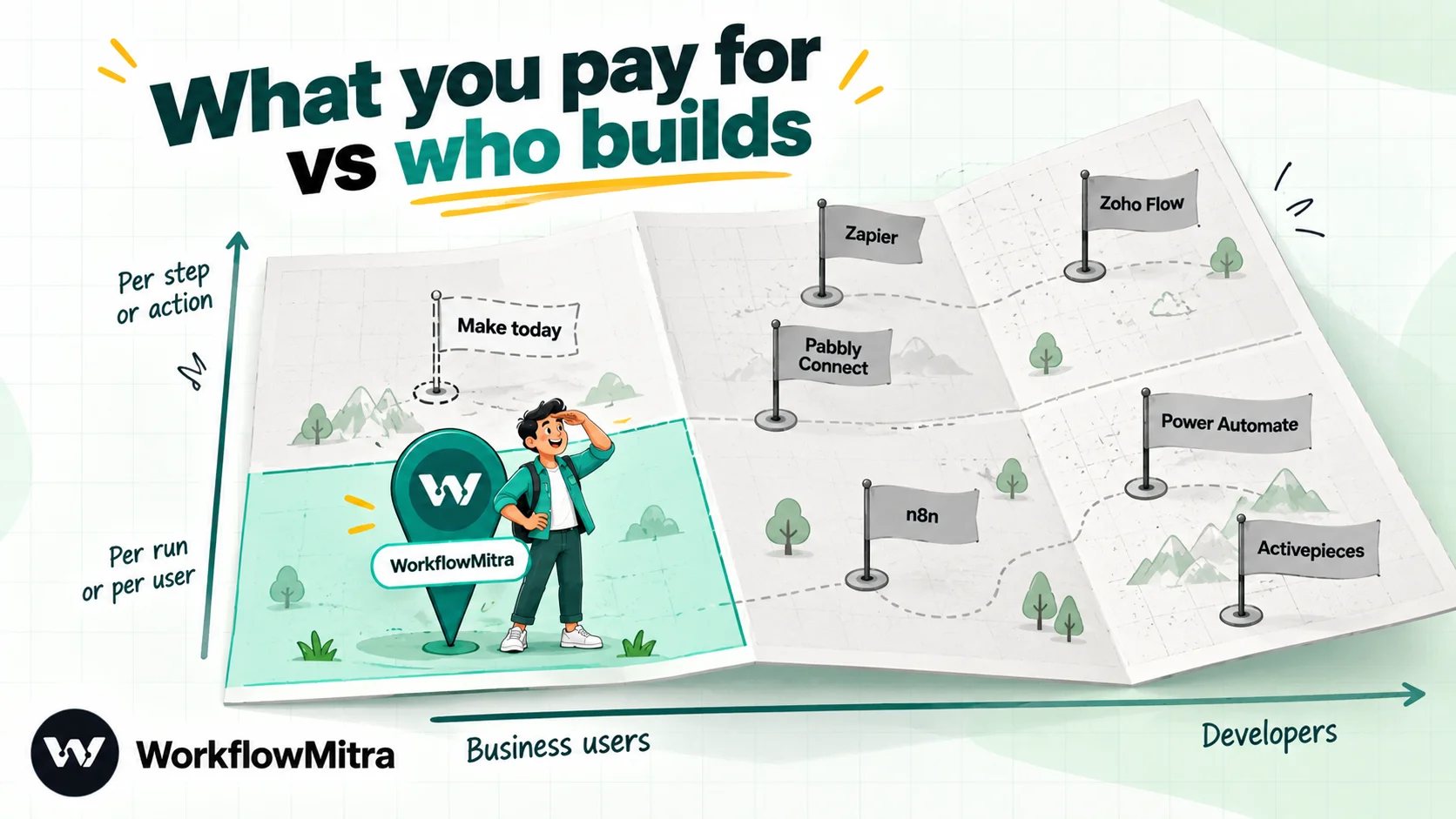
| Tool | Strongest use | What you pay for | Empty checks billed? | Cheapest paid plan, 7 Oct 2026 |
|---|---|---|---|---|
| WorkflowMitra | Operations workflows that end in WhatsApp, invoiced in rupees | Each executed step; routing, merging and waiting steps cost nothing | No | 10k credits: ₹999/month, or ₹849/month on yearly billing |
| n8n | Long workflows, technical builders, self-hosting | Each complete run | No | 2,500 executions: €24/month (≈ ₹2,614), €20 on yearly billing |
| Zapier | Reaching apps nobody else connects | Each successful action | No; triggers are never billed | 750 tasks: $29.99/month (≈ ₹2,879), $19.99 on yearly billing |
| Pabbly Connect | Rupee budgets; internal steps are free | Each action in an external app | No | 10k tasks: ₹1,799/month, ₹1,301 on a yearly term |
| Activepieces | Per-run billing, MIT-licensed core | Each run; AI steps cost more | Not stated | 10k credits: $20/month (≈ ₹1,920) |
| Zoho Flow | Businesses already on Zoho | Each executed action | Not stated; triggers aren't tasks | 5k tasks: ₹1,740/month, ₹1,450 on yearly billing; local taxes extra |
| Power Automate | Microsoft 365 organisations | A licence per user or per bot | Not applicable | Premium: ₹1,250 per user per month, yearly, taxes extra |
| Make (baseline) | Visual, data-heavy scenarios | Each module action, trigger included | Yes, a credit per check | 5k credits: from $9/month (≈ ₹864) on yearly billing |
Rupee equivalents for dollar and euro prices use FBIL’s (Financial Benchmarks India) reference rates dated 30 September 2026, still the newest available when we checked, which value a dollar at ₹95.98 and a euro at ₹108.94. Your bank’s rate and forex charges will change the final amount.
The 7 best Make alternatives in detail
1. WorkflowMitra: best for polling-heavy business workflows and WhatsApp
Why Make users move to it: their bill is dominated by trigger checks, they want a rupee invoice, or their workflows need approvals, lead rotation or interactive WhatsApp messages without extra modules.
Price: a 14-day, 10,000-credit trial needs no card. After it, the 10,000-credit plan is ₹999 a month, 20,000 credits cost ₹1,499 and 40,000 cost ₹2,699, with 15% off for annual billing. Bigger tiers reach 8 million credits. Those three entry tiers come with 10, 20 or 50 live workflows, 2, 5 or 10 team seats, and run logs kept for 7, 15 or 30 days.
Metering: every step that executes costs a credit, the trigger counts as a step, and so does a step that fails. Routing and housekeeping steps (IF, Switch, Merge, Set Variable, Delay, Response) are free. Looping is charged per item and stops at 1,000 items. The Google Sheets step can add one row per item of a list in a single call for one credit, which is often cheaper than looping.
Lists and errors: Loop runs a set of steps for each item and collects the results, and Merge combines branches. Any step can have an error branch that runs when it fails. There is no automatic retry of failed steps, no sub-workflows and no version history today.
Pick it when your workflows check other apps often, end in customer messages or need a human decision. Skip it when you need deep data transformation, Python, thousands of apps or a permanent free plan.
2. n8n: best for technical teams that want per-run pricing
n8n is the alternative Make power users reach for when they want even more control. A whole run counts once on the bill however many nodes it passes through, and you can host n8n on your own server. Code nodes accept JavaScript and Python. Make users will recognise the toolkit: Switch and IF for routing, Loop Over Items for lists, Aggregate to gather results back up, Execute Sub-workflow so one workflow can call another, Data tables for stored values, and an Error Trigger for failure-handling workflows.
Price: on n8n Cloud, Starter is €24 monthly or €20 a month paid annually, with 2,500 executions; Pro gives 10,000 for €60, or €50 annually. All plans allow unlimited users and workflows. n8n Cloud offers a trial rather than a free plan, while the self-hosted Community edition costs nothing under n8n’s Sustainable Use License.
Metering: according to n8n’s documentation, a polling trigger is counted only when it finds new data, a schedule trigger is counted every time it fires, and runs of sub-workflows and error workflows are not counted.
Pick it when your scenarios are long and busy, or a teammate is happy working with JSON and expressions. Skip it when non-technical colleagues will own the workflows, or you’d rather not deal with licence terms and servers. If n8n is where you are coming from instead, read our n8n alternatives guide.
3. Zapier: best when you need the most apps
Zapier’s catalogue of more than 9,000 apps is the main reason Make users consider it. If a key app has a Zapier integration and no Make module, the decision is often made. It also has Tables, Forms, AI agents and a Code step for JavaScript or Python.
Price: the free plan is limited to Zaps with two steps and 100 tasks a month. Professional costs $29.99 monthly ($19.99 on annual billing) at 750 tasks, $73.50 ($49 annually) at 2,000 tasks and $133.50 ($89 annually) at 5,000.
Metering: you pay a task whenever an action succeeds. Triggers, filters, paths, formatter steps, delays and looping are never billed. That is the reverse of Make on checks, and far dearer on actions.
Pick it when app coverage beats everything else. Skip it when your volume is high, because per-task pricing rises steeply. Our comparison of Make vs Zapier goes deeper into these two.
4. Pabbly Connect: best for low rupee prices on task billing
Pabbly Connect bills in rupees and counts only actions in external apps as tasks. Triggers, polling checks and internal apps such as the router, filter, iterator, formatters and scheduler are free, which removes Make’s check overhead entirely. It lists more than 2,000 integrations.
Price: the free plan offers 100 tasks across two workflows of no more than two steps. Standard costs ₹1,799 per month for 10,000 tasks on monthly billing, ₹1,301 per month on a one-year term, and less on two- and three-year terms. Unlimited costs ₹7,499 per month, or ₹5,949 per month on a one-year term. Pabbly also sells lifetime plans.
The catch: on Pabbly’s own plan cards, Standard excludes Human in Loop approvals, the JavaScript and Python module, custom variables and automatic re-executions; those need the Unlimited plan. Its WhatsApp Cloud API app sends text and template messages.
Pick it when your scenarios are action-light and you want the lowest rupee bill. Skip it when you need approvals or code without paying for the top plan. We compare it with WorkflowMitra in WorkflowMitra vs Pabbly Connect.
5. Activepieces: best for flat per-run billing you can self-host
Activepieces bills each run as one credit, whatever its length, and its community edition carries the MIT licence, so it runs on your own server or in Activepieces’ cloud. Its catalogue counts more than 760 integrations, which it calls pieces.
Price: the free tier includes 1,000 credits, unlimited flows and five users, though the pricing page calls that allowance daily in one spot and monthly in another, so check before depending on it. Plus is $20 a month for 10,000 credits, and each extra credit costs $0.007. Team costs $200 a month for 50,000 credits.
Metering: one credit per run, except AI steps, which cost 2, 10 or 20 credits by model class, unless a paid plan is set up with your own provider key. The pricing page doesn’t say whether a polling check that finds nothing counts.
WhatsApp: Activepieces’ WhatsApp Business piece can send templates, messages with up to three quick-reply buttons and lists of up to ten rows, and it can start flows when a message comes in.
Pick it when your scenarios are long and you like open source. Skip it when you need a finished SOC 2 report today; Activepieces says its programme is in progress.
6. Zoho Flow: best for teams that already run on Zoho
If your CRM, books and desk are already Zoho apps, Zoho Flow connects them with the least effort, and it lists more than 1,000 apps beyond Zoho’s own. Only executed actions count as tasks; triggers and logic such as decisions, delays and variables don’t.
Price: the free plan allows 100 tasks and five flows. Standard costs ₹1,740 per month, ₹1,450 per month if paid yearly, for 5,000 tasks, custom functions and checks every 15 minutes. Professional costs ₹2,940, or ₹2,450 yearly, for 10,000 tasks and checks every five minutes. Zoho adds local taxes on top.
The catch: the polling interval is slower than Make’s paid plans, and when we checked, Zoho Flow had no native WhatsApp app; WhatsApp ran through third-party apps instead.
Pick it when most of your data already lives in Zoho. Skip it when you need one-minute polling or WhatsApp messages as a first-class step.
7. Microsoft Power Automate: best for Microsoft 365 companies
Power Automate is the natural pick when the people who sign off on things work in Outlook and Teams. Approvals are a standard connector, approvers answer straight from an email or a Teams card, and Microsoft certifies over 1,400 connectors.
Price: Microsoft 365 subscriptions already include Power Automate for standard connectors. Premium connectors require a Premium licence, listed on Microsoft’s India site at ₹1,250 per user per month on annual billing, plus taxes, with a ceiling of 40,000 actions per user each day.
WhatsApp: Microsoft doesn’t publish its own WhatsApp connector; the ones we found come from third parties and are premium.
Pick it when your company already pays for Microsoft 365 and your processes stay inside it. Skip it when your workflows are customer-facing or mostly use non-Microsoft apps.
Which tools charge you for checking?
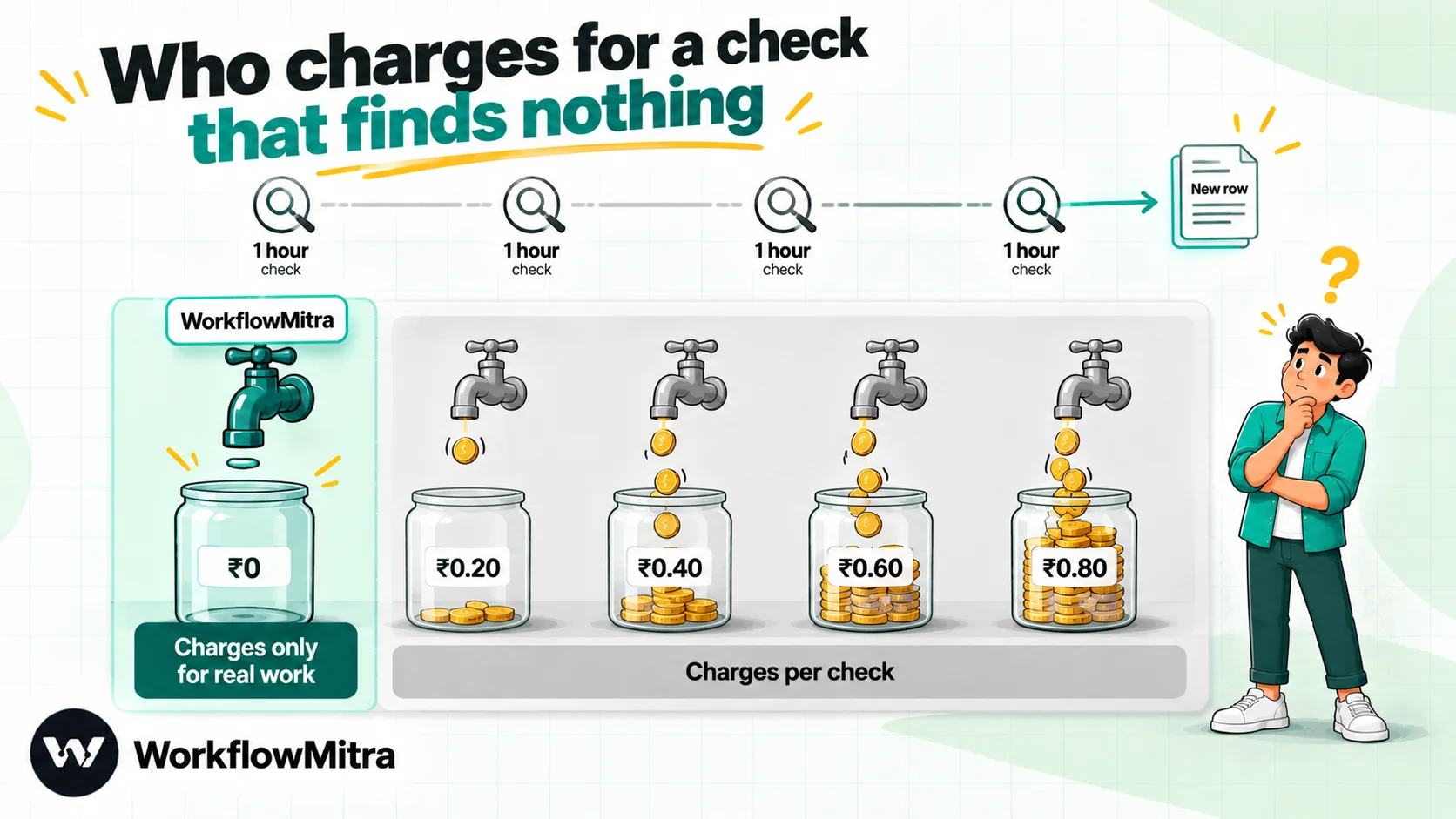
For Make users with polling scenarios, this is the single most useful difference between tools. Here is what each vendor’s own documentation says:
| Tool | A check that finds nothing | Fastest polling on a paid plan | Where it is stated |
|---|---|---|---|
| WorkflowMitra | Free; no run starts | Every minute, all plans | Product engine, checked 7 Oct 2026 |
| n8n | Not counted as an execution | Chosen per trigger | n8n docs: understand executions |
| Zapier | Free; triggers are never billed | Varies by plan | Zapier pricing |
| Pabbly Connect | Free; polling operations aren't tasks | Not stated on pricing page | Pabbly pricing FAQ |
| Zoho Flow | Triggers aren't tasks | 15 minutes (Standard), 5 (Professional) | Zoho Flow pricing |
| Make | A credit every check | Every minute; every 15 on Free | Make Academy, Make pricing |
Note the interval column. A tool that doesn’t charge for checks but only polls every 15 minutes may be cheap and too slow at the same time. A lead that waits 15 minutes for a first reply is a lead that may already be talking to a competitor.
What does a typical Make scenario cost elsewhere?
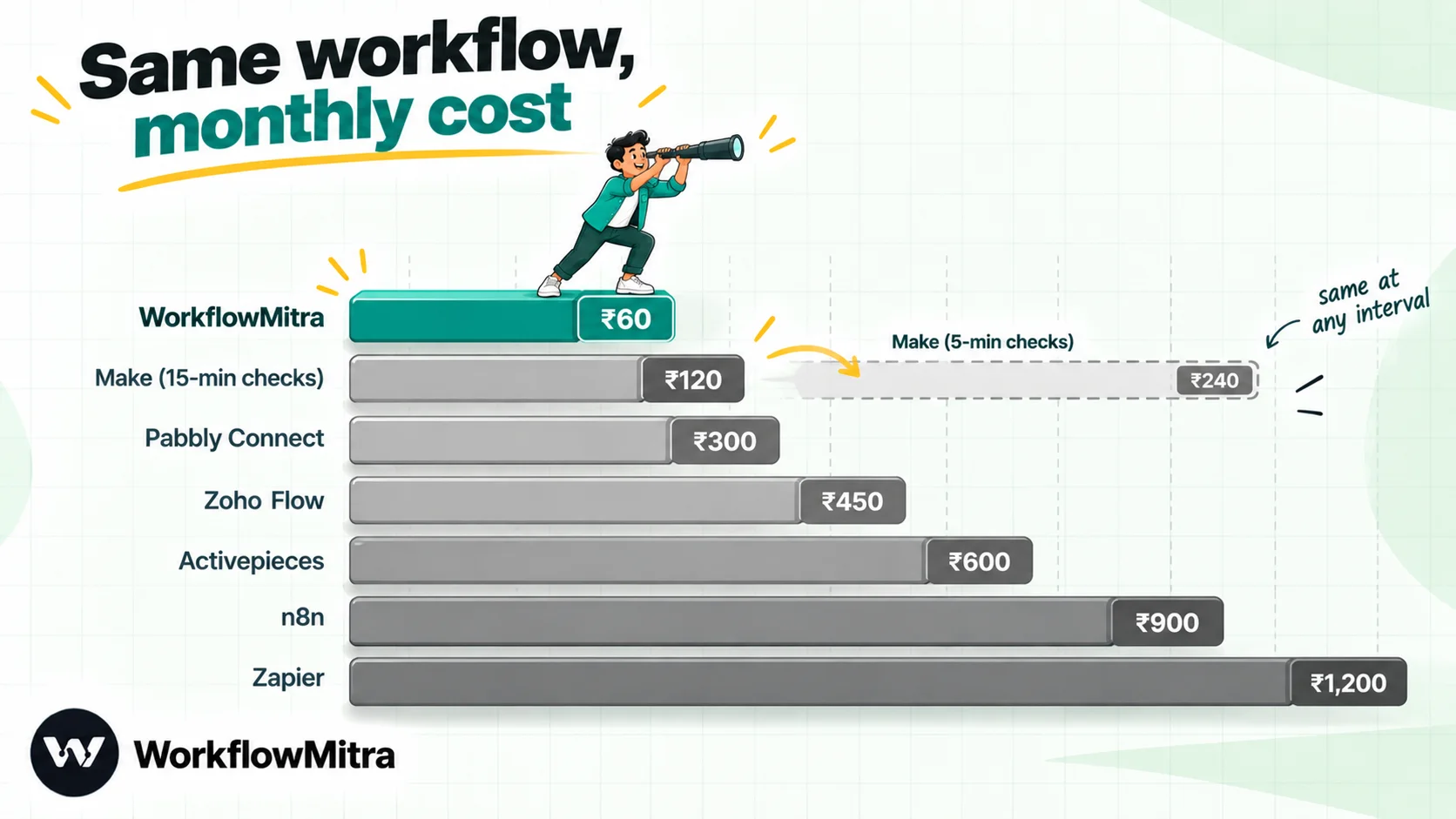
Here is a common Make scenario priced on each tool. A Google Sheet of student fee payments is checked every 15 minutes. When a row changes, three actions follow: a WhatsApp receipt, an update to a second sheet and a Slack alert. About 600 rows change a month. Monthly billing unless stated.
| Tool | How the month adds up | Usage | Smallest plan that fits |
|---|---|---|---|
| WorkflowMitra | 600 runs × 4 credits (trigger + 3 actions) | 2,400 credits | 10k-credit plan: ₹999, or ₹849 yearly |
| n8n Cloud | 600 executions; empty polls not counted | 600 executions | Starter: ≈ ₹2,614, or ≈ ₹2,179 yearly |
| Zapier | 600 runs × 3 tasks | 1,800 tasks | Professional, 2,000 tasks: ≈ ₹7,055, or ≈ ₹4,703 yearly |
| Pabbly Connect | 600 runs × 3 tasks | 1,800 tasks | Standard: ₹1,799, or ₹1,301 yearly |
| Activepieces | 600 runs, assuming empty checks start none | 600 credits | Possibly the free tier; otherwise Plus, ≈ ₹1,920 |
| Zoho Flow | 600 runs × 3 tasks | 1,800 tasks | Standard: ₹1,740, or ₹1,450 yearly, plus local taxes |
| Make | 2,880 checks + 600 × 3 actions | 4,680 credits | 5k-credit Make plan: from ≈ ₹864, yearly billing |
Three things stand out:
- At a 15-minute interval, Make and WorkflowMitra are the two cheapest options and almost level: about ₹864 against ₹849 a month on yearly billing. (Make doesn’t publish a monthly price for this tier, so compare monthly plans on its slider.) If your scenarios look like this and nobody minds the 15-minute delay, staying on Make is a reasonable decision.
- Tighten the interval and the picture flips. Checked every 5 minutes, the same scenario needs about 10,440 Make credits, more than double the entry tier, while WorkflowMitra still uses 2,400 credits on the ₹999 plan. Make’s price for that larger tier wasn’t readable on its pricing page on 7 October, so check the slider yourself.
- WhatsApp charges are separate in every row. Meta charges for each delivered template according to its category and the country of the person receiving it, and the sending platform adds a fee: ChatMitra’s Starter plan charges ₹0.20 per conversation, counted once per customer in any 24-hour window. Swapping automation tools changes neither. For Meta’s current rates, see what a WhatsApp Business message costs.
Replacing Make’s building blocks
Make users build with a particular toolkit, and each alternative replaces it differently. Before you choose, check that the pieces your scenarios depend on have a home:
| In Make | WorkflowMitra | n8n | Pabbly Connect | Zapier |
|---|---|---|---|---|
| Router | Switch (named routes plus an else route) or IF; no credits | Switch, IF | Router; free | Paths; free |
| Iterator | Loop, capped at 1,000 items, charged per item | Loop Over Items | Iterator; free | Looping; free |
| Array aggregator | Loop gathers each item's output; Merge | Aggregate | Array functions | Not compared |
| Data store | Data Store | Data tables | Not compared | Tables |
| Subscenario | No equivalent | Execute Sub-workflow | Not compared | Not compared |
| Error handlers | Error branch on any step; no automatic retry | Error workflows | Auto re-executions on Unlimited | Not compared |
| Code app | JavaScript with a one-second CPU cap | JavaScript, Python | JavaScript, Python on Unlimited | JavaScript, Python |
| Human approval (built by hand in Make) | Wait for approval | Send and Wait for Response | Human in Loop on Unlimited | Human in the Loop |
“Not compared” means we didn’t verify an equivalent, not that none exists. If a scenario leans on subscenarios or heavy aggregation, n8n will feel closest to Make. If it leans on routers, approvals and messages, WorkflowMitra will.
WorkflowMitra’s strengths and the alternatives’ strengths
| Question | WorkflowMitra's edge | Another tool's edge |
|---|---|---|
| What do empty checks cost? | Nothing, with one-minute polling on the entry plan | n8n, Zapier and Pabbly don't bill empty checks either |
| What about long workflows? | Free routing steps keep short and medium workflows cheap | Per-run billing at n8n and Activepieces wins once workflows get long and busy |
| Who handles approvals and assignment? | Built-in steps on the ₹999 plan, plus 30-day delays | Power Automate lets approvers answer inside Outlook and Teams |
| How rich are WhatsApp messages? | Templates, buttons, lists and catalog cards as ready options, delivered by ChatMitra or Meta | Activepieces sends buttons and lists too, and starts flows on incoming messages |
| How deep is data handling? | Bulk sheet writes cost one credit | Make and n8n offer richer iterators, aggregators and sub-workflows |
| How many apps? | Detailed steps for Sheets, Zoho CRM, helpdesks and databases | Zapier (9,000+), Make (3,000+), Pabbly (2,000+) and Power Automate (1,400+) list far more |
| Can you stay free? | No; a 14-day trial instead | Make, Zapier, Pabbly, Zoho Flow and Activepieces keep permanent free tiers |
How to move off Make without losing a run
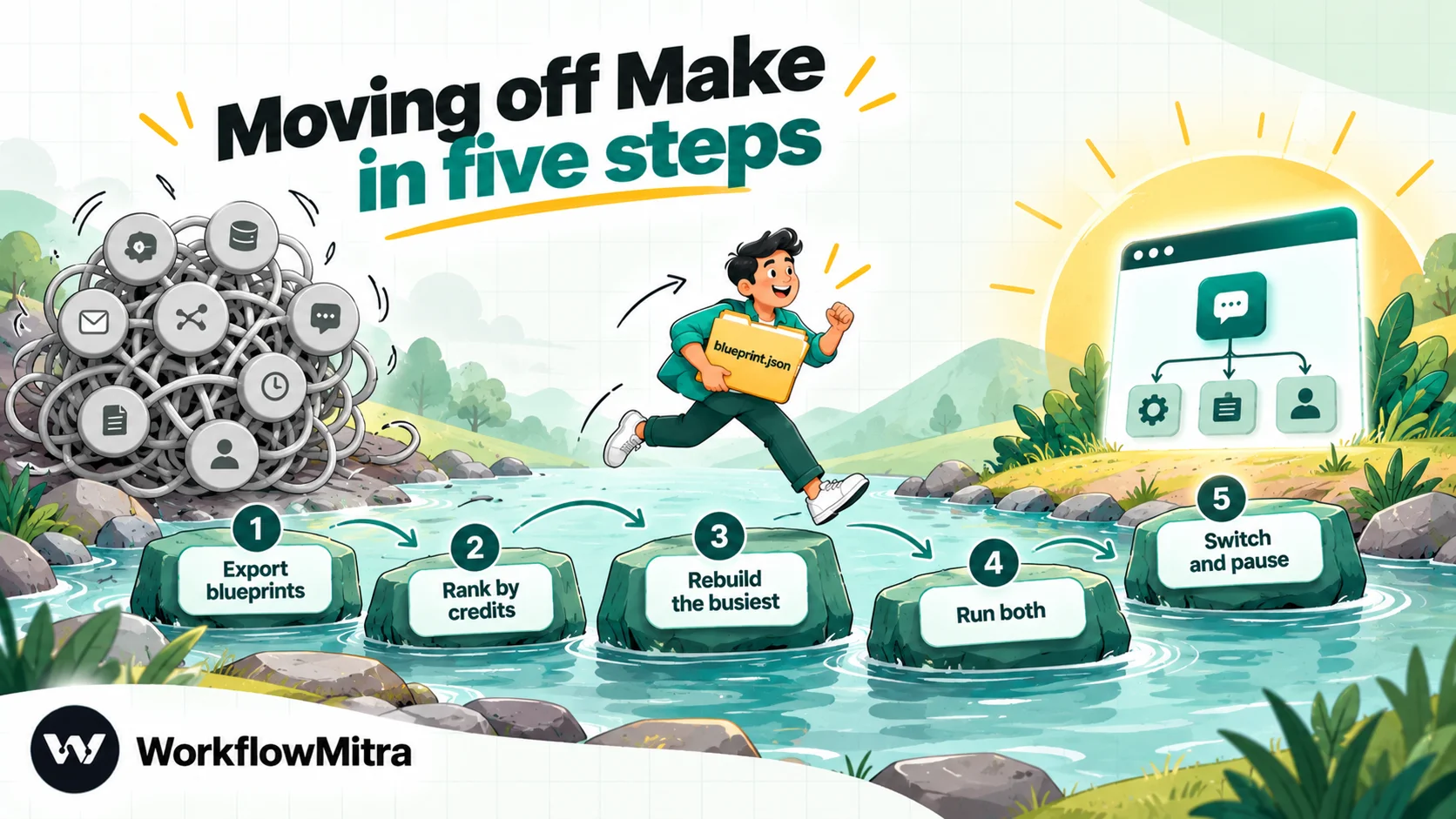
- Export every scenario’s blueprint. In the scenario builder, the three-dot menu has Export blueprint, which downloads a JSON file with the modules, settings and mapped values. No tool we checked imports it, but it is the most precise specification you will have.
- Rank scenarios by credits used. Your scenario history shows which ones spend the most. Start with the scenario where checks outnumber real runs, because that is where an alternative saves the most.
- Rebuild that one first. Recreate it, connect the accounts again and test it with sample data. Moving to WorkflowMitra? The guide to building your first workflow explains the editor step by step.
- Run both for a few days. Keep Make live and point the new workflow’s customer messages at an internal number. Compare outputs before customers see anything.
- Switch webhook addresses and pause, don’t delete. Update every app that posts to a Make webhook, then turn the old scenario off but keep it for a few weeks. WhatsApp templates are approved for your WhatsApp Business account, not for the automation tool, so the same templates keep working if the new tool sends from the same number.
Common mistakes when replacing Make
- Leaving before fixing the trigger. If most of your credits go to empty checks, an instant trigger or a slower interval may solve the problem inside Make.
- Treating different units as equal. A plan of 5,000 credits, one of 10,000 tasks and one of 2,500 executions can’t be ranked until one of your real scenarios is priced on each.
- Ignoring the polling interval. A tool that doesn’t charge for checks but only polls every 15 minutes may be too slow for leads.
- Assuming every tool has subscenarios. If your scenarios call each other, check for an equivalent before you rebuild.
- Forgetting AI costs. On Make and Activepieces, AI steps can consume more than one credit; tools that use your own API key bill the AI provider separately.
- Trusting a list without checking the vendor still sells. Some 2025 lists recommend Pipedream Workflows, which no longer takes signups.
Which Make alternative should you choose?
Answer these in order; the first one that describes you is your pick:
- Your bill is mostly empty checks, and an instant trigger isn’t possible: WorkflowMitra, then Pabbly Connect, n8n and Zapier, in the price order of the example above.
- Your workflows end in WhatsApp messages, approvals or lead assignment, and business users maintain them: WorkflowMitra.
- Your scenarios are long, data-heavy or call each other: n8n.
- A critical app exists only on Zapier: Zapier.
- You want the lowest rupee price and your scenarios are action-light: Pabbly Connect, or Zoho Flow if you already use Zoho.
- You like open source and per-run billing: Activepieces.
- Microsoft 365 is where your company works: Power Automate.
- None of the above: stay on Make and tune your triggers.
Comparing Zapier as well? Our roundup of Zapier alternatives looks at the market from that side.
Why WorkflowMitra may be the better fit
A lot of Make users run the same kind of automation: watch a sheet, a form or an inbox, then tell a customer, a salesperson or a manager. For that work, Make charges for every look, and WhatsApp messages arrive without buttons. WorkflowMitra, powered by ChatMitra, bills only when a check turns something up, polls once a minute even on the ₹999 plan, invoices in rupees, and treats approvals, round-robin assignment and interactive WhatsApp messages as ordinary steps.
The easiest way to find out is to rebuild your most expensive Make scenario in a free 14-day WorkflowMitra trial, with 10,000 credits and no card, then compare a week of credits. See plan prices on WorkflowMitra’s pricing page and connected apps in the integrations directory. If your scenarios are long, data-heavy or rely on subscenarios, Make itself or n8n may suit you better, and choosing them would be the right call.
Sources, all read on 7 October 2026: Make pricing, Make credits announcement, Make Academy credit consumption, Make module types, Make blueprints, n8n pricing, n8n executions, Zapier, Pabbly Connect, Activepieces, Zoho Flow, Power Automate and WorkflowMitra. Rupee figures use FBIL rates for 30 September 2026. Vendors revise plans frequently; confirm prices on the day you buy.
Frequently Asked Questions
What Make users ask before they switch tools.
That depends on the problem you want to fix. Pick WorkflowMitra for rupee invoices, free empty checks, approvals and interactive WhatsApp messages; n8n for per-run billing and self-hosting; Zapier for the biggest app catalogue; Pabbly Connect or Zoho Flow for low rupee prices where triggers and logic are free; Activepieces for per-run billing on an MIT-licensed core; and Power Automate if your company lives in Microsoft 365.
Automate the work between your apps
Build workflows with triggers, conditions and actions, then test them before they go live. Try WorkflowMitra free for 14 days, no card required.
