n8n Alternatives: 7 Tools for Teams That Don't Want to Run Their Own Server

Quick Summary
The best n8n alternative depends on what you are escaping. If it is the server, n8n's own Cloud plans may be enough. If it is the learning curve or execution-based pricing on short workflows, WorkflowMitra, powered by ChatMitra, is a managed, rupee-billed option from ₹999 a month with approvals, round-robin assignment and rich WhatsApp messages on every plan. Make suits visual builders, Zapier suits teams that need the most apps, Activepieces suits per-run pricing on an MIT-licensed core, Power Automate suits Microsoft 365 companies, and Windmill or Node-RED suit developers who still want to self-host under a different licence.
People rarely leave n8n because it is weak. They leave because of something specific. A Docker update stops every trigger on a Monday morning. A licence clause rules out the client portal an agency wanted to build. The Starter plan’s 2,500 executions run out halfway through the month. Or the operations person who has to maintain the workflows simply doesn’t think in JSON.
Each of those reasons points to a different replacement, and for one of them the right answer is still n8n, just hosted by n8n instead of by you. This guide starts with that question, then compares seven alternatives, beginning with WorkflowMitra, powered by ChatMitra, on what n8n users actually care about: hosting, licence, cost per run, code, approvals and WhatsApp.
Prices and plan details were read on each vendor’s own site on 7 October 2026.
Quick answer: If nobody wants to run servers and most workflows are short and finish with a customer message, choose WorkflowMitra: managed, billed in rupees from ₹999 a month, with approvals, round-robin assignment and rich WhatsApp messages on every plan. Choose Make for visual scenarios, Zapier for the most apps, Activepieces for per-run pricing on an MIT-licensed core, Power Automate if you live in Microsoft 365, and Windmill or Node-RED if you still want to self-host. If only the server bothers you, try n8n Cloud before switching tools.
Why do teams look for an n8n alternative?
n8n’s strengths are real: it charges per complete run rather than per step, it supports JavaScript and Python, it can be self-hosted, and every plan includes unlimited users and workflows. The reasons people look elsewhere are just as concrete.
- Running the server is a second job. n8n’s documentation asks self-hosters to update at least once a month and to keep the encryption key that protects stored credentials. Lose that key during a migration and every credential has to be entered again. Small teams often discover this after the first broken upgrade.
- It is low-code, not no-code. n8n describes itself as built for technical teams. Data moves between nodes as JSON, and anything beyond simple mapping uses expressions or code. That suits developers and frustrates business users who inherit the workflows.
- The licence limits some business models. The free Community edition is under n8n’s Sustainable Use License, which allows use for your own internal business purposes. n8n’s licence FAQ lets you charge clients for building and maintaining workflows, but not host n8n so clients build their own, white-label it, or let your product’s users configure workflows, whether through your interface, n8n’s API, MCP or an AI agent.
- Execution limits arrive earlier than expected. n8n Cloud Starter includes 2,500 executions a month, and a run there can last at most 5 minutes. A workflow scheduled every 5 minutes uses close to 9,000 executions a month on its own.
- The free edition is a single-user tool. In the self-hosted Community edition, a workflow is visible only to its owner and creator. Sharing and projects need a paid licence.
- WhatsApp is basic out of the box. n8n’s WhatsApp node sends text, media, locations, contacts and templates, but reply buttons and list menus mean building the API request yourself.
None of these is a flaw for every team. They are the specific walls that send people searching, and each points to a different alternative.
Is it n8n you want to leave, or self-hosting?
Before rebuilding anything, separate the tool from the hosting. Three of the six reasons above, the updates, the encryption key and the single-user Community edition, disappear if n8n runs the server for you.
n8n Cloud costs €24 a month on monthly billing (about ₹2,614) or €20 a month billed yearly (about ₹2,179) for Starter’s 2,500 executions, and €60 (€50 yearly) for Pro’s 10,000. There is no free cloud plan, but there is a 14-day trial without a card. Your workflows export from a self-hosted instance and import into Cloud because it is the same product, which no other tool in this guide can offer.
n8n Cloud does not fix the learning curve, the per-execution pricing on short workflows, the WhatsApp gaps or, for agencies and software companies, the licence questions. If any of those is your reason, keep reading.
Two names to cross off your list
Many “n8n alternatives” lists published in 2025 and early 2026 recommend tools that you can no longer sign up for:
- Pipedream Workflows. Pipedream’s documentation says Workflows is in maintenance mode, closed to new signups and subscriptions, and will shut down on 31 March 2027, with workflow data deleted by 30 April 2027. Its developer product, Connect, continues.
- Relay.app. Relay.app’s own website says it shut down in September 2026.
If a comparison you are reading still ranks either near the top, treat the rest of its pricing with care too.
What to compare when you replace n8n
n8n users judge tools differently from first-time buyers. These are the questions that decide whether a replacement will feel like an upgrade or a step backwards:
- Hosting and licence. Cloud only, or can you self-host? Under which licence, and does it allow what you plan to do, such as client work or embedding?
- Billing unit. Per run (like n8n), per step, per action or per user? This decides whether long workflows become expensive.
- Code. Which languages, and can you import libraries? Python matters to some n8n users more than anything else.
- Waiting and approvals. n8n’s Wait node and Send and Wait for Response are widely used. Check for an equivalent that pauses a run until a person decides.
- Error handling and history. How long are run logs kept, and what happens when a step fails?
- WhatsApp depth. Templates only, or also buttons, lists and catalog messages? Is there an incoming-message trigger?
- Who maintains it. If the person who built your n8n workflows leaves, can someone else understand and edit them?
What is WorkflowMitra?
WorkflowMitra is a managed, no-code workflow automation platform from ChatMitra, the WhatsApp Business API company. Workflows are built on a visual canvas. A trigger starts each run, such as a webhook, a schedule, a Google Sheets change, an incoming email or an RSS item. Steps then branch, wait, transform data and act in other apps. Customer messages on WhatsApp go out through ChatMitra or directly through Meta’s Cloud API.
Who is WorkflowMitra for?
Businesses that want automation without owning infrastructure: service firms, clinics, coaching and training providers, property and lending teams, D2C brands, and agencies running automations on behalf of clients. It suits teams where the person maintaining workflows is an operations or sales lead rather than a developer. Business owners who would rather not build at all can describe a process on WorkflowMitra’s automation help page and plan it with the team.
It is a poor fit if you need to self-host, run Python, call one workflow from another, or connect dozens of niche apps.
Why use WorkflowMitra instead of n8n?
Three reasons come up most often for n8n users:
- No server and no licence questions. WorkflowMitra is a hosted service, so there are no updates, backups or encryption keys to manage, and an agency can be invited into a client’s workspace as a team member to build there.
- Business steps without code. Wait for approval holds the run until a teammate clicks approve or reject inside the app, with an automatic decision after a deadline. Assign to the next person rotates leads or tickets across up to 200 people. Delay waits up to 30 days. A built-in Data Store keeps values between runs. In n8n, rotation and stateful counters usually mean code or an external database.
- WhatsApp with interactive formats. Its WhatsApp step offers approved templates, images and documents, tappable reply buttons, list menus, location pins, contact cards and catalog products as ready options, so nobody hand-writes API calls.
The trade-off is cost on long workflows. WorkflowMitra charges a credit for each executed step, including the trigger, while n8n charges once per run. The cost section below shows where that tips in n8n’s favour.
n8n alternatives at a glance
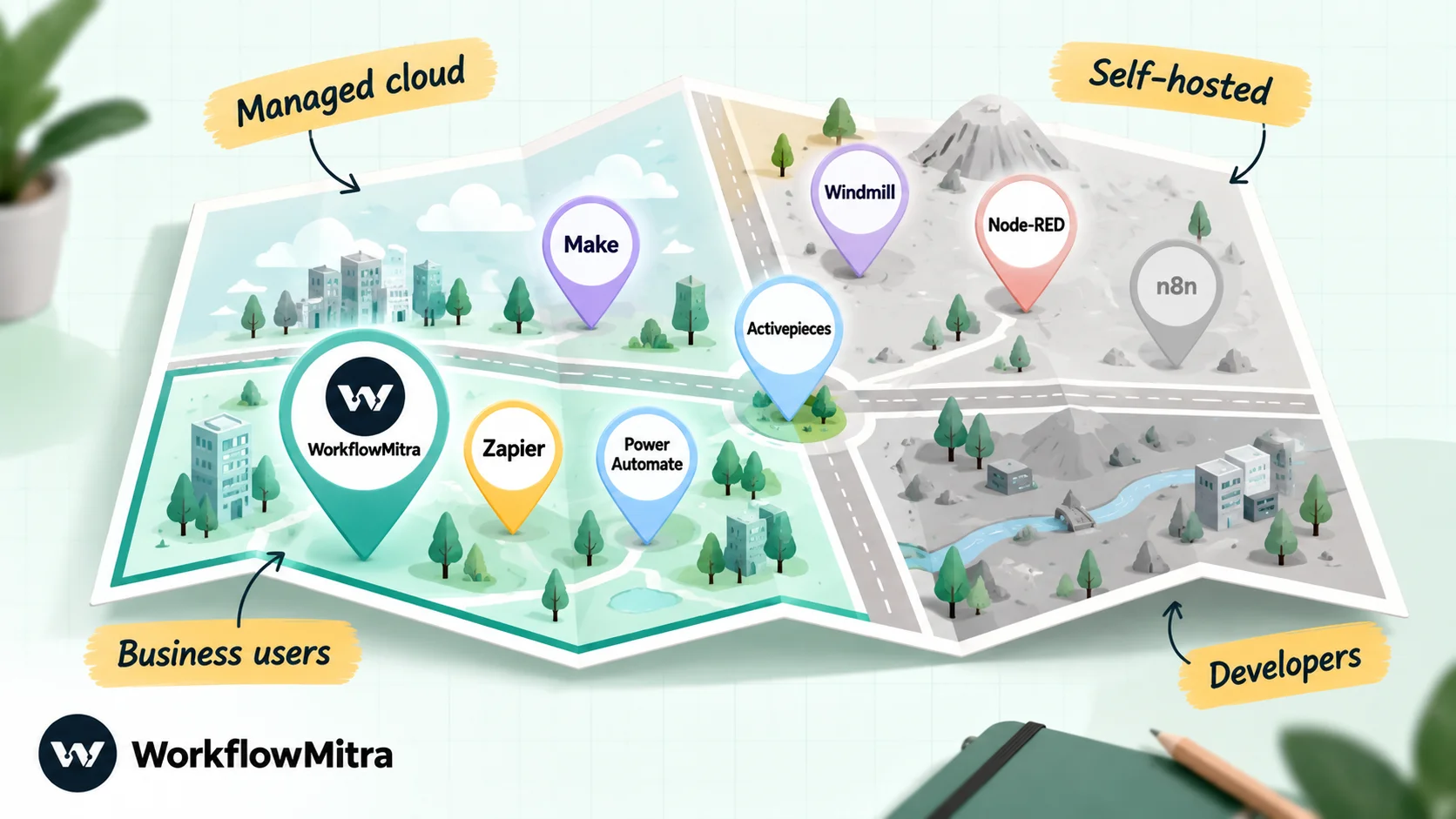
| Tool | Best for | Hosting | Billing unit | Entry paid plan (7 Oct 2026) |
|---|---|---|---|---|
| WorkflowMitra | Managed business workflows, approvals and WhatsApp, billed in rupees | Managed cloud | Credit per executed step; logic steps free | ₹999 a month for 10,000 credits (₹849 yearly) |
| Make | Visual scenarios with heavy data mapping | Managed cloud | Credit per module action, trigger included | From $9 (≈ ₹864) a month for 5,000 credits, billed yearly |
| Zapier | The widest app catalogue | Managed cloud | Task per successful action; triggers free | $29.99 (≈ ₹2,879) a month for 750 tasks; $19.99 yearly |
| Activepieces | Per-run pricing on an MIT-licensed core | Cloud or self-hosted | Credit per run; AI steps extra | $20 (≈ ₹1,920) a month for 10,000 credits |
| Power Automate | Companies on Microsoft 365 | Microsoft cloud | Per user or per bot | ₹1,250 per user a month, billed yearly, plus taxes |
| Windmill | Developers who want scripts in many languages | Self-hosted or cloud | Free self-hosted community edition; paid seats and compute | Enterprise self-hosted from $120 (≈ ₹11,518) a month |
| Node-RED | Free, lightweight self-hosting and IoT | Self-hosted | None (free software) | Free; hosted FlowFuse plans priced on request |
| n8n (baseline) | Technical teams, long workflows | Cloud or self-hosted | Execution per full run | €24 (≈ ₹2,614) a month for 2,500 executions; €20 yearly |
Rupee figures for dollar and euro plans use the FBIL (Financial Benchmarks India) rates dated 30 September 2026, the most recent available on 7 October: one US dollar = ₹95.98, one euro = ₹108.94. Expect your card’s conversion and any forex fee on top.
The 7 best n8n alternatives in detail
1. WorkflowMitra: best managed option for business workflows and WhatsApp
Why n8n users move to it: they want the workflows to keep running without anyone looking after a server, and they want the person who maintains them to be someone in operations, not a developer.
What it costs: after a free 14-day trial (10,000 credits, no card required), ₹999 a month for 10,000 credits, ₹1,499 for 20,000 or ₹2,699 for 40,000, with 15% off on yearly billing. Tiers continue up to 8 million credits. The first three tiers allow 10, 20 and 50 active workflows, 2, 5 and 10 seats, and 7, 15 and 30 days of run history.
How usage is counted: one credit per executed step, the trigger included, and a failed step still counts. IF, Switch, Merge, Set Variable, Delay and Response steps are free. A Loop costs a credit per item. A Code step is metered by run time.
Code and developer depth: JavaScript only, in a sandbox with a one-second CPU limit. An HTTP Request step with OAuth2 support covers APIs without a native step, and inbound webhooks accept signed deliveries from presets such as Shopify, Razorpay and Stripe. There are no sub-workflows, no Python and no workflow version history.
AI: an AI step and an AI Agent step that use your own API key for Claude, OpenAI, Gemini, Groq or Ollama. Nothing is bundled, so you pay the model provider directly.
Pick it when the people maintaining your automations aren’t developers, or your workflows need approvals, lead rotation or interactive WhatsApp messages. Skip it when you need self-hosting, Python or very long workflows at high volume.
2. Make: best for visual builders who outgrew simple tools
Make shows every scenario as a map of modules, with routers for branching and iterators and aggregators for lists. For n8n users it is the closest in spirit: data structures are visible, and complex mapping is possible without code. It lists more than 3,000 apps, and its Code app runs JavaScript or Python.
What it costs: a free tier with 1,000 credits a month, 2 active scenarios and a 15-minute minimum interval. The paid Make plan starts at $9 a month billed yearly for 5,000 credits, scaling on a slider.
How usage is counted: each module action is a credit, and the trigger module uses a credit each time it checks, even when it finds nothing. Make’s own training material gives the example of a form check that consumes a credit with no forms to process. A trigger polling every 15 minutes therefore uses about 2,900 credits a month before doing any work. Routers and error handlers don’t use credits.
WhatsApp: Make’s WhatsApp Business Cloud app has a trigger and ten actions, including template messages.
Pick it when you liked n8n’s canvas and want the same control without hosting it. Skip it when your scenarios poll frequently or you want rupee billing.
3. Zapier: best when the app you need exists nowhere else
Zapier has the largest catalogue, more than 9,000 apps, and the most mature tooling around it, including Tables, Forms and AI agents. Its Code step runs JavaScript or Python, and the Human in the Loop app can pause a Zap until someone approves or edits the data.
What it costs: the free plan allows only two-step Zaps and 100 tasks monthly. Professional starts at $29.99 a month (or $19.99 billed yearly) for 750 tasks, and the price rises steeply with the task tier: 5,000 tasks cost $133.50 a month, or $89 billed yearly.
How usage is counted: a task for each successful action. Triggers never use tasks, and filters, paths, formatter steps and delays don’t either.
WhatsApp: the WhatsApp Business app sends free-form, media and template messages and triggers on new messages and status updates. It lists no interactive button or list action.
Pick it when a critical workflow depends on an app nobody else connects to. Skip it when your volume is high: per-task pricing is the opposite of what n8n users are used to. Our guide to n8n vs Zapier compares the two directly.
4. Activepieces: best per-run pricing with an open-source core
Activepieces is the alternative that keeps n8n’s best pricing idea. It charges one credit per run, however many steps the flow has. Its community edition is MIT-licensed, which is more permissive than n8n’s licence, and it can be self-hosted or used in the cloud. It lists more than 760 integrations, called pieces.
What it costs: the free tier gives 1,000 credits, unlimited flows and five users. The pricing page describes the free allowance as resetting daily in one place and monthly in another, so test it before relying on it. The Plus plan is $20 a month flat for 10,000 credits, with extra credits at $0.007; the Team plan is $200 a month for 50,000.
How usage is counted: one credit per run. AI steps are the exception: they use 2, 10 or 20 credits by model tier, unless you bring your own provider key on a paid plan from Plus up.
WhatsApp and approvals: the WhatsApp Business piece is one of the most complete in this list, with template messages, up to three quick-reply buttons, lists of up to ten rows and CTA buttons, plus incoming-message triggers. An Approval piece (marked legacy) provides “Wait for Approval”.
Pick it when you want n8n-style economics without n8n’s licence. Skip it when your security review needs a finished SOC 2 report; Activepieces says its programme is still in progress.
5. Microsoft Power Automate: best for Microsoft 365 companies
If your company already runs on Outlook, Teams, SharePoint and Excel, Power Automate is the path of least resistance. It has more than 1,400 certified connectors, and its approvals connector is a standard connector. “Start and wait for an approval” can wait for everyone, for the first responder or for a sequence of approvers, and approvers answer from an Outlook email or a Teams card.
What it costs: Microsoft 365 licences include Power Automate with standard connectors only. Premium costs $15 per user a month, or ₹1,250 on Microsoft’s India page, billed yearly with taxes added. The unattended Process licence costs $150 (₹12,480) per bot a month.
How usage is counted: by licence, with daily action limits rather than per-task billing. Premium allows 40,000 actions per user per day.
WhatsApp: we found no first-party WhatsApp connector. The options on Microsoft Learn are third-party premium connectors, such as tyntec’s one-way WhatsApp channel and an independent-publisher connector that sends templates.
Pick it when your data and approvers already live in Microsoft 365. Skip it when you need customer-facing WhatsApp messaging or work mainly outside Microsoft’s apps.
6. Windmill: best for developers who still want to self-host
Windmill is for the n8n user whose real complaint is that n8n isn’t developer-friendly enough. Scripts can be written in more than 20 languages, including Python, TypeScript, Go, PHP, Bash and SQL. Retries, approvals and parallel branches are built in, and a low-code app editor builds internal interfaces on top of your scripts.
What it costs: the self-hosted Community Edition is free, with limits such as three workspaces and 50 users. Enterprise self-hosting starts at $120 a month, with seat and worker charges on top. A cloud version exists. Its Free and Team tier limits weren’t visible in the page source we could read, so check them directly.
Licence: AGPLv3 with some Apache 2.0 parts. The community binary includes proprietary code, and its terms don’t allow you to resell it or run it as a managed service.
Pick it when your team writes code anyway and wants workflows treated like software. Skip it when non-developers need to build or edit workflows.
7. Node-RED: best free, lightweight self-hosted option
Node-RED is the veteran of this list, an OpenJS Foundation project under the Apache 2.0 licence. It runs on hardware as small as a Raspberry Pi, which is why it is popular for IoT and home automation, and its library holds more than 5,000 community nodes and flows. Custom logic is written in JavaScript function nodes.
What it costs: nothing to license. If you want it hosted and managed, FlowFuse sells cloud and self-managed plans, with prices on request.
Pick it when you want a free tool you fully control, especially for devices and internal integrations. Skip it when you need polished connectors for business apps, team permissions or a vendor to call when something breaks.
Managed or self-hosted: which alternatives can you run yourself?
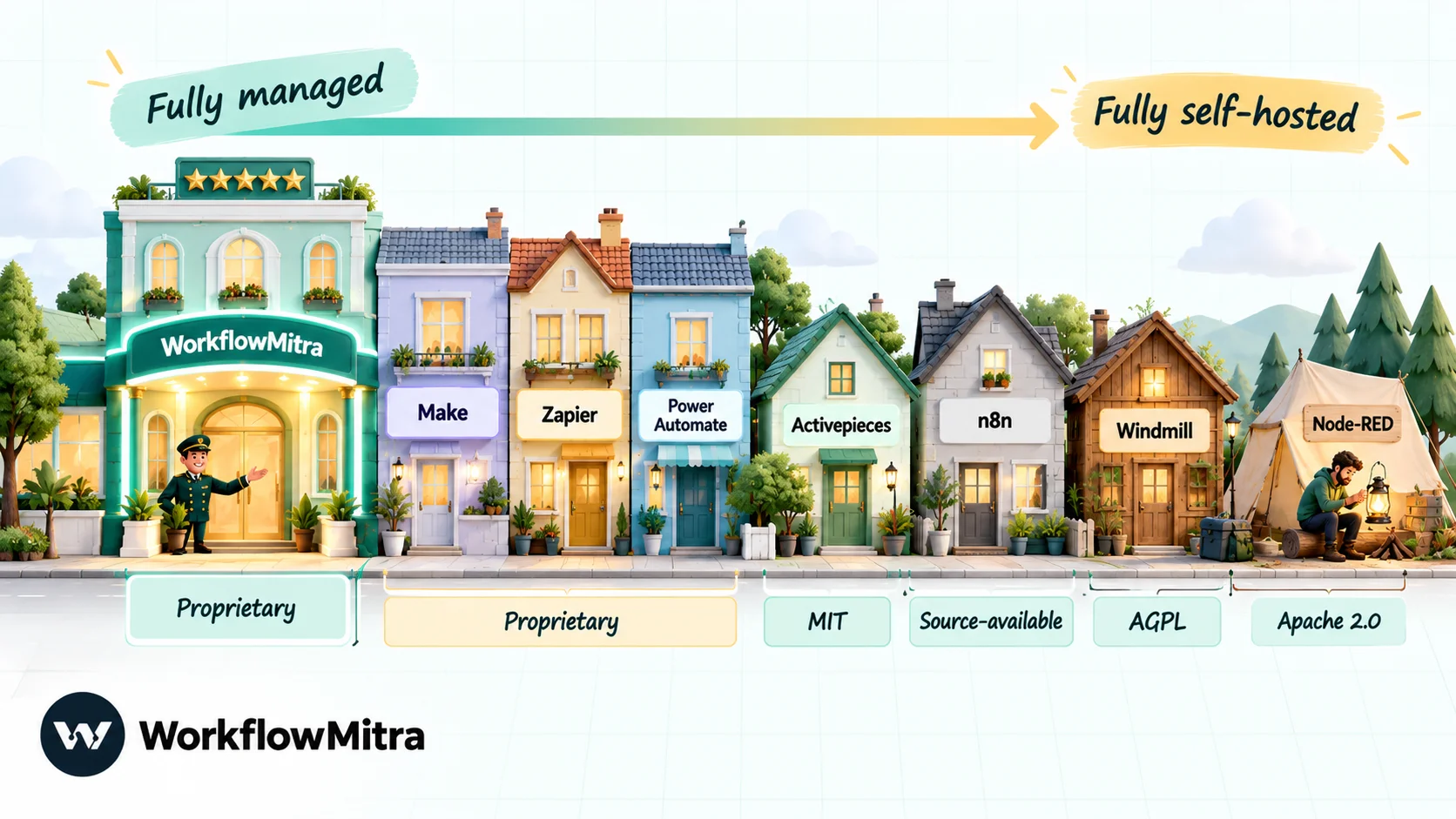
For many n8n users the licence is the real question, so here it is in one place:
| Tool | Can you self-host? | Licence of the free self-hosted edition | What to watch |
|---|---|---|---|
| WorkflowMitra | No, managed only | Not applicable | Nothing to install, update or back up |
| Make | No | Not applicable | Cloud only |
| Zapier | No | Not applicable | Cloud only |
| Power Automate | No (Microsoft cloud) | Not applicable | Premium connectors need a paid licence |
| Activepieces | Yes | MIT (enterprise folder excluded) | Embedding is a paid product |
| Windmill | Yes | AGPLv3, some Apache 2.0 | No reselling or managed-service use |
| Node-RED | Yes | Apache 2.0 | You own every update and fix |
| n8n | Yes | Sustainable Use License (source-available) | Internal business use; no hosting for clients to build |
Two points are often misunderstood. First, n8n’s licence does allow consultants to charge for building and maintaining workflows on their own instance. What it forbids is letting clients or end users build and configure workflows themselves. Second, n8n says that running it purely as a back end for your own product is allowed on its paid plans. Embedding its editor for your customers needs a separate commercial agreement.
What does a real workflow cost on each tool?
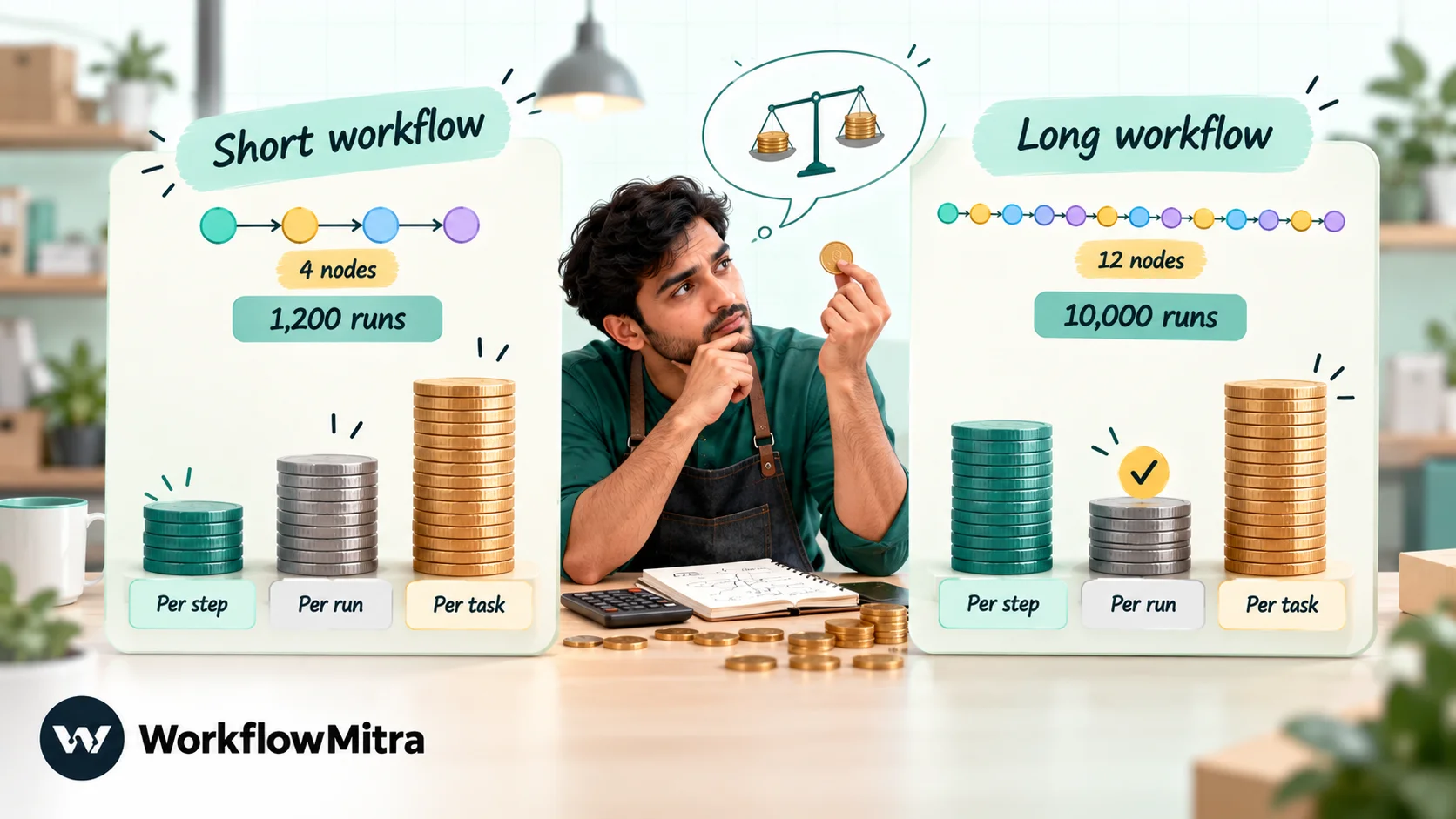
Billing units only make sense against a real workload, so here are two typical n8n workflows priced on each managed tool. All prices are monthly billing unless noted.
Workload A: a short lead workflow, 1,200 runs a month. A website form posts to a webhook. An IF step drops test entries, then three actions follow: a WhatsApp template to the lead, a Google Sheets row and a Slack alert.
| Tool | Billed per run | Monthly total | Lowest plan that covers it |
|---|---|---|---|
| WorkflowMitra | 4 credits (trigger + 3 actions; IF free) | 4,800 credits | ₹999 (₹849 yearly) |
| Make | 4 credits (webhook trigger + 3 actions; filter free) | 4,800 credits | Make plan, 5,000 credits: from ≈ ₹864 billed yearly |
| Zapier | 3 tasks (trigger and filter free) | 3,600 tasks | Professional 5,000 tasks: ≈ ₹12,814 (≈ ₹8,543 yearly) |
| Activepieces | 1 credit | 1,200 credits | Plus: ≈ ₹1,920 |
| Power Automate | Within daily action limits | — | Premium, 1 user: ₹1,250 billed yearly, plus taxes (third-party WhatsApp connector charges extra) |
| n8n Cloud | 1 execution | 1,200 executions | Starter: ≈ ₹2,614 (≈ ₹2,179 yearly) |
Workload B: a long order-processing workflow, 10,000 runs a month. A webhook receives an order, and eleven actions follow: database lookups, a CRM update, a Sheets row, notifications and a confirmation message.
| Tool | Billed per run | Monthly total | Lowest plan that covers it |
|---|---|---|---|
| WorkflowMitra | 12 credits | 120,000 credits | 150,000-credit tier: ₹8,399 (₹7,139 yearly) |
| Make | About 12 credits | About 120,000 credits | Slider price at this level not verified; check Make's pricing page |
| Zapier | 11 tasks | 110,000 tasks | Professional 200,000 tasks: ≈ ₹1,10,285 (≈ ₹73,811 yearly) |
| Activepieces | 1 credit | 10,000 credits | Plus: ≈ ₹1,920 (at the limit; extra credits $0.007 each) |
| n8n Cloud | 1 execution | 10,000 executions | Pro 10,000: ≈ ₹6,536 (≈ ₹5,447 yearly) |
What the two tables show:
- On short workflows, per-step pricing is cheaper. WorkflowMitra and Make cost less than a third of n8n Cloud Starter for Workload A.
- On long, busy workflows, per-run pricing wins clearly. For Workload B, n8n Cloud is cheaper than WorkflowMitra, and Activepieces is cheaper than both. If most of your n8n workflows look like Workload B, a per-step tool is the wrong replacement on cost alone.
- Zapier is the expensive option at any volume, which is the price of its catalogue.
- WhatsApp message charges sit outside all of this. Meta bills each delivered template according to its category and the recipient’s country, and the sending provider has its own fee; on ChatMitra’s Starter plan that is ₹0.20 per conversation, charged once per customer in any 24-hour window. Neither changes with the automation tool you pick. Meta’s current rates are in our guide to what a WhatsApp Business message costs.
How n8n building blocks translate
Nothing imports n8n’s workflow JSON into another vendor’s format, so moving means rebuilding. Knowing the equivalents in advance makes the rebuild faster. Here is how common n8n nodes map to WorkflowMitra:
| In n8n | In WorkflowMitra | Note |
|---|---|---|
| Webhook / Schedule Trigger | Webhook / Schedule trigger | Signed presets for Shopify, Razorpay, Stripe and others |
| IF, Switch, Merge | IF, Switch, Merge | Free, no credits |
| Loop Over Items | Loop | Up to 1,000 items; a credit per item |
| Wait | Delay | Fixed durations up to 30 days |
| Send and Wait for Response (approval) | Wait for approval | Decided in the app; alerts by email or Slack, not inside WhatsApp |
| Code (JavaScript) | Code | JavaScript only, one-second CPU limit |
| Code (Python) | No equivalent | Rewrite in JavaScript or call an external service |
| HTTP Request | HTTP Request | OAuth2 client-credentials and refresh-token support |
| Execute Sub-workflow | No equivalent | Combine into one workflow, or chain workflows with webhooks |
| Data tables / static data | Data Store | Key-value records kept between runs |
| Counter logic for lead rotation | Assign to the next person | One step, up to 200 people |
The two “no equivalent” rows are the most common reasons an n8n workflow shouldn’t move to WorkflowMitra. If your workflows lean on Python libraries or nested sub-workflows, Windmill or n8n Cloud will be a smoother landing.
WorkflowMitra’s strengths and the alternatives’ strengths
| Area | Where WorkflowMitra leads | Where an alternative leads |
|---|---|---|
| Maintenance | Fully managed; no updates, keys or backups | Activepieces, Windmill and Node-RED let you control the environment yourself |
| Cost on short workflows | Free logic steps and ₹999 entry price | Make is cheaper still at the 5,000-credit level, billed yearly |
| Cost on long workflows | Predictable rupee tiers | n8n and Activepieces charge per run and win clearly |
| Business steps | Approvals, round-robin assignment, 30-day delays and Data Store on every plan | Power Automate's approvals work inside Teams and Outlook; n8n approvers can reply inside WhatsApp |
| Buttons, lists, catalog and template messages as built-in options, delivered by ChatMitra or Meta | Activepieces also sends interactive messages and can trigger on incoming WhatsApp messages | |
| Code | Sandboxed JavaScript for small transforms | Windmill (20+ languages), n8n, Make and Zapier (Python) |
| Apps | Detailed steps for common small-business apps such as Sheets, Zoho CRM and helpdesks | Zapier (9,000+), Make (3,000+) and Power Automate (1,400+) have much larger catalogues |
| Free usage | 14-day trial with 10,000 credits | Make, Zapier and Activepieces have permanent free plans; Node-RED is free software |
How to move off n8n without losing a run
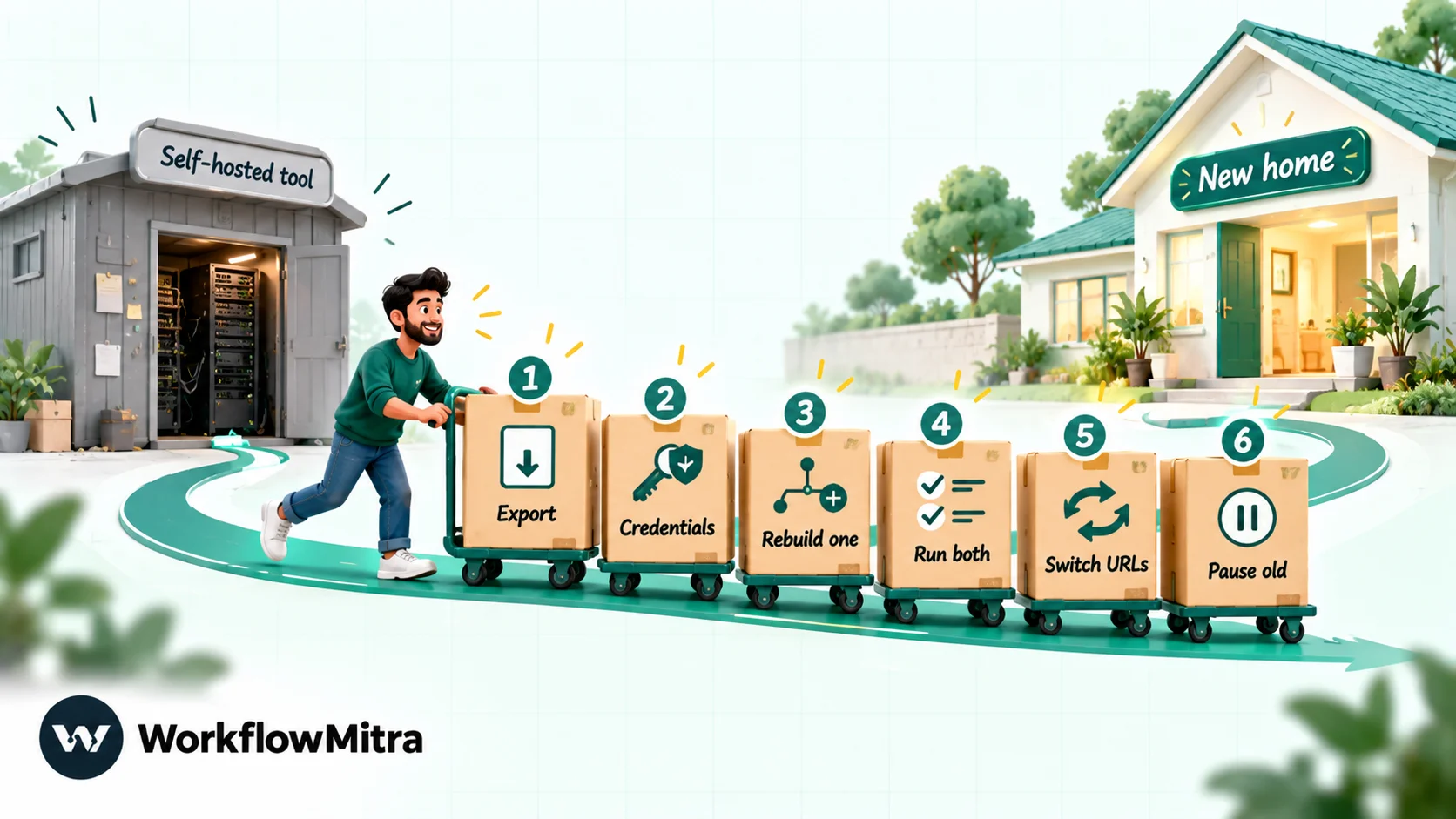
- Export everything first. Download each workflow’s JSON from n8n, even though no other tool will import it; it is your specification. Note each workflow’s trigger, schedule and monthly execution count from the executions list.
- Collect credentials before you touch the server. Exported workflows don’t carry usable credentials, and you’ll need the API keys and app passwords to reconnect accounts in the new tool. If you self-host, back up the
.n8nfolder, including the encryption key, in case you need to go back. - Rebuild the busiest short workflow first. It gives the clearest cost comparison and the quickest win. Moving to WorkflowMitra? Our step-by-step guide to building your first workflow covers the editor.
- Run both side by side. Send the new tool’s customer messages to an internal number for a few days and compare outputs with n8n’s.
- Switch the inbound URLs. Every app that posts to an n8n webhook needs the new address. Keep a list so nothing is left pointing at the old one. If webhooks are new to your team, see what are webhooks.
- Pause, don’t delete. Keep the n8n workflows deactivated, and the server running, for a few weeks. If you rely on WhatsApp templates, make sure they are approved on the number the new tool sends from; approval belongs to the WhatsApp Business account, not to the automation tool.
Common mistakes when replacing n8n
- Switching tools to escape the server. If self-hosting is the only problem, n8n Cloud is the cheaper move.
- Comparing headline prices across billing units. 2,500 executions, 10,000 credits and 750 tasks are not comparable until you price one of your own workflows.
- Ignoring trigger costs on polling tools. On Make, a scenario that checks every minute uses credits around the clock, even when nothing new arrives.
- Assuming “open source” means “do anything”. MIT, Apache, AGPL and n8n’s Sustainable Use License differ sharply on hosting software for others.
- Picking a tool from a stale list. Check that the vendor still takes signups; Pipedream Workflows and Relay.app no longer do.
- Moving Python-heavy or sub-workflow-heavy automations to a tool without them. Rewrite costs can outweigh any saving.
Which n8n alternative should you choose?
Go through these in order and stop at the first that fits:
- Only the server bothers you: n8n Cloud.
- Non-developers will maintain the workflows, and they often end in WhatsApp messages, approvals or lead rotation: WorkflowMitra.
- You want n8n’s per-run pricing under a more permissive licence: Activepieces.
- You liked the canvas and want visual data mapping without hosting: Make.
- Your company runs on Microsoft 365: Power Automate.
- A key app is only on Zapier: Zapier.
- Your team writes code and wants to self-host: Windmill, or Node-RED for lightweight and device work.
For a deeper head-to-head on the first two options, read WorkflowMitra vs n8n. If you are also weighing Zapier, our Zapier alternatives guide covers that side.
Why WorkflowMitra may be the better fit
Many teams adopted n8n because it was flexible and free to host, then found the workflows depended on the one person who understood them. If your automations are mostly short business processes, such as capturing a lead, routing it to the next salesperson, waiting for a manager’s approval or confirming an order on WhatsApp, a managed tool built around those steps is easier to own than a server and a canvas full of expressions.
WorkflowMitra, powered by ChatMitra, puts approvals, round-robin assignment, long delays and rich WhatsApp messages on its ₹999 plan, bills in rupees, and lets ChatMitra handle WhatsApp delivery. To test it with your own workload, rebuild your busiest short n8n workflow in a free 14-day WorkflowMitra trial; no card is needed. Plans are on the pricing page, and app coverage is on the integrations list. If your workflows are long, Python-heavy or must stay on your own servers, n8n or one of the self-hosted options above will serve you better, and that is a perfectly good outcome.
Checked on 7 October 2026 on each vendor's own site: n8n pricing, n8n licence FAQ, Make, Zapier, Activepieces, Power Automate, Windmill, Node-RED, Pipedream Workflows and WorkflowMitra. Currency conversions use the FBIL reference rates for 30 September 2026. Plans and features change frequently, so recheck them on the day you decide.
Frequently Asked Questions
What teams ask before they replace n8n.
There is no single best one; it depends on why you are leaving. For a managed tool with rupee billing, approvals and rich WhatsApp messages, WorkflowMitra. For visual scenarios, Make. For the largest app catalogue, Zapier. For per-run pricing with an MIT-licensed core, Activepieces. For Microsoft 365 companies, Power Automate. For developers who want to self-host with many languages, Windmill. For a free, lightweight self-hosted tool, Node-RED.
Automate the work between your apps
Build workflows with triggers, conditions and actions, then test them before they go live. Try WorkflowMitra free for 14 days, no card required.
