n8n Pricing Explained in Rupees: Cloud Plans, Self-Hosting and the Costs Nobody Mentions

Quick Summary
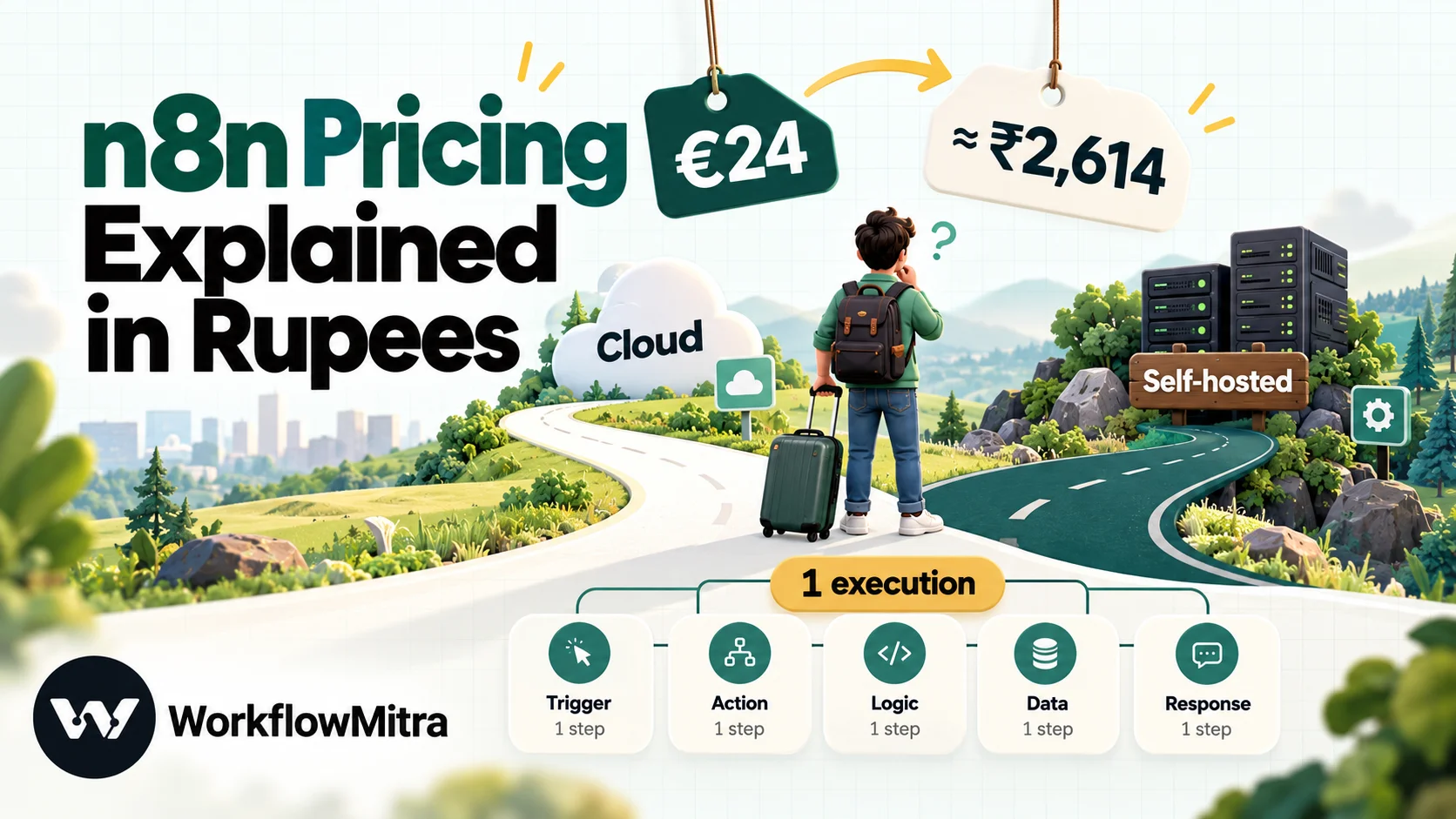
n8n charges per execution, meaning one complete run of a workflow, however many steps it has. On 8 October 2026 n8n Cloud cost €24 a month (about ₹2,614) for 2,500 executions on Starter, or €20 a month billed yearly (about ₹2,179), and €60 a month (about ₹6,536) for 10,000 executions on Pro. The Business plan is self-hosted only and starts at €800 a month (about ₹87,149) for 40,000 executions, with a 50% start-up discount for eligible companies. The self-hosted Community edition is free to license for internal business use, but you pay for the server, backups and the time to run it. Schedule triggers count every time they fire, while polling triggers that find nothing and sub-workflow runs don't count at all.
n8n has a reputation for being the cheap option. Its source is public, a self-hosted copy costs nothing to license, and its cloud plans charge per workflow run rather than per step. All of that is true. It’s also why so many teams are surprised later: when a five-minute schedule uses up a month’s executions in nine days, when the “free” server needs an afternoon of someone’s time after an update, or when the card statement in rupees doesn’t match the euro price on the page.
This guide prices n8n the way an Indian business pays for it: in rupees, covering the counting rules behind the bill, the self-hosting costs that no plan card shows, and a way to estimate executions before you sign up. Every n8n figure was checked on n8n’s pricing page and documentation on 8 October 2026. Euro and dollar prices are converted at FBIL’s reference rates for 30 September 2026, the latest published that day: ₹108.9368 per euro and ₹95.9832 per US dollar.
How much does n8n cost?
n8n Cloud starts at about ₹2,614 a month, and the self-hosted Community edition is free to license. On 8 October 2026, n8n Cloud Starter cost €24 a month for 2,500 executions (€20 a month billed yearly, about ₹2,179), and Pro cost €60 a month for 10,000 executions (about ₹6,536). The Business plan is self-hosted only and starts at €800 a month (about ₹87,149) for 40,000 executions. Enterprise is priced by quote. An execution is one complete run of a workflow, however many steps it has, so what you pay depends on how often your workflows run, not how long they are.
n8n’s plans at a glance
n8n sells two kinds of product. n8n Cloud is hosted by n8n on servers in Frankfurt. Self-hosted n8n is the same software running on infrastructure you control, either free (Community edition) or with a paid licence key that unlocks extra features.
| Plan | Hosting | Executions a month | Price (monthly billing) | Best suited to |
|---|---|---|---|---|
| Starter | Cloud | 2,500 | €24 (≈ ₹2,614) | One builder, a handful of light workflows |
| Pro | Cloud | 10,000 or 50,000 | €60 (≈ ₹6,536) or €145 (≈ ₹15,796) | Solo builders and small teams in production |
| Business | Self-hosted only | From 40,000 | From €800 (≈ ₹87,149) | Companies under 100 staff needing SSO, Git and environments |
| Enterprise | Cloud or self-hosted | Custom | Quote | Strict compliance, dedicated support with an SLA |
| Community | Self-hosted | No n8n limit | €0 licence + your server + your time | Technical teams running n8n for internal use |
Every paid plan includes unlimited users, unlimited workflows and every integration. That is one of n8n’s genuine pricing strengths: you never pay per seat.
n8n Cloud prices in rupees
Here are the Cloud tiers with rupee equivalents. Yearly prices are shown per month:
| Plan and tier | Monthly billing | Yearly billing (per month) | Cost per execution, monthly billing |
|---|---|---|---|
| Starter, 2,500 executions | €24 (≈ ₹2,614) | €20 (≈ ₹2,179) | ≈ ₹1.05 |
| Pro, 10,000 executions | €60 (≈ ₹6,536) | €50 (≈ ₹5,447) | ≈ ₹0.65 |
| Pro, 50,000 executions | €145 (≈ ₹15,796) | ≈ €120.83 (≈ ₹13,163) | ≈ ₹0.32 |
n8n’s yearly price is exactly ten times its monthly one: you get twelve months for the price of ten, which the page rounds to “save 17%”. The price per execution falls sharply as you move up, so a team that outgrows Starter is often better off on Pro 10,000 than paying for workarounds.
What else changes between Starter and Pro
The execution allowance is only one of the limits. The others decide whether a plan works for production at all:
| Limit | Starter | Pro |
|---|---|---|
| Executions running at the same time | 5 | 20 (10,000 tier) or 50 (50,000 tier) |
| Maximum run time per execution | 5 minutes | 40 minutes |
| Saved executions kept for debugging | 2,500 (2.5 GB), up to 7 days | 25,000 (25 GB), up to 30 days |
| Workflow history to roll back | 1 day | 5 days |
| Shared projects | 1 | 3 |
| Admin roles, insights, metric-based evaluations | No | Yes |
| Assistant credits a month | 1,600 | 4,000 or 9,600, depending on tier |
The concurrency and run-time limits matter more than they look. On Starter, a sixth execution that arrives while five are running waits in a queue, and n8n’s documentation says queued executions can’t be retried. A workflow that processes a large file or calls a slow API can hit the five-minute ceiling and fail. If either sounds like your workload, price Pro from the start.
What counts as an execution, and what doesn’t
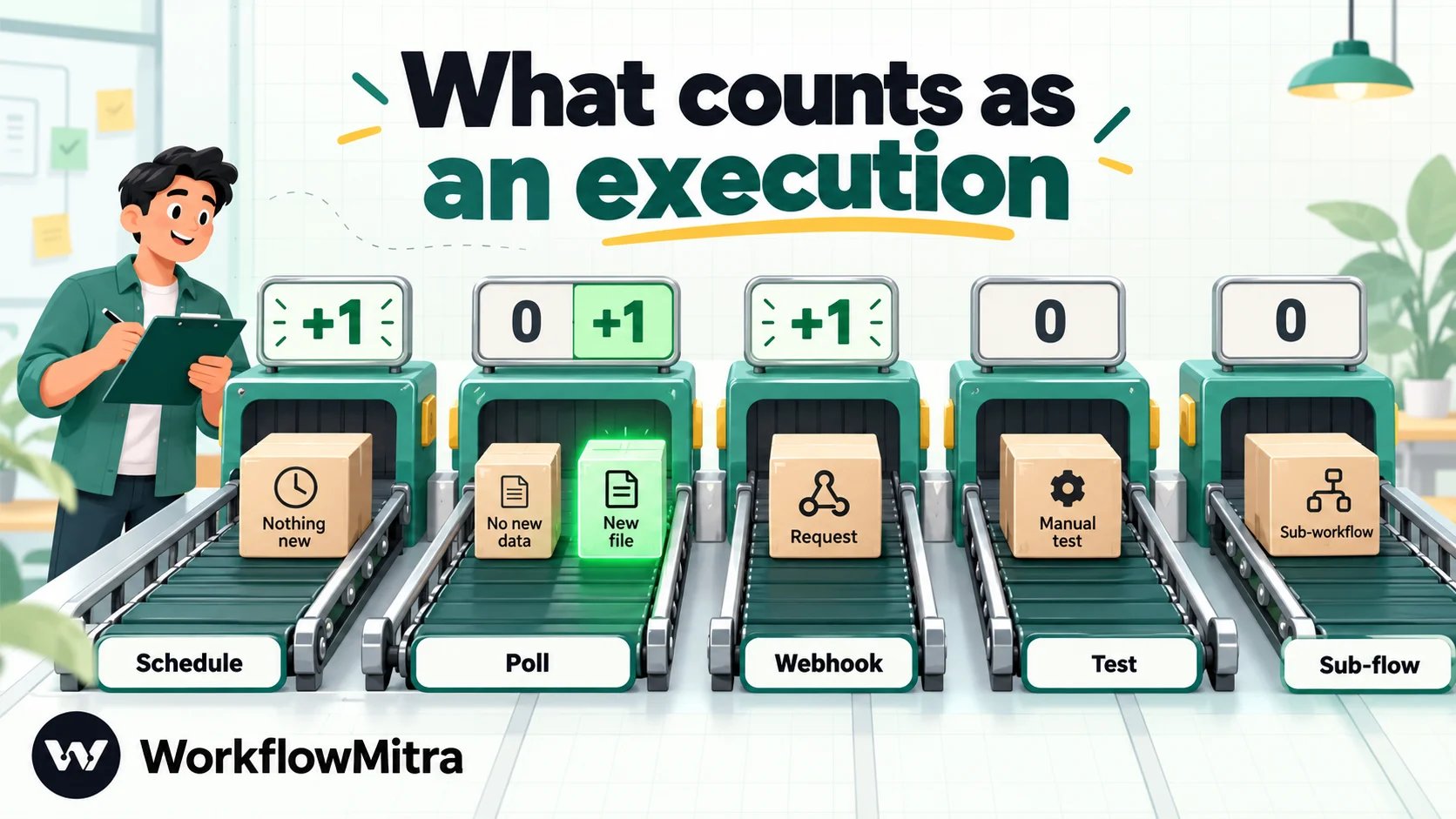
n8n’s pricing page defines an execution as a single run of your entire workflow, regardless of how many steps it has or how much data it processes. Only production executions count: runs started automatically by a trigger after you publish a workflow. The documentation then spells out how each trigger type counts:
- Schedule trigger: one execution every time it fires, whatever happens next. A schedule that finds nothing to do still counts.
- Polling triggers (for example the Google Drive trigger): one execution only when new data is found. Polls that return nothing don’t count.
- Webhook trigger: one execution for every request that starts the workflow, including requests with an empty body. Malformed requests that fail before the workflow starts don’t count.
And these don’t count at all:
- Manual runs from the editor while you build and test.
- Sub-workflows called with the Execute Sub-workflow node. Only the parent run counts.
- Error workflows that run when another workflow fails.
Why the schedule trigger is the expensive one
The difference between a schedule and a polling trigger is the biggest lever on an n8n bill. A schedule counts every firing, so its cost is fixed by the interval, not by how much work there is:
| Schedule fires every | Executions a month (30 days) | Smallest Cloud plan that fits |
|---|---|---|
| Day | 30 | Starter |
| Hour | 720 | Starter |
| 15 minutes | 2,880 | Pro 10,000 (more than Starter's 2,500) |
| 5 minutes | 8,640 | Pro 10,000, with little headroom |
| 1 minute | 43,200 | Pro 50,000 |
A single workflow scheduled every 15 minutes outgrows Starter on its own. If the app you’re checking has a polling trigger node in n8n, use it instead: the check then only counts when something new turns up. If the app can send a webhook, that’s better still, because the workflow runs only when there’s work to do.
One execution, any number of steps
The other half of the rule is what makes n8n attractive for heavy workflows. A run that fetches 300 orders and pushes each one through six nodes is still one execution. So is a 40-step workflow. Batches, loops and long branching flows cost the same as a two-step alert. And a polling check that finds five new rows at once usually starts one run with five items, so it counts once, not five times.
That’s why n8n’s pricing rewards a particular style of building: fewer, longer workflows that process data in batches. It penalises the opposite style: many small workflows on tight schedules.
What happens when you run out of executions
On n8n Cloud Starter and Pro, n8n publishes no price for extra executions. The way to get more is to move up a tier. n8n’s pricing FAQ doesn’t say what happens at the limit for these plans; on n8n’s community forum, users have reported workflows not running once a Starter account reached 2,500 of 2,500, and n8n staff said in the same thread that limits typically reset on the 1st of each month. Plan for the limit as a hard stop. If a workflow handles orders or leads, keep real headroom and check usage in the Insights dashboard.
On the self-hosted Business plan, the rules are different and written down. Workflows keep running past the quota, n8n’s sales team contacts you as you get close, and if there’s no upgrade, overage is invoiced automatically 45 days later at €4,000 for each extra bucket of 300,000 executions (about ₹4.36 lakh, or roughly ₹1.45 per execution). Annual Business subscribers get a call from n8n at about 80% of their yearly quota.
The Business plan: self-hosted only
Business is n8n’s plan for companies with fewer than 100 employees that need collaboration and governance features. It’s sold as a licence key for your own server; n8n Cloud doesn’t offer it yet, and there’s a waitlist. Prices rise with the yearly execution volume:
| Executions a month | Monthly billing | Yearly billing (per month) |
|---|---|---|
| 40,000 | €800 (≈ ₹87,149) | ≈ €667 (≈ ₹72,625) |
| 50,000 | €985 (≈ ₹1.07 lakh) | ≈ €821 (≈ ₹89,437) |
| 100,000 | €1,726 (≈ ₹1.88 lakh) | ≈ €1,438 (≈ ₹1.57 lakh) |
| 200,000 | €2,639 (≈ ₹2.87 lakh) | ≈ €2,199 (≈ ₹2.40 lakh) |
| 500,000 | €5,245 (≈ ₹5.71 lakh) | ≈ €4,371 (≈ ₹4.76 lakh) |
What the money buys, according to the pricing page: six shared projects, SSO and LDAP, 30 days of insights, multiple environments, queue mode for scaling across workers, and version control with Git. What it doesn’t buy is the hosting: you still run the server. Support is the community forum; dedicated support with an SLA is Enterprise-only.
Three licence details are worth knowing before you pay:
- One key, many instances, one quota. You can apply the licence to any number of instances (development, staging, production), and their production executions are added together against your quota.
- The key checks in daily. A Business or Enterprise licence pings n8n’s licence server every day to stay active, and the ping reports your production execution count.
- No pro-rata refunds. Monthly subscriptions can be cancelled at any time and end with the billing cycle. Annual ones end with the annual term.
The start-up discount
Companies with fewer than 20 employees and less than €5 million in total funding can get the Business plan at half price: €400 a month, or about €333 a month billed yearly (about ₹43,575 or ₹36,312) for 40,000 executions. n8n says the discount lasts a year, or longer if you still meet the criteria. It’s still a self-hosted plan, so the server costs below apply on top.
Enterprise
Enterprise is quoted by n8n’s sales team and can be hosted by n8n or by you. Over Business it adds unlimited shared projects, 200 or more concurrent executions, a year of insights, external secret stores, log streaming, extended data retention and dedicated support with an SLA. Annual Business and Enterprise contracts can be paid by invoice or wire transfer, in euros or US dollars.
Self-hosting n8n: what “free” really costs
What the free licence allows
The Community edition is licensed under n8n’s Sustainable Use License. In plain terms, you may use and modify n8n for your own internal business purposes, or for personal and non-commercial use. You may distribute it only free of charge and for non-commercial purposes.
For most Indian businesses automating their own operations, that’s fine. The grey area is anyone who wants to put n8n in front of customers. n8n’s licence page says internal use is allowed provided you aren’t making n8n available to your customers for them to connect their accounts and build workflows. If that describes your product, or you’re unsure, n8n asks you to email its licensing team; commercial use of that kind needs a separate agreement and fees.
The Community edition also lacks some features: sharing workflows and credentials between users (only the owner and the creator can access them), projects, SSO, environments, Git version control, external secrets and log streaming. Registering your instance with an email address unlocks a few extras for free, including folders and debugging past executions in the editor.
A self-hosting cost model in rupees
n8n’s own deployment guides say a basic shared-CPU server is enough for most usage, and recommend at least 4 GB of RAM and 2 vCPUs if you add the n8n Assistant sandbox. Here are two realistic set-ups priced on DigitalOcean, which has a Bangalore region, at its list prices on 8 October 2026:
| Item | Lean set-up | Production-minded set-up |
|---|---|---|
| Server | 2 GB RAM, 1 vCPU: $12 (≈ ₹1,152) | 4 GB RAM, 2 vCPU: $24 (≈ ₹2,304) |
| Server backups | Weekly, 20% of server: $2.40 (≈ ₹230) | Daily, 30% of server: $7.20 (≈ ₹691) |
| Database | SQLite on the server (n8n's default): $0 | Managed PostgreSQL, smallest node: $15.15 (≈ ₹1,454) |
| n8n licence | Community: €0 | Community: €0 (Business adds €800+) |
| Infrastructure a month | $14.40 (≈ ₹1,382) | $46.35 (≈ ₹4,449) |
| Someone's time | Your number. At an assumed 3 hours a month and ₹1,000 an hour, add ₹3,000 | |
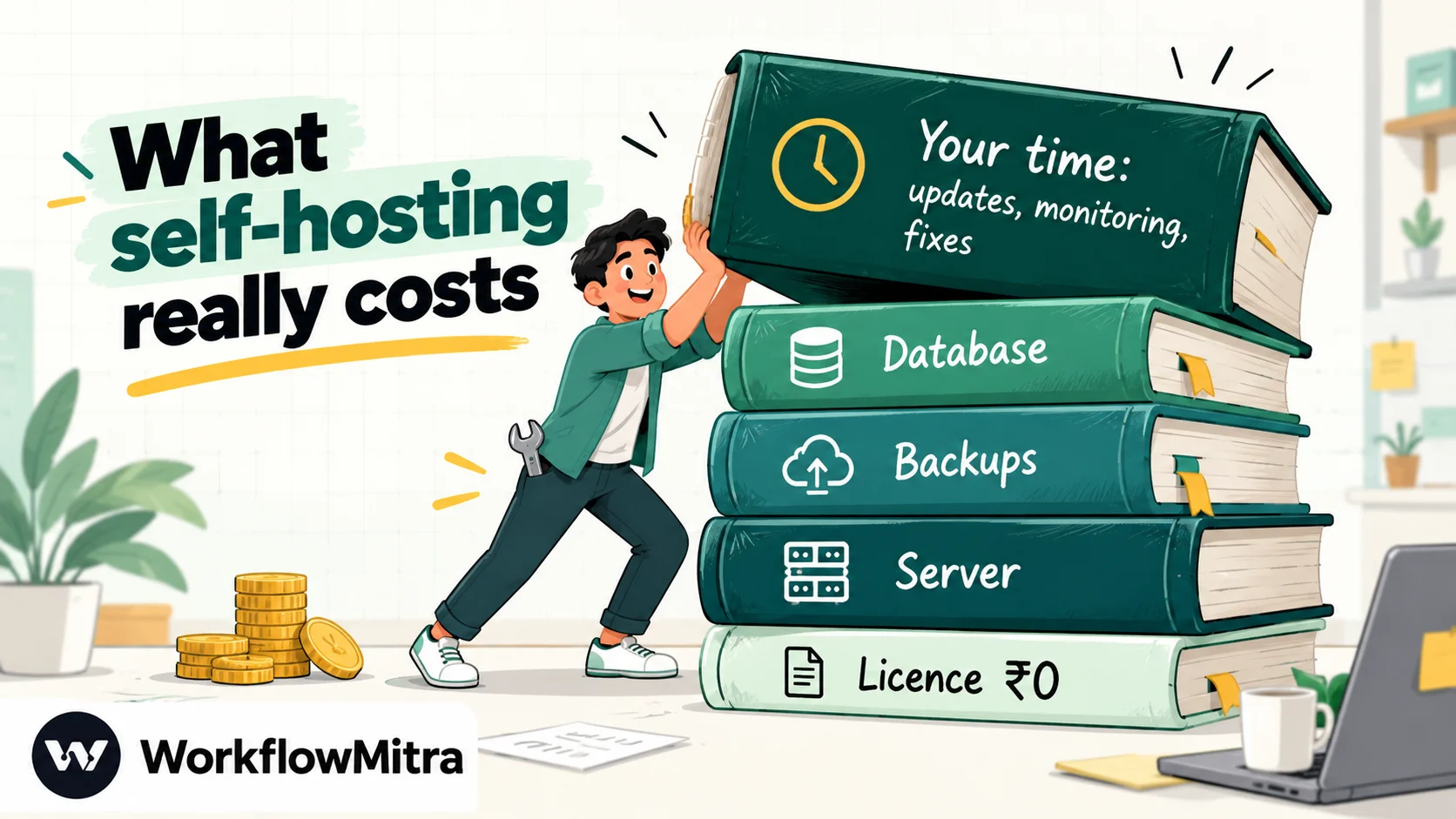
The infrastructure line is genuinely low: even the production-minded set-up costs less than Cloud Pro. The line that decides the comparison is time, and only you can price it. Our ₹3,000 is an illustration, not a benchmark; a developer billing ₹2,500 an hour changes the answer completely.
The work that comes with self-hosting
Self-hosting means owning these jobs, on a schedule, indefinitely:
- Updates. n8n ships new versions often. Someone has to read the release notes, update, and check that nothing broke.
- Backups and restore. A server snapshot isn’t the same as a tested restore. Credentials, workflows and execution history all live in the database.
- Database growth. Execution history accumulates. SQLite is the default; teams that scale usually move to PostgreSQL, which n8n supports for its recent major versions.
- HTTPS, domain and firewall. n8n’s guides use a reverse proxy to issue certificates, but you maintain it.
- Monitoring. If the server stops at 2 a.m., nothing alerts you unless you set it up.
- Security. An n8n instance holds the credentials to every app it connects to. Patching it is not optional.
None of this is hard for a developer. It is, though, recurring work that a hosted plan does for you, and it’s why a team with no developer should compare against Cloud prices, not against zero.
When does self-hosting pay off?
A simple way to decide is to ask how many hours of upkeep a month the Cloud price would pay for. Take the Cloud plan you’d otherwise buy, subtract the infrastructure cost above, and divide by what an hour of the person maintaining the server costs:
| Instead of | Self-hosted set-up | Monthly saving before time | Break-even at ₹1,000 an hour |
|---|---|---|---|
| Cloud Starter (≈ ₹2,614) | Lean (≈ ₹1,382) | ≈ ₹1,232 | About 1¼ hours a month |
| Cloud Pro 10,000 (≈ ₹6,536) | Lean (≈ ₹1,382) | ≈ ₹5,154 | About 5 hours a month |
| Cloud Pro 50,000 (≈ ₹15,796) | Production-minded (≈ ₹4,449) | ≈ ₹11,347 | About 11 hours a month |
The pattern is clear. At Starter’s volume, an hour or so of upkeep wipes out the saving, so self-hosting only makes sense if the time is genuinely free, such as a founder who enjoys it, or if data residency forces it. At Pro 50,000’s volume, the saving pays for a working day of maintenance every month, and self-hosting starts to look sensible for any team with a developer. Remember that the Community edition has no execution limit from n8n, so a self-hosted instance that grows past 50,000 runs a month costs no more in licence fees, only in server capacity.
AI costs on n8n: three different meters
n8n is popular for AI workflows, and AI usage is billed separately from executions. There are three meters to understand:
- Assistant credits pay for n8n Assistant, the AI that helps you build and debug workflows in the editor. Starter includes 1,600 a month and Pro 4,000 or 9,600, depending on tier. They reset on the 1st of each calendar month and don’t roll over; extra credits can be bought and last 12 months. Running a workflow never uses them.
- Gateway credits pay for the AI models and tools your workflows call (OpenAI, Anthropic and Google models, plus services such as web search and scraping) without your own API keys. They’re a prepaid balance, available on Cloud Starter and Pro only, charged per request at rates on n8n’s service pricing page. New accounts get a small free amount; top-ups expire after 12 months. When the balance hits zero, those nodes stop working.
- Your own API keys. Connect your own OpenAI, Anthropic or Gemini account and the provider bills you directly, usually in dollars. This is the only option on self-hosted n8n and on Cloud Enterprise.
The execution itself still counts once. A chatbot that answers 7,700 messages a month uses 7,700 executions plus whatever the model calls cost on Gateway credits or your own key.
Paying for n8n from India
n8n lists its prices in euros, and we found no rupee option. Three things move what you actually pay:
- The exchange rate. We used FBIL’s reference rate. Your bank converts at its own rate on the day the charge posts.
- Forex charges on your card. Most Indian cards charge a markup on payments in foreign currency, and on a yearly plan it lands on the full annual amount at once.
- Annual prepayment. Yearly billing locks the euro price, but you pay the year at one rate on one day, with no pro-rata refund if you leave early.
One more practical detail: n8n Cloud stores your data in the EU, on servers in Frankfurt. If your customers or contracts require data to stay in India, self-hosting on an Indian server is the only n8n option that meets it.
The free trial: what to test in 14 days
n8n Cloud’s trial runs for 14 days with Pro features, 1,000 executions, five concurrent executions, a 180-second time limit per execution and one project. It needs no card, and it includes 800 Assistant credits. When it ends without an upgrade, n8n deletes the workspace, and you have 90 days to download your workflows. The Business trial also lasts 14 days, but needs a card.
Use the trial to measure, not just explore. Build your busiest real workflow, publish it, let it run on real triggers for a week, then read the production execution count. Multiply by four and you have a better estimate than any calculator.
Worked examples: four workloads priced on n8n
Here is how four common workloads come out on n8n Cloud, counted for a 30-day month:
| Workload | How executions add up | Executions a month | Smallest Cloud fit |
|---|---|---|---|
| 1. Website leads by webhook: create a CRM record, add a sheet row, alert sales | 1,500 leads × 1 execution | 1,500 | Starter: €24 (≈ ₹2,614), €20 yearly |
| 2. Nightly order sync: fetch 300 orders from an API and push each through six steps | 30 nightly runs × 1 execution | 30 | Starter, with room to spare |
| 3. Status check every 5 minutes on an API with no webhook | 8,640 scheduled firings | 8,640 | Pro 10,000: €60 (≈ ₹6,536) |
| 4. Support chatbot: 300 conversations a week, about 6 messages each | One execution per message, using n8n's own estimation method | ≈ 7,700 | Pro 10,000: €60 (≈ ₹6,536), plus AI model costs |
The second row is where n8n shines: 9,000 item-steps a night for 30 executions a month. The third row is where it hurts: a check that rarely finds anything new still needs Pro. The fourth shows why chatbots are expensive on any per-run meter, since every message is a run. Starter’s five concurrent executions can also queue replies at busy moments.
How to estimate your n8n executions before you buy
- List every workflow you’ll run and note its trigger: schedule, polling or webhook.
- Schedules: executions = 43,200 ÷ the interval in minutes. Every firing counts.
- Polling triggers: count the checks that are likely to find new data, not all checks.
- Webhooks: count the events per month. Each request that starts a run counts, even a duplicate.
- Chatbots: conversations × messages per conversation.
- Ignore manual tests, sub-workflows and error workflows; they’re free.
- Check the other limits: runs longer than 5 minutes or bursts of more than 5 at once rule out Starter.
- Add 20% headroom, because hitting the limit on Cloud is a stop, not a surcharge.
How to keep an n8n bill down
- Replace schedules with polling triggers or webhooks wherever the app supports them.
- Batch work into fewer runs. One nightly run that processes 300 records costs one execution; 300 webhook runs cost 300.
- Move repeated logic into sub-workflows. Calls to them don’t count.
- Slow down schedules that don’t need speed. Hourly is a quarter of every-15-minutes.
- Use annual billing once usage is steady: two months free.
- Check the start-up plan if you’re under 20 people and need Business features.
Common n8n pricing mistakes
A few errors come up again and again when teams budget for n8n:
- Treating a schedule like a poll. “It only runs when there’s something new” is true of polling triggers, not of the Schedule trigger. A schedule that checks for work counts every time.
- Pricing on executions alone. A Starter plan with enough executions can still fail a workload that runs longer than five minutes or arrives in bursts of more than five.
- Comparing self-hosting with zero. The licence is free; the server, backups and someone’s hours aren’t.
- Forgetting the AI bill. Executions and model calls are separate meters. Gateway credits or your provider’s invoice come on top.
- Assuming test runs are billed. They aren’t. Build and test freely; only published, triggered runs count.
- Buying Business for one feature. At ₹72,000 or more a month, Business is a team-governance plan. If you only need more executions, Pro 50,000 is far cheaper.
n8n vs WorkflowMitra on price
WorkflowMitra, powered by ChatMitra, is a managed workflow tool that bills per step rather than per run. The two pricing models favour different workloads, so here are the same four workloads counted both ways at monthly list prices:
| Workload | WorkflowMitra | n8n Cloud |
|---|---|---|
| 1. Webhook leads (1,500 a month, 4 steps) | 6,000 credits: 10,000 plan, ₹999 (₹849 yearly) | 1,500 executions: Starter, ≈ ₹2,614 |
| 2. Nightly sync of 300 orders through six steps | About 90 credits with a bulk sheet step; about 54,000 if each order loops through five paid steps (80,000 plan, ₹4,699) | 30 executions: Starter, ≈ ₹2,614 |
| 3. API status check every 5 minutes | 17,280 credits (schedule + HTTP, IF free): 20,000 plan, ₹1,499 | 8,640 executions: Pro 10,000, ≈ ₹6,536 |
| 4. Chatbot, ≈ 7,700 messages | At least 3 credits a message (trigger, AI Agent, reply) ≈ 23,100: 40,000 plan, ₹2,699, plus your AI provider's bill | ≈ 7,700 executions: Pro 10,000, ≈ ₹6,536, plus AI model costs |
WorkflowMitra counts a credit for each executed step, but logic steps such as IF, Switch, Merge, Delay and Set Variable cost nothing, and a polling check that finds no new data costs nothing either. Its AI Agent step costs one credit per model call, up to nine per message when it uses tools, so the chatbot row rises with tool use. The WorkflowMitra vs n8n comparison goes beyond price into hosting, code, AI and team features.
Where n8n is stronger on price
n8n’s per-run model clearly wins workload 2, and it will keep winning any workflow that processes many items through many steps in one run. It also includes unlimited users on every plan, while WorkflowMitra’s plans include a set number of team seats. Its sub-workflows and error workflows are free, a poll that finds several records usually counts once, and the self-hosted Community edition is free to license. For a developer-led team running long, batch-heavy workflows, n8n is often the cheaper tool.
Why use WorkflowMitra if n8n’s pricing doesn’t fit?
Teams that look beyond n8n on price usually have one of three problems: short workflows on frequent schedules eat their executions, nobody wants to run a server, or the euro bill keeps moving. WorkflowMitra by ChatMitra answers those specifically:
- Rupee pricing, with 10,000 credits for ₹999, 20,000 for ₹1,499 and 40,000 for ₹2,699 a month, and 15% off on yearly billing. No exchange rate, no card markup.
- Nothing to host. No server, backups, database or updates to manage.
- Free logic and free empty checks, so filtering early and polling sheets or inboxes don’t cost credits on their own.
- WhatsApp through ChatMitra. Sending approved WhatsApp templates and messages is a built-in step, sent through ChatMitra or Meta’s Cloud API. Meta’s own message charges still apply; ChatMitra explains them in its guide to WhatsApp Business costs.
- Business steps built in, such as approvals and round-robin lead assignment, and credit top-ups that carry over instead of expiring each month.
It isn’t the right choice for everyone. If you need self-hosting, data that never leaves your own server, custom code libraries, or long batch workflows at a flat price per run, n8n is likely the better fit. If you’re still comparing, the n8n alternatives guide covers seven options.
Which n8n plan should you choose?
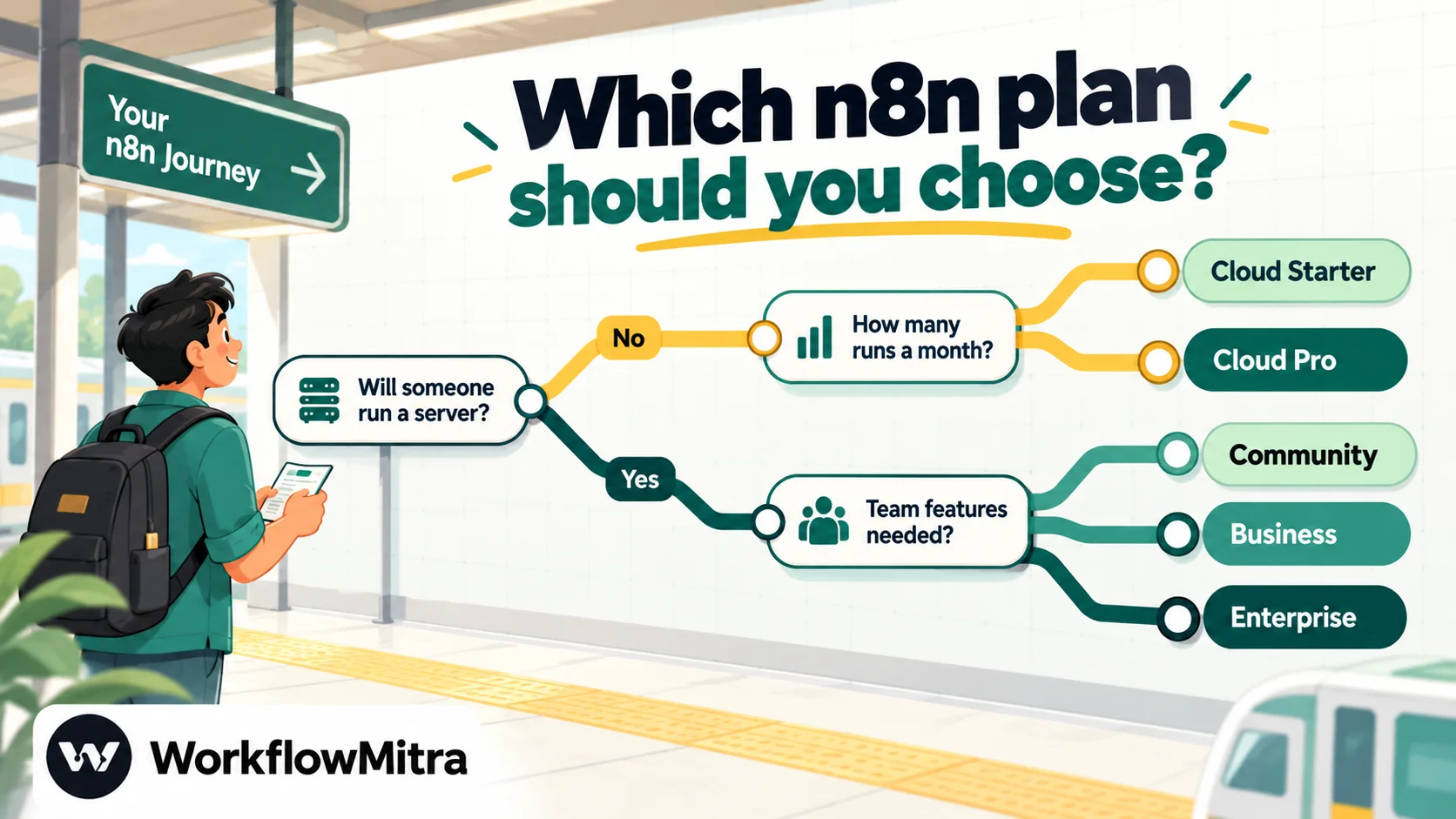
- No developer and under 2,500 runs a month: Cloud Starter, after a trial week to confirm the count.
- Production workflows, schedules or a chatbot: Cloud Pro 10,000, for the higher concurrency and 40-minute runs.
- A developer, internal use only and a tight budget: the self-hosted Community edition, with the time cost written into the budget.
- SSO, Git and environments for a team under 100: Business, or the start-up plan if you qualify.
- Compliance, an SLA or n8n-hosted Business features: Enterprise.
Whichever you choose, count executions first, keep headroom, and start monthly until usage settles. If your count is driven by short, frequent workflows, or you’d rather pay in rupees and run nothing yourself, rebuild your busiest workflow during a 14-day WorkflowMitra trial (no card required) and put its credit count next to your n8n execution count. WorkflowMitra’s current tiers are listed on its pricing page.
n8n prices, tiers and plan limits were read on n8n's pricing page and start-up plan page on 8 October 2026. Counting rules are from n8n's documentation on executions, concurrency, the free trial, Gateway credits and Assistant credits; licence terms from n8n's Sustainable Use License page and edition comparison. Server prices are DigitalOcean's droplet and managed database list prices on the same day. Exchange rates are FBIL's reference rates for 30 September 2026. WorkflowMitra prices were checked the same day.
Frequently Asked Questions
Questions Indian buyers ask before paying for n8n.
On 8 October 2026, n8n Cloud Starter cost €24 a month for 2,500 executions, about ₹2,614 at FBIL's 30 September rate of ₹108.94 per euro, or €20 a month billed yearly (about ₹2,179). Pro cost €60 a month (about ₹6,536) for 10,000 executions and €145 for 50,000. The self-hosted Business plan starts at €800 a month for 40,000 executions. The self-hosted Community edition costs nothing to license, but you pay for the server and its upkeep.
Automate the work between your apps
Build workflows with triggers, conditions and actions, then test them before they go live. Try WorkflowMitra free for 14 days, no card required.
