n8n vs Make: Pricing, Hosting and Features Compared, and Where WorkflowMitra Fits

Quick Summary
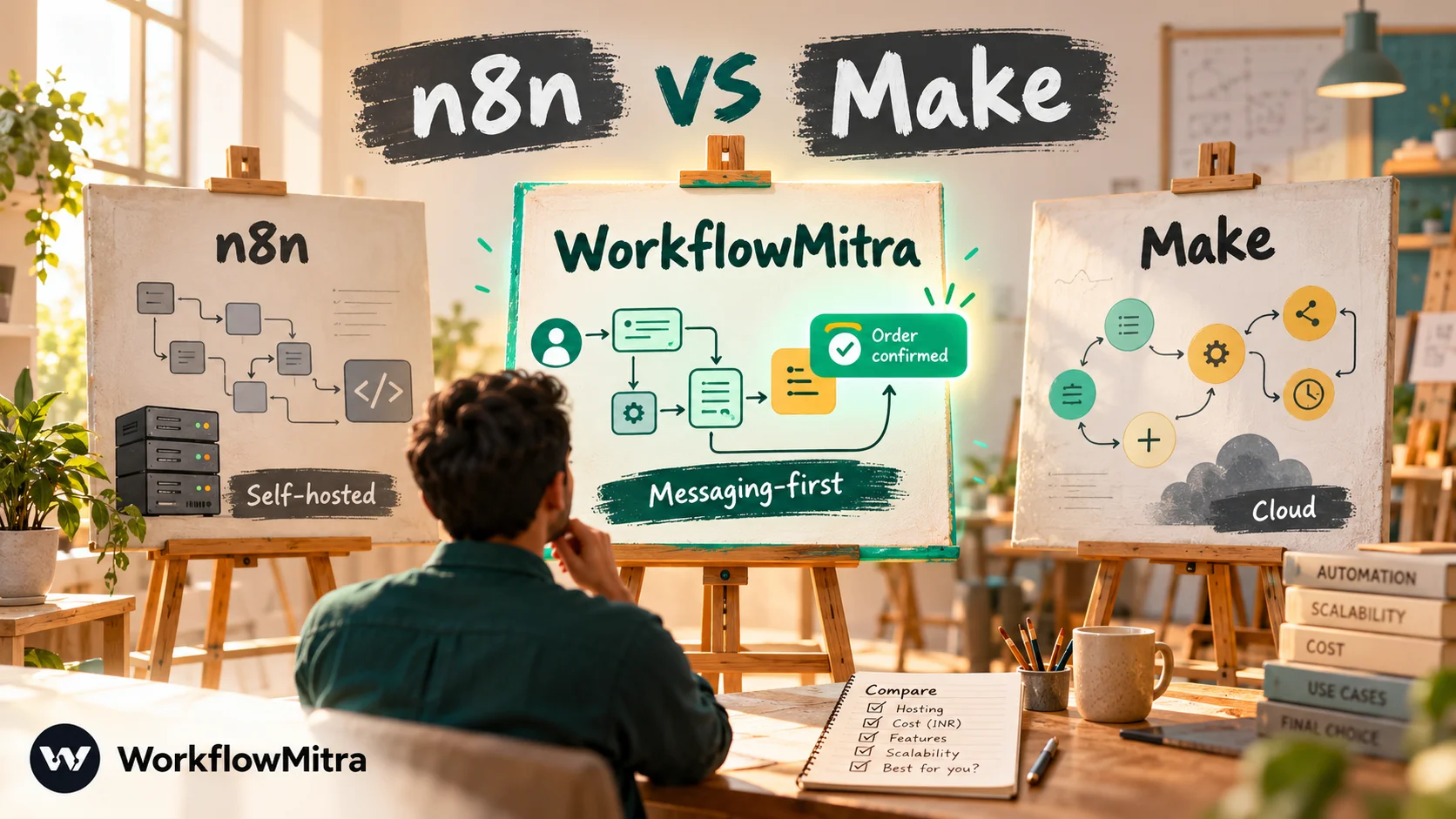
Choose n8n if a technical person will own your automations, your workflows are long, loop over many records or rely on code and AI agents, and per-run pricing or self-hosting appeals. Choose Make if non-developers will build visual scenarios, you want the larger app catalogue (3,000+ apps), and your volumes are modest. The deciding factor is usually how each counts usage: n8n counts one execution per workflow run, while Make charges a credit for almost every module action, including each scheduled check. WorkflowMitra, powered by ChatMitra, is a managed third option for teams whose workflows end in WhatsApp messages and who want rupee billing.
n8n and Make sit side by side on most shortlists for the same reason: both let you build visual, multi-step automations that go well beyond “when this happens, do that”. But they come from opposite directions. Make grew out of a visual, no-code tradition and runs only in its own cloud. n8n grew up with developers, publishes its source and lets you run it on your own server.
Those origins shape everything a buyer cares about: how usage is counted, what a growing workload costs, who on your team can build and maintain things, and where your data lives. This comparison works through those differences with each vendor’s own pricing and documentation, read on 7 October 2026. It also counts four realistic workloads both ways, because a plan table alone can’t tell you which tool is cheaper for you.
Quick answer: pick n8n if someone technical will own your automations, your workflows are long or process many records per run, and per-run pricing or running it on your own server appeals. Pick Make if non-developers will build the scenarios, you need its larger app catalogue, and your volumes are modest. If most of your workflows end with a WhatsApp message to a customer and you'd rather pay in rupees for a managed tool, add WorkflowMitra, powered by ChatMitra, to the shortlist.
Where WorkflowMitra fits in this comparison
What is WorkflowMitra?
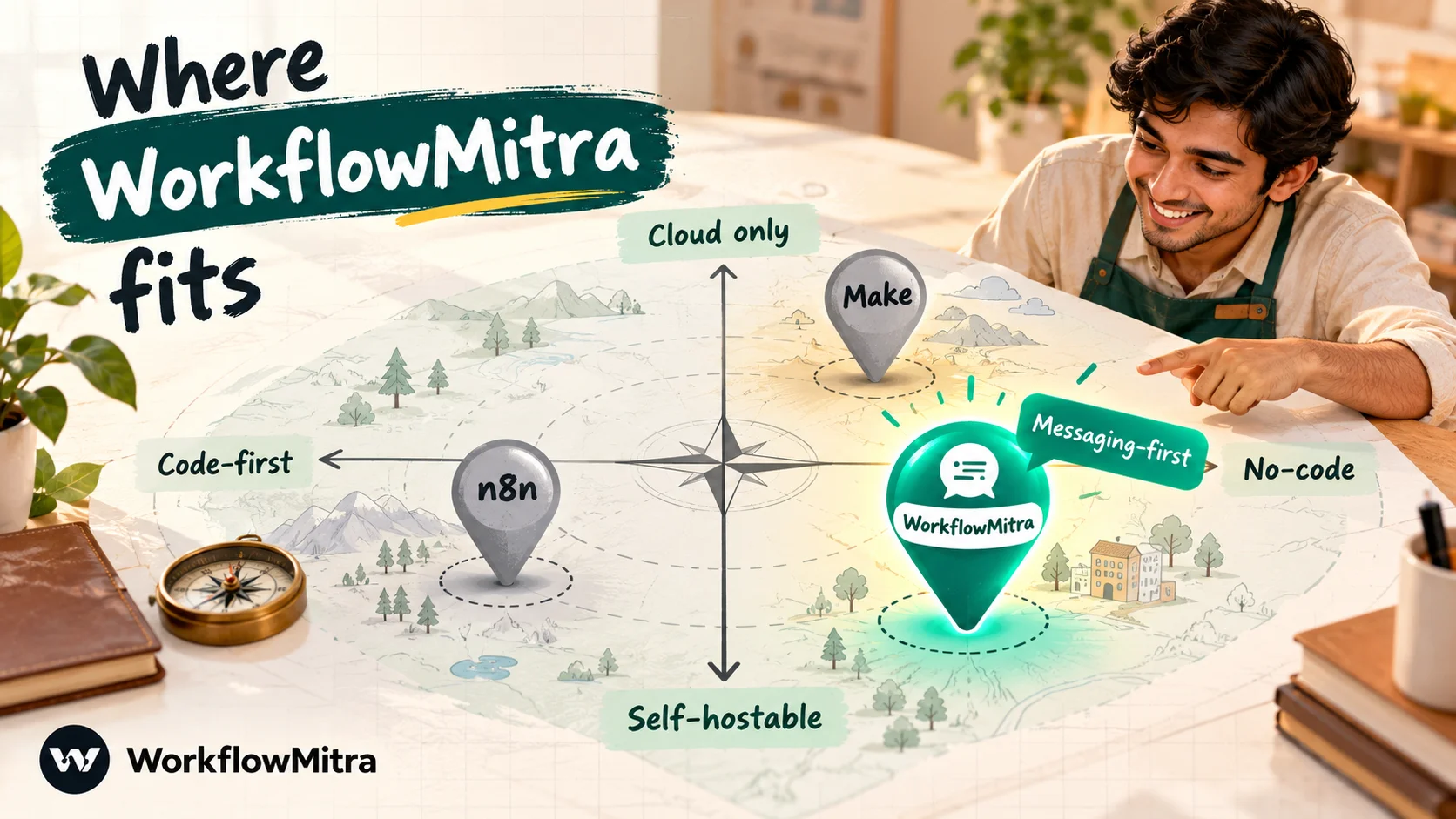
WorkflowMitra, powered by ChatMitra, is a no-code workflow automation platform that runs in the cloud, with automations built on a visual canvas. A trigger starts each workflow, such as a webhook, a schedule, a new sheet row or an incoming email. Steps then check conditions, transform data and act in other apps. ChatMitra, the WhatsApp Business API platform behind it, is the sending layer for WhatsApp steps, which can also send directly through Meta’s Cloud API.
Who is WorkflowMitra for?
It’s aimed at small and mid-sized businesses whose automations revolve around customers: stores confirming orders, clinics sending reminders, coaching institutes following up enquiries, agencies routing leads, and sales teams sharing out new prospects. It suits teams who want something managed, like Make, but whose key workflows finish with a WhatsApp message, a lead assigned to the right person or a sign-off from a manager.
Why consider it alongside n8n and Make?
- Customer messaging as a first-class step. WhatsApp templates, media, buttons, lists, location, contacts and catalog messages are built in.
- Common business patterns in one step each. Round-robin assignment, wait-for-approval, waits of up to 30 days and a built-in Data Store for small lookups.
- Rupee billing per executed step. Plans start at ₹999 a month for 10,000 credits, and IF, Switch, Merge, Set Variable and Delay steps use no credits. You get a 14-day trial first, with no card.
- No server to run. Updates, scaling and uptime are handled for you.
It’s also narrower than both. WorkflowMitra connects directly to a few dozen apps, plus any API through HTTP requests and webhooks. Its Code step runs JavaScript only, and it can’t be self-hosted. If your work is mostly moving data between many SaaS apps, Make’s catalogue or n8n’s flexibility will serve you better. The rest of this article compares those two in depth, with WorkflowMitra shown alongside for reference.
What is n8n?
n8n is a workflow automation platform built for technical teams. Workflows are chains of nodes on a canvas, and data passes between them as a list of items. Wherever the ready-made nodes stop, you can write JavaScript or Python in a Code node, call any API with the HTTP Request node, or build AI agents with its agent, memory and tool nodes. You can use n8n Cloud or self-host it, and the self-hosted Community edition is free. n8n’s source is public under its own Sustainable Use License, and paid features are unlocked with a licence key. Its integrations page lists 2,329 integrations.
What is Make?
Make, the platform once called Integromat, runs entirely in its own cloud and is built for visual automation. You build scenarios by connecting app modules on a canvas, with routers for branches, filters between modules, iterators and aggregators for lists, and a mapping panel that shows each field from earlier modules. Make’s integrations page says it has 3,000+ apps. Around the scenario builder it offers Make Grid, a map of how your automations connect; AI Agents; an AI assistant called Maia; and an MCP server. You never manage infrastructure.
n8n vs Make at a glance
| WorkflowMitra | n8n | Make | |
|---|---|---|---|
| Best for | Small businesses automating customer messages, lead routing and approvals | Technical teams, developers, AI-heavy workflows | Non-developers building visual multi-app scenarios |
| Hosting | Managed cloud (no self-hosting) | n8n Cloud, or your own server | Cloud only (managed) |
| Billing unit | Credit per executed step; logic steps free | Execution per workflow run (paid plans) | Credit per module action, including the trigger on every run |
| Entry paid plan | ₹999 a month, 10,000 credits | Starter: €24 a month, or €20 a month billed yearly, 2,500 executions | Make plan: $9 a month billed yearly, 5,000 credits |
| Free option | 14-day trial without a card | Community edition (free, self-hosted); n8n Cloud trial without a card | Free plan: 1,000 credits, 2 active scenarios |
| Ready-made integrations | A few dozen, plus HTTP and webhooks | 2,329 listed | 3,000+ |
| Code | JavaScript | JavaScript or Python (Code node) | JavaScript or Python (Code app, open beta, paid plans) |
| Users | 2 to 100 seats, by plan | Unlimited on every plan | Unlimited on the Make plan |
| Licence | Proprietary SaaS | Sustainable Use License (source-available) | Proprietary SaaS |
How we checked the facts
Plan details come from each vendor’s pricing page and documentation, read on 7 October 2026. Usage rules come from n8n’s documentation on how executions count and Make Academy’s course on credits. Euro and dollar prices are converted using FBIL reference rates dated 30 September 2026, the most recent available on 7 October: ₹108.9368 per euro and ₹95.9832 per US dollar. Card charges will differ slightly because of bank exchange rates and taxes. Prices change often, so check both pricing pages before buying.
The difference that decides most bills: how usage is counted
If you remember one thing from this comparison, make it this: n8n counts runs, Make counts actions.
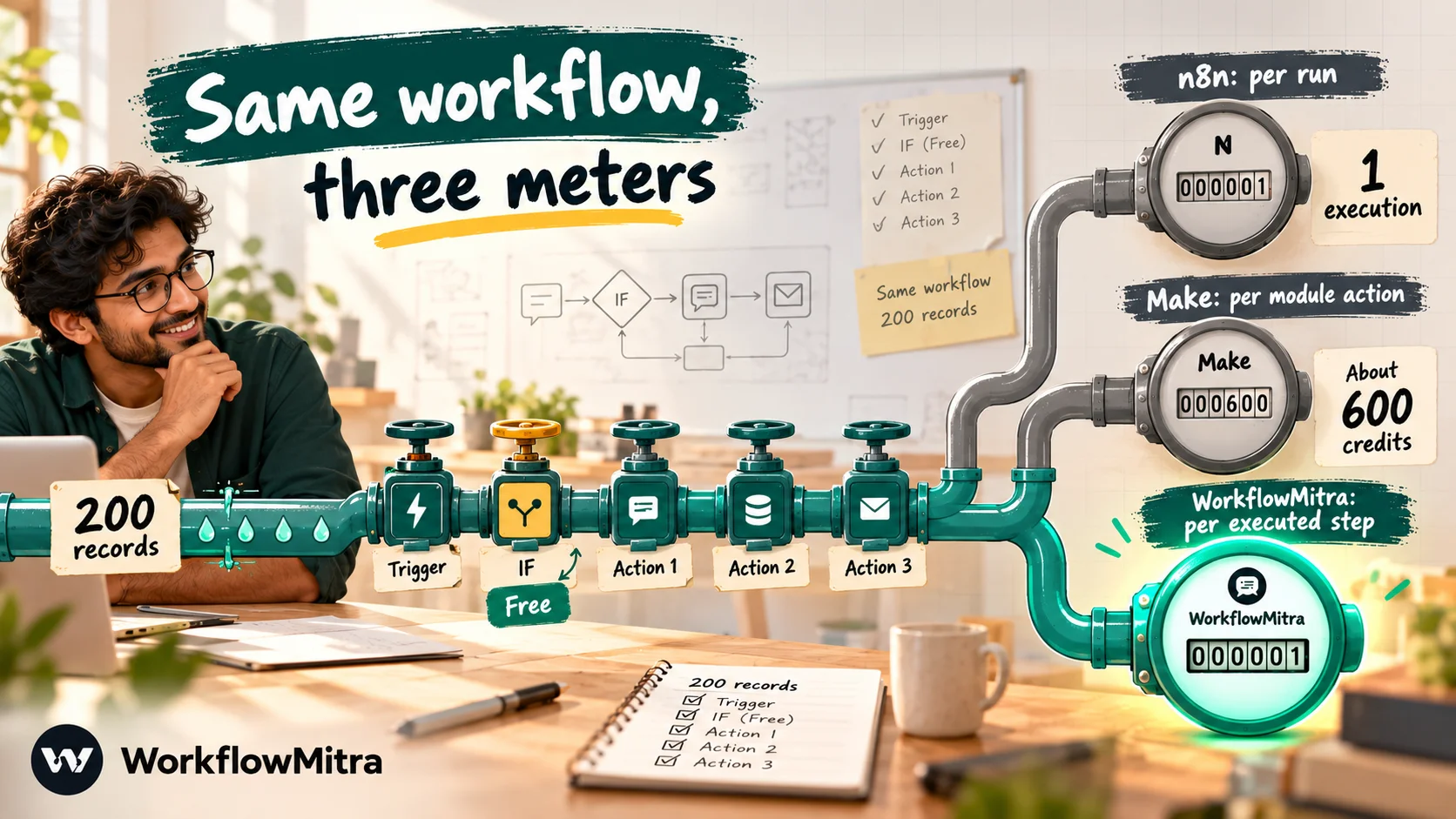
n8n: one execution per run. Per n8n’s pricing page, an execution is one run of the whole workflow, regardless of its step count or how much data flows through it. A workflow that fetches 500 records and processes each through ten nodes is still one execution. Its documentation also lists what doesn’t count: manual test runs, sub-workflow runs (only the parent counts), error-workflow runs, webhook requests rejected before the workflow starts, and polling checks that find no new data. A Schedule Trigger counts every time it fires.
Make: a credit per module action. Make’s pricing page says each module action, such as adding a sheet row or fetching email data, uses a credit. Routers, filters and error handlers don’t. The crucial detail is the trigger. Make Academy explains that the trigger module uses one credit on every run, whether it finds nothing or many items. A scenario checking for new data every hour therefore spends at least 24 credits a day just looking. Records multiply the count: when a trigger returns 50 items, each later module runs once per item. AI toolkit modules use credits based on AI tokens, and the Code app uses two credits per second of run time.
WorkflowMitra: a credit per executed step. The trigger and each action that runs use a credit (a few heavier steps use more), while IF, Switch, Merge, Set Variable and Delay are free. Scheduled checks that find nothing new don’t start a run and aren’t charged. Failed steps are charged too, because they ran.
| Event | WorkflowMitra | n8n Cloud | Make |
|---|---|---|---|
| A polling check finds nothing | Not charged | Not counted | 1 credit |
| A schedule fires | 1 credit | 1 execution | 1 credit for the trigger |
| A 10-step run for one record | Up to 10 credits, logic steps free | 1 execution | About 10 credits, routers and filters free |
| One run that processes 200 records through 3 actions | Depends on design: a bulk step is 1 credit, a Loop is charged per item | 1 execution | About 600 credits plus the trigger |
| Manual test run while building | Charged like a real run | Not counted | Charged |
One practical consequence follows. In Make, efficiency means fewer modules and fewer records passing through each one. In n8n Cloud, it means fewer runs, so batching work into one scheduled run is cheaper than triggering once per record.
What each plan costs (checked 7 October 2026)
| Plan | Included | Billed monthly | Billed yearly (per month) |
|---|---|---|---|
| WorkflowMitra 10,000 | 10,000 credits | ₹999 | ₹849 |
| WorkflowMitra 20,000 | 20,000 credits | ₹1,499 | Discounted |
| WorkflowMitra 40,000 | 40,000 credits | ₹2,699 | Discounted |
| n8n Community (self-hosted) | Unlimited executions, core features | Free (you pay for hosting) | Free |
| n8n Starter (Cloud) | 2,500 executions, 5 concurrent | €24 (≈ ₹2,614) | €20 (≈ ₹2,179) |
| n8n Pro (Cloud) | 10,000 executions | €60 (≈ ₹6,536) | €50 (≈ ₹5,447) |
| n8n Pro (Cloud), larger tier | 50,000 executions | €145 (≈ ₹15,796) | about €121 (≈ ₹13,163) |
| n8n Business (self-hosted only) | 40,000 executions, SSO, environments, Git | €800 (≈ ₹87,149) | €667 (≈ ₹72,661) |
| Make Free | 1,000 credits, 2 active scenarios | $0 | $0 |
| Make plan | 5,000 credits; larger tiers via a slider | Higher than yearly; Make says yearly saves 15% or more | $9 (≈ ₹864) |
| Make Enterprise | Custom | Contact sales | Contact sales |
Three plan details matter as much as the prices:
- Make’s limits on Free are tight. Two active scenarios, checks no more often than every 15 minutes and runs of up to 5 minutes. The Make plan lifts these to unlimited scenarios, 1-minute intervals and 40-minute runs, with 30 days of logs.
- Make credits expire. Its pricing page says credits expire at the end of the term. On yearly billing, credits are prepaid for the year and last 12 months, which helps if your usage is seasonal.
- n8n’s best governance features cost the most. Workflow history and admin roles start on Pro. SSO, multiple environments and Git version control need Business, which is self-hosted only, or Enterprise.
Make’s pricing page shows the Make plan’s larger credit tiers on an interactive slider without printing their prices, so we haven’t priced Make above 5,000 credits below. Check the slider for your volume.
Four workloads, counted both ways
Plan tables only become useful once you translate your own workflows into each tool’s unit. Here are four common shapes with their monthly usage. Count your own the same way.
| Workload (per month) | WorkflowMitra | n8n Cloud | Make |
|---|---|---|---|
| A. Lead capture. 600 form leads by webhook; each adds a sheet row, creates a CRM record and alerts sales | 2,400 credits: 10,000 plan, ₹999 | 600 executions: Starter, €20–24 | 2,400 credits: Make plan, $9 yearly |
| B. Polling. Check a sheet every 15 minutes; 300 new rows a month; 2 actions per row | About 900 credits (only checks that find rows start runs): ₹999 | Up to 300 executions (fewer when rows arrive together): Starter | About 3,480 credits (2,880 checks + 600 actions): Make plan, $9 yearly |
| C. Nightly batch. Every night, fetch 1,000 records from an API and write them to a sheet | About 90 credits with one bulk sheet write per night; about 60,000 if each record is written separately in a Loop | 30 executions: Starter | About 30,000 credits with one module per record, more for each module added: slider tier |
| D. Long order workflow. 1,000 orders by webhook through 15 steps, 3 of them logic | About 12,000 credits: 20,000 plan, ₹1,499 | 1,000 executions: Starter | About 12,000–15,000 credits: slider tier |
What the table shows:
- For small, short workflows (A, B), Make’s entry plan is cheapest. At $9 a month on yearly billing, it covers both. n8n Starter costs about two and a half times as much for these, though it would also absorb plenty of growth.
- Polling is where Make’s meter runs fastest. In workload B, 83% of Make’s credits pay for checks that find nothing. Switching that scenario to a webhook trigger, if the source app supports one, cuts its usage sharply.
- Batches and long workflows (C, D) are n8n’s home ground. Thirty nightly runs or 1,000 fifteen-step runs both fit inside n8n’s cheapest Cloud plan, while Make moves well up its credit slider.
- In WorkflowMitra, design decides batch cost. A bulk write puts 1,000 records into a sheet in one step, while a per-record Loop charges for every item. Heavy per-record processing at that scale is usually better suited to n8n.
Self-hosted n8n changes the maths again: there’s no execution meter at all, only your server bill and someone’s time.
Hosting, data control and the real cost of “free”
Make is cloud only. You sign up and build. Make runs the platform, updates it and scales it, and your data passes through Make’s cloud. There’s nothing to install and nothing to patch.
n8n offers both. n8n Cloud is managed in the same way. Self-hosting means installing n8n on your own server, typically with Docker, and keeping it running. Without a licence key it runs as the free Community edition. According to n8n’s edition comparison, that edition leaves out projects, workflow and credential sharing, SSO, environments, Git-based version control, external secrets, log streaming and a few other enterprise features. Registering it with an email address unlocks folders, debugging with pinned execution data, and custom execution data.

Self-hosting is the right answer when data must stay on infrastructure you control, or when volumes are high enough that per-run pricing hurts. It’s the wrong answer when nobody on the team wants to own a server. The hidden costs are real: the server and database, upgrades and testing after each release, backups of workflows and credentials, HTTPS and access control, monitoring, and a public URL that stays reachable so incoming webhooks don’t get lost.
WorkflowMitra, like Make, is managed only.
Building workflows: visual mapping vs nodes and code
Make is the friendlier canvas for non-developers. Modules are big and visual. The mapping panel lists every field from earlier modules, so you drag values into place instead of typing paths. Routers, filters, iterators and aggregators make branching and list handling visible on the canvas. The learning curve comes later, with arrays, aggregators and Make’s own functions.
n8n rewards technical comfort. Simple workflows are easy, but n8n’s power sits in expressions written in JavaScript syntax, the Code node in JavaScript or Python, and an item-based data model where each node processes a list of items. Developers tend to feel at home quickly; a marketing coordinator may not.
Code on each side. n8n’s Code node is a standard part of the product on every plan. Make’s Code app supports JavaScript and Python, but it’s in open beta for paid plans, runs for up to 30 seconds on standard plans, uses two credits per second of execution, and allows custom libraries only on Enterprise.
WorkflowMitra sits closer to Make’s end of the spectrum: a visual canvas with a variable picker and expressions, plus a JavaScript Code step for small transformations.
Integrations
Make’s catalogue is larger: its integrations page says 3,000+ apps, and its search listed 3,620 results on the day we checked. n8n lists 2,329 integrations, a count that includes nodes contributed by its community. Raw counts can mislead, though. What matters is whether your specific apps are covered, and how deeply: which triggers and actions each integration offers. Check your three most important apps in both catalogues before deciding. Both tools have HTTP request modules for any app with an API, and n8n users often build missing integrations themselves.
WorkflowMitra’s built-in list is much shorter: Google Sheets, Gmail and other mail, Slack, Telegram, Zoho CRM, Pipedrive, databases and similar, plus App Request for 14 business apps and HTTP requests for anything else.
AI and agents
Both platforms have invested heavily here.
- n8n offers AI Agent nodes with memory and tools, chat triggers, AI Transform, MCP support and an AI Assistant whose monthly credits depend on the plan (1,600 on Starter, more on Pro). Each agent turn counts as an execution. Technical teams like the control: model choice, tool definitions and code all sit in the same workflow.
- Make offers AI Agents, the Maia assistant for building scenarios and an MCP server on all plans. Its AI toolkit modules use credits according to the AI tokens consumed, so AI-heavy scenarios need careful credit planning.
WorkflowMitra’s AI and AI Agent steps are bring-your-own-key: you connect your own model provider’s API key and pay that provider directly for model usage.
Errors, logs and recovery
When something breaks at 2 a.m., recovery tools matter more than features.
Make attaches error handler routes to modules. Ignore skips past the failure, Resume continues with a substitute value, Rollback stops and tries to undo, Commit stops and keeps what’s done, and Break stores the run as an incomplete execution you can finish later. Logs are kept for 7 days on Free, 30 days on the Make plan and 60 days on Enterprise.
n8n gives each node a Retry On Fail setting and an On Error choice: stop the workflow, continue, or continue through a separate error output you can route. Each workflow can also name an error workflow, which starts with an Error Trigger and receives the failed execution’s details, such as the error message and the last node run. You can load data from a past execution into the editor to debug it.
WorkflowMitra offers failure alerts, run history with each step’s input and output, and error handling on risky steps. It has no version history, so duplicate a workflow before making big edits.
WhatsApp workflows
If customer messaging is central, the three tools differ in a way the general comparisons rarely mention:
| WorkflowMitra | n8n | Make | |
|---|---|---|---|
| WhatsApp integration | Native WhatsApp step via ChatMitra or Meta Cloud API | WhatsApp Business Cloud node | WhatsApp Business Cloud app |
| Message types | Templates, text, media, buttons, lists, location, contacts, catalog | Text, templates and media; send-and-wait for a reply | Text, templates and media; watch events |
| Who sets up the Meta side | Connect through ChatMitra, or connect your own Cloud API app | You configure your own Meta app and tokens | You configure your own Meta app and tokens |
Meta’s own message charges apply whichever tool sends the message. n8n’s send-and-wait is a neat touch for approvals over WhatsApp. For rich interactive messages, such as a reply-button menu or a product list, a native messaging step saves a lot of custom API work.
Teams, security and governance
n8n includes unlimited users on every plan. Pro adds admin roles and workflow history, and SSO and LDAP, environments and Git version control arrive with Business (self-hosted) or Enterprise. Make’s paid plan includes unlimited users, and SSO and domain claim are Enterprise features. Both offer enterprise contracts for audit, support and compliance needs; ask each vendor for current certifications rather than relying on third-party summaries.
WorkflowMitra includes 2 seats on the entry plan, rising to 100 on the largest.
Where WorkflowMitra is stronger, and where it isn’t
Stronger: native WhatsApp messages of every type through ChatMitra, single-step round robin and approvals, durable delays, polling checks that cost nothing when nothing is new, and rupee billing with free logic steps.
Weaker: far fewer ready-made integrations, JavaScript-only code, no self-hosting, no version history and no free plan beyond the 14-day trial. For broad SaaS-to-SaaS automation or heavy data processing, n8n or Make is the better tool.
Where n8n is stronger
- Large batches and long workflows. One execution per run, whatever the steps or records.
- Self-hosting and data control. The only one of the three you can run on your own servers.
- Code and extensibility. Code nodes in JavaScript or Python on every plan, plus community nodes.
- AI agent depth. Fine-grained agents, memory and tools inside ordinary workflows.
- Cheaper development. Manual test runs, sub-workflows and error workflows don’t use your allowance.
Where Make is stronger
- Ease for non-developers. Visual mapping and clear modules make it the easier tool for business users.
- App catalogue. 3,000+ apps against n8n’s 2,329.
- Low entry price. $9 a month on yearly billing for 5,000 credits is hard to beat for small, simple scenarios.
- A real free plan in the cloud. 1,000 credits a month with nothing to host.
- Granular error directives. Rollback, Commit and Break give non-coders fine control over failures.
Which should you choose?
- A business whose key workflows message customers on WhatsApp, route leads or wait for approvals: WorkflowMitra, or WorkflowMitra for those flows alongside Make or n8n for the rest.
- A solo developer or technical founder automating internal work: n8n, Cloud to start, self-hosted later if volume grows.
- A marketing or operations team without developers: Make. Start on Free, move to the Make plan when you need more scenarios or faster checks.
- A company with strict data-residency rules: self-hosted n8n, with someone accountable for running it.
- High-volume batch jobs, such as syncing thousands of records nightly: n8n.
- Many small, quick automations across lots of SaaS apps: Make.
How to test both in one week
Trials and free tiers make a fair test cheap. Don’t build a toy; build the workflow you most need, in both tools, and measure what matters:
- Pick one real workflow with a trigger you use today, at least one branch and one list of records. Write down its steps on paper first.
- Build it in Make on the Free plan and in n8n Cloud’s trial, which needs no card. Time how long each build takes and note where you got stuck.
- Run it on real data for a few days. Use a copy of your sheet or a test CRM record so nothing customer-facing changes by accident.
- Read the meters. Note Make’s credits used and n8n’s executions counted, then scale both to a month at your real volume.
- Break it on purpose. Use a wrong API key, an empty list or a missing field, and see how each tool reports the failure and how easy the run is to fix and repeat.
- Ask who will maintain it. Hand the finished workflow to the colleague who’ll own it and watch them make one change.
If WorkflowMitra is on your list, run the same test in its 14-day trial. The person who’ll maintain the workflow usually settles the decision faster than any feature table.
Moving a scenario between Make and n8n
Neither tool imports the other’s workflows, so switching means rebuilding. The concepts map closely, which keeps the work manageable:
| Make | n8n | Note |
|---|---|---|
| Scenario | Workflow | One automation |
| Module | Node | One step |
| Bundle | Item | n8n nodes process every item they receive automatically |
| Router and filters | IF, Switch and Filter nodes | Branching and conditions |
| Iterator and aggregator | Split Out and Aggregate nodes | Often unnecessary in n8n because of its item model |
| Error handler directives | On Error setting, error output, error workflow | Rebuild failure paths deliberately |
| Data store | Data Table node, or an external database | Move stored records before switching |
Three practical tips. New webhook URLs: every app that sends to your old scenario must be pointed at the new address, so list them before you start. Run both in parallel: keep the old automation on, run the new one against test data for a few days, then switch the triggers over in one go. Re-create connections: credentials don’t travel between tools, so reconnect each app and use the narrowest permissions you can.
Common mistakes when comparing n8n and Make
- Counting n8n executions per record. A scheduled run that processes 1,000 records is one execution, not 1,000. Several comparison pages get this backwards.
- Forgetting Make’s trigger checks. A 15-minute check costs 2,880 credits a month before any real work happens.
- Treating self-hosting as free. The licence is free; the server, upgrades, backups and on-call time aren’t.
- Comparing app counts instead of app depth. One missing trigger in a key app outweighs a thousand unused integrations.
- Ignoring credit expiry. Make’s monthly credits reset each term, so size plans for your typical month, not your best one.
- Pricing only today’s volume. Model next year’s volume too, because the two meters diverge as workflows grow longer and busier.
Why WorkflowMitra may be the better fit
Many people comparing n8n and Make really want to automate how their business talks to customers. For them, n8n-or-Make may be the wrong question. Both can send a WhatsApp message through Meta’s API, but you’ll still be building templates, buttons, lead rotation and approvals out of generic parts. WorkflowMitra, powered by ChatMitra, starts with those parts already built. Its billing is predictable in rupees, and scheduled checks that find nothing new don’t use credits.
Try it on the workflow that matters most to you. Rebuild one lead or order flow in a 14-day WorkflowMitra trial, which gives you 10,000 credits with no card, and compare a week of credit use with the numbers above. For head-to-head detail, see WorkflowMitra vs n8n and WorkflowMitra vs Make. If Zapier is also on your list, our n8n vs Zapier and Make vs Zapier comparisons cover those pairs.
We read every price and feature on 7 October 2026 from n8n's pricing page, n8n's documentation on how executions count, Community edition features, node settings and error workflows, n8n's integrations page, Make's pricing page, Make Academy's credit consumption unit, the Make Code app and WhatsApp Business Cloud app documentation, and Make's integrations page. Rupee figures use FBIL reference rates for 30 September 2026, and WorkflowMitra details come from its source code and pricing on the same day.
Frequently Asked Questions
Short answers to the questions people ask when choosing between n8n and Make.
For long workflows and large batches, usually yes, because n8n Cloud counts a whole workflow run as one execution while Make charges a credit for nearly every module action on every record. For short, low-volume scenarios, Make is often cheaper: on 7 October 2026 Make's cheapest paid tier cost $9 a month, billed yearly, for 5,000 credits, against €20 a month on yearly billing for n8n Starter with 2,500 executions.
Automate the work between your apps
Build workflows with triggers, conditions and actions, then test them before they go live. Try WorkflowMitra free for 14 days, no card required.
