n8n vs Zapier: Which Automation Tool Fits Your Team, Budget and Skills?

Quick Summary
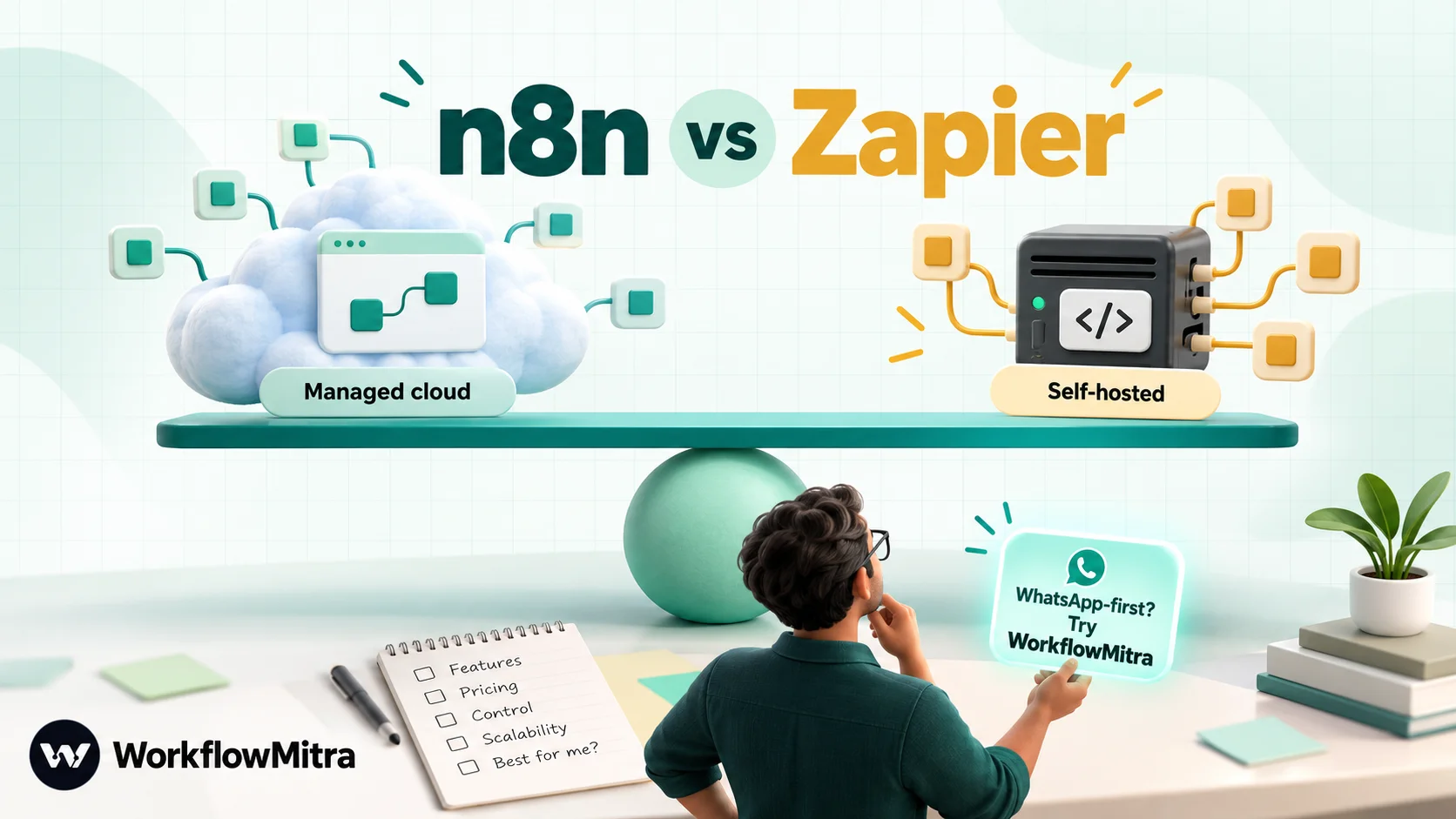
Zapier is the easier, fully managed choice: it connects to more than 9,000 apps and suits non-technical teams, but it charges per task, so long or busy workflows get expensive. n8n is the more technical, more flexible choice: it charges per workflow run on its cloud, can be self-hosted free under its Sustainable Use License, and handles long, code-heavy and AI workflows well, but self-hosting makes you responsible for the server. If your workflows are mainly about messaging customers on WhatsApp and you want rupee billing without running a server, WorkflowMitra, powered by ChatMitra, is a third option worth comparing.
Quick answer: choose Zapier if non-technical people will build the automations, you need the widest app catalogue, and you'd rather pay more than run anything yourself. Choose n8n if someone technical will own it, your workflows are long, code-heavy or AI-driven, and you want per-run pricing or the option to self-host. If your workflows mostly message customers on WhatsApp and you want a managed tool billed in rupees, also look at WorkflowMitra, powered by ChatMitra.
n8n and Zapier are often compared as if they were two versions of the same product. They aren’t. They make different bets about who builds automations, where those automations run and how they should be priced, and those bets matter far more than any single feature.
This comparison works through the differences that change a decision: hosting, billing units, licensing, code, AI, recovery and app coverage. It prices three real workloads in both tools, using each vendor’s own pricing on 7 October 2026. And because many readers asking “n8n or Zapier?” are really asking “what should we automate with?”, it starts by explaining where a third option, WorkflowMitra, fits.
Where WorkflowMitra fits
What is WorkflowMitra?
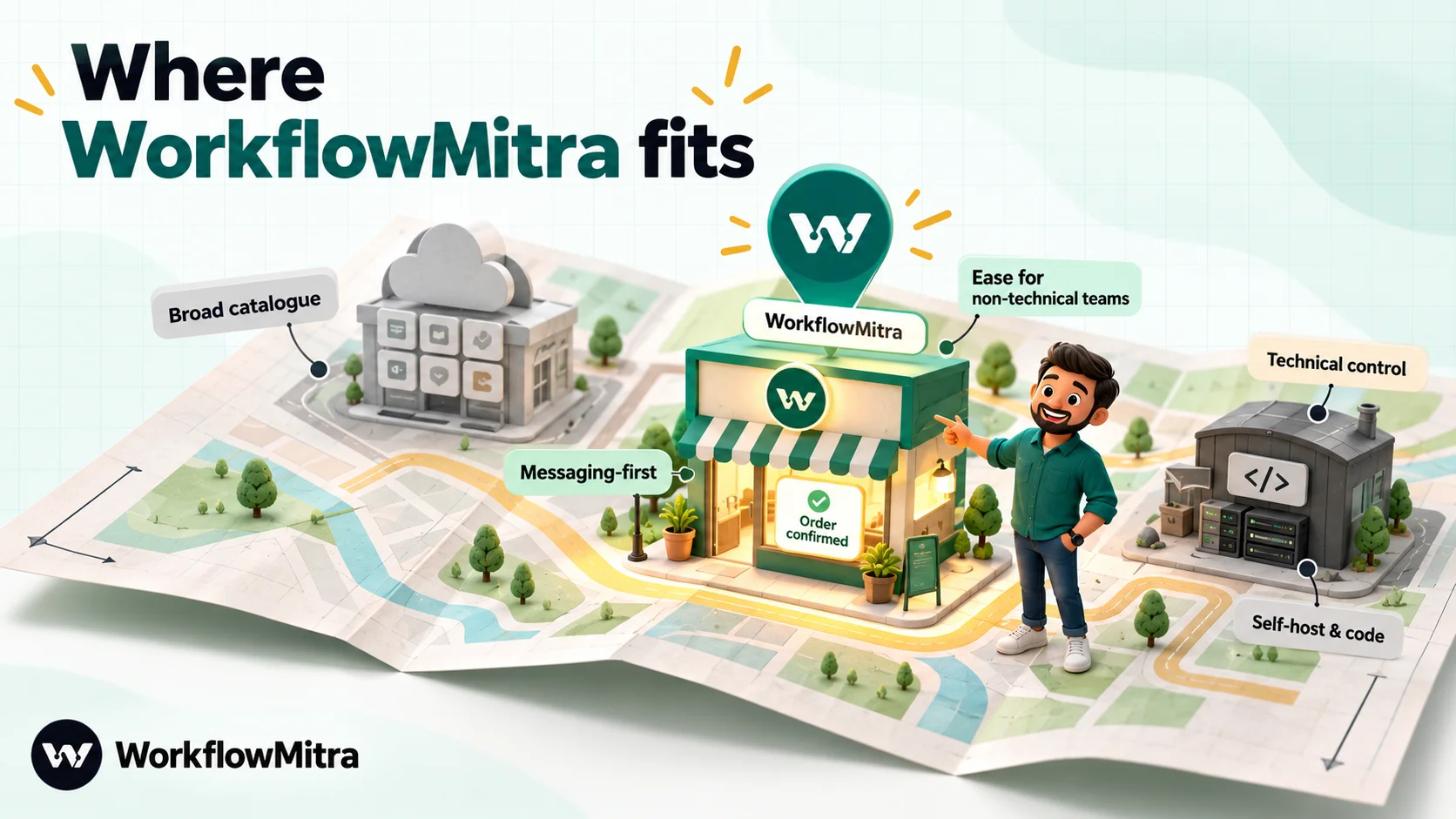
WorkflowMitra, powered by ChatMitra, is a cloud, no-code workflow automation platform. You build a workflow on a visual canvas: a trigger starts it, and steps check conditions, move data and take actions in other apps. ChatMitra is the WhatsApp Business API platform behind it, and WorkflowMitra’s WhatsApp step can send through ChatMitra or directly through Meta’s Cloud API.
Who is WorkflowMitra for?
Small and mid-size businesses whose automations revolve around customers and leads: ecommerce stores, clinics, coaching institutes, agencies, service companies and sales teams. It suits people who want Zapier’s “nothing to install” experience but whose most important workflows end in a WhatsApp message, an assignment to a salesperson or a manager’s approval.
Why consider it alongside n8n and Zapier?
- Managed, like Zapier. There’s no server to patch, back up or secure.
- Messaging built in. Native WhatsApp steps for templates, media, buttons, lists, location, contacts and catalog messages, with ChatMitra as the sending layer.
- Business steps as single steps. Assign to the next person (round robin), Wait for approval, durable delays of up to 30 days, and a built-in Data Store.
- Rupee billing by step. 10,000 credits for ₹999 a month, where a credit is one executed step and IF, Switch and Delay steps are free. A 14-day trial with no card comes first.
It is also narrower than both. WorkflowMitra connects to a few dozen apps directly (plus HTTP requests and webhooks for the rest), its Code step is JavaScript only, it can’t be self-hosted and it has no version history. If you need breadth, pick Zapier; if you need deep technical control, pick n8n. The rest of this article is about choosing between those two, with WorkflowMitra shown alongside for reference.
What is Zapier?
Zapier is a fully managed automation platform. You build Zaps: a trigger in one app followed by actions in others, with filters, paths, formatting, delays and loops in between. Its pricing page describes “no-code automation across 9,000+ apps”, and around that core it has added Tables, Forms, Interfaces, AI steps, Agents, Chatbots and an MCP server. You never see a server; you pay by the task.
What is n8n?
n8n is a workflow automation tool aimed at technical teams. You build on a node-based canvas where data flows between nodes, and you can switch to JavaScript or Python wherever the built-in nodes run out. It runs on n8n Cloud or self-hosted on your own infrastructure, where the Community edition is free. Its integrations page lists about 2,300 integrations, and it has strong AI-agent building blocks. The source is public under n8n’s own Sustainable Use License, with paid features unlocked by a licence key.
n8n vs Zapier at a glance
| WorkflowMitra | n8n | Zapier | |
|---|---|---|---|
| Built for | SMB teams automating customer messaging, leads and approvals | Technical teams and developers | Non-technical teams across every department |
| Hosting | Managed cloud only | n8n Cloud or self-hosted | Managed cloud only |
| Billing unit | Credit = one executed step (logic steps free) | Execution = one whole workflow run (Cloud) | Task = one successful action (triggers, filters, paths free) |
| Entry paid plan | ₹999/month, 10,000 credits | €24/month (€20 billed yearly), 2,500 executions | $29.99/month ($19.99 billed yearly), 750 tasks |
| Free option | 14-day trial, no card | Free self-hosted Community edition; Cloud trial | Free plan, 100 tasks, two-step Zaps; 14-day Professional trial |
| App coverage | A few dozen apps plus HTTP and webhooks | About 2,300 integrations listed | 9,000+ apps |
| Code | JavaScript | JavaScript or Python; npm modules when self-hosted | JavaScript or Python |
| Native: templates, media, buttons, lists, location, contacts, catalog | WhatsApp Business Cloud node: send, send template, send and wait | WhatsApp Business app: template, free-form and media messages | |
| Users | 2 to 100 seats by plan | Unlimited users on every Cloud plan | 1 on Free and Professional; 25 on Team |
| Licence | Proprietary SaaS | Sustainable Use License (source-available) | Proprietary SaaS |
How we compared them
Prices and plan details come from each vendor’s own pricing page and documentation, read on 7 October 2026. Euro and dollar prices are converted to rupees at the FBIL reference rates of 30 September 2026, the latest published on the day: ₹95.9832 per US dollar and ₹108.9368 per euro. Zapier’s own rupee menu uses a slightly higher rate (its Professional entry price shows as ₹2,949.88 against ₹2,879 at FBIL), and n8n bills in euros, so your card statement will differ a little. Prices change, so check both pages before you buy.
Hosting and setup: managed or self-hosted?
This is the first fork in the road, and it decides most of what follows.
Zapier is managed only. You sign up, connect apps and build. Zapier runs the infrastructure, handles updates and scales with you. You can’t run it on your own servers, and your data passes through Zapier’s cloud.
n8n gives you a choice. n8n Cloud works like Zapier: n8n hosts and maintains it. Or you install n8n yourself with Docker, npm or a cloud provider and run it where you like. n8n’s own documentation is candid about the trade: self-hosting needs technical expertise for installation and configuration, and infrastructure and maintenance become your responsibility.
The free Community edition is the reason many people look at n8n in the first place. But “free” covers the licence, not the work. Before choosing self-hosted n8n to save money, budget for:
- A server sized for your workload, plus a database for anything beyond light use.
- Updates. n8n releases often; someone has to read release notes, upgrade and test.
- Backups and recovery of workflows, credentials and execution data.
- Security: HTTPS, authentication, firewall rules, secrets and access control.
- Monitoring, so you find out a workflow stopped before a customer does.
- Webhook reachability. Triggers from outside services need a public URL that stays up.
For a team with an engineer who already runs servers, that’s routine. For a five-person business, it’s a part-time job nobody applied for. That’s the honest version of “n8n is free”.
Pricing: tasks vs executions
The billing unit matters more than the headline price, because it decides how your bill grows.
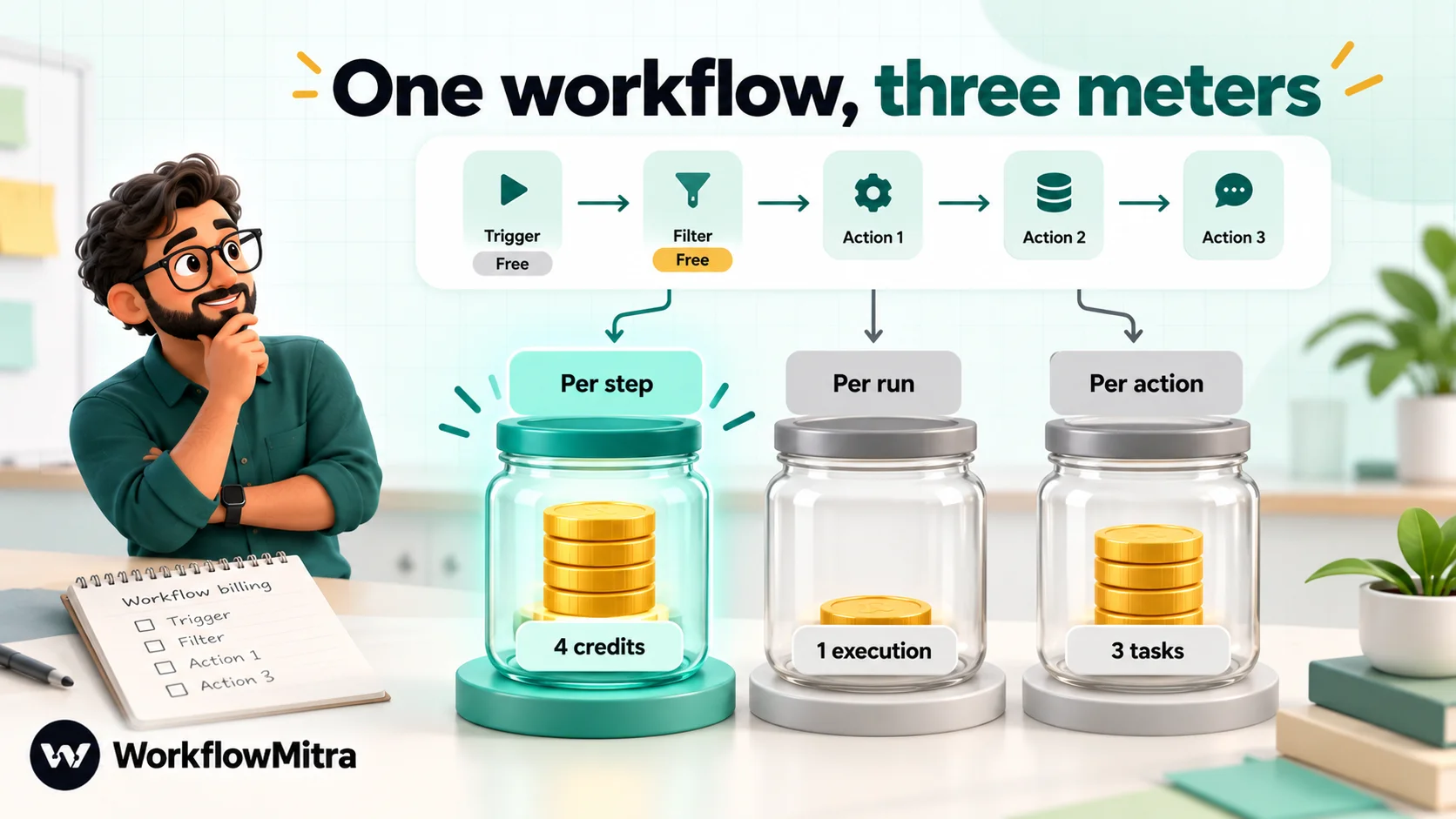
Zapier counts tasks. Each action that completes successfully uses one task. Triggers don’t count, and neither do Filter, Paths, Formatter, Delay and Looping steps, according to Zapier’s help centre. AI by Zapier steps use 1, 3 or 5 tasks depending on the model tier. A five-step Zap with a trigger, a filter and three actions uses three tasks per run.
n8n Cloud counts executions. n8n’s pricing page defines an execution as “a single run of your entire workflow”, whatever the number of steps or the amount of data. The same five-step workflow uses one execution per run. Self-hosted Community edition doesn’t meter executions at all; your server is the limit.
WorkflowMitra counts executed steps. Each step that runs uses a credit, including the trigger, while IF, Switch, Merge, Set Variable and Delay steps are free. The same workflow uses four credits per run. Unlike Zapier, a step that runs and fails still uses its credit.
The plans on 7 October 2026:
| Plan | Included | Billed monthly | Billed yearly, per month |
|---|---|---|---|
| WorkflowMitra entry | 10,000 credits | ₹999 | ₹849 |
| WorkflowMitra 40,000 | 40,000 credits | ₹2,699 | about ₹2,294 |
| n8n Starter (Cloud) | 2,500 executions | €24 (≈₹2,614) | €20 (≈₹2,179) |
| n8n Pro (Cloud) | 10,000 executions | €60 (≈₹6,536) | €50 (≈₹5,447) |
| n8n Business (self-hosted) | 40,000 executions, SSO, environments, Git | Not listed | €667 (≈₹72,661), billed annually |
| Zapier Free | 100 tasks, two-step Zaps | $0 | $0 |
| Zapier Professional | 750 tasks | $29.99 (≈₹2,879) | $19.99 (≈₹1,919) |
| Zapier Team | 2,000 tasks, 25 users | $103.50 (≈₹9,934) | $69 (≈₹6,623) |
Both Zapier plans scale up in task tiers, and n8n’s Pro plan has higher execution tiers too. n8n’s Business plan is currently self-hosted only and lists overage at €4,000 per extra bucket of 300,000 executions.
Three workloads, priced both ways
Plan tables don’t tell you what your workflows cost. Here are three common shapes, priced on the cheapest plan that fits each tool’s monthly allowance.
| Workload | WorkflowMitra | n8n Cloud | Zapier |
|---|---|---|---|
| 1. Lead alert: 600 leads a month; trigger, filter, create CRM record, WhatsApp to the lead, Slack to sales | 4 credits per run = 2,400 → entry plan, ₹999 | 600 executions → Starter, €24 (≈₹2,614); €20 yearly | 3 tasks per run = 1,800 → Professional 2,000, $73.50 (≈₹7,055); $49 yearly (≈₹4,703) |
| 2. Order pipeline: 3,000 orders a month; trigger plus six actions (sheet row, CRM search, CRM update, WhatsApp, invoice email, Slack) | 7 credits per run = 21,000 → 40,000 plan, ₹2,699 | 3,000 executions → Pro, €60 (≈₹6,536); €50 yearly | 6 tasks per run = 18,000 → Professional 20,000, $283.50 (≈₹27,211); $189 yearly (≈₹18,141) |
| 3. Form to sheet: 8,000 submissions a month; webhook trigger plus one action | 2 credits per run = 16,000 → 20,000 plan, ₹1,499 | 8,000 executions → Pro, €60 (≈₹6,536); €50 yearly | 1 task per run = 8,000 → Professional 10,000, $193.50 (≈₹18,573); $129 yearly (≈₹12,382) |
What the numbers show:
- Long workflows are where n8n’s per-run pricing shines. In workload 2, six actions per run multiply Zapier’s bill by six and n8n’s by one.
- Zapier is most competitive on short workflows at low volume, especially billed yearly, and its free trigger and filter steps help.
- Volume of runs, not steps, is n8n Cloud’s meter, so a very frequent one-step workflow costs the same in executions as a long one.
- Self-hosted n8n removes the meter but adds the server and maintenance work from the previous section.
- WorkflowMitra is cheapest in these three cases, but its per-step meter means very long workflows at high volume can cost more than n8n Cloud, and a failed step still counts.
Messaging charges sit outside all three bills. Meta charges for delivered WhatsApp template messages whichever tool sends them; through ChatMitra there is also a fee of ₹0.20 per conversation, counted once per customer per 24 hours.
Ease of use: who builds the automations?
This is the question teams most often skip, and it matters as much as price.
Zapier is designed for the person who has the problem. A marketer, office manager or salesperson can usually build a working Zap without help: pick a trigger, map fields from a dropdown, test, switch on. Zapier also offers an AI assistant that drafts Zaps from a description. The flip side is that Zaps can sprawl across a company with nobody owning them.
n8n is designed for the person who maintains the system. The canvas is visual, but you’re working with items, JSON structures, expressions and node settings. It rewards technical comfort and punishes guesswork. Teams that do well with n8n usually have one technical owner who builds the core workflows and lets others make small changes.
WorkflowMitra sits nearer Zapier: a visual builder with forms rather than code, {{ }} expressions for mapping fields, and ready-made templates. It doesn’t try to match n8n’s depth.
Integrations and app coverage
Zapier has the clear lead in breadth, with more than 9,000 apps listed. If your stack includes niche SaaS tools, check Zapier first; the odds are good that a ready-made integration exists.
n8n’s integrations page lists about 2,300. That includes core nodes and community-contributed ones, so it isn’t a like-for-like count with Zapier’s catalogue. What n8n lacks in pre-built breadth it makes up with its HTTP Request node and Code node: if an app has an API, a technical user can connect it. n8n also supports community-built nodes for apps it doesn’t cover.
WorkflowMitra is deliberately narrow: messaging (WhatsApp, Slack, Telegram, Discord, email), Google Sheets and databases, CRMs such as Zoho CRM and Pipedrive, support desks, meeting links, and inbound webhooks from stores and payment gateways, plus HTTP Request for the rest.
Code and developer depth
Both n8n and Zapier let you write JavaScript or Python, but the experience differs.
- Zapier’s code steps run small scripts inside a Zap. On 7 October 2026 its pricing page listed 1 second of runtime per code step on Free and 30 seconds on paid plans. They’re best for glue logic: reformatting a value, splitting a string, a quick calculation.
- n8n’s Code node is central to how many people use n8n. It supports JavaScript and Python, and native Python runs through task runners in recent versions. On self-hosted n8n you can enable built-in and external npm modules; n8n Cloud allows only the
cryptomodule and themomentpackage. n8n also offers sub-workflows, so a large process can be split into reusable pieces. - WorkflowMitra’s Code step is JavaScript only, sandboxed, with one second of CPU, and billed by time used.
If your automations are mostly code with a little plumbing, n8n is the natural home. If they’re mostly plumbing with a little code, either works.
AI and agents
Both tools have moved quickly here.
n8n has an AI Agent node with tools, memory and support for many model providers, built on LangChain, plus nodes for vector stores and retrieval. Its documentation includes patterns for human approval before an agent uses a tool. For teams building custom agents, n8n is one of the most flexible options available.
Zapier offers AI steps inside Zaps, which draw from the task pool at 1, 3 or 5 tasks per step depending on the model tier, and separate products for Agents and Chatbots, plus an MCP server that lets AI assistants act through Zapier’s integrations. It’s less of a toolkit and more of a set of finished features.
WorkflowMitra has an AI step and an AI Agent step that use your own API key for Claude, OpenAI, Gemini, Groq or Ollama, with the provider billing you separately. It’s suited to drafting replies, classifying messages and answering routine customer questions, with a human approval step before anything sensitive goes out.
Approvals and human checkpoints
Many business workflows need a person to say yes before the next step: a refund, a discount, an AI-drafted reply.
- Zapier has Human in the Loop on paid plans, which pauses a Zap for approval or for extra data.
- n8n can pause a run with send and wait operations on its messaging nodes, including the WhatsApp Business Cloud node, so a person approves or replies before the workflow continues, with an optional time limit.
- WorkflowMitra has a Wait for approval step that alerts approvers by email or Slack, waits up to seven days, and applies a default you choose if nobody answers.
Errors, history and recovery
Zapier is the most polished here on paid plans: autoreplay of errored runs, custom error handling and version history with rollback.
n8n lets you attach an error workflow, started by its Error Trigger node, that runs whenever another workflow fails, so you can alert a channel or log the failure your own way. Version control through Git and multiple environments are on the Business and Enterprise plans.
WorkflowMitra keeps step-by-step run logs (7 to 180 days by plan) and sends failure, low-credit and polling alerts by email or Slack. It has no version history yet, so keep notes on changes to important workflows.
Teams, security and governance
- Zapier: Free and Professional are single-user. Team adds up to 25 users, shared Zaps, folders and app connections, and SAML single sign-on; Enterprise adds more administration.
- n8n Cloud: unlimited users on every plan. SSO, LDAP, environments and Git-based version control are listed on Business (self-hosted) and Enterprise. Self-hosting also keeps data on infrastructure you control, which matters for some compliance needs.
- WorkflowMitra: workspaces with 2 to 100 seats by plan, four fixed roles (owner, admin, member, viewer), an encrypted credential vault and an audit log. There’s no SSO.
Licensing: what you can do with each
Zapier is a proprietary service: you use it under its terms of service and don’t get the code.
n8n’s licensing is more nuanced. Most of the code is under the Sustainable Use License, which allows use and modification “only for your own internal business purposes or for non-commercial or personal use”, and allows distribution only free of charge for non-commercial purposes. Files marked .ee need a separate enterprise licence. For a business automating its own processes, that’s usually fine. If you plan to host n8n for clients, resell it or embed it in your product, read the licence carefully and talk to n8n before you build.
WhatsApp workflows: all three compared
WhatsApp is where many small businesses feel the difference, so it deserves a direct look.
- Zapier’s WhatsApp Business app can send template, free-form and media messages, and trigger on new messages and status updates.
- n8n’s WhatsApp Business Cloud node can send messages and templates, manage media, and send a message and wait for the customer’s response. It talks to Meta’s Cloud API directly, so you manage the Meta app, tokens and webhooks yourself.
- WorkflowMitra’s WhatsApp step sends templates (with an approved-template picker), media, interactive buttons and lists, location, contacts and catalog messages, through ChatMitra or Meta’s Cloud API. Through ChatMitra, replies land in a shared team inbox.
Whichever tool you use, WhatsApp’s rules are the same: a business starts a conversation with a Meta-approved message template, free-form messages are allowed only within 24 hours of the customer’s last message, and customers must have opted in.
Where n8n is stronger
- Long and complex workflows at a predictable price per run.
- Self-hosting and control over where data lives.
- Code depth: JavaScript and Python, npm modules when self-hosted, sub-workflows.
- AI agents with tools, memory and retrieval as building blocks.
- Unlimited users on every Cloud plan.
Where Zapier is stronger
- App breadth: more than 9,000 apps.
- Ease of use for non-technical builders.
- Fully managed with nothing to maintain.
- Recovery tools: autoreplay, custom error handling, version history.
- A permanent free plan for very light use.
Where WorkflowMitra is stronger, and where it isn’t
WorkflowMitra is stronger than both for teams whose automations centre on customer messaging: native rich WhatsApp messages with ChatMitra as the sending layer, round robin and approvals as single steps, free logic steps, and rupee billing with no server to run. It’s weaker on app breadth (Zapier), on code, self-hosting and AI-agent depth (n8n), and on version history and recovery tools (both). For head-to-head detail, see WorkflowMitra vs Zapier and WorkflowMitra vs n8n.
Three example businesses, three different answers
Abstract criteria are easier to apply with examples. These are typical profiles, not customer stories.
A twelve-person marketing agency with no developers. Account managers build their own automations for each client: form leads into a CRM, campaign reports into a sheet, alerts into team chat. Their clients use dozens of different tools. Zapier fits: breadth matters more than unit price, and nobody wants to run a server. The agency should keep an eye on task usage and bill heavy clients accordingly.
A software startup with three backend engineers. They want to sync product events to their CRM, enrich sign-ups with an AI model, and run nightly data jobs with custom logic. Some workflows have twenty steps and run thousands of times a day. n8n fits, either on Cloud for the team’s convenience or self-hosted alongside their other services. Per-run pricing and the Code node match how they already work.
A clinic group with a front desk and a WhatsApp number. Appointment requests arrive from a website form and a booking sheet. Each one needs a WhatsApp confirmation, a reminder the day before, assignment to the right front-desk person and, for some treatments, a manager’s approval. Nobody on staff writes code. WorkflowMitra fits: managed like Zapier, but with WhatsApp templates, buttons, round robin, approvals and day-long delays as ready-made steps, billed in rupees.
How to move a workflow from Zapier to n8n
If the numbers point to n8n, move gradually.
- List your Zaps by monthly task use. Zapier’s usage page shows which Zaps consume the most tasks. The top two or three usually account for most of the bill.
- Pick one heavy, well-understood Zap. Avoid starting with something business-critical that nobody fully understands.
- Rebuild it in n8n, node by node. Check that each app you need has an n8n node or a usable API for the HTTP Request node.
- Recreate the credentials in n8n. Connections don’t transfer between tools.
- Run both side by side on test data, compare the outputs, and add an error workflow so failures reach someone.
- Switch the trigger over, turn the Zap off (don’t delete it yet), and watch a week of executions.
- Repeat for the next Zap, and downgrade your Zapier plan once the heavy workflows have moved.
The same approach works in reverse, and for moving either into WorkflowMitra: one costly workflow first, measured for a month, before anything else moves.
Common mistakes when choosing between n8n and Zapier
- Comparing headline prices instead of units. €24 for 2,500 executions and $29.99 for 750 tasks measure different things. Count tasks and runs for your real workflows.
- Treating self-hosted n8n as free. The licence is free; the server, updates, backups and on-call time aren’t.
- Ignoring who will build. A tool your team can’t use creates a queue in front of the one person who can.
- Assuming integration counts are comparable. Catalogues count differently. Check the specific apps and actions you need.
- Forgetting the licence when the plan is to run automations for clients.
- Not testing failure. Break a workflow on purpose during the trial and see how each tool tells you.
- Moving everything at once. Migrate the most expensive workflow first, run it for a month, then decide.
Which should you choose?
Answer these in order:
- Will non-technical people build and change automations themselves? If yes, lean towards Zapier, or WorkflowMitra if the work is messaging-led.
- Do you need to self-host, or must data stay on your infrastructure? If yes, n8n.
- Are your workflows long (five or more actions) and frequent? n8n’s per-run pricing will usually win.
- Do you depend on niche apps? Check Zapier’s catalogue first.
- Is the core of your automation WhatsApp messages, lead routing and approvals, billed in rupees? Try WorkflowMitra.
- Is someone technical available to own the tool? Without one, avoid self-hosted n8n.
Plenty of businesses end up with two tools: Zapier or WorkflowMitra for everyday business workflows, n8n for the engineering team’s heavier jobs. That’s fine, as long as each workflow has one owner.
Why WorkflowMitra may be the better fit
If you came here because Zapier felt expensive but self-hosting n8n feels like too much, and your workflows mostly start with a lead, an order or a payment and end with a message to a customer or a colleague, WorkflowMitra, by ChatMitra, was built for that middle ground. You get a managed, no-code builder, WhatsApp done properly through ChatMitra or Meta, assignment, approvals and long waits as single steps, and rupee pricing from ₹999 a month.
Start with the 14-day trial (10,000 credits, no card), rebuild your most expensive workflow, and compare the credits it uses with your current bill. Compare plans on WorkflowMitra pricing, or read Zapier alternatives for a wider list and Zapier pricing in India for every Zapier tier in rupees.
Prices and features were checked on 7 October 2026 on Zapier's pricing page, Zapier's help article on how task usage is measured, Zapier's WhatsApp Business integration, n8n's pricing page, n8n's guide to choosing Cloud or self-hosted, its Code node, WhatsApp Business Cloud node and Error Trigger documentation, its integrations page and its licence. Currency conversions use FBIL reference rates of 30 September 2026. WorkflowMitra details are from the product and its pricing page; ChatMitra's fee is from chatmitra.com/pricing.
Frequently Asked Questions
Questions people ask when choosing between n8n and Zapier.
Neither is better for everyone. n8n is better for technical teams that want to self-host, write code, build AI agents or run long workflows at a predictable price per run. Zapier is better for non-technical teams that want the widest app catalogue, a fully managed service and the fastest start. The right answer depends on who builds the workflows and how many steps they run.
Automate the work between your apps
Build workflows with triggers, conditions and actions, then test them before they go live. Try WorkflowMitra free for 14 days, no card required.
