Industries
Restaurants & Food
Take restaurant orders, table bookings and payments in one WhatsApp chat. Auto-reply to common questions and cut support costs with ChatMitra.
Real Estate
Use WhatsApp automation to capture property leads, qualify them automatically, and follow up fast. See how real estate agents close more with ChatMitra.
Travel & Tourism
Use the WhatsApp Business API to capture travel leads, send itineraries, confirm bookings, and keep travellers updated. See how agencies grow with ChatMitra.
Banking & Finance
Run secure KYC, send account alerts and payment notifications on WhatsApp. Cut support load and stay within Meta's rules with ChatMitra.
Beauty & Cosmetics
Sell your catalog, recover carts and win repeat orders on WhatsApp. Auto-reply to product questions and send launches to opted-in customers with ChatMitra.
Education
Answer admission enquiries, fee and timetable questions, and keep parents updated — all on WhatsApp. Cut admin load and costs with ChatMitra.
EduTech
Capture course leads, qualify them and onboard learners on WhatsApp. Automate replies and cut lead-qualification cost with ChatMitra's no-code chatbot.
Events & Webinars
Handle event registrations, reminders and RSVPs in one WhatsApp chat. Cut no-shows, automate FAQs and keep attendees updated with ChatMitra.
Freelancers & Consultants
Capture leads, send proposals and chase invoices in one chat. WhatsApp automation for freelancers and consultants with ChatMitra — from ₹0.20 a chat.
Health & Wellness
Book appointments, send reminders and answer client questions in one WhatsApp chat. Auto-reply to routine queries and cut support costs with ChatMitra.
Home Decor
Share your home decor catalog, take orders and send delivery updates on WhatsApp. Automate FAQs and cut support costs with ChatMitra.
IT Services
Use the WhatsApp Business API to qualify leads, run support over chat, and wire WhatsApp into your stack with webhooks. How IT companies scale with ChatMitra.
Marketing Agencies
Use WhatsApp automation to capture leads, run campaigns and manage multiple client brands from one account. How agencies scale on WhatsApp with ChatMitra.
Offline & Retail
Turn shop footfall into a WhatsApp list. Share catalogs, add a QR-to-chat at the counter and bring buyers back — with ChatMitra from ₹0.20 per chat.
Spas & Salons
Use the WhatsApp Business API to take spa and salon bookings, cut no-shows with automated reminders, and rebook regulars. How salons grow with ChatMitra.
Automotive
Use the WhatsApp Business API for automotive dealerships to qualify buyers, book test drives and send service reminders — automated, on one chat, with ChatMitra.
All Industries
Browse every industry guide
Back to WorkflowMitra Blog
API & Setup

WhatsApp Business API Setup: A Complete Guide
cm
ChatMitra Team
10 min read
WhatsApp Business API Setup: A Complete Guide

Quick Summary

Upgrading from the free WhatsApp Business app to the official WhatsApp Business API unlocks multi-agent support, automated broadcasts, CRM integrations, and green tick verification for your brand.

01 WhatsApp App vs WhatsApp Business API

The standard WhatsApp Business mobile app is designed for solopreneurs and micro-businesses. It is limited to 4 linked devices, has a broadcast limit of 256 contacts per list, and cannot connect to external CRMs.

The WhatsApp Business API (Cloud API) is designed for growing businesses. It supports unlimited agents on a shared inbox, broadcasts to tens of thousands of opted-in customers, automated bot workflows, and programmatic webhook integration.

02 Prerequisites & Verification

Before applying, assemble the following business documentation:

• Company registration certificate (GST certificate or incorporation certificate).

• Active company website with clear privacy policy and terms of service.

• Business email address matching your website domain name.

Meta reviews these documents during Business Verification to grant Tier 1 messaging status.

03 Configuring Your Phone Number

The phone number you assign to the API must be able to receive an SMS or voice OTP for verification. If the number is currently in use on an Android/iOS WhatsApp app, you must delete the WhatsApp account first before connecting it to the API.

04 Configuring Webhooks & Events

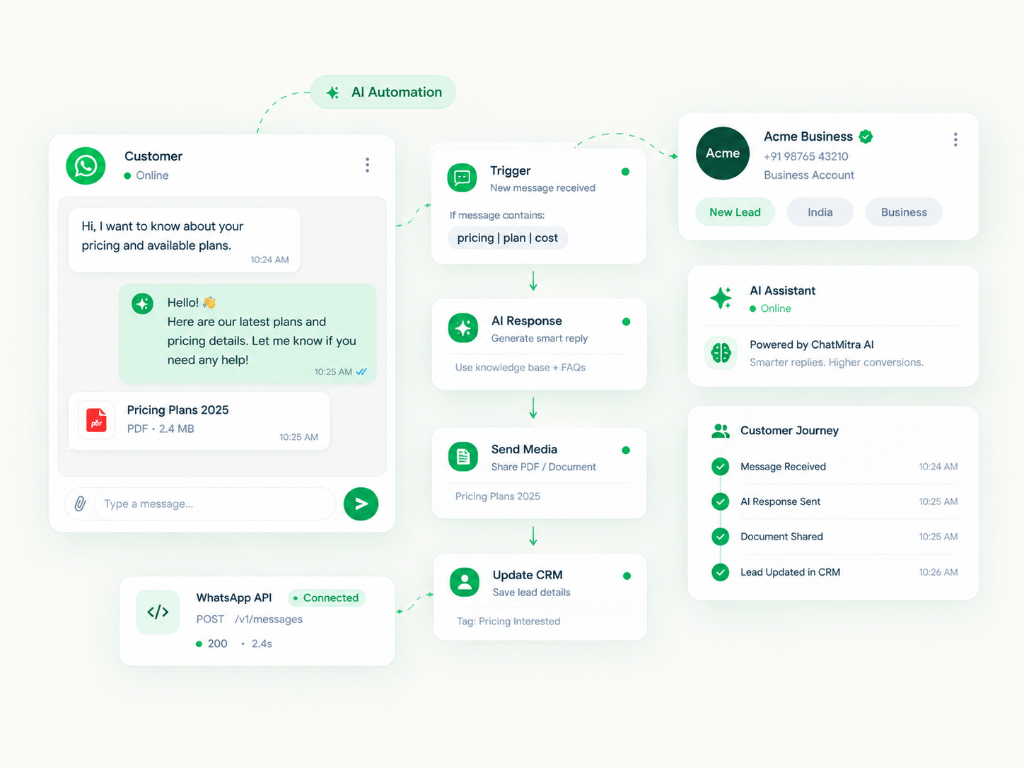
Webhooks allow your application to receive real-time notifications whenever a message is sent, delivered, read, or received. WorkflowMitra provides ready-made webhook endpoints so you don't need to write custom server routing code.

05 Creating & Submitting Templates

All business-initiated conversations outside the 24-hour customer service window require pre-approved message templates. Templates are categorized as Utility, Authentication, or Marketing, each with distinct Meta pricing rates.

06 Going Live & Tier Upgrades

Upon approval, you start with Tier 1 (1,000 unique recipients per 24 hours). As you broadcast responsibly and maintain high quality, Meta automatically upgrades your account to Tier 2 (10,000 recipients), Tier 3 (100,000 recipients), and finally Unlimited messaging.

Supercharge WhatsApp Growth

Build Automated Workflows on ChatMitra

Connect WhatsApp Business API, auto-reply to queries, qualify leads, and broadcast promotional campaigns in minutes.

Ready to try WhatsApp Business API?

Start free on the Starter plan — free subscription. Pro is ₹999/month with a 15-day trial when you need automation.