Automate Everything with Google Sheets and Apps Script
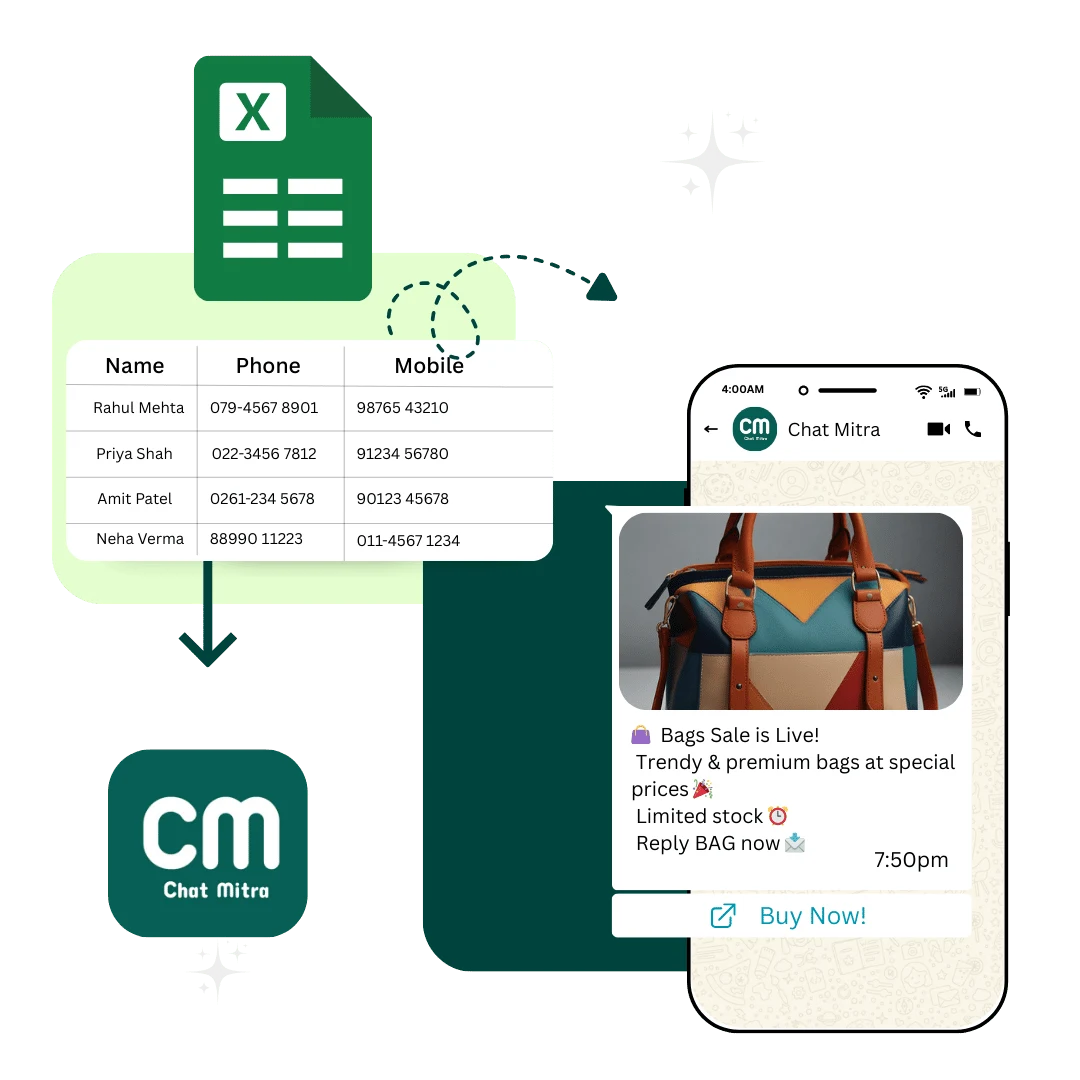
Turn your Google Sheets into a powerful automation engine. Send bulk WhatsApp messages, manage customer data, track inventory, and automate workflows without any coding knowledge. Sync data in real time with ChatMitra using ready-to-use Apps Script code.
The Cost of Manual Data Management
Most businesses still manage customer data, orders, and inventory through manual processes. This costs time, money, and causes errors.
Average Time Wasted
Businesses spend 10 to 15 hours per week on manual data entry, customer follow-ups, and status updates. That is two full work days gone every single week.
52 to 78 Hours per Month
Error Rate Impact
Manual data entry has a natural error rate of 1 to 3 percent. With thousands of customer records, these errors multiply into frustrated customers and lost sales.
20 to 50 Errors per Day
Lost Revenue
Delayed order confirmations, forgotten follow-ups, and missed inventory updates result in lost sales. Studies show 35 to 45 percent of potential sales are never realized.
35 to 45 percent Lost Sales
Powerful Automation Features
ChatMitra provides everything needed for complete business automation with Google Sheets
Bulk Product Updates
Update hundreds of products simultaneously with new prices, descriptions, and inventory levels. Changes sync instantly to ChatMitra.
Real-time Data Sync
Customer information, order statuses, and inventory levels sync automatically between Google Sheets and ChatMitra without delays.
Automated Alerts
Get instant notifications when inventory drops, orders arrive, or customers need follow-ups. Never miss important events.
Apps Script Automation
Use ready-to-use Google Apps Script code to trigger WhatsApp messages, update inventory, and manage customer data automatically.
Custom Workflows
Build complex automation workflows that fit your business process exactly. Customize triggers, conditions, and actions.
Team Collaboration
Multiple team members can update data simultaneously with real-time collaboration and version history tracking.
How Different Industries Use Google Sheets Automation
Real use cases showing how businesses save time and increase revenue
Automated Order Management and Fulfillment
THE PROBLEM
Manual order updates to customers cause delays and customer confusion. Stock levels are often inaccurate across channels.
THE SOLUTION
When a customer places an order in your store, it automatically creates a row in Google Sheets. ChatMitra sends an instant WhatsApp confirmation with order details. When order ships, the sheet updates and customer receives tracking information automatically.
THE BENEFIT
Reduces manual work by 90 percent, improves customer satisfaction, prevents overselling, and speeds up fulfillment process.
Popular Automation Examples
See what businesses are automating and how much time they save
Bulk Customer Import
Import thousands of customer phone numbers and names from Google Sheet into ChatMitra in seconds for bulk messaging campaigns.
Automated Invoice Sending
When you add a new invoice row in Google Sheet, ChatMitra automatically sends invoice PDF and payment link to customer via WhatsApp.
Inventory Sync
Real-time inventory levels from Google Sheet automatically sync with your product catalog in ChatMitra preventing overselling.
Order Status Updates
When order status changes in Google Sheet (processing, shipped, delivered), customers automatically receive WhatsApp notification with updates.
Birthday and Seasonal Campaigns
Google Sheet with customer birthdays triggers automatic WhatsApp offers and discounts on their special day. Increases repeat purchases.
Payment Reminder Automation
When invoice is added to Google Sheet, send payment link immediately. Then automatically send follow-up reminders at 24 and 72 hours.
Industry-Specific Benefits
Discover the hidden benefits that drive real business growth in your industry
E-Commerce
Service Businesses
Retail and Inventory
Healthcare
Manufacturing
Stop Wasting Time on Manual Work
Let Google Sheets and ChatMitra handle your customer communication, inventory management, and order processing automatically. Save 10 to 15 hours per week and focus on growing your business.
Frequently Asked Questions
How does Chat Mitra integrate with Google Sheets to manage customer data?
Chat Mitra seamlessly integrates with Google Sheets through direct API connections and Apps Script automation. Your customer data, product catalogs, and order information sync in real time. When you update data in Google Sheets, it automatically reflects in ChatMitra and your WhatsApp communications. This eliminates data silos and ensures your team always works with current information.
What are the key benefits of using Google Sheets integration with Chat Mitra?
Key benefits include effortless data management, real-time synchronization, bulk import and export functionality, zero manual data entry, cost savings compared to dedicated software, and complete team collaboration. Google Sheets integration streamlines your workflow by centralizing customer data, product information, orders, and inventory in one place without switching between platforms.
Can I import customer data from Google Sheets into Chat Mitra?
Yes, you can easily import hundreds or thousands of customer records from Google Sheets into ChatMitra in seconds. Simply organize your data with phone numbers, customer names, and custom fields, then use our bulk import feature. You can also set up automatic syncing so new customer additions in Google Sheets instantly appear in ChatMitra ready for WhatsApp outreach.
How does Chat Mitra handle product and order management with Google Sheets?
ChatMitra syncs your entire product catalog from Google Sheets including names, prices, descriptions, inventory levels, and SKUs. When inventory changes in your sheet, order management automatically updates. You can track orders, manage stock levels, and monitor sales performance all from the same Google Sheet while ChatMitra handles customer notifications and WhatsApp communication.
Can I update customer information and order statuses in real time using Google Sheets?
Absolutely. Updates made in Google Sheets reflect instantly in ChatMitra and WhatsApp communications. When you mark an order as shipped, customers immediately receive an automatic WhatsApp notification. This real-time syncing ensures your customer data is always current, improving customer experience and reducing manual follow-ups.
Is Google Sheets integration secure for handling sensitive customer data?
Yes, all data transfers between Google Sheets and ChatMitra are encrypted and secure. We leverage Google's enterprise-grade security infrastructure with ISO 27001 compliance. Customer data is never exposed or stored in insecure locations. You maintain full control over who can access your Google Sheets through Google's permission system.
What Apps Script code can I use to automate ChatMitra with Google Sheets?
ChatMitra provides ready-to-use Apps Script templates that handle customer import, bulk message sending, inventory updates, and payment reminders. You can copy our code directly into your Google Sheets and customize it with your ChatMitra API key. The script automatically pulls data, formats it correctly, and sends it to ChatMitra for processing.
How can I automate customer outreach using Google Sheets and ChatMitra?
Create a Google Sheet with customer data and use our Apps Script to automatically send personalized WhatsApp messages. Set triggers like new orders, birthdays, or inventory changes. The script retrieves customer information from your sheet and sends targeted messages through ChatMitra without manual intervention.
Can I track customer behavior and sales performance using Google Sheets and Chat Mitra?
Yes, combine Google Sheets with ChatMitra analytics to track customer interactions, message delivery rates, payment completion, and sales trends. Use formulas to analyze customer segments, calculate lifetime value, and identify your best-performing products. This data helps optimize your marketing and sales strategies.
How much time can I save using Google Sheets automation with ChatMitra?
Businesses typically save 10 to 15 hours per week by automating data entry, customer communications, and order updates. Instead of manual WhatsApp messaging, inventory management, and customer follow-ups, everything happens automatically. Teams can focus on strategy and customer relationships rather than administrative work.