Accept Payments Directly Through WhatsApp with Razorpay
Stop losing sales to cart abandonment. Enable your customers to pay directly through WhatsApp using Razorpay's secure payment gateway. Complete transactions in seconds, recover abandoned carts, and boost your revenue without redirecting customers to external payment pages.

Why Your Business Needs WhatsApp Payments
Understand the critical issues preventing businesses from maximizing their revenue potential
The Cart Abandonment Crisis
Your business is losing money right now. On average, 70 percent of online shopping carts are abandoned without conversion. This translates to approximately 4 trillion dollars in lost revenue every year across the global e-commerce industry.
But here's the critical insight: most of these customers were ready to buy. They just needed one more gentle nudge or a simplified checkout experience. The barriers preventing completion are often small friction points that can be removed.
Common Reasons Customers Don't Complete Purchases
- 1. Unexpected shipping, tax, and handling fees revealed at checkout
- 2. Forced account creation before purchasing
- 3. Too many steps and complex checkout flows
- 4. Security concerns and distrust of payment pages
- 5. Customers getting distracted or closing browser tabs
- 6. Payment failures with no clear recovery path
Traditional Payment Solutions Fall Short
Email reminders about abandoned carts rarely work. On average, email has only a 1 to 3 percent open rate. By the time customers see your reminder, they've already moved on to a competitor. SMS is slightly better but still impersonal and doesn't feel natural to most customers. Your recovery attempts feel like spam, not genuine business communication.
Additionally, redirecting customers to external payment pages adds friction. They must leave their familiar WhatsApp chat, navigate to a new website, enter payment details, and wait for confirmation. Each step increases the chance they'll abandon the transaction.
How WhatsApp Payments Solve Your Revenue Problem
Meet customers where they already spend their time
98% Open Rate
WhatsApp messages achieve a 98 percent open rate compared to email's 1 to 3 percent. Your customers check WhatsApp regularly. Payment reminders arrive directly where they're already focused, significantly increasing response and conversion rates.
Frictionless Checkout
Customers stay in WhatsApp. They don't need to click external links, create accounts, or navigate confusing payment pages. A single tap completes their purchase. This simplicity dramatically increases completion rates and reduces abandoned transactions.
Recover Lost Revenue
With 70 percent of carts abandoned, businesses typically recover 15 to 30 percent through WhatsApp reminders. A business with $100,000 monthly abandoned carts can recover $15,000 to $30,000 simply by adding WhatsApp payment recovery to their strategy.
Instant Confirmations
Customers receive immediate payment confirmation directly in WhatsApp. No waiting, no confusion. This builds trust and creates a more professional impression of your business. Automatic receipts and invoices reduce support inquiries about payment status.
Enterprise Security
Razorpay provides PCI DSS Level 1 compliance and end-to-end encryption. Customer payment data never touches your servers. Both you and your customers can have complete confidence that transactions are protected by the highest security standards in the payments industry.
Why ChatMitra for Razorpay Integration
While many platforms claim to offer WhatsApp payment integration, ChatMitra stands out with purpose-built features specifically designed for payment success. Here's what makes us different.
Zero-Code Integration
Connect Razorpay in minutes through our dashboard. No technical knowledge required. Your entire team can manage payment flows without touching a single line of code.
Intelligent Automation
Set up automated payment reminders based on specific triggers. Send reminders after 1 hour, 24 hours, or 72 hours. Add personalized offers and discounts to boost completion rates. Everything runs automatically in the background.
Complete Dashboard Control
View all payment data in real time. Track pending payments, completed transactions, failures, and refunds. Generate financial reports and analytics. Access detailed customer payment history with a few clicks.
Platform Agnostic
Works seamlessly with Shopify, WooCommerce, custom e-commerce platforms, or standalone WhatsApp business accounts. Integrate your existing systems without rebuilding your tech stack.
Dedicated Support
Our support team helps with setup, troubleshooting, optimization strategies, and best practices. We're committed to your success and respond promptly to your questions.
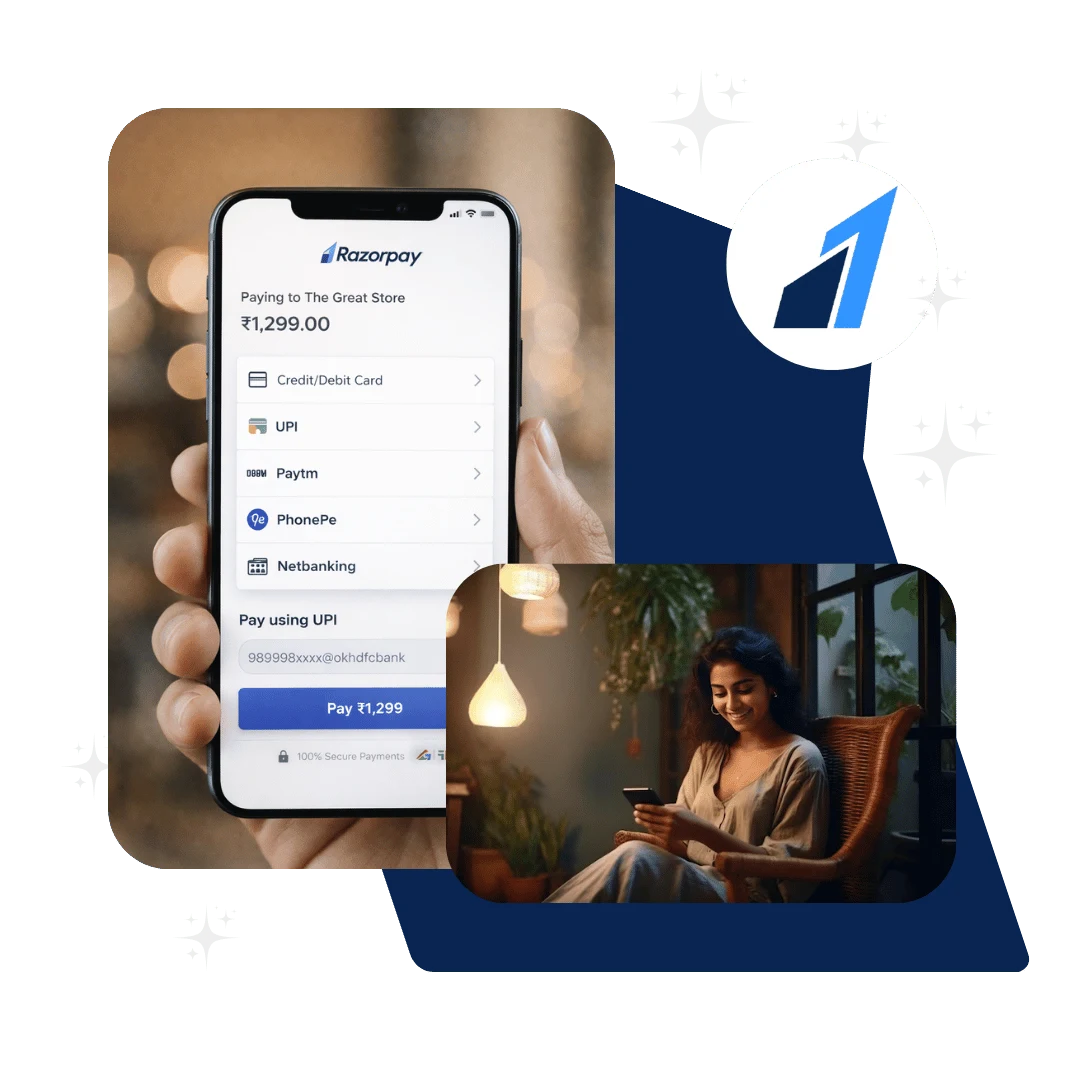
How to Set Up Razorpay Payments on ChatMitra
Complete integration in 15 to 20 minutes with our simple setup process
Create Accounts
Sign up for a Razorpay merchant account and verify your WhatsApp Business account through Meta. Both take about 5 minutes each and require basic business information.
Connect Razorpay
Log into your ChatMitra dashboard and go to integrations. Select Razorpay and enter your API keys. Our system automatically validates your credentials and confirms the connection.
Configure Payments
Choose which payment methods to accept, set your payment options, and enable automated reminders. Configure retry logic for failed payments and customize your customer messaging.
Start Accepting Payments
You're ready to go. Send payment links through your chatbot or manually to customers. Begin recovering abandoned carts and accepting instant WhatsApp payments.
Prerequisites and Requirements
Everything you need to get started with Razorpay payments on ChatMitra
Required Accounts
- 1.
Razorpay Merchant Account
A verified business account with Razorpay. Signup is free and takes about 5 minutes. You'll receive API keys for integration.
- 2.
WhatsApp Business Account
A verified WhatsApp Business account through Meta. This enables the WhatsApp Business API and secure messaging capabilities.
- 3.
ChatMitra Account
A free ChatMitra account where you manage all integrations and payment flows through our dashboard.
Technical Requirements
- 1.
Valid Business Documentation
Your company's registration documents, business address, and owner identification for Razorpay verification.
- 2.
Banking Information
A business bank account for receiving payments. Razorpay requires this for payment settlement.
- 3.
Stable Internet Connection
Reliable connectivity for managing your account and processing customer payments without interruptions.
WhatsApp Payments Across Industries
See how businesses across different sectors benefit from WhatsApp Razorpay integration
E-Commerce and Retail
Send cart recovery messages to customers with abandoned items. Enable instant checkout through WhatsApp. Reduce payment friction and increase average order value with seamless transactions.
Potential Recovery Rate: 20-30 percent of abandoned carts
Service-Based Businesses
Send payment requests for service bookings, invoices, and consultations. Allow clients to pay directly through WhatsApp without navigating payment portals. Reduce payment collection time and improve cash flow.
Benefit: Faster payment collection and reduced follow-ups
Education and Training
Collect course fees and training payment from students directly. Send automated payment reminders for registration deadlines. Process refunds quickly and manage multiple payment batches efficiently.
Benefit: Streamlined admission process and better enrollment rates
Healthcare Providers
Send appointment payment requests and prescription charges through WhatsApp. Allow patients to settle bills instantly. Improve payment completion rates and reduce administrative work.
Benefit: Better patient experience and improved revenue recognition
Real Estate Agencies
Request booking amounts and booking deposits from serious property buyers. Send payment reminders for installments. Enable secure transactions for high-value deals without bank visits.
Benefit: Faster deal closure and secure payment handling
Restaurants and Food Delivery
Accept prepayment for food orders and event catering. Send payment links for reservation deposits. Enable quick settlements for large group orders without manual payment collection.
Benefit: Reduced no-shows and improved order management
Enterprise Security and Compliance
Your payments are protected by the highest security standards in the industry
Razorpay Security Standards
PCI DSS Level 1 Compliance
The highest certification for payment card industry security standards, audited annually by independent security firms.
End-to-End Encryption
All customer payment data is encrypted during transmission. No unencrypted payment information travels across networks.
Tokenization Technology
Payment information is tokenized. Card details are never stored in plain text, protecting against data breaches.
How Your Data Is Protected
ChatMitra Never Stores Payment Data
Payment processing happens through Razorpay's secure servers. We don't maintain customer payment information on our systems.
ISO 27001 Certified Infrastructure
Our systems are built on ISO 27001 certified cloud infrastructure with automated backups and disaster recovery.
Regular Security Audits
Third-party security firms conduct regular penetration testing and vulnerability assessments of our platform.
Common Issues and Troubleshooting
Solutions to common problems you might encounter
Payment Link Not Generating
Ensure your Razorpay account is fully activated and verified. Check that API keys are correctly entered in ChatMitra settings. Verify that your WhatsApp Business account is active. If the issue persists, contact our support team who can verify your configuration and help resolve it quickly.
Customer Receives Failed Payment Notification
Failed payments can occur due to insufficient funds, network issues, or incorrect card details. ChatMitra automatically sends failure notifications allowing customers to retry immediately with a different payment method. Check your dashboard for detailed failure logs and contact your customer directly to assist them.
Payments Not Appearing in Dashboard
There can be a slight delay of 2 to 5 minutes between transaction completion and dashboard visibility. Ensure you're viewing the correct merchant account and date range. Check your Razorpay account directly to confirm the payment was received. Our team can investigate if you notice consistent delays.
Customers Report WhatsApp Messages Not Received
Ensure your WhatsApp Business account has proper API access enabled. Verify that phone numbers include the country code. Check your message queue in ChatMitra to confirm messages were sent. Some customers might have WhatsApp notifications disabled or older app versions. Ask them to update WhatsApp and check notification settings.
Integration Setup Getting Stuck
Clear your browser cache and try again from an incognito window. Ensure all required documentation is properly submitted to Razorpay. Check that your account meets activation requirements. Our support team can walk you through each step of the setup process if you're having difficulty.
Ready to Recover Your Lost Revenue?
Join thousands of businesses that have already started accepting WhatsApp payments with ChatMitra and Razorpay. Set up is simple, fast, and free. Start recovering abandoned carts within 20 minutes.
Frequently Asked Questions
What is required to set up Razorpay with ChatMitra?
To get started, you need an active Razorpay merchant account, a WhatsApp Business account verified through Meta, and access to ChatMitra's dashboard. The entire setup process typically takes 15 to 20 minutes. You don't need any coding knowledge or technical expertise. All integration happens through our user-friendly admin panel where you'll connect your Razorpay API keys and configure your payment settings.
How long does it take to integrate Razorpay with ChatMitra?
The integration process is quick and straightforward. Most businesses complete the setup in 15 to 20 minutes. This includes connecting your Razorpay account, configuring payment options, and creating your first payment flow. Once connected, you can immediately start sending payment links to customers through WhatsApp.
What payment methods can customers use when paying through ChatMitra?
Through Razorpay integration on ChatMitra, your customers can pay using multiple methods including UPI (BHIM, Google Pay, PhonePe), credit and debit cards (Visa, Mastercard, Amex), net banking from all major Indian banks, digital wallets (PayTM, Mobikwik), EMI options, and even international payment methods depending on your Razorpay account configuration.
Is WhatsApp payment integration secure for my customers?
Absolutely. ChatMitra uses Razorpay's enterprise-grade security infrastructure. All transactions are encrypted end-to-end, and we comply with PCI DSS Level 1 standards, which is the highest security certification for payment processing. Customer payment information is never stored on ChatMitra's servers. Razorpay handles all sensitive payment data according to international security protocols.
Can I track and manage payments through ChatMitra?
Yes, our dashboard provides complete visibility into all transactions. You can track payment status in real time, view detailed payment reports, monitor failed transactions, manage refunds, and generate financial reports. All payment data syncs automatically with your records, eliminating manual reconciliation and reducing administrative burden.
What happens if a customer's payment fails?
When a payment fails, ChatMitra automatically notifies the customer immediately with a clear explanation. Customers can instantly retry the payment using the same or a different payment method. You receive alerts about failed transactions in your dashboard so you can follow up if needed. The system logs all failures for your records.
Can I customize payment reminders for my customers?
Yes, ChatMitra allows you to create customized automated payment reminders. You can set reminders at specific times (1 hour, 24 hours, 72 hours after payment request), personalize messages with customer names and product details, and add special offers or discounts to encourage completion. These messages are sent directly through WhatsApp for maximum visibility.
Does ChatMitra work with existing e-commerce platforms?
ChatMitra integrates seamlessly with popular e-commerce platforms including Shopify, WooCommerce, and custom applications. For Shopify users, we offer one-click integration. For other platforms, our API documentation makes integration straightforward. We also work with order management systems to automate payment requests based on order events.
What kind of customer support do I receive?
ChatMitra provides comprehensive support including setup assistance, documentation, video tutorials, and direct support through email and WhatsApp. Our support team helps with integration questions, troubleshooting, best practices, and optimization strategies. We're committed to ensuring your success with payment collection.
How much revenue can I expect to recover from abandoned carts?
Industry data shows that 70 percent of online shopping carts are abandoned, representing significant lost revenue. Businesses using WhatsApp payment recovery typically recover 15 to 30 percent of abandoned carts through automated reminders. For example, a business with $100,000 in monthly abandoned cart value could recover $15,000 to $30,000 monthly by implementing WhatsApp payment recovery.
Will customers' WhatsApp experience be disrupted?
No, payment requests appear as regular WhatsApp messages. Customers see a simple message with your offer or invoice details and a secure payment link. When they click the link, they're directed to Razorpay's secure payment page where they complete the transaction. They return to WhatsApp after payment completion with automatic confirmation messages.
Is there a transaction fee for using Razorpay through ChatMitra?
ChatMitra doesn't add any additional fees on top of Razorpay's rates. You pay only Razorpay's standard transaction fees which vary by payment method (typically 1.99 percent to 2.99 percent for cards and lower for UPI). Razorpay's pricing is transparent with no hidden charges. You can review exact fees on the Razorpay website.