10 WhatsApp Templates for Webinars & Events
Boost attendance, engage participants, and drive post-event feedback with these WhatsApp templates for webinars and events!
Chat Mitra helps event organizers automate communications for webinars and events, ensuring timely reminders, confirmations, updates, and post-event feedback. With its easy-to-use WhatsApp templates, event organizers can focus on delivering exceptional experiences while Chat Mitra takes care of the communication.
Book a One-to-One Meeting With Our Product Expert
Have questions? We've got answers. Connect with our product expert for a personalized demo and discover the best WhatsApp Business setup for your business.
Book a Free Demo
How Chat Mitra Transforms Webinar & Event Communication
Chat Mitra helps event organizers automate communications for webinars and events, ensuring timely reminders, confirmations, updates, and post-event feedback. With its easy-to-use WhatsApp templates, event organizers can focus on delivering exceptional experiences while Chat Mitra takes care of the communication.
Event Invitations
Event Reminders
Feedback Requests
Registration Confirmation
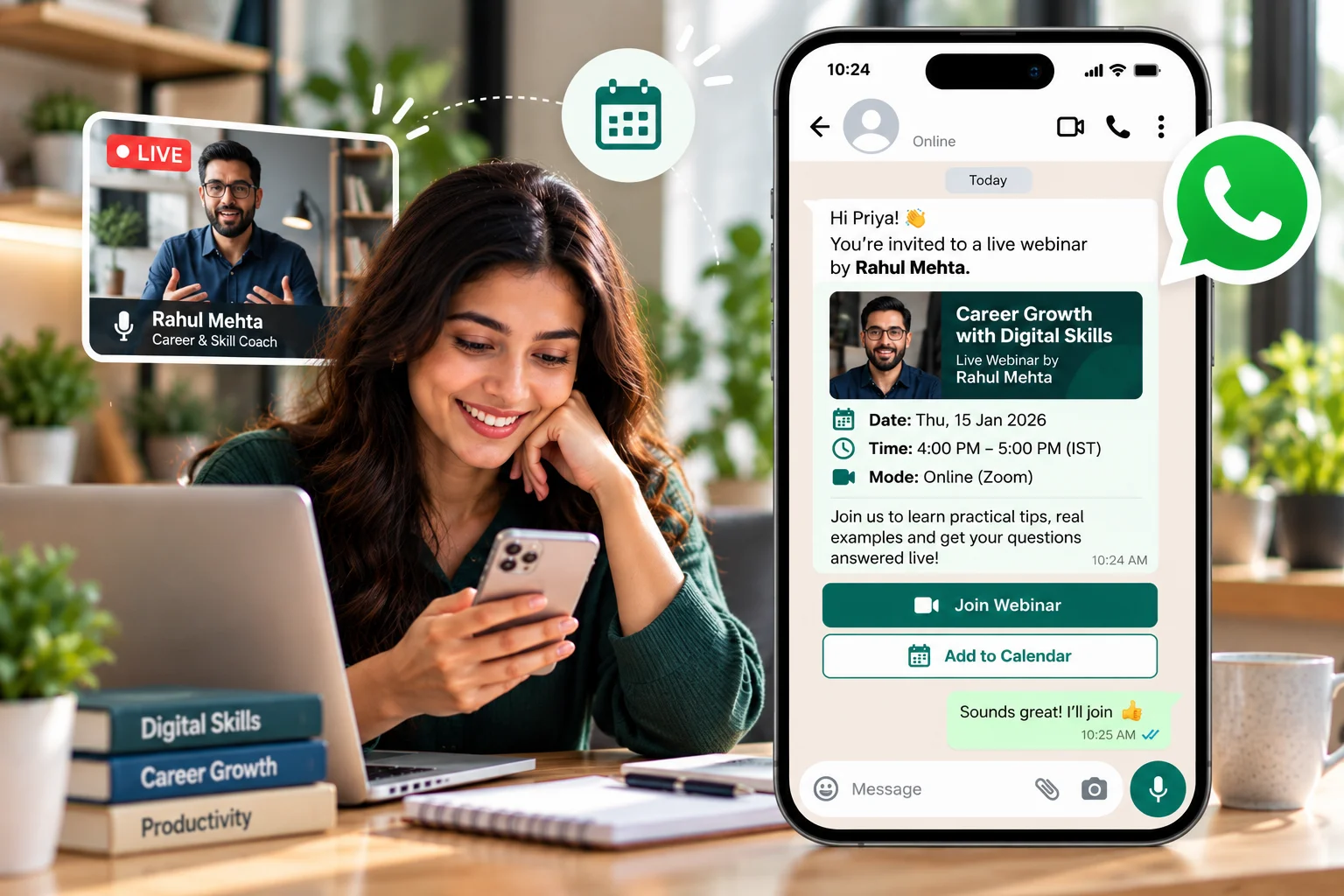
🎉 You're Invited to Our Exclusive Webinar! 📅 Join us for an insightful session on [Topic]! Register Now: [Registration Link] 🔗 Don't miss out on valuable knowledge and networking opportunities!
🌟 You're Invited to [Event Name]! 📅 Join us for an exciting [Event Type] on [Date] at [Venue]! RSVP Now: [RSVP Link] 🔗 Looking forward to seeing you there!
⏰ Reminder: [Event Name] is Happening Soon! 🎉 Don't forget to join us on [Date] at [Time]. Get Ready for [Event Details]! Click here to confirm your attendance: [RSVP Link] 🔗
⏰ Reminder: Your Webinar on [Topic] is Coming Up! 🎉 Join us on [Date] at [Time]. We're excited to have you with us! Get more details here: [Registration Link] 🔗
📝 We’d love to hear your thoughts on our recent webinar! How was your experience during our session on [Topic]? Your feedback helps us improve! Please share your thoughts: [Feedback Link] 🔗
🎉 Thank you for attending [Event Name]! 🙏 We would appreciate your feedback to make our future events even better! Share your thoughts here: [Feedback Link] 🔗
🚨 Important Update: Webinar Postponed 🚨 Due to unforeseen circumstances, our webinar on [Topic] has been rescheduled to [New Date]. We apologize for the inconvenience, and hope to see you then!
🚨 Important Update: [Event Name] Rescheduled 🚨 Due to unforeseen circumstances, our event has been moved to [New Date] at [New Time]. We hope you can still join us!
🎉 Webinar Registration Confirmed! 📅 Thank you for signing up for our webinar on [Topic]! We look forward to having you with us on [Date] at [Time]. View webinar details: [Registration Link] 🔗
🌟 You're Registered for [Event Name]! 🎉 Thank you for confirming your attendance! We look forward to seeing you on [Date] at [Time] at [Venue]. Event details: [RSVP Link] 🔗
How to invite someone on WhatsApp to an event
The invite is the message that decides your turnout, so it is worth getting right before you worry about reminders. Put the event name, the date and time, and the venue or join link in the first two lines — people read WhatsApp on a lock screen, and anything below the fold often never gets opened. Then give exactly one action.
- For a webinar, that action is a Join Now button pointing at the registration or room link.
- For a physical event, make it a reply word — "Reply YES to confirm" — so you get a headcount and a reply opens a 24-hour window you can use for directions and follow-ups (the first 1,000 replies each month are free).
The Event Invitation and Webinar Invitation templates above are already written in this shape. Copy one, swap the placeholders, and submit it for approval once — then it is reusable for every event you run.
Broadcast the invite, don't build a group
The instinct is to make a WhatsApp group and add everyone. Resist it. A group puts your invitees in a room with strangers, lets one person's reply notify the whole list, and caps how many people you can reach.
A broadcast sends the same invitation to everyone as a normal one-to-one chat. Each person can RSVP privately, nobody sees anyone else's number, and it scales to your entire list. Keep groups for the small cohort that genuinely needs to talk to each other — a speaker panel, or a workshop batch.
Before you send: opt-in and approval
An event invitation is a marketing-category message under Meta's rules, so it needs an approved template and opt-in from each person receiving it. Collect that opt-in at registration, on your event page, or wherever someone first shows interest. Once it is in place, the invite, the reminder and the post-event follow-up all work without further friction.
Ready to Take Your Webinars & Events to the Next Level?
Start using Chat Mitras WhatsApp templates today to streamline your communication and boost your event’s success!
Get Started NowFrequently Asked Questions
How can WhatsApp marketing for webinars and events make my event pop?
WhatsApp marketing for webinars and events is like a megaphone for your invites! Send personalized messages, like 'Hi Anil, join our webinar on Friday!' with a 'Register Now' button. With a 98% open rate, attendees see your messages fast, unlike emails. A small event I know doubled sign-ups with WhatsApp invites. You can share event details, links, or even a teaser video to spark excitement. It’s perfect for small meetups or big webinars, helping you connect directly and boost attendance without pricey ads.
How do I send event reminders on WhatsApp?
Sending event reminders is easy with WhatsApp automation. Create a template like 'Hi {{attendee_name}}, our {{event_name}} is tomorrow at {{time}}!' and get Meta’s approval (1–2 days). Then, send it manually or automate it to go out before the event. Add a 'Join Now' button for webinars. A planner cut no shows by 20% with these. Chat Mitra tracks who got the message, so you know attendees are ready. It’s way simpler and cheaper than calling or texting everyone!
Can WhatsApp really boost attendance for my webinar?
You bet! WhatsApp reminders, like 'Hi {{attendee_name}}, don’t miss our {{webinar_topic}} today!' with a direct link, make joining a breeze. With a 98% open rate, people see these messages, unlike emails. Buttons like 'Add to Calendar' help, too. A webinar host I know increased attendance by 25% using WhatsApp. Automation sends timely nudges without extra work. Chat Mitra’s tools let you see who’s engaging, so you can follow up with no shows. It’s a simple trick to pack your virtual or in-person event.
Why does Meta need to approve my event templates?
Meta’s approval keeps WhatsApp spam-free. You make a template, like 'Hi {{attendee_name}}, join {{event_name}}!' and submit it via Chat Mitra. Meta checks it in 1–2 days to ensure it’s clear and legit. If it’s a no, they’ll say why, like 'Add details.' Chat Mitra’s pre-vetted templates usually get quick approval. Once approved, you’re ready to send or automate. It’s a small step to keep your webinar or event messages professional and ensure they reach attendees without hiccups.
How can WhatsApp marketing benefit webinars and events?
WhatsApp marketing helps event organizers engage attendees with personalized invitations, reminders, updates, and post-event feedback. It allows for direct communication, ensuring better attendance and participation.
What role does WhatsApp automation play in webinars and events?
WhatsApp automation streamlines processes by sending out registration confirmations, reminders, and updates for events. It also provides a simple way to manage attendee queries and post-event follow-ups automatically.
How do automated reminders boost event attendance?
Automated reminders sent via WhatsApp ensure that attendees are reminded of the event, reducing no shows. Personalized messages with direct links make it easier for participants to join the webinar or event.
Can WhatsApp marketing help smaller events compete with larger ones?
Yes! WhatsApp marketing offers smaller events a chance to build strong, personal connections with attendees. It allows for targeted campaigns, real time updates, and instant communication, all of which are crucial for engagement.
What analytics does WhatsApp automation provide for webinars and events?
WhatsApp automation tools provide insights into message delivery rates, read status, response rates, and attendee behavior. These analytics help optimize future campaigns and improve event experiences.
How do I invite someone on WhatsApp to an event?
Send an approved invitation template to the people who have opted in, rather than adding them to a group. A good invite names the event, the date and time, and the venue or join link in the first two lines, then gives one action — a Join Now button for a webinar, or a reply word like YES for a physical event so you can count heads. The Event Invitation and Webinar Invitation templates above are written this way.
Is it better to invite people on WhatsApp with a group or a broadcast?
A broadcast, almost always. A group puts every invitee in a room with strangers, lets anyone reply to everyone, and caps how many people you can reach. A broadcast sends the same invite as a normal one-to-one chat, so each person can RSVP privately, and it scales to your whole list. Groups only make sense for a small cohort that genuinely needs to talk to each other.
Can I send a WhatsApp invite to people who have not messaged me first?
Only if they have opted in to hear from you, and only using a template Meta has approved. An event invitation is a marketing-category message, so it needs both. Collect opt-in at registration, on your website, or at the point where someone shows interest — then the invite, the reminder and the follow-up all become straightforward.
When should I send an event invitation and the reminders?
Send the invitation as soon as the date is fixed, a reminder the day before, and a final one an hour or two before it starts with the join link or venue directions. For webinars, that last nudge is what actually lifts attendance — most no-shows are people who registered and forgot, not people who changed their minds.
